

Turn recordings into transcripts and summaries in minutes
Upload audio or video for multilingual transcription, AI notes, and action items
You receive a 60-second WeChat voice message containing three things a client asked you to do. You want to forward it to a colleague exactly as is, but when you long-press it, the only options are Favorite, Convert to Text, and Delete—there is no "Forward."
Many people have encountered this screen, so they search online for "can WeChat voice messages be forwarded" and usually get the answer "no."
But the real question isn't "can it be forwarded"—it's: do you want to move that audio somewhere else, or do you want its contents to be understood, saved, and reused?
These two answers lead to completely different tools. Below, I'll first explain WeChat's current situation clearly, then compare three practical approaches, and finally give you selection advice.
Why Can't WeChat Voice Messages Be Forwarded? Understand This First Before Looking for Alternatives
Bottom line: according to WeChat's official documentation, voice messages currently only offer "Send" and "Voice to Text," with no direct option to forward voice messages.
WeChat's description of voice messages is clear: open a chat window with a friend, tap the sound wave icon in the lower left, long-press "Hold to Talk" to start recording, and release your finger to send. A single voice message can be up to 60 seconds long. Also, if your phone system hasn't granted WeChat recording permission, the voice feature won't work properly.
Why doesn't WeChat offer forwarding? A common interpretation is privacy and risk. A voice is a real person's characteristic; once it can be freely forwarded, it could be spliced, taken out of context, or even used to impersonate friends or family to borrow money.
This is also why online claims that "you actually can forward" are mostly just converting voice to text and sending that, or recording with another phone—not WeChat actually enabling this feature.
So the practical solution is: instead of looking for workarounds, switch to a workflow that "turns voice into shareable content."
Before Choosing an Alternative, Understand These 4 Key Points
1. Are You Sharing the "Sound" or the "Content"?
If the other person just wants to hear the original audio (e.g., tone, laughter, an elder's reminder), you need a way to save the audio file.
If the other person wants the "information" (to-dos, addresses, meeting conclusions), then turning the voice into text, summaries, and to-dos is actually more useful than forwarding. Think this through first so you don't buy a tool you won't use.
2. Transcription Quality Depends on the Situation—Don't Just Look at Marketing Numbers
No tool can guarantee a fixed accuracy rate. Quiet environments, single speakers, and clear articulation perform best; air conditioning noise, traffic noise, multiple people talking over each other, and heavy jargon will always require manual verification.
We recommend testing with your own real recordings rather than just looking at the percentages advertised by vendors.
3. After Transcription, Can It Fit into Your Existing Workflow?
Many people get stuck here: the voice is transcribed, but it's stuck in the app, and you have to manually copy it to email or a shared doc.
Whether you can export to a file or send to Notion or Google Docs directly determines how much extra time you'll spend afterward.
4. How Are Free Quotas Calculated, and Does the Team Need to Share?
Most tools' free versions have time or file limits, and the restrictions vary (monthly minutes, single-file length, daily file count).
If you're organizing client voice messages for the whole team to see, you also need to ask: is the data stored in personal accounts, or is there a shared space?
Tinrec — The Top Choice for Turning Voice into Reusable Data
Tinrec is an AI meeting notes and collaboration tool for individuals and teams, available on iOS, Android, desktop, and web. It doesn't just convert sound to text—it organizes a voice message into searchable, summarizable, queryable, and exportable data.
One important caveat first: Tinrec does not capture voice messages from your WeChat chats. In practice, there are two approaches—play the WeChat voice message on speaker while recording in real time with Tinrec, or if you already have an audio file, import it directly for transcription. Clarifying this upfront avoids false expectations.
Real-time recording and transcription: Play the WeChat voice message with Tinrec open, and a transcript appears as it records. A 60-second client voice message is transcribed by the time playback ends—no need to listen three more times. It also works for offline meetings, interviews, and speakerphone calls.
Post-transcription organization: This is where it differs most from pure transcription tools. After recording, it automatically generates summaries, chapters, and key points, and extracts action items from the discussion into to-dos. What you get isn't just a transcript—it's content like "who needs to do what and by when" that you can forward directly to colleagues.
AI Q&A and export: Once you've accumulated enough voice data, you can ask it directly, "What did the client say about the budget last week?" It responds based on meaning rather than just returning keyword search results. Organized content can be exported or sent to Notion, Google Docs, OneNote, or Dropbox for further use; it can also generate reports, tables, and meeting notes.
Stop organizing recordings by hand
Upload audio or video and automatically get a transcript, summary, and action items
Team Edition keeps data within the team: If you're organizing voice messages for team sharing, the Team Edition provides an independent team space where meeting data belongs to the team, with management of roles, seats, sharing permissions, usage analytics, audit logs, and an audio recycle bin. Roles determine who can manage the team; seats determine who can record, upload, edit, and export; members without seats can still view, play, and read team data.
Currently, the Team Edition's first eligible trial is 7 days, 1 free seat, and 300 minutes of team shared import quota; monthly billing is USD 29.80 per paid seat per month, annual billing is USD 199 per paid seat per year (about USD 16.58 per month), with each paid seat providing 2,000 minutes of team shared import quota per month. Real-time recording is currently not deducted by minute under an active plan and seat. Prices and benefits are subject to the official purchase page.
Things to note: The free version only has a basic quota, and heavy users need to pay; it also cannot directly read WeChat chat history—you need to record via speaker or obtain the audio file yourself. Additionally, transcription quality is affected by recording quality, accent, noise, and overlapping speakers; for important content, verify against the original recording.
Who it's for: People who frequently handle Chinese voice messages, want to generate summaries and to-dos directly after transcription, or need to retain client communication content for the team.
Besides Tinrec, What Other Options Are There?
WeChat's Built-in "Voice to Text"
Long-press a voice message and select "Convert to Text"—it's free, fastest, and requires no installation. If you just need to quickly understand a voice message yourself, this is enough.
But it only gives you plain text, doesn't keep the audio file, can't process in batches, and with heavy accents or noisy environments, the recognition results often require you to fill in the gaps yourself. To use it as meeting notes or deliver it to colleagues, you usually need to organize it further.
Notta
Notta is a transcription tool familiar to users in Taiwan, covering multi-platform transcription, meeting notes, file import, and translation, with significant overlap with Tinrec.
According to official information: the free version offers 120 minutes per month, with a maximum of 3 minutes per item; Pro annual billing is about USD 8.17 per month with 1,800 minutes per month; Business annual billing is about USD 16.67 per seat per month, offering unlimited transcription, role permissions, and usage reports.
It suits users with modest file volumes who mainly need transcription itself. However, if you want to "continue asking questions, extract to-dos, and generate reports after transcription," Tinrec is more complete in this post-processing workflow.
TurboScribe
TurboScribe takes the high-cost-performance file transcription route, focusing on long files, batch uploads, subtitles, and translation.
According to official information: the free version allows 3 files per day, with a maximum of 30 minutes per file; Unlimited annual billing is USD 120 (about USD 10 per month), and the paid version supports files up to 10 hours or 5 GB, with up to 50 files uploaded at once.
If you have a large batch of pre-recorded audio files to process at once, it's indeed cost-effective. But it leans toward file processing and lacks Tinrec's team space, seats, usage, and audit management mechanisms; real-time meeting scenarios are not its strong suit.
Pitfall Guide: The 4 Most Common Mistakes When Handling WeChat Voice Messages
Pitfall 1: Trusting "one-click forwarding" third-party plugins. These tools usually require you to log in or authorize your account, and the risk far outweighs the convenience. For features the official app doesn't offer, the cost of taking a workaround is often more than you can bear.
Pitfall 2: Keeping only the text and discarding the original recording. Voice-to-text will always make mistakes, especially with names, amounts, and addresses. Keep the audio file so you can go back and verify what was actually said.
Pitfall 3: Recording via speaker without paying attention to the environment. When recording a WeChat voice message with another device, background air conditioning noise, traffic noise, and nearby conversations all get picked up, directly degrading transcription quality. Playing it in a quiet place makes a big difference.
Pitfall 4: Forgetting to ask for consent. Converting someone else's voice message to text and sharing it involves recording and personal data processing. Under Taiwan regulations and workplace ethics, for content involving clients or colleagues, it's best to confirm they're okay with it—don't let convenience become a dispute.
Conclusion: Which One Should You Choose?
Back to the initial decision focus: are you sharing the sound or the content?
Just need to quickly understand a voice message yourself → Use WeChat's built-in voice-to-text; it's free and instant.
Need to turn client voice messages into to-dos and meeting notes for colleagues → Tinrec; after transcription, it directly generates summaries, chapters, and to-dos, and can export to shared doc tools.
Have accumulated many audio files to process all at once → TurboScribe; long files and batch uploads are its strengths.
Only need simple transcription and budget comes first → Notta; the free quota is sufficient for short audio files.
The whole team needs to share meeting data and manage seats and usage → Tinrec Team Edition; data belongs to the team, and you don't have to worry about data being taken away when members change.
Honestly, most people who ask "can WeChat voice messages be forwarded" really mean "I don't want to listen again, and I don't want to miss key points." Turning voice into text and to-dos is far more practical than trying to forward the audio.
We suggest first trying Tinrec's free version with one of your own WeChat voice messages to see if the transcription and summary results work for you, then decide whether to upgrade. Testing with your own audio files is always more accurate than reading others' reviews.
References
Turn every recording into actionable outcomes
Get 60 free transcription minutes when you sign in. No credit card required.
Related Reading
You might also like

2026 AI Tool Comparison: Google AI Studio Has No Chinese Interface—How to Choose a Meeting Notes Tool?
Does Google AI Studio have a Chinese interface? Most hands-on tests show the UI is still in English with no native Traditional Chinese version, but the Gemini model can accept Traditional Chinese prompts and output Chinese. This article clearly separates "interface language" from "output language," then compares Tinrec, Google AI Studio, Notta, and Otter.ai based on real meeting-notes needs, including 4 common misconceptions and selection advice.

5 iPhone Recording Methods Compared (2026): Built-in Features, Call Recording, and AI Transcription — Which to Choose?
We tested five built-in iPhone recording methods (Voice Memos, Control Center, Action Button, Back Tap, and iOS 18.1 Call Recording) and compared Tinrec, Notta, Otter.ai, and PLAUD Note on meeting transcription, AI summaries, and team collaboration. Includes key selection criteria and pitfalls to avoid.

3 Ways to Voice Type on iPhone in 2026: Built-in Dictation vs. AI Meeting Tools vs. Transcription Services
First, figure out what you need: if you're just replying to messages, iPhone's built-in Dictation is enough. If you need to organize meetings, check whether the free tier is sufficient. This article breaks down how to enable built-in Dictation, how to add punctuation by voice, and how to troubleshoot when the microphone icon disappears. It also compares the free limits of Tinrec and file-based transcription services, and provides a comparison table and FAQ to help you choose the right tool.

5 AI Audio-to-Text Tools Compared in 2026: From Free to Paid, From Transcripts to Team Collaboration
A side-by-side comparison of 5 AI audio-to-text tools in 2026, from free to paid, from transcripts to team collaboration, helping you decide how to choose an audio-to-text tool. Using Tinrec as the main example, this article explains real-time transcription, bot-free meeting recording, AI summaries, action item extraction, AI Q&A, and team spaces, and outlines 5 key points to consider when purchasing.

2026 Comparison of 4 Audio-to-Text Tools: Is Yating Taiwanese? Which Handles Chinese Meetings Best?
"Is Yating Taiwanese?" is one of the most common questions among Taiwanese users, but public information about the development team is inconsistent. This article first clarifies the verification results and its real strengths, then compares Yating, Tinrec, Otter.ai, and Notta in Chinese recognition, post-meeting organization, and team collaboration from actual meeting scenarios to help you choose the truly suitable one.

Tinrec vs Notta 2026: 5-Dimension Comparison for Chinese Meeting Transcripts
After a meeting, producing minutes within half an hour is often delayed by the transcript. This article compares Tinrec and Notta across five dimensions for Chinese meeting transcripts, covering bot-free recording, post-meeting organization, team seats, and pricing, with a pitfalls guide and scenario-based recommendations.
3 Ways to Use iPhone Level in 2026: Flat, Side, or Case—Which Is Most Accurate?
Is the iPhone's built-in level accurate? We tested three methods in real-life scenarios like hanging posters in a dorm and assembling shelves: using the Measure app flat on a surface, standing it against a wall for vertical checks, and the iOS 17 camera level for framing. We break down errors caused by the camera bump and four common mistakes, and tell you when to use a physical level instead.
5 Best Audio Recording Software Tested for 2026: Recording Is Just the Start—Which One Turns Your Voice into Usable Data?
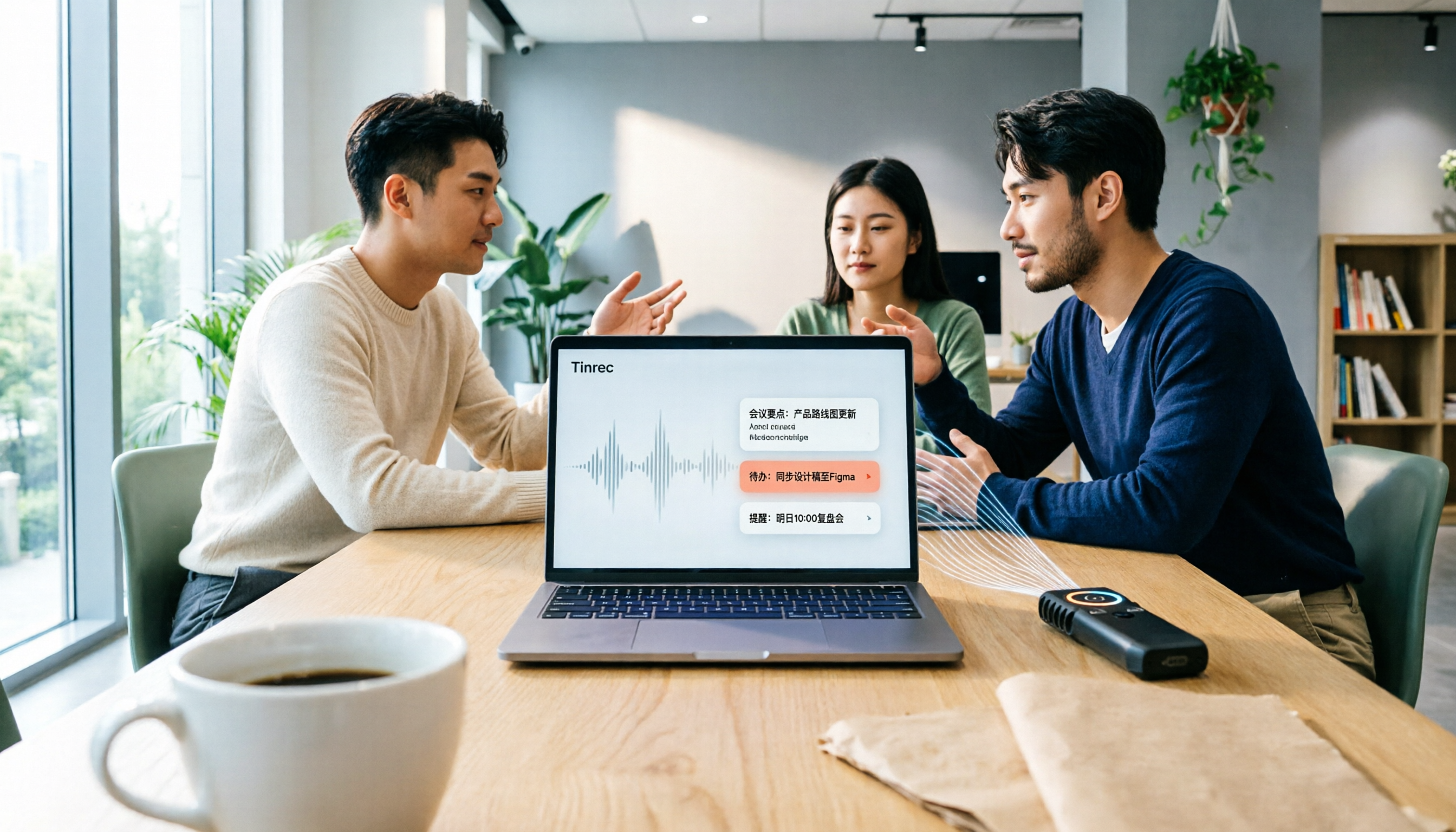
Recording software isn't just about audio quality—the real difference shows up after you hit stop. This article tackles common misconceptions, outlines the best use cases for 5 recording tools, and hands-on tests Tinrec's bot-free online meeting recording, AI summaries, action item extraction, and team spaces. Includes free tiers, paid plans, and pitfalls to avoid, so you can pick the right tool for your needs.

3 AI Mirror Methods Compared in 2026: How to Use the Illustrator Mirror Tool Most Accurately
When people ask "How do you mirror in AI?" they're really asking about Adobe Illustrator's Mirror tool. This article breaks down three mirroring methods: the Mirror tool with shortcut O, numeric mirroring from the Object menu, and reversible mirroring from the Effects menu. It explains when to use each, step-by-step instructions, common pitfalls, and a practical workflow for drawing symmetrical artwork.