

Turn recordings into transcripts and summaries in minutes
Upload audio or video for multilingual transcription, AI notes, and action items
Introduction: TinRec vs. Microsoft 365 Copilot — Which Is Your Go-To AI Meeting Tool?
TinRec and Microsoft 365 Copilot are both AI tools designed to boost productivity, simplify note-taking, and support more efficient meetings. However, they differ significantly in their core experience.
Microsoft 365 Copilot is suitable for enterprise organizations deeply integrated into the Microsoft ecosystem, but it is limited to business users with an active Microsoft 365 subscription and Entra ID, restricting access for many teams.
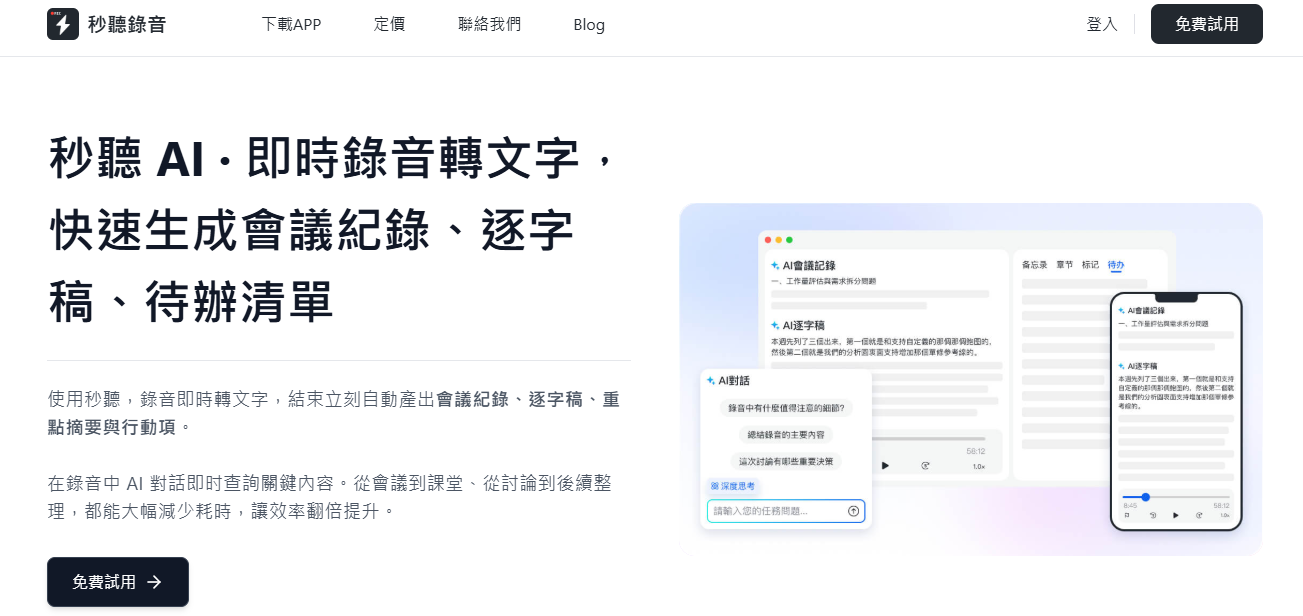
In contrast, TinRec supports multiple platforms — including Zoom, Google Meet, Microsoft Teams, and even in-person meetings. It doesn't just summarize after the meeting; TinRec captures audio in real time and supports intelligent search across all conversations, making it a more powerful and flexible choice. Now, let's dive into a detailed comparison of these features.
Key Differences Between TinRec and Microsoft 365 Copilot
Meeting Transcription and Recording
TinRec provides real-time speech-to-text transcription for both virtual and in-person meetings. Whether on Zoom, Google Meet, or Microsoft Teams, TinRec automatically joins and starts transcribing — no need to manually click "record." With advanced speech recognition, you get a clear transcript with speaker identification even in fast-paced group discussions. What's more, TinRec supports transcription in multiple languages (Chinese, English, Japanese, Cantonese, Hokkien), greatly expanding its applicability.
With the TinRec mobile app, you can also record on the go anytime, anywhere — perfect for hallway chats or impromptu interviews.
While Microsoft Copilot can generate summaries from Teams recordings, it does not offer cross-platform, real-time transcription or automatic recording across tools.
Winner: TinRec, for real-time, hands-free transcription across platforms (including in-person and hybrid meetings) with multilingual support.
Meeting Summaries and Action Items
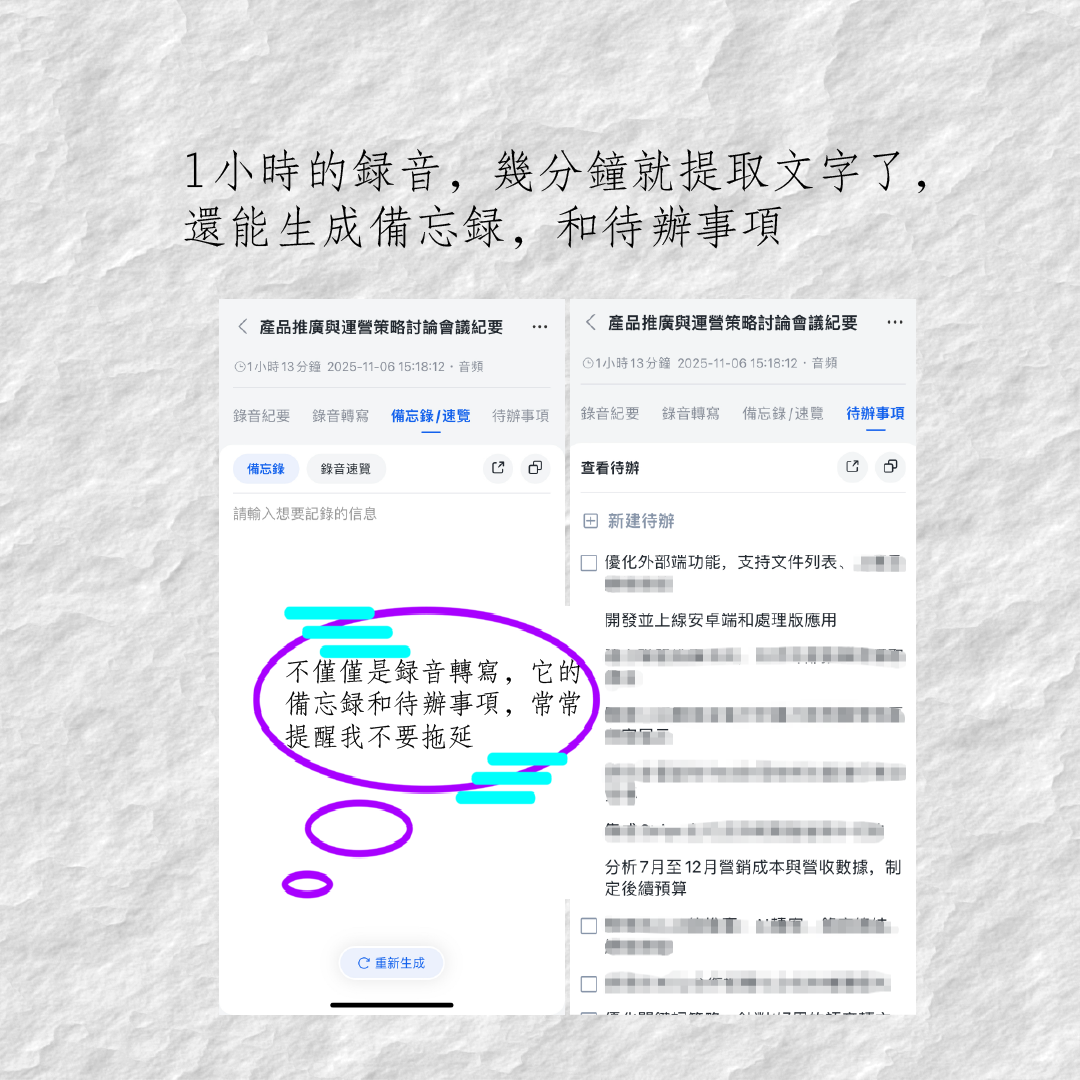
TinRec goes beyond just providing transcripts — it delivers smart, structured summaries with key action items. Through its AI summary feature, meeting content is intelligently distilled, keeping your notes relevant and organized. TinRec's action item generation automatically picks out tasks from discussions, making follow-ups effortless.
Microsoft Copilot can also create meeting summaries, but it lacks personalized task tracking.
Winner: TinRec, for smarter, context-aware summaries that effectively drive follow-up action.
AI Chat and Central Knowledge Base
With TinRec's AI Summary and Smart Search, you can easily ask questions about a single conversation or search across all your meeting records to find the answers you need. You can leverage AI to generate relevant materials based on meeting content. For teams and companies, TinRec serves as a central knowledge base, allowing team members or the entire organization to access meeting records. If you need to recall what a customer said last quarter, TinRec can take you to that exact moment in seconds.
In contrast, Microsoft Copilot's chat features are limited to the Microsoft environment and require Entra ID.
Winner: TinRec, for smarter, cross-platform answers at your fingertips without additional restrictions.
AI-Powered Sales Features
Microsoft Copilot for Sales integrates directly with Salesforce, LinkedIn, and Dynamics 365, surfacing CRM data within Teams and Outlook.
TinRec's core features — real-time transcription, AI summaries, and action item generation — provide strong support for sales teams. With detailed meeting records and automatically extracted key points, sales reps can better track customer needs, optimize follow-up strategies, and ultimately close more deals, without relying on a specific CRM system.
Stop organizing recordings by hand
Upload audio or video and automatically get a transcript, summary, and action items
Winner: TinRec, for empowering sales reps to easily track leads and close deals through its universal AI meeting capabilities, not limited to any particular CRM.
Calendar Integration
TinRec syncs with your calendar to automatically join and record meetings across platforms. TinRec Assistant kicks in when your meeting starts, capturing everything and recording key moments like screenshots, voice memos, and action items.
Microsoft Copilot integrates with Outlook email and calendar, but its AI meeting tools only work within Teams.
Winner: TinRec, for multi-platform calendar sync and hands-free meeting capture that works no matter where you meet.
Meeting Platform Integration and Speaker Identification
TinRec supports all major meeting platforms — including Zoom, Google Meet, Microsoft Teams, and in-person audio — making it one of the most flexible AI note-taking tools on the market. It structures discussion highlights and works alongside tools like Zoom AI Companion for teams that need multi-layered functionality. TinRec also supports Zapier integration, connecting TinRec to over 8,000 apps from Dropbox to Salesforce, expanding its automation capabilities.
In contrast, Microsoft Copilot is tightly coupled with Microsoft Teams. While it works well within the Microsoft ecosystem, its integration capabilities are limited.
Winner: TinRec, for unrivaled platform flexibility and seamless integration into the apps your team already uses.
Collaboration Features
TinRec transforms meeting notes into editable, shared documents. Team members can comment, tag, and collaborate on any meeting, regardless of platform. This makes TinRec one of the most versatile collaboration tools for cross-functional and hybrid teams.
Microsoft Copilot supports collaboration within Microsoft apps like Word and Teams, but does not offer real-time co-editing on non-Microsoft platforms.
Winner: TinRec, for real-time collaboration and editing that works across platforms.
Video and Presentation Capture
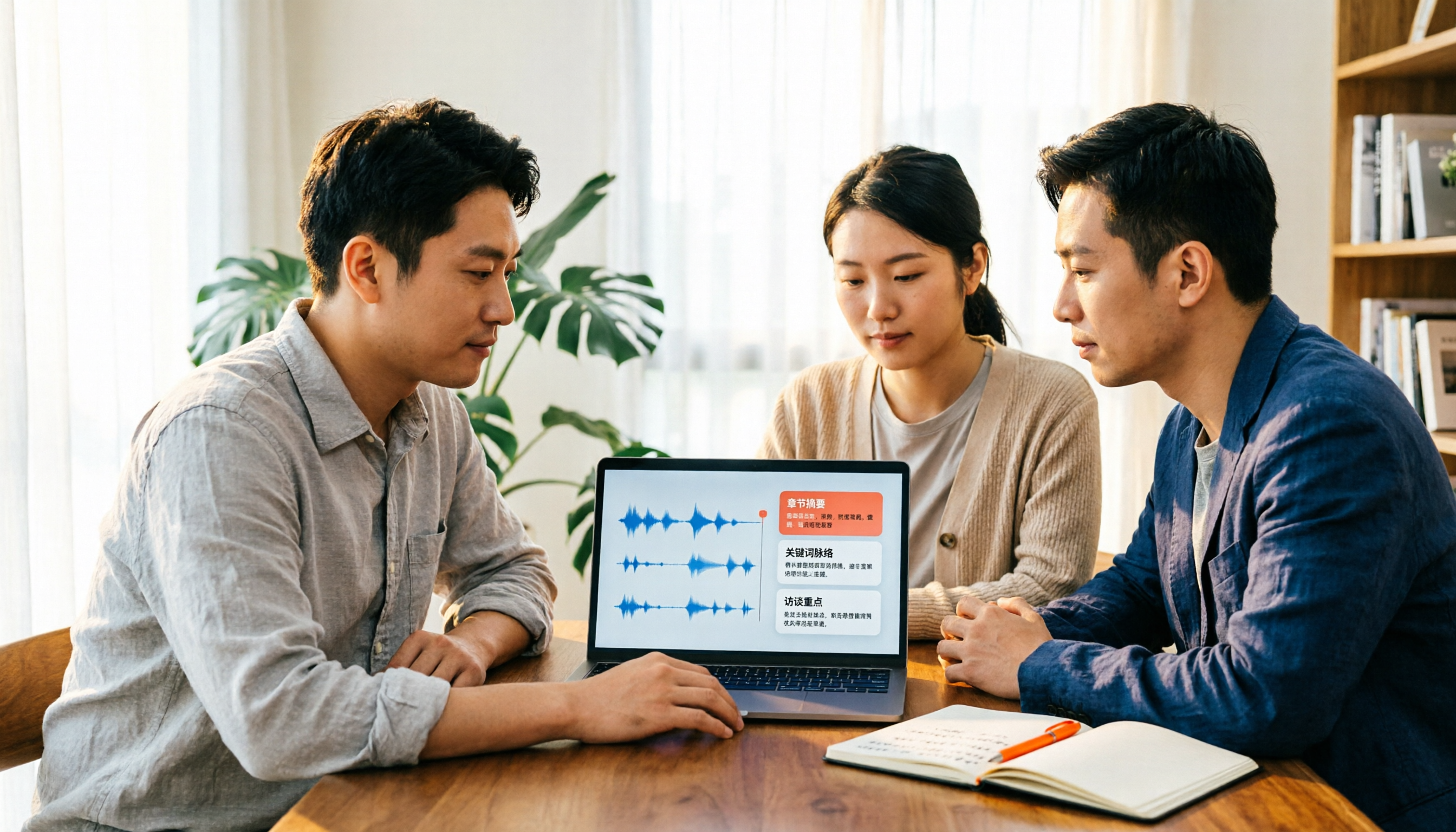
TinRec captures video content and presentations shared during meetings, ensuring you never miss any on-screen information. This visual context is logged alongside your transcript, making it easier to review PowerPoint presentations and visual demos. With timestamps and transcript content, you can effectively track and revisit visual highlights from the meeting even without direct video recording.
Microsoft Copilot references PowerPoint content within Teams but does not offer native video or presentation capture.
Winner: TinRec, for its ease of use and cross-platform integration that effectively helps review the visual context of meetings.
Pricing
TinRec offers flexible pricing plans for individuals, teams, and enterprises, including a generous free trial so you can experience its powerful features without commitment.
In contrast, Microsoft 365 Copilot is only available as an add-on for Microsoft 365 enterprise subscribers. It requires:
- A Microsoft 365 E3 or E5 license
- An additional Copilot add-on fee of $30 per user per month
- An Entra ID account (formerly Azure AD)
There is no standalone free trial, and you cannot test Copilot's AI meeting features without purchasing the full enterprise suite, which can push the total monthly cost to $50–$70 or more per user.
Winner: TinRec, for transparent, lower-cost entry pricing that delivers substantial value at every tier — especially for teams that want to try before they buy.
Integration Capabilities
TinRec integrates seamlessly with Zoom and Microsoft Teams, allowing you to use its AI tools on any meeting platform. Its Zapier integration unlocks connections to over 8,000 apps, including Dropbox, Google Chrome, Salesforce, and other essential collaboration tools. These connections let you automate even more tasks.
On the other hand, Microsoft Copilot only works within the Microsoft ecosystem. While useful in Outlook and Word, it offers little flexibility outside Microsoft tools.
Winner: TinRec, for broader, more flexible integrations that meet any team's workflow needs.
Ease of Use
Getting started with TinRec doesn't require a heavy onboarding process or IT admin. Just connect your calendar, and TinRec Assistant automatically joins meetings, captures audio, and delivers everything in a clear, searchable format. Its interface is intuitive — even non-technical users can get started easily — and features like AI chat and real-time transcription are accessible via desktop or mobile app.
Microsoft Copilot requires deeper integration into your organization's Microsoft stack, with many features locked behind admin controls, permissions, or enterprise configuration.
Winner: TinRec, for quick setup, intuitive design, and an experience that works across roles and tools without IT involvement.
TinRec Leads the Way in Meeting Productivity
Microsoft 365 Copilot may suit teams fully invested in the Microsoft ecosystem. But for cross-platform support, real-time transcription, intelligent summaries, and built-in AI chat, TinRec is the more powerful and flexible choice.
Start your free trial today and see how TinRec can boost your productivity.
Turn every recording into actionable outcomes
Get 60 free transcription minutes when you sign in. No credit card required.
Related Reading
You might also like

2026 AI Meeting Recorder Comparison: 4 Tools Tested for Chinese Meetings
Two-hour meetings followed by two hours of note organization is a daily reality for most office workers. This hands-on test of 4 AI recording and note-taking tools covers bot-free recording, Chinese transcription, AI Q&A, team knowledge retention, pricing, and limitations to help you decide which one is worth keeping.

5 Speaker Summary Tools Tested for 2026: Why Tinrec Is Less Work for Chinese Meetings
Starting from the question 'What exactly do you need a tool to do for you?', this hands-on comparison of common speaker summary tools explains how Tinrec performs in Chinese meeting transcription, bot-free online meeting recording, AI summaries and action items, AI chat queries, multi-format export, and team spaces. It also covers five key points to consider when choosing a tool and answers common questions.

2026 AI Meeting Notes: Automatic Speaker Identification + AI Q&A Summaries
Why do you still have to manually organize meeting transcripts even when speakers are automatically labeled? This article starts with common misconceptions about automatic speaker identification, breaks down 4 key dimensions for choosing a meeting notes tool, tests Tinrec's bot-free online meeting recording, AI summaries and Q&A, team spaces, and other features, compares it with Otter.ai, PLAUD Note, and Notta, and includes a pitfalls guide and buying advice.

4 Best AI Meeting Note Takers in 2026: Which One Actually Captures Action Items?
The hardest part of a meeting isn't recording it—it's turning two hours of discussion into an action list with names and deadlines. This article compares Tinrec, Otter.ai, Notta, and Granola across four key criteria: action item accuracy, AI Q&A, post-meeting workflow, and team data ownership. We explain who each tool is best for and highlight key buying considerations to help you choose the right tool and stop wasting time on manual transcripts.

Tinrec vs Otter.ai 2026: Cantonese Meeting Transcription with Real-Time Chinese-English Translation
Meetings held in Cantonese but delivered in English are a common pain point for many teams. This article compares Tinrec and Otter.ai across 5 dimensions—Cantonese and mixed Chinese-English recognition, bot-free meeting recording, real-time translation and bilingual review, post-meeting AI Q&A, and team data governance—to help you decide which tool better fits your meeting scenario.

4 Best iPhone Cantonese Transcription Tools in 2026: Is Apple's Built-in Transcript Enough?
Apple's Voice Memos on iOS 18.4 and later can transcribe Cantonese recordings, but a raw transcript isn't the same as meeting-ready notes. This comparison breaks down four iPhone-compatible options—Tinrec, Apple Voice Memos, Notta, and PLAUD Note—covering Cantonese recognition accuracy, post-meeting organization, cross-platform export, and free-tier limits. We also flag the four most common mistakes buyers make, so you can tell when the built-in tool is enough and when you need something more.
2026 Video Summarizer Comparison: Is Tinrec Better for Chinese Long Videos Than Monica and NoteGPT?
Before choosing a video summarizer, clarify whether you're summarizing public videos or your own meeting and interview recordings. This article compares Tinrec, Monica, NoteGPT, and others across five dimensions: source material, output depth, Chinese language performance, audio retention, and team governance. It also covers Tinrec's core features, practical use cases, team pricing, and FAQs to help you decide if the free version is enough.

Tinrec vs Notta 2026: 5-Dimension Comparison of AI Meeting Summary Generators — Which Is Better for Chinese-Language Scenarios?
Compare Tinrec and Notta across five dimensions, and see how Otter.ai and Granola differ. This article explains how to choose a meeting summary generator—meeting capture method, Chinese recognition experience, post-meeting output, team collaboration governance, and pricing—to help you decide which tool truly saves time on post-meeting organization.

2026 Comparison of 4 Meeting Speaker Organization Tools: Can Transcripts Be Traced Back to Speakers and Topics?
After a meeting, you have dozens of pages of transcripts but can't trace who said what or which topic was finalized? Starting from the real pain points of 'meeting speaker organization,' this article outlines 4 key points for choosing a tool and compares Tinrec, Otter.ai, Notta, and Granola in terms of transcript review and positioning, post-meeting output, and team collaboration. It also includes a pitfalls guide and selection advice.