

Turn recordings into transcripts and summaries in minutes
Upload audio or video for multilingual transcription, AI notes, and action items
Tips to Boost Work Efficiency
In this fast-paced era, every minute counts. Manually drafting meeting notes or transcribing audio files may seem unavoidable, but it quietly consumes valuable time you could spend on more important tasks. Today, AI-powered automatic transcription technology has advanced significantly, quickly converting speech into text and saving individuals and businesses substantial time and costs.
As automation tools become indispensable for teams, numerous transcription apps have emerged. This article selects the top 8 most popular automatic transcription tools in 2026, analyzing their features, pricing, pros and cons to help you find the best solution.
8 Best Automatic Transcription Tools
Whether improving meeting efficiency or streamlining interview processes, the following eight mainstream transcription services meet your needs:
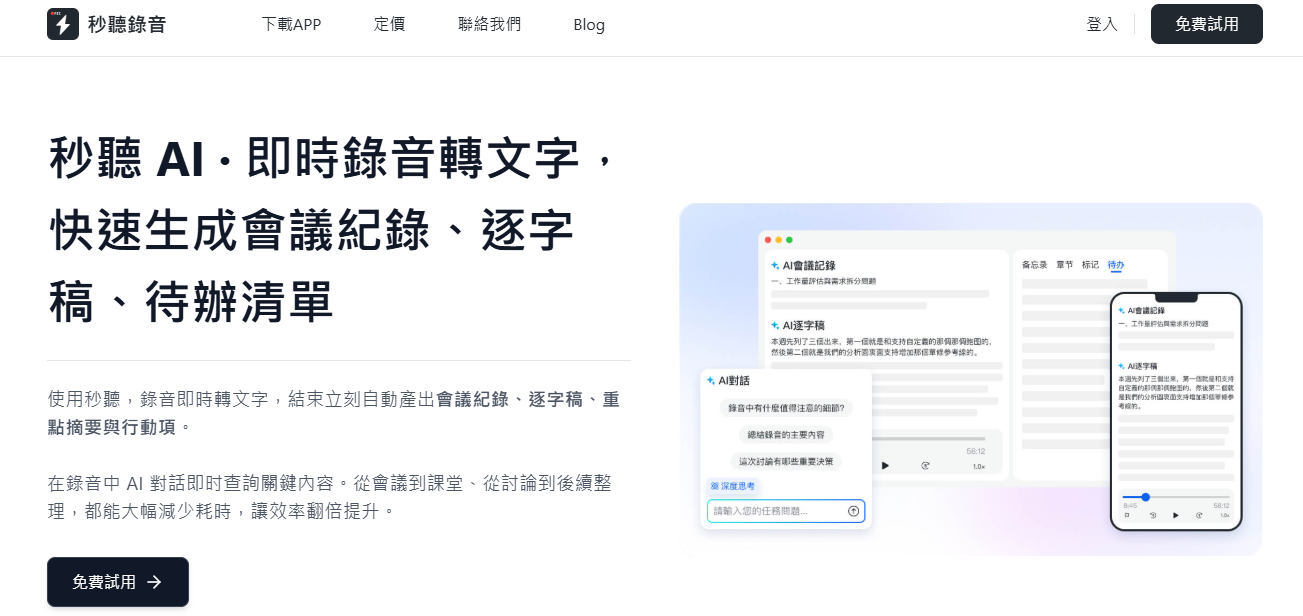
- 1. TinRec
TinRec offers real-time automatic transcription for individuals and businesses, seamlessly integrating with Zoom, Google Meet, Microsoft Teams, and other popular video conferencing software, or directly recording via its mobile app without disrupting existing workflows.
TinRec goes beyond speech-to-text, completely revolutionizing the meeting experience. Its AI technology captures conversations in real time, automatically generating meeting notes, AI summaries, to-do lists, and follow-up emails, saving you hours each day.
Pros:
- Real-time note-taking, auto-captioning, and meeting highlights
- Supports automatic sharing and collaboration, preserving organizational knowledge
- Keyword and summary analysis for quick insights and easy search
Cons:
- Some advanced features require a paid subscription
Pricing:
- Free: 300 minutes of transcription per month
- Pro: $8.33/month billed annually, or $16.99/month billed monthly
- Business: $20/month billed annually, or $30/month billed monthly
- Custom enterprise plans
- 2. Trint
Trint is an audio-to-text service designed for journalists, researchers, and content creators.
Pros:
- Share real-time transcripts with team members to quickly capture quotes and develop content
- Supports translation into over 50 languages to expand audience reach
Cons:
- No free plan
- Higher price compared to other services
Pricing:
- Starter: $52/user/year billed annually, or $80/user/month billed monthly
- Advanced: $60/user/year billed annually, or $100/user/month billed monthly
- Custom enterprise plans
- 3. Happy Scribe
Happy Scribe offers automatic and human captioning services, supporting audio files in English, French, German, and Spanish to be converted into multilingual subtitles.
Pros:
- No contract required, flexible subscription options
- Supports over 120 languages, dialects, and accents
Cons:
- Professional account limited to 10 hours per month; heavy users pay extra
Pricing:
- Basic: $10/month billed annually, or $17/month billed monthly
- Professional: $17/month billed annually, or $29/month billed monthly
- Enterprise: $29/month billed annually, or $49/month billed monthly
- Custom enterprise plans
- 4. Sonix
Sonix provides automatic transcription, translation, and captioning, supporting export in 49 languages.
Pros:
Stop organizing recordings by hand
Upload audio or video and automatically get a transcript, summary, and action items
- Integrates transcription, translation, and captioning in one platform
- Offers pay-as-you-go and subscription options
- AI tools analyze content to generate summaries, segmentation strategies, and answer questions
Cons:
- No free transcription plan
- Pricing structure not ideal for high-volume users
Pricing:
- Standard: $10 per hour of audio
- Advanced: $5 per hour + $16.50/month (annual) or $22/month (monthly)
- Custom enterprise plans
Descript offers automatic transcription along with video and audio editing, podcast production, and screen recording, making it ideal for content creators.
Pros:
- Automatically removes filler words
- Integrates multiple creative tools
Cons:
- Human transcription charged as a separate service
Pricing:
- Free basic version
- Hobbyist: $12/user/month billed annually, or $19/user/month billed monthly
- Creator: $24/user/month billed annually, or $35/user/month billed monthly
- Enterprise: $40/user/month billed annually, or $50/user/month billed monthly
- Custom enterprise plans
Rev uses speech recognition to convert audio to text, and further offers AI features like title generation, captioning, and content summarization.
Pros:
- Supports translation in 17 languages and subtitles in 38 languages
- Offers human transcription services for accuracy
Cons:
- Captioning only available in Pro and Enterprise plans
- Multilingual subtitles expensive ($6.49 to $15.99 per minute)
Pricing:
- Free version
- Basic: $9.99/user/month billed annually, or $14.99/user/month billed monthly
- Pro: $20.99/user/month billed annually, or $34.99/user/month billed monthly
- Custom enterprise plans
Taption supports transcription and captioning in over 40 languages, using AI to create templates, generate YouTube timestamp chapters, and video summaries.
Pros:
- Excels in English-to-Chinese, Japanese, and Vietnamese translation
- Automatically identifies speakers in videos
Cons:
- Limited integration options
Pricing:
- Free version
- Advanced: $10.80/user/month billed annually, or $12/user/month billed monthly
- Volume: $62.10/user/month billed annually, or $69/user/month billed monthly
Transcribe is a basic speech-to-text app focused on converting audio and video into written transcripts.
Pros:
- Suitable for users who only need basic transcription
- Can analyze meeting content to generate brief summaries
Cons:
- Lacks advanced AI features like to-do generation or follow-up emails
Pricing:
- Free version
- Pro: $99.99/year, or $14.99/user/month
- Enterprise: $399.99/year, or $59.99/user/month
Manual vs. Automatic Transcription
Introducing new tools to your team requires adjustment, but the productivity and inclusivity gains from automatic transcription make the investment worthwhile.
Manual Transcription
- Pros: Humans easily recognize accents, regional phrases, and tone; professionals can filter out background noise.
- Cons: Time-consuming and labor-intensive; professional services are costly.
Automatic Transcription
- Pros: Processes hours of audio in minutes; low cost and scalable.
- Cons: May err with accents, jargon, or overlapping speech, but improved with quality recording equipment.
Three Key Factors for Choosing a Transcription Tool
- Accuracy: Test different tools to verify transcription quality and editing ease.
- Cost: Choose services with transparent pricing, avoiding hidden fees.
- Ease of Use: The tool should seamlessly integrate into existing workflows, with an intuitive interface and support for common software integrations.
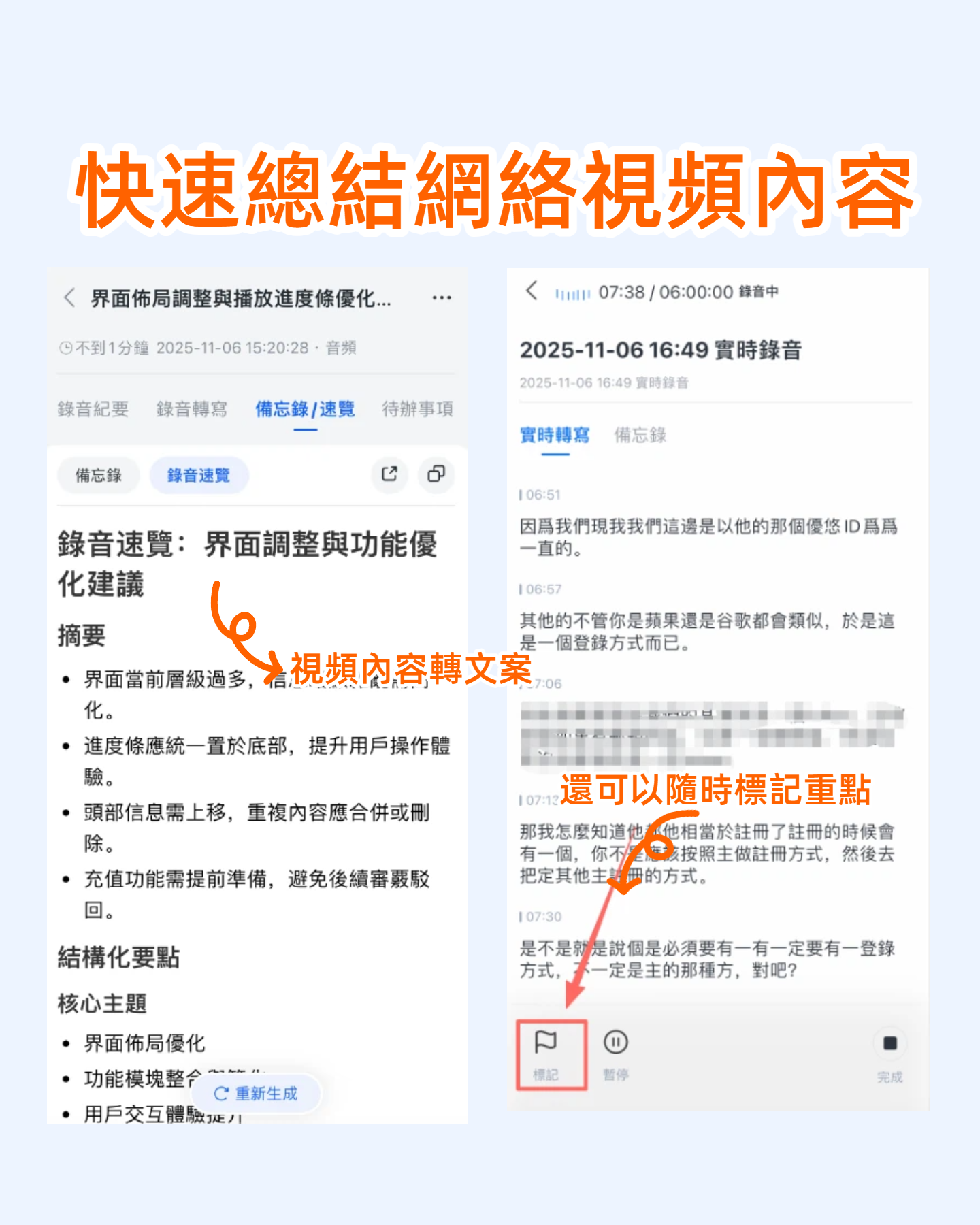
Say Goodbye to Manual Transcription with TinRec Assistant
Ready to boost team efficiency with AI transcription services? Whether for occasional interview notes or regular team meetings, TinRec Assistant handles it instantly. With an intuitive interface and powerful features, you can easily capture every important conversation. Try it free today!
Try TinRec Now
300 free transcription minutes per month
Up to 30 minutes per meeting
Upload up to 3 audio/video files
Get Started Free
Book a Demo for Enterprise
Industry-leading transcription technology
Advanced AI conversation features
Custom integrations and workflows
Book a Demo
Turn every recording into actionable outcomes
Get 60 free transcription minutes when you sign in. No credit card required.
Related Reading
You might also like
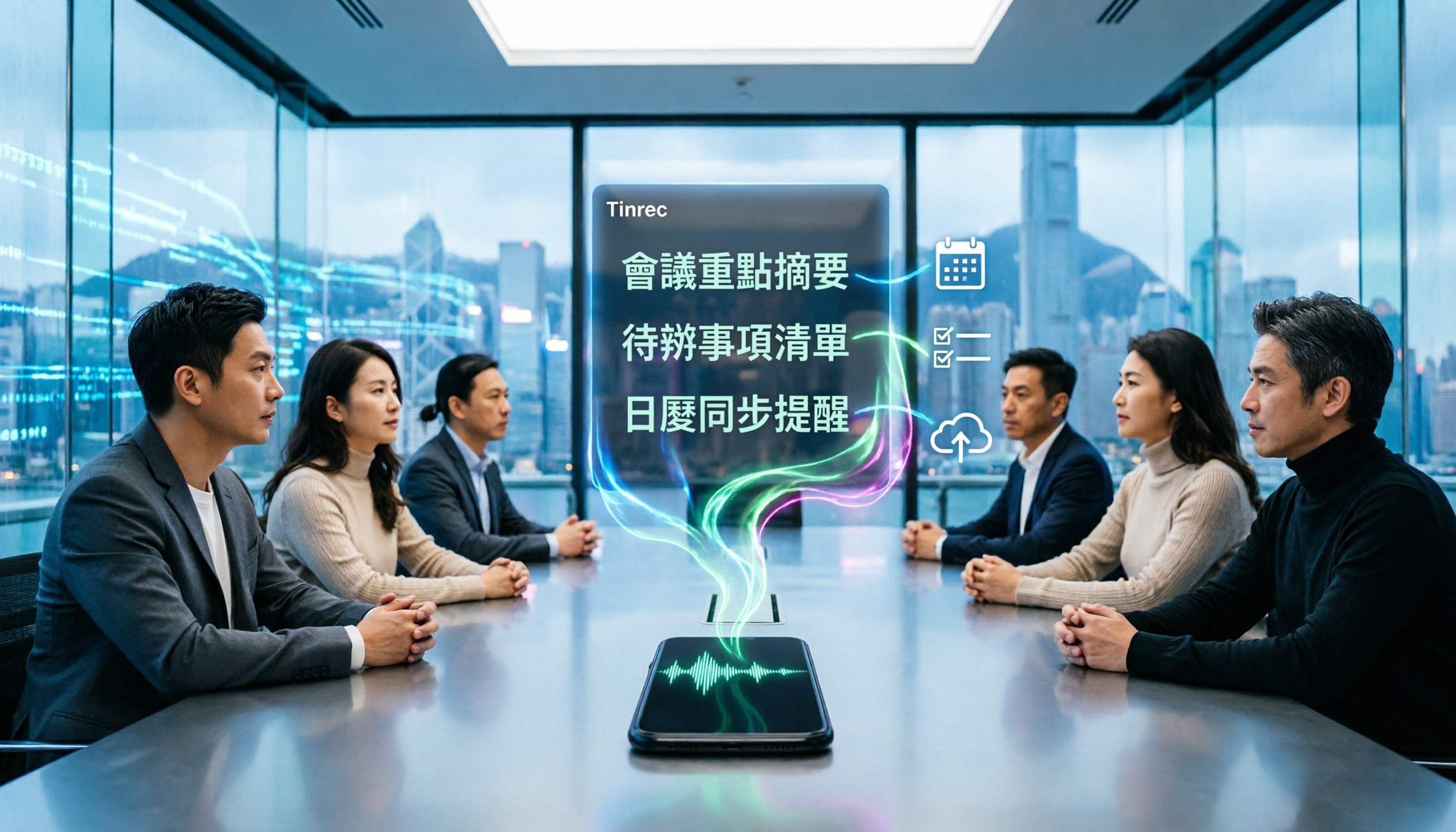
4 Best iPhone Cantonese Transcription Tools in 2026: Is Apple's Built-in Transcript Enough?
Apple's Voice Memos on iOS 18.4 and later can transcribe Cantonese recordings, but a raw transcript isn't the same as meeting-ready notes. This comparison breaks down four iPhone-compatible options—Tinrec, Apple Voice Memos, Notta, and PLAUD Note—covering Cantonese recognition accuracy, post-meeting organization, cross-platform export, and free-tier limits. We also flag the four most common mistakes buyers make, so you can tell when the built-in tool is enough and when you need something more.
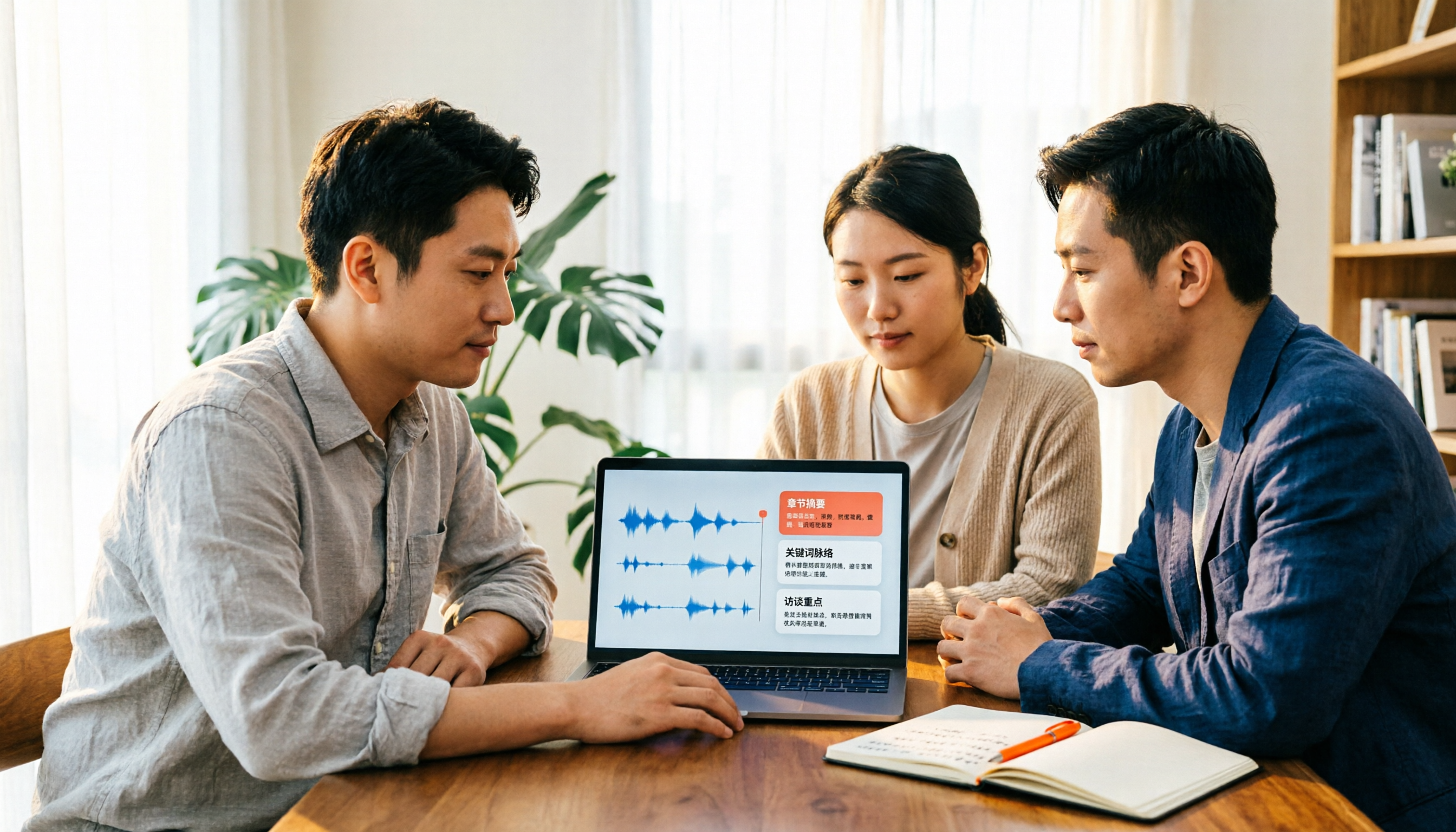
2026 Video Summarizer Comparison: Is Tinrec Better for Chinese Long Videos Than Monica and NoteGPT?
Before choosing a video summarizer, clarify whether you're summarizing public videos or your own meeting and interview recordings. This article compares Tinrec, Monica, NoteGPT, and others across five dimensions: source material, output depth, Chinese language performance, audio retention, and team governance. It also covers Tinrec's core features, practical use cases, team pricing, and FAQs to help you decide if the free version is enough.

Tinrec vs Notta 2026: 5-Dimension Comparison of AI Meeting Summary Generators — Which Is Better for Chinese-Language Scenarios?
Compare Tinrec and Notta across five dimensions, and see how Otter.ai and Granola differ. This article explains how to choose a meeting summary generator—meeting capture method, Chinese recognition experience, post-meeting output, team collaboration governance, and pricing—to help you decide which tool truly saves time on post-meeting organization.

2026 Comparison of 4 Meeting Speaker Organization Tools: Can Transcripts Be Traced Back to Speakers and Topics?
After a meeting, you have dozens of pages of transcripts but can't trace who said what or which topic was finalized? Starting from the real pain points of 'meeting speaker organization,' this article outlines 4 key points for choosing a tool and compares Tinrec, Otter.ai, Notta, and Granola in terms of transcript review and positioning, post-meeting output, and team collaboration. It also includes a pitfalls guide and selection advice.

Tinrec vs Otter.ai: Which AI Meeting Recorder Is Better for Chinese Meetings in 2026?
After a meeting, you're left with a recording and messy notes. This article compares Tinrec and Otter.ai across five dimensions—Chinese and mixed-language transcription, bot-free meeting recording, post-meeting summaries and action items, team roles and seat management, and free tiers and pricing—to help you decide which tool fits your workflow.

2026 Audio Summarizer Guide: Auto Summaries + AI Q&A to Find Key Points
How do you choose an audio summarizer? This guide covers common pitfalls and key factors like summary quality, AI Q&A, and cross-platform export. We recommend Tinrec, which supports bot-free online meeting recording, automatic summaries, action item extraction, and team spaces. Also includes alternatives like Granola and PLAUD, plus tips to avoid mistakes.

5 Best AI Transcription Tools in 2026: Which One Saves the Most Time?
We tested 5 recording-to-transcript tools, comparing Chinese recognition, post-meeting organization, AI Q&A, and team collaboration. See how Tinrec stacks up against Otter.ai, Notta, and TurboScribe, plus key buying tips and pitfalls to avoid.

Tinrec vs Otter.ai: Which AI Meeting Summary Tool Is Better for Chinese-Speaking Teams in 2026?
Many people think a transcript means the meeting notes are done, but the real time sink is post-meeting organization. This hands-on comparison of Tinrec and Otter.ai—two tools that automatically generate meeting summaries from recordings—evaluates them across six dimensions: Chinese-language meeting experience, recording method, post-meeting outputs, audio retention, team governance, and pricing/quotas, helping Chinese-speaking teams decide which tool better fits their workflow.

4 Best Meeting Transcription Tools in 2026: Free Tiers, Chinese Accuracy, and Post-Meeting Efficiency Compared
Tired of spending hours writing meeting minutes? This article compares Tinrec, Notta, Granola, and PLAUD Note across four key areas: how they record online meetings, Chinese and mixed-language transcription accuracy, post-transcription summarization and AI Q&A, and team data ownership. It also includes a pitfalls guide and selection advice.