

Turn recordings into transcripts and summaries in minutes
Upload audio or video for multilingual transcription, AI notes, and action items
A Side-by-Side Comparison of 5 Audio-to-Text Tools in 2026: From Good Tape to Tinrec, a Hands-On Review for Busy Managers
I attend about 15 meetings a week—weekly meetings, project status updates, one-on-ones, cross-department coordination. The most frustrating part isn't the meetings themselves, but what comes after: sorting through all the decisions and action items. I've tried handwritten notes (too slow), recording and listening back (too time-consuming), and asking team members to help (they're busy too). It wasn't until I started using AI audio-to-text tools that I got that time back.

Over the past few years, I've tried several tools—starting with Good Tape, then Notta, Otter, Fireflies, and finally settling on Tinrec. This article shares my hands-on experience with these five tools from a mid-level manager's perspective, so you don't have to test them all yourself.
Why Are People Looking for Alternatives to Good Tape?
Good Tape is an easy-to-use audio-to-text tool with a simple interface, great for first-time users. I started with Good Tape myself—record a meeting, get the transcript, do a quick edit. It's beginner-friendly.
But after a few weeks, I ran into issues: some colleagues use Android, others use iPhones, and cross-device sync wasn't smooth; sometimes I needed to process not just meeting recordings but also interview audio, competitor analysis videos from YouTube—Good Tape's support for these sources was limited. Plus, I realized that getting a verbatim transcript wasn't enough—I needed quick summaries and automatic action items to report to my boss without stumbling.
If you have similar needs—not just audio-to-text but turning audio and video content into actionable knowledge—then Tinrec is worth considering.
Tinrec vs Good Tape: What's the Core Difference?
While Good Tape is stable for basic transcription, Tinrec is designed to better handle diverse audio and video sources in the workplace. Here are the differences I found most noticeable after real-world use.
Comprehensive Input Sources I often process more than just meeting recordings. Last week, I threw in a podcast interview audio, three YouTube competitor analysis videos, and recordings from two online meetings—all into Tinrec. It supports live recording, local audio/video files, and even public video links for direct parsing, no need for extra conversion tools. Good Tape is more focused on recording transcription and struggles with videos or external links.
AI Depth Getting a transcript is just the first step. Tinrec's auto-summary, chapter splitting, and action item extraction are a must-use combo after every meeting. The action item extraction, in particular, pulls out "who, what, when" directly from the discussion—I just copy and paste to assign tasks. Good Tape also offers summaries, but in terms of depth and accuracy, Tinrec's semantic understanding is more refined and less likely to miss important action items.
Cross-Platform and Mobile Use I use iOS, but my team includes Android users and interns who only use the web version. Tinrec's iOS, Android, and web apps have nearly identical features, with recordings syncing across devices. I can record on my phone on the go and pick up where I left off on my computer back at the office. Good Tape's cross-platform experience is less complete, sometimes requiring manual file transfers.
Language and Localization Our team frequently uses a mix of Chinese and English, and occasionally Cantonese with clients. Tinrec's recognition of Mandarin, Traditional Chinese, and Cantonese is noticeably better—especially in meetings with code-switching and background keyboard noise—with lower error rates than I expected. Good Tape handles English well, but accuracy drops with mixed Chinese content, leading to more post-editing time.
Post-Processing Flexibility Beyond exporting to Word or PDF, Tinrec can directly export to Notion and Google Docs, which is great for my established workflow. More advanced is its Agent feature, which automatically generates meeting reports and Gantt chart drafts from recordings—streamlining the entire process from organization to delivery. Good Tape is still primarily transcription and simple summaries, requiring manual follow-up.
Stop organizing recordings by hand
Upload audio or video and automatically get a transcript, summary, and action items
Tinrec's Core Features at a Glance
After comparing the differences, let's look at what Tinrec actually does for me. Here are the features I use weekly, explained with real scenarios.
Live Transcription During meetings, I open Tinrec and text appears almost instantly as I record—latency less than 1 second. I can listen to colleagues while glancing at the screen to ensure I'm not missing key points. The moment the meeting ends, the transcript is ready—no need to re-listen and retype.
Online Video Link Parsing Recently, the marketing team sent me a competitor's YouTube launch video and asked for a quick summary. I pasted the link into Tinrec, and it converted the video to text with a summary and sections. Previously, I'd have to watch and take notes—now it's done in 10 minutes.
AI Chat Query This is my go-to recommendation. After a one-hour cross-department meeting, I can ask Tinrec: "What was the budget cap discussed?" or "When is the marketing team submitting the proposal?" It gives answers based on the content—no need to scroll through 30 pages of transcript. When my boss asks about a previous conclusion, I just pull out my phone and ask.
Automatic Action Item Extraction After every meeting, Tinrec automatically generates an action item list in the format: "Task, Owner, Deadline." I tweak it a bit and paste it into the team chat. Previously, this took 20 minutes—now it's under 2.

Multi-Format Export and Post-Processing Depending on the audience, I can export the same meeting as a transcript for myself, a summary for my boss, and action items for my team. For formal reports, I use the Agent feature to generate a meeting record and then fine-tune it. It's much faster than starting from scratch.
Real-World Use Cases
Features may still sound abstract. Here are some actual applications from my team.
Weekly Department Meetings Our weekly meetings usually involve 8–10 people discussing progress, resource allocation, and emergencies. I record with Tinrec while participating. Afterward, I check the AI summary for key points and use the action item list to assign tasks. Before the next meeting, I use the chat query to confirm previous decisions—no need to dig through notes.
Online Courses and Lectures The company arranged a three-hour strategy course by an external lecturer. I recorded the entire session with Tinrec, then used the chapter feature to mark key sections and create study notes. Shared with the team, it's far more effective than watching the long video.
User Interview Research Our product team conducted a series of user interviews, accumulating over ten hours of recordings. Previously, transcribing took a full day. Now, we import everything into Tinrec, which automatically transcribes, generates summaries and key sentences—researchers can directly quote, speeding up analysis significantly.
Personal Knowledge Management When inspiration strikes, I habitually record a voice memo. Tinrec automatically transcribes and categorizes it. On weekends, I review which ideas can become proposals—over time, it becomes my personal idea bank.
Key Considerations When Choosing an Audio-to-Text Tool
After years of trial and error, I've summarized a few key points to consider when choosing a tool, along with how Tinrec measures up.
Diverse Input Sources First, consider whether you mainly handle simple meeting recordings or also local files and online videos. Tools like Notta and Otter excel at online meetings, while Fireflies focuses on meeting bots. If your needs are as varied as mine—covering multiple sources—Tinrec's support for video links and file transcription is more comprehensive.
Post-Transcription Organization Do you need to manually re-listen and mark key points, or can the tool automatically summarize, split chapters, and extract action items? Tinrec's AI post-processing goes deeper—it doesn't just transcribe; it delivers actionable insights.
Cross-Platform Consistency How smoothly can you switch between phone, tablet, and computer? Can you record offline? Tinrec's three-platform sync is seamless with nearly identical features—record on your phone outside and pick up at the office without missing a beat.
Language Support and Localization If your work involves mixed Chinese-English, Cantonese, or other languages, test with real meeting recordings, not just standard audio files. Tinrec's fine-tuning for Chinese scenarios gives it a clear advantage, with significantly lower error rates than other tools I've used.
Free Plan and Pricing Most tools offer free trials. I recommend testing the free version first. Tinrec's free plan provides basic transcription minutes—enough for a few meetings to try it out. If you're in meetings daily like I am, the Pro plan's minutes and features are more suitable. It costs less than a couple of coffees a month for an extra hour of family time every day.
Conclusion: Is Tinrec Worth Trying?
If you're currently using Good Tape, Notta, or Otter but find them lacking in cross-source organization, AI depth, or Chinese recognition, Tinrec is a clear upgrade. It doesn't just convert audio to text—it streamlines the entire process from summary, action items, Q&A, to export. It's ideal for managers, researchers, and content creators who frequently process large volumes of audio and video information.
In my experience, switching from Good Tape to Tinrec saved me the most time not in transcription, but in the mental effort of figuring out what was actually said. I recommend downloading Tinrec's free version and testing it with your own meeting recordings—nothing beats a real-world trial.
Test device: iPhone 15 Pro, software version as of July 2026. Accuracy data from the product team's internal tests; actual results may vary based on recording environment, accents, and background noise.
Turn every recording into actionable outcomes
Get 60 free transcription minutes when you sign in. No credit card required.
Related Reading
You might also like
WhatsApp Voice to Text in 2026: Built-in vs Tinrec vs Notta Compared
How to choose a WhatsApp voice-to-text solution? This article covers the official built-in 'voice message transcripts' feature—its staged rollout, privacy, and language limitations—and compares Tinrec, Notta, and Otter.ai in different scenarios to help you decide which tool to use for single voice messages versus full meeting recordings.

How to Choose a Speech-to-Text Tool in 2026: 5 Steps from PTT-Approved Tools to Real-World Workflows
There are plenty of discussions about speech-to-text on PTT, but the real key to choosing isn't 'which one is the most powerful'—it's your audio source, language mix, and team sharing needs. This article uses 4 buying criteria and 5 practical steps to help you pick the tool from PTT's popular list that you'll actually use long-term.

5 Best Audio-to-Text Tools in 2026: Chinese Accuracy & Free Tiers Tested
Meeting recording is 47 minutes, but the transcript is due in an hour? This hands-on comparison tests Tinrec, Otter.ai, Notta, TurboScribe, and Yating across four key criteria, with a buyer's guide and pitfalls to avoid.

Tinrec vs Yating Transcription: 5-Dimension Comparison of PTT's Most Discussed Speech-to-Text Tools in 2026
PTT discussions on speech-to-text tools often focus on two approaches: Taiwan-localized Yating Transcription and Tinrec, which emphasizes meeting notes and post-meeting organization. This article skips the top-10 list and compares them across five dimensions: free quota, post-meeting output, input sources, team collaboration, and Chinese language support, helping you decide which fits your use case.
5 Free Audio-to-Text Solutions in 2026: A Student's Guide
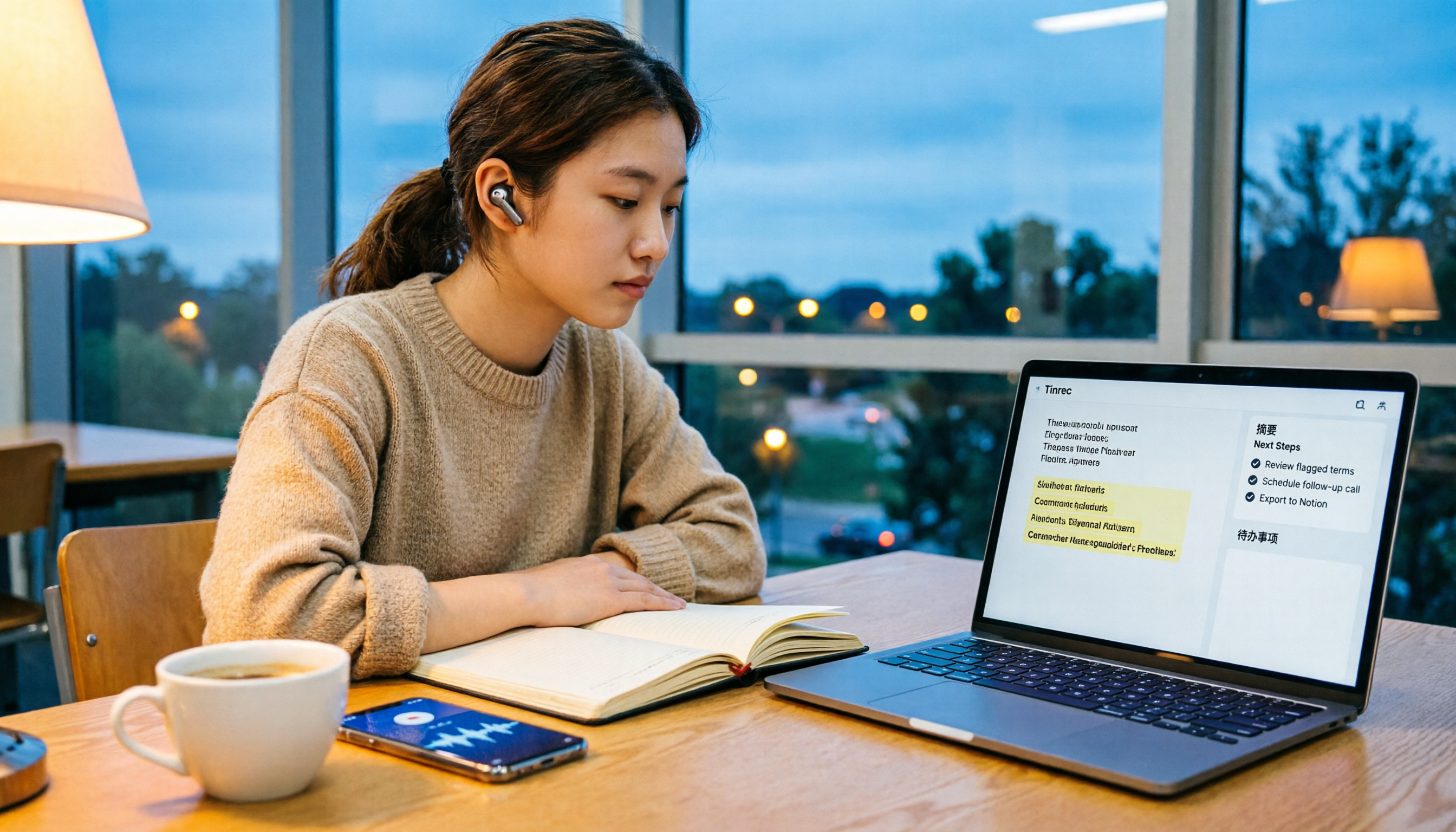
How to choose a free audio-to-text solution in 2026? This guide, from a student's hands-on perspective, compares five tools' free tiers, paid thresholds, and best use cases. It also walks through Tinrec's complete workflow—from recording to transcript, proofreading, summary, and action items—to help you decide if the free version is enough.

2026 Comparison of 4 Audio-to-Text Tools: Which Free Tier Is Most Generous?
There are many free audio-to-text tools, but few truly save you time on post-meeting organization. This article compares Tinrec, Yating Transcription, Notta, and Otter.ai from four angles: free quota, meeting audio capture, post-meeting organization, and team data retention. It outlines each tool's free limitations, suitable scenarios, and common pitfalls.

Tinrec vs Notta 2026: 5-Dimension Hands-On Comparison — Which Saves More Time for Chinese Meeting Notes?
How do you choose a speech-to-text app without getting burned? This hands-on comparison tests five dimensions: Chinese recognition, meeting capture method, post-transcription organization, quota and pricing, and team collaboration. Tinrec is the primary test subject, with Notta's plan design as a reference, to help you decide which one better fits your meeting and transcript workflow.

4 Free Audio-to-Text Tools Compared for 2026: Free Tiers and Post-Meeting Workflows Explained
There are many free audio-to-text tools, but "free" means very different things. Drawing on real experience organizing interview and meeting recordings, this article first explains 4 key factors for choosing a tool, then compares four popular options—Tinrec, MyEdit, cSubtitle, and Monica—with a pitfalls guide and a quick-start checklist to help you find the one that truly saves you time.

2026 Comparison of 4 Audio-to-Text Tools: How to Choose Free Tiers Without Getting Burned
From free quotas and Chinese recognition to post-meeting organization and team collaboration, we tested and compared four audio-to-text tools: Tinrec, Notta, Yating Transcription, and cSubtitle. We also summarized the three most common pitfalls mid-level managers encounter when choosing tools, helping you use the right tool without spending money first.