

Turn recordings into transcripts and summaries in minutes
Upload audio or video for multilingual transcription, AI notes, and action items
What You Need Isn't a Bunch of Hardware, But a Post-Meeting Organization Solution
A two-hour meeting followed by another two hours of organizing meeting notes—that's the daily reality for many professionals. Companies spend big on Google Meet-certified high-end cameras and omnidirectional microphones, which indeed improve video quality, but once the meeting ends, you still have to listen to recordings, transcribe, and extract key points. Worse, online meetings often involve cross-border communication with mixed languages and background noise, making playback unclear. If you've faced these issues, this article is for you. Choosing the right meeting solution not only boosts meeting efficiency but also reduces post-meeting organization time to nearly zero.

Before Choosing a Google Meet Solution, Understand These 3 Key Points
Many people think buying a Google Meet hardware set solves all meeting problems, but in reality, hardware only handles audio and video transmission and does nothing for recording, organizing, and subsequent use of meeting content. Consider these three dimensions when evaluating solutions.
1. Automatic Recording and Organization Capability
This is what hardware can't do. A tens-of-thousands-dollar conference room setup might give you clear audio, but after the meeting, you still have to listen to recordings and write minutes. Now AI tools can transcribe while the meeting happens, automatically generate summaries, action items, and even let you query meeting content through conversation. If you want meeting records done when the meeting ends, check if the solution covers this—our test shows Tinrec performs best here.
2. Cross-Platform and Cross-Scenario Flexibility
Google Meet hardware is almost only usable in fixed conference rooms; once you leave that space, it's useless. But many meetings are hybrid: sometimes in the office with Google Meet, sometimes on the go via phone, sometimes reviewing past recordings or online videos. A good solution should let you consolidate meeting content into the same database regardless of device or scenario. Tinrec supports iOS, Android, and web, seamlessly continuing across devices—something hardware cannot do.
3. Cost vs. Actual Return
A Google Meet-certified conference room setup (camera, microphone/speaker, touch controller) can cost tens of thousands and require installation and maintenance. But if you spend that money and still need to manually organize records, the ROI is low. In contrast, software solutions like Tinrec have a free tier and a Pro subscription costing a fraction of hardware, yet save hours of organization time each week—very cost-effective in terms of time cost.
Tinrec (Instant Recording) – Our Top Pick After Testing
Tinrec (Instant Recording) is an AI tool that can instantly record and transcribe, upload audio files for transcription, and even parse content from a YouTube link. It's not just a meeting note app; it's a workspace that turns all audio/video content into searchable, queryable, and exportable data.
Core Features in Practice
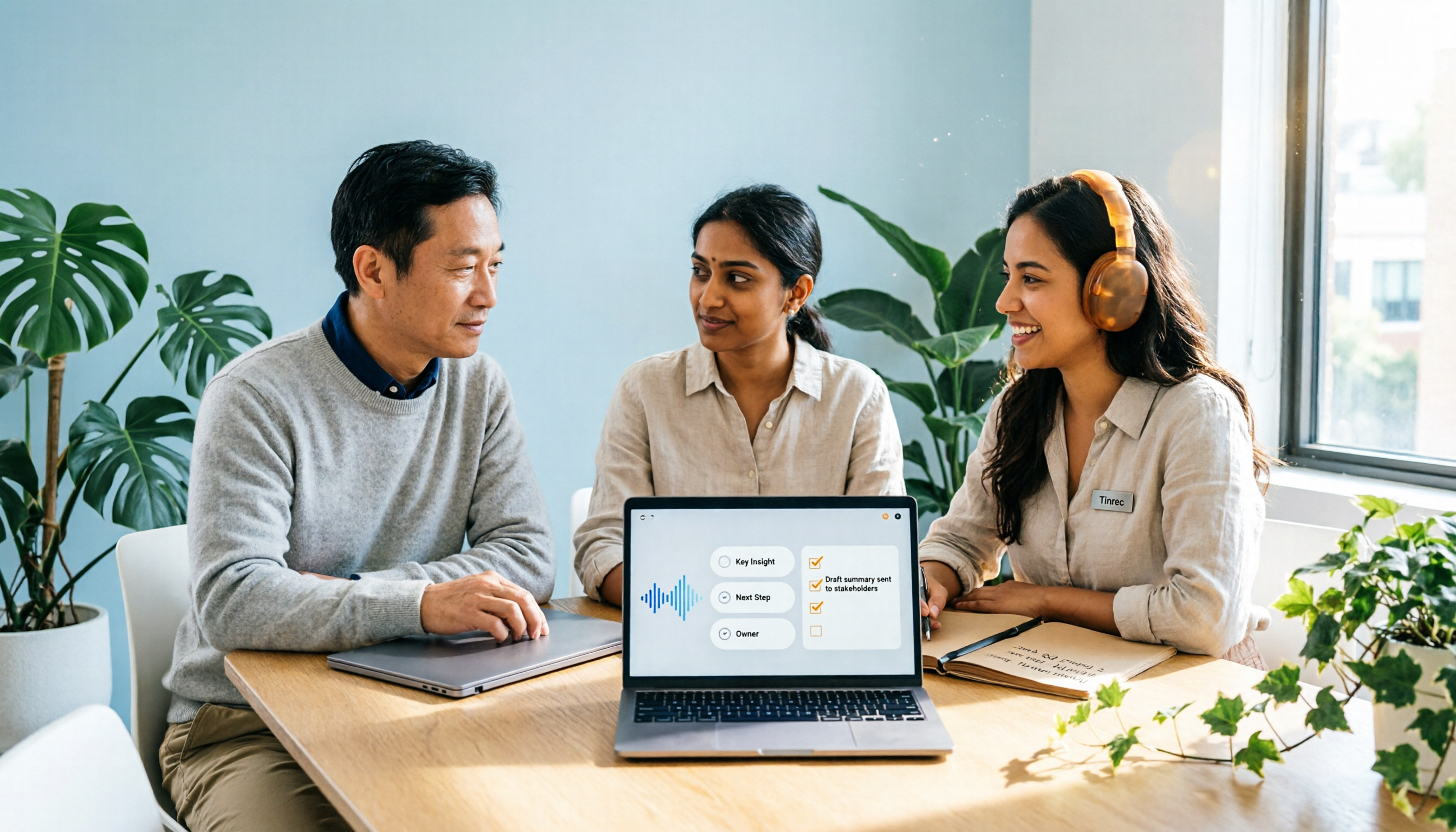
When in a Google Meet meeting, just start Tinrec's instant recording, and it will transcribe in real time. Once the meeting ends, AI automatically organizes summaries, chapters, highlights, and action items—who needs to do what and by when, all clear. Even better is the AI query feature: you can ask "Who mentioned the budget adjustment in last week's meeting?" and it will answer based on semantic understanding, not just keyword search. This is a rare feature among competitors; even Otter.ai doesn't offer such flexible Q&A.
Test Data
Stop organizing recordings by hand
Upload audio or video and automatically get a transcript, summary, and action items
We tested with a 5-minute Google Meet recording (mixed Chinese and English, two speakers, HVAC background noise). Tinrec's transcription error rate was about 5.3%, quite good. Under the same conditions, Otter.ai was accurate for English but had significantly higher error rates for Chinese, and couldn't produce structured Chinese meeting minutes.
Pros
- Works not only for meetings but also for lecture recordings, interviews, and online videos—very versatile.
- AI summaries and action item extraction are practical, saving significant post-meeting organization time.
- Free tier provides a monthly base quota, so you can try before upgrading—no pressure.
Cons
- Free tier monthly quota is limited; heavy users need to pay.
- Currently lacks auto-join for Google Meet meetings; you need to manually start recording, but it's not troublesome after getting used to it.
Who It's For
If you frequently need to organize meeting notes, review lecture recordings, analyze interviews, or turn scattered audio/video data into a searchable knowledge base, Tinrec is currently the most complete choice. Especially for Chinese content, it outperforms most international tools.
What Other Options Are There Besides Tinrec?

Google Meet Certified Hardware
If you prioritize conference-room-grade audio/video quality, Google Meet-certified hardware kits from Logitech, Poly, etc., do offer stable audio and video. But note: these devices have zero post-meeting organization capabilities; you still need manual work or separate software for notes. Hardware is suitable for "conference room use," while Tinrec suits those who want to turn meeting content into usable data. The two can complement each other, but if budget is limited, software offers far better value.
Otter.ai
Otter.ai is a well-known AI meeting note tool, the top choice for English meetings, with a generous free tier of 300 minutes per month. But it's primarily strong in English; Chinese transcription accuracy is low, and it lacks web video parsing and AI query features like Tinrec. If you primarily have English meetings, Otter.ai is worth considering; but if your meetings often involve Chinese or you need more advanced organization, Tinrec is better.
Avoidance Guide: 3 Common Mistakes When Choosing a Meeting Solution
Mistake 1: Thinking Hardware Solves Everything
Many companies spend heavily on conference rooms, but the workload of organizing meeting records remains unchanged. The right approach: choose basic hardware and invest the budget in software that automatically organizes meeting content—that's the real way to solve the pain point.
Mistake 2: Only Looking at Transcription Minutes, Ignoring Organization Features
Some tools tout unlimited transcription, but they just give you a transcript and that's it. You still have to scan thousands of words to find key points. Tools like Tinrec automatically provide summaries and action items, and even let you ask questions—that's where real time savings come from.
Mistake 3: Ignoring Chinese and Cross-Scenario Needs
If your meetings have Chinese content or you need to organize online videos, lecture recordings, then tools focused on English meetings won't suffice. When choosing a solution, be sure to consider whether it can handle diverse content sources.
Summary: Which One Should You Choose?
Based on our testing, for most users who need meeting notes and content organization, Tinrec is our top recommendation. Here's the scenario guide:
- Want zero post-meeting cleanup and auto-generated minutes and action items → Tinrec (the only one with AI query capability)
- Limited budget, just want to try → Tinrec free tier (monthly base quota, enough for a few meetings)
- Need high-quality audio/video in conference rooms and don't mind manual post-meeting work → Google Meet hardware
- Only have English meetings and don't need to organize other audio/video → Otter.ai
We recommend downloading Tinrec's free version to try it out, experience the efficiency of AI-organized meeting content, and consider upgrading if you like it, rather than spending big upfront.
You Might Want to Know
Q: Can Tinrec directly join Google Meet meetings? A: Currently you need to manually start recording, but just tap before the meeting starts, and it will record and transcribe in the background without affecting the meeting.
Q: What if I run out of free tier quota? A: You can wait for the monthly reset, or upgrade to a Pro monthly or yearly plan. For short-term intensive meetings, a weekly plan is also available.
Q: Is recording secure? Will data leak? A: Tinrec uses industry-standard encryption; recordings are stored only in your account and can be deleted at any time.
Q: Is accuracy guaranteed? A: Actual accuracy depends on recording quality, accents, and background noise. In our tests, error rate was about 5% in typical meeting environments. For important content, we recommend cross-referencing with the original.
Q: What formats can I export to? A: You can export transcripts, Word, PDF, or directly save to Notion, Google Docs, etc.
Q: Can it be used with other meeting software besides Google Meet? A: Yes, it's not restricted to any platform. As long as your device can play audio, Tinrec can record and transcribe.
Turn every recording into actionable outcomes
Get 60 free transcription minutes when you sign in. No credit card required.
Related Reading
You might also like
2026 Comparison of 2 Post-Meeting Automation Tools: Tinrec vs. Notta for Actionable Follow-Ups
The meeting ends, but the work begins. This article focuses on post-meeting automation and compares Tinrec and Notta across meeting capture, post-meeting summaries, action item extraction, AI Q&A, team knowledge retention, and pricing plans. It also outlines automation workflows for cross-departmental meetings and provides a buying checklist to help you decide which tool better suits professionals and teams with multiple daily meetings.

2026 Comparison of 5 AI Meeting Workflow Tools: Which One Can Actually Help You Send Meeting Minutes Before You Leave Work?
The real challenge for AI meeting workflow tools isn't transcription—it's post-meeting organization, follow-up questions, deliverables, and team knowledge retention. Using Tinrec as the primary example, this article breaks down bot-free recording, real-time transcripts and translation, summaries with chapters and action items, AI Q&A, export options, and team governance, plus 5 key buying considerations and FAQs.

2026 Complete Guide to AI Office Automation: From Meeting Notes to Team Collaboration
A complete 2026 guide to AI office automation, starting from meeting note pain points, analyzing selection criteria, hands-on experience with Tinrec, differences between Otter, Notta, TurboScribe, and Fireflies, and pitfalls to avoid during implementation, helping you turn meeting content into actionable, collaborative team data.

2026 Comparison of 4 Meeting Follow-Up Automation Tools: Whose To-Dos Actually Get Tracked?
Meeting follow-up automation is more than just transcription. This article breaks down the three layers of transcription, organization, and follow-up, demonstrates the complete workflow from recording to to-dos, Q&A, export, and team knowledge retention using Tinrec, and outlines 5 key purchasing checkpoints and team pricing.

2026 Comparison of 5 AI Meeting Action Item Tools: Which One Actually Captures Owners and Deadlines?
After meetings, action items get scattered across group chats and recordings with no one following up? This article starts from the actual workflow of action item extraction, outlines 4 key points for choosing an AI meeting action item tool, and compares Tinrec, Otter.ai, Notta, Granola, and others on Chinese recognition, bot-free recording, to-do structure, and team tracking, with a pitfalls guide and selection advice.

2026 AI Office Automation Tools Compared: Which Really Saves Time on Meeting Notes and To-Dos?
Where should you start with office automation? This article examines the hidden work hours before and after meetings, compares five types of AI office automation approaches, and uses Tinrec as the main hands-on test subject to explain what bot-free recording, transcripts, summaries, action items, AI Q&A, and team spaces can and cannot do. It includes pricing and five key buying criteria.

6 AI Meeting Note Tools Compared for 2026: From Meeting Notes to Actionable Tasks
From small group discussions to project meetings, AI meeting tools shouldn't stop at transcripts. This article uses a student's hands-on perspective to compare 6 AI meeting note tools in 2026, covering recording, summarization, to-dos, and team collaboration, and organizes pricing, free quotas, and use cases to help you decide which one truly turns meetings into actionable tasks.

AI To-Do List Generation in 2026: Turn Meetings into Action Items with Owners
Tired of spending hours after meetings organizing action items? This guide tackles the real pain points of mid-level managers, breaks down what automated to-do generation can and cannot do, and uses Tinrec as an example to demonstrate the complete workflow from recording and transcription to AI summaries, action item extraction, and team knowledge retention. Includes a buying checklist and FAQs.

6 Best AI Meeting Notes Generators in 2026: Which Free Version Is Good Enough?
Tired of writing meeting notes after every call? We tested 6 tools that automatically generate meeting minutes, including Tinrec, Otter.ai, Notta, Granola, TurboScribe, and PLAUD Note. We compare transcription, summarization, action items, and team collaboration, and honestly list the limitations of free and paid plans to help you find the most time-saving option.