
Turn recordings into transcripts and summaries in minutes
Upload audio or video for multilingual transcription, AI notes, and action items
Have you also asked, "Can Gemini generate transcripts?" — Actually, you need more than just an audio-to-text tool
"I have about 15 meetings a week — team meetings, project status updates, one-on-ones, cross-departmental coordination. The worst part used to be not the meetings themselves, but what came after — because every meeting had decisions and action items to organize."
Recently, someone on my team asked me: "Can't Google Gemini upload audio files to make transcripts? Can we use that to save time?" It's true — Gemini quietly rolled out this feature. Just drop an audio file into the chat, and the AI quickly produces a transcript, and you can even ask follow-up questions. I tried it immediately, and the speed was impressive — but I soon realized that a transcript alone isn't enough. The real pain point in meeting notes is the organizing, assigning, and tracking that comes after the transcription. This article is my hands-on comparison of Gemini and Tinrec. If you're also looking for a recording management tool for the workplace, this guide will help you avoid wasted effort.
Before choosing a recording-to-transcript tool, understand these 3 key points
Don't just look at whether a tool can transcribe. These three points are what determine whether you'll keep using it:
1. Transcription accuracy and language support The 95% or 98% numbers in ads are just marketing. The real test is background noise, multiple speakers, and accents in actual environments. If your meetings are mostly in Chinese, you need a service that is specifically optimized for Traditional Chinese. Tinrec handles Chinese content very consistently, especially in mixed Chinese-English conversations, and its recognition rate is a cut above general-purpose tools.
2. Organizing capabilities after transcription The transcript is only the first step. Can you instantly get summaries, action items, and section highlights after it's done? Can you directly ask the AI, "Who raised the budget issue in the last meeting?" If the tool just spits out text, you still have to re-listen and manually organize — and the time you saved is lost again. Tinrec's AI chat query and auto-summary are built to solve this.
3. Cross-platform and long-term usage limits If you record on your phone today and want to edit on your computer tomorrow, and the tool doesn't support cross-platform sync, you'll be miserable. Free quotas also matter — Gemini's free version has file size and usage caps; if you have three meetings a week, you may hit the limit quickly. Tinrec's free version also has minute limits, but its paid plans are more flexible and suit different usage frequencies.
Tinrec (Instant Recording) — Our Team's Top Pick After Hands-on Testing
Tinrec is an AI tool that turns recordings and audio/video into actionable knowledge. It's not just about transcription; it emphasizes organizing and using the content after transcription. It supports iOS, Android, and the web, so any device can stay seamlessly connected.
In the meeting room: During a meeting, open Tinrec and it transcribes as it records, with the transcript appearing on screen in real time. By the time the meeting ends, the AI has already generated a summary, sections, and action items — who is responsible for what and the deadlines are all clear at a glance. Now when I report to my boss, I just open Tinrec's meeting notes. I've got the data and conclusions without flipping through my notes for three minutes.
Not just meetings — online videos and old recordings can be organized too: One time our team needed to analyze a competitor's YouTube video. I simply pasted the link into Tinrec and got a full transcript and key summary in seconds — far faster than manually watching and typing. Class recordings, interview audio, even old piles of meeting recordings — just throw them in, and it can turn them into a searchable, queryable database.
AI chat query is the key differentiator: After a recording, you can ask Tinrec directly, "In last week's project status meeting, what risks did the marketing department mention?" It doesn't just search keywords; it uses semantic understanding to give you the answer. Very few competitors at the same price point offer this.
Pros:
Stop organizing recordings by hand
Upload audio or video and automatically get a transcript, summary, and action items
- Multiple input sources: It accepts online video links, local audio files, and live recordings, covering every workplace use case.
- Ready-to-use output: Not just transcripts — summaries, action items, mind maps, and meeting minutes are auto-generated, saving you tons of post-production time.
- Cross-platform sync: Record on your phone, review on your computer. All data is synced to the cloud, and you can go back through history anytime.
Limits: The free version includes a monthly base transcription quota; heavy users need a paid plan. But for most professionals who have 2–3 meetings a week, the Pro monthly plan is more than enough, and it works out to less than a cup of coffee a day.
Who it's for: If you need to manage multiple types of audio/video content, want to immediately turn recordings into action items and conclusions, and switch effortlessly between phone and computer — Tinrec is the most suitable option right now.
Besides Tinrec, there are other options
Google Gemini: Fast and free, but limited organizing features
Gemini lets you upload audio files like MP3 and WAV directly and use chat commands to generate transcripts. You can even ask for timestamps or to distinguish between speakers. It's free and fast, making it a good entry point. But its limits are clear: each file is capped at 100MB, the free account has transcription quotas, and after transcription there's no structured organization — you can only extract key points by asking follow-up questions, and it can't automatically generate meeting minutes or action items. By comparison, Tinrec not only auto-summarizes but also has a dedicated AI chat query, turning past recordings into a searchable knowledge base — something Gemini can't do yet.
Notta: Strong transcription, but lacks post-processing features
Notta is a strong player in multilingual transcription, with 120 free minutes per month, and it's suitable for translation or subtitle needs. But if you frequently use online videos for research, Notta doesn't currently support pasting a YouTube link to convert it to text; Tinrec lets you paste a link in one click and turn the video into a summary. In addition, Tinrec's Agent post-processing can further generate reports or tables, which Notta doesn't have. For professionals who need to turn audio content into multiple deliverables, Tinrec is more complete.
Pitfall Guide: The 3 Most Common Mistakes When Choosing a Recording-to-Transcript Tool
Mistake 1: Looking only at transcription speed and ignoring organization features. Many people buy as soon as they see "tens of thousands of words in one minute," only to find they still have to re-listen, mark highlights, and type meeting notes afterward. Speed is just the baseline; automatic summarization and action-item extraction afterward are what really save time. Tinrec's organization features are designed for that.
Mistake 2: Ignoring cross-platform needs. If you record on an iPhone today and want to edit on a Windows laptop tomorrow, and the tool doesn't have cloud sync, just transferring files will drive you crazy. Make sure the tool supports all the devices you commonly use.
Mistake 3: Buying a tool but only using it to transcribe. If you only use Tinrec as a transcription tool, you're wasting about 70% of its power. After a recording, just ask, "What was the meeting's conclusion?" or "Who said what?" — it's far faster than manually combing through a 30-minute transcript. Build the habit of using AI Q&A, and your meeting-notes efficiency will jump to another level.
Conclusion: Which one should you choose?
If you only occasionally transcribe a few minutes of audio and don't need follow-up organizing, Google Gemini is free and fast, and it can help. But as long as your job involves regular weekly meetings, requires formal records, or requires finding information in past recordings, Tinrec is the smarter investment.
- Just want to turn audio into text simply, no organizing needed → Gemini free version (watch file size and quota)
- Need meeting minutes, action items, and cross-platform sync → Tinrec free version or Pro monthly plan
- Frequently analyze online videos or organize large volumes of historical audio → Tinrec Pro; the link feature is irreplaceable
- Heavy team collaboration or multilingual translation needs → Notta, but for online video transcription, you'll still need Tinrec
Finally, I recommend downloading the free version of Tinrec to try it. The monthly base quota is enough for two or three meetings to experience the benefits of automatic organizing. Upgrade only if you like it; there's no need to pay from day one. Choose the right tool, and meeting notes stop being a nightmare — they become a tool that shows off your efficiency.
References
- Note Saver! Google Gemini supports uploading audio files; AI assistant can turn over 10,000 words of voice transcript in one minute - TNL The News Lens
- Use Gemini to organize transcripts super easily | Hami Book. QuickRead
- Nail your meeting notes! How to transcribe audio to text with AI? A deep dive into Gemini Notebook, Gemini, and EchoScript | 104 Career Force
- Gemini App unlocks new features! Upload audio files to generate transcripts in a second - Liberty Times 3C Tech
- Works on mobile and web! Learn how to use Gemini's audio upload and transcript features | Sogi | LINE TODAY
Turn every recording into actionable outcomes
Get 60 free transcription minutes when you sign in. No credit card required.
Related Reading
You might also like

Free Management Meeting Report Solutions in 2026: A Look at 4 Types of Tools
Starting from common pitfalls, this article reviews free solutions and tool types for management meeting reports, and explains how Tinrec uses real-time transcription, AI summaries, action items, and team spaces to turn meeting content into trackable decision data.

How to Turn Meeting Notes into Work Reports in 2026: 5 Steps from Recording to AI Output
Meeting notes are not transcripts. This article compares Tinrec and Otter.ai on Chinese meetings, bot-free recording, post-meeting report generation, and team knowledge retention, and outlines a 5-step process to turn meeting recordings into deliverable work reports.

2026 AI Meeting Transcription Tools with Free Plans: 5 Options Compared
Tired of writing meeting minutes after a long day? This article compares 5 AI meeting transcription tools that offer free plans, breaking down free quotas, meeting capture methods, and post-meeting organization capabilities. It focuses on Tinrec and Notta to help you find the best tool for your needs.

Tinrec vs Notta 2026: 5-Dimension Comparison — Which Generates Meeting Minutes PDFs More Easily?
Generating deliverable PDF meeting minutes isn't just about transcription accuracy; it also involves format output, post-meeting organization, and team data retention. This article reviews 6 common solutions, covering recording methods, transcription, summarization, export, and team management, and helps you choose based on budget and use case.

2026 Meeting Notes Tool Comparison: Tinrec vs Notta, Otter.ai, Granola — Which Should You Choose?
How do you choose between Tinrec and other meeting note tools? This article compares Tinrec with Notta, Otter.ai, and Granola based on 4 key criteria: Chinese meeting transcription, bot-free recording, post-meeting organization, and team collaboration. We also cover selection standards and common pitfalls to help you find a meeting notes tool that truly saves time.

5 Project Meeting Report Templates Compared for 2026: Which One Turns into an Action List Fastest?
We compare 5 project meeting report templates and tools—from manual Word templates to Tinrec, Notta, Otter, Fireflies, and TurboScribe—covering free limits, pricing, and best use cases to help you choose the fastest way to produce actionable meeting minutes.

2026 AI Meeting Recorder Comparison: Fathom vs Tinrec for Chinese Meeting Notes
We tested four AI meeting note tools—Tinrec, Fathom, Notta, and Otter.ai—in real meeting scenarios. From Chinese and mixed Chinese-English recognition to bot-free recording, post-meeting organization, and team data management, we explain why Fathom suits English sales teams and how Tinrec performs in Chinese meetings and team collaboration.
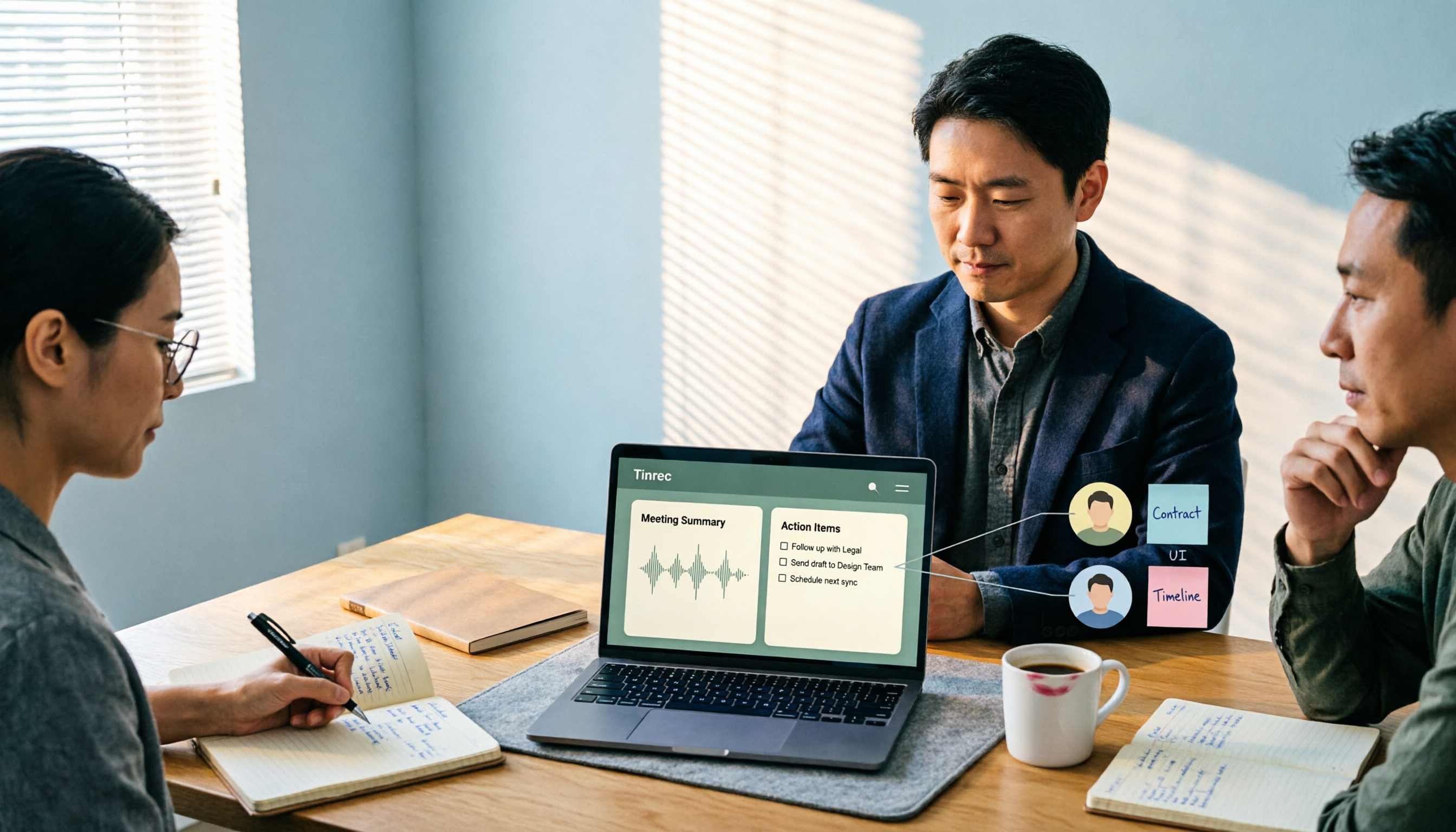
2026 Comparison of 4 Meeting Recording-to-Report Tools: How Fast Can You Get a Report After a Meeting?
Turning a meeting recording into a deliverable report isn't about transcription speed—it's about post-meeting output and team knowledge retention. This article tests Tinrec, Otter.ai, Granola, and TurboScribe from a mid-level manager's perspective, breaking down bot-free recording, summaries and action items, AI follow-up questions, audio retention, and team seat management, with scenario-based recommendations and three common pitfalls to avoid.

4 Meeting Minutes Tools Tested for 2026: Which One Turns Notes into a PPT Outline Fastest?
Still building a PPT outline after the meeting? We tested 4 meeting minutes tools, comparing transcription accuracy, structured output, AI Q&A, and team collaboration to find out which one turns meeting minutes into a PPT outline fastest.