
Turn recordings into transcripts and summaries in minutes
Upload audio or video for multilingual transcription, AI notes, and action items
"This podcast episode is great, but I don't want to spend an hour re-listening to find the highlights." "The episode is done, but transcribing and writing show notes took half a day." This isn't just a pain point for creators—it's also a struggle for heavy listeners. Podcast content has low information density and is hard to search. Without a good Traditional Chinese transcription tool, valuable content is often heard and forgotten. There are many speech-to-text tools out there, but which one is most accurate for Chinese? Which one can automatically generate summaries?
This article compiles the latest tool test data from 2026, focusing on popular tools like Meeting Ink, Good Tape, and Otter.ai, and introduces Tinrec (SecMi Recording), which integrates "video link parsing" and "AI chat" to help you find the best productivity assistant.
Quick Navigation Guide:
- For ultimate speed and Taiwanese dialect recognition → Check out Meeting Ink
- For all-English content and cross-border meetings → Check out Otter.ai
- For YouTube/Podcast link processing and AI chat queries → Dive into Tinrec (SecMi Recording)
- On a budget and don't mind waiting in line → Try Good Tape
Why Is Podcast Transcription So Hard? Three Key Buying Criteria
Before choosing a tool, you need to understand the specific nature of podcast audio, which determines which type of AI tool you should pick:
- Traditional Chinese and Context Recognition: Many foreign tools (e.g., Otter.ai) excel in English but have very low Chinese recognition rates, and can't even handle "mixed Chinese-English" or Taiwanese expressions. For Chinese podcasts, local support is the top priority.
- Long Audio Processing Efficiency: Podcasts often run 30–60 minutes. If a tool uploads slowly or requires queuing for hours (like some free versions), it seriously hampers workflow. Speed and real-time processing are key evaluation points.
- Summary and Content Repurposing Ability: Getting a transcript is just step one. The real question is whether the tool can auto-generate "timeline summaries," "bullet-point conclusions," or "action items" that can be directly pasted into show notes or social posts.
2026 Popular Podcast-to-Text Tool Specs and Speed Test
Based on the latest test data (using a 26-minute standard audio file), here's a comparison of several mainstream tools in a Traditional Chinese environment. We've included Tinrec, which offers an all-in-one integration of "recording, file, and link," as a benchmark for easy comparison.
| Dimension | Tinrec (SecMi Recording) | Meeting Ink | Good Tape | Otter.ai | Vocol.ai |
|---|---|---|---|---|---|
| Core Positioning | All-in-one AI recording assistant (including video parsing) | Meeting notes and localized speech | Simple, fast transcription tool | English meeting notes expert | Team collaboration and post-meeting organization |
| Traditional Chinese Support | ⭐⭐⭐⭐⭐ (includes multilingual mixing) | ⭐⭐⭐⭐⭐ (includes Taiwanese/Hakka) | ⭐⭐⭐⭐ | ⭐ (very weak) | ⭐⭐⭐⭐ |
| Processing Speed | Very fast (real-time transcription/fast generation) | Fast (~2 min transcription) | Slow (free version queues 1hr+) | Average (~3.5 min) | Medium (~3.5 min) |
| Input Methods | Live recording, file upload, video links | Live recording, file upload | Live recording, file upload | Live recording, meeting integration | File upload, meeting integration |
| AI Smart Features | AI chat query, summary, action items | Summary, speaker segmentation | No summary (free version) | Insights keywords | Summary, topic organization |
| Use Cases | Podcast notes, interviews, learning, video-to-text | Corporate meetings, Taiwanese interviews | Occasional single-file transcription | Cross-border English meetings | Team meeting archiving |

Key Tool Review: Deep Dive into Pros and Cons
1. Meeting Ink: Top Performer in Localization and Speed
If your podcast interviews involve Taiwanese or Hakka, Meeting Ink is currently a strong choice. Tests show it takes only about 2 minutes to transcribe a 26-minute audio file and supports live captions. For creators who need fast transcripts, its stability and speed are excellent.
Stop organizing recordings by hand
Upload audio or video and automatically get a transcript, summary, and action items
2. Good Tape: Simple but Tests Your Patience
It offers a minimalist interface and supports multiple languages. However, tests show that its free version often queues for over an hour before starting transcription, and you can't view the full transcript online or generate summaries. Best for occasional non-urgent users.
3. Otter.ai: Strong in English, Weak in Chinese
Otter is a veteran, with excellent Zoom/Meet integration and English recognition. But if your podcast is in Chinese, it often fails to recognize or produces garbled text, and the free plan has many limits, making it unsuitable for Traditional Chinese creators.
4. Vocol.ai: Good for Batch Processing
Vocol offers decent summaries and topic organization, but transcription speed is moderate and it doesn't support live captions. It's more of a "upload after recording" post-production tool, suitable for team collaboration on editing transcripts.
Advanced Use Case: Turning Podcast Audio into a Searchable Knowledge Base
Among the tools above, Tinrec stands out with a unique product philosophy. It's not just a "transcription tool"—it's more like a "content knowledge base." For podcast creators or heavy listeners, it solves two scenarios that traditional tools rarely address:
1. Support for Direct Transcription of Online Video/Podcast Links
Many podcasts are also uploaded to YouTube or even TikTok shorts. Traditional tools require you to download the MP3 first and then upload it—a tedious process. Tinrec supports directly pasting YouTube, TikTok, or podcast URLs and automatically parses them to generate transcripts and summaries. This saves creators who need to compile competitor content or turn their own video programs into blog posts from the hassle of "download and convert."

2. "AI Chat Query" Replaces Traditional Ctrl+F
Faced with a 1-hour podcast transcript, the old way is to search by keyword (Ctrl+F). But what if you forget the exact term? Tinrec has a built-in AI chat query feature. You can directly ask: "What specific advice did today's guest give on remote work?" The AI will give a precise answer based on the full context of the recording, not just mechanically highlight keywords. This turns recordings into a knowledge base you can query anytime.

Hands-On Tutorial: 3 Steps to Quickly Produce Podcast Notes and Show Notes
Using Tinrec's workflow as an example, here's how to quickly turn a podcast episode into usable text notes and show notes. This process can shorten hours of work into minutes.
Step 1: Import Audio Source (Three Modes)
Enter the platform and choose the best entry point based on your source:
- Situation A (Live Interview): Click "Record & Transcribe in Real-Time" to see text appear on screen as you record—great for in-person sessions.
- Situation B (Existing File): Select "Audio File to Text" and drag and drop an mp3/wav file.
- Situation C (Online Show): Use "Podcast/Online Video to Text" and paste a YouTube or podcast URL.

Step 2: Auto-Generate Structured Summary
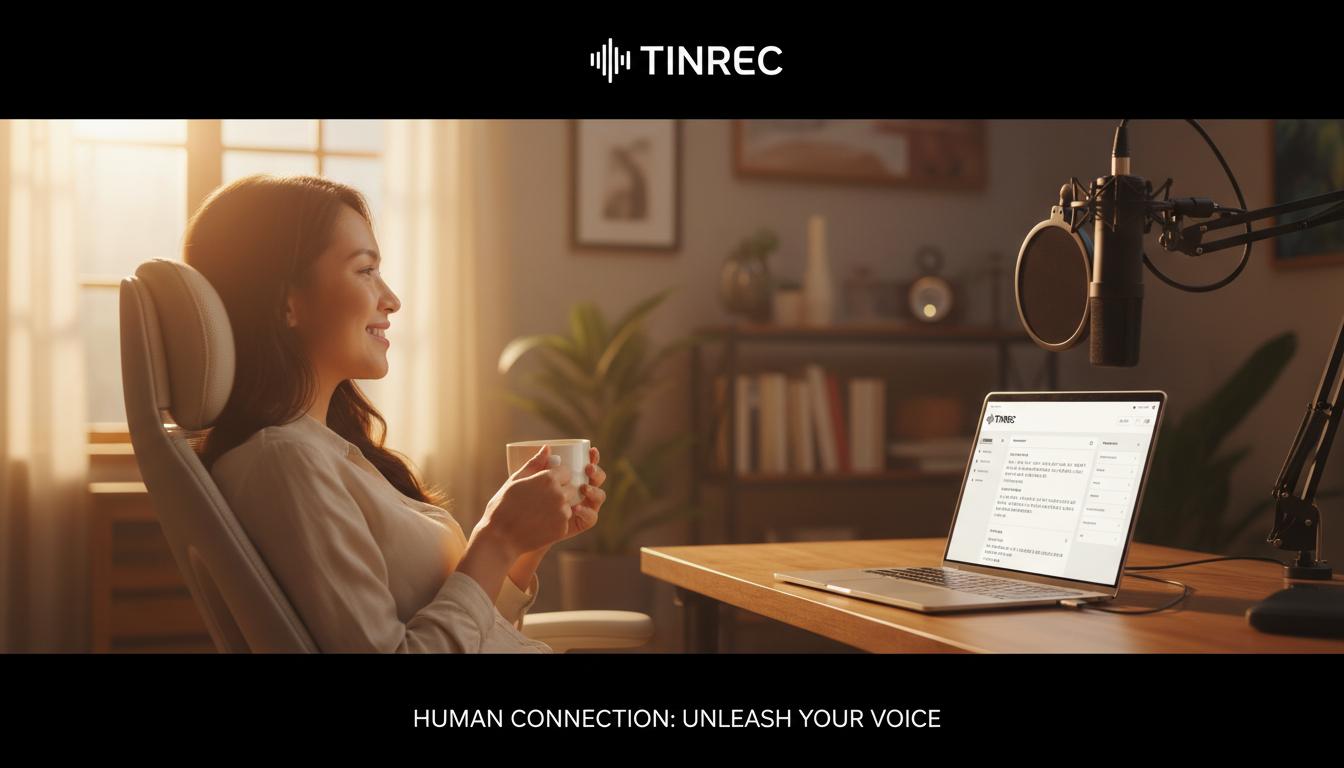
After transcription, the system automatically performs speaker diarization. Then, use the AI summary feature on the right to generate with one click:
- Full Summary: Quickly grasp the episode's core.
- Chapter Highlights: List discussion topics by timeline (can serve as show notes timestamps).
- Action Items: If content involves teaching or decisions, the system automatically extracts action items.

Step 3: Content Repurposing and Export
Use the "AI Chat" feature to input commands like "Turn this interview into a 500-word blog draft." Then click the export button to save in TXT, PDF, or Word format for further editing and publishing.
Frequently Asked Questions FAQ
Q1: Do these tools work on iPhone or Android? Most tools like Otter.ai and Plaud have apps. Tinrec supports iOS, Android, and Web sync, meaning you can record an interview on your phone and edit the transcript on your computer—files sync automatically, no manual transfer needed.
Q2: What are the common free tier limits? Limits vary. Meeting Ink and Good Tape free versions usually cap transcription hours or features (e.g., no export). Tinrec's free version offers up to 100 minutes of recording per month, which is sufficient for light users or trial purposes.
Q3: My podcast mixes Chinese and English. Can the AI understand it? This is a major pain point for Traditional Chinese users. Meeting Ink and Tinrec are better optimized for Chinese contexts with multilingual auto-detection. For pure English, Otter.ai works best. For mixed language, choose Tinrec or Meeting Ink for better segmentation and accuracy.
Q4: Do transcripts need manual proofreading? Top AI models (like Whisper) now achieve over 95% accuracy, but proper nouns, names, or overlapping speech may still cause errors. Use the tool's "keyword" feature or Tinrec's AI chat to verify details—this can drastically reduce proofreading time.
Q5: Can I convert a YouTube video into a podcast transcript? Yes. The traditional method requires downloading and converting to audio. With Tinrec's "Video to Text" feature, simply paste a YouTube URL to parse the content and generate a summary—currently the most efficient approach.
Q6: For long recordings, how can I quickly find the key points? Traditional players only let you scrub the timeline. With AI tools, first check the "AI Summary" and "Chapter Highlights," then use the "AI Chat Query" feature (like Tinrec's built-in one) to ask about a specific topic—the system will jump you to that paragraph.
Choosing the right tool can elevate your podcast value beyond just "listening" to "reading" and "searching." Start with a free-tier tool (like Tinrec or Meeting Ink) to test Chinese accuracy before deciding whether to upgrade to a paid plan.
Turn every recording into actionable outcomes
Get 60 free transcription minutes when you sign in. No credit card required.
Related Reading
You might also like

2026 Comparison of 4 Audio-to-Text Tools: Which Transcripts Are Actually Ready to Use?
A hands-on comparison of 4 audio-to-text tools, covering how they capture online meetings, their performance with Chinese and mixed Chinese-English speech, post-transcription summaries and AI Q&A, and team seat management and handover. We explain how to choose based on different budgets and use cases, and highlight the 4 most common pitfalls before purchasing.

2026 Comparison of 4 Audio-to-Text Apps: Are Free Tiers Enough for Students?
Starting from questions in PTT discussion threads, I tested 4 audio-to-text apps over a full semester using class recordings and group meetings. I compared real-time transcription, free tiers, post-meeting AI summaries, and cross-platform export, explaining why Tinrec was the one I kept, and who Notta, PLAUD, and Otter.ai are best for.

Free Audio-to-Text Solutions in 2026: 5 Options Compared
Transcribing recordings is a lifesaver for busy professionals, but free tools often disappoint. This article uses Tinrec as a primary example to outline free ways to get started with audio-to-text in 2026, compares 5 plans from free to team versions, and breaks down core capabilities like real-time transcription, bot-free meeting recording, AI summaries and action items, and AI Q&A, so you know which one is worth using.

5 Best Audio-to-Text Apps in 2026: Free Tiers and AI Summaries Compared
We tested audio-to-text apps on free tier limits, Chinese and mixed Chinese-English recognition, and post-meeting organization. We break down 5 key buying factors and 4 common pitfalls, then take a deep dive into Tinrec's bot-free online meeting recording, AI summaries, action item extraction, AI Q&A, and team workspace. Finally, we give clear recommendations based on budget and use case.

4 Best Audio-to-Text Apps in 2026: Which Free Tier Works Best for Students?
Starting from college and grad school scenarios like lectures, group discussions, and interviews, this article first highlights the three most common mistakes when choosing an audio-to-text app, then compares Tinrec, Notta, Otter.ai, and PLAUD Note across four key areas: free quota, AI organization, cross-platform support, and online meeting recording. It also includes buying advice and pitfalls to avoid for students.

4 Free Audio-to-Text Tools Compared in 2026: Is Tinrec, cSubtitle, or MyEdit's Free Version Enough?
How do you choose a free audio-to-text tool? This article compares the free quotas and limitations of Tinrec, cSubtitle, MyEdit, and Monica, explains Tinrec's real-time recording, bot-free online meeting recording, AI summaries and action items, AI Q&A, multi-format export, and team workspace, and breaks down the differences between free, personal, and team plans to help you decide which free option is truly sufficient.

How to Transcribe Audio to Text in 2026: 5-Step Mobile Tutorial
Transcribing audio to text on your phone doesn't mean typing every word. This article covers the top 3 mistakes people make, 4 key factors for choosing a tool, and 5 practical steps—from recording on your phone, live transcription, AI summaries and to-dos, AI Q&A, to exporting deliverables. It also compares Tinrec, iPhone's built-in transcription, Notta, and Otter.ai, and includes 4 common pitfalls and selection advice.

How to Transcribe iPhone Recordings in 2026: A 4-Step Hands-On Guide
You don't need third-party tools to turn iPhone recordings into text—iOS 18.4 and later include built-in transcription. This guide uses 4 key criteria to help you choose the right tool, and puts Tinrec to the test in Chinese meetings, online meetings, and team collaboration.

2026 Free Audio-to-Text AI Complete Guide: Free Tiers, Tool Comparison, and Tinrec Hands-On Review
From a student's hands-on perspective, this guide breaks down common misconceptions about free audio-to-text AI: how free quotas work, whether transcripts are directly usable, and how much time post-processing takes. It compares common free tools with Tinrec on Chinese recognition, AI summary and to-dos, bot-free online meeting recording, and team knowledge retention to help you find the one that truly saves time.