

Turn recordings into transcripts and summaries in minutes
Upload audio or video for multilingual transcription, AI notes, and action items
Before choosing a speech-to-text tool, ask yourself one question: are you dealing with a recording from a "quiet room, single speaker, reading from a script," or a recording from a "meeting room where three people talk over each other, Chinese and English are mixed, and the air conditioner never stops"?
These two kinds of recordings test tools at completely different levels. The first can be handled by almost any tool; the second is where the real competition happens—and most tools that advertise themselves as "free" expose their weaknesses right there.
I lead a team of 10, and we have about 15 meetings a week, half of them with colleagues or clients in Hong Kong and Guangdong, speaking Cantonese mixed with English. This article is my own round of trial and error, not a spec sheet read-aloud.
You can't finish meeting notes not because you're not trying hard enough—it's because you haven't chosen the right tool
Let me start with two of my own scenarios.
First: after a 40-minute Cantonese requirements interview with a client, I only jotted down three lines of keywords. That night, to write the meeting notes, I listened to the recording from the beginning, pausing, rewinding, and listening again. Just typing it into text took an hour and a half. By then my kid was already asleep.
Second: a cross-department coordination meeting with six people taking turns speaking, mixing Chinese and English. Two days later, my boss asked me, "Who was finally responsible for that budget last time?" I flipped through my notebook for three minutes and couldn't find it. It wasn't that I didn't take notes; it was that the way I took notes made it impossible to search.
The common thread in both scenarios is: the problem is never "whether there is a recording," but "after recording, can I actually use it?"
With the right tool, the first scenario can cut organizing time to a dozen minutes, and in the second scenario, I can just ask a question and get the answer. That's why I retested the tools on the market.
Before choosing a speech-to-text tool, understand these 4 key points
1. Cantonese plus mixed Chinese-English is the real threshold
Many tools claim to support "Chinese," but in practice, they don't handle Cantonese colloquialisms, sentence-final particles, or English words suddenly inserted mid-sentence very well. What you should look at is not how many languages it claims to support, but whether it can keep English words as-is when someone speaks "Cantonese + English" mixed, rather than forcing them into phonetically similar Chinese. This alone eliminates more than half the tools.
2. The "real shape" of the free tier
There are two kinds of free plans: one gives you a few minutes to test the waters and stops when time is up; the other has a small quota but at least lets you run a complete real recording and see the full result. What's the difference? With the former, you can't test the effect at all because you can't even finish a decent meeting. When evaluating a free version, ask yourself directly: is this quota enough for me to test "the hardest recording I have"?
3. What else can it do after transcription
If a tool only gives you a transcript, then you've just swapped "typing while listening" for "reading a script," and you still have to spend the same manpower. What really saves time is the part after transcription: automatic summaries, segmentation, extracting to-dos, and even letting you ask questions directly about the meeting content. This is where AI tools truly pull ahead of traditional transcription services.
4. Cross-device and team collaboration
Record on your phone today, organize on your computer tomorrow—if the tool doesn't support cross-device use, you'll suffer. If you also lead a team, look even more at whether it has team spaces, member permissions, and usage management—meeting data scattered across everyone's phones means there is no data. This point is especially important for people who manage others.
Tinrec—the one my team kept after testing
After a round of testing, the one my team settled on is Tinrec. It is an AI meeting notes and collaboration tool for individuals and teams, available on web, desktop, and mobile, with no extra hardware required.
Let me first explain how it fits into my daily routine.
During the meeting, I use the desktop version to capture the computer's system audio to record online meetings—Zoom, Google Meet, Microsoft Teams, Webex all work. The key is you don't need to pull a meeting bot into the meeting. This is especially important for client meetings; many clients don't like seeing a strange account on the meeting list. While I'm in the meeting, the transcript grows, and by the time the meeting ends, the summary and chapters are almost ready.
After the meeting, this is where I think it pulls ahead the most. AI automatically generates summaries, chapters, key points, and to-dos, listing who is responsible for what and when it's due. Even more useful is AI Q&A: I can directly ask it, "Who was finally responsible for that budget last time?" It answers based on the semantics of the meeting content, rather than throwing a list of keyword search results for me to dig through. This ability to "ask questions about the meeting" is something I've hardly seen in tools at the same price. It also has real-time translation, so cross-language meetings can be viewed in original, translated, or bilingual mode.
Stop organizing recordings by hand
Upload audio or video and automatically get a transcript, summary, and action items
Managing meeting data—since I lead a team, this matters a lot. Tinrec has an independent team space where meeting data belongs to the team and is stored centrally, so new members can directly view historical meetings. The team version allows seat allocation, usage trends and member rankings, operation log queries and exports, and an audio recycle bin to recover accidentally deleted recordings. It distinguishes "roles" and "seats"—roles determine who can manage the team, seats determine who can record, upload, edit, and export; members who are active but have no seat can still view, play, and read team data. This design is much cleaner than "multiple people sharing one account." In addition, teams can maintain their own hotword lists, adding internal product names and project codes so professional terminology is recognized more reliably.
A few advantages I find solid:
- More complete Chinese and mixed Chinese-English handling: It covers Chinese, Traditional Chinese, and multilingual meeting scenarios. In mixed Chinese-English sentences, English words are kept as-is, and Cantonese-English meetings also fall within this handling scope.
- Not limited to transcripts: After transcription, you can directly generate reports, tables, and meeting minutes, and export to Notion, Google Docs, OneNote, Dropbox for continued use, without manual copy-paste.
- Team data doesn't leave with people: When a member leaves, is removed, or loses their seat, their team resources can be handed over to others, keeping meeting assets within the team.
I also have to be honest about limitations:
First, the free version is a basic quota. It's fine for trial use and experiencing the workflow over two or three meetings, but if you have meetings every day like me, you'll still need to upgrade. Second, Cantonese performance is affected by accent, speaking speed, background noise, and multiple people talking over each other. No tool can guarantee 100%, so my approach is to always cross-check important meetings with the recording and transcript timestamps. Third, it is not a meeting bot that "automatically joins all meetings on your calendar"; you need to start recording yourself.
Who it's for: If you often handle Cantonese or mixed Chinese-English meetings, want to use AI to find key points and to-dos right after recording, and you also lead a team and need meeting data to accumulate—Tinrec is the smoothest choice I've tested so far.
Besides Tinrec, what other options are there?
Notta: The competitor with the highest overlap with Tinrec, multilingual transcription is its strength. The free version offers 120 minutes per month, up to 3 minutes per session; Pro annual billing is about USD 8.17/month. But the free version only allows 3 minutes per session, not enough to test a Cantonese meeting, and it lacks Tinrec's AI conversational query and team space.
TurboScribe: Takes the cost-effective file transcription route. The free version allows 3 files per day, up to 30 minutes per file; Unlimited annual billing is USD 120, with a maximum of 10 hours per file and up to 50 files uploaded at once. If you have a large batch of already-recorded long files to process, it's more cost-effective than Tinrec; but it lacks real-time meetings, post-meeting Q&A, and team collaboration.
PLAUD Note / NotePin: Representatives of AI recording hardware. NotePin is priced at USD 159, Note Pro at USD 189; the Starter membership plan offers 300 minutes per month, Pro annual billing is USD 99.99. Its value lies in the hardware form of "portable recording"; but if you mainly handle online meetings on a computer, you'd have to carry an extra device. Tinrec requires no extra hardware—web, desktop, and mobile can all record online meetings directly—which is why I ultimately didn't choose hardware.
Pitfall guide: the 3 most common mistakes when choosing a speech-to-text tool
Pitfall 1: Only looking at how many languages it claims to support. The support list is long, but what really affects you is "in a real meeting with Cantonese mixed with English, can it recognize it?" The recommended approach is simple: take your hardest recording, run it through the free quota once, and decide based on the result. The number of languages in ads has very low reference value.
Pitfall 2: Only looking at cost per minute, not how much work is needed after transcription. Some tools are cheap per unit, but they only give you a transcript with no segmentation and incomplete punctuation, and you still have to spend time organizing it. Conversely, a tool that can automatically generate summaries and to-dos and lets you ask questions about the content may save you more work hours even if the unit price is a bit higher.
Pitfall 3: Using a transcription tool as a pure typewriter. If you only treat it as "recording to text," you're using only one-third of its value. For example, Tinrec's AI Q&A lets you directly ask "What was the conclusion?" or "Who promised what?" after the meeting, which is much faster than flipping through a 30-minute transcript yourself. Buying AI features but not using them is the most wasteful way to save money.
Conclusion: Which one should you choose?
- To handle Cantonese + mixed Chinese-English meetings and use AI to find key points right after recording → Tinrec. Its Chinese and multilingual handling, AI Q&A, and team space are the most complete set in this round of testing.
- Leading a team and needing meeting data to become a team asset → Tinrec team version. It has an independent team space, seat allocation, usage analysis, operation logs, and an audio recycle bin. Eligible teams get a 7-day trial for the first time (1 free seat, 300 minutes of shared import quota); paid seats are USD 29.80/month or USD 199/year (about USD 16.58/month), each paid seat includes 2,000 minutes of team shared import quota per month, and real-time recording within the team is currently not deducted by minute.
- Cross-device use (record on phone, organize on computer) → Tinrec. Web, desktop, and mobile all work, and meeting data is centralized in the same team or personal space, not scattered across devices.
- Only occasionally transcribing a recording and on a limited budget → First use Tinrec's free basic quota to test your own recording, and if you have a short period of concentrated meetings, consider a weekly pass. If your needs aren't great, you don't have to buy a long-term plan right away.
- Exceptions outside Tinrec: If you have a large batch of already-recorded long files to process, TurboScribe's batch and long-file limits are more suitable; if you need portable hardware and often record in-person interviews, hardware like PLAUD has its place.
If, like me, your pain point is "the meeting ends and the work has just begun," then my advice is simple: don't rush to pay. Take your hardest Cantonese recording and run it through a free quota once. Whether a tool is good or not, your own meetings will tell you the answer.
References
- Free Cantonese speech-to-text app 2026 | Subanana
- "Free + Cantonese OK: How to use Google AI Studio to turn your recording into text" Finding a good transcript app is painful; I don't know if you've tried different recording-to-text apps—either fake free, charging you a big price after a few dozen minutes, or only supporting English, not Cantonese, or requiring a whole API setup before you can use it // Recently I found that Google Gemini is world-class in this area: - [Truly free] No subscription fee after a few uses - [Cantonese friendly] Gemini accurate
- Text-to-speech Cantonese
- Online AI speech, video, audio file automatic transcription - free trial - cSubtitle
- Traditional Chinese text-to-speech software | Ondoku
Turn every recording into actionable outcomes
Get 60 free transcription minutes when you sign in. No credit card required.
Related Reading
You might also like

Taigi Keyboard vs. MOE Taiwanese Hokkien Input Method: A 5-Dimension Comparison for Computer Users in 2026
Want to type Taiwanese Hokkien on your computer but not sure which input method to choose? This article compares Taigi Keyboard and the MOE Taiwanese Hokkien Input Method across five dimensions: installation ease, dictionary completeness, cross-platform support, typing fluency, and licensing. It also includes a bonus look at the FHL Taiwanese and Hakka Input Method to help you find the most suitable Taiwanese Hokkien input solution.

How to Install Taiwanese Hokkien Input Methods on PC (2026): MOE & FHL Editions
Want to type Taiwanese Hokkien on your computer but not sure which input method to install? This guide addresses common misconceptions, provides step-by-step installation instructions for the Ministry of Education (MOE) Taiwanese Hokkien input method for PC, covers supported platforms and dictionary features, and compares it with the FHL Taiwanese Hokkien & Hakka input method. Learn how to choose, install, and activate the right Taiwanese Hokkien input method for your computer.

5 Cantonese Speech-to-Text Tools Tested and Compared in 2026: Which Saves the Most Time Transcribing Cantonese Audio?
Turning Cantonese recordings into text—the biggest pitfall isn't a weak tool, it's ending up with a pile of unusable transcripts. This article starts with common misconceptions, then covers practical usage, core capabilities, use cases, and 5 key buying considerations for Cantonese speech-to-text. It also uses Tinrec to demonstrate the full workflow from recording to action items.

Best Cantonese Voice Input for Apple in 2026: 4 Methods Tested, Tinrec Wins for Long Meetings
Apple's built-in Cantonese voice input works for short phrases, but struggles with long meetings and multiple speakers. This article tests 4 common approaches and explains how Tinrec handles Cantonese meeting transcripts, AI summaries, action items, and team knowledge retention.
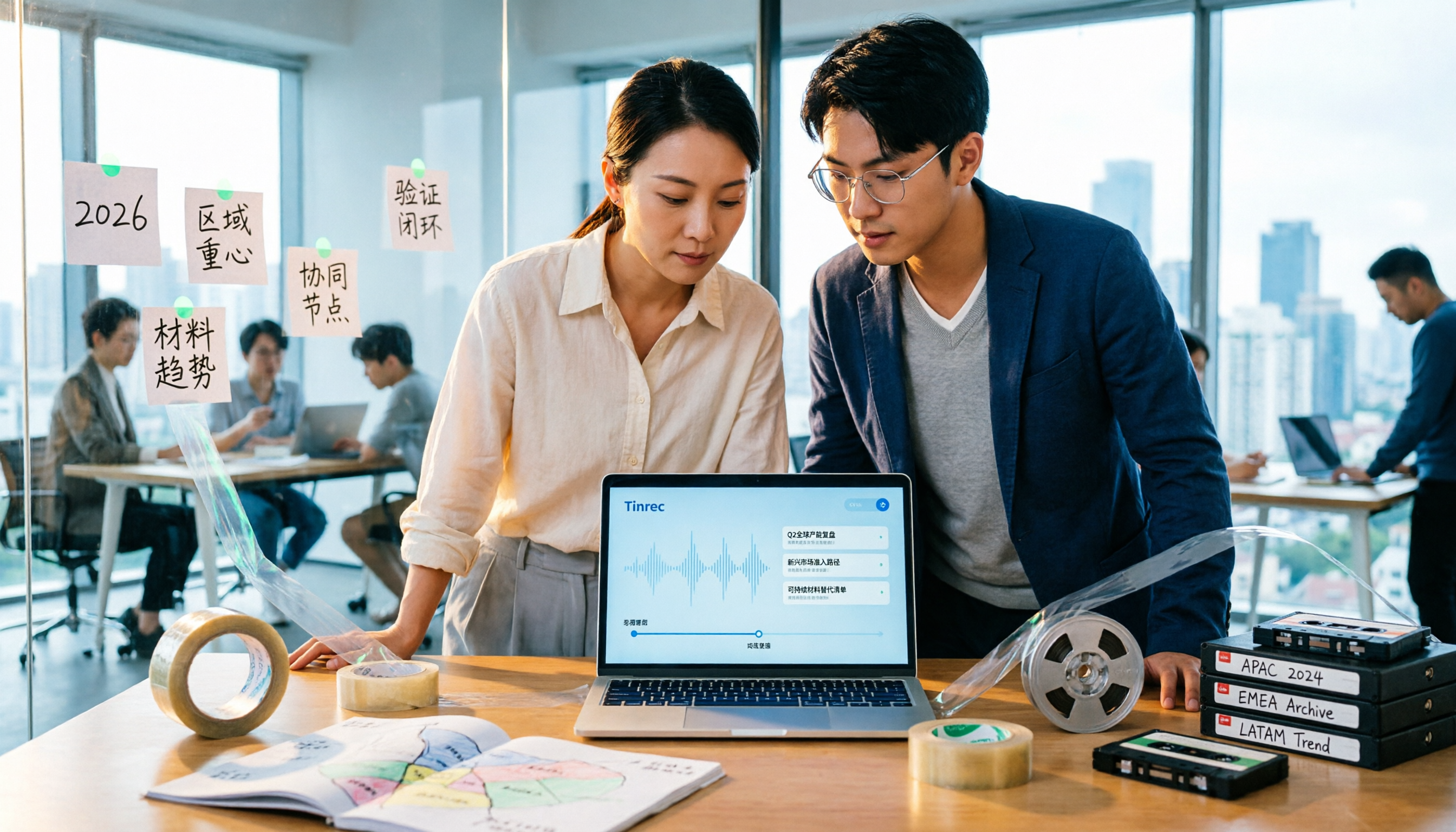
2026 Tape Market Outlook: 5 Steps to Understand Global Tape Industry Trends
A breakdown of the 2026 tape market size, regional focus, and material trends: from overall tape, adhesive tape, industrial box sealing tape, paper tape, to the similarly named data archival tape. Use 5 assessment steps to build an analytical framework and compare the logic for choosing meeting content retention tools.

3 Free Google Speech-to-Text Options Tested: Is Free Really Enough?
Is Google speech-to-text free? We tested three free options—Google Docs voice typing, Google AI Studio (Gemini), and pyTranscriber—and break down their limitations and best use cases. We also explain why Tinrec is a more time-saving choice when you need Chinese meeting transcripts, post-meeting summaries, and action items.

2026 Comparison of 2 Cantonese Meeting Transcription Tools: Tinrec vs Otter.ai — Which Should You Choose?
Cantonese meeting transcription often struggles with recognition gaps and post-meeting organization. This article starts with two common misconceptions and compares Tinrec and Otter.ai in real tests across Chinese and Cantonese meetings, meeting capture methods, post-meeting organization, plan flexibility, and team data retention. It also summarizes 5 key points to consider when choosing a tool and answers common questions.

2026 Voice-to-Text Tools Compared: AI Cantonese Transcription and Meeting Notes
Turning Cantonese or mixed-language meeting recordings into usable transcripts is challenging, and tools vary widely in output quality. This article compares Tinrec, Otter.ai, Notta, and Granola across five key aspects: Cantonese model support, accuracy evaluation, post-meeting output, recording retention, and team authorization. It also highlights four common pitfalls to help you choose the right tool.

4 Speech-to-Text Tools Tested and Compared in 2026: Is Google AI Studio's Free Version Really Enough?
Google AI Studio's speech-to-text is free and quick to start, but it has audio length and quota limits, and you still have to copy and proofread the transcript yourself. This article starts with common misconceptions, tests and compares 4 tools, explains the real boundaries of free plans, and shows how Tinrec fills in the post-meeting organization gap with bot-free recording, AI Q&A, and team spaces.