

Turn recordings into transcripts and summaries in minutes
Upload audio or video for multilingual transcription, AI notes, and action items
It's 3 PM on a Friday. You just wrapped up a 90-minute client interview, and your phone now holds a 180MB WAV file. Your boss messages the group chat: "When can I get the key points and action items?" You open the file and realize you'll have to listen to the whole thing before you can write anything—and just like that, your afternoon is gone.
WAV is an uncompressed, lossless audio format. It offers great sound quality, but the files are large. It's ideal for interviews, meetings, and lectures where clear audio capture matters—the downside is that post-processing is a real chore. The good news is that converting WAV to text no longer requires you to type while listening.
Take Tinrec as an example. It's an AI meeting notes and collaboration tool for individuals and teams. Beyond transcribing audio, it helps you organize summaries, chapters, and action items—and even lets you ask questions directly about the meeting content. If you have a batch of WAV files on hand, tools like this save more than just typing time.
What Can WAV-to-Text Do for You?
Scenario 1: Interview and meeting recordings—deliver key points the same day
In the past, after an interview, you'd have to re-listen to the entire recording to write up notes. Now, hand the WAV file to Tinrec, and once transcription is done, AI generates a summary and action items directly—who promised what, what's next, all at a glance. What used to take an afternoon is often reduced to ten minutes after the meeting ends.
Scenario 2: Digitizing historical recordings
Many people have years' worth of WAV files sitting on their hard drives: lecture recordings, employee training sessions, old client meetings. These files only become searchable after being converted to text. Tinrec supports uploading audio and video files for transcription. Once transcribed, the text can be searched, queried, and further processed—giving those "saved but never reopened" files a chance to actually be used.
Scenario 3: Understand languages you don't speak by reading first
The toughest part of international meetings or foreign-language interviews is not catching the key points in the moment. Tinrec supports real-time translation. During recording, you can switch between original text, translation, or bilingual view. Afterward, you can compare the transcript side by side—at least you won't finish a session still confused.
Scenario 4: Turn meetings into shared team knowledge
If three people record and organize the same meeting separately, that's triple the work for nothing. Tinrec's team plan provides a dedicated team space where transcripts, summaries, and action items belong to the team. New members can review past meetings, and when members leave, the data doesn't go with them.
Core Capabilities of WAV-to-Text
Transcribe while recording—no need to wait
Tinrec supports real-time recording transcription. The transcript is generated as the meeting happens. You can glance at the text to confirm nothing important is missed, rather than discovering after the meeting that a segment wasn't recorded clearly.
Upload audio files for transcription—WAV is no problem
If you already have WAV, other audio, or video files, you can upload them directly for transcription. Tinrec turns recordings into readable, searchable transcripts—especially useful for processing accumulated historical data.
Bot-free recording for online meetings
Most people's first concern about meeting transcription tools is whether they need to invite a bot into the meeting room. Tinrec's desktop app captures your computer's system audio directly. For Zoom, Google Meet, Microsoft Teams, Webex, and other online meetings, no extra bot needs to join, and you don't have to ask others to wait for it to connect.
AI summaries, chapters, and action items
The transcript is just the raw material. Tinrec automatically generates summaries, breaks long meetings into chapters, and extracts action items from the conversation. For a two-hour meeting, you usually just need to read the summary and action items to grasp the full picture.
AI Q&A and further processing
After transcription, you can ask Tinrec questions directly, such as "What were the client's concerns about pricing?" or "What three things were decided in this meeting?" It answers based on the content. You can also export results to Notion, Google Docs, OneNote, Dropbox, and other tools for continued use, or generate reports, tables, and meeting minutes.
Practical Use Cases
Client interviews and sales meetings
The key points of a visit or interview are often hidden in the details. When you're busy conversing, it's hard to take notes simultaneously. Use Tinrec to record the entire conversation, then after the meeting use AI Q&A to extract client needs, concerns, and commitments, and export them into follow-up documents. This is far more reliable than relying on memory afterward.
Classes and lectures
Stop organizing recordings by hand
Upload audio or video and automatically get a transcript, summary, and action items
During a two-hour class, trying to take notes and listen at the same time usually means doing both poorly. Switch to Tinrec for real-time transcription, then review summaries and chapters afterward. When you need details, go back to the transcript—review efficiency improves dramatically.
Podcasts and content creation
These creators often find themselves "too exhausted to organize after recording." Upload the WAV master file for transcription, and the transcript can be used for episode summaries, social media posts, and article material—one recording, multiple uses.
Team weekly meetings and project meetings
Regular weekly meetings are the easiest to neglect when it comes to documentation. Tinrec's team plan centrally stores each meeting's transcript, summary, and action items. Managers can view usage trends and member activity, and use team hotwords to maintain company-specific terminology for better recognition.
6 Things to Consider When Choosing a WAV-to-Text Tool
1. Audio formats and file size
First, confirm whether the tool can handle your file formats. WAV is uncompressed and large; long meeting files can be several hundred MB. Tinrec supports uploading audio and video files for transcription, but actual processing speed still depends on file size and network conditions.
2. Chinese recognition and specialized terminology
Chinese meetings often mix in English proper nouns—this is where errors most commonly occur. Tinrec covers Chinese, Traditional Chinese, and multilingual meeting scenarios. The team plan also has a team hotwords feature to add internal product names and abbreviations. Note that actual recognition accuracy is affected by recording quality, background noise, accents, and overlapping speakers. We recommend testing with your own recordings rather than relying solely on official claims.
3. What you can do after transcription
A tool that only provides a transcript is essentially handing the organizing work right back to you. When choosing a tool, look for summaries, action item extraction, and AI Q&A. Tinrec's positioning extends "transcription" into the entire "organizing and using" phase.
4. Meeting sources and cross-platform support
Confirm whether the tool can handle the meeting platforms you normally use. Tinrec's desktop app handles common online meetings via system audio. The mobile app is suitable for in-person interviews and casual recording. The web version allows file uploads. Cross-device usage is relatively complete.
5. Team collaboration and permissions
If choosing a tool for a team, note that "roles" and "seats" are two different things. In Tinrec's team plan, roles determine who can manage the team and view audits, while seats determine whether members can record, upload, edit, and export. Members without seats can still view and play team data. Currently, the team plan focuses on team-level sharing, not granular file-level permissions.
6. Pricing and quotas
Tinrec's personal plan includes a free version, weekly pass, Pro monthly, and Pro annual—choose based on your usage frequency. The team plan offers a 7-day trial for first-time eligible users, 1 free seat, and 300 minutes of shared team import quota. Paid plans are USD 29.80 per paid seat per month, or USD 199 per paid seat per year (about USD 16.58 per month), with each paid seat providing 2,000 minutes of shared team import quota per month. Under an active team plan, real-time recording currently does not deduct minutes; file and web imports use the shared team quota. Actual prices and benefits are subject to the official purchase page.
Frequently Asked Questions
Q1: What's the difference between WAV-to-text and general speech-to-text?
Essentially the same thing—the difference is in file characteristics. WAV is an uncompressed, lossless format. Sound quality is usually better than compressed files, which theoretically helps recognition, but files are larger and upload/processing takes longer. Tinrec supports uploading audio files for transcription, and WAV can be processed directly.
Q2: How long does transcription take?
There's no fixed answer—it depends on file length, language, and current load. In practice, transcription is usually much faster than manually re-listening, and what you get is searchable text, not another file you have to listen to from the start.
Q3: Is Tinrec's free version enough?
If you only occasionally organize a recording, the free version's basic quota is a good starting point. If you have regular weekly meetings or a large volume of interviews and classes in a short period, consider the weekly pass or Pro. For those who need to accumulate recording data long-term, the annual plan has a lower monthly equivalent.
Q4: Can accuracy be guaranteed?
Don't trust any claim of "guaranteed 98%." Recognition results are affected by recording quality, background noise, accents, simultaneous speakers, and specialized terminology. The practical approach is to test with your own recordings and verify important content against the transcript timestamps and original audio.
Q5: What's the difference between the team plan and personal plan?
Personal plan data belongs to the individual account. The team plan is a separate team space where meeting data belongs to the team, with additional capabilities like member and role management, seat allocation, shared benefits, usage analytics, audit logs, and audio recycle bin. It's suitable for departments or project teams that need to accumulate meeting assets.
Q6: What should I pay attention to when recording?
Recording and transcription involve personal data and local regulations. Before recording, inform participants and obtain consent—especially when client data or confidential content is involved.
Conclusion
WAV-to-text itself isn't hard. The hard part is what to do with all that text afterward. Tinrec's approach connects transcription, summaries, action items, Q&A, export, and team space into one workflow, so recordings aren't just saved—they're actually usable.
If you have a batch of WAV files waiting to be organized, we suggest starting with the free version. Try it with a real recording, and you'll have a clearer idea of exactly how much time it saves you.
References
Turn every recording into actionable outcomes
Get 60 free transcription minutes when you sign in. No credit card required.
Related Reading
You might also like

2026 Product Meeting Notes Tools: 4 Tested + AI Action Item Auto-Organization
How to choose a meeting notes tool? This article addresses three common misconceptions, outlines 4 key selection criteria, and compares Tinrec, Otter.ai, Granola, and Notta on meeting recording methods, post-meeting organization capabilities, and pricing limits. It also includes a pitfalls guide and selection recommendations to help you find a solution that truly saves organization time.

6 Audio-to-Transcript Tools Tested and Compared for 2026: Which Saves the Most Time for Chinese Recognition and Post-Meeting Organization?
A review of 6 tools that generate transcripts from imported audio files, covering Tinrec's AI summaries, action items, AI Q&A, and team spaces, as well as the free and paid plans of Notta, cSubtitle, MyEdit, TurboScribe, and Yating Transcript. It also explains recording quality, export formats, and licensing issues to consider before importing.

2026 Comparison of 4 Audio/Video Transcription Tools: Which Saves the Most Time for Chinese Meeting Minutes?
Still typing transcripts after meetings? This article uses 5 key buying criteria to compare Tinrec, Notta, Otter.ai, and PLAUD Note in a hands-on test. From recording methods, post-meeting output, Chinese language experience, to team seat management, we cover it all, plus 4 common pitfalls to avoid.
Tinrec Meeting Notes Guide 2026: No-Bot Recording vs Otter.ai
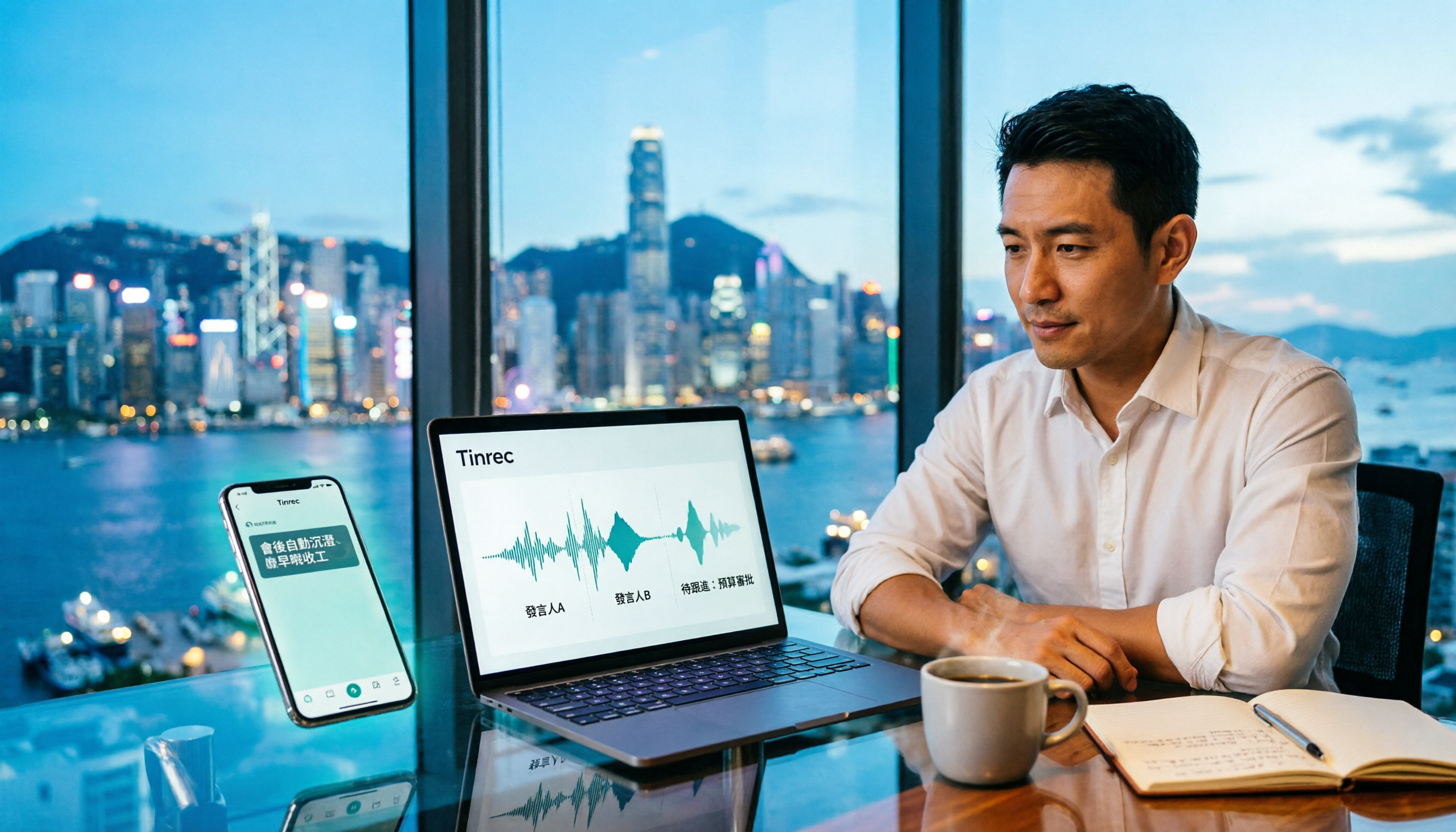
For Hong Kong office workers, post-meeting cleanup is the worst part: the meeting ends at 3 PM, but you're still at the office at 8 PM listening to recordings and typing. This article compares Tinrec and Otter.ai across five dimensions to test the workflow of turning recordings into meeting notes, breaking down Cantonese recognition, no-bot recording, post-meeting AI organization, team data retention, and pricing, helping you choose the right tool and leave work earlier.

4 AI Meeting Note Tools Tested in 2026: Which One Saves the Most Time on Auto-Organizing Transcripts?
The pain of meeting notes isn't slow typing—it's time-consuming organization. This article addresses common misconceptions, tests 4 AI meeting note tools, breaks down key buying factors, Tinrec's bot-free recording and AI Q&A workflow, team plan seats and data ownership, plus a pitfalls guide and selection advice.

2026 Teams Meeting Transcription Comparison: 4 Methods Tested — Is Avoiding a Meeting Bot Really Easier?
Teams built-in transcription requires both the organizer and each user to enable the policy, and live captions are not saved—so many people only discover after the meeting that there is no transcript at all. This article reviews four ways to transcribe Teams meeting recordings, from Teams built-in, Otter.ai, and Notta to Tinrec, comparing bot-free desktop recording, AI Q&A, action item extraction, and team seat management, with a pitfalls guide and scenario-based recommendations.

4 Video-to-Transcript Tools Tested and Compared in 2026: 3 Pitfalls to Understand Before Importing Video
Importing a video to generate a transcript looks simple, but the real bottlenecks are usually format support, time codes, and how usage limits are calculated. This article starts with common misconceptions, outlines 4 key points for choosing a tool, then shares a hands-on test of Tinrec from video import to AI summaries, action items, and team knowledge retention, and compares TurboScribe, Notta, and Granola for use cases and pitfalls to avoid.

How to Transcribe Classroom Recordings in 2026: A Complete 5-Step Guide
When it comes to transcribing classroom recordings, most people only ask which tool is the most accurate. But what really determines whether you'll be overwhelmed all semester is the audio source, the classroom language, and the total number of hours. This article uses university and graduate school classroom scenarios to compare Tinrec and Otter.ai across 5 dimensions, and provides a 5-step process you can follow directly, along with purchasing advice.

How to Transcribe Zoom Meeting Recordings in 2026: No-Bot Recording + Automatic Meeting Minutes
Done with a Zoom meeting but still need to organize the transcript and minutes yourself? This guide covers the complete process for transcribing Zoom meeting recordings, including no-bot recording, real-time transcription, AI summaries and action items, AI Q&A, and 5 key points to consider when choosing a tool. It also demonstrates the workflow using Tinrec.