
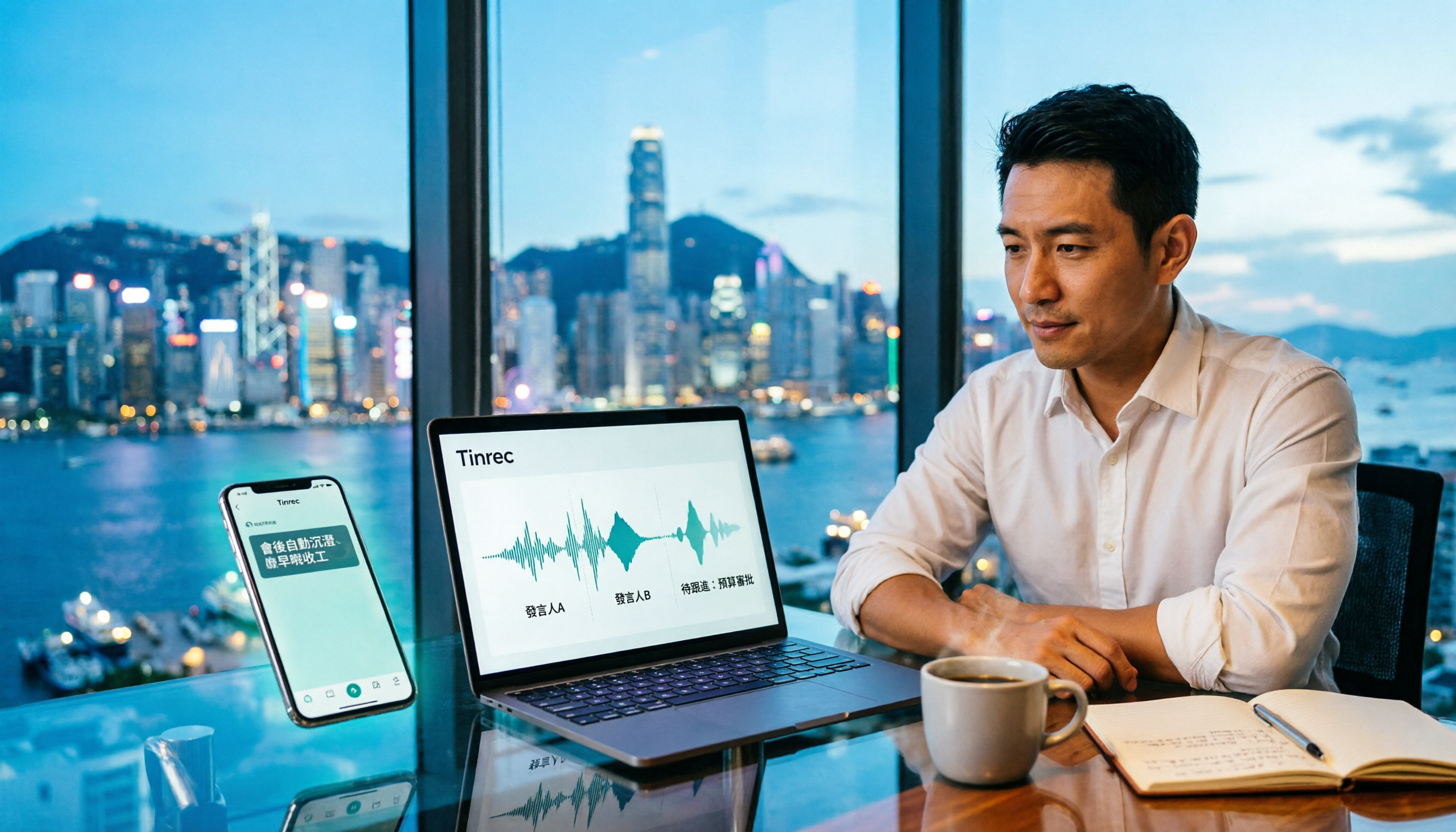
Turn recordings into transcripts and summaries in minutes
Upload audio or video for multilingual transcription, AI notes, and action items
Tinrec Meeting Notes Guide 2026: No-Bot Recording vs Otter.ai
It's 8 PM, and you're still at the office in Central. The meeting that ended at 3 PM is still on your phone—no transcript, no summary, no action items. You've tried Otter.ai; it's smooth for English meetings, but once you switch to Cantonese, the text starts to guess. This is the problem we're breaking down today: how to turn recordings into meeting notes, and which tool to choose in 2026?
Tinrec vs Otter.ai | Quick Overview
Tinrec is an AI meeting notes and collaboration tool for individuals and teams; Otter.ai is an earlier AI meeting assistant with a strong focus on English business meetings. Both do "speech-to-text + summary," but their positioning differs: Tinrec focuses on no-bot recording, Chinese/Cantonese experience, and team data retention, while Otter focuses on English meeting automation and integrations.
| Item | Tinrec | Otter.ai |
|---|---|---|
| One-line positioning | AI meeting notes and team collaboration | AI meeting assistant and meeting automation |
| Core languages | Chinese, Traditional Chinese, multilingual | Primarily English business meetings |
| Plans/Pricing | Personal: Free/Weekly/Pro Monthly/Pro Annual; Team: USD 29.80/seat/month, USD 199/seat/year (approx. USD 16.58/month) | Basic free 300 min/month; Pro annual equivalent USD 8.49/user/month; Business higher (see official page) |
Below we compare across 5 dimensions: Cantonese recognition, meeting capture method, post-meeting organization, team collaboration, and pricing.
Dimension 1 | Cantonese and Chinese Recognition
Otter.ai's strength is English meetings, but if the meeting is mainly Cantonese or mixed Chinese-English, recognition will be off, and you'll spend a lot of time editing line by line. For Hong Kong office workers, this is the most direct pain point.
Tinrec covers Chinese, Traditional Chinese, and multilingual meeting scenarios, and also supports real-time translation and team hotwords. You can add frequently used product names and people's names to team hotwords to improve recognition of technical terms. Note that Tinrec does not promise a fixed accuracy rate; actual performance is still affected by recording quality, noise, accent, and overlapping speakers.
→ In this dimension: For Hong Kong users whose meetings are mainly in Cantonese and Chinese, Tinrec is more suitable.
Dimension 2 | Meeting Capture: No-Bot vs Bot
Otter's common approach is to join meetings on Zoom, Microsoft Teams, Google Meet, etc. as a meeting bot, suitable for English-dominant teams with fixed processes, but the bot always needs to be arranged in advance, and some client meetings may not be convenient.
Tinrec's desktop version directly captures computer system audio; users can open the desktop app to record online meetings without inviting an extra bot as a participant. Note that Tinrec should not be understood as "automatically joining all calendar meetings"; it is initiated by the user, and it does not have official partnerships with Zoom, Meet, or Teams.
→ In this dimension: For users who want to record meetings discreetly without adding a bot, Tinrec is more convenient.
Dimension 3 | Post-Meeting Organization: Workflow After Transcript
Otter provides summaries, action items, AI Chat, and team analytics; its features are mature but mainly revolve around English meeting automation.
Tinrec focuses on "after the transcript." After recording, it automatically generates AI summaries, chapters, and to-dos, and you can continue AI Q&A around the meeting content, or even use Agent post-processing to generate reports, tables, and documents, then export to Notion, Google Docs, OneNote, Dropbox, etc.
Stop organizing recordings by hand
Upload audio or video and automatically get a transcript, summary, and action items
→ In this dimension: For users who want Chinese post-meeting deliverables (minutes, reports, tables), Tinrec covers more.
Dimension 4 | Team Collaboration and Data Retention
Otter has mature team and enterprise capabilities, suitable for companies already using English meeting automation.
Tinrec's team version is an independent team collaboration space, not "multiple people sharing one personal account." Admins can invite members via join links, set owners/admins/regular members, assign or revoke seats; meeting data belongs to the team, and when a member leaves or loses a seat, resources can be transferred to other active members. Active members without a seat can still view, play, and read team data, but cannot upload, edit, or export. Admins can also view usage trends, member rankings, and audit logs.
→ In this dimension: For companies that value team data retention and governance, Tinrec's role/seat division is clearer.
Dimension 5 | Plan and Pricing Flexibility
Otter's official pricing page shows: Basic free 300 minutes/month; Pro annual equivalent USD 8.49/user/month, including 1,200 minutes of in-app recording per month and 10 file imports; Business offers unlimited meetings and in-app recording, more imports and management capabilities; actual prices may be affected by promotions. Low entry barrier, but Chinese experience is not the focus.
Tinrec's personal version includes Free, Weekly, Pro Monthly, and Pro Annual; choose by task: occasional recording use Free, short-term intensive meetings use Weekly, regular weekly use choose Pro, long-term retention choose Annual. Team version: first-time eligible users can try 7 days, 1 free seat, 300 minutes shared import quota; paid seats provide 2,000 minutes shared import quota per seat per month; real-time recording within an active team plan is currently not deducted by minutes. Prices are subject to the official purchase page.
→ In this dimension: For users who want to scale from personal to team and upgrade as needed, Tinrec's plan ladder is more fitting.
What Are the Unique Advantages of Each?
Tinrec's unique advantages:
- No-bot desktop recording: directly captures system audio, handles Zoom, Meet, Teams, Webex meetings without adding a bot.
- Chinese/Cantonese + real-time translation: during recording, you can view original text, translation, or bilingual content, suitable for mixed Chinese-English meetings.
- Complete post-meeting workflow: summary, chapters, to-dos, AI Q&A, Agent-generated reports and tables, multi-format export.
- Team space and governance: roles, seats, usage, audit, recycle bin, turning meeting data into team assets.
Otter.ai's unique advantages:
- Mature English business meeting mindset, covering multiple mainstream meeting platforms.
- Deeper experience in meeting automation, integrations, and team analytics, suitable for English-dominant teams.
Conclusion: Which Should You Choose?
• If your meetings are mainly Cantonese/Chinese and you want more accurate text with less manual editing → Tinrec
• If you don't want to add a bot to meetings and want discreet recording → Tinrec (desktop captures system audio)
• If you want to use AI to ask key points, extract to-dos, and generate reports right after recording → Tinrec
• If you want to retain meeting data as team assets with seat and audit management → Tinrec Team
• If your company mainly holds English meetings and already uses Otter's automation → Otter.ai is sufficient
In one sentence: For most Hong Kong users, Tinrec is the more complete choice. We suggest trying Tinrec's free version first with your own recordings, then decide whether to upgrade.
References
- How to use AI for meeting minutes? How to organize meeting transcripts? | AI speech-to-transcript tutorial | 104 Career Force
- Meeting audio recordings - November 2022 - National Health Insurance Administration, Ministry of Health and Welfare, NHI - NHI services - NHI drugs and special materials and medical services - NHI special materials - special materials related regulations and norms - Pharmaceutical Benefits and Reimbursement Schedule Joint Drafting Meeting - Pharmaceutical Benefits and Reimbursement Schedule Joint Drafting Meeting agenda, minutes and related materials - Meeting minutes - 2022
- Meeting minutes too troublesome? ChatGPT+Whisper done in one go! Automatic transcription, summary, and sending all possible | BusinessNext
- Gemini tutorial | AI automatically generates meeting minutes, a highly efficient note-taking method 100 times faster than handwriting - Workplace AI Training Customer Service Center Outsourcing & Service Outsourcing - Chainsea Information
- Get meeting minutes done! How to do AI speech-to-transcript? Gemini Notebook, Gemini, EchoScript operation analysis | 104 Career Force
Turn every recording into actionable outcomes
Get 60 free transcription minutes when you sign in. No credit card required.
Related Reading
You might also like

2026 Product Meeting Notes Tools: 4 Tested + AI Action Item Auto-Organization
How to choose a meeting notes tool? This article addresses three common misconceptions, outlines 4 key selection criteria, and compares Tinrec, Otter.ai, Granola, and Notta on meeting recording methods, post-meeting organization capabilities, and pricing limits. It also includes a pitfalls guide and selection recommendations to help you find a solution that truly saves organization time.

6 Audio-to-Transcript Tools Tested and Compared for 2026: Which Saves the Most Time for Chinese Recognition and Post-Meeting Organization?
A review of 6 tools that generate transcripts from imported audio files, covering Tinrec's AI summaries, action items, AI Q&A, and team spaces, as well as the free and paid plans of Notta, cSubtitle, MyEdit, TurboScribe, and Yating Transcript. It also explains recording quality, export formats, and licensing issues to consider before importing.

2026 Comparison of 4 Audio/Video Transcription Tools: Which Saves the Most Time for Chinese Meeting Minutes?
Still typing transcripts after meetings? This article uses 5 key buying criteria to compare Tinrec, Notta, Otter.ai, and PLAUD Note in a hands-on test. From recording methods, post-meeting output, Chinese language experience, to team seat management, we cover it all, plus 4 common pitfalls to avoid.

5 WAV to Text Tools Tested for 2026: Which Saves the Most Time on Chinese Transcripts and Meeting Follow-Ups?
Have a WAV recording but dread listening to it from start to finish? This article examines real-world scenarios to explain what WAV-to-text can do, its core capabilities, and practical applications. Using Tinrec as an example, it covers a complete workflow for bot-free meeting recording, AI summaries, action item extraction, and team knowledge retention, plus 6 buying considerations and FAQs to help you decide which solution saves the most time.

4 AI Meeting Note Tools Tested in 2026: Which One Saves the Most Time on Auto-Organizing Transcripts?
The pain of meeting notes isn't slow typing—it's time-consuming organization. This article addresses common misconceptions, tests 4 AI meeting note tools, breaks down key buying factors, Tinrec's bot-free recording and AI Q&A workflow, team plan seats and data ownership, plus a pitfalls guide and selection advice.

2026 Teams Meeting Transcription Comparison: 4 Methods Tested — Is Avoiding a Meeting Bot Really Easier?
Teams built-in transcription requires both the organizer and each user to enable the policy, and live captions are not saved—so many people only discover after the meeting that there is no transcript at all. This article reviews four ways to transcribe Teams meeting recordings, from Teams built-in, Otter.ai, and Notta to Tinrec, comparing bot-free desktop recording, AI Q&A, action item extraction, and team seat management, with a pitfalls guide and scenario-based recommendations.

4 Video-to-Transcript Tools Tested and Compared in 2026: 3 Pitfalls to Understand Before Importing Video
Importing a video to generate a transcript looks simple, but the real bottlenecks are usually format support, time codes, and how usage limits are calculated. This article starts with common misconceptions, outlines 4 key points for choosing a tool, then shares a hands-on test of Tinrec from video import to AI summaries, action items, and team knowledge retention, and compares TurboScribe, Notta, and Granola for use cases and pitfalls to avoid.

How to Transcribe Classroom Recordings in 2026: A Complete 5-Step Guide
When it comes to transcribing classroom recordings, most people only ask which tool is the most accurate. But what really determines whether you'll be overwhelmed all semester is the audio source, the classroom language, and the total number of hours. This article uses university and graduate school classroom scenarios to compare Tinrec and Otter.ai across 5 dimensions, and provides a 5-step process you can follow directly, along with purchasing advice.

How to Transcribe Zoom Meeting Recordings in 2026: No-Bot Recording + Automatic Meeting Minutes
Done with a Zoom meeting but still need to organize the transcript and minutes yourself? This guide covers the complete process for transcribing Zoom meeting recordings, including no-bot recording, real-time transcription, AI summaries and action items, AI Q&A, and 5 key points to consider when choosing a tool. It also demonstrates the workflow using Tinrec.