

Turn recordings into transcripts and summaries in minutes
Upload audio or video for multilingual transcription, AI notes, and action items
2026 Comparison of 4 Audio/Video Transcription Tools: Which Saves the Most Time for Chinese Meeting Minutes?
Still typing transcripts after meetings? You need a post-meeting workflow, not just a recording app
"Two-hour meeting, two more hours to organize notes"—this is the daily reality for many office workers. What's worse is meetings with mixed Chinese and English: when product names, project codes, or numbers come up, the language switches, and speech recognition often makes mistakes in these spots, forcing you to re-listen to entire sections.
The second pain point is fragmentation. Today you use Zoom's built-in transcription, tomorrow Google Meet, and transcripts end up on different platforms. Your phone also has customer interviews and course recordings piled up for a year without a second look. When you need them, you can't find them—it's as if you never recorded.
The third pain point is that transcription alone isn't enough. Even the most accurate transcript is just a text file; if you still have to extract key points, organize to-dos, and write a report for your boss, the time saved is limited.
That's why when choosing a tool today, you shouldn't just compare accuracy—you should compare how well it lets you actually use the meeting content.
Understand these 5 things before choosing a tool—more useful than advertised accuracy
1. How does it capture meeting audio? There are two common methods: one is a "meeting bot" that joins as a participant—convenient but adds an unfamiliar account to the attendee list, which may not be suitable for meetings with external clients; the other is a desktop app that directly captures system audio without adding any participants, but you have to press start yourself.
2. What input sources are supported? Just looking at "file upload" isn't enough. You might need live recording (in-person meetings), online meetings on your computer, existing audio/video files, and phone recordings. The more sources, the less you need to switch tools for different scenarios.
3. What do you get after transcription? Transcript is just the starting point. Summaries, chapters, to-dos, Q&A, translation, and export to Notion or Google Docs—these workflows are where real time savings happen.
4. How to evaluate Chinese and mixed Chinese-English performance? Don't just look at official numbers. Real meetings have air conditioning noise, keyboard sounds, people talking over each other, and lots of jargon. The simple test: take a 10-minute recording of your own real meeting and see if it automatically segments and punctuates, and if proper nouns are correct.
5. Who ultimately owns the data? Personal accounts and team spaces are very different. If meeting data belongs to the company, check if it has team spaces, member roles, seats, usage and activity logs, and how data is transferred when members leave.
Tinrec—Among the 4, we introduce it first
Positioning: Tinrec is an AI meeting notes and collaboration tool for individuals and teams, covering iOS, Android, and web, with a desktop version for online meetings on computers.
Record online meetings without a meeting bot. Tinrec's desktop version directly captures system audio, handling meeting audio from Zoom, Google Meet, Microsoft Teams, Webex, etc., played on your computer, without inviting any bot to join. No extra account appears on the attendee list. For those who frequently meet with external clients, this is more practical than anything. Note: this is not "auto-join all calendar meetings"—you initiate recording yourself.
It doesn't just give you a transcript; it turns meetings into actionable data. After recording, Tinrec automatically generates summaries, chapters, key points, and to-dos; you can ask questions directly about the meeting, such as "What was the conclusion?" or "Who is responsible for next month's budget?" It organizes answers semantically, not just a list of keyword search results. When you need to deliver, it can further generate reports, tables, and documents, or export to Notion, Google Docs, OneNote, Dropbox, etc. For cross-language meetings, it supports real-time translation, with options to view original, translated, or bilingual.
Stop organizing recordings by hand
Upload audio or video and automatically get a transcript, summary, and action items
Team version keeps data in the company, not in personal accounts. The team version is not "multiple people sharing one account" but an independent team space: you can create multiple teams, invite members via link, set owner/admin/member roles, and control who can record, upload, edit, and export via "seats." Distinguish roles and seats—members without a seat can still view, play, and read team data but cannot upload or edit. Admins can see usage trends, member rankings, and details, query and export important activity logs, and add company terminology to recognition via team hotwords. When a member leaves or loses a seat, data is not taken away but transferred to other active members. Pricing: official list price is USD 29.80 per paid seat per month; annual payment USD 199, about USD 16.58 per month, each paid seat provides 2,000 minutes of team shared import quota per month; under an active team plan and active seat, live recording currently does not deduct minutes; file and web imports use the team shared quota. First eligible team trial is 7 days, 1 free seat, 300 minutes team shared import quota. Actual amounts and promotions are subject to the official purchase page.
Limitations, to be clear. Personal version starts with free quota, enough for light use; heavy users need to pay. Tinrec does not promise a fixed accuracy rate; recording quality, noise, accent, overlapping speech, and jargon all affect results. For highly regulated scenarios like medical, legal, and financial, please verify relevant authorizations and regulations yourself. Also, please confirm you have obtained consent from participants before recording.
Who is it for? If your meetings are in Chinese or mixed Chinese-English, you don't want a bot on the attendee list, you want to use AI to find key points directly after recording, and you need to switch between phone and computer—Tinrec is the closest match among these 4. For teams that want to centralize meeting data and manage members and usage, the team version is suitable.
Besides Tinrec, what other options are there?
Notta: Multi-platform transcription, translation, and subtitles, with the highest overlap with Tinrec. Free version: 120 minutes per month, max 3 minutes per item—3 minutes per item is hard to use for hour-long meetings; Pro annual about USD 8.17/month, 1,800 minutes per month. Its strength is file transcription and subtitles, but it lacks Tinrec's desktop system audio capture without a bot, and lacks team seats and activity logs for governance.
Otter.ai: A mature choice for English business meetings. Free version 300 minutes per month, Pro annual about USD 8.49/user/month. If you record almost all English, it's sufficient. But its strengths don't fully overlap with Chinese meeting experience, while Tinrec has team hotwords, real-time bilingual translation, and post-processing like generating reports, tables, and documents directly from meetings.
PLAUD Note/NotePin: You're buying hardware. NotePin official price USD 159, Note Pro USD 189, membership Pro USD 99.99/year (1,200 minutes per month). Suitable for hardware scenarios requiring portable recording and phone call recording, but you need to carry an extra device and charge it. Tinrec requires no extra hardware; you can handle online meetings and existing files with phone, computer, and web, and meeting data can be managed in team spaces.
Pitfall guide: 4 most common mistakes when choosing such tools
Pitfall 1: Only looking at advertised accuracy. Many tools boast beautiful accuracy numbers, but those are usually measured in quiet environments. Real meeting rooms have air conditioning noise, keyboard sounds, and people talking over each other—performance will differ significantly. The right approach is to run your own recording through the free quota and judge based on your scenario.
Pitfall 2: Not distinguishing "meeting bot" from "no bot." Meeting bots appear as participants on the attendee list, which may not be suitable for external client meetings. Before choosing, think: do you mind an extra account in the meeting room?
Pitfall 3: Using the tool only as "speech to text." If you only use it to generate transcripts, you're using only one-third of its value. For example, Tinrec's conversational query—after recording, ask it "What was the conclusion?"—is much faster than flipping through a 30-minute transcript yourself.
Pitfall 4: Teams sharing personal accounts. Sharing files via personal accounts means data leaves when a member leaves, and permissions are hard to manage. If you have team needs, confirm the tool has team spaces, roles and seats, usage and activity logs, and resource transfer mechanisms.
Conclusion: Which one should you choose?
- Chinese/mixed Chinese-English meetings, and you don't want a bot to join → Tinrec
- After recording, want to use AI to ask key points and capture to-dos → Tinrec
- Need seamless use across phone, computer, and web → Tinrec
- Team needs to centrally store meeting data, manage seats and usage → Tinrec Team
- Almost only record English, zero budget → Otter.ai still worth comparing
If you have several meetings a week, we suggest running a real meeting recording through the free quota first to check if the segmentation, punctuation, and proper nouns are usable, then decide whether to upgrade—no need to pay from the start.
References
- Online AI speech, video, audio to text - free trial - cSubtitle
- AI speech to text fast audio transcription, transcripts and video subtitles - free trial - cSubtitle
- Yating Transcription
- Hands-on test of 4 best online speech-to-text tools, free instant audio to transcript
- AI speech to text tool | automatic transcription platform for audio, video, meetings
Turn every recording into actionable outcomes
Get 60 free transcription minutes when you sign in. No credit card required.
Related Reading
You might also like

2026 Product Meeting Notes Tools: 4 Tested + AI Action Item Auto-Organization
How to choose a meeting notes tool? This article addresses three common misconceptions, outlines 4 key selection criteria, and compares Tinrec, Otter.ai, Granola, and Notta on meeting recording methods, post-meeting organization capabilities, and pricing limits. It also includes a pitfalls guide and selection recommendations to help you find a solution that truly saves organization time.

6 Audio-to-Transcript Tools Tested and Compared for 2026: Which Saves the Most Time for Chinese Recognition and Post-Meeting Organization?
A review of 6 tools that generate transcripts from imported audio files, covering Tinrec's AI summaries, action items, AI Q&A, and team spaces, as well as the free and paid plans of Notta, cSubtitle, MyEdit, TurboScribe, and Yating Transcript. It also explains recording quality, export formats, and licensing issues to consider before importing.

5 WAV to Text Tools Tested for 2026: Which Saves the Most Time on Chinese Transcripts and Meeting Follow-Ups?
Have a WAV recording but dread listening to it from start to finish? This article examines real-world scenarios to explain what WAV-to-text can do, its core capabilities, and practical applications. Using Tinrec as an example, it covers a complete workflow for bot-free meeting recording, AI summaries, action item extraction, and team knowledge retention, plus 6 buying considerations and FAQs to help you decide which solution saves the most time.
Tinrec Meeting Notes Guide 2026: No-Bot Recording vs Otter.ai
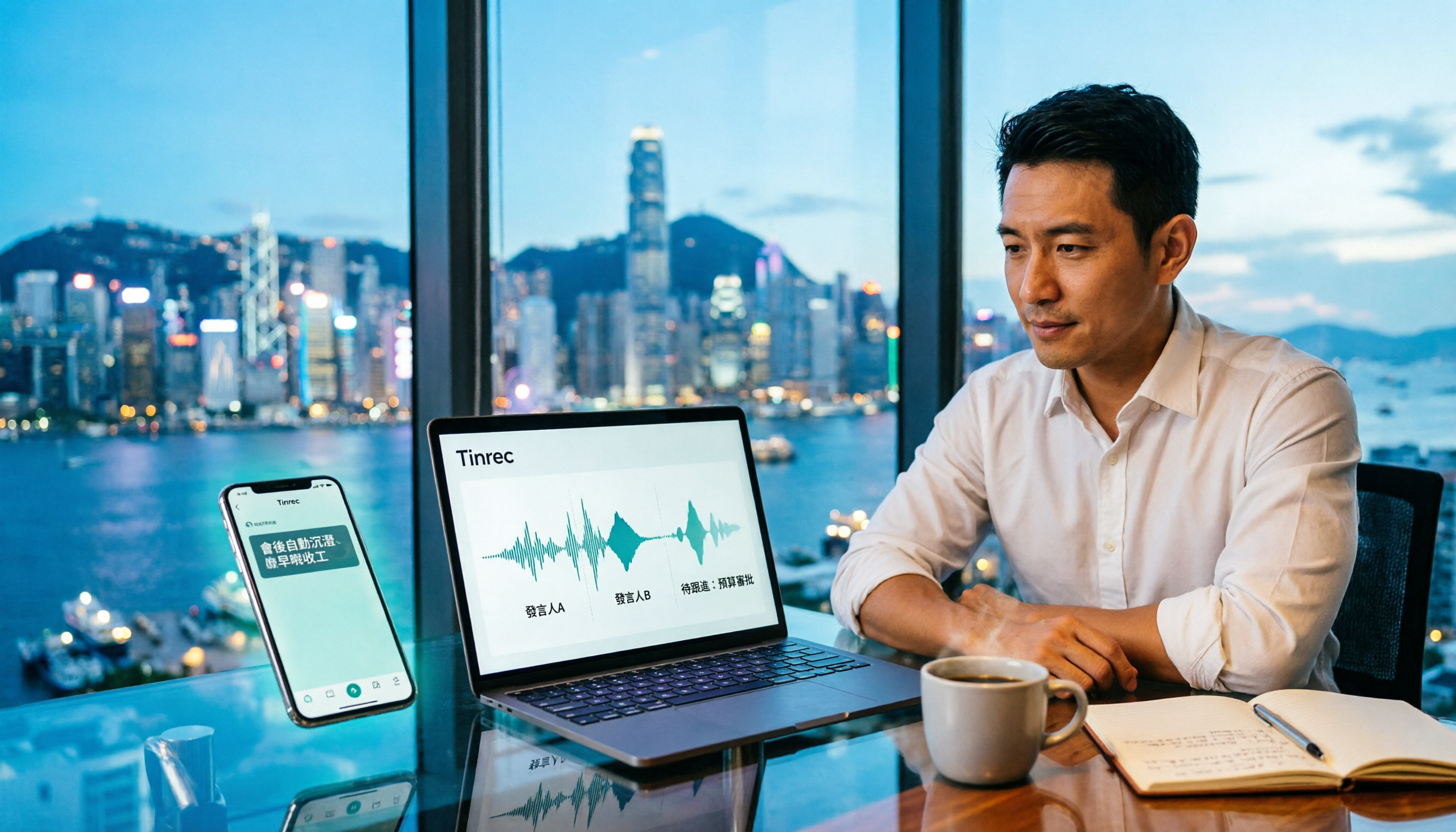
For Hong Kong office workers, post-meeting cleanup is the worst part: the meeting ends at 3 PM, but you're still at the office at 8 PM listening to recordings and typing. This article compares Tinrec and Otter.ai across five dimensions to test the workflow of turning recordings into meeting notes, breaking down Cantonese recognition, no-bot recording, post-meeting AI organization, team data retention, and pricing, helping you choose the right tool and leave work earlier.

4 AI Meeting Note Tools Tested in 2026: Which One Saves the Most Time on Auto-Organizing Transcripts?
The pain of meeting notes isn't slow typing—it's time-consuming organization. This article addresses common misconceptions, tests 4 AI meeting note tools, breaks down key buying factors, Tinrec's bot-free recording and AI Q&A workflow, team plan seats and data ownership, plus a pitfalls guide and selection advice.

2026 Teams Meeting Transcription Comparison: 4 Methods Tested — Is Avoiding a Meeting Bot Really Easier?
Teams built-in transcription requires both the organizer and each user to enable the policy, and live captions are not saved—so many people only discover after the meeting that there is no transcript at all. This article reviews four ways to transcribe Teams meeting recordings, from Teams built-in, Otter.ai, and Notta to Tinrec, comparing bot-free desktop recording, AI Q&A, action item extraction, and team seat management, with a pitfalls guide and scenario-based recommendations.

4 Video-to-Transcript Tools Tested and Compared in 2026: 3 Pitfalls to Understand Before Importing Video
Importing a video to generate a transcript looks simple, but the real bottlenecks are usually format support, time codes, and how usage limits are calculated. This article starts with common misconceptions, outlines 4 key points for choosing a tool, then shares a hands-on test of Tinrec from video import to AI summaries, action items, and team knowledge retention, and compares TurboScribe, Notta, and Granola for use cases and pitfalls to avoid.

How to Transcribe Classroom Recordings in 2026: A Complete 5-Step Guide
When it comes to transcribing classroom recordings, most people only ask which tool is the most accurate. But what really determines whether you'll be overwhelmed all semester is the audio source, the classroom language, and the total number of hours. This article uses university and graduate school classroom scenarios to compare Tinrec and Otter.ai across 5 dimensions, and provides a 5-step process you can follow directly, along with purchasing advice.

How to Transcribe Zoom Meeting Recordings in 2026: No-Bot Recording + Automatic Meeting Minutes
Done with a Zoom meeting but still need to organize the transcript and minutes yourself? This guide covers the complete process for transcribing Zoom meeting recordings, including no-bot recording, real-time transcription, AI summaries and action items, AI Q&A, and 5 key points to consider when choosing a tool. It also demonstrates the workflow using Tinrec.