
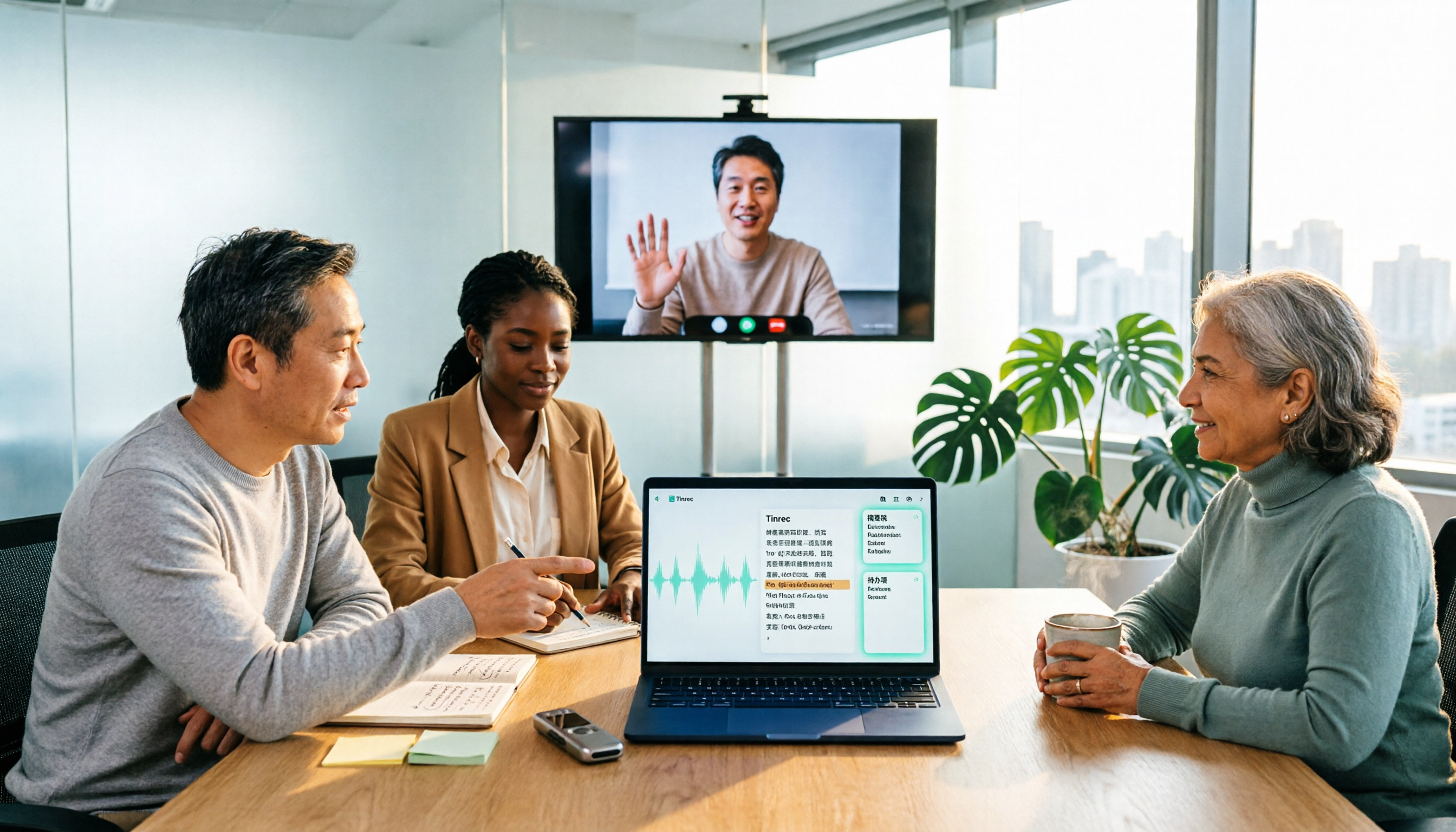
Turn recordings into transcripts and summaries in minutes
Upload audio or video for multilingual transcription, AI notes, and action items
2026 Comparison of 3 Online MP3-to-Text Tools: Which Offers the Best Free Tier, Chinese Recognition, and Team Collaboration?
On a Friday afternoon, your manager drops a 47-minute client meeting MP3 in the group chat with just one line: "Need the transcript by Monday." You open Notepad to start typing, only to realize it's a mix of Chinese and English, with three people talking at the same time.
At times like this, most people's first thought is, "Is there an online MP3-to-text tool I can just use?" Search results generally show three types: free online converters (like MyEdit, VEED, UniScribe), general-purpose transcription tools (like Notta), and the recent rise of AI meeting note tools (like Tinrec).
Free converters are fine for occasionally handling a short recording; but if your MP3 is a meeting, interview, or client communication, the focus is usually not just on "transcribing text," but whether you can organize, follow up, and hand it off to the team afterward. Below, we focus on Tinrec and Notta, which are truly compared side by side, and break it down item by item.
Tinrec vs Notta | Quick Overview
Tinrec is an AI meeting notes and collaboration tool for individuals and teams. It not only converts audio to text but also organizes meetings into searchable, summarizable, queryable, and exportable data. It supports web, desktop, and mobile, and handles Chinese, Traditional Chinese, and multilingual meeting scenarios. The free version lets you try basic quotas.
Notta is a mature general-purpose transcription tool on the market, focusing on multi-platform transcription, file import, meeting notes, translation, and team plans. The free plan offers 120 minutes per month, with a maximum of 3 minutes per item.
Here are the basic differences between the two:
- Positioning: Tinrec is an AI meeting notes and team collaboration tool; Notta is a general transcription and translation tool.
- Online meetings: Tinrec's desktop version directly captures computer system audio without needing a meeting bot to join; Notta offers a meeting bot, desktop client, and file upload among other methods.
- Paid pricing: Tinrec team plan is USD 29.80 per paid seat per month, or USD 199 per paid seat per year (about USD 16.58 per month); Notta Pro annual billing is about USD 8.17 per month, Business annual billing is about USD 16.67 per seat per month.
Prices may change; please refer to each vendor's official purchase page for actual amounts. Below, we look at five dimensions.
Dimension 1 | Recording Methods for Online Meetings
Notta's online meeting notes offer a meeting bot, desktop client, and file upload. The meeting bot joins the meeting as a participant.
Tinrec focuses on directly capturing computer system audio via its desktop version. Users simply open Tinrec and start recording without inviting any extra participants. It can handle meeting audio played on a computer from Zoom, Google Meet, Microsoft Teams, and Webex.
If your meetings often include external clients, or company policy does not allow unknown accounts to join, this difference will be very noticeable. Note that Tinrec's approach is user-initiated recording, not automatically joining all calendar meetings.
→ For this dimension: In terms of "not having an extra participant in the meeting," Tinrec's approach is more straightforward.
Dimension 2 | Chinese Meetings and Mixed Chinese-English Organization
Notta developed early in multilingual transcription and translation, with broad language coverage, which has always been its strength.
Tinrec treats Chinese meetings as a primary scenario: it can transcribe Chinese, Traditional Chinese, and mixed Chinese-English content, and includes team hotwords to make professional terms like product names and project codes more accurately recognized. During recording, you can switch between original text, translation, or bilingual view.
To be honest, the recognition performance of both is affected by recording quality, accents, background noise, and overlapping speech. No tool can guarantee a fixed accuracy rate.
→ For this dimension: For users who mainly have Chinese and mixed Chinese-English meetings, Tinrec's default experience is closer to daily usage scenarios in Taiwan.
Dimension 3 | What You Can Do After the Transcript
Notta's post-meeting output focuses on subtitles, translation, and summaries, which is sufficient for those who "just want a clean text."
Stop organizing recordings by hand
Upload audio or video and automatically get a transcript, summary, and action items
Tinrec focuses on what comes after transcription: automatically generating AI summaries, chapters, key points, and action items. You can ask follow-up questions about details for a single or multiple meetings using AI Q&A, and use Agent post-processing to generate reports, tables, and documents. With the same MP3 transcript, Tinrec gives you an additional meeting summary ready for your meeting and a list of action items to follow up on.
→ For this dimension: Tinrec clearly wins.
Dimension 4 | Export, Audio Retention, and Further Use
Notta can export transcription results as subtitles or text files for use in other tools; it generally also retains audio.
Tinrec not only saves transcripts and original recordings but also exports results to Notion, Google Docs, OneNote, Dropbox, and other tools for further processing. You can also go back and compare timestamps in the transcript. For those who need to verify later or are asked "who said this," having the audio retained and aligned with the timeline is much more reassuring than just a text file.
→ For this dimension: Tinrec wins in export methods and further processing.
Dimension 5 | Team Spaces and Governance
Notta's Business plan offers unlimited transcription, role permissions, and usage reports, which is sufficient for small teams.
Tinrec's team plan is an independent team space: meeting data belongs to the team. You can create and switch between multiple teams, invite members via join links, set owners/admins/regular members, and distinguish between "roles" and "seats"—roles determine who can manage the team and members, seats determine who can record, upload, edit, import, and export. Admins can also view team usage trends, member rankings, and details, query and export audit logs, and recover accidentally deleted audio via the audio recycle bin.
→ For this dimension: For teams needing governance capabilities and data accumulation, Tinrec is more complete.
What Are the Unique Advantages of Each?
Tinrec's unique advantages:
- Bot-free desktop recording—no need to invite a meeting bot, so no extra participant in online meetings.
- Complete post-meeting workflow—summaries, chapters, action items, mind maps, AI Q&A, and Agent-generated reports and tables.
- Team data accumulation—team space, roles and seats, usage analysis, audit logs, audio recycle bin; data remains in the team even after members leave.
- Multi-platform and multi-source—usable on web, desktop, and mobile; supports live recording, online meetings, and audio/video file import.
Notta's unique advantages:
- Mature multilingual transcription and translation with broad language coverage.
- Business plan offers unlimited transcription, suitable for teams whose main work is large-volume file transcription.
Conclusion: Which One Should You Choose?
- If you often invite external clients to meetings and don't want an extra bot account → Tinrec (bot-free desktop recording)
- If you want more than a transcript—summaries, action items, and queryable meeting data → Tinrec (AI Q&A and Agent post-processing)
- If you need to keep meeting data within the team and manage members and usage → Tinrec team plan (roles, seats, usage, audit, recycle bin)
- If you mainly need large-volume multilingual file transcription and an unlimited transcription plan → Notta is also worth considering
In short, for most users in Taiwan dealing with meetings, interviews, and client communication, Tinrec is a more complete choice. We recommend trying the free version with your own MP3 first to see the results, then deciding whether to upgrade.
FAQ
Q1: Is online MP3-to-text really free? How are free quotas calculated? Most tools have free plans, but quotas vary widely. Notta's free plan offers 120 minutes per month, with a maximum of 3 minutes per item; Tinrec offers a free version to try basic quotas, with actual minutes depending on the plan. For a one-hour meeting recording, a paid plan is usually more practical.
Q2: Are there privacy concerns with uploading MP3s? Meeting recordings often contain client names and business information. When choosing a tool, first check its file processing and deletion policies. Before recording, confirm whether you need participants' consent and comply with local regulations. Tinrec's team plan additionally provides audit logs and an audio recycle bin for team tracking and audio management.
Q3: How accurate is transcription for Chinese meetings or mixed Chinese-English recordings? No tool can promise a fixed accuracy rate. Tinrec covers Chinese, Traditional Chinese, and multilingual scenarios, and supports team hotwords; actual performance is affected by audio quality, noise, accents, and overlapping speech. For important content, we recommend cross-checking with the recording and transcript timestamps.
Q4: If a team member leaves, will meeting data disappear with them? No, it won't be taken away by the individual. Team resources belong to the team. When a member exits, is removed, or loses their seat, the team resources they were responsible for need to be handed over to other active members.
Q5: Can team members without a seat see the data? Yes. Active members can view, play, and read team data even without a seat; recording, uploading, editing, importing, and exporting require a seat.
Q6: Can MP3s recorded on a phone be uploaded? Yes. Tinrec supports mobile recording and audio/video file import; for online meetings, the desktop version captures system audio. Recordings from both sources end up in the same database.
References
Turn every recording into actionable outcomes
Get 60 free transcription minutes when you sign in. No credit card required.
Related Reading
You might also like
iPhone Voice to Text in 2026: Built-in Transcription vs. Tinrec — 3 Methods Compared
iPhone voice-to-text has two main paths: the built-in Voice Memos transcription, or AI meeting tools like Tinrec that turn transcripts into summaries, action items, and team data. This article compares them across 5 dimensions and includes step-by-step instructions for using the built-in transcription, helping you decide which approach fits your needs.

Word Speech-to-Text vs Tinrec: 2026 Comparison of Dictation Limits and AI Meeting Notes
Can Word do speech-to-text? Yes, but most people only use half of its potential. This article explains what Word's built-in dictation is really for and its three common limitations, then shows how Tinrec fills the gap with post-meeting organization, AI summaries, action item extraction, AI Q&A, and team collaboration—turning meeting recordings into usable data.

2026 Comparison of 4 Meeting Recording Tools: Which AI Meeting Notes App Saves the Most Time?
This hands-on comparison tests four meeting recording tools in 2026—Tinrec, Otter.ai, Notta, and PLAUD—evaluating Chinese recognition, bot-free recording, AI post-meeting organization, and team collaboration to determine which saves the most time on meeting notes.

5 Transcription Tools Tested and Compared in 2026: What Is a Transcript? How to Choose for Chinese Meetings?
What is a transcript? Starting from real-world selection needs, this article helps you understand the purpose of transcripts, the core capabilities of AI transcription tools, and key purchasing considerations. Using Tinrec as an example, it explains how bot-free meeting recording, AI summaries, action item extraction, and team spaces turn transcripts into searchable, collaborative, and actionable meeting data. Suitable for professionals and teams who need Chinese meeting notes.

5 Best Video to Text Tools in 2026: Which One Saves the Most Time for Chinese Video Transcription?
Video to text is more than just converting audio to words. This article explores three common pitfalls, explains what a truly time-saving workflow looks like, and demonstrates a complete process using Tinrec—from uploading videos and bot-free meeting recording to AI summaries, action item extraction, Q&A, and export. It concludes with a buying checklist and FAQs.

Where Is iPhone Voice Memo Transcription in 2026? 4 Steps to Find It and Turn It Into Meeting Notes
iPhone's built-in Voice Memos app can already generate transcripts, but many first-time users can't find where they're hidden, which models support them, or whether they need to update for Chinese. This article walks you through 4 steps to find and copy transcripts, and compares built-in features with AI meeting tools like Tinrec to help you decide whether to use the built-in option or switch tools.

2026 AI Speech-to-Text Comparison: Tinrec vs Otter.ai for Chinese Meetings
How to choose an AI speech-to-text tool? This in-depth comparison of Tinrec and Otter.ai covers Chinese recognition, meeting recording methods, post-meeting organization, team collaboration, and pricing to help you find the best fit for Chinese meetings and team knowledge retention.

4 MP3 Transcription Tools Tested in 2026: Which Free Version Is Good Enough?
Looking for an MP3 transcription tool? We tested 4 popular options, comparing Chinese recognition, summary and to-do extraction, AI Q&A, free quotas, and team collaboration, with Tinrec as the main test subject, to help you avoid common pitfalls like focusing only on free versions or settling for raw transcripts.

Best Transcription Tools in 2026: We Tested 4, and This One Handles Chinese Meetings Best
What is a transcript, and why do most people no longer type them out by hand? This article first explains what a transcript is and how it differs from meeting minutes, then outlines 4 key factors for choosing a transcription tool. We tested and compared 4 options—Tinrec, Otter.ai, Notta, and PLAUD Note—and provide clear recommendations based on budget and use case.