
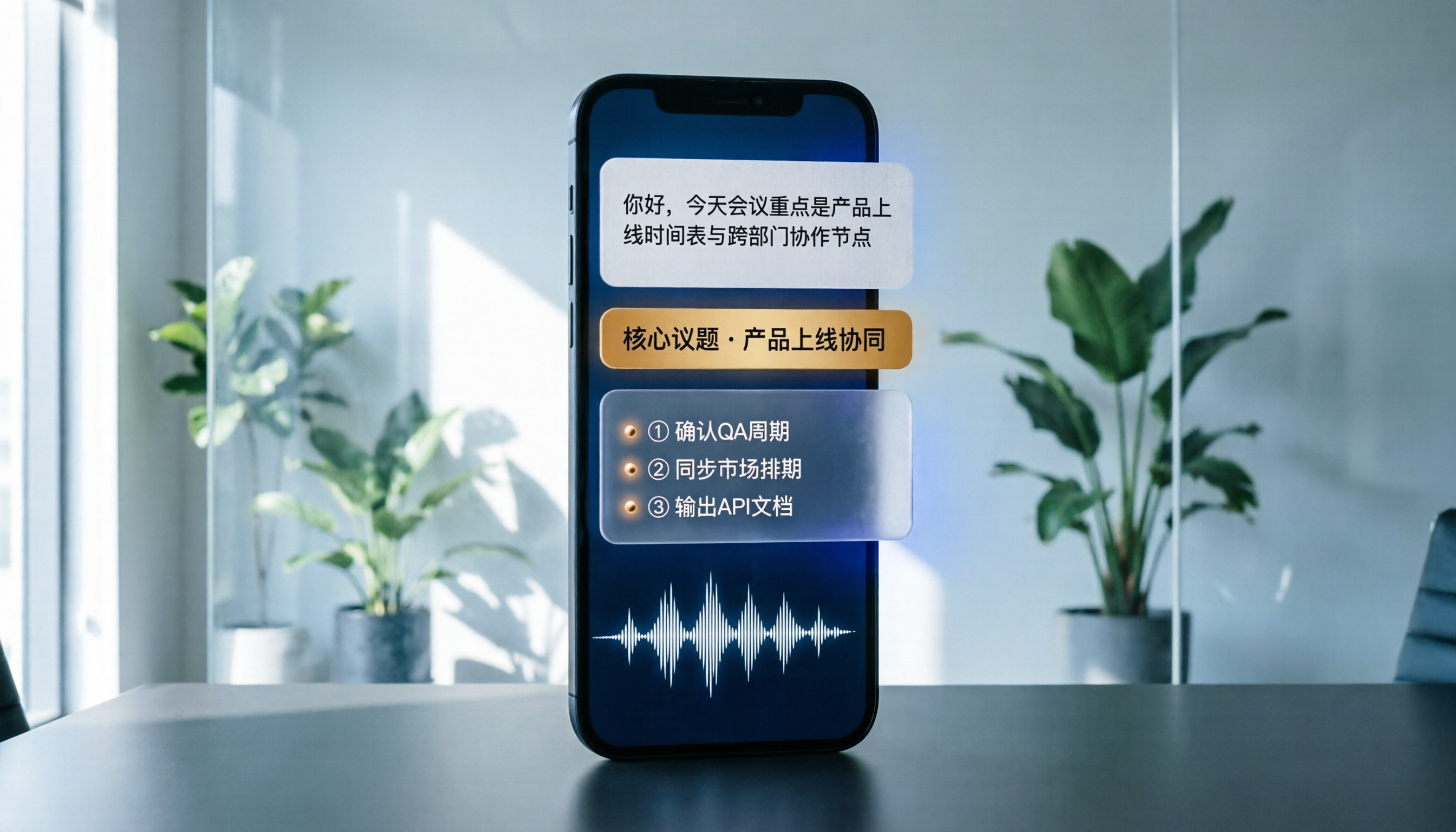
Turn recordings into transcripts and summaries in minutes
Upload audio or video for multilingual transcription, AI notes, and action items
Halfway through a meeting, you're typing furiously with your head down. When you look up, you've already missed two conclusions. You record a 90-minute interview, then spend another two hours replaying it at home just to find that one key requirement the client mentioned.
Recording on your phone has never been the hard part. The hard part is what happens after. After actually testing 5 common phone recording approaches on the market, we found that what really sets them apart is never whether you captured the audio — it's whether you can use it right away. This article skips vague definitions and gets straight to the point: what scenarios phone recording can serve, how to choose a tool, and a hands-on walkthrough using Tinrec.
What Can Phone Recording Do for You?
Scenario 1: Get the key points 5 minutes after a meeting ends A two-hour meeting used to mean another hour writing up notes. With Tinrec, you hit record on your phone, the transcript generates in real time, and after the meeting AI organizes a summary, chapters, and action items — who's responsible for what and when it's due, all at a glance.
Scenario 2: Never miss key points in interviews and client calls When you're visiting clients or conducting user interviews, handwritten notes will always miss something. With Tinrec, once recording is done, the transcript is fully searchable. Want to find the section about "budget" or "competitors"? Just type the keyword and it pops right up — no need to re-listen from the beginning.
Scenario 3: Reduce replay time for classes and lectures A two-hour class takes two hours to replay. Tinrec splits long recordings into chapters with summaries, essentially creating an automatic table of contents so you can jump straight to the section you need when reviewing.
Scenario 4: Turn scattered recordings into searchable data Ideas that pop up during your commute, quick notes you record on the fly — capture them in Tinrec, and later you can ask AI questions directly about the content. Your recordings stop being just audio files sitting on your phone.
What Are the Core Capabilities of a Phone Recording Tool?
1. Real-time recording to text Not transcribing after the fact — generating text while you record. Tinrec produces a transcript in real time as you record, so you can glance at the text to confirm you haven't missed key points while staying engaged in the discussion.
2. Bot-free recording for online meetings The most annoying part of remote meetings is figuring out who takes notes. Tinrec's desktop version captures your computer's system audio directly, handling Zoom, Google Meet, Microsoft Teams, Webex, and other online meetings without needing an extra meeting bot to join as a participant.
3. AI summaries and chapters A transcript is just raw material. Tinrec breaks long meetings into chapters and organizes the meeting topic, discussion highlights, and conclusions, so even people who weren't there can quickly get up to speed.
4. Action item extraction and AI Q&A Who promised what during a meeting is the easiest thing to miss. Tinrec extracts action items from the discussion. After transcription is complete, you can also ask it directly, "What were the client's concerns about pricing?" It answers based on meaning, not just keyword snippets.
5. Export and team knowledge retention Tinrec supports exporting results to Notion, Google Docs, OneNote, Dropbox, and other tools for further processing. It can also generate reports, tables, and documents. The team plan keeps all this data in a centralized team space, turning it into a searchable, traceable meeting asset.
How to Record on iPhone: Three Practical Methods
Method 1: The built-in Voice Memos app iPhone's Voice Memos app is in the Utilities folder. Open it and you can start recording right away. After recording, you can use trim and replace tools to fine-tune, and choose stereo or spatial audio. This is a zero-cost approach, but the downside is you only get an audio file and have to spend extra time organizing it later.
Method 2: Put recording within easy reach On iPhone, you can assign Voice Memos to the Action Button via Settings > Action Button, so you can press to record even from the lock screen. You can also set it up through Settings > Accessibility > Touch > Back Tap to start with a double-tap or triple-tap. The key is reducing the chance of "not being able to hit record in time."
Method 3: Record directly in Tinrec and get a transcript at the same time If the whole point of recording is to organize it later, you can start recording directly in Tinrec on your phone. Text generates as you record, saving you the time of typing it up afterward. Existing audio or video files can also be uploaded and imported to generate transcripts and summaries.
About call recording: iPhone has offered built-in call recording since iOS 18.1. During a call, tap the record button on the screen, and the system plays a countdown notification before recording begins. When the call ends, the file is saved to Voice Memos. Note that both parties receive a notification when recording starts. In Taiwan, recording someone's private conversation without consent may carry legal liability, so always confirm the situation and get consent before recording.
Stop organizing recordings by hand
Upload audio or video and automatically get a transcript, summary, and action items
Real-World Use Cases
Project weekly meetings and cross-department meetings Regular weekly meetings are the easiest to accumulate into "done and forgotten." With Tinrec, action items from the meeting can be assigned directly, and when you need to check last meeting's decisions before the next one, you don't have to dig through chat logs.
Client interviews and sales conversations Salespeople's biggest fear is misremembering client needs. Tinrec preserves both the transcript and the recording. When a client mentions budget, timeline, or competitors, you can go back and verify their exact words instead of paraphrasing from memory.
Classes, training, and lectures Professional development content is information-dense. Tinrec's chapters and summaries compress two hours of content into scannable key points, and when you need to cite a specific statement later, you can locate it through search.
Content creation and personal knowledge base Interview material, voice drafts, inspiration notes — once converted to text through Tinrec, they can enter your existing note-taking workflow, letting audio material actually be reused.
5 Things to Look for When Choosing a Phone Recording Tool
1. Can you use it right after recording? A tool that only records is essentially handing the organizing work right back to you. Tinrec's value is what happens after recording: transcript, summary, chapters, action items, and AI Q&A all in one place. That's the biggest difference between it and a regular recording app.
2. Chinese and mixed Chinese-English recognition performance Don't just look at the numbers in official marketing. Test it with your own recordings. Actual accuracy is affected by recording quality, ambient noise, accents, overlapping speakers, and technical terminology. Tinrec is designed for Chinese, Traditional Chinese, and multilingual meeting scenarios, and you can maintain commonly used terms through team hotwords.
3. How does it handle online meetings? Some tools require a bot to join the meeting; others capture system audio directly. Tinrec takes the latter approach — the user initiates recording on the desktop version, no extra participant needed, and no risk of being mistaken for a meeting member.
4. Can recordings be kept and exported? Whether you can take your data with you determines whether you'll be locked in. Tinrec keeps recordings and transcripts, and supports exporting to common document formats and third-party tools, making it easy to archive or hand off to colleagues.
5. For team use, governance matters more than a feature list When meeting data shifts from personal notes to a team asset, you start caring about who can record, who can view, where usage is going, and how data gets handed over. Tinrec's team plan uses "roles" to determine who can manage the team and members, and "seats" to determine who can record, upload, edit, and export. Members without a seat can still view and play team data. Team resources belong to the team — when a member leaves or loses their seat, their resources can be transferred to other active members. In multi-person collaboration, these mechanisms are often more critical than one extra feature.
FAQ
Q1: Is iPhone's built-in Voice Memos good enough? If all you need is to "save a voice note," the built-in feature is completely sufficient. But if you want searchable transcripts, meeting summaries, and to-do lists, the built-in app won't do that for you. Tinrec's approach is to generate the transcript in sync with recording, then automatically organize summaries and chapters after the meeting.
Q2: Can I convert existing phone recordings to text? Yes. With Tinrec, for example, you can upload existing audio or video files to generate transcripts and summaries. This is especially useful for old files sitting in Voice Memos.
Q3: How do I record phone calls on iPhone? iPhone's built-in call recording has been available since iOS 18.1. During a call, tap the record button on the screen, wait for the notification, and recording begins. When the call ends, the file is stored in Voice Memos. Two reminders: both parties receive a notification when recording starts; in Taiwan, recording someone's private conversation without consent may be illegal, so confirm the situation and get consent before recording.
Q4: Does Tinrec have a free version? Yes. The personal plan offers a free version so you can try recording, importing, summaries, and transcription. If you occasionally organize a recording, the free version is enough. For short-term intensive use, consider the weekly pass. If you have consistent weekly needs, the Pro plan is a good fit.
Q5: What's the difference between the team plan and the personal plan? Personal plan data is managed under your individual account. The team plan is a separate team space where data belongs to the team, with additional features including member invitations, role and seat management, shared team import quota, usage analytics, audit logs, and an audio recycle bin. The team trial is 7 days with 1 free seat and 300 minutes of shared team import quota. After payment, each seat provides 2,000 minutes of shared team import quota per month. Team monthly billing is USD 29.80 per paid seat; annual billing is USD 199 per paid seat (about USD 16.58/month). Actual pricing and benefits are subject to the official purchase page.
Summary
The barrier to phone recording is already very low. What really determines efficiency is "what you get after recording." If all you get is an audio file, you've just pushed the work to later. If you get a searchable transcript, an organized summary, and a to-do list, that meeting is truly over.
The recommended order for choosing a tool: first confirm it can handle your Chinese-language scenarios, then confirm how it records online meetings, and finally check whether data can be exported and whether a team can take over. Tinrec has corresponding approaches for all three. If you have meetings, interviews, or classes every week, start with the free version and let it organize your next recording — see if the time saved is worth it.
References
- Record in Voice Memos on iPhone - Apple Support (Taiwan)
- iPhone recording made easy! One-tap quick self-protection at critical moments
- iPhone call recording tutorial: Step-by-step guide to phone recording
- [Phone Tips] 2026 iPhone built-in call recording feature tutorial! iOS enable call recording / key points to note | Jyes Communication ~ Challenging the lowest phone prices on the market
- How to record calls on iPhone? 5 iPhone call recording methods revealed!
Turn every recording into actionable outcomes
Get 60 free transcription minutes when you sign in. No credit card required.
Related Reading
You might also like

2026 Comparison of 2 Transcription Tools: What Is Yating Transcription? How Does It Differ from Tinrec?
Many people think transcription tools are all about who recognizes speech more accurately, but the real difference comes after recording. This article compares Yating Transcription and Tinrec across 5 dimensions: Taiwanese accent recognition, online meeting recording methods, post-meeting summaries and action items, pricing plans, and team collaboration, to help you decide which workflow suits you.

3 iPhone Voice Typing Methods Compared in 2026: Built-in Dictation, Tinrec, or Notta — Which Is Most Accurate?
How do you use voice typing on iPhone? This article compares three methods—built-in dictation, Tinrec, and Notta—covering setup steps, recognition accuracy, and post-meeting organization to help you find the best voice input method for your needs.

iPhone Frozen? 2026 Guide: Force Restart vs DFU Recovery Mode Compared
iPhone suddenly black screen and unresponsive? Should you force restart first or plug into a computer? This article compares force restart vs computer recovery mode/DFU across 5 dimensions—difficulty, data risk, time, and applicable symptoms—with button steps for each model and when to seek repair, helping you decide your next step in 5 minutes.

2026 AI Transcription Tools Comparison: Which Is Best for Chinese Meeting Minutes?
The real pain begins after the meeting—replaying recordings, extracting key points, and writing minutes often takes more time than the meeting itself. This article compares AI transcription tools like Tinrec, Otter.ai, Notta, and PLAUD, covering differences in Chinese and mixed Chinese-English recognition, online meeting audio capture, AI summary Q&A, and team data management. It also highlights key purchasing factors and common pitfalls to help you find the most time-saving option.

Can iPhone Be Used as a Level in 2026? Measure App vs Camera Level: 5-Dimension Comparison, Which to Use for Home Improvement and Photography?
Can iPhone be used as a level? Yes. This article tests the built-in Measure app level, the iOS 17 camera level, and the level measurement feature that may be hidden in the Compass app on older versions. It organizes 5 practical dimensions, step-by-step instructions, and pitfalls to help you quickly determine level when hanging pictures or composing photos.

5 Professional AI Tools Tested in 2026: Which Offers the Best Free Tier for Students?
During my freshman year, I juggled three AI tools at nearly $500 a month, but only one was actually opened daily. This article tests five common approaches from a student's perspective—from lecture recordings and group discussions to graduation project interviews—explaining how to calculate free tiers, which pitfalls to avoid, and why I ultimately consolidated my notes and meeting records into Tinrec.
3 WeChat Voice Forwarding Alternatives Tested for 2026: How to Turn Voice Messages into Shareable Text
WeChat does not offer a voice forwarding feature, so received voice messages stay in the original chat. This article explains why this limitation exists and three common misconceptions, then uses Tinrec as an example to show how to turn voice into transcripts, summaries, and shareable documents, while comparing personal and team plans and offering buying advice.

Best Real-Time Transcription Tools in 2026: 5 Options Tested, This Free One Is Enough
How much do real-time transcription tools cost? This article breaks down the pricing structure from free versions to individual paid plans and team seats, using Tinrec as an example to show how real-time transcription, AI summaries, action item extraction, and team spaces can save you from re-listening to recordings and typing transcripts manually. Suitable for office workers, managers, and team procurement evaluating transcription tool budgets.

2026 Live Transcription Tools Compared: Free Tiers and Per-Minute Costs
How do you do live transcription, and how much does it cost? This article compiles actual rates for human transcription in Taiwan (general conversation NT$15-25 per minute, multi-speaker or foreign language NT$40-70, rush jobs add 50-100%), and compares free tiers, plan limits, and live transcription tutorial steps for tools like Tinrec, Notta, Granola, and Otter.ai, helping you find the most cost-effective approach within your budget.