

Turn recordings into transcripts and summaries in minutes
Upload audio or video for multilingual transcription, AI notes, and action items
4 Smart Meeting Collaboration Online Services Tested and Compared in 2026: Which AI Meeting Notes Can Actually Save You Time?
A two-hour meeting, then two more hours of organizing afterward—what you're missing isn't a recording, it's data you can find again
A two-hour group meeting, 15 times a semester, adds up to 30 hours of discussion recordings. You can't possibly listen to them all again.
What's more troublesome is that these discussions have now almost all moved online. Google Meet ends when you close it, Zoom links expire and stop working, and the conclusions, assignments, and deadlines discussed in the meeting are all scattered across chat logs and someone's head. By the time you do a project review at the end of the semester, you only remember "that time it seemed like we talked about the interview subject," but who said it and what they said—you can't find it no matter how you search.
Online classes are the same. The professor finishes a chapter in two hours, and you barely have time to jot down a few keywords; online lectures have no transcripts, so if you want to go back and confirm a definition, you have to rewatch the entire video.
This article isn't asking you to install another app. It's trying to make one thing clear: now that meetings have moved online, what you really need is a smart meeting collaboration online service that can turn "sound" into something "searchable, queryable, and transferable."
Before choosing a smart meeting collaboration online service, understand these 4 key points first
1. How the meeting is "recorded" There are currently two mainstream approaches: one is to send a meeting bot to join the meeting as a "participant," and the other is to have a desktop app directly capture the computer's system audio. Bots are convenient, but a stranger account appears on the participant list, and some school or company accounts will block them outright; system audio capture doesn't affect the participant list, but you need to actively start recording on your computer yourself.
2. What comes after the transcript If all you get is a transcript, that's just swapping "listening for two hours" for "reading for two hours." What really makes a difference is the part after that: summaries, chapters, to-dos, and whether you can directly ask AI, "What was the conclusion of this meeting?"
3. Recognition experience with Chinese and mixed Chinese-English Meetings in Taiwan rarely use a single language throughout. Chinese sentences mixed with English proper nouns, product names, and people's names are almost the norm. Tools designed primarily for English meetings usually require a lot of manual correction when they encounter these sentences.
4. Free quota and cross-platform support Students have limited budgets, so "how much can the free version do" is crucial: monthly minutes, single-session length limits, and whether a credit card is required. Cross-platform support also matters—recording on your phone and organizing on your computer is the most common workflow.
Tinrec—the one I used for an entire semester and still keep
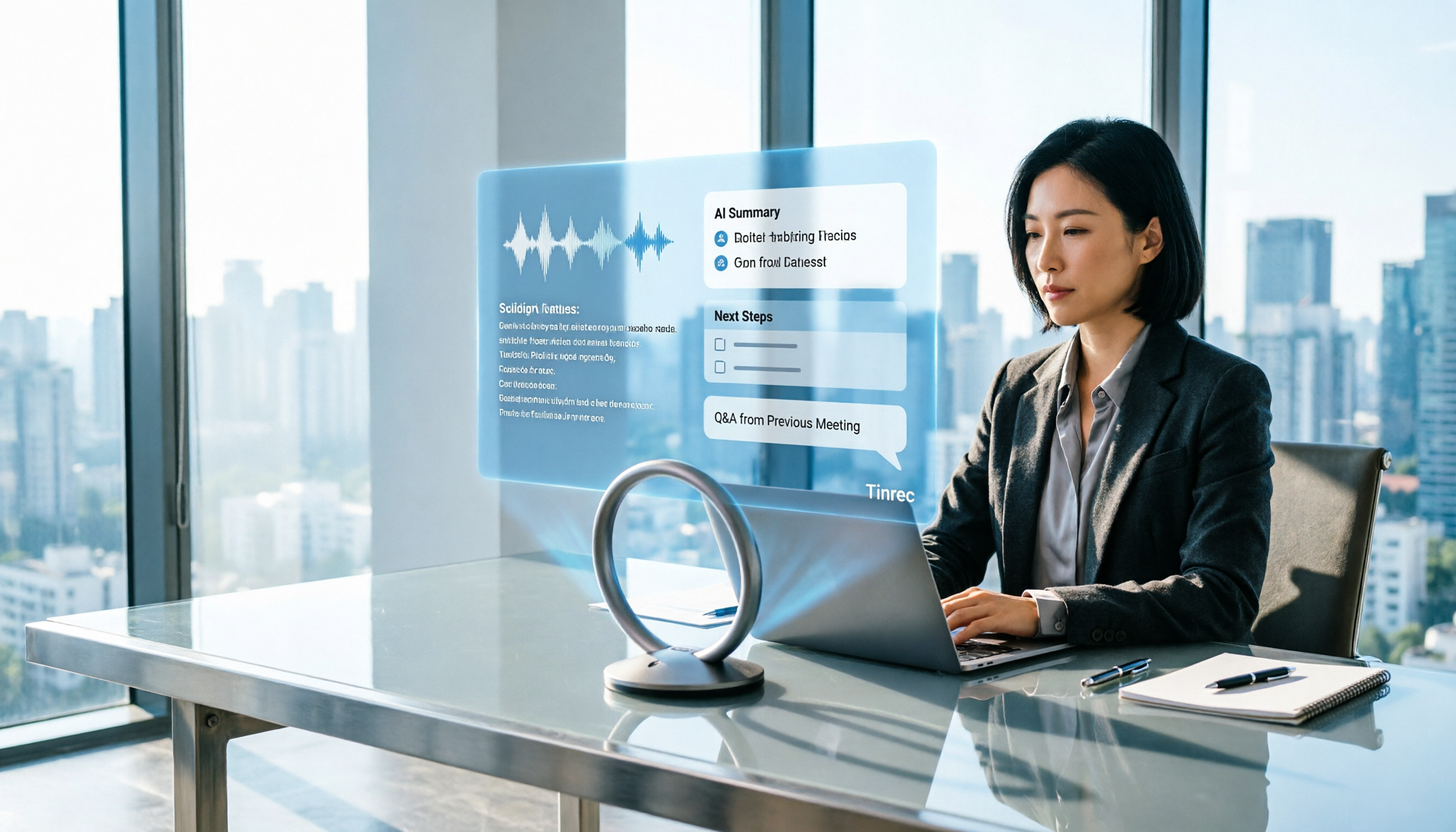
Tinrec is an AI meeting notes and collaboration tool for individuals and teams, available on mobile (iOS, Android), desktop, and web. Its positioning isn't just "audio to text," but turning meetings into data that can be searched, queried, and further processed.
Record online meetings without a meeting bot. This was what I feared most at first—with tools that require a meeting bot, I had to pull a stranger account into every group meeting, and teammates would ask, "Who is this?" Tinrec's desktop version directly captures the computer's system audio, and can handle meeting audio played on a computer from Zoom, Google Meet, Microsoft Teams, and Webex. No extra person appears on the participant list; all you have to do is press start recording before the meeting.
What really saves time is the post-meeting part. Live transcription while recording is just the basics. After the meeting ends, AI summaries, chapters, key points, and to-dos all appear together. Who's responsible for the survey, who needs to email the professor, what needs to be submitted before the next meeting—after the meeting you have a checklist directly, without having to dig through chat logs again. When you need to submit written materials, you can also use Agent post-processing to generate reports, tables, or documents, then export to Notion, Google Docs, OneNote, or Dropbox for further editing.
AI Q&A is the main reason I keep it. When writing a project review at the end of the semester, I directly asked it: "What was the conclusion about the interview subject in last month's meeting?" It didn't throw a string of keywords at me; it directly organized the answer and attached the corresponding transcript passage for me to verify. If the same question could only be answered by manually pressing Ctrl+F, you'd have to guess the right keyword first to find it.
Stop organizing recordings by hand
Upload audio or video and automatically get a transcript, summary, and action items
The way I tested it myself was very crude: I took a 20-minute group discussion with mixed Chinese and English and threw it in. The Chinese passages were almost readable without edits; English proper nouns and names needed a bit of smoothing. It also supports real-time translation during recording, and you can view the original text, translation, or bilingual version, which is quite convenient for classes that require reading English literature.
Three reasons I think it's most worth it:
- No meeting bot needed, and no extra hardware to buy. AI voice recorders on the market cost hundreds of dollars; your phone is your recording device.
- The post-meeting workflow is complete—transcript, summary, to-dos, mind map, AI Q&A, multi-format export, all done in one go.
- Cross-device. Record meetings on your phone, organize on your computer back in the dorm, and the data is all in the same account.
Limitations should also be made clear:
- The free version has limited quota. If you want to record every class and every meeting, sooner or later you'll need a weekly pass or Pro.
- AI summaries can still miss details. For important conclusions, I habitually click back to the transcript timestamp to confirm again.
- The team version is a separate space billed per seat, with members, roles, seats, usage analytics, and record queries. It's suitable for labs or company teams that share meeting data long-term—but for a student group of two or three people, the personal version is enough.
Who it's for: People who frequently hold online group meetings, mix Chinese and English in discussions, want to use AI directly to find key points after recording, and don't want to buy extra recording hardware.
Besides Tinrec, what other options are there?
Google Meet built-in transcription: Our school uses Google Workspace, so this was the first one I used. After the meeting, there's a text transcript directly, which is genuinely convenient. But it's essentially "recording the meeting down"—the official page also states that recording and AI notes are advanced features that need to be unlocked. The transcript stays in the Google ecosystem, and if you want to organize it elsewhere you have to copy it yourself. It also doesn't have Tinrec's AI Q&A, so you can't directly ask it "What was the conclusion?"
Otter.ai: I heard about it in sophomore year. Basic is free with 300 minutes per month, and it's very mature for English meetings. But our discussions often mix Chinese and English, and Otter's performance on Chinese passages isn't as smooth, and its team collaboration and Chinese context aren't the main focus. If your meetings are entirely in English and your budget is 0, it's indeed cost-effective.
Granola: Recommended by my roommate. The desktop version also uses bot-free capture, the interface is beautiful, and the experience of combining with handwritten notes is great. Basic is also free. But it doesn't save meeting audio files and can't upload already-recorded files—which is fatal for people who "record on their phone first and organize back in the dorm." Tinrec keeps audio files and can import existing audio and video, which is much more practical.
Pitfall guide: the 4 easiest pitfalls when choosing meeting collaboration tools
Pitfall 1: Only looking at "can it convert to text." A transcript is just the entry ticket. What really determines whether you'll regret it is the part after that—summary quality, whether you can ask follow-up questions, and whether to-dos are captured accurately. When trying it out, directly test with a real meeting; don't just look at the official demo.
Pitfall 2: Ignoring the Chinese context. Many tools are highly rated for English meetings, but Chinese, mixed Chinese-English, and Taiwanese accents are a completely different matter. Student meetings are especially prone to sentences like "How should we handle the API response?" When choosing a tool, be sure to test with your own recordings.
Pitfall 3: Not noticing the hidden ceiling of the free version. Free doesn't mean enough. Some limit total monthly minutes, some limit single-session length—Notta's free version only allows 3 minutes per session, so a meeting has to be split into several parts. Before paying, read the restrictions clearly and confirm whether there's a plan students can afford.
Pitfall 4: Forgetting that recording requires consent. Recording online meetings involves privacy and local regulations. Telling the participants before recording is basic courtesy and also self-protection. For interviews, client meetings, and similar occasions, you should ask before recording even more.
Conclusion: Which one should you actually choose?
In one sentence: If what you want is "data you can use directly after the meeting ends," Tinrec is the smoothest choice I've used so far.
- Online group meetings, mixed Chinese-English, need to find key points afterward → Tinrec
- After recording, want to directly ask AI "What was the conclusion of last meeting?" → Tinrec (AI Q&A is my most-used feature)
- Record on phone, organize on computer, and want to keep audio files for re-listening → Tinrec
- Labs or teams that need to share meeting data long-term and manage members and usage → Tinrec team version (first-time eligible users get a 7-day trial, 1 free seat, and 300 minutes of team shared import quota; paid seats are USD 29.80 per month, or about USD 199 annually, roughly USD 16.58/month, with 2,000 minutes of team shared import quota per seat per month; actual prices are subject to the purchase page)
- Meetings entirely in English, budget 0 → Otter.ai free version is the only exception in this article
I suggest starting with Tinrec's free version and running a complete workflow with a real group meeting—record, look at the summary, and try asking it a question. If it works for you, then consider a weekly pass or Pro. You don't need to pay from the start.
References
Turn every recording into actionable outcomes
Get 60 free transcription minutes when you sign in. No credit card required.
Related Reading
You might also like

Tinrec vs Otter.ai 2026: 5-Dimension Test - Which Is Better for Chinese Meeting Collaboration?
In 2026, we tested smart meeting collaboration tools, comparing Tinrec and Otter.ai across five dimensions: bot-free recording, Chinese transcription, post-meeting organization, team collaboration, and pricing. We provide practical examples. If you're looking for a Chinese meeting note-taking tool, this hands-on review will help you decide which one suits you better.

2026 Smart Meeting Collaboration Tools Compared: Which One Actually Saves Time After Meetings?
From the perspective of a mid-level manager who holds 15 meetings a week, this article covers 3 latest changes in smart meeting collaboration in 2026, compares 4 common approaches through hands-on testing, and uses 5 buying criteria and 6 FAQs to explain how to choose an AI meeting note-taker and how to ensure post-meeting action items are not missed.

2026 Smart Meeting Collaboration Platforms Compared: Tinrec vs Notta — Which Builds Better Team Knowledge?
Discussions on PTT about smart meeting collaboration platforms often get stuck at 'you can record, but you can't use it.' This article compares Tinrec and Notta across meeting capture methods, Chinese transcription, post-meeting output, and team data ownership. It also covers Tinrec's bot-free online meeting recording, real-time translation, AI Q&A, action item extraction, and team workspace features to help you decide which workflow fits your meeting habits.
How to Use Tinrec in 2026: AI Meeting Collaboration with Bot-Free Recording & Auto-Generated Meeting Minutes
No one remembers decisions after a meeting? This guide uses Tinrec as an example to show you how to use an AI meeting collaboration platform in 5 steps: from creating a team workspace, recording online meetings without bots, generating transcripts, to AI summaries, action item extraction, and cross-meeting Q&A. It also covers FAQs, advanced tips, and alternatives.

2026 Smart Meeting Collaboration Tools Compared: Which One Actually Saves Time on Meeting Notes?
Many people think finding a speech-to-text tool solves meeting notes, but it just turns typing into reading. This article uses the same mixed Chinese-English meeting recording to test and compare several smart meeting collaboration tools, breaking down key differences like bot-free recording, AI Q&A, action item extraction, team seats, and data ownership, with buying criteria and pitfalls to help you decide which one truly saves time.

2026 Smart Meeting Collaboration: Transcribe Meeting Audio + Auto-Organize Action Items
The meeting ends, but the work begins. Based on real experience from a mid-level manager, this article explains how smart meeting collaboration tools handle meeting audio, the 4 key points to consider when choosing one, and provides a hands-on test of Tinrec desktop's bot-free recording, transcription, AI Q&A, and team knowledge retention workflow. It also briefly reviews the suitable scenarios and pitfalls of Otter.ai, Notta, and PLAUD.

4 Best AI Meeting Collaboration Tools for 2026: Free Versions That Generate Live Transcripts
Are free AI meeting collaboration tools actually good enough? This article compares Tinrec, Otter.ai, Notta, and Granola—four meeting tools with free versions—across free usage limits, meeting recording methods, post-meeting organization, and team collaboration. It also covers the 4 most common pitfalls when choosing a tool, helping you decide which one best fits your meeting habits.

2026 Comparison of 4 Smart Meeting Collaboration Platforms: Which One Is Enough for Group Project Reports?
After an online group meeting, are the key points scattered in the chat and impossible to find? Based on a senior thesis student's real-world experience, this article compiles hands-on reviews of 4 smart meeting collaboration platforms—from "can you use the results right after the meeting" to "is the free quota enough for students"—and compares differences in team sharing, AI Q&A, and bot-free recording to help you pick the one that truly saves time before finals.

2026 Smart Meeting Collaboration Tools Comparison: Which Country's Solution Fits Your Chinese Meetings?
Searching for 'smart meeting collaboration which country' brings up options from Japan, Hong Kong, China, and Taiwan, but country isn't the right criterion. This article debunks common myths, breaks down the 4 key factors for choosing a smart meeting collaboration tool, compares Tinrec, Otter.ai, Granola, and PLAUD, and offers a guide to avoid pitfalls and choose based on your scenario.