
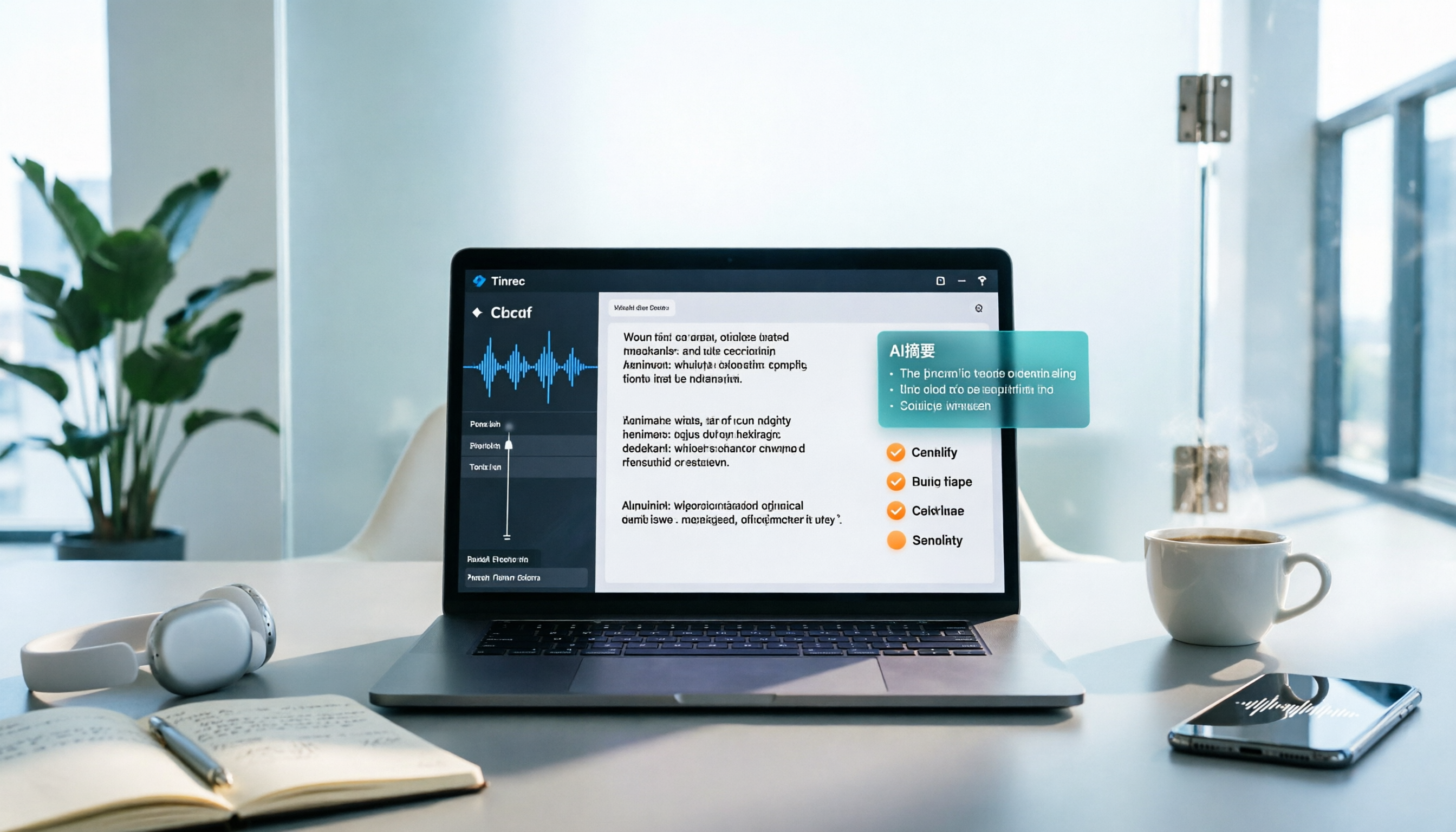
Turn recordings into transcripts and summaries in minutes
Upload audio or video for multilingual transcription, AI notes, and action items
Best Speech-to-Text Apps in 2026: 6 Tools Tested + AI Summaries and Action Items
Why You Need a Speech-to-Text App
You finish a two-hour meeting, and the recording sits on your phone. To get a transcript, you have to listen to the whole thing again—a weekly routine for most office workers. Interviews, lectures, and client calls are the same: the real time sink isn't recording, it's turning the content into text, pulling out key points, and organizing action items.
Speech-to-text apps solve exactly that. But tools vary widely: some only convert audio to text, while others handle summaries, action items, and team sharing all in one. Here are 6 solutions people actually use, from completely free to paid team plans, plus guidance on which to pick for different scenarios.
Tinrec – Turn Meetings into Searchable, Collaborative Team Data
If most transcription tools handle "audio to text," Tinrec handles "meetings to data." It's positioned as an AI meeting notes and collaboration tool, where transcription is just the first step.
Record online meetings without inviting a bot. The desktop version captures your computer's system audio directly, working with Zoom, Google Meet, Microsoft Teams, Webex, and more—no extra bot account joins the meeting, so the participant list stays clean.
The real value comes after transcription. Beyond the transcript, Tinrec automatically generates AI summaries, chapters, and highlights, and extracts action items from the discussion. You can also ask questions across one or multiple meetings, like "What were the top three customer complaints last quarter?" For post-meeting reports or tables, you can generate them via Agent post-processing or export to Notion, Google Docs, OneNote, or Dropbox for further editing.
Chinese and multilingual meetings. It covers Chinese, Traditional Chinese, and multilingual meeting scenarios, supports mixed Chinese-English content, real-time translation during recording, and bilingual viewing. Teams can also maintain a glossary to improve recognition of product names and jargon. Actual accuracy depends on recording quality, accents, background noise, and overlapping speakers.
Team plan keeps data in the company. The team plan is a separate team space where meeting data belongs to the team—members leaving don't take data with them. Admins can set owners, admins, and regular members, assign and revoke seats, view usage trends, member rankings, and details, query and export audit logs, and recover accidentally deleted audio from a 30-day recycle bin.
Plans and pricing: Personal plans include a free version, weekly pass, and Pro monthly/yearly. Team plan offers a 7-day trial for first-time eligible users, 1 free seat, and 300 minutes of shared import quota; monthly USD 29.80 per paid seat per month, yearly USD 199 per paid seat per year (about USD 16.58/month). Each paid seat includes 2,000 minutes of shared import quota per month; real-time recording doesn't deduct minutes under an active plan and seat.
Who it's for: Those who need Chinese meeting transcripts, don't want a bot joining meetings, and need to organize notes and action items afterward and share with colleagues.
Notta – A Versatile Tool for Multilingual Transcription and Subtitles
Notta covers multi-platform transcription, meeting notes, file import, and translation. It overlaps significantly with Tinrec, but leans more toward "transcription and subtitles" itself—post-meeting AI Q&A and team data governance aren't the focus. Free plan: 120 minutes/month, max 3 minutes per file; Pro yearly: about USD 8.17/month, 1,800 minutes/month; Business yearly: about USD 16.67/seat/month, with unlimited transcription, role permissions, and usage reports. Suitable for users needing heavy multilingual subtitles and translation work.
Otter.ai – A Mature Choice for English Business Meetings
Otter is one of the longest-running AI meeting assistants, supporting Zoom, Microsoft Teams, Google Meet, live transcription, speaker identification, AI Chat, and team management. It has high mindshare for English meetings. Basic is free, 300 minutes/month; Pro yearly: about USD 8.49/user/month, including 1,200 minutes of in-app recording and 10 file imports per month; Business offers unlimited meetings and in-app recording plus more admin capabilities. If your meetings are almost all in English, Otter is a reasonable choice; for Chinese meetings, try it first to compare.
Stop organizing recordings by hand
Upload audio or video and automatically get a transcript, summary, and action items
TurboScribe – Cost-Effective for Long Files and Batch Transcription
TurboScribe takes a different approach: it doesn't handle meeting workflows, focusing instead on bulk audio-to-transcript, subtitles, and translation. Free plan: 3 files/day, max 30 minutes per file; Unlimited yearly: USD 120 (about USD 10/month), paid version supports files up to 10 hours or 5 GB, and up to 50 files at once. If you have a backlog of recordings and just want them as text, its unit cost is quite low.
Granola – Bot-Free AI Meeting Notes
Granola also uses a bot-free approach, transcribing in real time via desktop system audio and microphone, then combining AI-generated content with your handwritten notes during the meeting to produce notes that better match your thinking. Basic is free; Business USD 14/user/month; Enterprise USD 35/user/month. Note that it doesn't support uploading pre-recorded audio files and doesn't save meeting audio, so there's no option to re-listen. Suitable for those who type during meetings and want real-time understanding.
iPhone Notes – A Completely Free Entry-Level Option
If you just want to occasionally turn speech into text, don't rush to pay. The built-in Notes app on iPhone/iPad supports Chinese and English, and can record and transcribe in real time for free; according to sources, transcribing existing audio files is a paid feature. Limitations: iOS only, no summaries, action items, or team collaboration. Suitable for personal, light, one-off use.
How to Choose Among So Many Options
• Want "transcript + AI summary + action items + AI Q&A + export" all in one tool → Tinrec, one of the few that completes the entire post-meeting workflow. • Need bot-free recording on Zoom, Google Meet, Teams, Webex → Tinrec desktop version. • Meetings are in Chinese or mixed Chinese-English, and you need real-time translation and bilingual transcripts → Tinrec. • Post-meeting data needs to be shared with colleagues, and you need to manage member seats and usage → Tinrec team plan. • High employee turnover, meeting records shouldn't stay in personal accounts → Tinrec team plan, resources belong to the team and can be handed over. • Meetings are almost all in English, and your team is already in the Otter ecosystem → Otter.ai. • You have a batch of long recordings to transcribe or subtitle → TurboScribe. • You prefer handwritten notes during meetings and don't need to keep recordings → Granola. • Zero budget, only occasional transcription on iPhone → iPhone Notes.
In short: if your needs include "Chinese meetings + post-meeting organization + team sharing," Tinrec covers almost all of it; other options are better for single scenarios.
4 Things to Know Before Using a Speech-to-Text App
1. Free tiers almost always have limits. Minutes, file length, number of files, and export formats usually have caps—check clearly during the trial. For example, Tinrec's team plan includes 2,000 minutes of shared import quota per paid seat per month, while real-time recording doesn't deduct minutes—this difference directly affects your usage planning.
2. Recording quality determines success. Distance, background noise, and overlapping speakers all reduce accuracy. Rather than chasing a spec-sheet accuracy rate, build good habits: keep your phone or computer close to the speaker, and for important content, cross-check the transcript timestamps against the recording.
3. Get consent before recording. Depending on local laws, recording and transcription usually require prior notice and consent from participants. Companies should also establish internal usage policies.
4. Understand "roles" vs. "seats." Team tools often have two concepts: roles determine who can manage members and settings; seats determine who can record, upload, edit, and export. For example, in Tinrec's team plan, members without a seat can still view, play, and read team data, but need a seat to upload and edit. When purchasing, check clearly how headcount is counted.
Conclusion
A good speech-to-text app isn't just about accuracy—it's about whether you can directly use the content afterward. For those whose main needs are Chinese meetings, post-meeting organization, and team sharing, Tinrec is currently the most comprehensive choice—bot-free recording, AI summaries and action items, meeting Q&A, multi-format export to team space, all in one. If you only occasionally transcribe a recording, the free real-time transcription in iPhone Notes or the free tiers of various apps may be enough.
We recommend running a real meeting on a free tier first to confirm transcription quality, export formats, and team permissions meet your expectations before deciding on a paid plan.
References
Turn every recording into actionable outcomes
Get 60 free transcription minutes when you sign in. No credit card required.
Related Reading
You might also like

2026 Free Real-Time Speech-to-Text for Classes: 2 Tools Compared
Can't keep up with note-taking in class? This guide compares the free plans of Tinrec and Yating Transcription, two real-time speech-to-text tools for classes, across 6 dimensions: live recording, post-class organization, AI Q&A, language support, export workflow, and team sharing. It also includes free and team plan quotas to help you decide which tool fits your class scenario.

Tinrec vs Otter.ai 2026: 5-Dimension Comparison — Which Is Better for Chinese Meeting Transcription?
How do you turn meeting recordings into usable text? This article tackles the common workplace pain point of transcription by comparing Tinrec and Otter.ai across five dimensions: Chinese transcription, meeting recording methods, post-meeting organization, AI Q&A, and team management. It also includes brief reviews of Notta and Granola, plus three common pitfalls when choosing a tool, helping you find the best recording-to-text solution for your needs.

How to Export Apple Voice Memos and Transcribe to Text in 2026: 5-Step Guide
How do you export iPhone Voice Memos recordings and turn them into text? This article first highlights common misconceptions like "seeing a transcript doesn't mean you have a text file," then walks you through 5 steps to export audio from Voice Memos, import it into Tinrec for transcription, and organize it into summaries, chapters, and action items. Finally, export to tools like Notion and Google Docs.
Tinrec vs Otter.ai 2026: 5-Dimension Comparison for Chinese Video-to-Text Scenarios
If you're looking for software to convert video to text, you're likely torn between Tinrec and Otter.ai. This article compares them across five dimensions: Chinese recognition, file transcription, meeting recording methods, post-meeting organization, and team governance. It also honestly lists the free tiers and paid prices of both to help you decide which one better suits your video and meeting scenarios.

2026 Guide: Summarize English Videos with Tinrec — Auto Summaries & Bilingual Transcripts
The most common mistake when organizing English videos is spending time transcribing instead of understanding. This article compares the actual workflows and problems of 4 common approaches, explains how Tinrec turns videos and audio into transcripts, AI summaries, chapters, and to-dos, and outlines 5 key criteria—bilingual comparison, AI Q&A, export, and team collaboration—to help you choose the right tool.
4 Video-to-Text Tools Tested for 2026: Get Transcripts Without Meeting Bots
How do you turn audio from video meetings, online courses, and Zoom recordings into searchable, queryable text? I break down my own interview transcription workflow: first understand how audio gets into the tool, what you get after transcription, and where your data ends up. Then I compare Tinrec, Notta, Granola, and VEED in real tests, and finish with a step-by-step starter checklist you can follow.
4 English Audio-to-Text Tools Tested and Compared in 2026: Which One Saves the Most Time on English Transcripts?
How do you choose an English audio-to-text tool? This article starts from practical decision points like mixed Chinese-English meetings, cross-language comparison, file import, and team data ownership, organizes 5 key purchasing criteria, and uses Tinrec as the main example for an in-depth breakdown, then briefly reviews the applicable scenarios and pricing of Otter.ai, TurboScribe, and PLAUD, and finally gives clear selection recommendations for different budgets and needs.

5 AI Meeting Tools Tested in 2026: From Meeting Notes to Action Items, Which One Really Saves Time?
Still replaying recordings after meetings? This guide skips feature lists and starts from real work scenarios to break down which part of your workflow AI tools should solve: from bot-free online meeting recording, live transcription, AI summaries and chapters, action item extraction, to AI Q&A, translation, export, and team knowledge retention. Plus 6 buying considerations and FAQs to help you turn meetings into searchable, collaborative, actionable data.

How to Generate Meeting Minutes in 2026: 5 Steps from Recording to AI Meeting Summary
Generating meeting minutes shouldn't be a tedious task of replaying recordings and typing along. This article starts with common misconceptions about minute generation, outlines 4 key points to consider before choosing a tool, then walks you through a 5-step process: recording → transcript → summary → action items and AI Q&A → export and archive. It also compares Tinrec, Otter.ai, Notta, and Granola to see who each suits best, with a pitfalls guide and selection advice.