
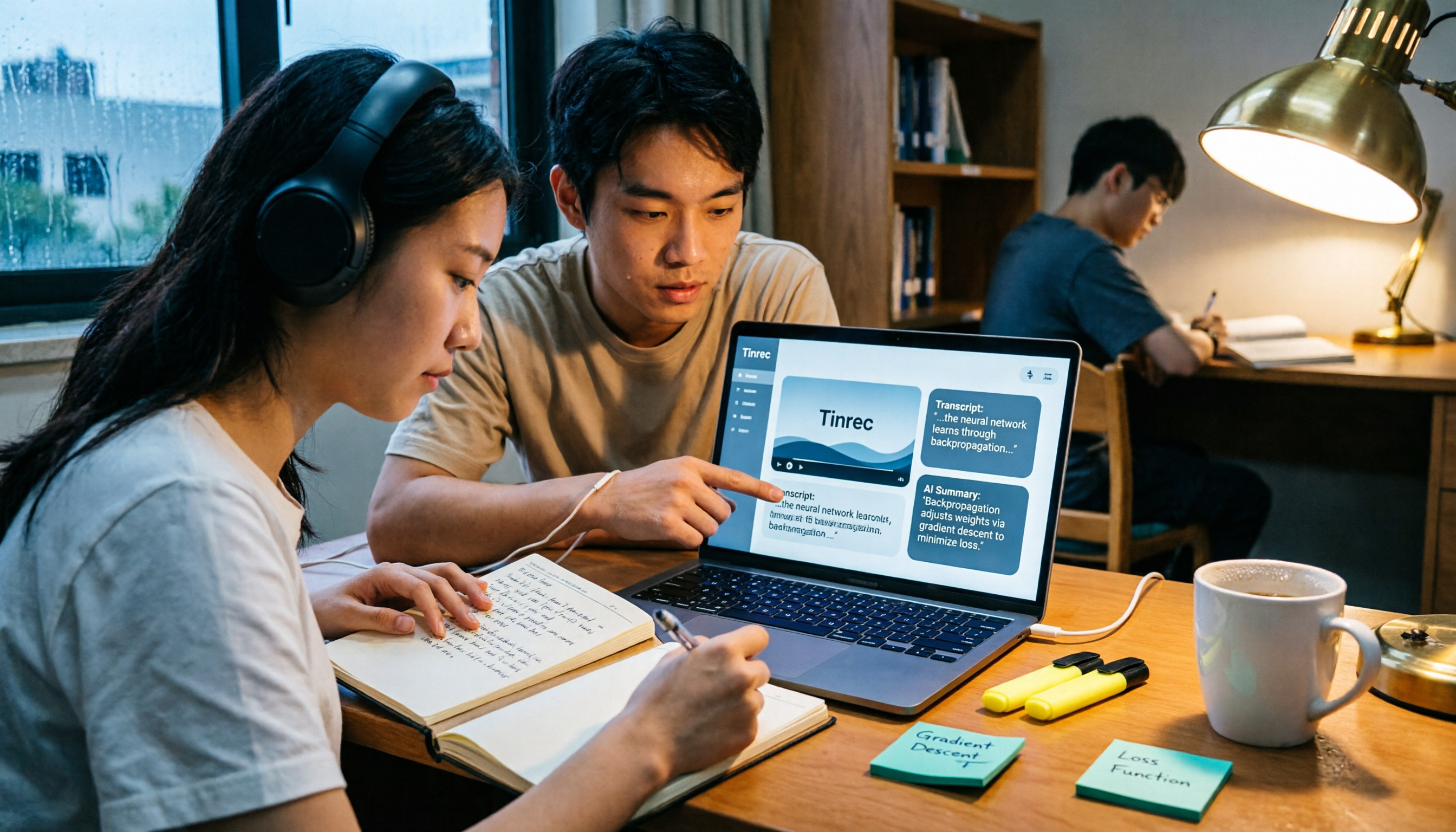
Turn recordings into transcripts and summaries in minutes
Upload audio or video for multilingual transcription, AI notes, and action items
2026 AI Video to Text Tools Comparison: Which Saves Students More Time on Online Courses?
Three weeks before finals, I opened the online course videos I'd accumulated this semester: 12 videos, averaging 90 minutes each. Rewatching all of them would take 18 hours, and I couldn't even get through the first 20 minutes without reaching for my phone.
Then I tried a different approach: instead of rewatching, I converted the videos to text first, then let AI pull out the key points. With the same content, I put together an 8-page exam prep note in two evenings—and later convinced three classmates to try it too.
This article explains exactly how to use AI to extract text from videos and summarize them, and how the two tools I tested—Tinrec and Otter.ai—compare in real student scenarios.
Tinrec vs Otter.ai | Quick Overview
Tinrec is an AI meeting notes and collaboration tool for individuals and teams. It supports real-time recording transcription, desktop recording of online meetings without a bot, audio and video file transcription, and automatically generates summaries, chapters, action items, and mind maps. It also offers AI Q&A on transcripts and multi-format export.
Otter.ai is a mature AI meeting assistant covering Zoom, Microsoft Teams, Google Meet, and other platforms. It offers real-time transcription, speaker identification, AI Chat, and team management, with a product focus long oriented toward English business meetings.
| Item | Tinrec | Otter.ai |
|---|---|---|
| One-line positioning | AI meeting notes and collaboration tool for individuals and teams | Mature AI meeting assistant |
| Main access methods | Web, desktop, mobile | Platform transcription and desktop, etc. |
| Core difference | No bot recording; after transcription, directly produces summaries, chapters, action items, Q&A, and team data | Mature for English business meetings; includes AI Chat and team management |
| Payment options | Personal plan has free version, weekly pass, Pro monthly, and Pro annual; team plan has separate seat options | Basic free: 300 minutes/month; Pro annual: about USD 8.49/user/month |
This article compares 5 dimensions: Chinese transcription, video file import and summarization, transcript post-processing, free tiers and budget, and cross-device and group collaboration.
Dimension 1 | Transcription Performance for Chinese and Mixed Chinese-English Course Videos
Otter.ai's product focus has long been English business meetings—that's its home turf. If your courses are pure English lectures, its performance and ecosystem are mature.
Tinrec, on the other hand, focuses on Chinese, Traditional Chinese, and multilingual meeting scenarios. It supports mixed Chinese-English content, allows switching between original text, translation, or bilingual view during recording, and the team plan lets you maintain a glossary of team terms so department-specific jargon is more likely to be transcribed correctly. Actual accuracy still depends on recording quality, noise, accents, overlapping speakers, and proper nouns—don't expect a fixed number.
→ This dimension: If your courses are mainly in Chinese or mixed Chinese-English, Tinrec is a better fit.
Dimension 2 | Video File Import and AI Summarization
Otter.ai's Pro annual plan includes 1,200 minutes of in-app recording and 10 file imports per month. For students processing a dozen videos per semester, the import limit is something to watch (actual benefits subject to official pricing page).
Tinrec supports uploading audio and video files for transcription, then automatically generates summaries, chapters, and highlights. Long videos can be split into easily browsable sections, and it can also extract action items and generate mind maps. It can also import some public video content via web links—this is a supplementary capability, not its main focus.
My own workflow: download the video audio, upload for transcription, first read the summary and chapters to identify key exam points, then go back to verify details in the transcript. For a 90-minute course video, I usually spend 5 minutes reading the summary to know which sections to study closely and which to skip.
→ This dimension: Tinrec wins because it also handles what to do after transcription.
Dimension 3 | Transcript Post-Processing: AI Q&A and Export
Otter.ai offers AI Chat, allowing follow-up questions on meeting content—very intuitive for real-time queries on English content.
Stop organizing recordings by hand
Upload audio or video and automatically get a transcript, summary, and action items
Tinrec not only offers AI Q&A but also exports results to Notion, Google Docs, OneNote, Dropbox, and other common tools. It can also use Agent post-processing to generate reports, tables, and documents.
My actual usage: put three key videos from the whole semester into one space and ask directly, "What are the three core concepts mentioned in all three videos?" It gives a consolidated answer, which I paste into my Notion review notes. Before exams, I don't need to re-listen—just scan my notes.
→ This dimension: Both have Q&A, but Tinrec is more complete in turning answers directly into deliverable notes.
Dimension 4 | Free Tiers and Student Budget
Otter.ai's Basic free plan offers 300 minutes per month; Pro annual is about USD 8.49/user/month. For budget-conscious students, this is an accessible entry point, but minutes add up quickly with many videos.
Tinrec's personal plan includes a free version, weekly pass, Pro monthly, and Pro annual. The logic is to choose by task: occasional recording transcription—free version is enough; short-term high-frequency needs like exam prep or project sprints—weekly pass; regular weekly course or meeting transcription—Pro; long-term data accumulation—annual. Actual prices subject to the official purchase page.
→ This dimension: Tinrec offers more flexibility; if you just want a fixed monthly fee, Otter's plan is also easy to understand. This one is a tie.
Dimension 5 | Cross-Device Use and Group Collaboration
Otter.ai's team and enterprise management capabilities are mature—a long-accumulated advantage—and it now offers desktop capabilities.
Tinrec works on web, desktop, and mobile. The desktop version can directly capture system audio to record Zoom, Google Meet, Microsoft Teams, Webex, and other meetings playing on your computer, without inviting a meeting bot. For group projects, the team plan provides an independent team space: data belongs to the team, members can be invited via join link, and admins can set owners, admins, and regular members, assign seats, view usage trends, and audit logs. Team data doesn't disappear when someone graduates or leaves the group—it can be handed over to other members.
Note that the team plan uses "roles" for governance and "seats" for usage rights: active members without a seat can still view, play, and read team data, but cannot upload, edit, or export. This is actually quite practical for groups—report members can review data first, and seats can be assigned when editing is needed.
Pricing: team monthly USD 29.80/paid seat/month, annual USD 199/paid seat/year (about USD 16.58/month). Each paid seat provides 2,000 minutes of shared team import quota per month; under an active team plan and active seat, real-time recording currently does not deduct minutes. For student groups, this is a tier that requires cost-sharing and is best tried first.
→ This dimension: Otter's team capabilities are mature, while Tinrec is closer to group project needs with its combination of Chinese data retention and seat governance.
What Are Each Tool's Unique Advantages?
Tinrec's Unique Advantages
- No meeting bot: desktop version directly captures system audio, handling online classes and meetings without the "invite bot" step.
- Complete post-transcription workflow: summaries, chapters, action items, mind maps, AI Q&A, multi-format export, and Agent-generated reports and tables.
- Chinese and multilingual experience: Chinese, Traditional Chinese, mixed Chinese-English, real-time translation, plus team glossary management for technical terms.
- Team data governance: team space, member roles, seat allocation, usage analytics, audit logs, and audio recycle bin—data belongs to the team.
Otter.ai's Unique Advantages
- Mature focus on English business meetings: if you mainly handle English meetings and lectures, its years of ecosystem and user habits are worth considering.
- Platform coverage and workflow integration: long-accumulated meeting assistant capabilities and integration options.
Conclusion: Which Should You Choose?
- If your course videos are mainly Chinese or mixed Chinese-English → Tinrec (Chinese, Traditional Chinese, and multilingual are its key scenarios)
- If you need to process a whole semester's course videos at once and automatically generate summaries and chapters → Tinrec (supports audio/video file import, directly produces summaries and highlights after transcription)
- If you want to ask "What is this section about?" after transcription and export to notes → Tinrec (AI Q&A + multi-format export + Agent post-processing)
- If your group project needs shared data and control over who can edit → Tinrec (team space + roles and seats)
- If you mainly handle English lectures and only need simple transcription and AI Chat → Otter.ai works smoothly too
In one sentence: For most students dealing mainly with Chinese courses and online videos, Tinrec is the more complete choice. Start with the free version, test it with one of your own course videos, see if the summary captures the exam points you need, then decide whether to upgrade.
One final reminder: if you're recording a professor's lecture or group meeting, check your course and school policies first, and get consent if necessary.
References
- Using GPT to Summarize YouTube: Free Online Video Summary Tool
- Free AI Video Summary Tool—Accurate, Fast, with Timestamps
- One-Click Video to Text: 3 Video Summary AI Tools Recommended, Quickly Produce High-Quality Key Summaries - Tinrec Blog
- AI YouTube Video Summary: 1-Hour Video in 3 Minutes [2026 Tutorial]
- Free AI Subtitle Extractor, Simple and Easy to Use - Zeemo
Turn every recording into actionable outcomes
Get 60 free transcription minutes when you sign in. No credit card required.
Related Reading
You might also like

4 AI Meeting Minutes Generators Tested for 2026: Which Handles Chinese Meetings and Free Tiers Best?
Two-hour meeting, another afternoon organizing minutes? This article compares 4 AI meeting minutes generators using the same criteria, breaking down audio sources, Chinese recognition experience, post-meeting output, free tiers, and team data ownership. It also shares hands-on experience with Tinrec's bot-free recording, AI Q&A, and team governance capabilities, and provides selection advice based on use cases.

Best Video Speech-to-Text Tools in 2026: 5 Tested, Top Pick for Chinese Meetings and Post-Meeting Organization
Need to convert speech from videos to text? This article uses the same mixed Chinese-English meeting material to compare 5 video speech-to-text tools on input sources, post-meeting processing, AI Q&A, export, and team collaboration. It also covers 4 key points to check before buying and 4 common mistakes, helping you choose the best fit based on your use case and budget.
Apple Watch WeChat Voice-to-Text in 2026: 3 Input Methods Compared and How to Set Up Chinese
Can WeChat voice messages on Apple Watch be converted to text? Yes, and it relies on Apple Watch's built-in Dictation, not a WeChat engine. This article addresses three common misconceptions, explains how to turn voice into text on the watch, how to fix Chinese language settings, and how to use iPhone Handoff input. It also covers how to use AI meeting tools like Tinrec for full transcripts, summaries, and action items when content extends from a single sentence to a whole meeting.

2026 Short Video Learning Note Tools Compared: Which AI Best Organizes Course Highlights?
I lead a team learning short videos, with piles of course recordings and livestream replays, but notes scattered everywhere. This article, from a mid-level manager's practical perspective, tests Tinrec, Notta, Otter, and Granola in short video learning note scenarios, and compiles selection criteria, pitfalls to avoid, and scenario-based recommendations.

5 iPhone Transcription Solutions Compared for 2026: Is Apple's Built-in Enough?
Apple's built-in Voice Memos and Notes apps can already transcribe recordings into text for free, but there are prerequisites for supported models, system versions, and proofreading costs. This article first explains how to use Apple's built-in transcription, then reviews five third-party solutions: Tinrec, Otter, Notta, Granola, and TurboScribe, with actual pricing and selection advice to help you decide if the built-in is enough and when to upgrade.

5 Free Image-to-Text OCR Options in 2026: A Complete Guide
How can you use image-to-text (OCR) efficiently? Starting with the most common pitfalls, this article reviews 5 free image-to-text methods, explains OCR limitations and key considerations, and shows how Tinrec fills the gap for meetings, classes, and interviews with transcripts, AI summaries, action item extraction, AI Q&A, and team collaboration.

2026 Audio-to-Text Tools Comparison: Tinrec vs Otter.ai vs cSubtitle for Chinese Transcription
Turn recordings into transcripts without typing for 6 hours. This article compares Tinrec and Otter.ai in real meeting scenarios, focusing on Chinese transcription, bot-free recording, post-meeting organization, and team collaboration. It also explains where lightweight tools like cSubtitle fit in, with a 4-step tutorial and FAQs.

4 iPhone Speech-to-Text Tools Compared in 2026: How to Choose When Built-In Transcription Isn't Enough
How do you transcribe speech to text on iPhone? This guide compares the built-in Voice Memos transcript, iMessage voice message transcription, and the AI meeting tool Tinrec, covering device requirements, language support, recording length, and post-meeting organization capabilities to help you decide whether to use the free built-in features or switch to a meeting tool that generates summaries, action items, and AI Q&A.

Tinrec vs Notta 2026: 5-Dimension Comparison — Which Is the Best Summarization Tool?
After a meeting, the real time sink isn't recording — it's turning the transcript into conclusions. This article compares Tinrec and Notta across five practical dimensions, explaining why the ability to ask AI follow-up questions directly after a meeting is the dividing line for summarization tools, with a pitfalls guide and quick-start checklist.