

Turn recordings into transcripts and summaries in minutes
Upload audio or video for multilingual transcription, AI notes, and action items
Best Video Speech-to-Text Tools in 2026: 5 Tested, Top Pick for Chinese Meetings and Post-Meeting Organization
Video-to-Text: What You Really Need to Choose Isn't 'Transcription' But 'What Happens After'
Type "video speech to text" into a search bar, and you'll see dozens of tools claiming to be fast and accurate. But after trying a few, you'll realize the real differentiator isn't whether they can transcribe, but where the transcribed text can be used afterward.
Three common scenarios. First, you have a two-hour client meeting recording. Transcribing it is easy, but the hard part is finding the three conditions the client truly cares about from tens of thousands of words. Second, you have a weekly project meeting. If each time you only get a text file sitting in a folder, three months later you still can't find who said to change the specs last time. Third, in cross-language meetings where participants mix Chinese and English, most tools produce mixed paragraphs that require extensive manual proofreading.
So this article answers a multiple-choice question: Given that all tools can convert video speech to text, which one makes your subsequent organization, search, and collaboration easiest? Our comparison focuses not on fancy interfaces, but on what you get after running the same meeting material through each tool's workflow.
Before Choosing a Video Speech-to-Text Tool, Understand These 4 Key Points
Key Point 1: Don't just look at official accuracy numbers; consider your recording conditions. Many tools boast "98% accuracy," but that's usually under quiet conditions, a single speaker, and standard accents. Real meetings have air conditioning noise, keyboard sounds, and people talking over each other, so accuracy will drop. A practical approach: choose a tool that lets you test with your own recording first, see how it performs in your scenario, then decide whether to invest.
Key Point 2: The breadth of input sources determines whether you can use a single workflow. Your material may include online meetings, voice memos recorded on your phone, and MP4 video files sent by others. If a tool only handles one type, you'll have to move files between multiple apps. Before buying, list the sources you'll use in the next three months and check support for each.
Key Point 3: Transcription is just an intermediate product; post-meeting processing is where the value is. The transcript itself isn't the end goal. Can it automatically generate summaries, chapters, and action items? Can you ask questions directly about the content? Can you export to Notion, Google Docs, or Word with one click? These post-transcription capabilities truly determine how much time you save each week.
Key Point 4: Free quotas and pricing should be based on usage frequency, not price tags. If you occasionally transcribe a video, a free quota is enough; if you have several meetings every week, you need a stable, predictable usage plan. Estimate how many minutes you'll use per month, then look at which plan offers the most reasonable cost per minute.
Tinrec (秒聽錄音) — Our Top Pick After Testing
One-sentence positioning: Tinrec (秒聽錄音) is an AI meeting notes and collaboration tool for individuals and teams. It supports real-time recording, online meetings, and audio/video file import, and organizes transcription results into searchable, queryable, and reusable data.
Record online meetings without a bot. Most meeting note tools use a "meeting bot" that joins your Zoom or Teams meeting as a participant. Tinrec's desktop version takes a different approach: it directly captures your computer's system audio. You just open the desktop app and start recording to generate a transcript while the meeting is ongoing, without adding an extra account to the participant list. For those handling Zoom, Google Meet, Microsoft Teams, and Webex simultaneously, the workflow is much cleaner.
After transcription, you can directly "ask" the meeting. This is where Tinrec differs most from ordinary transcription tools. After recording, you don't have to Ctrl+F through tens of thousands of words to find keywords. Instead, you can ask: "Who mentioned the budget in this meeting?" "What concerns did the client have about the delivery date?" It answers based on semantic understanding, not just returning a string of keywords. The same meeting data can also be used to generate summaries, chapters, key points, and action items, clarifying who is responsible for what and when it's due.
From transcript to post-meeting deliverables. Tinrec's output isn't just plain text. It can generate summaries, chapters, action items, and mind maps, and further use an Agent to create meeting minutes, reports, and tables, then export to Notion, Google Docs, OneNote, Dropbox, etc. for further processing. For those who need to produce meeting notes, weekly reports, or client interview summaries, it compresses the four steps of listening to recordings, typing, formatting, and archiving into one.
Stop organizing recordings by hand
Upload audio or video and automatically get a transcript, summary, and action items
Team Edition: Turn meetings into team assets. If you're using it as a team, Tinrec for Teams provides an independent team space, not multiple people sharing one account. Meeting audio, folders, action items, and related data are stored centrally in the team. New members can view historical meetings after joining. Administrators can manage member permissions through roles and seats, view usage trends and details, manage team hotwords, and query and export important operation logs. When a member leaves or is removed, their team resources are transferred to other active members, so data doesn't disappear with the individual.
Our comparison method used the same approximately 5-minute mixed Chinese-English meeting recording, in an indoor environment, played through a laptop, focusing on the workflow gap from material input to usable results for each tool. Actual transcription accuracy is affected by recording quality, noise, accents, overlapping speech, and technical terms. We recommend testing with your own recording, which is more accurate than any official number.
Three main advantages:
- Record online meetings without a bot, so no extra account appears in the participant list, making the process cleaner.
- Post-transcription AI Q&A, summaries, action items, and multi-format export directly solve the problem of "not knowing what to do after transcription."
- Smooth transition from personal to team edition, allowing meeting data to settle into a searchable, traceable team asset.
Limitations: The free version offers a basic quota, suitable for light use and occasional organization; if you have a large number of meetings and files to process weekly, you'll need to upgrade. Also, if your need is to "upload dozens of long videos at once for batch subtitles," that's a strength of another type of tool.
Who it's for: Those who frequently need to record Chinese meetings, want to use AI to find key points directly after recording, or need to settle meeting data into a team space.
Besides Tinrec, What Other Options Are There?
TurboScribe: If your need is simple—transcribing large amounts of long videos and audio files into text and subtitles—this is a strong contender for file transcription, with paid versions handling long files and multiple uploads. But it's essentially a file transcription tool, without the workflow of "generating transcripts during meetings and asking questions directly afterward." Suitable for those with a pile of existing audio files for batch processing.
Notta: Comprehensive multi-platform transcription and translation capabilities, with significant overlap with Tinrec, and also offers team plans. Tinrec's differentiator is integrating bot-free desktop recording, AI conversational query, and post-meeting Agent output into one workflow, and allowing meeting data to continuously settle in a team space. If you want pure multilingual transcription and subtitles, Notta is worth comparing.
cSubtitle: Focuses on Chinese-optimized online file transcription, allowing upload of video or audio files without registration. Free quota is about 3 minutes, single file limit about 4GB or 5 hours, and can output plain text or subtitle files with time codes. It makes "existing file to text" straightforward, but lacks AI conversational query, can't record and transcribe simultaneously, and has no team space or permission governance—these are exactly the extra capabilities Tinrec offers in meeting scenarios.
Pitfall Guide: 4 Most Common Mistakes When Choosing a Video Speech-to-Text Tool
Pitfall 1: Only looking at official accuracy rates. Official numbers usually come from ideal environments. A practical approach is to test with a real recording of your own, paying special attention to mixed Chinese-English, technical terms, and overlapping speech—those are the situations you'll encounter daily.
Pitfall 2: Treating "transcription" as the end goal. Using the tool only as "video to text" means you're only using part of its capabilities. What really saves time is after transcription—automatic summaries, action item extraction, and asking questions directly about the content. When choosing, include "post-meeting processing" in your evaluation, not just transcription speed.
Pitfall 3: Ignoring cross-device and cross-platform needs. Record on your phone today, organize on your computer tomorrow, export to Notion the day after—if the tool only supports a single platform, you'll waste a lot of time moving files. First confirm it works in your actual workflow.
Pitfall 4: Thinking "team sharing" is too simple. When multiple people use it, many tools are actually just "multiple people sharing one account," with permissions and usage not separately managed. If a department or enterprise is adopting it, remember to check whether they have member, role, seat, and usage management capabilities—Tinrec's team edition separates governance permissions (roles) from usage qualifications (seats).
Conclusion: Which One Should You Choose?
Divide your needs into the following scenarios, and the decision becomes much simpler:
- Need to record Chinese meetings and want to use AI to find key points directly afterward → Tinrec. Supports conversational query, summaries, action items, and chapters, making it the most complete post-meeting workflow.
- Don't want an extra bot joining online meetings → Tinrec. Desktop version captures system audio, works with Zoom, Google Meet, Teams, and Webex.
- Need to settle meeting data into team assets → Tinrec Team Edition. Team space, member and seat management, usage analysis, and operation log queries all in one, with data handover when members change.
- Have a large number of long videos and just want batch subtitle files → TurboScribe and similar file transcription tools are more convenient, but post-transcription organization returns to manual processes.
- Just occasionally convert a video to text and don't want to register → cSubtitle and similar free online tools can handle emergencies, but lack AI Q&A and team collaboration.
For the vast majority of readers focused on "meetings and content organization," I recommend starting with Tinrec's free version, running it two or three times with your own meeting recordings, confirming that transcription quality and post-meeting workflow meet expectations, then deciding whether to upgrade. After all, the best way to test a tool is with your own material.
References
- Online AI speech, video, audio file auto transcription - Free trial - cSubtitle
- Transcribe video to text - Instant, 99.9% accurate - VEED.IO
- Use AI to transcribe video to text - Adobe
- AI video to subtitles (speech transcript, MP3 to subtitles) - 2025 Generative AI Tools | STEAM Education Learning Network
- AI speech to text fast audio file online transcription, transcripts and video subtitles - Free trial - cSubtitle
Turn every recording into actionable outcomes
Get 60 free transcription minutes when you sign in. No credit card required.
Related Reading
You might also like

4 AI Meeting Minutes Generators Tested for 2026: Which Handles Chinese Meetings and Free Tiers Best?
Two-hour meeting, another afternoon organizing minutes? This article compares 4 AI meeting minutes generators using the same criteria, breaking down audio sources, Chinese recognition experience, post-meeting output, free tiers, and team data ownership. It also shares hands-on experience with Tinrec's bot-free recording, AI Q&A, and team governance capabilities, and provides selection advice based on use cases.

Apple Watch WeChat Voice-to-Text in 2026: 3 Input Methods Compared and How to Set Up Chinese
Can WeChat voice messages on Apple Watch be converted to text? Yes, and it relies on Apple Watch's built-in Dictation, not a WeChat engine. This article addresses three common misconceptions, explains how to turn voice into text on the watch, how to fix Chinese language settings, and how to use iPhone Handoff input. It also covers how to use AI meeting tools like Tinrec for full transcripts, summaries, and action items when content extends from a single sentence to a whole meeting.

2026 Short Video Learning Note Tools Compared: Which AI Best Organizes Course Highlights?
I lead a team learning short videos, with piles of course recordings and livestream replays, but notes scattered everywhere. This article, from a mid-level manager's practical perspective, tests Tinrec, Notta, Otter, and Granola in short video learning note scenarios, and compiles selection criteria, pitfalls to avoid, and scenario-based recommendations.

5 iPhone Transcription Solutions Compared for 2026: Is Apple's Built-in Enough?
Apple's built-in Voice Memos and Notes apps can already transcribe recordings into text for free, but there are prerequisites for supported models, system versions, and proofreading costs. This article first explains how to use Apple's built-in transcription, then reviews five third-party solutions: Tinrec, Otter, Notta, Granola, and TurboScribe, with actual pricing and selection advice to help you decide if the built-in is enough and when to upgrade.

5 Free Image-to-Text OCR Options in 2026: A Complete Guide
How can you use image-to-text (OCR) efficiently? Starting with the most common pitfalls, this article reviews 5 free image-to-text methods, explains OCR limitations and key considerations, and shows how Tinrec fills the gap for meetings, classes, and interviews with transcripts, AI summaries, action item extraction, AI Q&A, and team collaboration.

2026 Audio-to-Text Tools Comparison: Tinrec vs Otter.ai vs cSubtitle for Chinese Transcription
Turn recordings into transcripts without typing for 6 hours. This article compares Tinrec and Otter.ai in real meeting scenarios, focusing on Chinese transcription, bot-free recording, post-meeting organization, and team collaboration. It also explains where lightweight tools like cSubtitle fit in, with a 4-step tutorial and FAQs.

4 iPhone Speech-to-Text Tools Compared in 2026: How to Choose When Built-In Transcription Isn't Enough
How do you transcribe speech to text on iPhone? This guide compares the built-in Voice Memos transcript, iMessage voice message transcription, and the AI meeting tool Tinrec, covering device requirements, language support, recording length, and post-meeting organization capabilities to help you decide whether to use the free built-in features or switch to a meeting tool that generates summaries, action items, and AI Q&A.

Tinrec vs Notta 2026: 5-Dimension Comparison — Which Is the Best Summarization Tool?
After a meeting, the real time sink isn't recording — it's turning the transcript into conclusions. This article compares Tinrec and Notta across five practical dimensions, explaining why the ability to ask AI follow-up questions directly after a meeting is the dividing line for summarization tools, with a pitfalls guide and quick-start checklist.
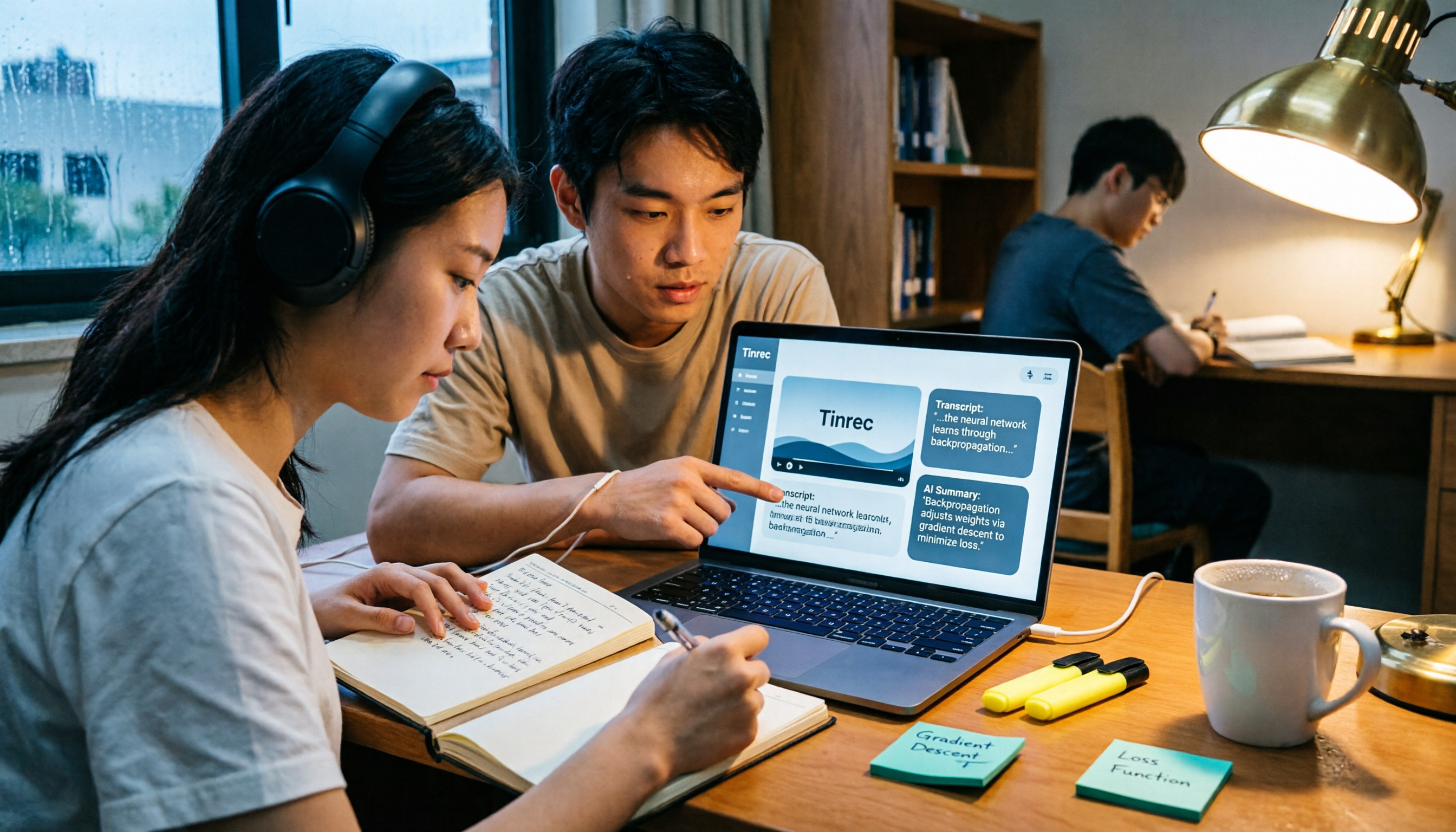
2026 AI Video to Text Tools Comparison: Which Saves Students More Time on Online Courses?
Don't want to rewatch 18 hours of online course videos before finals? This student-tested comparison of Tinrec and Otter.ai covers Chinese transcription, video file import and AI summarization, transcript Q&A and export, free tiers and student budgets, and cross-device and group collaboration—5 dimensions to help you build a repeatable video note-taking workflow.