

Turn recordings into transcripts and summaries in minutes
Upload audio or video for multilingual transcription, AI notes, and action items
When choosing a meeting minutes tool, I usually start by asking myself one question: Can the output be directly filled into the minutes format your organization typically uses?
Meeting minutes for state-owned enterprises, government agencies, or large organizations often have fixed fields—time, location, host, attendees, agenda, resolutions, responsibilities, and deadlines. If the tool only gives you a long transcript, you still have to manually copy, paste, and rearrange. A truly time-saving tool can extract the corresponding content from the recording, so you don't have to be a manual laborer again.
The Hard Part of State-Owned Enterprise Meeting Minutes Isn't the Meeting, It's the Document Afterward
The meeting itself takes two hours, and then organizing it into minutes takes another two hours—this is a daily reality for many.
The trickier part is meetings where multiple people talk over each other. Who said what, which sentence is a "resolution," and which is just "discussion"—if you don't note it clearly at the time, you can only piece it together from memory afterward.
Even more headache-inducing is follow-up. The tasks assigned in the last meeting need to be compared for progress in this meeting; if the minutes don't clearly list action items and responsible persons, you'll have to start from scratch next time.
Agencies like the National Development Council and the Ministry of Labor systematically archive and publicly disclose their meeting records. The reason is simple: meeting records themselves are the basis for organizational decisions, and whether they can be searched and cited makes a big difference.
This article discusses how to use tools to compress this process, so you can deliver a version ready for approval within half an hour after the meeting.
Before Choosing a Meeting Minutes Tool, Understand These 4 Key Points
Chinese recognition and proper nouns. Meetings often contain internal codes, project names, and abbreviated job titles. Whether the tool can customize vocabulary and correctly segment sentences is more important than the officially stated accuracy rate. I usually test with a real recording from my own organization, not advertising numbers.
Post-meeting output capability. A transcript is only a semi-finished product. You need to see if it can automatically generate summaries, chapters, and to-do lists—these are the skeleton of minutes.
Input sources and recording retention. Your meeting might be in-person or online. Whether the tool supports both, can import existing audio files, and retains the original recording all affect how convenient it is to verify afterward.
Team collaboration and data ownership. Minutes are meant to be archived. If data only stays in personal accounts, it breaks when the person in charge changes. Whether it can be placed in a team space and whether members and seats can be managed is crucial for units that need long-term preservation.
Tinrec – Our Top Choice After Testing
Tinrec is an AI meeting notes and collaboration tool for individuals and teams, supporting iOS, Android, and web versions. The desktop version can also directly record online meetings played on your computer.
First, let's talk about where it best solves the pain points of minutes.
When you open Tinrec during a meeting, it transcribes as it records. After the meeting, the AI has already organized the summary, chapters, and action items—which item is a resolution, who is responsible, and what the deadline is—so you can directly fill them into the minutes fields. This is much faster than pulling the timeline back and forth on a 90-minute recording.
For online meetings, its desktop version directly captures the computer's system sound. When handling meetings on Zoom, Google Meet, Microsoft Teams, Webex, etc., there's no need to invite a meeting bot to join. For some units that are not comfortable having an external program appear on the list, this is very practical.
Another differentiating feature is AI Q&A. After recording, you can directly ask it: "What was the conclusion about the budget in this meeting?" It doesn't give you keyword search results but organizes an answer based on semantics. Details missed during the meeting can be recovered afterward by asking.
Stop organizing recordings by hand
Upload audio or video and automatically get a transcript, summary, and action items
In terms of testing, the transcription quality for Chinese meetings is reliable under generally clear recording conditions, but actual performance can be affected by recording quality, accents, overlapping speech, and technical terminology. For important content, it's still recommended to verify against the transcript timestamps and original recording, especially numbers and amounts.
The organized content can be exported as documents, reports, or tables, and can also be sent to Notion, Google Docs, OneNote, Dropbox for further processing. If your organization has a fixed archiving format, moving the AI summary into a template and tweaking it is usually much faster than starting from scratch.
Limitations are also honestly stated: the free version has a basic quota, suitable for occasionally organizing one or two recordings; those with weekly meetings will need to upgrade. Plans include Free, Weekly Pass, Pro Monthly, and Pro Annual—just choose based on usage frequency, no need to buy the longest upfront.
If meeting data needs to belong to the team, Tinrec has a separate team space. Meeting recordings, transcripts, summaries, and action items are centrally stored, so new members can access historical meetings; the admin side can manage roles and seats, view usage, check audit logs, and handle the audio recycle bin. The team version is USD 29.80 per paid seat per month, or USD 199 per paid seat per year (about USD 16.58 per month). Each paid seat provides 2,000 minutes of shared team import quota per month; eligible teams get a 7-day trial, 1 free seat, and 300 minutes of shared import quota for the first time. Actual prices and benefits are subject to the official purchase page.
Note that the team version is "team-level sharing"—all active members can view team data, but only those with a seat can record, upload, and edit. Plan permissions with this in mind; it is not a file-level granular permission system.
Besides Tinrec, What Other Options Are There?
Notta. A multi-platform transcription tool with significant overlap with Tinrec. The free version offers 120 minutes per month, up to 3 minutes per session. Its file transcription and translation perform well, but it lacks Tinrec's complete post-meeting workflow of "desktop version recording online meetings without a bot + AI Q&A + team space." Suitable for those mainly processing existing audio files.
Otter.ai. A veteran choice for English business meetings, with a generous free version of 300 minutes per month. However, its Chinese meeting experience is not a strength; if your minutes are mainly in Chinese, it will be more laborious. Pure English meetings can be considered.
PLAUD Note / NotePin. AI recording hardware, with the advantage of portable recording and phone call recording, starting at USD 159. But for online meetings, it relies on the device placed nearby to pick up sound, which is not as good as directly capturing system sound, and it adds a hardware expense. If you already have a phone and computer, Tinrec doesn't require buying additional equipment.
Pitfall Guide: The 3 Most Common Mistakes in Organizing State-Owned Enterprise Meeting Minutes
Pitfall 1: Only looking at transcript accuracy, ignoring post-meeting output. Many people compare recognition rates, but the real time-consuming part of minutes is "categorization"—which are resolutions, which are action items, who is responsible. When choosing a tool, prioritize post-meeting output; that saves the most time.
Pitfall 2: Throwing a meeting bot directly into the meeting room. Some units' online meetings are not suitable for an extra external account on the list. Before choosing a tool, confirm whether it's "bot joining" or "desktop capturing system sound"—these two differ greatly in compliance and perception.
Pitfall 3: Treating AI-generated content as final. AI may miss or misunderstand, especially numbers, amounts, and proper nouns. Minutes are documents for approval and archiving; using AI summaries as drafts and finalizing after human verification is the safe approach. Also, don't forget to obtain attendees' consent according to local regulations before recording.
Conclusion: Which One Should You Choose?
In one sentence: If you need to organize Chinese meeting minutes and want usable summaries and action items directly after the meeting, Tinrec is our top choice after this testing.
Scenario breakdown, find yourself:
Need Chinese meeting transcript + post-meeting summary and action items → Tinrec
Online meetings without a bot showing up → Tinrec (desktop version captures system sound)
Meeting data to belong to the team, manage members and seats → Tinrec Team Version
Need to use on phone, computer, and web → Tinrec (iOS + Android + Web)
Meetings entirely in English, team used to English interface → Otter.ai is a considerate option
We suggest starting with the Tinrec free version, run a real meeting recording from your own organization, and see how accurately summaries and action items are captured. If it works for you, consider upgrading—no need to pay from the start.
References
- Meeting Records - Ministry of Finance Financial History Museum
- National Development Council - Meeting Minutes
- Activity Records ─ Building Exchange Platforms, Expanding Social Participation, Consolidating Economic and Trade ...
- Meeting Minutes - Ministry of Labor Global Information Network Chinese Website
- National Development Council - Planning Stage Meeting Minutes
Turn every recording into actionable outcomes
Get 60 free transcription minutes when you sign in. No credit card required.
Related Reading
You might also like

Tinrec vs Notta 2026: 5-Dimension Comparison for Chinese Meeting Transcription
How to choose an audio-to-text tool? This article addresses common pitfalls and reviews 6 practical solutions, including Tinrec, Notta, Otter.ai, Fireflies.ai, Granola, and a no-registration online tool. It compares them across 5 dimensions: meeting capture method, Chinese transcription, post-meeting organization, team collaboration, and pricing. All prices and free limitations are listed accurately to help you find the best fit for your meeting scenario.
2026 Video-to-Text Tools Compared: Which AI Transcription Saves the Most Time for Chinese Content?
How do you turn video audio into text? This article explores real-world scenarios to explain what pain points AI video transcription solves and what core capabilities to look for. It covers 5 key considerations when choosing a tool and compares Tinrec's personal and team plans. A FAQ section addresses common questions about long videos, accuracy, free quotas, and team permissions.

2026 Audio Extraction to MP3 Comparison: Tinrec One-Click Conversion with Transcript
Audio extraction to MP3 is just a means; what you really need is the content inside. This article uses real scenarios like meetings, client interviews, classes, and content creation to break down how Tinrec directly processes audio and video files, producing transcripts, AI summaries, and action items in one go, and organizes 5 key points to consider when buying and common questions to help you save time on repeated conversions and manual transcription.

5 Online Audio-to-Text Tools Tested and Compared for 2026: Which Free Tier and AI Summary Tool Is Most Practical?
There are many online audio-to-text tools, but most people make the wrong choice from the start. This article examines five key points: free tier limits, audio sources, Chinese recognition, post-meeting organization, and team data ownership. It compares Tinrec, Notta, TurboScribe, and Otter.ai, highlights four common pitfalls, and provides clear recommendations based on budget and use case.
3 AMR to MP3 Tools Tested and Compared in 2026: Which Is Easiest and Safest for Privacy?
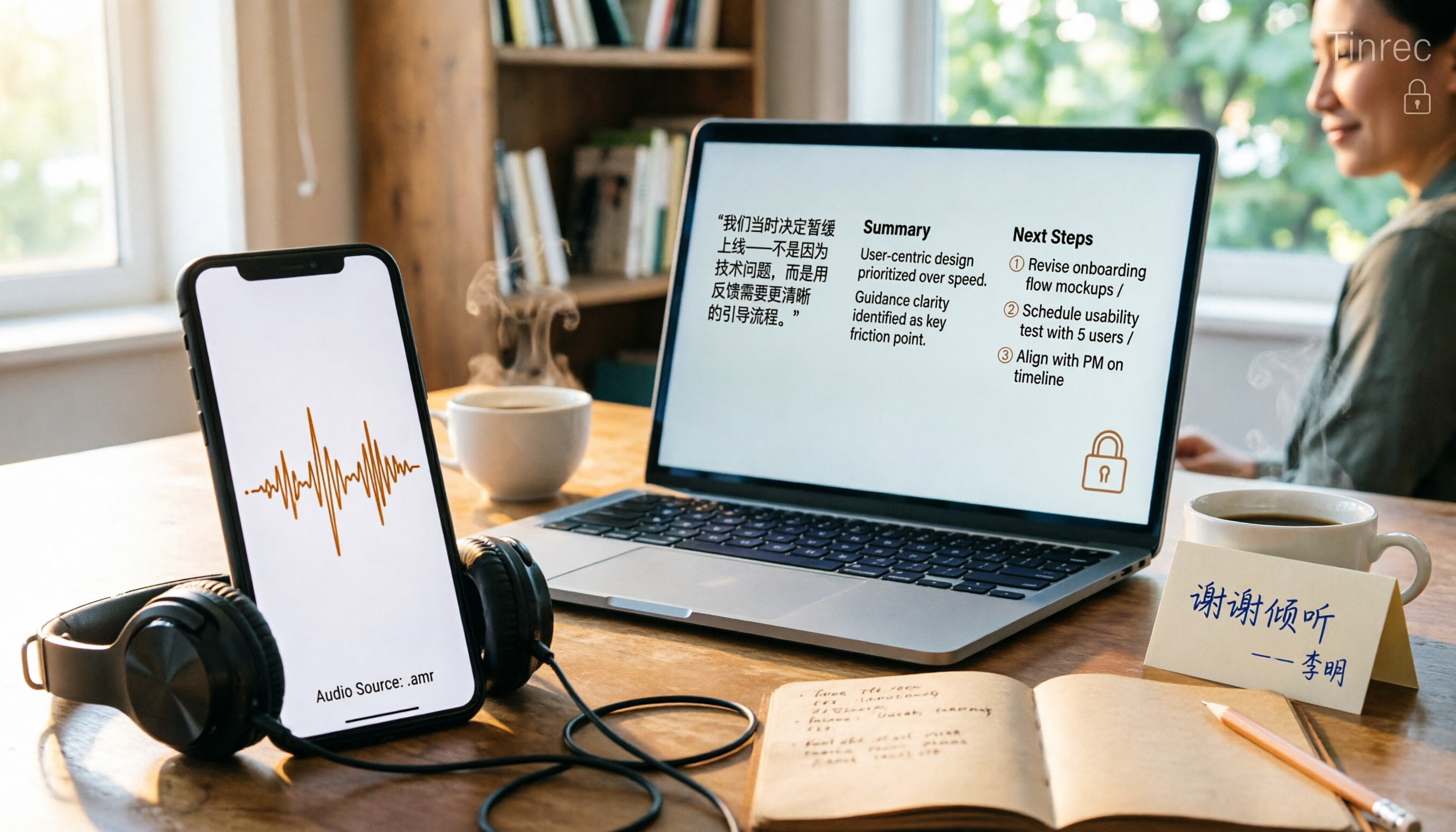
Phone recordings are often saved as .amr files, which computers can't open and which you may worry about leaking when sharing. This article compares three approaches: online conversion, browser-based local conversion, and desktop tools. It also explains that if your AMR files are meeting or interview recordings, Tinrec can turn audio directly into transcripts, summaries, and action items, saving you hours of typing.

2026 Comparison of 4 Audio-to-Text Tools: How to Turn Audio Evidence into a Transcript
Got a key recording but stuck on how to turn it into text that courts, mediators, or supervisors can understand? This article first outlines 5 key principles for audio transcripts, then compares Tinrec, Notta, Otter.ai, and TurboScribe in real tests, focusing on file import, timeline completeness, AI Q&A, and team data storage, helping you choose the right tool for your situation.

6 iPhone Voicemail and Call Transcription Solutions Tested for 2026: Which Organizes Messages Best?
When you miss a call on iPhone, it goes to voicemail, but the real challenge starts after the message arrives. This article addresses common misconceptions and reviews 6 ways to handle voicemail and call content on iPhone, including iOS 17's built-in Live Voicemail, carrier Visual Voicemail, and Tinrec, which can turn messages into transcripts, summaries, and to-dos. It also covers roaming charges, Low Power Mode, and spam call considerations.

2026 AI Meeting Recorder Comparison: 5 Tools Tested for Turning Audio into Shareable Meeting Minutes
Most AI tools can turn recordings into transcripts, but what really slows you down after a meeting is producing minutes you can send out directly. This article starts from the question of whether decisions, action items, and numbers are ready to hand off, outlines 4 key factors for choosing an AI meeting minutes tool, and compares Tinrec, Otter.ai, Notta, and Granola in hands-on testing, with 4 common pitfalls and scenario-based recommendations.

2026 Complete Guide to Office Document Summarization Apps: From Meeting Transcripts to To-Do Lists in One Go
How to choose an office document summarization app? This article starts from real office scenarios, outlines 4 key purchasing factors, and compares Tinrec, Notta, TurboScribe, and Otter.ai with hands-on testing. It includes a pitfall guide and selection advice to help you find the right summarization tool.