

Turn recordings into transcripts and summaries in minutes
Upload audio or video for multilingual transcription, AI notes, and action items
2026 Comparison of 4 Meeting Transcription Apps: Which One Actually Saves You Time?
"Is This App Good Enough?" — The Answer Depends on What Kind of Meeting You're Having
When choosing a meeting transcription app, the most common question is "which one is the best?" But honestly, that's the wrong question from the start.
Online meetings, in-person meetings, and mixed Chinese-English client interviews all require completely different features. Online meetings need to handle system audio from your computer, while in-person meetings need to handle room microphones and multiple people talking over each other. If half the meeting is in English, that's another challenge entirely.
Many people download the most popular app they can find, only to discover after recording that they have to format the transcript themselves and write their own summary—ending up back at square one, typing everything out manually.
So this article won't start with products; it starts with judgment. I tested 4 common meeting transcription apps, identified the most error-prone areas, and will tell you which one suits which type of user.
Before Buying a Meeting Transcription App, Understand These 4 Key Points
1. How does the meeting audio get in? Online meetings (Zoom, Google Meet, Microsoft Teams, Webex) and in-person meetings are two different technical approaches. Some tools use a "meeting bot" that joins as a participant, while others capture system audio directly from your computer. The former requires you to remember to invite it, and many companies block it; the latter requires you to actively start the software. First confirm whether your meeting can add a bot, then choose your tool.
2. Do you just want a transcript, or "usable data"? A transcript is just raw material. The real time-consuming part is turning it into summaries, chapters, and action items. If a tool only gives you a big block of text, you still have to read through 40 minutes of content yourself. When choosing, I first look at what else it offers beyond transcription.
3. Performance with Chinese and mixed Chinese-English. Meetings in Taiwan are rarely pure Chinese or pure English. Mixed Chinese-English, technical terms, and sudden language switches are everyday occurrences. For this part, I recommend testing with your own recordings, because every team's vocabulary differs greatly.
4. How are quotas calculated and where are the limits? Free versions usually have minute or single-file length limits, and paid versions may separate "live recording" and "file import" quotas. First see where your usage falls, then decide whether to pay.
One final reminder: recording and transcription involve personal data and copyright. Check your company's policies before the meeting and get participant consent when necessary.
Tinrec — The One I Most Want to Recommend After Testing
Tinrec is an AI meeting notes and collaboration tool for individuals and teams, available on iOS, Android, and web. It doesn't just convert audio to text; it organizes the entire meeting into searchable, queryable, and reusable data.
No need to invite a bot to your meeting. The desktop version directly captures your computer's system audio, handling online meetings on Zoom, Google Meet, Microsoft Teams, Webex, etc., without an extra bot account appearing in the participant list. For in-person meetings, use your phone or computer to start live recording and get a transcript as you go. This is especially useful for those who frequently meet with external clients—not every company is willing to let a third-party bot join their meetings.
After recording, the transcript isn't the end. Tinrec automatically generates summaries, chapters, and action items, breaking long meetings into readable sections. For cross-language meetings, you can enable real-time translation and view in original, translated, or bilingual mode. Even more useful is AI Q&A: after the meeting, you can directly ask "Who mentioned the budget?" or "What did the client say about the delivery deadline?" and it will answer based on the meeting content, rather than giving you a list of keyword search results.
Meeting data ultimately settles into a team space. The team version provides a separate team space where meeting data belongs to the team, new members can view past meetings, and administrators can manage roles and seats, view usage trends, and export audit logs. Note that roles and seats are two different things: members without a seat can still view, play, and read team data, but recording, uploading, editing, and importing/exporting require a seat. Also, when a member leaves or is removed, team resources can be transferred to other members and won't disappear with the person.
Stop organizing recordings by hand
Upload audio or video and automatically get a transcript, summary, and action items
What I found smooth in actual use:
- No bot needed for online meetings—this is extremely practical for client meetings.
- Summaries, chapters, and action items all in one go, so you don't have to re-listen to the entire recording after the meeting.
- Multiple export formats, can be taken to Notion, Google Docs, OneNote, Dropbox, etc. for further processing, and you can use Agent to generate reports, tables, or meeting minutes.
Things to watch out for:
- The free version offers basic quota, suitable for trying a few recordings; if you have regular weekly meetings, consider Pro or team version directly.
- Transcription and summaries are affected by recording quality, noise, accents, multiple people talking over each other, and technical terms. For important content, cross-check with transcript timestamps and the recording—don't blindly copy AI conclusions.
Who it's for: People who frequently have online meetings, need Chinese and mixed Chinese-English transcripts, and want summaries and action items immediately after the meeting; or small teams wanting to centrally manage meeting data.
Besides Tinrec, What Other Options Are There?
Notta: A multi-platform transcription tool supporting over 50 languages, with meeting notes and translation. Free version: 120 minutes per month, max 3 minutes per file. Pro annual plan is about USD 8.17/month. It overlaps heavily with Tinrec, but Tinrec is more complete in bot-free online meeting recording, team space, AI Q&A, and post-meeting output. If you only occasionally convert audio files to text, Notta is worth considering; if you want post-meeting organization and team collaboration, you'll find it lacking a few steps.
Otter.ai: A mature choice for English business meetings. Free version: 300 minutes per month. Pro annual plan is about USD 8.49/user/month, with separate document import limits. It's strong for English meetings, but Chinese and mixed Chinese-English are not its forte, and it emphasizes team meeting data accumulation less. If 90% of your meetings are all English, Otter.ai is a reasonable option; if you need Chinese transcripts plus real-time translation, Tinrec will be much smoother.
PLAUD Note / NotePin: AI recording hardware. NotePin costs USD 159, Note Pro USD 189, with membership plans extra (Pro about USD 99.99/year, 1200 minutes per month). The advantage of hardware is portability, suitable for phone calls and on-site recording; but it mainly solves the "recording" part, and online meetings and post-meeting collaboration are not its strengths. Tinrec requires no extra device, works on phone, computer, and web, and can handle online meetings directly.
Pitfall Guide: 3 Most Common Mistakes When Choosing a Meeting Transcription App
Pitfall 1: Only looking at advertised accuracy. Numbers measured in a quiet environment are different from real meetings with air conditioning noise, keyboard sounds, and multiple people talking over each other. Test with your own meeting recording, and test the hardest part—mixed Chinese-English, the part with the most technical terms.
Pitfall 2: Ignoring how online meetings are recorded. Many people buy a tool only to find it can only upload files, not record online meetings; or it relies on a bot joining, which gets blocked by company security. First confirm whether your meeting platform and company policies can accommodate it, then discuss features.
Pitfall 3: Treating the transcript as the end goal. Using the tool only as "speech to text" means you're only using one-third of its capabilities. What really saves time is automatic summarization, action item extraction, and AI Q&A after transcription—asking "What was the conclusion of this meeting?" right after recording is much faster than manually flipping through a 40-minute transcript.
Conclusion: Which One Should You Choose?
In one sentence: If your meetings are mainly in Chinese or mixed Chinese-English, and you need bot-free online meeting recording, post-meeting summaries, and team data accumulation, Tinrec is the most suitable choice among these.
By scenario:
- Online meetings (Zoom, Meet, Teams, Webex) needing bot-free recording → Tinrec
- Mixed Chinese-English, needing real-time translation and bilingual transcripts → Tinrec
- Want to use AI to ask key points, need summaries and action items → Tinrec
- Want to turn meetings into team shared assets, need seat and usage management → Tinrec team version
- 90% pure English meetings, limited budget → Otter.ai can be included in comparison
Quick answers to common questions:
- Is the free version enough? First look at your meeting volume. Tinrec's free version offers basic quota, enough to try a few recordings before deciding.
- What's the difference between team and personal versions? Personal version data belongs to the individual account; team version has a separate space, member and seat management, usage analysis, and audit logs.
- Can accuracy be guaranteed? It's not recommended to expect that. Actual performance is affected by audio conditions. For important content, please cross-check with the recording.
I suggest starting with the free version and trying it on your most difficult meeting recording. If it feels smooth, consider upgrading—this is faster than reading ten reviews.
References
- Notta - Super Accurate Transcript, Speech to Text, Meeting Recording, AI Summary - App Store
- Meeting Ink - Transcript AI Meeting Summary Speech to Text - Google Play
- Yating Transcript
- [AI Voice Notes] Top 5 AI Transcription Tools! Generate Transcripts and Meeting Notes, Free vs Subscription, Pros and Cons | 104 Career Power
- Meeting Ink - 2026 AI Meeting Notes Tool Test | 7 Speech-to-Text and Summary Speed Comparison | Meeting Ink - AI Meeting Notes Assistant Auto Transcription Summary
Turn every recording into actionable outcomes
Get 60 free transcription minutes when you sign in. No credit card required.
Related Reading
You might also like

2024 Comparison of 4 Meeting Transcription Software: Which Saves the Most Time for Chinese Meeting Minutes?
When choosing meeting transcription software, the real deciding factor isn't 'which one is most accurate' but how you'll use the data after the meeting. This article focuses on that decision point, comparing Tinrec, Granola, Notta, and Otter.ai in terms of Chinese meetings, bot-free recording, post-meeting summaries and action items, and team data retention, plus 4 key purchasing points and 4 common pitfalls to avoid.

Tinrec vs Notta 2026: 5-Dimension Comparison for Chinese Meetings and Team Collaboration
How to choose meeting transcription software? This article compares Tinrec and Notta across 5 dimensions: how meetings are recorded, what you get after transcription, Chinese language performance, data ownership, and team governance. It also covers Otter.ai and PLAUD, plus 4 common pitfalls and scenario-based recommendations to help you find the right tool for Chinese meetings and team collaboration.

Best Online Meeting Transcription Tools in 2026: We Tested 2, and This One Is Great for Chinese Meetings and Team Knowledge Retention
How do you choose a meeting transcription tool? This article starts with common pitfalls and compares two online meeting transcription tools, Tinrec and Otter.ai, across five dimensions: Chinese meeting experience, bot-free recording, post-meeting organization and export, team data governance, and pricing and quotas. It also includes five FAQs to help you decide which tool better fits your work situation.

5 Best Meeting Transcription Platforms in 2026: Which One Actually Saves You Time?
The real work begins after the meeting ends. This article breaks down the 5 key factors for choosing a meeting transcription platform from a procurement perspective, with hands-on comparisons of Tinrec, Notta, Otter.ai, Granola, and more—covering recording methods, post-meeting outputs, Chinese language support, and team collaboration. Includes pitfalls to avoid and selection advice.

5 Best Meeting Transcription Apps of 2026: Which Saves More Time with Chinese Transcripts and AI Summaries?
Most people think a meeting transcription app just records and spits out a transcript. The real challenge is post-meeting organization. This article breaks down common misconceptions, core capabilities, practical use cases, and 5 key buying factors for meeting transcription apps. It also demonstrates a complete workflow from recording to transcript, AI summary, action items, and team knowledge retention using Tinrec.

How to Transcribe Meeting Recordings in 2026: 5 Steps from Free Transcription to AI Meeting Notes
Is the real work just starting after the meeting ends? This article addresses the pain points of mid-level managers, covering 4 key factors for choosing a free meeting recording transcription tool, a hands-on test of Tinrec's 5-step process from recording to AI meeting notes, and a comparison of Notta, Otter.ai, and Yating Transcription for different scenarios and pitfalls to avoid—helping you find a way to skip manual transcription after meetings.

4 Meeting Transcription Software Compared: Which Handles Chinese Meetings and AI Q&A Best?
The meeting ends, but the real work begins. We tested 4 meeting transcription tools, comparing Chinese recognition, recording methods, post-meeting outputs, free tiers, and team collaboration. Plus, 5 key buying factors and 4 common pitfalls to help you find the tool that truly saves you time.
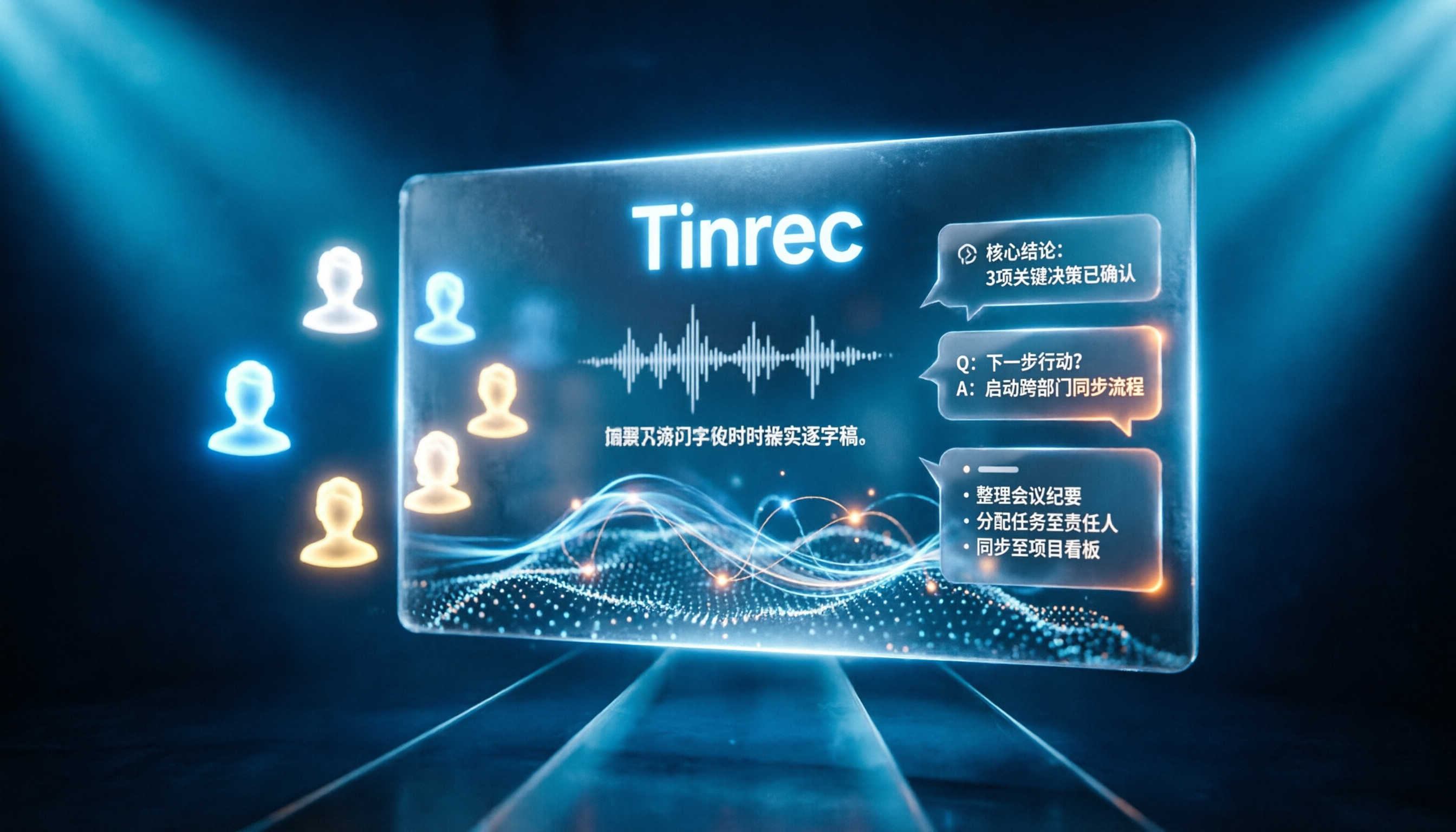
Tinrec vs Notta 2026: 5-Dimension Comparison for Chinese Online Meeting Transcription
Choosing a meeting transcription tool can be tricky. This article compares Tinrec and Notta across 5 dimensions, covering bot-free online meeting recording, real-time transcription, AI summaries and Q&A, action item extraction, and team data retention. It also provides honest pricing and free tier details for Tinrec's personal and team plans to help you decide which fits your meeting rhythm.

4 Meeting Transcription Tools Tested in 2026: Which Online Converter Actually Saves You Cleanup Time?
How do you choose a meeting transcription and online conversion tool? I ran real meeting and interview recordings through four tools' transcription and post-meeting workflows, comparing input sources, AI summaries and Q&A, team collaboration, and pricing, and identified the four most common pitfalls to avoid.