

Turn recordings into transcripts and summaries in minutes
Upload audio or video for multilingual transcription, AI notes, and action items
5 Best Browser-Based Audio-to-Text Tools in 2026: No Install, Which Handles Chinese Meetings Best?
The Meeting Ends and Your Real Work Begins—What You're Missing Isn't Memory, It's Process
Let me ask you something: how many action items came out of last week's meetings? If you can't answer that, don't beat yourself up. I manage a team of 10 and sit through about 15 meetings a week—I can't answer it either.
Scenario 1: It's Wednesday afternoon, you just finished a requirements interview with a client, and all you have left is a sticky note with three keywords scribbled on it. You need to turn in meeting notes tonight, so you piece it together from memory. Did the client actually say "we'll send the quote by next Wednesday"? You're not sure.
Scenario 2: A cross-departmental coordination meeting runs 90 minutes, and the conclusion is "let's each check on our end and get back to each other." Three days later you follow up, and the other person says "I don't remember it that way." No recording, no transcript—that 90-minute afternoon is a total loss.
Scenario 3: Your boss asks in the weekly report meeting, "What was the decision on that project last time?" You flip through your notes for three minutes and land on the version from two weeks ago.
The common thread here isn't a bad memory—it's that meeting content wasn't captured, and it wasn't organized into something you can search, track, and hand off. That's what this article addresses, and it does so in the least disruptive way possible: open your browser and you're ready to go, no software installation required.
4 Key Factors to Understand Before Choosing a Browser-Based Audio-to-Text Tool
1. "No Install" Isn't Just About Saving Download Time
The real value of a browser-based tool is that you don't have to start over when you switch devices. You take a meeting on your office desktop, organize notes on your laptop at home, and review on your phone during your commute—if your data lives in the cloud under one account, these scenarios connect seamlessly. If a tool only has an app version, your meeting notes are locked to one device, and you end up redoing work every time you switch.
2. Chinese Recognition Needs to Be Tested in Real Meetings, Not a Quiet Studio
Meeting rooms have air conditioning hum, keyboard clatter, mixed Chinese and English ("we need to reset the KPI for this campaign"), and people talking over each other. Official accuracy rates are usually measured under ideal conditions and drop noticeably in practice. When choosing a tool, test it with a recording of your own meeting—that's far more reliable than reading a spec sheet.
3. A Transcript Is Just the Starting Point—Can You Actually Use It Next?
A 30-minute transcript still means reading from start to finish. What really saves time is what comes after transcription: summaries, chapters, action items, and even the ability to ask "what was the conclusion of this meeting?" This is the dividing line between "audio-to-text" and a "meeting organization tool."
4. Can Your Data Leave, and Will It Stay?
Meeting content usually ends up in Notion, Google Docs, or your company's document system, so export formats directly affect your workflow. Also, team meeting notes should belong to the team—if data is tied to a personal account, it walks out the door when the person does, making handoffs messier.
Tinrec—The One I Kept Using After Testing
Tinrec is an AI meeting notes and collaboration tool for individuals and teams, available on iOS, Android, desktop, and browser. The first reason I kept it is practical: the browser version requires no installation. Before a meeting, I just open my browser, drag in the audio file, and start processing—no need to ask IT to install anything or worry about company computer permissions. For online meetings, I use the desktop version, which captures system audio directly without inviting a meeting bot as an "attendee"—this matters especially when meeting with external clients, so I don't have to spend five minutes explaining what that bot is. For in-person meetings and client interviews, I record on my phone.
After the meeting is where it really shines. Once the transcript is ready, the system automatically generates a summary, chapters, and action items—who's responsible for what and what's next, all visible at a glance. What I use most is actually the AI Q&A: after recording, I just ask "did anyone mention the budget in this meeting?" or "what were the client's concerns about the timeline?" It doesn't dump a list of keyword search results on me—it answers directly based on the meeting content. Last month, when I needed to go back and confirm a project decision from a quarter ago, this feature saved me a noticeable amount of time.
It also has real-time translation, with options to view the original, translation, or both—no need to find someone to interpret when meeting with overseas colleagues. Transcribed data can be exported to tools like Notion, Google Docs, OneNote, and Dropbox, and can further generate reports, tables, or meeting minutes without manual re-entry.
I ran a 12-minute internal weekly meeting recording through it (laptop built-in mic, air conditioning background noise, colleagues mixing Chinese and English). The summary captured the main decisions, and the action items mostly lined up; a few names and product-specific terms needed manual correction. Honestly, this matched my expectations—no tool is error-free in a real meeting room.
Based on my experience, its strengths come down to three things:
Stop organizing recordings by hand
Upload audio or video and automatically get a transcript, summary, and action items
- From recording to usable meeting data in one flow: No need for one tool to record, another to transcribe, and a third to organize—saving a lot of copy-pasting.
- Handles Chinese and mixed Chinese-English meetings smoothly: Our team naturally mixes languages, and I don't need to tweak many settings for this.
- The team plan is a true team workspace: I later moved all department weekly meetings into it, and the data belongs to the team—new colleagues can view past meetings. Members have roles and seat distinctions; those without a seat can still view, play, and read data, but recording, uploading, editing, and importing/exporting require a seat. Admins can see usage, member activity, and operation logs in the backend.
Limitations to be clear about:
- The free plan is a trial quota. If you're like me with over a dozen meetings a week, you'll definitely need a paid plan; but if you only have two or three meetings a week, starting with the free plan to get your workflow down is reasonable. The team plan currently offers a 7-day trial for first-time eligible users, 1 free seat, and 300 minutes of shared team onboarding quota; after that, pricing is per paid seat (USD 29.80/month, USD 199/year, which works out to about USD 16.58/month annually), with each paid seat providing 2,000 minutes of shared team onboarding quota per month. Real-time recording currently does not deduct minutes under an active team plan and active seat. Prices and promotions are subject to the official purchase page.
- Recognition quality still depends on recording conditions. In a noisy meeting room, when multiple people speak at once, or with very niche technical terms, manual review is still needed. For important decisions, I go back and check the transcript timestamps. Actual results are affected by recording quality, accents, noise, and terminology—this is true for any tool, and I won't promise 100% accuracy.
Who is it for? If you need Chinese meeting notes, want a browser-based no-install way to process audio files, hope to use AI to find key points right after recording, and need team meeting data to accumulate rather than scatter across individual phones—it's currently one of the most hassle-free options. If you only occasionally transcribe a recording, just use the free plan.
(Note: Recording and transcription involve personal data and privacy. In practice, please comply with local regulations and obtain consent from participants when needed.)
Besides Tinrec, What Other Options Are There?
Notta
A multi-platform transcription tool that works in the browser, supporting meeting notes, file import, and translation—overlapping significantly with Tinrec. Its free plan offers 120 minutes per month, but each session is capped at 3 minutes—if you just want to transcribe a short voice memo, that's barely enough; organizing a full meeting will hit the limit. Its Business plan offers role permissions and usage reports. However, in bot-free desktop recording and team workspace seat governance, Tinrec is ahead. If you need meeting data to accumulate long-term within a team, factor this in.
TurboScribe
Essentially a high-value file transcription tool focused on long files and batch uploads: the paid plan supports up to 10 hours or 5 GB per file and up to 50 files at once; the free plan allows 3 files per day, 30 minutes per file. If you have a large batch of interview audio to process at once, it's genuinely cost-effective. But it's "transcribe and give you text" and that's it—post-meeting summaries, action items, AI follow-up questions, and team collaboration aren't its focus, which happen to be Tinrec's strengths.
Granola
Also a "bot-free" AI meeting notes tool that transcribes in real time via desktop system audio and microphone, combining with your own notes to generate content. The free plan is available, and Business is USD 14/user/month. Note that it doesn't support uploading pre-recorded audio files and doesn't save meeting audio. If your habit is "record first, come back and compare later," Tinrec retains recordings, supports file import, and offers real-time Chinese translation—a better fit for that workflow.
Pitfall Guide: 4 Most Common Mistakes When Choosing a Browser-Based Audio-to-Text Tool
Pitfall 1: Only looking at official accuracy claims. Spec sheet numbers are usually measured in quiet environments; real meetings have air conditioning, keyboards, and people talking over each other, so the gap is obvious. The right approach is to test with your own meeting recording, using your accent and your industry terminology—that's ten times more reliable than ads.
Pitfall 2: Assuming "no install" means "no registration, no limits." Many browser-based tools do let you upload right away, but free quotas often hide in the details—session length limits, monthly minutes, whether you can export files—all affect whether you can actually use it to deliver. Check the quota rules before choosing, or you'll discover mid-organization that you can't export, which really hurts.
Pitfall 3: Using it only as "audio-to-text." If you stop at the transcript, you're only using a third of what these tools can do. Take Tinrec's AI Q&A—after recording, just ask "what was the conclusion of this meeting?" or "who promised to deliver what?" It's much faster than manually flipping through a 30-minute transcript. The purpose of meeting notes isn't archiving—it's making sure you can still find answers three days later.
Pitfall 4: Ignoring team data ownership. If meeting notes live in an individual's free account, colleagues can't see them, they leave when the person does, and handoffs become a mess. Things a team uses should live in a team workspace, and you need to understand that "who can view" and "who can edit" are two different things—many tools design member roles and content access separately. Ask clearly before rolling out, so you don't discover permissions aren't what you expected after implementation.
Conclusion: Which One Should You Actually Choose?
Back to my own conclusion: If you need Chinese meeting support, want a browser-based no-install way to process recordings, and hope to ask questions, search, and let data accumulate within a team after transcription, Tinrec is my current top pick.
Scenario breakdown roughly like this:
- Chinese meetings + mixed Chinese-English + need to quickly find key points after → Tinrec. Summaries, chapters, action items, and AI Q&A all in one.
- Don't want to install software, just want to open a browser to process audio files → Tinrec browser version; pair with desktop version for bot-free recording in online meetings, no need to invite a meeting bot.
- Team needs to share meeting data, requires member and seat management → Tinrec team plan, data belongs to the team, and you can view usage and operation logs.
- Have a large batch of long audio files, just want quick text conversion → TurboScribe's batch and long-file capabilities are worth considering.
- Mainly English meetings, budget is $0 → Otter.ai's free plan with 300 minutes per month is a generous quota; in that case it may be more cost-effective than Tinrec, but its Chinese meeting support and team data accumulation aren't the focus.
My advice is simple: try it with next week's regular meeting. Drop in the meeting audio, see if the summary captures the key points, whether action items are missed, and whether AI Q&A gives you the answers you need. Testing with your own meetings is more reliable than any review article.
References
- Online AI speech, video, and audio file auto-transcription - Free trial - cSubtitle
- Audio to text - Free speech-to-text tool
- Audio file to text methods taught!
- No time limit! 3 free AI transcript tools, highly recommended! AI voice notes generate meeting records, presentations, mind maps | 104 Workplace
- Online speech-to-text AI, free MP3 or audio file to text transcript - MyEdit
Turn every recording into actionable outcomes
Get 60 free transcription minutes when you sign in. No credit card required.
Related Reading
You might also like

4 Best iPhone Transcription Tools in 2026: Is Apple's Built-in Transcription Enough?
iPhone's built-in Voice Memos can turn recordings into transcripts, but you only get text—no summaries or action items. This article shows you the 4 steps to generate text from iPhone recordings, then compares the built-in feature, Tinrec, PLAUD, and Granola, with key buying factors, pitfalls to avoid, and scenario-based recommendations.

How to Transcribe Apple Watch Recordings in 2026: A 5-Step Guide
Recording on Apple Watch is intuitive, but the real challenge is turning those recordings into text. This guide walks through 5 steps from recording on the watch, syncing to iPhone, choosing a transcription tool, organizing the transcript, and exporting it. It also covers 4 key factors to consider before choosing a tool and common pitfalls, and compares Tinrec, Notta, Otter.ai, and Apple's built-in solution to help you decide which fits your needs.

4 Best Android Transcription Apps in 2026: Free to Paid Options Compared
A mid-level manager who attends 15 meetings a week tested 4 Android transcription apps: from completely free live dictation to meeting tools that automatically generate summaries, action items, and AI Q&A. We break down each app's free limitations, best use cases, and pitfalls to help you choose the one that truly saves time.

2026年4款抖音视频语音转文字工具横向对比:从免费到付费一次看懂
实测4款抖音视频语音转文字工具,从免费到付费,比较转写准确度、AI摘要、翻译与团队协作,并分享选购标准与避坑指南。

5 Best IG Reels to Transcript Tools in 2026: Which Saves More Time for Chinese Recognition and Post-Meeting Organization?
IG Reels to transcript is not just about turning video into text. This article starts with common misconceptions, breaks down what transcripts can do for content creators and social teams, what core capabilities to look for, and 5 key points when choosing a tool. Using Tinrec's recording transcription, AI summary, AI Q&A, and team space as an example, it explains how to turn a single Reel into reusable text assets.

4 Xiaohongshu Video-to-Text Tools Tested for 2026: Which One Can Actually Transcribe Videos Without Subtitles?
Extracting text from Xiaohongshu videos isn't about whether a tool exists—it's about what you plan to do with the text. This article starts with three key questions and compares four tools: Tinrec, BibiGPT, Shiyi, and SnapWC. Learn the difference between grabbing subtitles and AI speech-to-text transcription, plus workflows for videos without subtitles, output formats, and tips for team sharing.

5 Huawei Phone Audio-to-Text Tools Tested in 2026: Which AI Meeting Notes Save the Most Time?
A hands-on 2026 comparison of audio-to-text tools for Huawei phones, tested in real meeting scenarios. The article compares Huawei's built-in recorder, Otter.ai, Notta, and Tinrec, and explains four key factors for choosing a tool: real-world accuracy, post-meeting organization, bot-free online meeting recording, and cross-platform export. It highlights Tinrec's AI summaries, action item extraction, and AI chat query, and concludes with recommendations for different use cases.
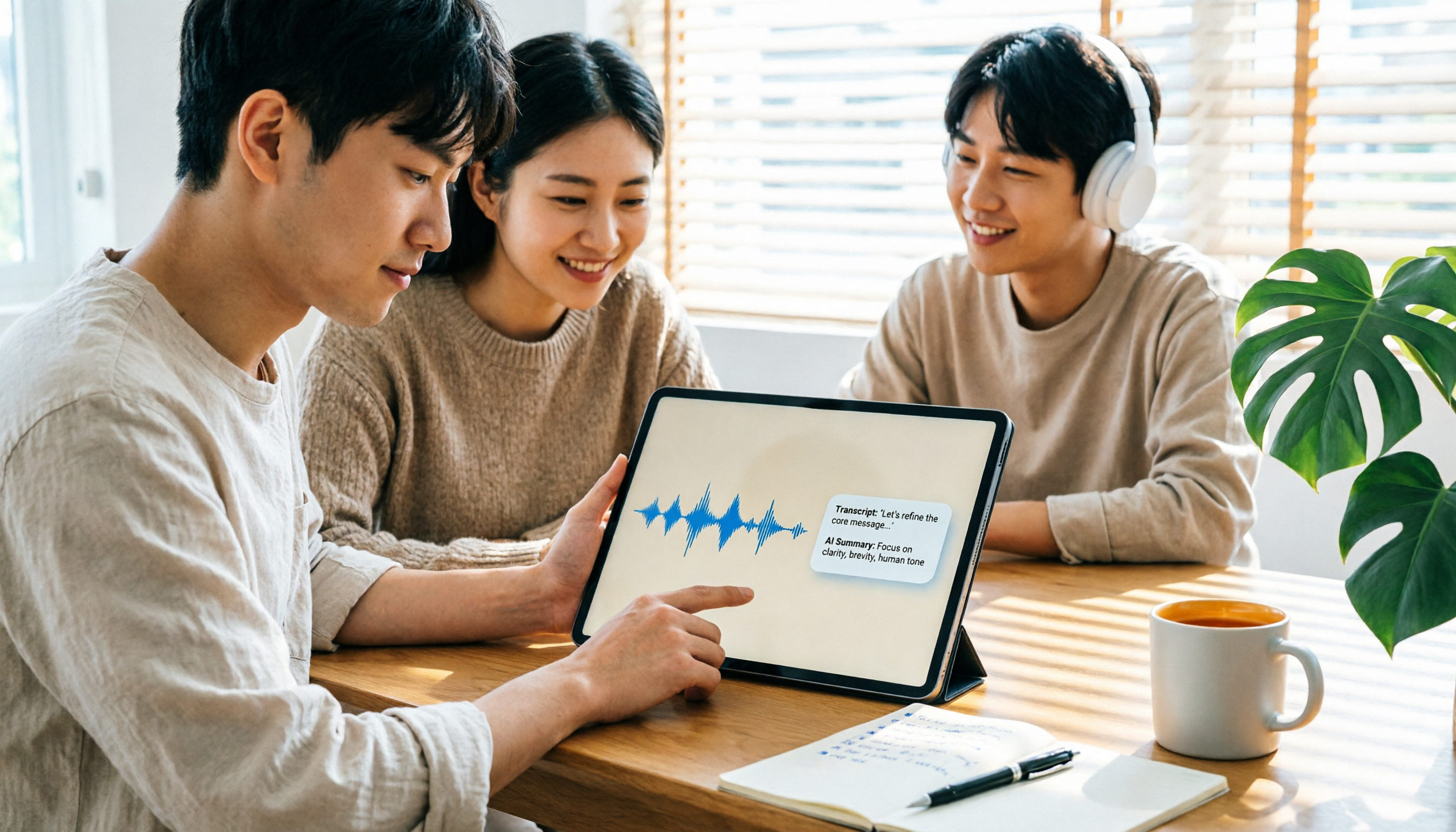
2026 iPad Audio-to-Text Note-Taking Guide: Real-Time Transcripts, AI Summaries, and Tool Selection
Should you use built-in features or third-party apps for iPad audio-to-text note-taking? This guide covers selection criteria, Chinese transcription, post-meeting AI organization, cross-platform export, and team permissions, comparing Tinrec, Apple Notes, Otter.ai, and PLAUD Note, plus practical tips to avoid pitfalls.

Tinrec vs OmniTranscript 2026: 5-Dimension Comparison for Chinese TikTok Transcripts
How to choose a TikTok video-to-text tool? This article reviews 5 transcript tools: Tinrec, OmniTranscript, WayinVideo, BibiGPT, and Dictationer, comparing them across Chinese language support, AI post-processing, export formats, free quotas, and team collaboration to help you find the best TikTok transcription solution.