

Turn recordings into transcripts and summaries in minutes
Upload audio or video for multilingual transcription, AI notes, and action items
2026 AI Office Tools Free Plans: 5 Options Compared
"Didn't the meeting just end? Why aren't the meeting notes out yet?" — If you face this question every week, the problem usually isn't that you don't use AI, but that you don't know where to start or what the free version can actually do.
This article skips abstract definitions and breaks things down directly: what AI office tools can do for you, what core capabilities they have, how to handle 4 real scenarios, and finally lays out plans from free to paid. The entire article uses Tinrec as a concrete example because it covers the full workflow of "recording → transcription → summary → Q&A → team collaboration," so you can directly compare it to your own work situation.
What Can AI Office Tools Do for You?
Scenario 1: Meeting notes ready 5 minutes after the meeting ends
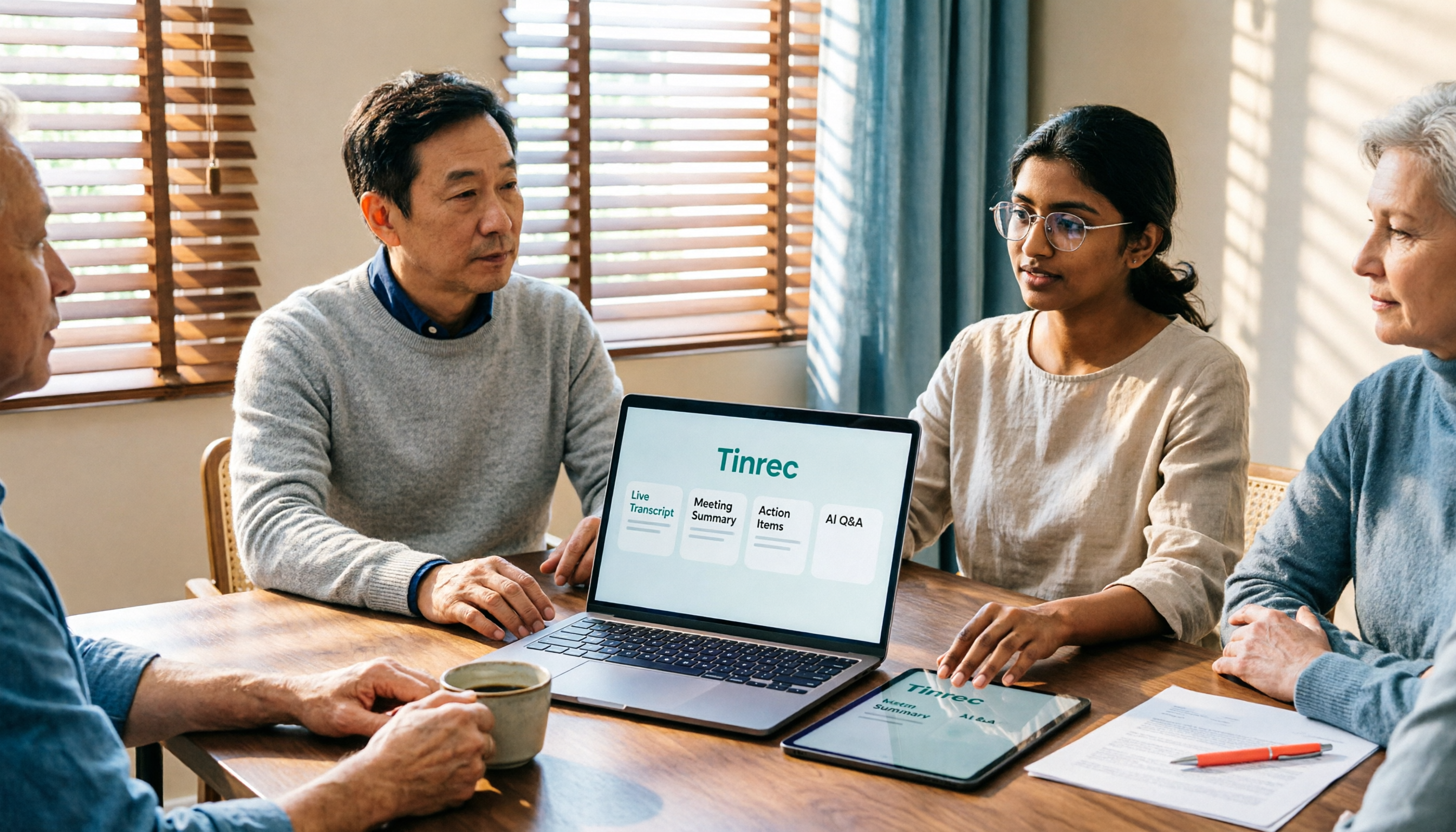
In the past, after a two-hour meeting, you'd spend another hour organizing notes. With Tinrec, the transcript is generated in sync while the meeting is happening, and after it ends, the summary, chapters, and to-dos are all organized together — who's responsible for what and when it's due, listed out directly.
Scenario 2: No need to find a separate translator for cross-language meetings
In meetings with overseas clients, the biggest fear is missing key numbers. Tinrec supports real-time translation, allowing you to switch between original text, translated text, or bilingual view during recording, and you can also cross-check with bilingual transcripts afterward.
Scenario 3: Old recordings on your hard drive finally become useful
Audio or video files from interviews, courses, or past meetings can be uploaded to Tinrec and converted into text data. Then you can use AI Q&A to ask, "What were this interviewee's concerns about pricing?" without having to listen to two hours from the beginning.
Scenario 4: Documents due after the meeting get done together
Tinrec's Agent post-processing can generate reports, tables, and documents based on meeting content, then export them to commonly used note-taking and cloud document tools. Weekly reports, meeting minutes, and client proposal materials can all reuse the same content.
What Are the Core Capabilities of AI Office Tools?
Real-time transcription: text appears as you record, not after. With Tinrec, real-time recording-to-text lets you see text while speaking during in-person meetings, interviews, and on-site notes. If you notice a missed point, you can ask right away, and you don't have to manually align timestamps afterward.
Bot-free online meeting recording. Tinrec's desktop version directly captures your computer's system audio to handle meetings played on your computer. It doesn't need an extra meeting bot to join as a participant, so no stranger appears on the meeting roster. Note that this means the user actively opens Tinrec to start recording — it does not automatically join every meeting on your calendar.
Structured summaries and chapters. Tinrec's summary isn't just condensing the transcript into a paragraph. It lists meeting topics, discussion conclusions, to-dos, and owners line by line. Long meetings can be quickly skimmed via chapters without rereading the whole thing.
AI conversational queries. After transcription is complete, you can directly ask Tinrec: "Who mentioned the budget in the meeting?" "What were the three issues the client raised?" It answers based on semantic understanding and can search across multiple meetings, turning historical data into queryable material.
Real-time translation and multi-format export. During recording, you can view original text, translated text, or bilingual comparison. Transcripts, summaries, and to-dos can also be exported to commonly used note-taking and cloud document tools to continue using them in your existing workflow.
Team space and governance. The team version centralizes meeting data in one space and provides management capabilities such as roles, seats, usage analytics, audit logs, audio recycle bin, and team hotwords, so data stays with the team even when members change.
Practical Application Scenarios
Department weekly meetings and project meetings: Weekly recurring progress meetings are the easiest to "forget once discussed." Use Tinrec to transcribe while meeting, then directly view chapters and to-dos afterward. Items promised in the last meeting can also be confirmed by searching the transcript. For project managers, what's saved isn't just typing time, but the cost of tracking action items.
Customer interviews and requirements communication: The value of customer interviews lies in the details — budget range, concerns, decision-making process. After recording with Tinrec, you can directly use AI Q&A to pull out "the constraints the customer mentioned" all at once, then export them into an organized document after the meeting for the sales or product team to continue using.
Courses, lectures, and internal training: For a two-hour class, organizing notes afterward is often more tiring than attending. Give the recording to Tinrec, first look at the summary to grasp the structure, then go back to the transcript to check timestamps for details. Personal knowledge management can also turn historical recordings into a searchable database.
Stop organizing recordings by hand
Upload audio or video and automatically get a transcript, summary, and action items
Content creation and research organization: Interview transcripts themselves are a content material library. After converting multiple interviews into text with Tinrec, directly ask, "What common points did all three interviewees mention?" Then use mind maps to organize the structure — much faster than manually tagging.
From Free to Paid Plans: 5 Options Compared
Whether the free plan is enough depends on how many meetings you handle per month. Using Tinrec as an example, there are currently 5 options:
- Free version: Experience recording, import, summary, and transcription with basic quota. Suitable for people who occasionally organize a recording and want to confirm whether the tool feels right.
- Weekly pass: Suitable for short-term high-frequency scenarios, such as project sprints, intensive interview weeks, or concentrated course periods.
- Pro monthly: For people with stable weekly meetings and organization needs, monthly use is simplest.
- Pro annual: For people who need to accumulate recording data long-term, the monthly equivalent is usually lower than the monthly plan.
- Team version: An independent team space, not multiple people sharing one personal account. Eligible teams can try it for 7 days with 1 free seat and 300 minutes of shared team import quota. The paid plan is USD 29.80 per paid seat per month, or USD 199 per paid seat per year (about USD 16.58 per month), with each paid seat providing 2,000 minutes of shared team import quota per month. Under an active team plan and active seats, real-time recording currently does not deduct minutes; file and web imports use the shared team quota. Prices, currencies, and promotional content are subject to the official purchase page.
The selection logic is simple: first ask, "How many meetings and audio files do I handle per month?" For occasional use, the free version is enough. For short-term spikes, use the weekly pass. For long-term regular use, choose Pro or annual. If data needs to be shared across the team and you need to manage members and usage, go straight to the team version.
5 Things to Note When Choosing AI Office Tools
1. Can it adapt to how you actually hold meetings? If your meetings are all on your computer, the key is whether the tool can directly handle those meeting sounds. Tinrec's desktop version records by capturing system audio, so you don't need to invite an extra bot into the meeting room. If what you need is automatic joining of all calendar meetings, first confirm the tool's actual operating mode rather than just looking at promotional wording.
2. Performance with Chinese and mixed Chinese-English. Meetings in Taiwan often mix three English technical terms into one Chinese sentence. Tinrec supports Chinese, Traditional Chinese, and multilingual meeting scenarios, and provides team hotwords for maintaining professional terminology. Actual results are affected by recording quality, noise, accents, and overlapping speakers. It's recommended to test with your own recordings rather than just looking at official numbers.
3. Can you use it directly after transcription? The transcript is only the first step. What really saves time is summaries, chapters, to-dos, and AI Q&A. Tinrec puts these in the same workflow and supports export to commonly used tools, avoiding copy-pasting between multiple platforms.
4. Data governance and compliance. For team use, you need to see "who can use it, how much was used, and what happened." Tinrec's team version provides role and seat distinctions, usage analytics, audit logs, and an audio recycle bin (currently retained for 30 days). Also, for confidential content, it's recommended to first confirm company policies. Recording and transcription should also comply with local laws, and attendee consent should be obtained when needed.
5. Free quota and upgrade path. The free plan is for verifying "whether this workflow suits me," not for carrying all your workload long-term. Tinrec has a clear ladder from free version, weekly pass, to Pro and team version. You can start with a small-scale test, then decide whether to expand usage.
Frequently Asked Questions
Q1: Do I need to know how to code to use AI office tools?
No. Most tools today only require typing and clearly describing your needs. With Tinrec, the process is: open recording or upload a file, wait for text generation, then use Q&A and export for follow-up. There's no coding involved.
Q2: What can Tinrec's free version do?
The free version provides basic quota to experience recording, file import, summary, and transcription. If you only occasionally organize a meeting or course recording, use the free version first to confirm whether the workflow is smooth, then decide whether to upgrade.
Q3: Does Tinrec need a meeting bot to join meetings?
No. Tinrec's desktop version directly captures computer system audio, so no extra bot appears on the meeting roster, and you don't have to worry about forgetting to invite it. Note that you need to actively open Tinrec to start recording — it is not a service that automatically joins all calendar meetings.
Q4: Can team members without a seat still see meeting data?
Yes. Active members without a seat can still view, play, and read team data, but cannot perform resource usage operations such as upload, edit, import, or export. When these permissions are needed, the administrator can assign a seat.
Q5: If a member leaves, will the team's meeting data disappear with them?
No, it won't be taken away personally. Team resources belong to the team. When a member exits, is removed, or loses their seat, the team resources they were responsible for need to be handed over to other active members. Administrators can continue to find historical meetings through the team space.
Q6: Can accidentally deleted team audio files be recovered?
After audio enters the team recycle bin, it can be restored before permanent cleanup begins. The current retention period for the recycle bin is 30 days.
Summary
The value of AI office tools isn't "whether AI is used," but "after the meeting ends, can the data still be found, queried, and used?" The transcript is only the starting point. Summaries, to-dos, AI Q&A, and team space are where time is truly saved.
If your problem is that meeting notes are always lagging, it's recommended to start with Tinrec's free version and test the workflow with one or two real meetings. If the whole department has the same need, then evaluate the team version's seats and shared quota, gradually turning meeting content scattered across personal computers and chat records into reusable team data.
References
Turn every recording into actionable outcomes
Get 60 free transcription minutes when you sign in. No credit card required.
Related Reading
You might also like

5 AI Office Tools Tested for 2026: Which One Actually Saves Time on Meeting Notes?
There are countless AI office tools, but the real question isn't which one ranks first—it's where you're stuck. This article starts with common selection pitfalls, then uses Tinrec as an example to demonstrate a complete workflow: bot-free online meeting recording, real-time transcription, AI summaries and action items, AI Q&A, and team knowledge retention. It also covers 5 key purchasing considerations, plan highlights, and FAQs.

6 AI Office Tools Compared for 2026: Which Is Best for Meeting Notes, Summaries, and Action Items?
Tired of spending time after meetings organizing transcripts, pulling out key points, and chasing action items? This article reviews 6 popular AI office tools in 2026, from Tinrec, Otter.ai, and Fireflies.ai to Notta, Granola, and TurboScribe. We compare audio-to-text transcription, post-meeting organization, AI Q&A, team collaboration, and pricing plans, with selection advice and usage considerations.

Free Meeting Notes Apps in 2026: Latest Features Tested + Complete Free Tier Guide
How to choose the best free meeting notes app in 2026? This guide walks you through the full process: what a free meeting notes app can do, its core capabilities, real-world use cases, and 5 key checkpoints when picking a tool. It also demonstrates Tinrec with a hands-on walkthrough from recording to transcript, AI summary, and action item extraction.

5 AI Office Tools Tested and Compared in 2026: What They Are, How to Use Them, and Which Is Best for Office Workers
What do AI office tools mean? Simply put, they are tools that use AI to help you handle office tasks like meeting notes, document organization, and data lookup. This article uses Tinrec as an example to help you understand the core capabilities, practical use cases, and purchasing considerations of AI office tools, with FAQs included. Tinrec turns meetings into searchable, collaborative, and actionable team data. The free version lets you experience audio-to-text, summaries, and AI Q&A.

4 AI Office Tools Tested for 2026: How to Download and Which Has the Best Free Tier?
Looking for AI office tools but not sure how to download them? We tested 4 popular tools, comparing download methods, free tiers, and meeting note features, and recommend Tinrec for finding the best fit.

2026 Complete Guide to Downloading AI Office Tools: Installation Channels and How to Choose Between Tinrec and Notta
When searching for how to download AI office tools, the most common pitfalls are getting installation files from unknown sources or assuming chatbots are the only option. This complete guide covers official download channels and installation tips, and uses Tinrec as an example to explain how it differs from Notta in meeting capture methods, Chinese language experience, post-meeting organization, and team collaboration, helping you choose the right tool for your needs.

2026 AI Office Tools Comparison: What Are AI Office Tools and How They Differ from Regular Software
What exactly are 'AI office tools'? Starting from the meeting pain points of office workers, this article explains the differences between AI office tools and regular office software, covers four major categories, and provides hands-on comparisons of Tinrec, Otter.ai, Notta, and PLAUD Note, along with four key buying factors, pitfalls to avoid, and scenario-based recommendations.
2026 Top 5 AI Office Toolboxes Compared: From Audio Transcription to Meeting Minutes
When choosing an AI office toolbox, don't ask 'which one has the most features?' Instead, ask 'what do I get after the meeting ends?' This article uses Tinrec to demonstrate the complete workflow from bot-free recording, transcription, summaries, action items, to AI Q&A, and outlines 5 key purchasing criteria and FAQs to help you decide.

5 AI Office Tools Tested for 2026: Tinrec vs. General AI for Meeting Notes
How do you use AI office tools? This article starts with the decision point of whether to use general AI or a dedicated tool for meeting notes, tests and compares 5 common AI office tools for different scenarios, and fully explains how Tinrec handles audio-to-text, AI summaries, action item extraction, AI Q&A, and team collaboration, with buying tips and FAQs at the end.