

Turn recordings into transcripts and summaries in minutes
Upload audio or video for multilingual transcription, AI notes, and action items
Why Are People Looking for Smoother AI Office Tools?
The first time many people open an AI office tool, they are driven by the same thing: the meeting is over, but the notes are not written yet.
You may have tried throwing a recording into a general AI assistant and asking it to summarize the key points. It can usually give you a decent summary, but to match "who said what" and "who is responsible for which item," you still have to go back to the recording and listen again.
This is the first decision point: do you want something that "writes for me," or something that "records for me, organizes for me, and finds things for me"?
If your work involves a lot of meetings, interviews, courses, or client communication, what you really need is a meeting notes tool that can handle recording, transcription, summaries, action items, and follow-up tracking. For this kind of need, Tinrec is the option I would suggest trying first.
How Do You Use AI Office Tools? First, Distinguish 3 Common Types
What the market collectively calls "AI office tools" can actually be divided into three types. Use the wrong type, and you will feel that "AI is not that useful."
The first type is general AI assistants, such as ChatGPT, Gemini, and Copilot. These tools are best for Q&A, drafting, editing copy, and organizing thoughts. The way to use them is to "type your request and send it." The downside is that they will not automatically record meetings for you, nor will they manage your historical data.
The second type is project and task management tools, such as AI assistants built into platforms like Asana, monday.com, and Notion. Their strength is putting tasks, progress, and project data in one place, then using AI to help generate insights and reports.
The third type is meeting notes and transcription tools, such as Tinrec, Notta, and Otter. These tools solve the entire process of turning meeting content from sound into usable data: recording, transcription, summaries, action items, follow-up questions, and export.
Take meeting notes tools as an example. The actual usage is usually three steps: record and transcribe simultaneously during the meeting, let AI generate summaries and action items afterward, and when you need details, ask questions directly about the meeting content or export it to your existing workflow.
In other words, general AI assistants help you "produce text," while meeting notes tools help you "turn a meeting into data you can keep working with." The two do not conflict, but if what you are stuck on is meeting notes, the latter is what you need to add.
Tinrec vs. Common Meeting Tools: What Is Different in the Core Experience?
Here are a few dimensions that feel most noticeable in actual use.
How Meetings Are Captured
Many meeting tools still operate by having a "meeting bot" join the meeting. You need to invite the bot into the meeting room. Tinrec desktop takes a different path: it directly captures computer system audio, without an extra bot attendee, and can handle Zoom, Google Meet, Microsoft Teams, and Webex. Note that this does not mean it "automatically joins all meetings"; rather, you actively open Tinrec to start recording.
Chinese and Mixed Chinese-English Content
For users in Taiwan, mixing Chinese and English in meetings is almost the norm. Tinrec covers Chinese, Traditional Chinese, and multilingual meeting scenarios, and supports real-time translation and bilingual side-by-side viewing during recording. Actual performance will still be affected by recording quality, accents, background noise, overlapping speakers, and technical terminology, just like any tool.
What You Can Do After Transcription
Some tools stop at "giving you a transcript"; Tinrec focuses on what comes after the transcript: automatic summaries, chapters, key points, action items, and even AI Q&A around the meeting content, plus generating reports, tables, and documents. If you often get a transcript and do not know where to start reading, this difference will be very noticeable.
Historical Files and Audio Retention
Tinrec supports uploading existing audio and video files, and also retains recording audio; imported files can also go through summaries, action items, and Q&A. If your problem is "I have accumulated a pile of recordings that have not been organized," this kind of feature is more practical than real-time transcription.
Team Data Accumulation
Personal use and team use have completely different needs. Tinrec for Teams provides an independent team space, meeting data belongs to the team, and you can manage roles, seats, usage, and audit logs. When a member leaves or loses a seat, data can be handed over to other active members and will not disappear with the individual account.
Tinrec's Core Features at a Glance
Real-Time Audio-to-Text
Open Tinrec and press record, and text is generated simultaneously. It is suitable for offline meetings, interviews, and on-site notes. By the time the meeting ends, the transcript is already complete, with no need to spend time listening again.
Bot-Free Online Meeting Recording
The desktop version directly captures computer system audio to handle online meetings on Zoom, Google Meet, Microsoft Teams, Webex, and more, without inviting an extra meeting bot. For attendees, no unfamiliar account appears in the meeting list.
Audio, Video File, and Link Import
Existing meeting recordings, interview files, and course audio can be uploaded directly for transcription and organization. Link import can serve as a supplement for some public video content.
AI Summaries, Chapters, and Action Item Extraction
The most time-consuming part of a long meeting is "finding the key points." Tinrec automatically generates summaries and chapters, breaking lengthy discussions into easy-to-browse sections, and extracts action items from the conversation so follow-up after the meeting has a starting point.
AI Q&A and Real-Time Translation
This is the part I personally find saves the most time. After a one-hour meeting ends, you can directly ask: "What was the conclusion?" "Who is responsible for which item?" It will give answers based on the content, without manually reading through the entire transcript. For cross-language meetings, you can view the original text, translation, or bilingual content while recording.
Stop organizing recordings by hand
Upload audio or video and automatically get a transcript, summary, and action items
Multi-Format Export and Further Processing
Organized results can be exported to common tools such as Notion, Google Docs, OneNote, and Dropbox, and can also be further turned into reports, tables, and meeting minutes, directly connecting to your original workflow.
Practical Use Cases: These 4 Situations Fit Best
Weekly Recurring Team Meetings
Weekly meetings, review meetings, and cross-department meetings are most likely to be "forgotten as soon as they end." Use Tinrec to transcribe simultaneously and generate summaries and action items, then put the data into the team space after the meeting. Next time, you can directly look back at the previous decisions and progress.
Client Interviews and Requirement Communication
Every sentence a client says could be a requirement or a commitment. After audio-to-text, use AI Q&A to quickly pull out the client's pain points, concerns, and follow-up items, then export them into internal documents. This is far more reliable than writing from memory.
Courses, Lectures, and Personal Notes
When taking a class or listening to a lecture, instead of rushing to take notes, let the tool record the content first, then use summaries and Q&A to review later. For people who need to accumulate knowledge over time, these recordings will gradually become a searchable personal database.
Cross-Language or Mixed Chinese-English Meetings
In foreign-language meetings or discussions mixing Chinese and English, real-time translation and bilingual transcripts can help you keep up with the pace, and afterward you can use summaries to confirm whether both sides understand things the same way.
When Choosing AI Office Tools, These Points Are Worth Noting
Level of Support for Languages and Mixed Chinese-English
First confirm how the tool handles Chinese, Traditional Chinese, and mixed Chinese-English content. This is closer to actual usage in Taiwan than the number of "supported languages."
Whether Audio Is Retained and Whether Existing Files Can Be Imported
Tools that only give you text and do not retain recordings will make it troublesome to verify details later. Also check whether existing audio and video can be imported, as this determines whether your past recordings can be organized together.
Completeness of Post-Meeting Outputs
Summaries, chapters, action items, Q&A, and export formats determine how much time you can save "after the transcript." When choosing a tool, you might as well test it with the same recording.
Team Collaboration and Governance Capabilities
If meeting data is to be used by the whole team, look at team space, member roles, seats, usage analytics, and audit logs. Take Tinrec's team version as an example: roles determine who can manage the team, and seats determine whether members can record, upload, edit, and export; members without seats can still view, play, and read team data. Currently it is mainly team-level sharing, not file-level granular permissions.
Quotas and Billing
Tinrec's personal version offers a free version, weekly pass, Pro monthly, and Pro annual. If you occasionally organize a recording, you can start with the free version; for short-term intensive use, look at the weekly pass; for steady weekly use, Pro is suitable; if you need long-term data accumulation, consider the annual pass. The team version is currently USD 29.80 per paid seat per month, or USD 199 per paid seat per year (about USD 16.58 per month), with each paid seat providing 2,000 minutes of team shared import quota per month; eligible teams get a 7-day first trial with 1 free seat and 300 minutes of team shared import quota. Under an active team plan and active seats, real-time recording is currently not deducted by minutes, while file and web imports use the team shared quota. Actual prices, currencies, and benefits are subject to the official purchase page.
Regulations and Authorization
Recording and transcription involve other people's privacy. Before use, remember to comply with local regulations and obtain attendee consent when necessary.
FAQ
Q1: Which type of AI office tool should I start with?
First look at your pain point. If what takes the most time is meeting notes and post-meeting follow-up, starting with a meeting notes tool such as Tinrec is most direct; if it is mainly writing copy and finding information, a general AI assistant is enough.
Q2: How is Tinrec different from ordinary recording software?
Ordinary recording software is only responsible for "recording it." Tinrec turns the recording into text, then organizes summaries, chapters, key points, and action items, and supports AI Q&A, translation, export, and team collaboration.
Q3: How is Tinrec different from a meeting bot?
A meeting bot usually joins an online meeting as an attendee; Tinrec desktop directly captures computer system audio, so there is no extra attendee. You need to actively open Tinrec to start recording; it does not automatically join all meetings on your calendar.
Q4: Is the free version enough?
The free version provides basic quota and lets you experience recording, import, summaries, and transcription. If your meeting volume is not large, or you just want to confirm transcription quality first, the free version is a reasonable starting point; as usage frequency increases, consider the weekly pass or Pro based on your needs.
Q5: What is the difference between the team version and the personal version?
Personal version data is managed by the individual account; the team version provides an independent team space, data belongs to the team, and adds members, roles, seats, shared benefits, usage analytics, audit logs, and an audio recycle bin. Deleted team audio first goes to the recycle bin, currently retained for 30 days, and can be restored before permanent cleanup.
Q6: How accurate is Tinrec?
It is best not to look at a single number. Actual results depend on recording quality, background noise, accents, overlapping speakers, and technical terminology. With clear audio and common meeting scenarios, Tinrec can provide high-quality transcription; for important content, it is still recommended to verify against transcript timestamps and recording playback. The team version also provides hot word management, which can improve recognition of technical terminology.
Conclusion: Is Tinrec Worth a Try?
Back to the initial decision point: if what you want is "write for me," a general AI assistant is enough; but if what you are stuck on every day is meeting notes, post-meeting follow-up, and finding data, then what you actually need is a meeting notes tool.
Tinrec's differences are clear: bot-free recording of online meetings on desktop, a meeting experience for Chinese and mixed Chinese-English, summaries/action items/AI Q&A after transcription, and a team space and governance capabilities that can accumulate data over time.
It is not necessarily everyone's only choice. If you mainly handle large volumes of long-file transcription, other tools also have their own strengths. But if your scenario is meetings, interviews, and team collaboration, Tinrec is worth trying first. It is recommended to start with the free version and test it with one of your own real meetings. That is more direct than reading any review.
References
- Top 20 Must-Have AI Tools for the Workplace! Expert: 90% of Workers Will Need to Know AI in the Future | 104 Workplace
- Practical Applications of AI Tools in the Office - Must-Learn Skills to Improve Work Efficiency
- Unlocking Office AI Tools: Is Asana Alone Enough? | Master Concept
- AI-Assisted Office Applications Series - YouTube
- Tenlong Online Bookstore | AI All-Around Office: Use AI Tools to Quickly Improve Work Efficiency
Turn every recording into actionable outcomes
Get 60 free transcription minutes when you sign in. No credit card required.
Related Reading
You might also like

5 AI Office Tools Tested for 2026: Which One Actually Saves Time on Meeting Notes?
There are countless AI office tools, but the real question isn't which one ranks first—it's where you're stuck. This article starts with common selection pitfalls, then uses Tinrec as an example to demonstrate a complete workflow: bot-free online meeting recording, real-time transcription, AI summaries and action items, AI Q&A, and team knowledge retention. It also covers 5 key purchasing considerations, plan highlights, and FAQs.

6 AI Office Tools Compared for 2026: Which Is Best for Meeting Notes, Summaries, and Action Items?
Tired of spending time after meetings organizing transcripts, pulling out key points, and chasing action items? This article reviews 6 popular AI office tools in 2026, from Tinrec, Otter.ai, and Fireflies.ai to Notta, Granola, and TurboScribe. We compare audio-to-text transcription, post-meeting organization, AI Q&A, team collaboration, and pricing plans, with selection advice and usage considerations.

Free Meeting Notes Apps in 2026: Latest Features Tested + Complete Free Tier Guide
How to choose the best free meeting notes app in 2026? This guide walks you through the full process: what a free meeting notes app can do, its core capabilities, real-world use cases, and 5 key checkpoints when picking a tool. It also demonstrates Tinrec with a hands-on walkthrough from recording to transcript, AI summary, and action item extraction.

5 AI Office Tools Tested and Compared in 2026: What They Are, How to Use Them, and Which Is Best for Office Workers
What do AI office tools mean? Simply put, they are tools that use AI to help you handle office tasks like meeting notes, document organization, and data lookup. This article uses Tinrec as an example to help you understand the core capabilities, practical use cases, and purchasing considerations of AI office tools, with FAQs included. Tinrec turns meetings into searchable, collaborative, and actionable team data. The free version lets you experience audio-to-text, summaries, and AI Q&A.

4 AI Office Tools Tested for 2026: How to Download and Which Has the Best Free Tier?
Looking for AI office tools but not sure how to download them? We tested 4 popular tools, comparing download methods, free tiers, and meeting note features, and recommend Tinrec for finding the best fit.

2026 Complete Guide to Downloading AI Office Tools: Installation Channels and How to Choose Between Tinrec and Notta
When searching for how to download AI office tools, the most common pitfalls are getting installation files from unknown sources or assuming chatbots are the only option. This complete guide covers official download channels and installation tips, and uses Tinrec as an example to explain how it differs from Notta in meeting capture methods, Chinese language experience, post-meeting organization, and team collaboration, helping you choose the right tool for your needs.

2026 AI Office Tools Comparison: What Are AI Office Tools and How They Differ from Regular Software
What exactly are 'AI office tools'? Starting from the meeting pain points of office workers, this article explains the differences between AI office tools and regular office software, covers four major categories, and provides hands-on comparisons of Tinrec, Otter.ai, Notta, and PLAUD Note, along with four key buying factors, pitfalls to avoid, and scenario-based recommendations.
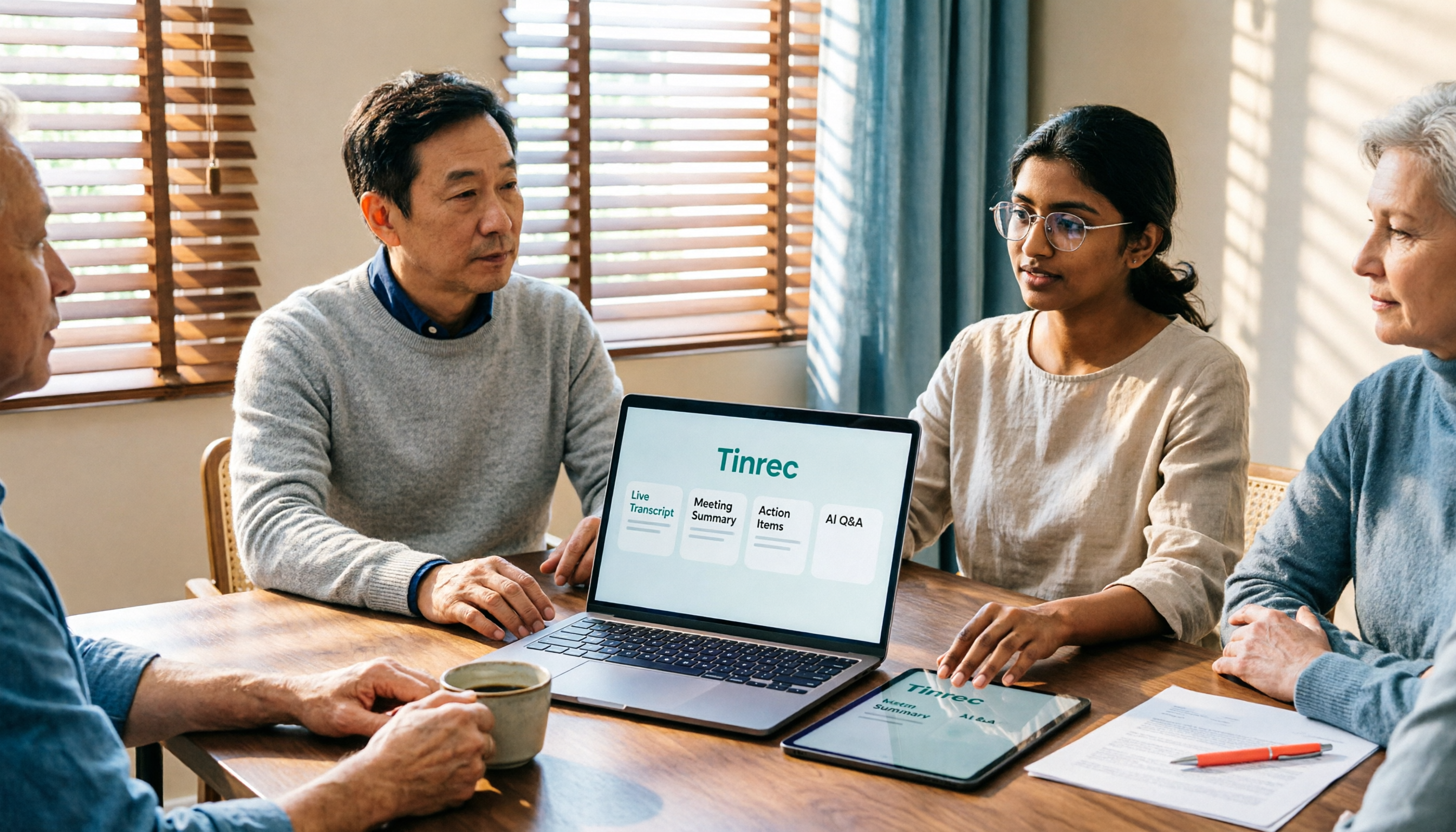
2026 Top 5 AI Office Toolboxes Compared: From Audio Transcription to Meeting Minutes
When choosing an AI office toolbox, don't ask 'which one has the most features?' Instead, ask 'what do I get after the meeting ends?' This article uses Tinrec to demonstrate the complete workflow from bot-free recording, transcription, summaries, action items, to AI Q&A, and outlines 5 key purchasing criteria and FAQs to help you decide.

2026 AI Office Tools Free Plans: 5 Options Compared
A roundup of free plans and practical uses for AI office tools in 2026, covering meeting recording, transcription, summaries, to-dos, AI Q&A, and team collaboration. Using Tinrec as a full walkthrough example, it lays out 5 plans from free to team tier to help you decide where to start and when to upgrade.