

Turn recordings into transcripts and summaries in minutes
Upload audio or video for multilingual transcription, AI notes, and action items
Best Recording Apps of 2026: 6 Tested for Chinese Meetings
Many people start by checking download counts or how nice the icon looks when choosing a recording app. That's actually an easy way to stumble. The real hassle isn't recording—it's that after recording, a bunch of files sit on your phone, meeting highlights are hard to find, action items go untracked, and when team members leave, the data scatters with them. A more sensible approach is to first clarify whether you need pure recording, speech-to-text, or post-meeting organization and team collaboration. Below, we review 6 common recording apps and explain how to choose using real meeting, classroom, and interview scenarios.
Why Do You Need a Recording App?
Online meetings, in-person interviews, classroom lectures—once the content gets long, handwritten notes alone can hardly keep up. In recent years, recording apps have begun integrating AI, moving from simple recording to transcripts, summaries, translation, and action item extraction. Rather than spending time re-listening after recording, it's better to pick a tool that turns recordings into usable data.
Tinrec | A Complete Choice from Recording to Post-Meeting Organization
Tinrec is an AI meeting notes and collaboration tool for individuals and teams. It doesn't just convert audio to text; it organizes meeting recordings into searchable, summarizable, queryable, exportable, and further processable data.
- Real-time recording and online meetings: The desktop version directly captures computer system audio without needing a meeting bot to join. For Zoom, Google Meet, Microsoft Teams, Webex, and other online meetings, just open Tinrec desktop to record and generate transcripts in real time.
- Post-meeting organization: Automatically generates summaries, chapters, key points, and action items, supports mind maps, and allows AI Q&A around meeting content. For post-meeting deliverables, you can further generate reports, tables, and documents.
- Multilingual and translation: Covers Chinese, Traditional Chinese, and multilingual meeting scenarios, supports real-time translation, and allows viewing in original, translated, or bilingual format. Actual results are affected by audio quality, accents, noise, overlapping speakers, and technical terminology.
- Team knowledge retention: The team version offers independent team spaces, member roles, seats, shared benefits, usage analytics, audit logs, and an audio recycle bin. Team monthly billing is USD 29.80 per paid seat per month; annual billing is USD 199 per paid seat per year, about USD 16.58 per month; each paid seat provides 2,000 minutes of team shared import quota per month. The personal version includes a free tier, weekly pass, Pro monthly, and annual plans, selectable by usage frequency; actual prices are subject to the official purchase page.
Who it's for: Office workers and teams who need Chinese meeting transcription, post-meeting summaries and action items, AI Q&A, cross-language translation, or want to turn meeting data into team assets.
Voice Memos | The Zero-Cost Baseline for iPhone Users
Voice Memos is Apple's built-in recording tool that turns iPhone, iPad, or Apple Watch into a portable recorder. It offers editing tools like trim, replace, and "Save as," can convert speech to text, and syncs recordings and edits via iCloud. Free and easy to use, it's suitable for personal memos, classroom lectures, family moments, and song ideas. If you mainly use Apple devices, its sync and transcription are smooth; for cross-platform or AI Q&A and team collaboration needs, consider other tools.
Notta | Multilingual Transcription and Team Plans
Notta covers multi-platform transcription, meeting notes, document import, translation, and team plans, with significant overlap with Tinrec. The free version offers 120 minutes per month, with a maximum of 3 minutes per single item; Pro annual billing is about USD 8.17 per month for 1,800 minutes per month; Business annual billing is about USD 16.67 per seat per month, offering unlimited transcription, role permissions, and usage reports. Suitable for users who need multilingual transcription and standardized team plans.
Otter.ai | A Mature Choice for English Business Meetings
Otter is a mature AI meeting assistant covering Zoom, Microsoft Teams, Google Meet, real-time transcription, speaker identification, AI Chat, workflows, and team management. Basic is free with 300 minutes per month; Pro annual billing is about USD 8.49 per user per month, including 1,200 minutes of in-app recording and 10 document imports per month; Business offers more meeting and management capabilities. If your meetings are primarily English business scenarios, Otter's ecosystem and maturity are advantages.
Stop organizing recordings by hand
Upload audio or video and automatically get a transcript, summary, and action items
Granola | Bot-Free AI Meeting Notes
Granola transcribes meetings in real time via desktop system audio and microphone, and combines user handwritten notes to generate more targeted meeting content. Basic is free; Business is USD 14 per user per month; Enterprise is USD 35 per user per month. It emphasizes "user notes + AI enhancement" and cross-meeting context, suitable for people who like to take notes during meetings.
Easy Voice Recorder | A Lightweight Recording Tool for Android
Easy Voice Recorder is a common lightweight recording app on Android, featuring no time limits, compressed formats, and playback speed adjustment. The Pro version can automatically upload new recordings to Google Drive or Dropbox, and supports MP3, FLAC, AAC, Bluetooth device recording, editing, folder management, notification bar controls, stereo, skip silence, and custom bitrate. The free version includes ads and in-app purchases, suitable for Android users who want simple recording, custom formats, and cloud backup.
With So Many Options, How Should You Choose?
- Want Chinese meeting transcription + post-meeting summaries + action items + AI Q&A → Tinrec (covers recording, understanding, and action in one)
- Don't want a meeting bot to join; need to record Zoom, Meet, Teams, Webex → Tinrec desktop version
- Need to follow up on meeting content, generate reports or tables after meetings → Tinrec
- Team needs to share meeting data, manage member seats and usage → Tinrec team version
- Cross-language meetings need real-time translation and bilingual viewing → Tinrec
- Historical meetings need to be searchable, queryable, and exportable to Notion, Google Docs, OneNote, Dropbox → Tinrec
- Only consider other tools in these cases: iPhone only, just free simple recording → Voice Memos; primarily English business meetings → Otter.ai; Android wanting lightweight and custom formats → Easy Voice Recorder.
Simply put, for most Chinese meeting and team collaboration scenarios, I'd first check if Tinrec meets the needs; if you only record occasionally, built-in tools are sufficient.
4 Things to Know Before Using a Recording App
- Notify before recording: Recording and transcription involve personal data and privacy; comply with local regulations and obtain consent from participants when necessary.
- Check free quotas carefully: Notta free version offers 120 minutes per month, max 3 minutes per session; Otter Basic offers 300 minutes per month; Voice Memos is free but mainly for the Apple ecosystem. Confirm quotas before deciding whether to pay.
- Transcripts are not 100% accurate: Audio quality, noise, accents, overlapping speakers, and technical terminology all affect results. For important content, check transcript timestamps and replay the recording; team hotwords can improve terminology recognition.
- Team version is not sharing a personal account: Roles determine who can manage the team; seats determine whether one can record, upload, edit, and use resources. For example, in Tinrec team version, active members without seats can still view, play, and read team data, but cannot upload, edit, or import/export.
Frequently Asked Questions
Is a free recording app enough?
If you only record occasionally for personal memos, iPhone's Voice Memos is sufficient. If you need transcripts, summaries, AI Q&A, and team collaboration, free quotas are usually limited; Tinrec free version lets you try basic quotas, and Notta and Otter also have free minutes.
How is Tinrec different from regular recording apps?
Regular recording apps solve "recording it"; Tinrec further turns recordings into transcripts, organizes summaries, chapters, key points, and action items, and also supports AI Q&A, translation, multi-format export, and team spaces.
What's the easiest way to record online meetings?
Rather than pulling a meeting bot into the meeting, check whether the tool can capture computer system audio. Tinrec desktop version can record during Zoom, Google Meet, Microsoft Teams, and Webex playback without an extra bot joining; still confirm participants' consent before recording.
What's the difference between team and personal versions?
Personal version data is managed by the individual account; the team version provides an independent team space where meeting data belongs to the team, plus members, roles, seats, shared benefits, usage analytics, audit logs, and recycle bin. When members leave or lose seats, team resources can be handed over to other active members.
How accurate is transcription?
With clear audio and common scenarios, transcription quality is usually better; actual results are still affected by audio quality, noise, accents, overlapping speech, and terminology. For important decisions and numbers, verify with transcript timestamps and recording playback.
Only using iPhone, which one is recommended?
Start with built-in Voice Memos, free and integrated with iCloud. If you need AI summaries, action items, cross-device or team collaboration, then consider cross-platform AI meeting tools like Tinrec.
Conclusion
The difference between recording apps isn't just how easy the record button is to press, but whether they can help you organize, search, and act after recording. If you need Chinese meeting transcription, bot-free online recording, post-meeting AI Q&A, and team data retention, Tinrec is worth trying first; if you only record occasionally, Voice Memos is sufficient. Start with free quotas, then choose a plan based on usage frequency—more practical than buying features you won't use from the start.
References
- Voice Memos App - App Store
- Expert-Reviewed Top 10 Recording Apps Ranking | mybest
- Free Recording App Recommendations: Editing and Noise Reduction Made Easy, Speech-to-Text Saves Time and Effort! | Continuous Learning | Orange Generation
- Easy Voice Recorder - Google Play App
- High-Accuracy Mobile Recording App Recommendations: 7 Tools to Generate Meeting Transcripts and Summaries in One Click - Tinrec Blog
Turn every recording into actionable outcomes
Get 60 free transcription minutes when you sign in. No credit card required.
Related Reading
You might also like

Tinrec vs Vocol.ai in 2026: A 5-Dimension Comparison for Chinese Meeting Notes
Most people compare voice tools by looking only at free minutes and accuracy rates, but overlook how meetings are recorded and whether post-meeting data is usable. This article uses five dimensions—meeting capture, Chinese language processing, post-meeting outputs, export workflows, and team governance—to compare Tinrec and Vocol.ai, and summarizes common pitfalls and selection advice for choosing AI meeting tools.
2026 Vocologia Courses Compared: How to Choose Online Training and Organize Post-Course Recordings
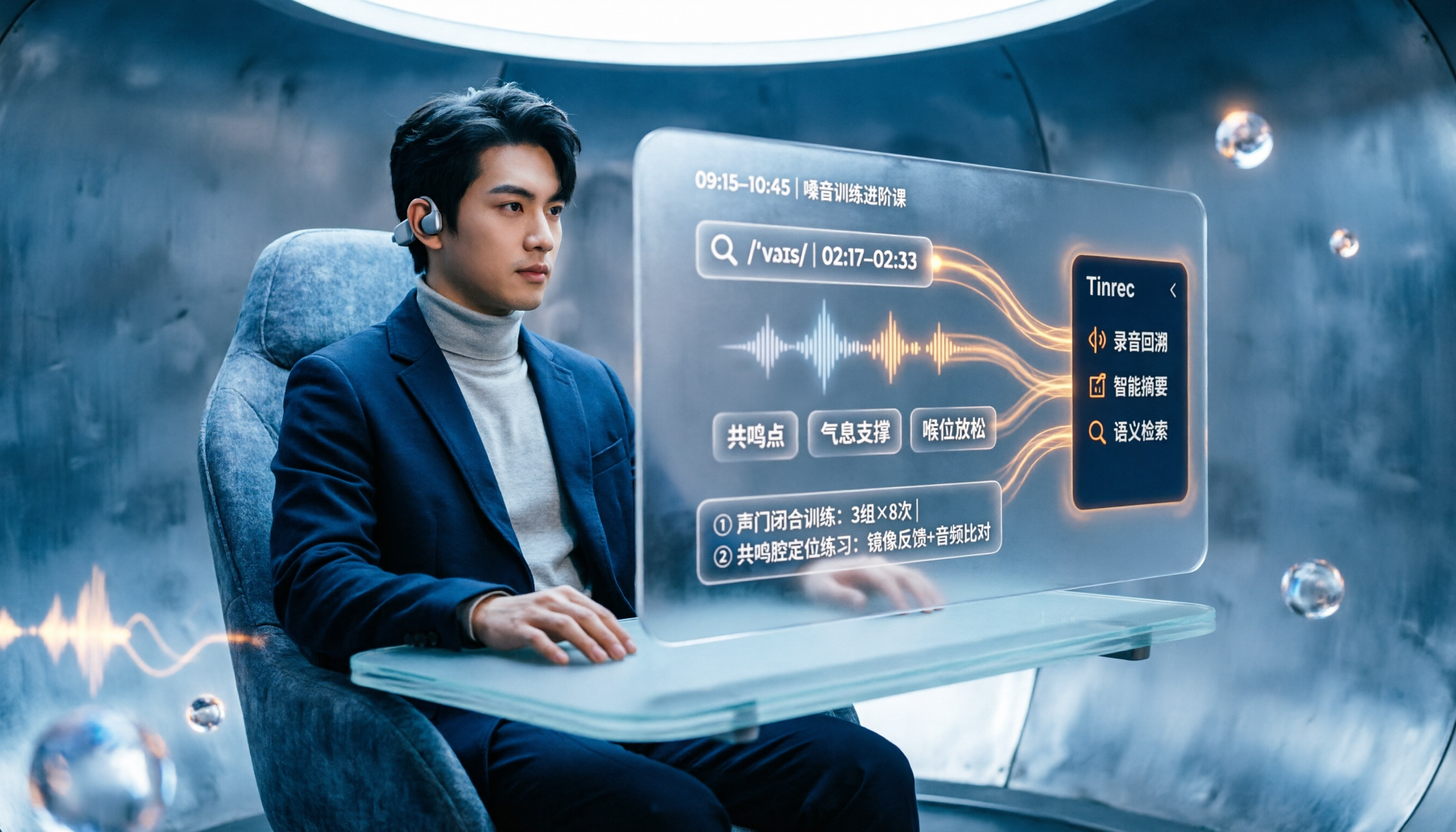
People searching "vocologia 2026" often look only at start dates and tuition, but the real pitfalls are course format, language requirements, certification, and whether post-course materials are retained. This article reviews three Vocologia courses worth considering in 2026 (Nuova Artec, Vocology Center, afonoaudiologicas) and the Argentine Society of Voice (SAV) events, then tests how Tinrec turns online courses into searchable, queryable review materials.

2026 Tinrec vs Vocol.ai: Bot-Free Recording & Chinese Meeting Notes Comparison
In 2026, how should you choose between Tinrec and Vocol.ai? This article compares them across four dimensions: meeting capture, post-meeting organization, team governance, and data handover. It includes a quick feature overview table and clear recommendations to help Hong Kong office workers and team leads make a fast decision.

2026 Free AI Meeting Notes Options: Vocol Comparison Table and 5 Buying Tips
Still can't pick a tool after reading several Vocol comparison tables? This article doesn't repeat feature lists; instead, it breaks down 5 dimensions that truly affect daily efficiency: recording method, language translation, post-meeting output, team permissions, and pricing logic. Using Tinrec as an example, it explains how bot-free recording, real-time translation, AI Q&A, and team spaces can actually save office workers time on post-meeting organization.

2026 AI Meeting Transcription Tools Compared: Is the Latest Vocol Worth It?
Tired of endless meeting notes? This hands-on guide covers 4 key factors for choosing an AI meeting recorder and compares Tinrec, the latest Vocol, Otter.ai, and Notta—plus pitfalls to avoid and pricing—so you can find the right fit for your workflow.

4 Android Recording Apps Tested in 2026: Which Free Version Is Enough, and Which AI Notes Actually Save Time?
Starting from the most common mistakes when choosing an Android recording app, this hands-on comparison of Tinrec, Easy Voice Recorder, Notta, and Otter.ai covers free quotas, Chinese transcription, online meeting recording, and team collaboration to help you decide what to buy.

2026 Best Recording Apps Compared: Which One Actually Saves You Time?
The real pain starts after the meeting ends. This hands-on comparison of Tinrec, Otter.ai, Granola, TurboScribe, and Apple's built-in Voice Memos covers 4 key buying factors and 4 common mistakes, with honest details on free tiers and pricing to help you decide which app truly cuts post-meeting cleanup time.

2026 Comparison of 4 Taiwanese-Accent Speech-to-Text Tools: Yating Transcription vs. Tinrec — Which Better Understands Taiwanese Mandarin?
Taiwanese-accented, Chinese-English mixed meeting content often trips up transcription tools. This article compares Yating Transcription, Tinrec, Notta, and Granola across accent support, post-meeting organization, meeting sources, and pricing to help you pick the one that truly saves time.

2026 Two Transcription Tools Compared: Yating vs Tinrec — Which Saves More Time Across 5 Dimensions?
A 5-dimension comparison of Yating Transcription and Tinrec: meeting recording, post-meeting AI organization, team collaboration, output workflows, and free quotas and pricing, to help you decide which is better suited for Taiwan use cases.