

Turn recordings into transcripts and summaries in minutes
Upload audio or video for multilingual transcription, AI notes, and action items
2026 Free AI Meeting Notes Options: Vocol Comparison Table and 5 Buying Tips
"The moment the meeting ends is when overtime begins." This probably describes many people's daily routine: meetings in the morning, more meetings in the afternoon, and by the time half the office lights are off, you're opening the recording file and typing out the transcript word by word.
So you start looking for tools. Most people's first search turns up various Vocol comparison tables that put Vocol.ai, Yating, and Goodtape side by side to compare languages and features. These roundups are useful for reference, but they rarely answer a more practical question: how do these features actually make a difference in your daily work?
This article takes a different order. First, it explains the dimensions you should pay attention to when reading comparison tables, then uses Tinrec as an example to show what a meeting notes tool can actually help you get done.
How to Read a Vocol Comparison Table: What Most People Miss Is the "Post-Meeting Phase"
Vocol.ai is where many people first encounter AI transcription: it supports Chinese, English, and Taiwanese, transcripts can be translated into over 25 major languages, it offers speaker identification and transcript editing, and it integrates with common third-party meeting software. For teams that need multilingual meetings, these capabilities are indeed practical.
But if the comparison stops at "does it have a certain feature," it's easy to miss the part that truly determines efficiency—after the meeting ends, how the data is organized, found, and reused.
| Comparison Dimension | Vocol | Tinrec |
|---|---|---|
| Languages & Translation | Supports Chinese, English, Taiwanese; transcripts can be translated into 25+ languages | Supports Chinese, mixed Chinese-English, and multilingual meeting transcription; during recording, you can switch between original text, translation, or bilingual view |
| Meeting Recording Method | Integrates with common third-party meeting software | Desktop app captures computer system audio directly, handles Zoom, Google Meet, Microsoft Teams, Webex without a meeting bot joining |
| Post-Meeting Output | Transcript, summary, speaker identification, transcript editing | Transcript, summary, chapters, action items, mind map, AI Q&A, and can further generate reports, tables, and documents |
| Team Management | Provides collaboration-related features | Team spaces, roles and seats, shared import quota, usage analytics, audit logs, audio recycle bin, team hotwords |
| Export & Extension | Can download txt/srt files | Multi-format export, can be taken to Notion, Google Docs, OneNote, Dropbox for further editing |
Tables can help you filter out clearly unsuitable options, but whether a tool truly stays in your workflow depends on whether it can integrate into your existing processes. Here are the 5 dimensions most often overlooked in practice.
What Can AI Meeting Notes Do for You?
Scenario 1: Get notes within 10 minutes after a meeting A two-hour meeting used to take another hour to organize. With Tinrec, for example, summaries, chapters, and action items are generated right after the meeting, listing who is responsible for what and when it's due directly in the document.
Scenario 2: Cross-language meetings without waiting for a translator When meeting with overseas colleagues, instead of going back and forth to confirm, let the tool produce a bilingual transcript simultaneously. Tinrec supports real-time translation during recording, and you can switch between original text, translation, or bilingual view.
Scenario 3: Find that exact quote three months later Questions like "Did the client actually agree to this discount?" can't be answered by scrolling through chat logs. Tinrec's AI Q&A lets you ask questions directly about the meeting content without re-listening to the entire recording.
What Are the Core Capabilities of an AI Meeting Notes Tool?
1. Bot-free recording of online meetings Most meeting tools send a bot to join the meeting as a participant, adding an extra name on the screen, and sometimes your boss asks "Who is this?" Tinrec's desktop version instead captures the computer's system audio directly; the user simply starts recording, and no extra account appears in the meeting. Note that this does not mean it automatically joins all calendar meetings; the user still needs to initiate it.
2. Real-time transcription while recording For in-person meetings, interviews, and other occasions where external tools can't be used, you rely on your phone or computer to record and transcribe in real time. Tinrec supports real-time speech-to-text, so you can see the text settle synchronously during the meeting and ask follow-up questions on the spot for missed points.
3. Summaries, chapters, and action items Transcripts are just raw material. Tinrec breaks long meetings into chapters, condenses them into summaries, and extracts action items from the discussion. For people who have more than three meetings a week, this is often where the most time is saved.
Stop organizing recordings by hand
Upload audio or video and automatically get a transcript, summary, and action items
4. AI Q&A and post-meeting processing After transcription, Tinrec supports follow-up questions about the meeting content and can use Agent post-processing to generate reports, tables, or documents from meeting materials. This turns "writing the post-meeting report" from re-listening to recordings into confirming and editing.
5. Team spaces and governance Personal version data is managed by the individual; the team version provides independent team spaces where meeting data belongs to the team, along with roles, seats, usage analytics, audit logs, and an audio recycle bin. When a member leaves or loses a seat, their team resources can be handed over to other active members, so data doesn't disappear with the person.
Practical Application Scenarios
Weekly and project meetings In regular weekly project meetings, disputes like "Who was supposed to do that thing from last time?" are most common. After recording with Tinrec, action items are extracted directly from the discussion, and with chapters for quick review, participants no longer need to rely on memory to align.
Customer interviews and sales meetings Customer needs, concerns, and commitments are scattered throughout the conversation, and handwritten notes will definitely miss things. Tinrec fully preserves the transcript, and afterwards you can use AI Q&A to confirm "What budget range did the customer mention?" and then export the organized results into follow-up documents.
Courses and lectures Reviewing a two-hour lecture by re-listening is too costly. Import the audio file into Tinrec, first look at the summary and chapters to grasp the structure, then go back to the transcript sections you're interested in—review efficiency is much better.
Content creation and research After interview recordings are transcribed, you can search, ask questions, extract quotable passages, and export to Notion or Google Docs to continue writing. For those who process a lot of recording material, this is a shortcut to turn material into drafts.
5 Things to Note When Choosing an AI Meeting Notes Tool
1. Will the recording method disrupt the meeting? If the tool needs to join the meeting as a participant, consider how it looks in external meetings. Tinrec takes the approach of capturing system audio via the desktop version, adding no new participants to the meeting, making it suitable for external occasions.
2. Does language support match your actual scenarios? Don't just look at the number of supported languages; look at what your meetings are like. If Chinese-English code-switching is common, confirm how the tool handles mixed sentences. Tinrec covers Chinese, mixed Chinese-English, and multilingual meetings, and provides team hotwords to make technical term recognition more stable.
3. Is there post-processing after transcription? A tool that only gives you a transcript is essentially handing the organization work right back to you. Tinrec puts summaries, chapters, action items, Q&A, and export all in one workflow—that's where the real time savings are.
4. How are team permissions and seats designed? This is the most commonly misunderstood item. Tinrec's team version separates "roles" and "seats": roles determine who can manage the team, members, and audits; seats determine whether a member can record, upload, edit, and export. Active members without a seat can still view, play, and read team data, but cannot perform resource usage operations. Currently, it is team-level sharing, not file-level granular permissions.
5. Quota and pricing logic The free plan is suitable for first confirming whether the workflow fits, but quotas are usually limited. Tinrec's personal version offers a free version, weekly card, Pro monthly card, and Pro annual card—choose based on usage frequency. The team version offers a 7-day trial for first-time eligible users, 1 free seat, and 300 minutes of team shared import quota; paid seats are USD 29.80/seat/month for monthly billing, USD 199/seat/year for annual billing (about USD 16.58/month), and each paid seat provides 2,000 minutes of team shared import quota per month. Under an active team plan, real-time recording is currently not deducted by minute; file and web imports use the team shared quota. Actual prices and benefits are subject to the official purchase page.
FAQ
Q1: What's the difference between Tinrec and Vocol? Both can handle multilingual meetings and transcripts. The main differences are in the post-meeting workflow and team governance: Tinrec's desktop version doesn't require a bot to join the meeting, and after transcription it can continue with AI Q&A, action item extraction, Agent-generated reports, and centralized management of members, seats, usage, and audit records through team spaces.
Q2: Is the free version enough? If you just want to confirm transcription quality and the operation flow, the free version provides a basic quota to try. If you have a steady volume of meetings every week, the Pro plan is more suitable; for short-term intensive interviews or courses, consider the weekly card.
Q3: Which meeting platforms are supported? Tinrec's desktop version works by capturing computer system audio, so it can handle meeting audio played on platforms like Zoom, Google Meet, Microsoft Teams, and Webex, without requiring official partnerships with these platforms.
Q4: What's the difference between the team version and the personal version? Personal version data belongs to the individual account; the team version provides independent team spaces where data belongs to the team, and adds management capabilities such as roles, seats, shared benefits, usage analytics, audit logs, and an audio recycle bin.
Q5: Can transcription accuracy be guaranteed? We don't recommend promising a single number. Actual performance is affected by recording quality, ambient noise, accents, overlapping speakers, and technical terminology. Tinrec's approach is to improve recognition through noise reduction and team hotwords; for important content, it's still recommended to cross-check with transcript timestamps and the recording.
Conclusion
The value of a comparison table is to help you quickly eliminate unsuitable options, but what really determines how long you'll use a tool is whether the post-meeting workflow is smooth. Vocol provides a solid foundation in languages and translation, and if what you care about is "no bot joining the meeting, getting summaries and action items right after, and data settling back into the team," Tinrec's complete workflow is worth adding to your trial list. Start with the free version for two or three meetings to see how much time meeting notes can save, then decide whether to upgrade.
References
- AI Speech-to-Text Software Comparison: Vocol.ai vs Yating vs Goodtape
- Vocol Tutorial Video Series: Essential Features for Using Transcripts to Increase Work Efficiency
- The Comprehensive Guide to Vocol.ai
- Home | Vocol.ai Voice Collaboration Platform
- Uncovering Insights in Voice: Vocol.ai, an AI Online Voice Collaboration Tool Beyond Ordinary Transcription Software - INSIDE
Turn every recording into actionable outcomes
Get 60 free transcription minutes when you sign in. No credit card required.
Related Reading
You might also like

2026 Voice-to-Text Tools Tested: How to Use Notta and Which Free Version Is Enough
How do you use Notta? This hands-on guide walks through Notta's five steps—sign-up, recording, transcription, AI summary, and export—and honestly lays out the free plan's 120 minutes per month and 3-minute per-recording limits, plus paid pricing. It also compares Tinrec, Otter.ai, and TurboScribe on how they capture meetings, organize notes afterward, and retain team knowledge, with buying tips and three common pitfalls to help you pick the tool that truly saves time.

2026 AI Meeting Recorder Comparison: What Is Notta and Which Tool Should You Choose?
Many people search for "what is Notta" but the real question is whether the tool fits their needs. This article breaks down the company background, market focus, and free plan pitfalls, then compares four tools hands-on to help you decide between Notta, Otter.ai, Granola, and Tinrec.

Notta Pricing in 2026: Breaking Down 3 Plans, Which Is Worth It, and How to Choose Alternatives
How does Notta charge? This article breaks down the actual pricing logic of Notta's Free, Pro, and Business plans in 2026, including the 120 minutes per month and 3-minute per-segment limits, annual upfront billing, and per-seat pricing differences. It also covers 5 key points to check before buying, 4 common mistakes, and a comparison of alternatives from the perspective of 'ready to use right after the meeting.'

2026 AI Transcription Showdown: Vocol.ai vs. 4 Alternatives — Which Is Worth It?
Is Vocol.ai really better? This decision-focused review tests Vocol.ai, Yating Transcription, Good Tape, TurboScribe, and Tinrec, comparing generation speed, language support, post-meeting organization, and team collaboration, with selection advice and usage notes.

Vocol Latest Version vs Tinrec (2026): No-Bot Transcription + AI To-Do Summaries
Is the latest Vocol enough? This guide compares Vocol.ai and Tinrec across 5 dimensions: meeting capture, post-meeting output, multilingual transcription, team governance, and plan quotas. We also highlight 3 common pitfalls when choosing a meeting notes tool, so you can pick the right one within your budget.

Tinrec vs Vocol.ai in 2026: A 5-Dimension Comparison for Chinese Meeting Notes
Most people compare voice tools by looking only at free minutes and accuracy rates, but overlook how meetings are recorded and whether post-meeting data is usable. This article uses five dimensions—meeting capture, Chinese language processing, post-meeting outputs, export workflows, and team governance—to compare Tinrec and Vocol.ai, and summarizes common pitfalls and selection advice for choosing AI meeting tools.
2026 Vocologia Courses Compared: How to Choose Online Training and Organize Post-Course Recordings
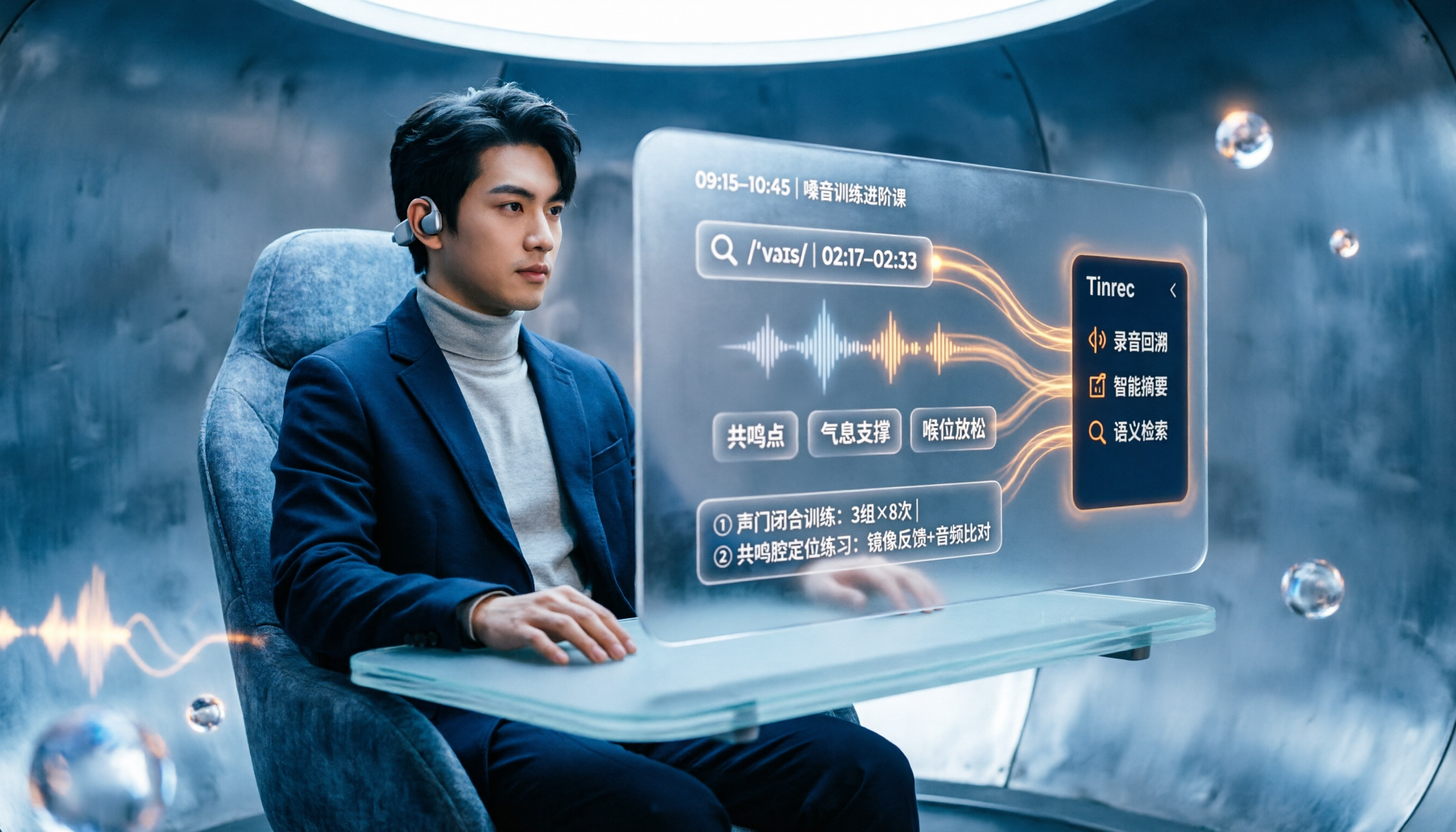
People searching "vocologia 2026" often look only at start dates and tuition, but the real pitfalls are course format, language requirements, certification, and whether post-course materials are retained. This article reviews three Vocologia courses worth considering in 2026 (Nuova Artec, Vocology Center, afonoaudiologicas) and the Argentine Society of Voice (SAV) events, then tests how Tinrec turns online courses into searchable, queryable review materials.

2026 Tinrec vs Vocol.ai: Bot-Free Recording & Chinese Meeting Notes Comparison
In 2026, how should you choose between Tinrec and Vocol.ai? This article compares them across four dimensions: meeting capture, post-meeting organization, team governance, and data handover. It includes a quick feature overview table and clear recommendations to help Hong Kong office workers and team leads make a fast decision.

2026 AI Meeting Transcription Tools Compared: Is the Latest Vocol Worth It?
Tired of endless meeting notes? This hands-on guide covers 4 key factors for choosing an AI meeting recorder and compares Tinrec, the latest Vocol, Otter.ai, and Notta—plus pitfalls to avoid and pricing—so you can find the right fit for your workflow.