

Turn recordings into transcripts and summaries in minutes
Upload audio or video for multilingual transcription, AI notes, and action items
2026 AI Meeting Recorder Comparison: What Is Notta and Which Tool Should You Choose?
Don't Rush to Compare Prices—Most People Get the Wrong Starting Point
Eight out of ten people who search for "what is Notta" aren't really interested in the company's history. They want to confirm one thing: is this company's tool worth entrusting my meetings to?
There are three common misconceptions. The first is "free minutes equal usability"—you see 120 free minutes per month and sign up, but fail to notice the single recording limit is only 3 minutes, so a 40-minute weekly meeting can't be recorded. The second is "number of supported languages equals good Chinese support"—just because a tool supports dozens of languages doesn't mean it can understand your company's mixed Chinese-English meetings. The third is "getting a transcript is the end"—what really eats your time isn't recording, but the two hours of organizing afterward.
A more reasonable approach: first confirm whether the company's market focus overlaps with your use case, then look at how much it does in "meeting capture" and "post-meeting processing." This article follows that order and breaks down Notta, Otter.ai, Granola, and Tinrec side by side.
5 Key Points to Understand Before Choosing an AI Meeting Recorder
1. Company background and market focus Which market a company focuses on directly reflects its language model priorities, customer service time zones, and localization. Notta's public information shows it has long focused on the Japanese market, meaning Japanese experience is usually top priority; if your meetings are in Chinese or mixed Chinese-English, you'll need to test it yourself.
2. Meeting capture method: bot or system audio A meeting bot joins as a "fourth participant," which is automatic but external clients may ask questions when they see an unfamiliar account. Another approach is desktop capture of system audio, without adding participants. Both are used, but if your meetings involve external clients, this matters more than you might think.
3. Language support and terminology recognition Don't just look at "supports N languages." Look at: how well does it handle Chinese, does it fall apart when switching between Chinese and English, can you customize terminology. There's no spec sheet for this—you have to test with your own real recordings.
4. What you can do after transcription A transcript is just raw material. Summaries, chapters, action items, ability to ask questions directly about meeting content, ability to export to Notion or Google Docs—these determine how much organizing time you save.
5. Team governance: roles, seats, usage If you're purchasing for a company, be sure to ask "can multiple people share one account?" A proper team plan distinguishes roles (who can manage) and seats (who can use resources), rather than sharing a personal account password with the whole department.
Tinrec—Our Pick for Chinese Teams After Hands-On Testing
Tinrec is an AI meeting recording and collaboration tool for individuals and teams, available on web, desktop, and mobile.
Record online meetings without a bot. The desktop version captures system audio directly, handling meeting audio from Zoom, Google Meet, Microsoft Teams, and Webex without inviting an extra bot. For those who frequently meet with external clients, this is more practical than any spec number—you don't have to explain "that account is for recording" before the meeting starts. Note that this is not "automatically join all calendar meetings"; the user actively starts recording.
The real difference is after the meeting. After recording or importing audio, Tinrec generates a transcript, AI summary, chapters, and highlights, extracts action items from discussions, and can also generate mind maps to help understand the structure of topics. More importantly, AI Q&A: you can directly ask "who mentioned the budget in the last meeting" or "what were the client's concerns about the delivery date," and it responds based on meeting content, not a bunch of keyword search results. This is not standard in tools at this price point.
Cross-language meetings. Supports multilingual meeting transcription, and during recording you can switch between original text, translation, or bilingual view—especially useful for teams with Japanese, Southeast Asian, or English-speaking clients. Actual performance is still affected by recording quality, accents, background noise, and overlapping speakers; we don't recommend treating any tool's accuracy as a fixed value.
Team plan is a separate space, not a shared account. You can create multiple team spaces, invite members via join links, set owners/admins/regular members, and assign or revoke seats. Meeting data belongs to the team; when a member leaves or loses a seat, their resources need to be handed over to other members, and data doesn't disappear with the personal account. Admins can also see usage trends, member rankings, export audit logs, and there's an audio recycle bin to restore accidentally deleted files (currently retained for 30 days). Team hotwords let you maintain company terminology to improve recognition of specialized terms.
Stop organizing recordings by hand
Upload audio or video and automatically get a transcript, summary, and action items
Pricing and limits. The team plan is currently USD 29.80 per paid seat per month, or USD 199 per paid seat per year (about USD 16.58/month), with each paid seat providing 2,000 minutes of team shared import quota per month; eligible first-time trials are 7 days, 1 free seat, 300 minutes shared import quota. Real-time recording under an active plan currently does not deduct minutes, but file and web imports consume team shared quota. Personal plans include a free version, weekly card, Pro monthly, and annual—choose based on usage frequency. Prices and benefits are subject to the official purchase page.
Who it's for. If your meetings are mainly in Chinese or mixed Chinese-English, you need bot-free recording of online meetings, and you want to ask questions, capture action items, and export to existing workflows right after the meeting, Tinrec is currently the most complete option. Conversely, if you mainly handle one-time bulk transcription of long documents, its design focus isn't there.
Besides Tinrec, What Other Options Are There?
Notta—So What Kind of Company Is It? Notta is developed by NOTTA PTE. LTD., an AI speech-to-text company focused on the Japanese market. Founder Zhang Yan is a serial entrepreneur; the service launched during the 2020 pandemic and has grown primarily through the Japanese market. Its strengths are multilingual real-time transcription, translation, and meeting notes. The official free plan offers 120 minutes per month with a 3-minute single limit; Pro annual is about USD 8.17/month with 1,800 minutes per month; Business annual is about USD 16.67 per seat per month. As for the number of supported languages, different reports have mentioned 42 and 58 at different times—check the official website for current information. Its Japanese localization is indeed solid; but if you need team spaces, seat governance, audit logs, and a complete post-meeting AI follow-up loop, Tinrec goes deeper in that area. If you just want to quickly turn Japanese or English recordings into text, Notta is still worth comparing.
Otter.ai—A Mature Option for English Meetings Otter is a long-established AI meeting assistant with high mindshare for English business meetings. Official pricing: Basic free 300 minutes per month; Pro annual about USD 8.49 per user per month (includes 1,200 minutes of in-app recording and 10 file imports per month). It also offers desktop capabilities, not just a meeting bot. The gap: if your meetings are largely Chinese or mixed Chinese-English, Tinrec's Chinese experience and bilingual view are closer to your needs, and you can also consolidate data into team spaces after meetings.
Granola—The Bot-Free Note-Taking Representative Granola also uses desktop system audio without a bot, and its strength is combining user handwritten notes with AI. Pricing is Business USD 14 per user per month. But it doesn't support uploading pre-recorded audio files and doesn't save meeting audio files. This means if you need to keep recordings for later verification or organize existing historical audio, Tinrec's "audio retention + file import" is much more practical.
Pitfall Guide: 4 Most Common Mistakes When Choosing an AI Meeting Recorder
Pitfall 1: Only looking at free minutes, not the single-session limit. 120 minutes per month sounds enough, but a 3-minute single limit means you can only record a voice memo. Before purchasing, confirm "what's the maximum recording length per session"—this affects actual experience more than total volume.
Pitfall 2: Treating "number of supported languages" as Chinese accuracy. A language list is marketing material, not a quality guarantee. The right approach is to take a real meeting recording of your own (with background noise, interruptions, technical terms) and try it—five minutes will tell you if it works.
Pitfall 3: Ignoring whether meeting audio is saved. Some tools keep only text, not audio. If the text has errors, you have nothing to check against. This becomes a big problem in client meetings, legal discussions, and acceptance meetings.
Pitfall 4: Treating "multiple people sharing one account" as a team plan. A real team plan distinguishes roles and seats: members without seats can view and play data but cannot upload, edit, or export. Also ask clearly whether it's "team-level sharing" or "file-level permissions"—most tools currently are the former. If your industry requires per-file control, confirm directly with the vendor; don't assume.
Conclusion: Which One Should You Choose?
- Meetings mainly in Chinese/mixed Chinese-English, need bot-free recording + post-meeting AI Q&A → Tinrec, most complete workflow
- Need to turn meetings into team assets, with seats, usage, and audit → Tinrec team plan (confirm trial eligibility and quota first)
- Mainly handle Japanese content, needs lean toward simple transcription and translation → Notta, Japanese localization is its home turf
- All-English meetings, only need basic notes → Otter.ai, generous free tier
- Only want bot-free real-time notes, no need to keep audio → Granola
- Need to process large volumes of long audio or batch subtitles at once → That's a different need; use dedicated batch transcription tools, don't force a meeting tool
Back to the original question: "What is Notta"—it's an AI speech-to-text company with Japan as its core market, with a mature product and solid multilingual capabilities. But company background only answers "who it is," not "whether it fits you." The real basis for judgment is whether what you get back after throwing in a meeting recording can be used directly. We recommend running your own real meeting through the free tier first—that's more accurate than any review.
Recording and transcription involve personal data and communication privacy. Before use, confirm compliance with local regulations and obtain participant consent when needed.
References
- 5 AI Meeting Recorder Comparison: Otter, Notta Features and Pricing
- Notta | Learn AI
- AI Transcription, Winning Japan, Achieving Tens of Millions in ARR - 36Kr
- Chinese Serial Entrepreneur Betting on Japan's Internet Market - Nikkei Chinese
- AI Transcription, Winning Japan, Achieving Tens of Millions in ARR - Tencent News
Turn every recording into actionable outcomes
Get 60 free transcription minutes when you sign in. No credit card required.
Related Reading
You might also like

2026 Voice-to-Text Tools Tested: How to Use Notta and Which Free Version Is Enough
How do you use Notta? This hands-on guide walks through Notta's five steps—sign-up, recording, transcription, AI summary, and export—and honestly lays out the free plan's 120 minutes per month and 3-minute per-recording limits, plus paid pricing. It also compares Tinrec, Otter.ai, and TurboScribe on how they capture meetings, organize notes afterward, and retain team knowledge, with buying tips and three common pitfalls to help you pick the tool that truly saves time.

Notta Pricing in 2026: Breaking Down 3 Plans, Which Is Worth It, and How to Choose Alternatives
How does Notta charge? This article breaks down the actual pricing logic of Notta's Free, Pro, and Business plans in 2026, including the 120 minutes per month and 3-minute per-segment limits, annual upfront billing, and per-seat pricing differences. It also covers 5 key points to check before buying, 4 common mistakes, and a comparison of alternatives from the perspective of 'ready to use right after the meeting.'

2026 AI Transcription Showdown: Vocol.ai vs. 4 Alternatives — Which Is Worth It?
Is Vocol.ai really better? This decision-focused review tests Vocol.ai, Yating Transcription, Good Tape, TurboScribe, and Tinrec, comparing generation speed, language support, post-meeting organization, and team collaboration, with selection advice and usage notes.

Vocol Latest Version vs Tinrec (2026): No-Bot Transcription + AI To-Do Summaries
Is the latest Vocol enough? This guide compares Vocol.ai and Tinrec across 5 dimensions: meeting capture, post-meeting output, multilingual transcription, team governance, and plan quotas. We also highlight 3 common pitfalls when choosing a meeting notes tool, so you can pick the right one within your budget.

Tinrec vs Vocol.ai in 2026: A 5-Dimension Comparison for Chinese Meeting Notes
Most people compare voice tools by looking only at free minutes and accuracy rates, but overlook how meetings are recorded and whether post-meeting data is usable. This article uses five dimensions—meeting capture, Chinese language processing, post-meeting outputs, export workflows, and team governance—to compare Tinrec and Vocol.ai, and summarizes common pitfalls and selection advice for choosing AI meeting tools.
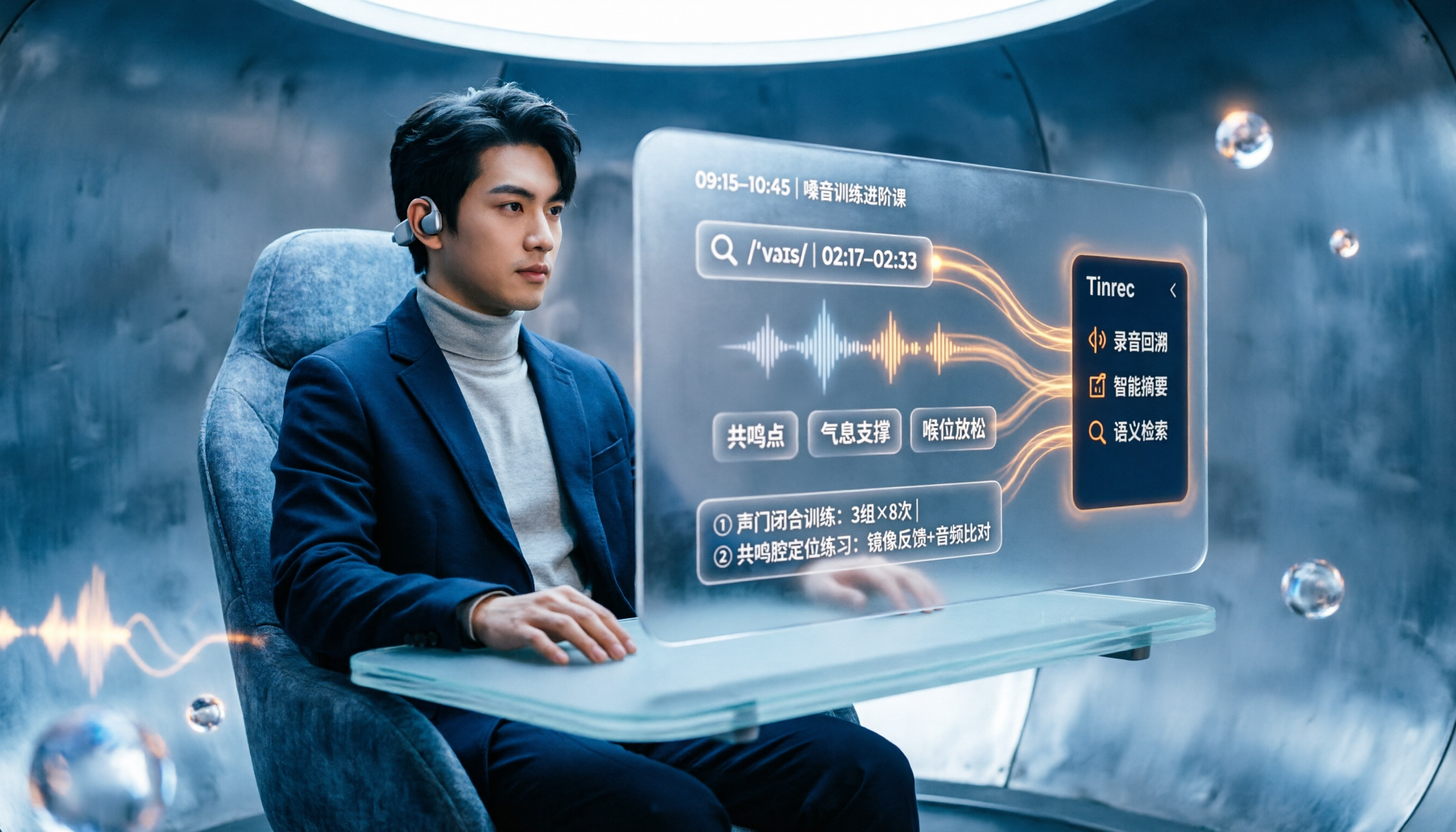
2026 Vocologia Courses Compared: How to Choose Online Training and Organize Post-Course Recordings
People searching "vocologia 2026" often look only at start dates and tuition, but the real pitfalls are course format, language requirements, certification, and whether post-course materials are retained. This article reviews three Vocologia courses worth considering in 2026 (Nuova Artec, Vocology Center, afonoaudiologicas) and the Argentine Society of Voice (SAV) events, then tests how Tinrec turns online courses into searchable, queryable review materials.

2026 Tinrec vs Vocol.ai: Bot-Free Recording & Chinese Meeting Notes Comparison
In 2026, how should you choose between Tinrec and Vocol.ai? This article compares them across four dimensions: meeting capture, post-meeting organization, team governance, and data handover. It includes a quick feature overview table and clear recommendations to help Hong Kong office workers and team leads make a fast decision.

2026 Free AI Meeting Notes Options: Vocol Comparison Table and 5 Buying Tips
Still can't pick a tool after reading several Vocol comparison tables? This article doesn't repeat feature lists; instead, it breaks down 5 dimensions that truly affect daily efficiency: recording method, language translation, post-meeting output, team permissions, and pricing logic. Using Tinrec as an example, it explains how bot-free recording, real-time translation, AI Q&A, and team spaces can actually save office workers time on post-meeting organization.

2026 AI Meeting Transcription Tools Compared: Is the Latest Vocol Worth It?
Tired of endless meeting notes? This hands-on guide covers 4 key factors for choosing an AI meeting recorder and compares Tinrec, the latest Vocol, Otter.ai, and Notta—plus pitfalls to avoid and pricing—so you can find the right fit for your workflow.