

Turn recordings into transcripts and summaries in minutes
Upload audio or video for multilingual transcription, AI notes, and action items
When many people compare voice tools, the first thing they do is look at "how many free minutes" and "what accuracy percentage."
These two numbers are the easiest to obtain and the easiest to be swayed by marketing claims. But once you actually sit in a meeting room, you'll find: there's air conditioning noise, people talking over each other, and product codes mixing Chinese and English. Those beautiful lab numbers usually get discounted under these conditions.
More importantly, the transcript is just the starting point. What you do with this data after recording the meeting is what determines whether the tool is worth keeping.
This article uses 5 dimensions to compare Tinrec and Vocol.ai side by side.
Before Comparing AI Meeting Tools, Understand These 5 Key Points
1. Is the meeting "joined" or "recorded"
A meeting bot enters the meeting room as a participant, and its name appears on the list. In some client situations or internal decision meetings, participants may mind having an unfamiliar account in the room.
Another approach is to capture the computer's system audio directly via a desktop app, without adding any participants. These are two completely different experiences, and it's worth clarifying first.
2. How well does it handle Chinese and mixed Chinese-English
Meetings in Taiwan are rarely pure Chinese. Product names, abbreviations, and English technical terms interspersed in sentences are the norm.
When comparing, don't just look at "how many languages it supports." Look at whether its sentence segmentation and recognition of mixed Chinese-English sentences are natural. This is much more important than the number of languages.
3. What you get after transcription
A tool that only gives you a transcript is essentially handing the organizing work right back to you. Tools with summaries, chapters, action items, and AI Q&A truly save you that second round of work.
4. Can you take the data with you
Presentations go into Google Docs, notes go into Notion, archives go into Dropbox. If the export format is locked down, you'll still end up manually copying and pasting.
5. How are permissions managed when the team uses it
Personal use and team use are two different things. For teams, the questions to ask are: who owns the data, how is data handed over when a member leaves, how is usage tracked, and are important actions logged.
Tinrec — Our Go-To Choice After Actual Use
Tinrec is an AI meeting notes and collaboration tool for individuals and teams, available on web, desktop, and mobile. Its positioning isn't "audio-to-text" but rather turning meetings into searchable, queryable, and further processable data.
Bot-free recording of online meetings
The desktop version directly captures computer system audio, supporting Zoom, Google Meet, Microsoft Teams, and Webex. You don't need to throw an extra account into the meeting room, nor ask the host to grant it permissions.
Note that this doesn't mean "automatically join all calendar meetings." You have to open Tinrec yourself to start recording—this boundary should be clear first.
Post-meeting organization and AI follow-up
After the meeting ends, Tinrec produces a transcript and automatically generates summaries, chapters, key points, and action items. It can also create mind maps to help you see the topic structure of the entire meeting.
Even better is the AI Q&A. You can directly ask it "What was the budget cap the client mentioned?" or "What was the conclusion of this meeting?" It doesn't just throw keyword search results at you; it organizes answers based on the meeting content.
There's also Agent post-processing, which can generate reports, tables, and documents based on meeting content—saving considerable time for those who need post-meeting deliverables.
Export and team knowledge retention
Transcription results can be exported in common file formats and brought into Notion, Google Docs, OneNote, or Dropbox for continued use.
The team version is a separate space, not "multiple people sharing one personal account." Members can view the team's historical meetings, and administrators can manage roles, seats, sharing permissions, and view usage trends and audit logs. When a member leaves or loses their seat, the team resources they were responsible for are handed over to other active members—they don't disappear with the person.
Limitations to note
The free version provides a basic quota, suitable for trying out a few meetings first; heavy users need to pay. Plans are divided into weekly card, Pro monthly, and Pro annual—choose based on usage frequency.
Stop organizing recordings by hand
Upload audio or video and automatically get a transcript, summary, and action items
The team version is currently primarily team-level sharing: all active members can read team data, but without a seat they can only view, play, and read—they cannot upload, edit, or export. It is not a file-level granular permission system.
Accuracy shouldn't be judged by a single number either. Recording quality, accents, overlapping speakers, and technical terminology all affect results. For important content, it's still advisable to cross-check against the recording timestamps.
Who it's for
For those who frequently hold online meetings, need bot-free recording, want to use AI to find key points directly after meetings, or want to turn meeting data into team assets, Tinrec's workflow will be much smoother.
Beyond Tinrec: How Vocol.ai and Other Tools Differ in Positioning
Vocol.ai
Vocol.ai takes the route of an AI voice collaboration platform. According to public information, it emphasizes AI transcription, multilingual translation, speaker identification, transcript revision, and team collaboration. Transcripts can be translated into over 25 mainstream languages, and it can connect with Google Meet and Microsoft Teams for real-time meeting transcription. It supports Chinese, English, and Taiwanese Hokkien.
The biggest difference from Tinrec is the focus of the post-meeting workflow. Vocol.ai's public emphasis is more on transcription, translation, and collaboration itself; Tinrec strings together summaries, chapters, action items, AI Q&A, Agent-generated documents, and team governance into one flow.
If you have a large number of transcripts that need multilingual translation, both are worth trying. But if you want to ask "What was the conclusion?" directly after recording and bring action items into a team space, Tinrec has fewer steps.
Regarding free trials, public information mentions 200 minutes upon registration; actual plans and benefits are subject to the official page.
Notta
Strong in multi-platform transcription and translation, with a complete team plan. The official free version is 120 minutes per month with a 3-minute limit per item, suitable for those mainly doing file transcription. However, bot-free meeting recording and post-meeting AI follow-up are not its main strengths.
Otter.ai
A mature choice for English business meetings. The Basic free version offers 300 minutes per month—generous. If 90% of your meetings are in English, it's very cost-effective. But Chinese and mixed Chinese-English scenarios are not its home turf, which is quite obvious in everyday meetings in Taiwan.
Pitfall Guide: The 4 Most Common Mistakes When Choosing Voice Collaboration Tools
Pitfall 1: Looking only at the quota number, not the quota unit
Some plans count minutes, some count credits, some are team-shared quotas. The numbers may look similar, but actual usable amounts differ greatly. When looking at plans, ask clearly: is this quota for individual or team use, and do imported files deduct different units?
Pitfall 2: Treating "supports meeting software" as "automatically joins meetings"
Supporting Zoom, Meet, Teams doesn't mean it will jump into every meeting on its own. Some rely on bots joining, some rely on desktop audio capture, some require you to manually upload files. These three workflows are very different—be sure to confirm before buying.
Pitfall 3: Treating the transcript as the endpoint
If a tool only gives you a transcript, you've just swapped "listening to recordings" for "reading 30 pages of text"—work hours haven't really decreased. What truly saves time is summaries, action items, and queryable Q&A features.
Pitfall 4: The team buys one account for everyone to share
This is very common in practice and also the most troublesome pitfall. Data ownership is unclear, files can't be found after a member leaves, and no one knows who changed what. For team use, directly choose a team plan with roles, seats, and usage management—it will save more communication costs in the long run.
Conclusion: Which One Should You Choose?
To sum up in one sentence: If you want Chinese meetings, bot-free recording, and a post-meeting database you can query, Tinrec is the most hassle-free choice in this comparison.
- Need bot-free recording of Zoom, Meet, Teams → Tinrec (desktop captures system audio)
- Meetings mix Chinese and English, need bilingual comparison → Tinrec (supports real-time translation and bilingual viewing)
- Want to ask AI directly for conclusions and action items after recording → Tinrec (AI Q&A + Agent-generated documents)
- Want to bring transcripts into Notion or Google Docs for continued writing → Tinrec (multiple formats and third-party export)
- Team needs to share meeting data, manage seats and usage → Tinrec team version (roles, seats, usage, audit, recycle bin)
- Meetings are almost entirely in English, budget is zero → Otter.ai free version is worth considering
- You have a large number of transcripts needing multilingual translation → Both Vocol.ai and Tinrec are worth trying and comparing
Practical advice: First use the free quota to run two or three meetings you truly care about—ideally ones with some background noise, people talking over each other, and mixed Chinese-English. Read the transcript yourself, then ask it a question to see how accurate the answer is. Upgrade only if it feels right; no need to pay from the start.
One more reminder: recording and transcription involve participants' rights. Before use, please confirm compliance with local regulations and obtain consent when necessary.
References
- vocol ai - FindPrice price comparison site September 2026 featured shopping recommendations
- AI speech-to-text software comparison: Vocol.ai vs Yating vs Goodtape
- Understanding vkool window film grades? Complete comparison of V series and iV series pros and cons - UpToGo
- Uncovering insights in voice, the AI online voice collaboration tool Vocol.ai that goes beyond ordinary transcript software - INSIDE
- Home | Vocol.ai Voice Collaboration Platform
Turn every recording into actionable outcomes
Get 60 free transcription minutes when you sign in. No credit card required.
Related Reading
You might also like

2026 Voice-to-Text Tools Tested: How to Use Notta and Which Free Version Is Enough
How do you use Notta? This hands-on guide walks through Notta's five steps—sign-up, recording, transcription, AI summary, and export—and honestly lays out the free plan's 120 minutes per month and 3-minute per-recording limits, plus paid pricing. It also compares Tinrec, Otter.ai, and TurboScribe on how they capture meetings, organize notes afterward, and retain team knowledge, with buying tips and three common pitfalls to help you pick the tool that truly saves time.

2026 AI Meeting Recorder Comparison: What Is Notta and Which Tool Should You Choose?
Many people search for "what is Notta" but the real question is whether the tool fits their needs. This article breaks down the company background, market focus, and free plan pitfalls, then compares four tools hands-on to help you decide between Notta, Otter.ai, Granola, and Tinrec.

Notta Pricing in 2026: Breaking Down 3 Plans, Which Is Worth It, and How to Choose Alternatives
How does Notta charge? This article breaks down the actual pricing logic of Notta's Free, Pro, and Business plans in 2026, including the 120 minutes per month and 3-minute per-segment limits, annual upfront billing, and per-seat pricing differences. It also covers 5 key points to check before buying, 4 common mistakes, and a comparison of alternatives from the perspective of 'ready to use right after the meeting.'

2026 AI Transcription Showdown: Vocol.ai vs. 4 Alternatives — Which Is Worth It?
Is Vocol.ai really better? This decision-focused review tests Vocol.ai, Yating Transcription, Good Tape, TurboScribe, and Tinrec, comparing generation speed, language support, post-meeting organization, and team collaboration, with selection advice and usage notes.

Vocol Latest Version vs Tinrec (2026): No-Bot Transcription + AI To-Do Summaries
Is the latest Vocol enough? This guide compares Vocol.ai and Tinrec across 5 dimensions: meeting capture, post-meeting output, multilingual transcription, team governance, and plan quotas. We also highlight 3 common pitfalls when choosing a meeting notes tool, so you can pick the right one within your budget.
2026 Vocologia Courses Compared: How to Choose Online Training and Organize Post-Course Recordings
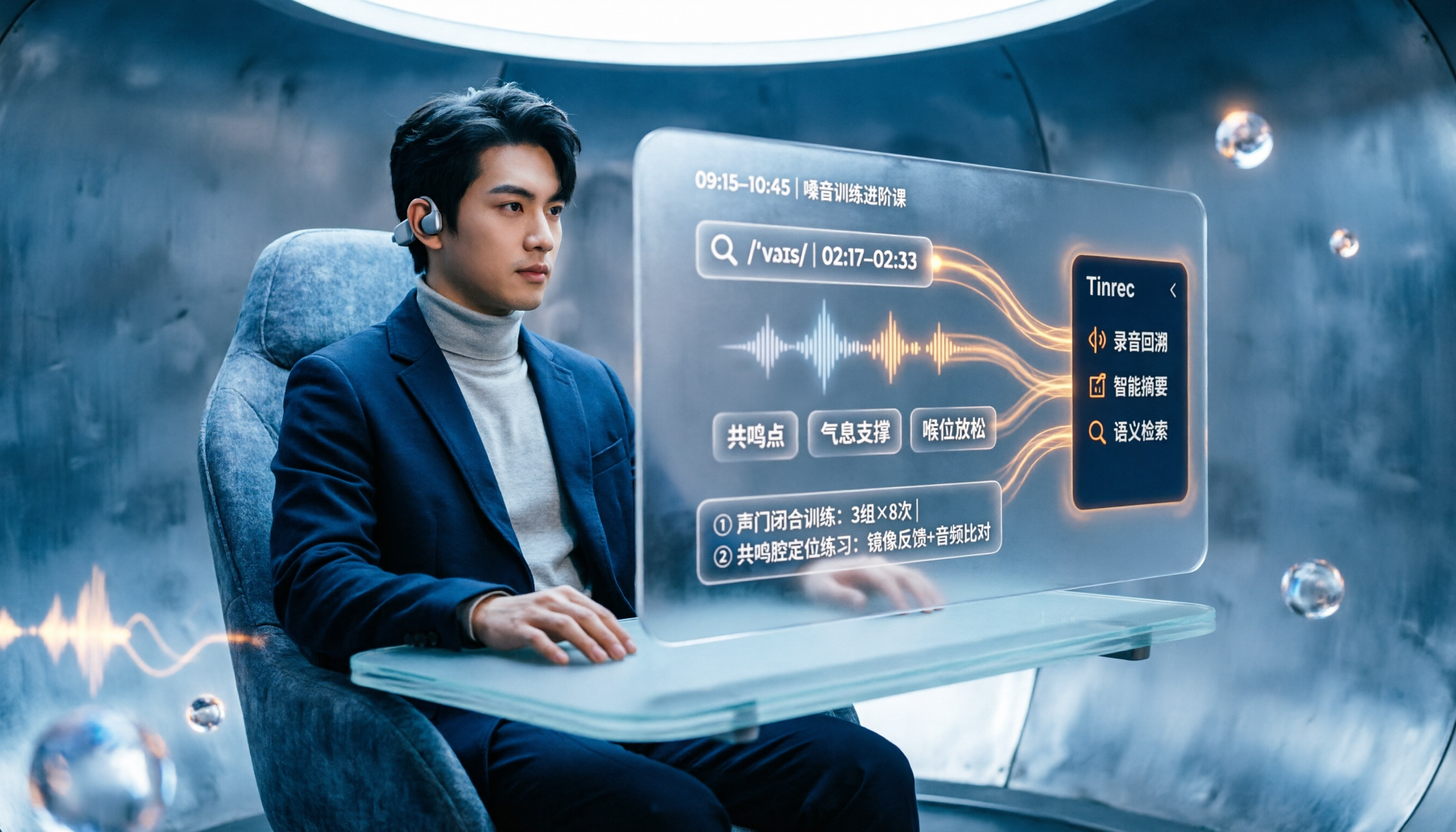
People searching "vocologia 2026" often look only at start dates and tuition, but the real pitfalls are course format, language requirements, certification, and whether post-course materials are retained. This article reviews three Vocologia courses worth considering in 2026 (Nuova Artec, Vocology Center, afonoaudiologicas) and the Argentine Society of Voice (SAV) events, then tests how Tinrec turns online courses into searchable, queryable review materials.

2026 Tinrec vs Vocol.ai: Bot-Free Recording & Chinese Meeting Notes Comparison
In 2026, how should you choose between Tinrec and Vocol.ai? This article compares them across four dimensions: meeting capture, post-meeting organization, team governance, and data handover. It includes a quick feature overview table and clear recommendations to help Hong Kong office workers and team leads make a fast decision.

2026 Free AI Meeting Notes Options: Vocol Comparison Table and 5 Buying Tips
Still can't pick a tool after reading several Vocol comparison tables? This article doesn't repeat feature lists; instead, it breaks down 5 dimensions that truly affect daily efficiency: recording method, language translation, post-meeting output, team permissions, and pricing logic. Using Tinrec as an example, it explains how bot-free recording, real-time translation, AI Q&A, and team spaces can actually save office workers time on post-meeting organization.

2026 AI Meeting Transcription Tools Compared: Is the Latest Vocol Worth It?
Tired of endless meeting notes? This hands-on guide covers 4 key factors for choosing an AI meeting recorder and compares Tinrec, the latest Vocol, Otter.ai, and Notta—plus pitfalls to avoid and pricing—so you can find the right fit for your workflow.