

Turn recordings into transcripts and summaries in minutes
Upload audio or video for multilingual transcription, AI notes, and action items
2026 Video Transcription AI Comparison: 5 Tools Tested — Which One Actually Helps You Organize After Transcription?
Let's start with the most common misconception: treating "video to text" as the end goal. Many people throw a 40-minute interview into a tool, get an 8,000-word plain text file a few minutes later, paste it into Word—and then realize they still have to read it from the beginning, manually extract key points, and create their own action items. This isn't a case of the tool being useless; it's a case of defining the need incorrectly from the start.
The second pitfall is looking only at "free quota" without considering "what you get out." They're both called transcripts, but some tools give you a big block of text with no paragraphs and no punctuation; others give you timestamped paragraphs, summaries, chapters, and can even answer questions like "How many times did the client mention budget concerns in this interview?" The time saved differs by several times.
The third pitfall is the most subtle: assuming that pasting a link will handle everything. In reality, support for input sources varies greatly across tools—some only accept files, some only process online meetings, and some require an additional meeting bot to join your call. The truly reasonable approach is to ask yourself the reverse question: After I transcribe this recording, what am I going to do with it? If the answer is "write meeting minutes, extract action items, put it into the team knowledge base," then what you actually need isn't a transcription tool—it's a meeting notes and collaboration tool.
Currently, the market can be roughly divided into 5 types: pure transcription, subtitle creation, meeting bot, hardware recorder, and meeting collaboration types like Tinrec that combine "transcription + post-meeting organization + team knowledge retention." Below, we'll use this classification logic to break down capabilities, use cases, and purchasing criteria for you.
What Can Video Transcription AI Do for You?
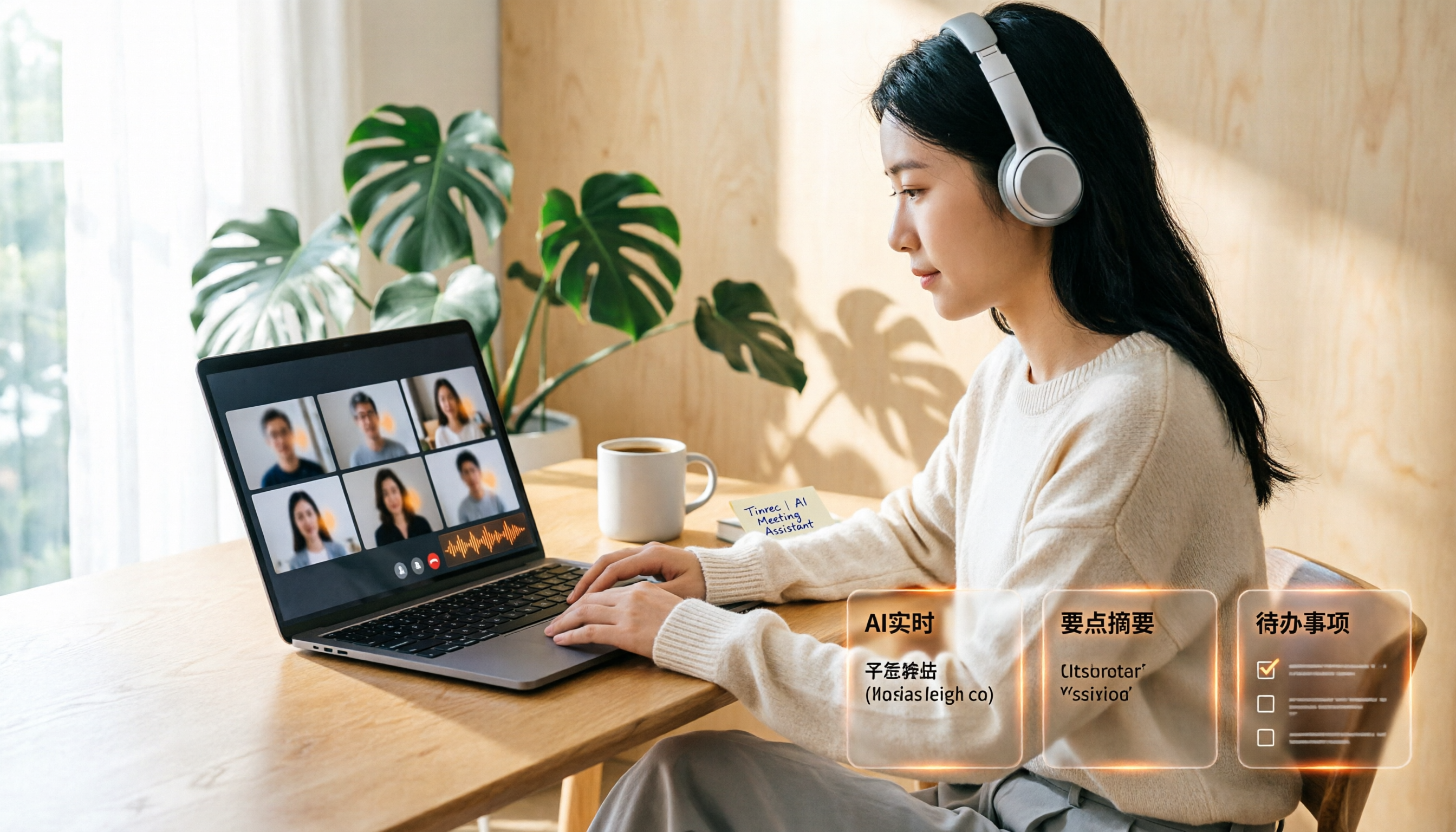
Scenario 1: No more spending an hour organizing notes after a meeting For a two-hour project meeting, you used to spend another hour transcribing and extracting conclusions. With Tinrec, for example, the transcript, summary, chapters, and action items are generated by the time the meeting ends—who's responsible for what and when it's due, all listed out.
Scenario 2: Interview and research data ready to use quickly The most time-consuming part of user interviews isn't the interview itself—it's repeatedly pausing playback afterward. Tinrec converts audio into a searchable transcript and lets you ask questions directly about the content: "What were the interviewee's concerns about pricing?" It answers based on semantic understanding and preserves timestamps so you can go back to the original audio.
Scenario 3: Courses and lectures become reviewable notes Recordings of online courses or seminars can be transcribed and then searched by keyword, so you don't have to rewatch a two-hour video. Tinrec's chapter feature breaks long content into sections, and summaries help you grasp the structure first.
Scenario 4: Content creators organize materials and subtitle scripts After filming a video, you need subtitles, an article, and social media posts—the same transcript can be reused. Tinrec supports multiple export formats, so you can take results into Notion, Google Docs, OneNote, and other existing workflows for further processing.
What Are the Core Capabilities of Video Transcription AI?
Real-time transcription: words appear as you speak, not after recording. This is the biggest difference between meeting scenarios and "upload a file and wait in line for transcription." Tinrec supports real-time audio-to-text, so during a meeting you can confirm on the spot whether key points were missed, and afterward you don't have to wait for a processing cycle.
Bot-free recording of online meetings. Most meeting-type tools work by sending a bot account to join the meeting, which adds another participant to the screen. Tinrec's desktop version directly captures system audio, processing meeting content played on platforms like Zoom, Google Meet, Microsoft Teams, and Webex without inviting an extra bot. Note that this doesn't mean it automatically joins all meetings on your calendar—you still need to actively start recording in Tinrec.
AI summaries and chapters: making long content short and structured. Tinrec doesn't just compress the transcript into a single paragraph; it breaks it down into meeting topics, discussion highlights, conclusions, and action items, listed separately so you can quickly scan even long meetings.
AI Q&A: continue asking questions after transcription. This is the key differentiator. No matter how complete the transcript is, you still have to read it; but you can directly ask Tinrec "Which option did this meeting decide to adopt?" or "What were the three concerns the client raised?" It answers based on semantic understanding and links back to the original timestamps.
Translation and bilingual view. For cross-language meetings or videos, Tinrec supports viewing the original text, translation, or bilingual content during recording—especially useful for technical meetings with mixed Chinese and English.
Team spaces and governance. This is the part most easily overlooked in personal plans but most important for team purchases. Tinrec's team plan provides independent team spaces where meeting data belongs to the team, with management of members, roles, seats, sharing permissions, usage analytics, audit logs, and an audio recycle bin. When a member leaves or is removed, their team resources need to be handed over to other active members, so data doesn't disappear when an individual leaves.
Stop organizing recordings by hand
Upload audio or video and automatically get a transcript, summary, and action items
Practical Use Cases
Department weekly meetings and decision meetings. Participants start recording with Tinrec's desktop version and get the transcript, summary, and action items right after the meeting. Decision rationale stays in the team space, so the next discussion can pull up previous conclusions for comparison instead of relying on someone's memory.
Client interviews and requirements confirmation. Sales and customer success teams dread unclear "terms discussed at the time." Record requirements interviews with Tinrec; the transcript lets you search for key commitments, AI Q&A quickly organizes client concerns and follow-up actions, and afterward you can export a report or spreadsheet for delivery.
Research and user interviews. Researchers need quotable original words and timestamps. Tinrec preserves the transcript with time alignment, so when writing reports you can look things up directly without re-listening to the entire recording.
Corporate training and course recording. Instructor content becomes a searchable knowledge base after transcription; new employees don't have to watch the entire video—they can find relevant sections by keyword. The team hotwords feature lets you maintain internal terminology and reduce misrecognition of proper nouns.
5 Things to Consider When Choosing a Video Transcription AI Tool
1. Don't judge accuracy by marketing numbers alone. Any fixed percentage can't represent your recording environment. The practical approach is to take a segment of your own meeting or interview and actually try it, especially testing the two most error-prone situations: "multiple people taking turns speaking" and "mixed Chinese and English." Tinrec provides high-quality transcription with clear audio, but actual performance is still affected by noise, accents, overlapping speech, and technical terminology—for important content, it's recommended to cross-check by listening back at the timestamps.
2. Confirm whether input sources cover your real scenarios. Whether you only meet online, only interview offline, or need to process existing video files—the requirements are completely different. Tinrec supports real-time recording, desktop online meeting recording, audio and video file uploads, and mobile recording; some public web links can also be used as supplementary import methods.
3. Transcription is only the first step; post-meeting organization determines how much time you save. Having a transcript doesn't mean having minutes. When choosing a tool, ask directly: Does it automatically segment, generate summaries and action items, and can it answer questions about the content? Tinrec puts these in the same workflow and can further generate reports, spreadsheets, and documents.
4. Look at Chinese and multilingual capabilities separately. If you handle a lot of Chinese meetings and mixed Chinese-English content, confirm whether the tool's Chinese experience is a core strength, not just an add-on. Tinrec covers Chinese, Traditional Chinese, and multilingual scenarios, and supports real-time translation and bilingual viewing.
5. For team use, look at governance capabilities, not just whether accounts can be shared. The real issue with multi-person collaboration is permissions and ownership. Tinrec's team plan distinguishes between "roles" and "seats": roles determine who can manage the team and audit, seats determine whether members can record, upload, edit, import, and export; active members without seats can still view, play, and read team data. Currently, sharing is primarily at the team level, not fine-grained file-level permission control—confirm this meets your expectations before purchasing.
Frequently Asked Questions
Q: Is video transcription AI accurate enough? Under conditions of clear audio, a single microphone, and non-overlapping speakers, it can directly produce readable transcripts; in noisy environments or with multiple overlapping accents, manual proofreading is still needed. In practice, treat AI as "saving 80% of typing time" rather than "no checking needed at all."
Q: Do I need a meeting bot to join the call? Not necessarily. Tinrec's desktop version captures system audio without an extra participant joining the meeting. However, if your need is "automatically record all meetings on my calendar," that's not currently this mode—you still need to manually start recording.
Q: Can it process YouTube or existing video files? Yes, you can upload audio and video files for transcription; some public web links can also be used as supplementary import methods. However, Tinrec is positioned as meeting notes and team collaboration—if your main need is one-time batch transcription of large long files, you'll need to weigh other options when selecting.
Q: Is the free version enough? For light use, you can start with the free version to experience recording, import, summaries, and transcription. For short-term intensive meetings or interviews, consider a weekly pass; for steady weekly use, the Pro monthly plan is suitable; for long-term retention of recording data, the annual plan is more cost-effective. Actual quotas and prices are subject to the official purchase page.
Q: If a team member leaves, will meeting data disappear with them? No, it won't be taken away by the individual. Tinrec team resources belong to the team; when a member leaves or loses their seat, their responsible resources need to be handed over to other active members; accidentally deleted audio can be restored within the recycle bin retention period, currently 30 days.
Q: What should I pay attention to when using AI recording transcription? Comply with local regulations and obtain participant consent when needed. This is also a question to ask when purchasing: How is data stored, can it be deleted, and are there operation logs available for review?
Conclusion
The value of video transcription AI isn't in "turning audio into text"—it's in "turning content into data you can keep working with." If you only occasionally transcribe a video, a tool-type solution is sufficient; but if you're in meetings, interviews, and organizing courses every week, what you should really invest in is the post-meeting organization and team knowledge retention part.
By this standard, Tinrec's positioning is clear: the desktop version records online meetings without a bot, with real-time transcription, summaries, chapters, action items, AI Q&A, translation, and multi-format export all in one workflow, and the team plan turns data into team assets. We recommend starting with the free version on one of your own real meetings to see if the AI-generated minutes can be used directly—that's more accurate than any spec sheet.
References
- Free Video to Text Tool | AI Automatic Transcription with High Accuracy Subtitles
- Online AI Speech, Video, Audio File Automatic Transcription - Free Trial - cSubtitle
- Free AI Video Transcript Generator | Fast and Accurate, Supports 100+ Languages
- AI Speech to Text Fast Audio File Online Transcription, Transcripts and Video Subtitles - Free Trial - cSubtitle
- Use AI to Transcribe Video to Text - Adobe
Turn every recording into actionable outcomes
Get 60 free transcription minutes when you sign in. No credit card required.
Related Reading
You might also like

2026 AI Meeting Recorder App Comparison: Notta Reviews Are Mixed—What's the Real Difference?
People searching for notta app reviews usually have one question: is this app worth trying? This article examines three decision points—accuracy, free tier limits, and post-meeting organization—and compares Notta, Otter.ai, TurboScribe, and Tinrec, with buying criteria and the 3 most common pitfalls.
Google Meet Recording Free Options in 2026: 3 Tools Compared
Google Meet's built-in recording isn't available to everyone: it requires a computer or Android device, host permission, and a supported Workspace edition. This article reviews three recording and transcription options that work with Google Meet in 2026, covering Tinrec's bot-free desktop recording, AI summaries, action items, and Q&A, and compares the limitations and free tiers of Granola and TurboScribe, with tips to avoid pitfalls and choose the right tool.

Video to Text Online Tools in 2026: 5 Options Compared + Free Tier Breakdown
A roundup of 5 online video-to-text tools in 2026, covering Chinese transcription, subtitle file export, free tiers, and team collaboration to help you choose the right option for meeting, interview, and course videos.
5 Google Meet Recording Methods Compared in 2026: From Built-in Recording to AI Transcripts
Recording a Google Meet isn't just about pressing a button. This article addresses three common misconceptions and compares built-in recording, screen recording, browser extensions, physical recording devices, and Tinrec desktop bot-free recording. It explains what each method delivers, where it falls short, and how to turn meeting audio into searchable, queryable, and actionable team data in one go.

4 Google Meet Note-Taking Tools Tested for 2026: Tinrec's Chinese Transcripts and Post-Meeting Organization Are the Easiest
Still taking notes manually after Google Meet calls? This hands-on comparison looks at Google Meet's built-in Gemini 'Take notes for me,' Tinrec, Otter.ai, and Notta, covering the 4 key factors to consider when choosing a meeting notes tool, 3 common mistakes, and each option's limitations and pricing—so you can decide which one actually saves you post-meeting cleanup time.

2026 AI Meeting Notes Showdown: Tinrec vs Notta for Chinese Classrooms
A senior information management student spent a semester testing Tinrec and Notta in Chinese lectures, group discussions, and finals prep. He compares free tiers, mixed Chinese-English recognition, post-meeting organization, and team spaces, and honestly explains each tool's limits and how students should choose.

4 Google Meet Recording Methods Compared (2026): Can Free Accounts Keep Meeting Records?
Can Google Meet record? The answer depends on your account type, admin settings, and meeting role. This article first explains the 3 prerequisites for official built-in recording, then compares 4 common meeting recording methods, and demonstrates the complete workflow from recording to transcript, AI summary, and team sharing using Tinrec desktop, helping you choose the right approach.

How to Get a Google Meet Transcript in 2026: 5-Step Guide
There are three ways to get a Google Meet transcript: manually copy live captions, use Gemini's 'Take notes for me' feature, or use a third-party AI meeting tool. This article walks through Tinrec's bot-free recording workflow in 5 steps, covering live transcription, AI summaries, action item extraction, and team knowledge retention—explaining how to choose, how to use, and where pitfalls lie.

2026 Google Meet Recording Tools Buying Guide: 5 Tested Methods and Recommendations
Google Meet's built-in recording is only available to paid Workspace accounts; it's normal that free Gmail users can't find the 'Record meeting' option. This guide covers 5 practical ways to record Google Meet—from the official built-in feature and desktop bot-free recording to screen recording and browser extensions—and explains where files are saved and what to do if you're not the host, helping you choose the right one for your needs.