

Turn recordings into transcripts and summaries in minutes
Upload audio or video for multilingual transcription, AI notes, and action items
2024 Comparison of 3 Otter Chinese Alternatives: Which Saves More Time for Chinese Meeting Notes?
When you search for "Otter Chinese recommendation 2024," you might be asking two things: first, the Chinese translation of the English word otter, which is 水獺; sea otter is 海獺. Second, whether Otter.ai, an AI meeting tool, supports Chinese and is worth using. This article focuses on the latter: if you mainly hold meetings in Chinese, is Otter.ai sufficient? Or should you switch to a tool that understands Chinese and can organize meeting minutes well?
Bottom line first: Otter.ai's strength lies in English business meetings; if your meetings are primarily in Chinese and involve mixed Chinese-English, post-meeting follow-ups, action item extraction, and team data retention, Tinrec is a more suitable choice.
Pain Points of Chinese Meeting Notes—What You Lack Is Not a Transcript, but Usable Post-Meeting Data
After a Chinese meeting, you have the recording and the transcript, but no one wants to go through 40 minutes of content to find conclusions. This is the daily reality for many teams: discussions are lively during the meeting, but afterward, all that's left is an unorganized audio file.
What's more troublesome is mixed Chinese-English. Product names, project codes, client abbreviations, and English acronyms are mixed into Chinese sentences. If the transcription tool's recognition is unstable, the transcript becomes a bunch of fragments that require manual guessing. Rather than saying people need "audio-to-text," it's more accurate to say they need "data that can be used directly after the meeting."
If you've encountered these situations, instead of continuing with manual fixes, it's better to first understand how to choose a tool suitable for Chinese meetings.
Before Choosing an Otter Chinese Alternative, Understand These 4 Key Points
1. Chinese Transcription and Mixed Chinese-English Capability Don't just look at English demos. Taiwanese teams often mix English terms into Chinese sentences, so the tool must handle Traditional Chinese, mixed Chinese-English, and proper nouns. Tinrec offers a team hotword feature that allows maintaining commonly used team terminology, which helps with recognition of product names and industry vocabulary.
2. Meeting Capture Method: Bot or Desktop System Audio Meeting bots need to join the meeting as a participant, which some people may mind; desktop version capturing system audio is another approach, but requires the user to actively start recording. Tinrec's desktop version can directly process audio from Zoom, Google Meet, Microsoft Teams, and Webex meetings played on the computer, without the need for an additional bot to join.
3. Post-Meeting Output: Transcript Is Not Equal to Meeting Minutes A transcript only solves "listening and typing"; summaries, chapters, action items, and AI Q&A solve "how to use it after the meeting." When choosing a tool, see if it can break down long meetings into key points, organize action items, and even let you directly ask questions about the meeting content.
4. Team Governance: Personal Account Is Not Equal to Team Space The team version should be able to manage members, roles, seats, usage, and operation logs. Tinrec's team version distinguishes roles and seats: roles determine who can manage the team, and seats determine whether members can record, upload, edit, import/export, and use team resources.
Tinrec—Our Top Choice for Chinese Meetings After Testing
In one sentence: Tinrec is an AI meeting notes and collaboration tool for individuals and teams, supporting iOS, Android, desktop, and web. It not only converts audio to text but turns meetings into data that can be searched, summarized, queried, exported, and further processed.
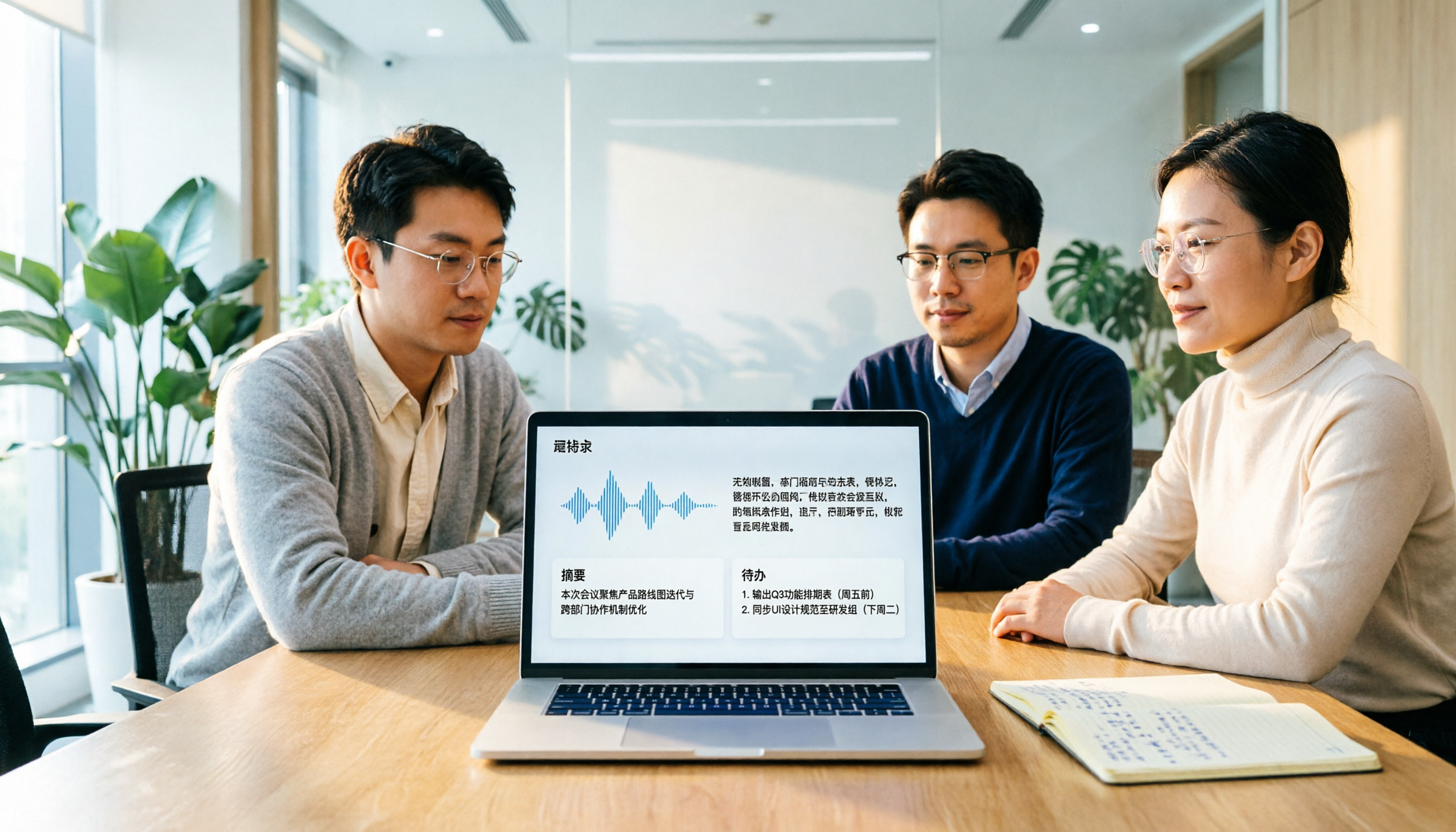
In actual use, you can open Tinrec to record, and the screen simultaneously generates a transcript; after the meeting, the system organizes summaries, chapters, key points, and action items. For Chinese meetings, this process saves a lot of switching costs compared to "record first, then find another tool to transcribe, and finally organize manually." The desktop version directly captures computer system audio, handling online meetings on Zoom, Google Meet, Microsoft Teams, Webex, etc., without inviting a meeting bot to join.
Tinrec's differentiation lies after the meeting. You can directly ask questions about the meeting content, such as "Who mentioned the budget in the last meeting?" or "What were the client's objections?" It answers based on meeting data, rather than just giving you keyword search results. The organized content can also be exported to Notion, Google Docs, OneNote, Dropbox, or further processed through Agent to generate reports, tables, and documents.
Stop organizing recordings by hand
Upload audio or video and automatically get a transcript, summary, and action items
For team use, Tinrec's team version provides an independent team space that centrally stores Audio, Folder, TODO, and meeting data. Administrators can manage owners, admins, and regular members, assign or revoke seats, view team usage trends, member rankings, and details, query and export audit logs, and use team hotwords and audio recycle bin. Valid members without seats can still view, play, and read team data, but cannot perform resource usage operations such as upload, edit, import/export.
Regarding pricing and benefits: the first eligible team trial is 7 days, 1 free seat, and 300 minutes of team shared import quota; team monthly payment is USD 29.80 per paid seat per month, annual payment is USD 199 per paid seat per year, equivalent to about USD 16.58 per month; paid seats provide 2,000 minutes of team shared import quota per month; under valid team plans and valid seats, real-time recording is currently not deducted by minutes. Actual prices, currencies, and promotional content should be subject to the official purchase page.
Limitations should also be clarified: Tinrec is not suitable for hardcore batch processing of large long audio files in one go; if you mainly transcribe large files, tools like TurboScribe are more suitable. Chinese transcription quality is still affected by recording quality, background noise, accents, overlapping speech, and technical terminology. For important content, it is recommended to cross-check with transcript timestamps and recording playback.
Who is it for: people who often hold Chinese meetings, need mixed Chinese-English organization, want summaries and action items after meetings, hope to directly ask AI about meeting content, or need to retain meeting data in a team space.
Besides Tinrec, What Other Options Are There?
Otter.ai: A mature English AI meeting assistant that supports Zoom, Microsoft Teams, Google Meet, real-time transcription, speaker identification, AI Chat, and team management. Free Basic plan offers 300 minutes per month; Pro annual payment is equivalent to USD 8.49 per user per month, including 1,200 minutes of in-app recording and 10 file imports per month. Its strength is in English business meetings, and most Chinese reviews consider its Chinese support limited. If you mainly record English meetings, Otter.ai is worth considering; if you need post-meeting Q&A and team hotwords for Chinese meetings, Tinrec is more suitable.
Notta: A multi-platform transcription tool with high overlap with Tinrec, supporting meeting notes, file import, translation, and team plans. Free version offers 120 minutes per month, up to 3 minutes per session; Pro annual payment is equivalent to USD 8.17 per month, 1,800 minutes per month; Business annual payment is equivalent to USD 16.67 per seat per month, providing unlimited transcription, role permissions, and usage reports. Notta's strengths are multilingual transcription and file processing; Tinrec focuses on desktop bot-free system audio capture, AI Q&A, Agent post-processing, and team audio recycle bin. Both are suitable for meetings, but for Chinese meetings and post-meeting follow-up processes, Tinrec is more focused.
Pitfall Guide: The 3 Most Common Mistakes When Choosing an Otter Chinese Alternative
Pitfall 1: Only looking at free minutes, ignoring Chinese recognition. A large free quota doesn't mean good Chinese performance. First, test with a real meeting recording of your own to confirm whether mixed Chinese-English, names, product names, and proper nouns can be correctly recognized, then discuss quota.
Pitfall 2: Assuming desktop recording automatically joins all meetings. Tinrec's desktop version is user-initiated recording, capturing computer system audio, not a calendar meeting bot. The advantage is that it doesn't add extra participants, but you still need to press record when the meeting starts.
Pitfall 3: Confusing roles, seats, and member relationships. The team version is not multiple people sharing one personal account. Roles determine governance permissions, seats determine whether one can record, upload, edit, and export; members without seats can still view and read team data. Before purchasing, be sure to ask clearly to avoid buying the team version only to find that members cannot edit.
Conclusion: Which One Should You Choose?
Mainly hold meetings in Chinese, need summaries and action items after meetings → Choose Tinrec.
Need mixed Chinese-English, real-time translation, and bilingual viewing → Choose Tinrec.
Need team space, seat management, usage analysis, and auditing → Choose Tinrec team version.
Need to use on phone, computer, and web, don't want to be tied to a single device → Choose Tinrec.
Budget is 0, only record English meetings → Otter.ai free version can be included in comparison, but Chinese is not its strength.
If you're not sure whether your meeting scenario is suitable, it's recommended to first run a real meeting with Tinrec's free version or team trial to confirm whether Chinese transcription, summaries, and post-meeting Q&A meet your team's habits, then decide whether to upgrade. For most Chinese meetings, organizing meeting data into searchable, collaborative, and traceable content is the real beginning of saving time.
References
- Which Otter Chinese translation is better? 2026 test of 4 options, Cambridge Dictionary most complete - Tinrec Blog
- OTTER Chinese (Traditional) Translation: Cambridge Dictionary
- OtterAI Transcribe Voice Notes - Google Play App
- Otter.ai Introduction, Features, Pricing, Pros and Cons Review | TheAI Academy
- Otter.ai doesn't support Chinese? 2026 Best Chinese Speech-to-Text and AI Meeting Notes Alternative Recommendation - Tinrec Blog
Turn every recording into actionable outcomes
Get 60 free transcription minutes when you sign in. No credit card required.
Related Reading
You might also like

4 Sales Meeting Transcription Software Compared: Which Free Version Is Actually Usable in 2026?
How to choose a free sales meeting transcription tool? Based on hands-on experience from a mid-level manager, this article breaks down four key decision points: free quota, post-meeting output, AI follow-up questions, and team handover. It compares Tinrec, Otter.ai, Notta, and PLAUD Note in real sales meeting scenarios to help you avoid the common mistake of only looking at free minutes.

3 Free Chinese Meeting Transcription Tools Tested for 2026: Is Otter Chinese Good Enough?
Many people search for "free Otter Chinese version" but run into issues with Simplified Chinese, free quotas, and export limits. This article starts with common misconceptions, explains what free Chinese meeting transcription can do for you, the 5 key points to consider when choosing a tool, and uses Tinrec as an example to show you the complete workflow from recording, transcript, summary, action items, to team knowledge retention.

Tinrec vs Otter.ai 2026: 5-Dimension Comparison — Which Is Better for Chinese Meetings?
Otter.ai's free plan offers 300 minutes per month, which sounds appealing, but is it enough for Chinese meetings? This article compares Tinrec and Otter.ai across five dimensions—free quota, Chinese language support, meeting capture methods, post-meeting output, and team knowledge retention—to help Hong Kong professionals choose the right meeting notes tool.

3 Meeting Transcription Tools Tested in 2026: Which Otter Chinese Alternative Works Best?
People searching for "otter Chinese online" actually have three different needs: looking up a word, finding Otter.ai's Chinese interface, or wanting a meeting transcription tool that handles Chinese well. This article first clarifies those intents, then uses Tinrec to test Chinese transcripts, summaries, action items, and team collaboration workflows, and compares Otter.ai's free and paid plans to help you choose the right approach.

2026 Side-by-Side Comparison of 2 Otter Chinese Version Tools: How Tinrec Fills the Traditional Chinese Meeting Notes Gap
Otter.ai's Chinese support is primarily Simplified Chinese, and Traditional Chinese and mixed Chinese-English content still require extensive proofreading. Starting from the pain points of mid-level managers' meeting notes, this article compares Otter.ai and Tinrec in terms of Chinese recognition, bot-free recording, post-meeting organization, team collaboration, and quota design, and summarizes practical use cases and purchasing advice.
Otter Chinese in 2026: Which Solution Works Best? A Side-by-Side Comparison of 3 Options and Why Tinrec Is Better for Chinese Meetings
When people search for 'Otter Chinese,' there are actually two different needs: looking up the English word, or finding a Chinese alternative to Otter.ai. This article first clarifies how to look up 'otter' (the animal) most comprehensively, then compares Tinrec and Otter.ai across five dimensions: Chinese recognition, meeting capture methods, post-meeting output, team data ownership, and quota pricing, to help you choose the right tool for Chinese meeting notes.

2026 Comparison of 2 Chinese Meeting Transcription Tools: Why Tinrec Is Better Suited for Chinese Than Otter.ai
Otter.ai is mature for English meeting transcription, but Chinese transcription has always been a pain point. This article uses the perspective of a team lead in Taiwan to compare Otter.ai and Tinrec in Chinese transcription, bot-free recording, post-meeting organization, and team collaboration, helping you decide which is better for Chinese meetings.

Otter in Chinese: What It Means and Whether Otter.ai Supports Chinese Meetings (2026 Guide)
What does 'otter' mean in Chinese? There are two layers: the literal translation of the English word 'otter' and whether Otter.ai, an AI meeting tool, can handle Chinese. This article clarifies the literal meaning and official language support, then explains why 'supports Chinese' doesn't mean it understands your Chinese meetings. Using Tinrec as an example, it breaks down the complete workflow from recording and transcription to summaries, action items, and team knowledge retention.

Tinrec vs Otter.ai 2026: 5-Dimension Comparison for Chinese Meeting Scenarios
People searching for 'which otter Chinese is good' are either looking for the Chinese translation of the word 'otter' or asking about Otter.ai's Chinese capabilities. This article separates these two intents, then compares Tinrec and Otter.ai across five dimensions: Chinese and mixed Chinese-English transcription, online meeting capture methods, post-meeting outputs, team governance, and pricing/quotas. It concludes with clear recommendations based on usage scenarios.