

Turn recordings into transcripts and summaries in minutes
Upload audio or video for multilingual transcription, AI notes, and action items
2026 Comparison of 2 Chinese Meeting Transcription Tools: Why Tinrec Is Better Suited for Chinese Than Otter.ai
Let's be clear upfront: this article is not about translating the word "otter" into Chinese, but about the Chinese performance of Otter.ai, a meeting transcription tool.
Many people think that if Otter.ai is not good at Chinese, switching to a tool with a "Chinese interface" will solve the problem. That's the most common misconception.
A localized interface does not mean the transcription engine understands Chinese, nor does it mean post-meeting summaries, action items, and follow-up questions can handle Chinese context.
Honestly, what I fear most when testing such tools is "strong in English, usable for Chinese as an afterthought"—when meetings mix Chinese and English, with many names and product codes, the transcript starts to drift.
A more reasonable way to judge is to look at three things: the Chinese transcription engine, the post-meeting organization workflow, and whether team data can be retained. That's why I'm comparing Otter.ai and Tinrec side by side.
Why are some people starting to look for Otter.ai alternatives?
Otter.ai is a very mature AI meeting assistant, with a solid reputation for English meeting transcription, summaries, and team management.
But many Chinese-speaking users are really stuck on Chinese: source materials mention that Otter.ai has limited support for accurate transcription of Traditional or Simplified Chinese, and Chinese meetings often still require manual correction.
This is not to say Otter.ai is bad, but its strength has always been English business meetings.
If your weekly meetings are in Chinese, client interviews mix Chinese and English, or your team needs to turn meetings into searchable data, you'll start looking for solutions closer to the Chinese context. Tinrec is one I would compare.
Tinrec vs Otter.ai: What are the core experience differences?
Chinese transcription and mixed Chinese-English
The biggest fear in Chinese meetings is not mishearing a word, but "a sentence containing Chinese, English product names, and people's names."
Tinrec's recognition engine is optimized for Chinese context, supports Chinese, Traditional Chinese, and multilingual meetings, and can handle mixed Chinese-English content.
Actual performance is still affected by recording quality, accent, background noise, and overlapping speakers—I won't inflate that.
But if your main meeting language is Chinese, this starting point makes a big difference. Otter.ai's English experience is mature, but Chinese is not its home turf.
Meeting capture method: bot-free vs existing ecosystem
Otter.ai's common approach is a meeting assistant joining online meetings, which works smoothly for English teams.
Tinrec's desktop version directly captures computer system audio, handling online meetings on Zoom, Google Meet, Microsoft Teams, Webex, etc., without needing an extra bot to join.
Honestly, this makes a big difference for external client meetings—you don't have to explain "an AI bot will join to record."
Note that Tinrec does not automatically join all calendar meetings; you actively open the desktop version to start recording.
Post-meeting organization: the transcript is just the beginning
Providing only a transcript is like throwing the organization work back at you.
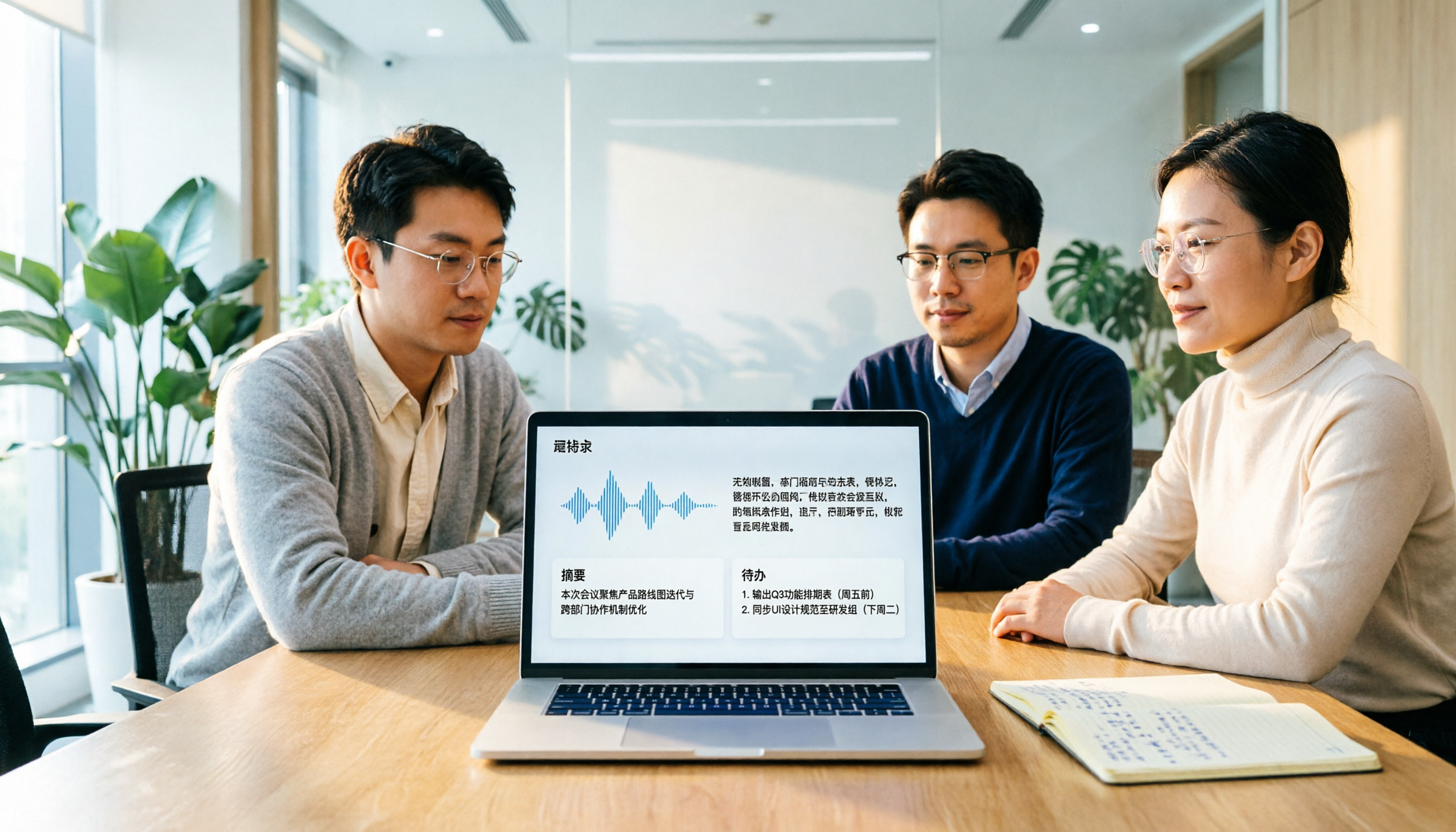
Tinrec automatically generates summaries, chapters, key points, and action items, and also supports AI Q&A around meeting content, real-time translation, bilingual view, and export to Notion, Google Docs, OneNote, Dropbox, etc.
Otter.ai is mature in English summaries and AI Chat, but for post-meeting output in Chinese meetings, Tinrec's completeness is closer to Chinese-speaking teams.
My conclusion is simple: if you want Chinese meeting minutes, Tinrec's workflow saves more effort.
Team data retention and governance
Using a tool alone versus using it as a team are two different things.
Tinrec's team version has an independent team space where meeting data belongs to the team. You can invite members, set owners, admins, and regular members, allocate seats, view usage trends, manage team hotwords, query and export audit logs, and access an audio recycle bin.
Members without seats can still view, play, and read team data, but need a seat to record, upload, and edit.
When a member leaves or loses a seat, team resources can be transferred and won't disappear with the personal account.
Otter.ai also has team and enterprise capabilities—I can't ignore that; but if you want centralized retention of Chinese meeting data, Tinrec's team space is more suitable.
To be clear: Tinrec's team version currently offers team-level sharing, not file-level ACL. Roles govern governance, seats govern usage eligibility.
Stop organizing recordings by hand
Upload audio or video and automatically get a transcript, summary, and action items
Free quota and version options
Tinrec's personal version includes a free version, weekly card, Pro monthly, and Pro annual; the team version offers a 7-day trial for first-time eligible users, 1 free seat, and 300 minutes of team shared import quota.
Team monthly is USD 29.80 per paid seat per month, annual is USD 199 per paid seat per year, equivalent to about USD 16.58 per month. Each paid seat gets 2,000 minutes of team shared import quota per month.
Real-time recording currently does not deduct minutes under an active team plan and active seat; file and web link imports consume team shared import minutes.
Otter.ai offers a free Basic plan with 300 minutes per month, Pro annual at USD 8.49 per user per month, with 1,200 minutes of in-app recording and 10 file imports per month.
The pricing logic differs, so don't just look at unit price—consider whether you record live meetings or large batches of files. Prices and benefits are subject to the official purchase page.
Tinrec's core features at a glance
- Real-time audio to text: open and record, transcribe as you go, and the transcript is ready when the meeting ends. Suitable for offline meetings, interviews, and ad-hoc notes.
- Bot-free online meeting recording: desktop version captures system audio, works with Zoom, Meet, Teams, Webex, no bot invitation needed.
- Audio and video file transcription: upload existing meeting recordings, lectures, podcast materials and convert to text.
- AI summaries, chapters, and action items: for long meetings, check summaries and chapters first, extract action items directly, no need to re-listen for two hours.
- AI Q&A and translation: ask "what were the conclusions of this meeting" or "who is responsible for what," and view original, translated, or bilingual text during recording.
- Multi-format export and Agent post-processing: export to common formats and third-party tools, further generate reports, tables, and meeting minutes.
- Team space and governance: team sharing, member roles, seats, usage analysis, audit logs, hotwords, and audio recycle bin. This is not multiple people sharing one account, but an independent team space.
Tinrec is not without drawbacks. If you want to throw a large batch of long files for bulk subtitles, it's not built for that; its strength is real-time meetings, post-meeting organization, and team retention.
Also, it does not promise a fixed accuracy rate; for important content, I recommend checking the transcript timestamps against the recording.
Actual use cases
Chinese weekly meetings and cross-department meetings
For fixed weekly Chinese meetings, post-meeting organization is the most annoying part.
Start recording with Tinrec desktop, view the transcript in real time during the meeting, and get summaries, chapters, and action items right after. Participants are not disturbed by a bot, and cross-department colleagues can review past meetings in the team space.
Client interviews with mixed Chinese and English
Client interviews often involve Chinese questions, English product names, and technical terms.
Tinrec supports mixed Chinese-English content and team hotwords; maintain common terms in advance for a more stable transcription experience. After the interview, use AI Q&A to find client objections and commitments, much faster than manually scanning the transcript.
Online courses and lecture organization
Upload lecture recordings or course videos, convert to text, then use summaries and chapters to capture key points.
When bilingual content is needed, real-time translation and bilingual view come in handy. This is closer to "readable notes" than just getting a transcript.
Team meeting data handover
The team version centrally stores Audio, Folder, and TODO, and transfers resources to active members when membership changes.
Meeting data belongs to the team and won't be lost when someone leaves. For small team leads, this is more practical than a few fancy features.
Points to note when choosing an audio-to-text tool
- Look at Chinese transcription first, not just a Chinese interface. Interface translation is easy; whether the engine understands Chinese context is key. Tinrec focuses on this, but still test with your own recordings.
- Look at the meeting capture method. Do you want a bot joining the meeting, or desktop bot-free system audio capture? Tinrec is the latter, less intrusive for external meetings.
- Look at post-meeting output. Just a transcript, or summaries, chapters, action items, Q&A, and export? Tinrec's value is in the workflow after transcription.
- Look at team governance. The team version must distinguish roles, seats, and member relationships. Tinrec offers team-level sharing, roles govern governance, seats govern usage eligibility, not file-level permissions.
- Look at quota rules. Billing logic for real-time recording and file import may differ. Tinrec team version currently does not deduct minutes for real-time recording; file imports consume shared quota. Check clearly before purchasing.
Conclusion: Is Tinrec worth a try?
If you are looking for an "Otter.ai Chinese alternative" or "which Chinese meeting transcription is better," my conclusion is: Otter.ai is strong for English meetings, but Chinese meetings are not its home turf; Tinrec connects Chinese transcription, bot-free recording, post-meeting summary Q&A, and team data retention into one line, which is smoother for teams in Taiwan.
It's not perfect—bulk long files are not its strength, and team permissions are not file-level ACL. Know these first.
But if 80% of your meetings are in Chinese, rather than continuing to patch with an English tool, try Tinrec's free version with your own meeting recordings first.
See how it performs with your accent, terminology, and meeting rhythm—that's more accurate than any review.
References
- Which Otter Chinese translation is best? 2026 test of 4 options, Cambridge Dictionary most complete - Tinrec Blog
- Otter.ai doesn't support Chinese? 2026 best Chinese speech-to-text and AI meeting notes alternatives - Tinrec Blog
- 15 Best Otter.ai Alternatives for Accurate Transcription in 2026 • Sonix
- Is Otter.ai good in 2026? Complete Chinese tutorial, features, pricing, and user review | Meeting notes, automatic transcript helper - RosyArts
- 2026 7 Chinese real-time audio to English translation tools recommended: accurate cross-language meeting test - Tinrec Blog
Turn every recording into actionable outcomes
Get 60 free transcription minutes when you sign in. No credit card required.
Related Reading
You might also like

4 Sales Meeting Transcription Software Compared: Which Free Version Is Actually Usable in 2026?
How to choose a free sales meeting transcription tool? Based on hands-on experience from a mid-level manager, this article breaks down four key decision points: free quota, post-meeting output, AI follow-up questions, and team handover. It compares Tinrec, Otter.ai, Notta, and PLAUD Note in real sales meeting scenarios to help you avoid the common mistake of only looking at free minutes.

3 Free Chinese Meeting Transcription Tools Tested for 2026: Is Otter Chinese Good Enough?
Many people search for "free Otter Chinese version" but run into issues with Simplified Chinese, free quotas, and export limits. This article starts with common misconceptions, explains what free Chinese meeting transcription can do for you, the 5 key points to consider when choosing a tool, and uses Tinrec as an example to show you the complete workflow from recording, transcript, summary, action items, to team knowledge retention.

Tinrec vs Otter.ai 2026: 5-Dimension Comparison — Which Is Better for Chinese Meetings?
Otter.ai's free plan offers 300 minutes per month, which sounds appealing, but is it enough for Chinese meetings? This article compares Tinrec and Otter.ai across five dimensions—free quota, Chinese language support, meeting capture methods, post-meeting output, and team knowledge retention—to help Hong Kong professionals choose the right meeting notes tool.

3 Meeting Transcription Tools Tested in 2026: Which Otter Chinese Alternative Works Best?
People searching for "otter Chinese online" actually have three different needs: looking up a word, finding Otter.ai's Chinese interface, or wanting a meeting transcription tool that handles Chinese well. This article first clarifies those intents, then uses Tinrec to test Chinese transcripts, summaries, action items, and team collaboration workflows, and compares Otter.ai's free and paid plans to help you choose the right approach.

2026 Side-by-Side Comparison of 2 Otter Chinese Version Tools: How Tinrec Fills the Traditional Chinese Meeting Notes Gap
Otter.ai's Chinese support is primarily Simplified Chinese, and Traditional Chinese and mixed Chinese-English content still require extensive proofreading. Starting from the pain points of mid-level managers' meeting notes, this article compares Otter.ai and Tinrec in terms of Chinese recognition, bot-free recording, post-meeting organization, team collaboration, and quota design, and summarizes practical use cases and purchasing advice.
Otter Chinese in 2026: Which Solution Works Best? A Side-by-Side Comparison of 3 Options and Why Tinrec Is Better for Chinese Meetings
When people search for 'Otter Chinese,' there are actually two different needs: looking up the English word, or finding a Chinese alternative to Otter.ai. This article first clarifies how to look up 'otter' (the animal) most comprehensively, then compares Tinrec and Otter.ai across five dimensions: Chinese recognition, meeting capture methods, post-meeting output, team data ownership, and quota pricing, to help you choose the right tool for Chinese meeting notes.

Otter in Chinese: What It Means and Whether Otter.ai Supports Chinese Meetings (2026 Guide)
What does 'otter' mean in Chinese? There are two layers: the literal translation of the English word 'otter' and whether Otter.ai, an AI meeting tool, can handle Chinese. This article clarifies the literal meaning and official language support, then explains why 'supports Chinese' doesn't mean it understands your Chinese meetings. Using Tinrec as an example, it breaks down the complete workflow from recording and transcription to summaries, action items, and team knowledge retention.

Tinrec vs Otter.ai 2026: 5-Dimension Comparison for Chinese Meeting Scenarios
People searching for 'which otter Chinese is good' are either looking for the Chinese translation of the word 'otter' or asking about Otter.ai's Chinese capabilities. This article separates these two intents, then compares Tinrec and Otter.ai across five dimensions: Chinese and mixed Chinese-English transcription, online meeting capture methods, post-meeting outputs, team governance, and pricing/quotas. It concludes with clear recommendations based on usage scenarios.

2024 Comparison of 3 Otter Chinese Alternatives: Which Saves More Time for Chinese Meeting Notes?
If you're searching for Otter Chinese, what you really need to determine is whether Otter.ai is sufficient for Chinese meetings. This article compares Tinrec, Otter.ai, and Notta from four perspectives: Chinese transcription, bot-free recording, post-meeting organization, and team collaboration, to help you choose the right tool for Chinese meeting notes.