

Turn recordings into transcripts and summaries in minutes
Upload audio or video for multilingual transcription, AI notes, and action items
2026 Side-by-Side Comparison of 2 Otter Chinese Version Tools: How Tinrec Fills the Traditional Chinese Meeting Notes Gap
Before last Wednesday's cross-departmental meeting ended, my boss asked me: "What was the conclusion from the supplier quote last time?" I opened Otter's transcript and searched for "quote," which brought up three segments, but the name "Pei-Ci" was typed as "Pei-Ci" (wrong character), and the company name had one wrong character too. That day I spent 20 minutes proofreading before I could report the conclusion. It's not that Otter is bad—it's indeed mature for English meetings—but when the meeting is in Traditional Chinese and mixed with English product abbreviations, I have to do an extra step. That's why I started looking for Otter Chinese version alternatives.
Let me be clear first: if you search for "otter Chinese version" just to know the Chinese translation of the word "otter," resources like Cambridge Dictionary or VoiceTube are enough; but if, like me, you're looking for "Otter.ai's Chinese version" or "Otter Chinese meeting notes alternative," this article will be more relevant. I manage a 10-person team with about 15 meetings per week, and this is a side-by-side comparison from a manager's perspective.
Why are people starting to look for Otter Chinese version alternatives?
Otter.ai is a mature AI meeting assistant covering Zoom, Microsoft Teams, Google Meet, real-time transcription, speaker identification, AI Chat, and team management. For English business meetings, it's very strong, and many people are initially drawn to it.
But the Chinese scenario is a different story. According to source reviews, Otter's official language page lists Simplified Chinese, and Traditional Chinese is not officially supported; common Taiwanese names, company names, mixed Chinese-English, and English abbreviations often require manual correction on first recognition. Otter Chat can translate meeting content into other languages and answer questions in other languages, but that doesn't mean the original speech has been accurately transcribed into Traditional Chinese.
Another practical consideration is data storage. For Taiwanese teams handling sensitive business secrets or personal data, overseas cloud storage and internal security policies need to be confirmed first. These issues are not about "Otter being bad," but when you have a large number of Traditional Chinese meetings every week, the proofreading cost will slowly eat up the time you originally wanted to save. If you have similar troubles, Tinrec is worth looking into.
Tinrec vs Otter.ai: What are the differences in core experience?
Chinese and mixed Chinese-English meeting experience
For Taiwanese teams, Chinese recognition is not a bonus—it's essential. Our meetings often involve Traditional Chinese mixed with product names, English abbreviations, and Taiwanese colloquial particles, which are most likely to trip up general models. Tinrec focuses on Chinese meeting transcription, mixed Chinese-English content organization, multilingual meeting transcription, and supports real-time translation and team hotwords. Actual performance will still be affected by recording quality, accents, noise, overlapping speakers, and technical terms; it's not advisable to rely solely on advertising claims—best to test with your own meeting materials. If your pain point is "still having to spend time correcting names and proper nouns after the meeting," this dimension is more critical than simply comparing minutes.
Meeting capture method: Do you want a bot to join?
Otter offers meeting bots and desktop apps, which are convenient for those used to automated workflows. Tinrec's desktop version directly captures computer system audio, so when handling online meetings on Zoom, Google Meet, Microsoft Teams, Webex, etc., no additional bot needs to join as a participant. This is especially noticeable in client meetings: you don't have to explain to the client "why there's a recording bot in the meeting." Note that Tinrec requires the user to actively open the desktop app to start recording, not automatically join all calendar meetings; understanding it as "bot-free recording" is more accurate than "fully automatic meeting assistant."
After the transcript, who helps turn the meeting into action?
Getting only a transcript means only half the record is complete. Otter has summaries, action items, and Otter Chat—all mature capabilities; Tinrec focuses on the workflow after the transcript: automatically generating summaries, chapters, key points, and to-dos, supporting AI Q&A around meeting content, and through Agent post-processing generating reports, tables, and documents, and exporting to Notion, Google Docs, OneNote, Dropbox, etc. For managers, the difference is not "whether there's a summary," but whether the data can be directly used for weekly reports, tracking, and follow-ups after the meeting.
Team data ownership and governance
Otter's Business plan has team and management capabilities, which is its strength. Tinrec's team version centralizes meeting recordings, transcripts, summaries, to-dos, and member management in one team space, providing roles, seats, usage analytics, audit logs, audio recycle bin, and resource handover when members change. It's important to distinguish: roles determine who can manage the team, seats determine who can record, upload, edit, import/export; active members without seats can still view, play, and read team data but cannot perform resource usage operations. For a 10-person team, this design is more suitable for management than "everyone sharing one personal account."
Quota and trial design
Otter Basic is currently free with 300 minutes per month, suitable for light English meetings; Pro and Business pricing and benefits may change, so refer to the official pricing page. Tinrec's personal version has a free version, weekly card, Pro monthly card, and annual card, chosen by usage task: for occasional recording organization, start with the free version; for short-term intensive meetings, consider the weekly card; for stable weekly use, consider Pro; for long-term data accumulation, consider the annual card. The team version's first eligible trial is 7 days, 1 free seat, 300 minutes of team shared import quota; team monthly payment is USD 29.80 per paid seat per month, annual payment is USD 199 per paid seat per year, equivalent to about USD 16.58 per month; each paid seat provides 2,000 minutes of team shared import quota per month. Under an active team plan and seats, real-time recording is currently not deducted by minutes; file and web imports consume team shared import minutes. Prices, currencies, and promotions are subject to the official purchase page.
Stop organizing recordings by hand
Upload audio or video and automatically get a transcript, summary, and action items
Overview of Tinrec's core features
Real-time speech-to-text: Open Tinrec recording, and text will accumulate synchronously as the meeting progresses. For offline meetings, interviews, or ad-hoc discussions, you can listen and read text simultaneously; when participants mention key numbers or decisions, you don't have to rely on memory afterward. At the end of the meeting, the transcript already has a basic form, saving the most mechanical typing time.
Bot-free online meeting recording: The desktop version captures device system audio to handle Zoom, Google Meet, Microsoft Teams, Webex, etc., without inviting an additional bot to join. When visiting clients, this reduces their concerns; for internal weekly meetings, it also avoids technical questions like "should the bot turn on the microphone." Remember to actively start recording and obtain participant consent as required.
Audio/video file transcription and real-time translation: If you have lecture recordings, podcast materials, or historical meeting files, you can upload audio/video to quickly organize into text data. For cross-language meetings, you can view the original, translation, or bilingual content, reducing time switching between tools. Actual recognition performance still depends on recording quality, background noise, and speaker accents.
AI summaries, chapters, to-dos, and Q&A: The biggest fear for long meetings is not finding the key points afterward. Tinrec generates summaries and chapters, breaking long content into browsable structures, and extracts to-dos from discussions. AI Q&A allows further questions about a single or multiple meetings, such as "What was the conclusion of this meeting?" "Who is responsible for what?" "What objections did the client raise?" For those who need to report upward, this is much faster than manually flipping through 30 pages of transcripts. Important information should still be confirmed against the original text and recording playback.
Team space and multi-format export: The team version centralizes meeting data, allowing new members to view historical data, and when members leave, their team resources can be handed over to other active members. Meeting results can be exported to common formats and third-party tools, and further generate reports, tables, and meeting minutes, allowing meeting content to continue into your existing workflow.
Practical use cases
Weekly meetings and cross-departmental coordination: Our team's weekly meetings regularly discuss project progress, risks, and to-dos. Previously, I spent 40 minutes organizing notes after the meeting; now I record with Tinrec desktop, review the summary and chapters first, then confirm each person's responsibilities from the to-do list. After cross-departmental meetings, I paste the organized key points directly into the group chat, reducing back-and-forth like "I thought you meant the other version."
Client interviews and business meetings: The biggest fear in client meetings is an extra recording bot; some clients directly ask "will this bot record?" Using Tinrec desktop to capture system audio requires no additional participants, making the process more natural. After the meeting, I organize client needs, objections, and commitments, export to team documents, and review before the next meeting to avoid missing issues raised last time.
One-on-one interviews and personal notes: Leading a team inevitably involves discussing work status and goals. For one-on-one interviews, use real-time speech-to-text to review what you agreed to and what colleagues reported, avoiding verbal instructions becoming "I thought you remembered." Of course, inform the other party of the purpose before recording and comply with local laws and company policies.
Historical audio files and lecture organization: Sometimes you receive MP3 or video files that are not suitable for real-time recording. Tinrec supports uploading audio/video for transcription, combined with summaries and Q&A, quickly organizing a two-hour lecture into key points. For teams that need to accumulate knowledge, storing these materials in the team space makes them easier to search and reuse than scattered on personal computers.
Points to note when choosing a speech-to-text tool
First test Traditional Chinese and mixed Chinese-English: Don't just look at the supported language list. Test with three real materials: a pure Traditional Chinese meeting, a mixed Chinese-English product discussion, and a recording with two or more speakers and ambient noise. Check company names, person names, numbers, dates, proper nouns, speaker labels, and action items. Getting one key number wrong is usually riskier than missing a few filler words. Tinrec allows you to test with your own recordings first, which is more direct than any review.
Confirm the meeting capture method fits your workflow: Meeting bots are suitable for fully automated scheduling but may not be appropriate for external client meetings; desktop bot-free recording is less intrusive but requires the user to actively start. When choosing a tool, first consider whether your meetings are mostly online, offline, or both, and the client's acceptance of recording bots.
See if post-meeting outputs can be used directly: Transcripts are just raw material. What you really need are summaries, chapters, to-dos, Q&A, translation, and export. For managers, tools that can directly generate weekly report materials, client follow-up lists, or meeting minutes are more valuable than simple minutes. Tinrec provides summaries, chapters, to-dos, AI Q&A, mind maps, Agent post-processing, and multi-format export in this segment, suitable for those who continue working after the meeting.
Teams need to distinguish roles, seats, and data ownership: If the team shares meeting data, don't just look at "how many people can use it." Ask clearly: Does the data belong to individuals or the team? Will data be taken away when members leave? Can members without seats view? Can they edit? Tinrec's team version stores data in a team space, with roles controlling governance and seats controlling usage eligibility; active members without seats can read but cannot upload, edit, or export. This distinction is clearer for management than "everyone sharing an account."
Pay attention to privacy, recording consent, and data storage: Recording involves personal data and business secrets; no matter how good the tool is, confirm company policies first. For external meetings, inform participants and obtain consent; for highly compliant scenarios, separately confirm data storage location, deletion process, and audit requirements. Tinrec provides team audit logs and audio recycle bin, but it should not be described as a universal compliance guarantee; medical, legal, financial, and other scenarios still need evaluation according to their own regulations.
Conclusion: Is Tinrec worth a try?
If most of your meetings are in English and you're already used to Otter's automated workflow, Otter is still worth keeping; but if, like me, your main pain points are Traditional Chinese meetings, mixed Chinese-English, Taiwanese name proofreading, and spending time organizing minutes and to-dos after meetings, then Tinrec is more relevant. Its advantage is not a single feature but connecting "recording, transcription, summary, Q&A, to-dos, export, team accumulation" into a post-meeting workflow.
For a team of about 10 people with multiple meetings per week, I suggest starting with the free version or team trial, testing with your three most real meeting materials: one pure Traditional Chinese, one mixed Chinese-English, and one multi-person discussion. Check person names, numbers, speaker labels, and to-do extraction, then decide whether to upgrade. There is no absolute best tool, only one that suits your meeting style; but if you're tired of post-meeting proofreading, Tinrec is at least worth adding to your comparison list.
References
- Which Otter Chinese translation is best? 2026 test of 4 options, Cambridge Dictionary most complete - Miaoting Recording Blog
- Otter.ai doesn't support Chinese? 2026 best Chinese speech-to-text and AI meeting notes alternatives - Miaoting Recording Blog
- What is Otter Chinese? 2026 AI speech-to-text tool review and alternative recommendations - Miaoting Recording Blog
- Is Otter.ai Chinese good? 2026 in-depth review for Taiwanese users (including alternatives)
- Does Otter.ai support Chinese? Simplified Chinese limitations, free 300 minutes, and tutorial | Mason AI Lab
Turn every recording into actionable outcomes
Get 60 free transcription minutes when you sign in. No credit card required.
Related Reading
You might also like

4 Sales Meeting Transcription Software Compared: Which Free Version Is Actually Usable in 2026?
How to choose a free sales meeting transcription tool? Based on hands-on experience from a mid-level manager, this article breaks down four key decision points: free quota, post-meeting output, AI follow-up questions, and team handover. It compares Tinrec, Otter.ai, Notta, and PLAUD Note in real sales meeting scenarios to help you avoid the common mistake of only looking at free minutes.

3 Free Chinese Meeting Transcription Tools Tested for 2026: Is Otter Chinese Good Enough?
Many people search for "free Otter Chinese version" but run into issues with Simplified Chinese, free quotas, and export limits. This article starts with common misconceptions, explains what free Chinese meeting transcription can do for you, the 5 key points to consider when choosing a tool, and uses Tinrec as an example to show you the complete workflow from recording, transcript, summary, action items, to team knowledge retention.

Tinrec vs Otter.ai 2026: 5-Dimension Comparison — Which Is Better for Chinese Meetings?
Otter.ai's free plan offers 300 minutes per month, which sounds appealing, but is it enough for Chinese meetings? This article compares Tinrec and Otter.ai across five dimensions—free quota, Chinese language support, meeting capture methods, post-meeting output, and team knowledge retention—to help Hong Kong professionals choose the right meeting notes tool.

3 Meeting Transcription Tools Tested in 2026: Which Otter Chinese Alternative Works Best?
People searching for "otter Chinese online" actually have three different needs: looking up a word, finding Otter.ai's Chinese interface, or wanting a meeting transcription tool that handles Chinese well. This article first clarifies those intents, then uses Tinrec to test Chinese transcripts, summaries, action items, and team collaboration workflows, and compares Otter.ai's free and paid plans to help you choose the right approach.
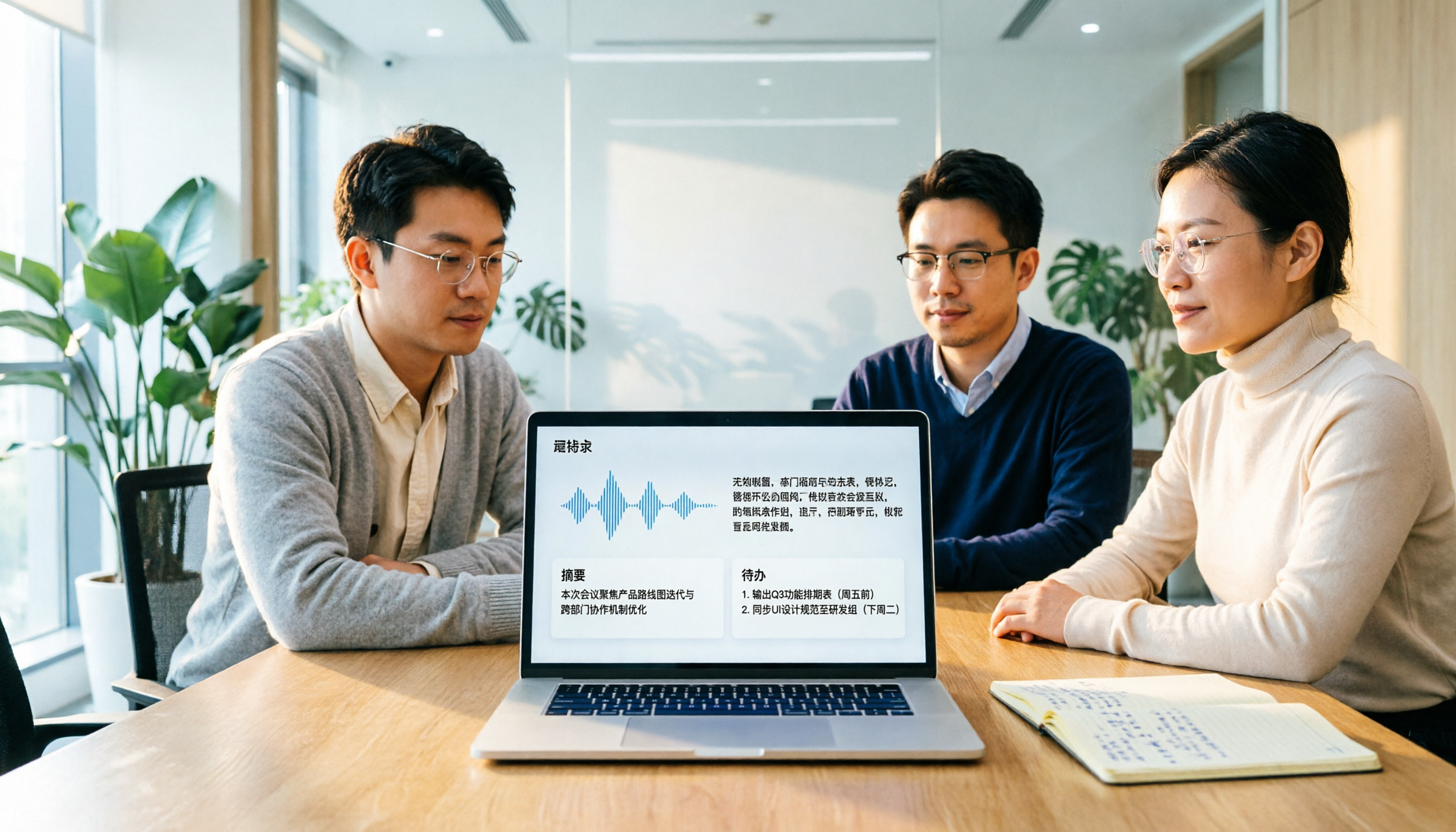
Otter Chinese in 2026: Which Solution Works Best? A Side-by-Side Comparison of 3 Options and Why Tinrec Is Better for Chinese Meetings
When people search for 'Otter Chinese,' there are actually two different needs: looking up the English word, or finding a Chinese alternative to Otter.ai. This article first clarifies how to look up 'otter' (the animal) most comprehensively, then compares Tinrec and Otter.ai across five dimensions: Chinese recognition, meeting capture methods, post-meeting output, team data ownership, and quota pricing, to help you choose the right tool for Chinese meeting notes.

2026 Comparison of 2 Chinese Meeting Transcription Tools: Why Tinrec Is Better Suited for Chinese Than Otter.ai
Otter.ai is mature for English meeting transcription, but Chinese transcription has always been a pain point. This article uses the perspective of a team lead in Taiwan to compare Otter.ai and Tinrec in Chinese transcription, bot-free recording, post-meeting organization, and team collaboration, helping you decide which is better for Chinese meetings.
Otter in Chinese: What It Means and Whether Otter.ai Supports Chinese Meetings (2026 Guide)
What does 'otter' mean in Chinese? There are two layers: the literal translation of the English word 'otter' and whether Otter.ai, an AI meeting tool, can handle Chinese. This article clarifies the literal meaning and official language support, then explains why 'supports Chinese' doesn't mean it understands your Chinese meetings. Using Tinrec as an example, it breaks down the complete workflow from recording and transcription to summaries, action items, and team knowledge retention.

Tinrec vs Otter.ai 2026: 5-Dimension Comparison for Chinese Meeting Scenarios
People searching for 'which otter Chinese is good' are either looking for the Chinese translation of the word 'otter' or asking about Otter.ai's Chinese capabilities. This article separates these two intents, then compares Tinrec and Otter.ai across five dimensions: Chinese and mixed Chinese-English transcription, online meeting capture methods, post-meeting outputs, team governance, and pricing/quotas. It concludes with clear recommendations based on usage scenarios.

2024 Comparison of 3 Otter Chinese Alternatives: Which Saves More Time for Chinese Meeting Notes?
If you're searching for Otter Chinese, what you really need to determine is whether Otter.ai is sufficient for Chinese meetings. This article compares Tinrec, Otter.ai, and Notta from four perspectives: Chinese transcription, bot-free recording, post-meeting organization, and team collaboration, to help you choose the right tool for Chinese meeting notes.