

Turn recordings into transcripts and summaries in minutes
Upload audio or video for multilingual transcription, AI notes, and action items
The most expensive cost of a sales meeting is never the hour spent in the meeting
When many people choose a free meeting transcription software, their first move is to open a comparison table and see which one offers the most free minutes. They download the one with the largest quota.
I believe this approach is wrong—and the cost of being wrong is not small.
In my years leading sales teams, the real problem has never been "not enough quota to record," but rather not getting anything usable after recording. A salesperson talks with a client for 40 minutes, negotiating the price floor, discount terms, and launch timeline. After the meeting, only a few lines of handwritten notes remain. Two weeks later, the client says, "Didn't you agree to this?" and you search through messages but can't find that promise. When the salesperson leaves, three years of client meeting records disappear with their phone.
These pitfalls have nothing to do with whether the free quota is 120 minutes or 300 minutes.
In this article, I use the actual workflow of our sales team to discuss four common sales meeting transcription software. The focus is not on who offers the most free minutes, but on who can actually let you find what you need after the meeting.
Before choosing sales meeting transcription software, understand these 4 key points
1. How the free quota is deducted
This is the easiest place to misjudge. Some tools' "free minutes" only count uploaded files, while live meeting recording is counted separately; others share one quota pool for recording and import. You need to first clarify your usage pattern: do you have online meetings every day, or do you occasionally upload a client interview? The suitable plans for these two are completely different.
2. What you get after recording
Having only a transcript versus having summaries, chapters, and action items are two completely different workloads. A 40-minute client meeting transcript is about ten thousand words, and you can't reread it every time. What truly saves time is knowing "who said this, what the conclusion is, and who needs to do what."
3. Can you ask follow-up questions about the meeting content
The most common queries in sales meetings are like: "What was the budget cap the client mentioned last time?" "What were his concerns about competitors?" If your tool can only do Ctrl+F keyword search, you'll get a bunch of results with the word "budget" and still have to read them yourself.
4. Is team handover feasible
Sales turnover is normal. If meeting data is tied to personal accounts, when the person leaves, the client context is broken. This point usually doesn't show a difference in free versions, but it's what you'll regret most six months later.
Tinrec — Our sales team's primary tool after hands-on testing
Tinrec is an AI meeting transcription and collaboration tool for individuals and teams, supporting iOS, Android, desktop, and web. It doesn't just convert audio to text; it organizes meetings into searchable, summarizable, queryable, and exportable data.
How I actually use it in my sales meetings:
First, no bot invitation needed for online meetings. When client meetings are on Zoom or Google Meet, I ask my colleagues to open Tinrec desktop directly. It captures the computer system audio to record and transcribe in real time, and the client doesn't see a strange account joining the meeting. For negotiation settings, this is more important than you might imagine—you don't want to start by explaining "this is a recording bot."
Second, ask it questions directly after the meeting. Last week's client meeting, I needed to confirm the extent of their concession on payment terms, so I directly asked in the meeting data, "What is the client's requirement for payment cycle?" It gave a summarized answer, not a list of keywords. This is currently my most-used feature.
Third, the post-meeting output is ready to use. Summaries, chapters, and action items are automatically generated. When you need to submit a report, you can ask it to organize into a document or table, then export to Google Docs, Notion, and other tools we already use. From "meeting ended" to "output produced," the time saved in between is my most tangible cost saving.
Three reasons I think it's worth recommending:
- Records online meetings without a bot, zero client awareness, suitable for external communication settings.
- Beyond transcripts, it offers summaries, action items, and AI follow-up questions, turning meetings into a searchable database.
- The team version is an independent team space, not multiple people sharing one account. Meeting data belongs to the team, members have roles and seat distinctions, admins can view usage trends and activity logs; when a salesperson leaves, their team resources can be handed over to other members and won't disappear entirely.
Limitations should also be clear:
Stop organizing recordings by hand
Upload audio or video and automatically get a transcript, summary, and action items
The free version provides a basic quota, suitable for running a few real meetings to verify effectiveness; heavy use requires payment. Also, it does not "automatically join all meetings on your calendar"—you must actively start recording. If you want a fully automatic black box, this will take some getting used to.
Team version details for reference: The first eligible team trial is 7 days, 1 free seat, 300 minutes of team shared import quota; team monthly payment is USD 29.80 per paid seat per month, annual payment is USD 199 per paid seat per year (equivalent to about USD 16.58 per month), each paid seat provides 2,000 minutes of team shared import quota per month. Under an active team plan and active seats, real-time recording is currently not deducted by minutes; only file import consumes shared quota. Actual prices and benefits are subject to the official purchase page.
Who it's for: Sales and business teams that need to handle Chinese and mixed Chinese-English meetings, want to use AI to look up key points directly after meetings, and care about meeting data ultimately staying with the team.
Besides Tinrec, what other options are there?
Otter.ai: A mature choice for English business meetings. The Basic free plan offers 300 minutes per month, a generous quota. If your client meetings are entirely in English, it's indeed cost-effective. But Chinese meetings and mixed Chinese-English organization are not its focus, and Tinrec, after importing historical audio files, can also ask follow-up questions about the content and organize into action items and reports—this post-meeting workflow is where it is smoother.
Notta: Good multilingual transcription capability, free version offers 120 minutes per month, but note the single content limit of 3 minutes—a sales meeting starts at 40 minutes, and this limit forces you to split files. Tinrec, on the other hand, can directly process the entire online meeting through the desktop version and consolidate data into the team space for unified management, which is something Notta's free plan struggles to replace.
PLAUD Note: A representative of AI recording hardware. NotePin is USD 159, Note Pro is USD 189, entry plan offers 300 minutes per month. Suitable for salespeople who are often on the go and need portable recording. The downside is you have to buy an extra device and remember to bring it; Tinrec requires no additional hardware, works on phone, computer, and web, and directly captures system audio for online meetings.
Pitfall guide: The 4 most common mistakes when choosing free meeting transcription software
Pitfall 1: Only looking at free minutes, not how the quota is deducted. Tools that count recording and upload separately are common. First confirm which is your main usage scenario, otherwise you may find it sufficient during trial but run out when actually deployed.
Pitfall 2: Treating the transcript as the meeting record. The transcript is raw material, not the finished product. A ten-thousand-word transcript still requires you to reread it when you next need to find "the budget cap the client mentioned." When choosing a tool, look at the organization layers like summaries, chapters, and action items, not the word count.
Pitfall 3: Ignoring team handover. Free versions usually only give you personal space, which doesn't feel like a problem initially. By the time the third salesperson leaves, you'll realize three years of client meeting context is scattered across personal accounts. Choose an architecture with team space and permission management from the start, and you'll have far fewer problems later.
Pitfall 4: Not handling recording consent. In Taiwan, when it comes to recording, law and courtesy are two different things. In practice, I ask colleagues to say at the start of the meeting, "I will record this meeting for documentation to facilitate post-meeting organization." This is both respectful and avoids future disputes. No matter how convenient the tool is, this step cannot be skipped.
Conclusion: Which one should you actually choose?
Back to the initial question—which free version is actually usable? The answer depends on whether you want to "record it" or "find it."
- Chinese sales meetings, need to ask follow-up questions about key points after the meeting → Tinrec, this is its core scenario.
- Don't want clients to see a bot in online meetings → Tinrec desktop directly captures system audio.
- Sales team needs to share meeting data, cares about handover → Tinrec team version, manage seats, usage, and records in one place.
- Entire meeting is in English, just want cheap → Otter.ai's free 300 minutes is a reasonable choice.
- Often on the go, need a portable physical device → Hardware like PLAUD Note still has its place.
My advice is simple: first use the free version for two or three real client meetings, don't test with demo audio files. You'll quickly understand that what saves you time is never those few minutes of quota, but whether you can answer your boss's question "What was the client's bottom line last time?" within thirty seconds after the meeting.
References
- Unlimited time! 3 free AI transcription tools, highly recommended! AI voice notes generate meeting records, presentations, mind maps | 104 Workplace
- AI meeting transcription software recommendation: 5 major apps tested and compared, automatic transcription makes meetings super easy!
- Meeting record AI神器 | Real-time recording, summary organization! 3 major tools let you focus on meetings
- Meeting Ink - 2026 AI meeting record tool test | 7 voice-to-text and summary speed comparison | Meeting Ink - AI meeting record assistant automatic transcription transcript summary meeting minutes
- Recently many people ask me if there are any AI tools for meeting records? They still type manually, often can't multitask, and waste time. I always answer—SeaMeet. Why recommend? Here are the key points: -Tied to Google Meet, online meetings sync transcription and real-time summary, super convenient. -No need to reorganize, after the meeting, directly email all participants. -Operation is super simple, I taught elderly people who have never used AI tools in 10 minutes. -In-person meetings
Turn every recording into actionable outcomes
Get 60 free transcription minutes when you sign in. No credit card required.
Related Reading
You might also like

3 Free Chinese Meeting Transcription Tools Tested for 2026: Is Otter Chinese Good Enough?
Many people search for "free Otter Chinese version" but run into issues with Simplified Chinese, free quotas, and export limits. This article starts with common misconceptions, explains what free Chinese meeting transcription can do for you, the 5 key points to consider when choosing a tool, and uses Tinrec as an example to show you the complete workflow from recording, transcript, summary, action items, to team knowledge retention.

Tinrec vs Otter.ai 2026: 5-Dimension Comparison — Which Is Better for Chinese Meetings?
Otter.ai's free plan offers 300 minutes per month, which sounds appealing, but is it enough for Chinese meetings? This article compares Tinrec and Otter.ai across five dimensions—free quota, Chinese language support, meeting capture methods, post-meeting output, and team knowledge retention—to help Hong Kong professionals choose the right meeting notes tool.

3 Meeting Transcription Tools Tested in 2026: Which Otter Chinese Alternative Works Best?
People searching for "otter Chinese online" actually have three different needs: looking up a word, finding Otter.ai's Chinese interface, or wanting a meeting transcription tool that handles Chinese well. This article first clarifies those intents, then uses Tinrec to test Chinese transcripts, summaries, action items, and team collaboration workflows, and compares Otter.ai's free and paid plans to help you choose the right approach.

2026 Side-by-Side Comparison of 2 Otter Chinese Version Tools: How Tinrec Fills the Traditional Chinese Meeting Notes Gap
Otter.ai's Chinese support is primarily Simplified Chinese, and Traditional Chinese and mixed Chinese-English content still require extensive proofreading. Starting from the pain points of mid-level managers' meeting notes, this article compares Otter.ai and Tinrec in terms of Chinese recognition, bot-free recording, post-meeting organization, team collaboration, and quota design, and summarizes practical use cases and purchasing advice.
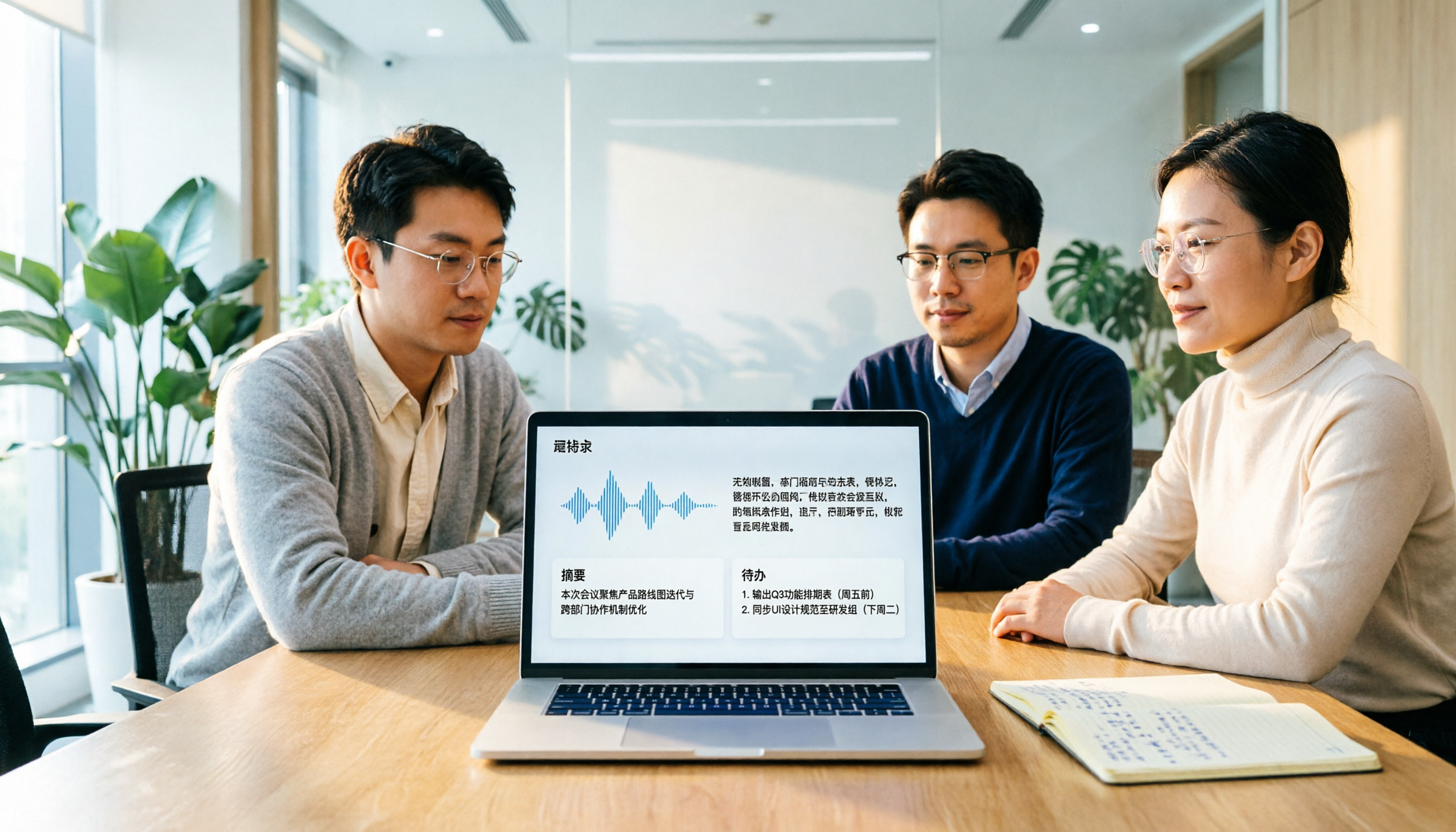
Otter Chinese in 2026: Which Solution Works Best? A Side-by-Side Comparison of 3 Options and Why Tinrec Is Better for Chinese Meetings
When people search for 'Otter Chinese,' there are actually two different needs: looking up the English word, or finding a Chinese alternative to Otter.ai. This article first clarifies how to look up 'otter' (the animal) most comprehensively, then compares Tinrec and Otter.ai across five dimensions: Chinese recognition, meeting capture methods, post-meeting output, team data ownership, and quota pricing, to help you choose the right tool for Chinese meeting notes.

2026 Comparison of 2 Chinese Meeting Transcription Tools: Why Tinrec Is Better Suited for Chinese Than Otter.ai
Otter.ai is mature for English meeting transcription, but Chinese transcription has always been a pain point. This article uses the perspective of a team lead in Taiwan to compare Otter.ai and Tinrec in Chinese transcription, bot-free recording, post-meeting organization, and team collaboration, helping you decide which is better for Chinese meetings.
Otter in Chinese: What It Means and Whether Otter.ai Supports Chinese Meetings (2026 Guide)
What does 'otter' mean in Chinese? There are two layers: the literal translation of the English word 'otter' and whether Otter.ai, an AI meeting tool, can handle Chinese. This article clarifies the literal meaning and official language support, then explains why 'supports Chinese' doesn't mean it understands your Chinese meetings. Using Tinrec as an example, it breaks down the complete workflow from recording and transcription to summaries, action items, and team knowledge retention.

Tinrec vs Otter.ai 2026: 5-Dimension Comparison for Chinese Meeting Scenarios
People searching for 'which otter Chinese is good' are either looking for the Chinese translation of the word 'otter' or asking about Otter.ai's Chinese capabilities. This article separates these two intents, then compares Tinrec and Otter.ai across five dimensions: Chinese and mixed Chinese-English transcription, online meeting capture methods, post-meeting outputs, team governance, and pricing/quotas. It concludes with clear recommendations based on usage scenarios.

2024 Comparison of 3 Otter Chinese Alternatives: Which Saves More Time for Chinese Meeting Notes?
If you're searching for Otter Chinese, what you really need to determine is whether Otter.ai is sufficient for Chinese meetings. This article compares Tinrec, Otter.ai, and Notta from four perspectives: Chinese transcription, bot-free recording, post-meeting organization, and team collaboration, to help you choose the right tool for Chinese meeting notes.