

Turn recordings into transcripts and summaries in minutes
Upload audio or video for multilingual transcription, AI notes, and action items
Halfway through an online meeting, you type "otter Chinese online" into the search bar—maybe you just want to confirm whether an otter is a river otter or a sea otter, maybe you're looking for how to open Otter.ai's Chinese interface, or maybe what you really want is "a tool that understands Chinese and can help me organize my meetings."
These three needs are very different. Honestly, if your ultimate goal is to turn meeting content into readable Chinese transcripts and summaries, looking up a word won't help—you need a meeting transcription tool with solid Chinese support. Below, I'll use Tinrec as the main thread and walk through this path in practice.
Three intents behind "Otter Chinese online": clarify first, then choose a tool
Intent 1: Look up a word's meaning. otter is an aquatic mammal; in the combination sea otter it means sea otter, while used alone it usually refers to a river otter and can also mean otter fur. Online dictionaries usually provide Chinese translations, phonetic symbols, and example sentences—this kind of need can be solved in five seconds.
Intent 2: Find Otter.ai's Chinese interface or Chinese tutorials. Otter.ai is an AI meeting assistant that started with English business meetings, and its strengths are meeting notes and English summaries for Zoom, Teams, and Google Meet. Chinese content is not its main focus, and the Chinese meeting experience is not where it excels.
Intent 3: Want a meeting transcription tool that is genuinely good at Chinese. This is where most office workers get stuck—after searching for a long time, they realize what they need is not translation, but a transcript.
What can Chinese meeting transcription do for you?
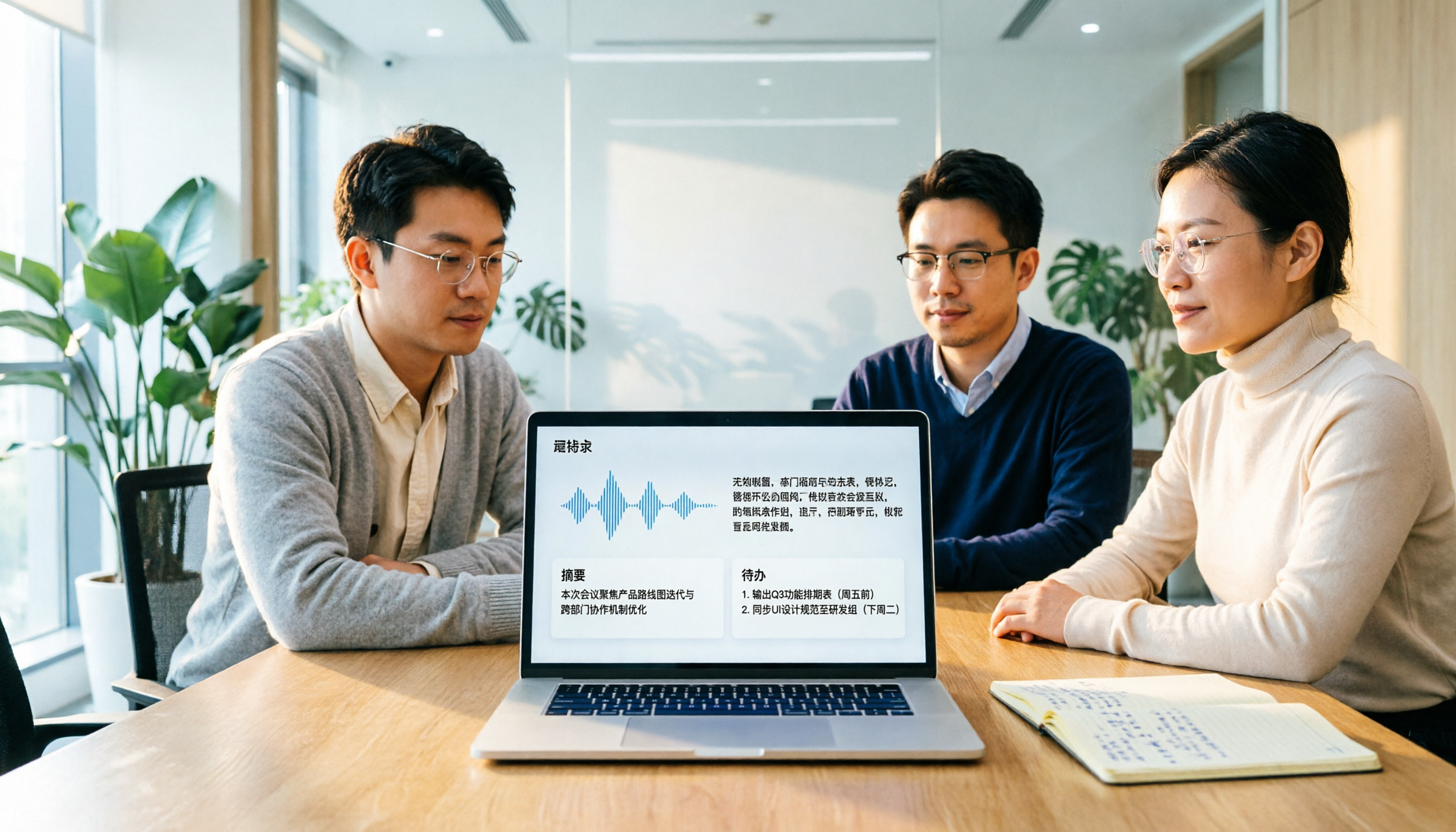
Scenario 1: Get a Chinese summary within ten minutes after a meeting. Previously, a two-hour meeting required another hour of organizing notes afterward. With Tinrec, for example, the summary, chapters, and action items are already generated when the meeting ends—who is responsible for what and when it's due are listed separately, and you only need to proofread.
Scenario 2: No more missed content in meetings that mix Chinese and English. Meetings in Taiwan are rarely pure Chinese—product names and technical terms often switch directly to English. Tinrec supports mixed Chinese-English content organization and real-time translation, and during recording you can switch between original text, translation, or bilingual view.
Scenario 3: Cross-language meetings can also leave a Chinese record. With overseas clients or colleagues, real-time translation paired with bilingual transcripts means you don't have to rely on memory to recall what the other party said after the meeting.
Scenario 4: Past meetings can be found again. For teams of three or more, meeting notes are often scattered across personal computers and group messages. Tinrec's team version centralizes recordings, transcripts, and action items in a team space, so new members can also review past discussions.
What are the core capabilities? Taking Tinrec as an example
Real-time recording to text: words appear as you speak. It's not transcription after recording ends. During a meeting, you can watch the text sync to confirm no key points are missed, and if you're interrupted, you won't forget where you were.
Desktop version records online meetings without a bot. This point deserves special mention. Tinrec's desktop version directly captures computer system audio to process meetings on Zoom, Google Meet, Microsoft Teams, Webex, etc., without pulling an extra bot into the meeting room as a participant. Note that this requires you to open Tinrec yourself to start recording; it does not automatically join all calendar meetings.
AI summaries, chapters, and action item extraction. It doesn't just compress the transcript into a paragraph; it organizes structurally: meeting topic, discussion conclusions, action items, and owners are listed separately. Long meetings are also split into chapters, making it much faster to go back to a specific topic.
AI Q&A: ask questions directly about the meeting. After transcription is complete, you can ask "What was the budget cap the client mentioned?" or "Which version was the last decision?" It will find the answer from the meeting content, so you don't have to slowly scroll through with Ctrl+F.
Export and post-meeting processing. Transcripts and notes can be exported to Notion, Google Docs, OneNote, Dropbox, and other tools for continued use, and Agent post-processing can directly generate reports, tables, and documents.
Team space and governance capabilities (team version). The team version is an independent collaboration space, not multiple people sharing one personal account. It includes member invitations, three roles—owner/admin/regular member—seat allocation and revocation, team usage analytics, audit logs, and an audio recycle bin.
Here's a commonly misunderstood point: roles and seats are two different things. Roles govern who can manage the team and members; seats determine whether one can record, upload, edit, and export. Members without seats can still view, play, and read team materials, but cannot perform operations such as upload, edit, or export.
Stop organizing recordings by hand
Upload audio or video and automatically get a transcript, summary, and action items
Practical application scenarios
Daily meetings and weekly meetings. Open Tinrec's desktop version to start recording, and after the meeting directly view the summary and action items—weekly meeting notes no longer rely on one person typing by hand. The team version also lets colleagues who took leave catch up on progress.
Lectures and courses. For in-person classes, use the mobile app for real-time recording, so you don't have to worry even if the speaker talks fast. AI chapters split a two-hour class into sections, so you can jump directly to the part you want to review.
Customer interviews and requirements meetings. Customer requirements, objections raised, and verbally promised timelines all remain in the transcript. Afterward, use AI Q&A to confirm "What were the client's concerns about pricing?"—more reliable than flipping through notes.
Content creation and meeting materials. After interview recordings are transcribed, they can be fed directly into subsequent writing workflows, or you can ask AI to organize them into reports and tables.
5 things to note when choosing a Chinese meeting transcription tool
1. First confirm performance on Chinese and mixed Chinese-English. Don't just look at official copy. It's recommended to try it with a real recording of your own. Tinrec covers Chinese, Traditional Chinese, and multilingual meetings, and also supports team hotword management for technical terms; actual results will still be affected by recording quality, accent, noise, and multiple people speaking at the same time, so for important content it's advisable to cross-check with recording playback.
2. How the meeting is recorded. Do you invite a bot into the meeting, or directly capture computer audio? Tinrec takes the latter approach—the advantage is a clean participant list with no extra attendee.
3. Can it help you organize after transcription. The transcript is only the starting point. Post-meeting workflows such as summaries, chapters, action items, Q&A, and export are where time is truly saved, so include this part in your comparison when choosing a tool.
4. Who owns team data. Personal tools easily break down when personnel change. Tinrec's team version data belongs to the team; when a member leaves or is removed, the team resources they are responsible for need to be handed over to other valid members.
5. Are quotas and billing clearly explained. Tinrec's team version is currently USD 29.80 per paid seat per month, or USD 199 per paid seat per year (equivalent to about USD 16.58 per month), with each paid seat providing 2,000 minutes of team shared import quota per month; under a valid team plan and valid seats, real-time recording is currently not deducted by minutes, while file and web imports use the team shared quota. First-time eligible teams can try 7 days, 1 free seat, and 300 minutes of shared import quota. Actual prices and promotions are subject to the official purchase page.
How to choose between Otter.ai and Tinrec?
Otter.ai is a mature AI meeting assistant. The Basic free plan offers 300 minutes per month, and Pro billed annually is about USD 8.49 per user per month, including 1,200 minutes of in-app recording and 10 file imports per month. It suits users who mainly have English business meetings and are already used to an English interface.
If most of your meetings are in Chinese and you want complete Chinese summaries, action items, translation, and team data retention after meetings, Tinrec's approach will be closer. It's not stronger in every dimension, but the combination of "Chinese meetings + bot-free recording + team retention" fits better.
FAQ
Q: Is "otter" in Chinese a river otter or a sea otter? A: Both are possible. sea otter specifically means sea otter, while otter alone is usually translated as river otter and can also mean otter fur. It depends on the context of the example sentence you're looking at.
Q: Does Tinrec need to add a bot to the meeting? A: No. The desktop version directly captures computer system audio to process online meetings, but you need to actively start recording; it does not automatically join all meetings on your calendar.
Q: Is the free version enough? A: You can start with the free version to experience the basic quota for recording, import, summaries, and transcription. If you have regular meetings every week, then consider a weekly card or Pro based on usage frequency; if you need long-term retention of recording data, the annual card's monthly equivalent is usually more cost-effective.
Q: Can team members without a seat still view meeting notes? A: They can view, play, and read team materials, but cannot upload, edit, import, or export. Seats determine resource usage eligibility.
Q: Can 100% accuracy be guaranteed? A: It's not recommended to expect that. Transcription quality is good with clear audio and common scenarios, but accents, noise, overlapping speakers, and technical terms all affect results; for important decisions, it's advisable to verify against the recording.
Q: Do I need to inform meeting participants about recording? A: Yes. Recording and transcription involve personal data, so please comply with local regulations and obtain participants' consent when necessary.
Conclusion
Back to the search at the beginning: if you just want to know the Chinese meaning of otter, an online dictionary is enough; if what you want is Chinese meeting transcripts and notes, then tool selection is the key.
With Tinrec, it connects "recording, transcription, summaries, action items, Q&A, export, and team retention" into one line, which is especially practical for Chinese meetings and mixed Chinese-English scenarios. To confirm whether it suits you, it's recommended to take one of your own real meetings and run through the process with the free version to see whether the notes produced can be used directly.
References
- Chinese translation of otter | VoiceTube Learn English with Videos
- Which otter Chinese translation is better? 4 tested in 2026, Cambridge Dictionary most complete - Tinrec Blog
- OTTER Chinese (Traditional) translation: Cambridge Dictionary
- Is Otter.ai good in 2026? Complete Chinese tutorial, features, pricing, and usage review | Meeting notes, automatic transcript helper - RosyArts
- ELTA TV | Watch popular sports events and hit dramas online
Turn every recording into actionable outcomes
Get 60 free transcription minutes when you sign in. No credit card required.
Related Reading
You might also like

4 Sales Meeting Transcription Software Compared: Which Free Version Is Actually Usable in 2026?
How to choose a free sales meeting transcription tool? Based on hands-on experience from a mid-level manager, this article breaks down four key decision points: free quota, post-meeting output, AI follow-up questions, and team handover. It compares Tinrec, Otter.ai, Notta, and PLAUD Note in real sales meeting scenarios to help you avoid the common mistake of only looking at free minutes.

3 Free Chinese Meeting Transcription Tools Tested for 2026: Is Otter Chinese Good Enough?
Many people search for "free Otter Chinese version" but run into issues with Simplified Chinese, free quotas, and export limits. This article starts with common misconceptions, explains what free Chinese meeting transcription can do for you, the 5 key points to consider when choosing a tool, and uses Tinrec as an example to show you the complete workflow from recording, transcript, summary, action items, to team knowledge retention.

Tinrec vs Otter.ai 2026: 5-Dimension Comparison — Which Is Better for Chinese Meetings?
Otter.ai's free plan offers 300 minutes per month, which sounds appealing, but is it enough for Chinese meetings? This article compares Tinrec and Otter.ai across five dimensions—free quota, Chinese language support, meeting capture methods, post-meeting output, and team knowledge retention—to help Hong Kong professionals choose the right meeting notes tool.

2026 Side-by-Side Comparison of 2 Otter Chinese Version Tools: How Tinrec Fills the Traditional Chinese Meeting Notes Gap
Otter.ai's Chinese support is primarily Simplified Chinese, and Traditional Chinese and mixed Chinese-English content still require extensive proofreading. Starting from the pain points of mid-level managers' meeting notes, this article compares Otter.ai and Tinrec in terms of Chinese recognition, bot-free recording, post-meeting organization, team collaboration, and quota design, and summarizes practical use cases and purchasing advice.
Otter Chinese in 2026: Which Solution Works Best? A Side-by-Side Comparison of 3 Options and Why Tinrec Is Better for Chinese Meetings
When people search for 'Otter Chinese,' there are actually two different needs: looking up the English word, or finding a Chinese alternative to Otter.ai. This article first clarifies how to look up 'otter' (the animal) most comprehensively, then compares Tinrec and Otter.ai across five dimensions: Chinese recognition, meeting capture methods, post-meeting output, team data ownership, and quota pricing, to help you choose the right tool for Chinese meeting notes.

2026 Comparison of 2 Chinese Meeting Transcription Tools: Why Tinrec Is Better Suited for Chinese Than Otter.ai
Otter.ai is mature for English meeting transcription, but Chinese transcription has always been a pain point. This article uses the perspective of a team lead in Taiwan to compare Otter.ai and Tinrec in Chinese transcription, bot-free recording, post-meeting organization, and team collaboration, helping you decide which is better for Chinese meetings.

Otter in Chinese: What It Means and Whether Otter.ai Supports Chinese Meetings (2026 Guide)
What does 'otter' mean in Chinese? There are two layers: the literal translation of the English word 'otter' and whether Otter.ai, an AI meeting tool, can handle Chinese. This article clarifies the literal meaning and official language support, then explains why 'supports Chinese' doesn't mean it understands your Chinese meetings. Using Tinrec as an example, it breaks down the complete workflow from recording and transcription to summaries, action items, and team knowledge retention.

Tinrec vs Otter.ai 2026: 5-Dimension Comparison for Chinese Meeting Scenarios
People searching for 'which otter Chinese is good' are either looking for the Chinese translation of the word 'otter' or asking about Otter.ai's Chinese capabilities. This article separates these two intents, then compares Tinrec and Otter.ai across five dimensions: Chinese and mixed Chinese-English transcription, online meeting capture methods, post-meeting outputs, team governance, and pricing/quotas. It concludes with clear recommendations based on usage scenarios.

2024 Comparison of 3 Otter Chinese Alternatives: Which Saves More Time for Chinese Meeting Notes?
If you're searching for Otter Chinese, what you really need to determine is whether Otter.ai is sufficient for Chinese meetings. This article compares Tinrec, Otter.ai, and Notta from four perspectives: Chinese transcription, bot-free recording, post-meeting organization, and team collaboration, to help you choose the right tool for Chinese meeting notes.