
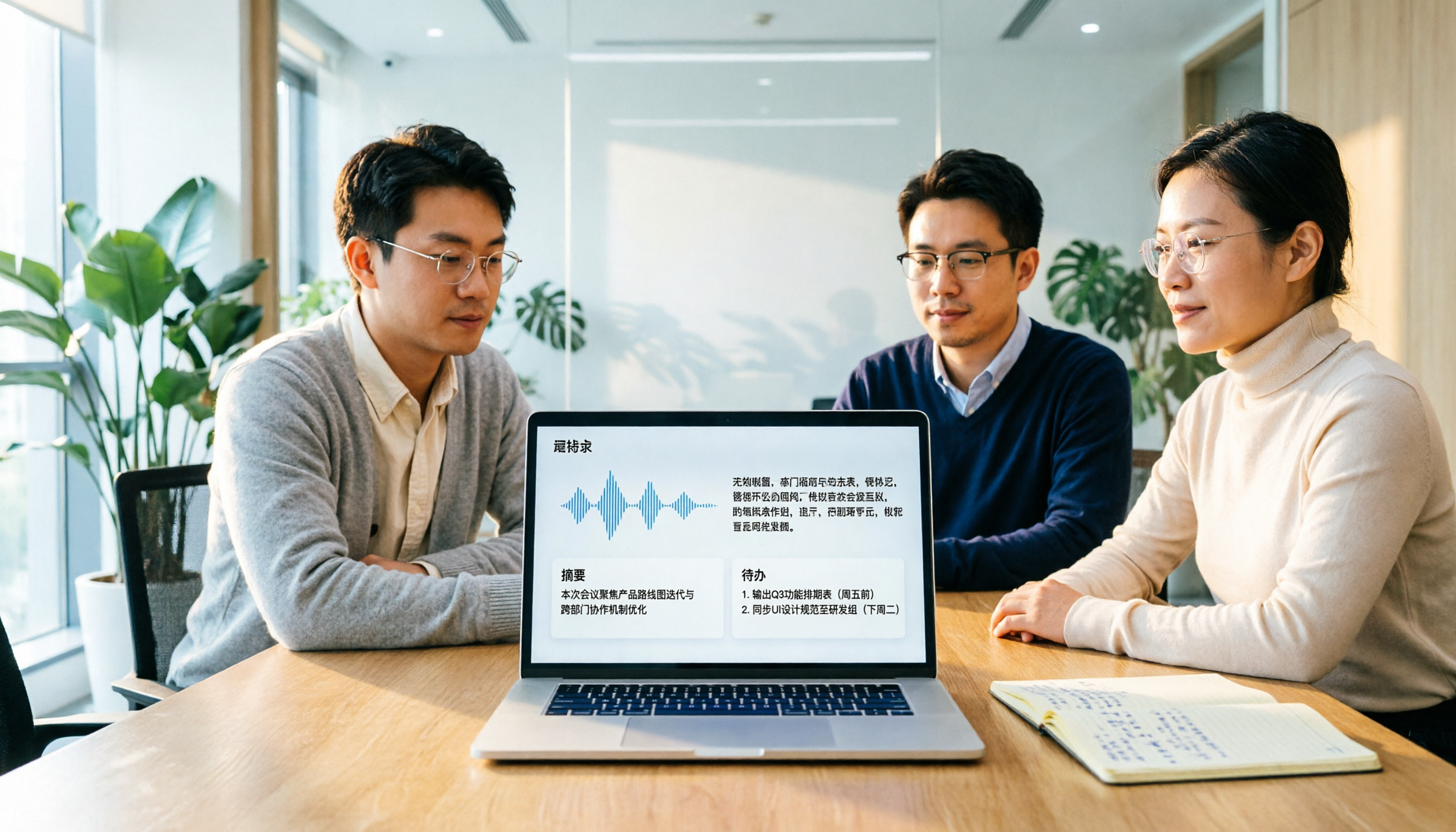
Turn recordings into transcripts and summaries in minutes
Upload audio or video for multilingual transcription, AI notes, and action items
Otter Chinese in 2026: Which Solution Works Best? A Side-by-Side Comparison of 3 Options and Why Tinrec Is Better for Chinese Meetings
Last week, while rushing to finish a presentation for an overseas client, I got stuck on a word: otter. I wanted to confirm whether its Chinese translation was '水獺' (river otter) or '海獺' (sea otter), and at the same time check how well my meeting notes tool supports Chinese—but the entire search results page was filled with Otter.ai. The same keyword was caught between two completely different needs.
This article will clarify both issues at once: which resource to use for looking up the word, and what better options exist for the 'Otter Chinese meeting notes' that office workers are really searching for.
First, clarify: 'Otter Chinese' actually has two search intents
The first is looking up the English word. The Chinese translation of otter is '水獺' (river otter); in 'sea otter' it is '海獺' (sea otter), and when talking about fur, it can also be '水獺皮' (otter skin). For this type of query, Cambridge Dictionary's free page has the most complete information—clear Chinese definitions, example sentences, parts of speech, and pronunciation all in one place; VoiceTube's otter page has real video clips to hear the context, but the translation is relatively brief, suitable for practicing language intuition; cdict.net integrates multiple English-Chinese dictionaries and has the most information, even listing plural forms and different species, but the downside is an older interface and no audio pronunciation. (Compiled from a review of 4 free resources on the Miaoting Recording Blog)
The second is finding a Chinese version of Otter.ai. This is the real search intent of most professionals—not to look up 'otter,' but to find a meeting notes tool that understands Chinese.
If you belong to the second group, the following content will be more useful to you.
Why are people starting to look for Chinese alternatives to Otter.ai?
Otter.ai is a very mature AI meeting assistant, covering Zoom, Microsoft Teams, and Google Meet, offering real-time transcription, speaker identification, AI Chat, and team management. According to the official pricing page, the Basic free version offers 300 minutes per month; Pro annual billing is about USD 8.49 per user per month, including 1,200 minutes of in-app recording and 10 file imports per month.
It does perform well in English business meetings. But many Chinese-speaking users report that Chinese—especially Traditional Chinese, mixed Chinese-English, fast speech, or overlapping speakers—requires a lot of time to correct. (This is a common observation from third-party blog reviews, not official data, and I am not trying to completely dismiss Otter.)
There is another often overlooked aspect: even if the transcript is barely readable, someone still has to organize it into meeting minutes, extract action items, and track progress. If this part is not smooth, even the best tool only solves half the problem.
If this is where you are stuck, Tinrec is worth adding to your comparison list.
Tinrec vs Otter.ai: What are the differences in core experience?
1. Handling Chinese and mixed Chinese-English
The difficulty of Chinese meetings is not vocabulary, but 'this client mixes English into their speech, and that manager speaks like they're catching a high-speed train.' Tinrec covers Chinese, Traditional Chinese, and multilingual meeting scenarios. During recording, you can switch between original text, translation, or bilingual view. The team version also allows maintaining a glossary to add internal product codes and project abbreviations. Actual performance is still affected by recording quality, accent, background noise, and overlapping speech, so Tinrec does not promise a fixed accuracy rate—I agree with this; in practice, no one dares to guarantee it.
2. How meetings are recorded
Otter's common approach is to add a meeting bot as a participant. Tinrec's desktop version takes a different path: it directly captures the computer's system audio, so no unfamiliar account joins the meeting. This actually makes a difference in external client meetings—some people get nervous when they see an unknown account join. To be clear: this is the user actively starting Tinrec recording, not automatically joining all calendar meetings.
3. What you can do after the transcript
A tool that only provides a transcript is essentially handing back the most time-consuming organizing work to you. After transcription, Tinrec automatically generates summaries, chapters, key points, and action items, and can even pull out a mind map when needed; even more practical is AI Q&A—after recording a one-hour meeting, you can directly ask 'What were the conclusions of this meeting?' or 'Who is responsible for what?' and it will answer based on semantics, without flipping through thirty pages of transcript. There are also deliverables: through Agent post-processing, you can generate reports, tables, and documents, and export to Notion, Google Docs, OneNote, or Dropbox for further editing.
4. Who ultimately owns the meeting data
This is not obvious in the personal version, but becomes very clear as the team grows. Otter's team and enterprise management capabilities are relatively mature—no argument there. Tinrec's team version, on the other hand, offers independent team spaces: audio files, folders, and action items are stored centrally, and data belongs to the team rather than the individual uploader; when members change, team resources held by departing or transferred members can be handed over to other active members, so data doesn't disappear when the person leaves. Management distinguishes roles and seats—roles determine who can manage the team, members, and audits; seats determine who can record, upload, edit, and export. Members without a seat can still view, play, and read team data. There are also usage analytics, audit logs, and a 30-day audio recycle bin.
Stop organizing recordings by hand
Upload audio or video and automatically get a transcript, summary, and action items
5. How quotas are calculated
Otter's free version offers 300 minutes per month. Tinrec's free version provides a basic quota, enough to try a round of your own meeting recordings; the team version offers a 7-day trial for first-time eligible users, with 1 free seat and 300 minutes of team shared import quota. For paid plans, the team version is USD 29.80 per paid seat per month, or USD 199 per paid seat per year (about USD 16.58 per month), with each paid seat providing 2,000 minutes of team shared import quota per month; under an active team plan and active seats, real-time recording is currently not deducted by minutes—only file and web imports consume team shared minutes. Prices and benefits are subject to the official purchase page; this type of information changes quickly, so it's advisable to check again before deciding.
Overview of Tinrec's core features
Real-time speech-to-text: Open and record, text appears as you speak, with less than 1 second delay. You can start directly for offline meetings, interviews, or when called into a conference room last minute—the transcript is already there when the meeting ends.
Bot-free online meeting recording: The desktop version captures system audio and can handle meetings on Zoom, Google Meet, Microsoft Teams, and Webex without inviting an extra account.
Audio/video file transcription and web link import: Historical meetings, recordings sent by clients, or videos stored in the cloud can be uploaded and converted to text; some public videos can be imported via link—this is a supplementary capability, not the main scenario.
AI summaries, chapters, and action items: Long meetings are automatically split into paragraphs, so you can quickly scan to see what was discussed in each; action items are extracted from the discussion, especially useful for project meetings.
AI Q&A: You can ask follow-up questions about a single meeting or multiple meetings, suitable for looking back at 'Who said this last time?' or 'What was the reason for this decision?'
Real-time translation and bilingual view: For cross-language meetings, you don't have to wait until after the meeting to translate—you can see the bilingual comparison while recording.
Agent post-processing and multi-format export: Turn meeting content into deliverable reports, tables, or documents, and bring them into your existing workflow.
Team space and governance: Member invitations, role and seat management, shared team glossary, usage trends and member rankings, audit log export, audio recycle bin.
Real-world usage scenarios
Weekly department meetings: Previously, I had to host and take notes at the same time, often missing commitments I made myself. Now I start recording at the beginning, and after the meeting I directly look at the conclusions and action items in the summary, keeping the transcript for reference; when the boss asks 'What was that conclusion last time?' I don't have to flip through three minutes of notes.
Client needs interviews: The pain points the client mentioned, the promises they made, and complaints about competitors are all kept in the transcript. After the meeting, I use AI Q&A to pull out 'the three concerns the client mentioned' and write them into the proposal—much more reliable than memory.
Cross-department coordination meetings: The most likely problem is not the meeting itself, but different departments understanding things differently afterward. Put the transcript and summary in the team space so everyone sees the same information—disputes are much fewer, and tracking has a basis.
Personal learning and course recordings: After recording an online course or lecture, you can directly ask where the key points are without re-listening for two hours.
Points to consider when choosing a speech-to-text tool
Actual Chinese performance—don't just look at English demos: Most tools look great in English; what you need to test is your own accent and industry terminology. The most accurate way is to try a recording of your own team's meeting.
Whether audio files are retained: Some tools only keep text, which is troublesome if you later want to verify tone or that key promise. Tinrec retains audio files, so important content can be replayed and compared.
How meetings are recorded: Bots joining meetings, desktop capturing system audio, and mobile recording each have their applicable occasions. Those who have many external meetings usually prefer methods that don't add extra participants.
What is provided beyond the transcript: Summaries, chapters, action items, and whether you can ask follow-up questions—these determine how much manual time you'll spend after the meeting.
Team permissions and handover: As the number of people grows, roles, seats, data ownership, and how to hand over when members leave will eventually come up—worth clarifying in advance.
How quotas are deducted: Real-time recording and file import may be calculated differently; confirm your usage pattern before buying.
Conclusion: Is Tinrec worth a try?
If you searched for 'otter Chinese' just to know how to write 'otter,' the Cambridge Dictionary page is enough, and you can skip the tool comparison below. If you are looking for a meeting notes tool for your team that understands Chinese, can be used directly after the meeting, and keeps data secure, then several features of Tinrec are worth serious evaluation: bot-free recording of online meetings via the desktop version, direct generation of summaries and action items after transcription with follow-up questions, and turning meetings into team assets rather than audio files on someone's phone.
It is not perfect either: file imports consume team shared quota, not unlimited; fine-grained permissions down to individual files are currently not available—the team version is team-level sharing, with roles managing governance and seats managing usage. These limitations are stated upfront so you can evaluate more accurately.
I recommend first using the free version to run a round of your own meeting recordings—test with your real participants' accents and real industry terminology; that's more accurate than any review. One final reminder: recording and transcription involve others, so remember to obtain participants' consent in accordance with local regulations.
References
- Which Otter Chinese translation is better? 2026 test of 4 options, Cambridge Dictionary most complete - Miaoting Recording Blog
- OTTER Chinese (Traditional) translation: Cambridge Dictionary
- OTTER Chinese (Simplified) translation: Cambridge Dictionary
- Chinese translation of otter | VoiceTube learn English with videos
- Otter.ai doesn't support Chinese? 2026 best Chinese speech-to-text and AI meeting notes alternative recommendation - Miaoting Recording Blog
Turn every recording into actionable outcomes
Get 60 free transcription minutes when you sign in. No credit card required.
Related Reading
You might also like

4 Sales Meeting Transcription Software Compared: Which Free Version Is Actually Usable in 2026?
How to choose a free sales meeting transcription tool? Based on hands-on experience from a mid-level manager, this article breaks down four key decision points: free quota, post-meeting output, AI follow-up questions, and team handover. It compares Tinrec, Otter.ai, Notta, and PLAUD Note in real sales meeting scenarios to help you avoid the common mistake of only looking at free minutes.

3 Free Chinese Meeting Transcription Tools Tested for 2026: Is Otter Chinese Good Enough?
Many people search for "free Otter Chinese version" but run into issues with Simplified Chinese, free quotas, and export limits. This article starts with common misconceptions, explains what free Chinese meeting transcription can do for you, the 5 key points to consider when choosing a tool, and uses Tinrec as an example to show you the complete workflow from recording, transcript, summary, action items, to team knowledge retention.

Tinrec vs Otter.ai 2026: 5-Dimension Comparison — Which Is Better for Chinese Meetings?
Otter.ai's free plan offers 300 minutes per month, which sounds appealing, but is it enough for Chinese meetings? This article compares Tinrec and Otter.ai across five dimensions—free quota, Chinese language support, meeting capture methods, post-meeting output, and team knowledge retention—to help Hong Kong professionals choose the right meeting notes tool.

3 Meeting Transcription Tools Tested in 2026: Which Otter Chinese Alternative Works Best?
People searching for "otter Chinese online" actually have three different needs: looking up a word, finding Otter.ai's Chinese interface, or wanting a meeting transcription tool that handles Chinese well. This article first clarifies those intents, then uses Tinrec to test Chinese transcripts, summaries, action items, and team collaboration workflows, and compares Otter.ai's free and paid plans to help you choose the right approach.

2026 Side-by-Side Comparison of 2 Otter Chinese Version Tools: How Tinrec Fills the Traditional Chinese Meeting Notes Gap
Otter.ai's Chinese support is primarily Simplified Chinese, and Traditional Chinese and mixed Chinese-English content still require extensive proofreading. Starting from the pain points of mid-level managers' meeting notes, this article compares Otter.ai and Tinrec in terms of Chinese recognition, bot-free recording, post-meeting organization, team collaboration, and quota design, and summarizes practical use cases and purchasing advice.

2026 Comparison of 2 Chinese Meeting Transcription Tools: Why Tinrec Is Better Suited for Chinese Than Otter.ai
Otter.ai is mature for English meeting transcription, but Chinese transcription has always been a pain point. This article uses the perspective of a team lead in Taiwan to compare Otter.ai and Tinrec in Chinese transcription, bot-free recording, post-meeting organization, and team collaboration, helping you decide which is better for Chinese meetings.

Otter in Chinese: What It Means and Whether Otter.ai Supports Chinese Meetings (2026 Guide)
What does 'otter' mean in Chinese? There are two layers: the literal translation of the English word 'otter' and whether Otter.ai, an AI meeting tool, can handle Chinese. This article clarifies the literal meaning and official language support, then explains why 'supports Chinese' doesn't mean it understands your Chinese meetings. Using Tinrec as an example, it breaks down the complete workflow from recording and transcription to summaries, action items, and team knowledge retention.

Tinrec vs Otter.ai 2026: 5-Dimension Comparison for Chinese Meeting Scenarios
People searching for 'which otter Chinese is good' are either looking for the Chinese translation of the word 'otter' or asking about Otter.ai's Chinese capabilities. This article separates these two intents, then compares Tinrec and Otter.ai across five dimensions: Chinese and mixed Chinese-English transcription, online meeting capture methods, post-meeting outputs, team governance, and pricing/quotas. It concludes with clear recommendations based on usage scenarios.

2024 Comparison of 3 Otter Chinese Alternatives: Which Saves More Time for Chinese Meeting Notes?
If you're searching for Otter Chinese, what you really need to determine is whether Otter.ai is sufficient for Chinese meetings. This article compares Tinrec, Otter.ai, and Notta from four perspectives: Chinese transcription, bot-free recording, post-meeting organization, and team collaboration, to help you choose the right tool for Chinese meeting notes.