

Turn recordings into transcripts and summaries in minutes
Upload audio or video for multilingual transcription, AI notes, and action items
Introduction: Three Misconceptions That Waste Your Time
Many people think AI meeting recording means pressing record during a meeting and clicking "generate" afterward, and the transcript appears automatically. But after trying it a few times, you'll realize the real bottleneck is never the transcription step.
I've personally tested several tools, and the three most common misconceptions are:
Misconception 1: Assuming the tool will automatically join the meeting. Meeting bots need to be invited as participants. This becomes problematic with external client meetings, last-minute link changes, or when managers don't want an extra account showing up in the participant list.
Misconception 2: Assuming a transcript equals meeting minutes. A one-hour meeting transcript can easily run tens of thousands of words. After the meeting, you still have to scan through it from start to finish to figure out what was decided and who's doing what.
Misconception 3: Assuming buying a tool will make you faster. Without a consistent workflow, you're just replacing "manual typing" with "manual copy-pasting"—no real time saved.
A more sensible approach is to treat it as an assembly line: record or import → transcribe → auto-generate summaries and action items → query the content or export. Here's how that assembly line actually looks, using Tinrec as a concrete example.
What Can AI Meeting Recording Do for You?
Scenario 1: No Extra Bot for Online Meetings
Tinrec's desktop app captures your computer's system audio directly. For meetings on Zoom, Google Meet, Microsoft Teams, or Webex, you don't need to invite an extra bot. You just open Tinrec and start recording yourself—it won't automatically jump into your calendar.
This is especially useful for external meetings—the other party won't see an extra account on the participant list.
Scenario 2: Summary and Action Items Ready When the Meeting Ends
Previously, a two-hour meeting meant another hour of organizing afterward. Now, as soon as the meeting ends, the transcript, summary, chapters, and action items are already generated. You can immediately see who's responsible for what and what to discuss next time.
Scenario 3: Past Meetings Become Searchable Data
This is the most overlooked point. Tinrec supports AI Q&A around meeting content. You can directly ask, "Who mentioned the budget cap last time?" or "What were the client's concerns about the delivery timeline?"—no need to re-listen to recordings.
What Are the Core Capabilities of AI Meeting Recording?
1. Bot-free meeting recording. Tinrec takes the approach of capturing system audio via desktop app, initiated by the user, without relying on a meeting bot to join. This is what sets it apart from traditional meeting assistants.
2. Real-time transcription and translation. Text appears as you record. During recording, you can see the original text, translation, or bilingual view. For cross-language meetings, you don't have to wait until afterward to discover a segment you didn't understand.
3. AI summaries and chapters. It doesn't just condense the transcript into one big paragraph—it structures the content: meeting topic, key discussion points, and conclusions are listed separately. Long meetings are split into chapters for easy skimming.
4. Action item extraction and AI Q&A. It pulls action items from the discussion and lets you continue asking questions about the content. Transcription is only the first step; what matters is whether it can help you organize afterward.
5. Agent post-processing and multi-format export. Meeting content can be further turned into reports, tables, or meeting minutes, and exported to common tools like Notion, Google Docs, OneNote, and Dropbox, fitting into your existing workflow.
6. Team space for knowledge retention. This is what I find most differentiated. Tinrec's team version is a separate team space, not multiple people sharing a personal account. Meeting data belongs to the team; members can view past meetings, and admins can manage roles, seats, usage, and audit logs.
Practical Use Cases
Online Weekly Meetings and Cross-Department Meetings
Open Tinrec desktop and start recording; the transcript is generated in real time during the meeting. Afterward, review the summary and chapters to confirm decisions, and action items remain in the team space—scan them before the next meeting. For those who have three or more regular meetings per week, this workflow makes the biggest difference.
Stop organizing recordings by hand
Upload audio or video and automatically get a transcript, summary, and action items
In-Person Interviews and On-Site Notes
Record in real time on your phone or desktop, transcribing as you go. After the interview, use AI Q&A to extract key quotes from the interviewee, then export as a text document—much faster than re-listening to a two-hour recording.
Client Communication and Requirement Confirmation
The easiest thing to miss in client interviews is the details "they said but weren't written down." Tinrec keeps the full transcript and recording, so important commitments can be verified against the original text, and content can be organized into follow-up documents for the client.
Courses, Lectures, and Content Organization
Transcribe in real time during classes or lectures, then review with summaries and chapters afterward. For content that serves as source material, you can further generate notes or drafts, saving a lot of re-listening time.
5 Things to Consider When Choosing an AI Meeting Recording Tool
1. How the meeting is recorded. Does it require a bot to join, or does it capture from the device? Tinrec is the latter, which is friendlier for external meetings and situations where you don't want an extra account. Note, however, that it requires you to actively start recording—it doesn't automatically follow your calendar.
2. What you get after transcription. A tool that only provides a transcript is essentially handing the organizing work right back to you. Tinrec offers summaries, chapters, action items, Q&A, and export in addition to the transcript—that's the part that truly saves time after meetings.
3. Performance with Chinese and mixed Chinese-English. Meetings in Taiwan often mix Chinese and English. When choosing a tool, confirm its support for Chinese and multilingual scenarios. Tinrec supports Chinese, Traditional Chinese, and multilingual meetings, and offers team hotwords for maintaining specialized terminology. Keep in mind that actual performance is affected by recording quality, accents, background noise, and multiple people speaking at once—no tool can guarantee a fixed accuracy rate.
4. Where data lives and who can use it. Personal version data belongs to the individual account; team version meeting data belongs to the team. Tinrec's team version distinguishes roles and seats—members without a seat can still view, play, and read team data, but need a seat to record, upload, edit, and export. Currently, sharing is at the team level, not fine-grained file-level permissions—clarify this before purchasing.
5. Quotas and pricing. Tinrec's personal version offers a free plan, weekly card, Pro monthly, and Pro annual—choose based on usage frequency; for occasional use, start with the free plan. The team version offers a 7-day trial for first-time eligible users, 1 free seat, and 300 minutes of shared team import quota; monthly billing is USD 29.80 per paid seat per month, annual billing is USD 199 per paid seat per year (about USD 16.58 per month), with each paid seat providing 2,000 minutes of shared team import quota per month. Under an active team plan, real-time recording currently does not deduct minutes; file and web imports use the shared team quota. Actual prices and benefits are subject to the official purchase page.
FAQ
Q1: Can AI meeting recording completely replace manual note-taking?
It's not recommended to expect that. It can significantly reduce the cost of manual recording and organizing, but AI may still miss or misinterpret details. For important decisions, verify against transcript timestamps and recording playback.
Q2: Does Tinrec need to add a bot to the meeting?
No. Tinrec desktop records online meetings by capturing computer system audio; the user initiates recording themselves, without inviting an extra account to join.
Q3: Is the free version enough?
If you only occasionally organize a recording, the free version lets you experience the basic workflow of recording, importing, summarizing, and transcribing. If you have regular meetings every week, consider the Pro plan for practicality.
Q4: If a team member leaves, will meeting data disappear?
No, it won't be taken away with the individual. Tinrec team resources belong to the team; when a member exits, is removed, or loses their seat, their responsible team resources need to be handed over to other active members.
Q5: Can deleted team audio files be recovered?
Yes. After audio files enter the team recycle bin, they can be restored before permanent deletion begins; the current retention period is 30 days. Action items are not covered by the recycle bin.
Q6: Do I need to inform participants about meeting recording in advance?
Yes. Recording and transcription involve personal data; handle according to local regulations and obtain participant consent when necessary.
Conclusion
The value of AI meeting recording has never been about "turning sound into text"—it's about taking over the post-meeting organizing work that nobody wants to do.
If you have more than three meetings per week, or frequently need to look back at what was said in a particular meeting, this assembly line is worth setting up. Try the Tinrec free version for a meeting or two to see what it feels like when transcript, summary, and action items appear together, then decide whether to move to the team version.
References
- AI Meeting Notes in Notion | Capture Ideas, Summaries ...
- How to Use AI for Meeting Minutes? How to Organize Meeting Transcripts? | AI Speech-to-Transcript Tutorial | 104 Career Power
- Top AI Meeting Recorder Tools of 2026: Must-Have for Time-Saving Meetings!
- AI Meeting Minutes Software Recommendations: 5 App Tested and Compared, Auto-Transcription Makes Meetings Easy!
- Meeting Minutes a Hassle? ChatGPT+Whisper Does It All! Auto-Transcription, Summarization, and Sending | BusinessNext
Turn every recording into actionable outcomes
Get 60 free transcription minutes when you sign in. No credit card required.
Related Reading
You might also like

Tinrec vs Notta 2026: 5-Dimension Comparison — Which Chinese Meeting Efficiency Tool Is Better?
Most people looking for an AI meeting efficiency tool only check transcription accuracy, but overlook that post-meeting organization is what really takes time. This article compares Tinrec and Notta across five practical dimensions, explaining differences in bot-free recording, AI Q&A, action item extraction, and team data retention, plus a pitfalls guide and selection advice.

Best AI Meeting Minutes Tools for Word in 2026: 4 Tested, This One Saves the Most Time for Chinese
Still re-listening to recordings and organizing Word meeting minutes after meetings? This 2026 hands-on comparison of Tinrec, Microsoft Word + Copilot, Notta, and Otter.ai explains selection criteria, pitfalls to avoid, and Word workflows for AI-generated meeting minutes, helping you choose the best tool for Chinese and mixed Chinese-English meetings.

2026 AI Agent Auto-Delivery Tools Compared: Can Meeting Minutes and Action Items Really Be Automated?
AI Agents aren't just about chatting—the real question is whether they can finish the post-meeting wrap-up work on their own. Starting from real meeting scenarios, this article breaks down four key points for choosing an AI Agent auto-delivery tool and compares Tinrec, Otter.ai, Fireflies.ai, and Notta on transcripts, summaries, action items, Agent post-processing, and team data retention, helping you determine which workflow truly saves time.
5 AI Agents Tested on Context in 2026: Which One Really Understands Meetings?
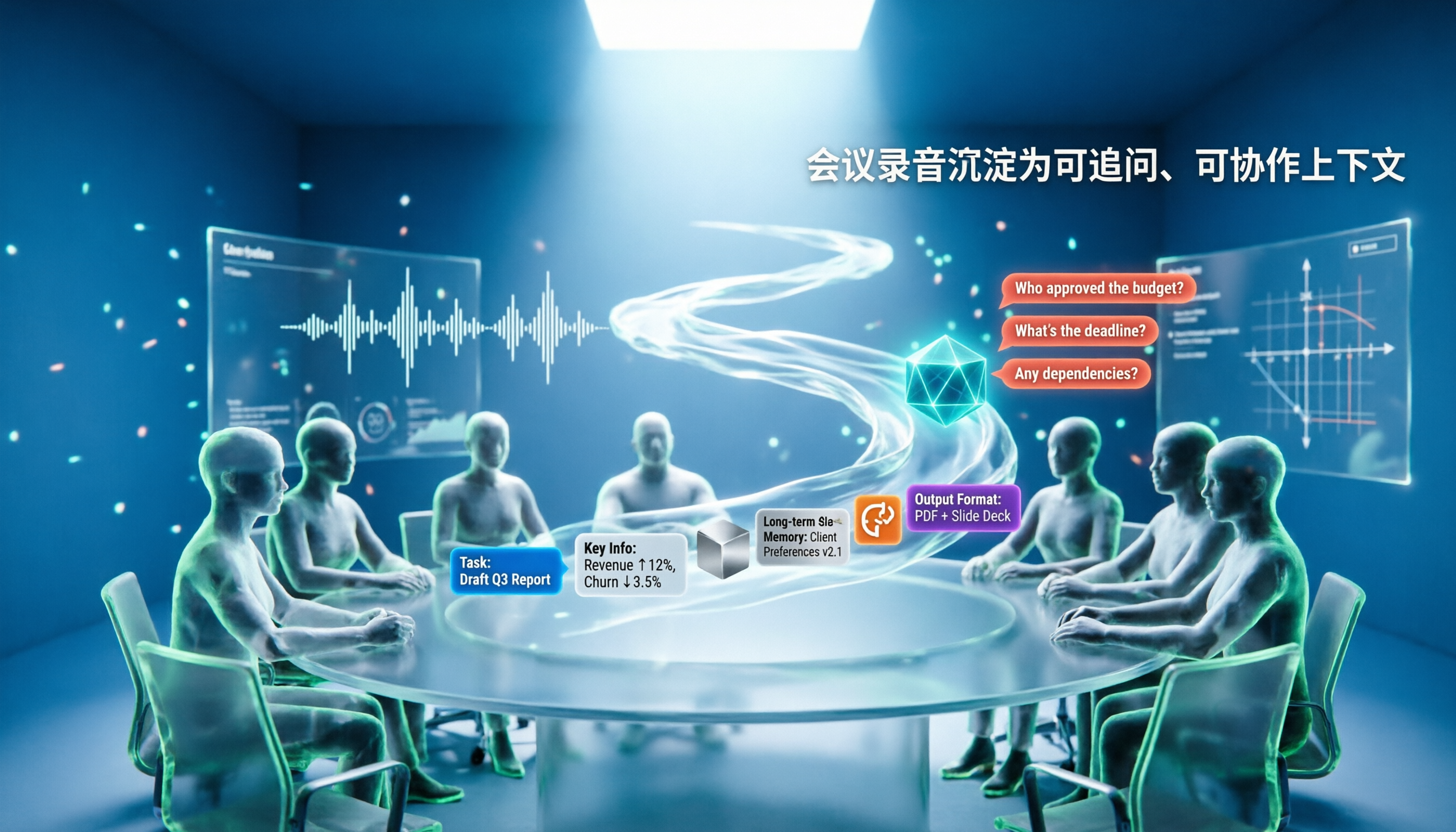
Most AI Agent errors aren't due to the model—they're due to context. This article tackles common misconceptions and breaks down context engineering in 5 steps: define the task, filter information, connect long-term memory, design tools and output formats, and refine using failure cases. It also demonstrates with Tinrec how to turn meeting recordings into a queryable, collaborative team context.

5 Free AI Agent PPT Generation Solutions in 2026: A Comprehensive Review
AI agents for PPT generation have evolved from one-click templates to end-to-end output. This article reviews five affordable or even free solutions, covering meeting content organization, PowerPoint's built-in draft generation, and open-source projects, and explains who each is for, free quotas, and pitfalls to watch out for.

5 AI Meeting Note Tools Tested in 2026: Which One Really Boosts Meeting Efficiency?
Tired of time-consuming and incomplete meeting notes? This article starts from real pain points to show how AI meeting note tools can improve efficiency. Using Tinrec as the main test subject, it analyzes core capabilities such as real-time transcription, AI summaries, action item extraction, AI Q&A, and team collaboration. It also includes buying tips and FAQs to help you find the right meeting efficiency solution.

2026 Meeting Efficiency Agent Guide: Automatic Transcripts + Action Item Extraction Made Easy
A meeting efficiency agent is more than just audio-to-text. This guide tackles common misconceptions and reviews 6 practical solutions for 2026, comparing bot-free recording, AI Q&A, action item extraction, and team seat management. It also honestly lists the free and paid limitations of each option to help you find the one that truly saves you post-meeting cleanup time.

iPhone Voice Memos Renaming Guide 2026: 3 Methods and 4 Organization Tools Tested
Renaming a recording takes ten seconds, but you still can't find it afterward—the problem usually isn't the name, but the naming convention and follow-up organization. This guide starts with 3 ways to rename in iPhone Voice Memos, shows you how to turn off location-based naming and create a consistent naming format, then compares 4 recording organization tools, including how Tinrec's AI summaries and Q&A let you find recordings without relying on filenames.

2026 Comparison of 4 iPhone Recording File Processing Tools: Which Saves More Time, m4a to Transcript or Summary?
iPhone recordings default to .m4a, not MP3. This article first clarifies the format and common misconceptions, then tests and compares four processing methods: Tinrec, Notta, TurboScribe, and PLAUD, helping you decide whether to convert files or directly transcribe, and summarizes key purchasing points such as free quotas, single-session limits, and team collaboration.