
Turn recordings into transcripts and summaries in minutes
Upload audio or video for multilingual transcription, AI notes, and action items
Most people building an AI Agent for the first time get stuck on prompts. They revise it a dozen times, but the Agent still fails in the same place, leading them to wonder if the model just isn't powerful enough.
Honestly, after several rounds of testing, my conclusion is: the problem is usually not the model, but the context you give it.
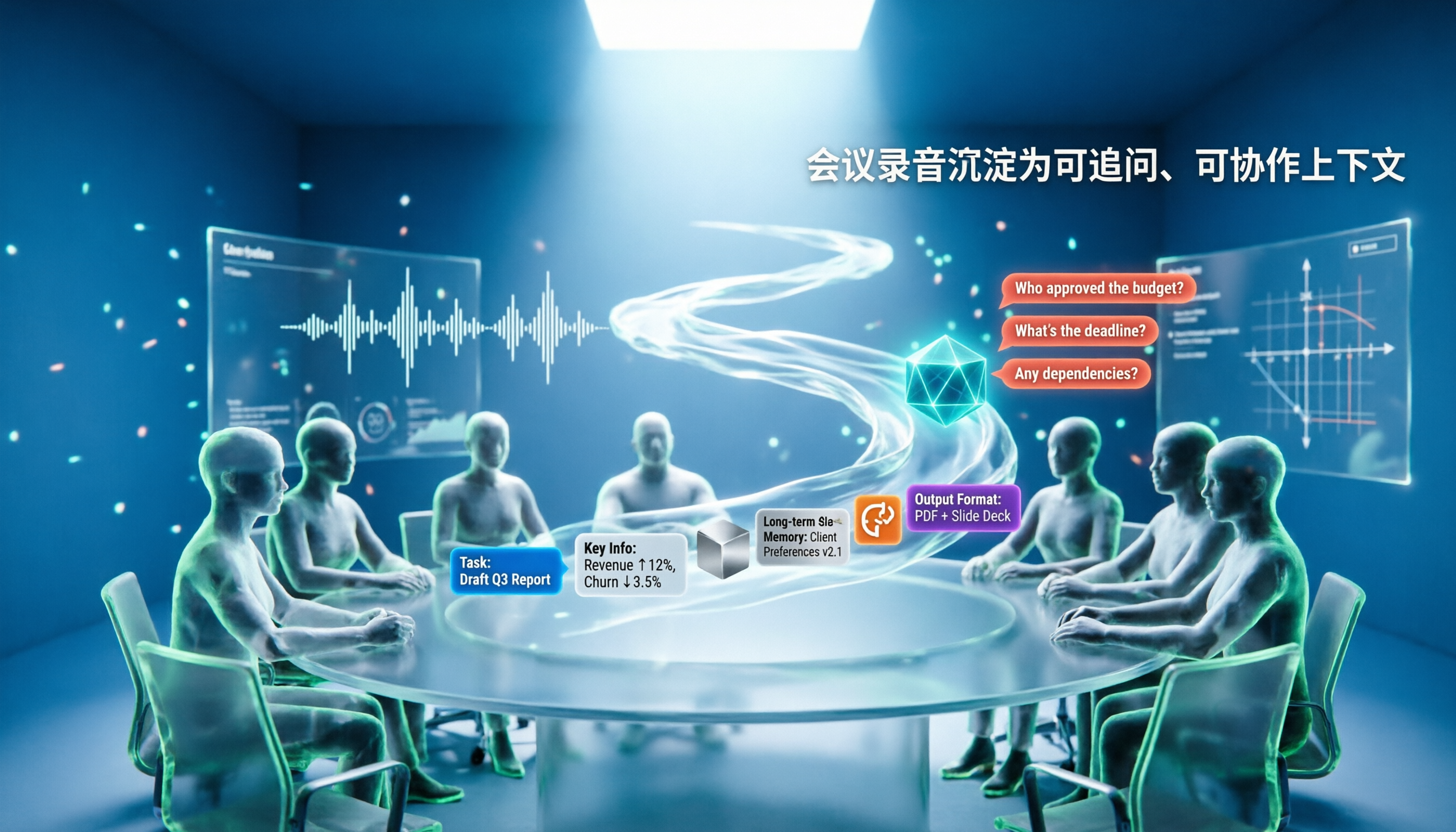
Context is more than just that prompt. It includes system instructions, user input, conversation history, long-term memory, external retrieval data, available tools, and the output format you require. Together, these form the world as the Agent sees it.
Before You Start | What You Need to Prepare
- A specific, verifiable task. For example: "Take the 60-minute project weekly meeting recording and turn it into a 300-word summary plus 5 action items for a manager who missed the meeting."
- Source material. Meeting recordings, interview audio, or existing specification documents all work.
- A tool that can store data long-term. This article uses Tinrec as an example; it handles live recording, online meetings, and audio/video files.
- A clear output format definition. What fields, what length, what language.
- Willingness to review failure cases. Context engineering is iterative, not a one-time write.
Step 1 | Define the Task Goal Clearly First, Not the Prompt
The purpose of this step is to let the Agent know where the finish line is.
Write in one sentence: "what goes in, what comes out, who it's for." For example: "Input a customer interview recording, output a table containing needs, objections, and commitments for the sales manager to review." After writing it, place this sentence at the very beginning of the context.
Why do this? Because when the goal is vague, the model can only guess. If it guesses wrong, you might think the model is dumb, but actually you weren't clear. The more your goal resembles acceptance criteria, the more stable the Agent's performance.
Once done, you'll have a standard you can use for scoring—this is more useful than any prompt trick.
(Illustration: A person standing in front of a whiteboard, breaking down the task goal into three columns: input, output, audience, with sticky notes nearby)
Step 2 | Filter Context: What to Include, What to Clear Out
The purpose of this step is to avoid dumping the entire folder into the model.
Divide data into three categories. First: "must include"—the current task goal, key people, time range. Second: "can retrieve"—past meetings, specification documents, past decisions. Third: "do not include"—outdated versions, chit-chat, duplicate content.
Why emphasize clearing out? Because even a large context window is a limited resource. Stuffing in noise dilutes the key points, and the model can't grasp the essentials.
In Tinrec, this corresponds to the concept of "Team Space": meeting data is stored centrally, and when needed, you can use AI Q&A to ask about a single meeting or across meetings, rather than pasting all transcripts into the chat box each time.
Once done, your context will be shorter, but answers will usually be more accurate.
(Illustration: Three stacks of documents on a desk, labeled "Must Include," "Can Search," "Not Needed," with one stack pushed aside)
Step 3 | Connect Long-Term Memory and External Knowledge
The purpose of this step is to let the Agent know "what happened in the past."
There are two approaches. One is Retrieval-Augmented Generation (RAG), building historical data into a searchable knowledge base and pulling relevant snippets when needed. The other is a glossary, unifying internal product codes, project names, and abbreviations.
Why is this important? Because many Agent failures are not about not understanding the present, but not knowing the background. The same phrase "do it like last time" is common sense to a human but a blank to a model.
Tinrec's team version offers "Team Hotwords" to maintain commonly used team terminology, making professional vocabulary recognition more stable; historical meetings are stored in the team space and can be continuously accessed by AI Q&A.
Once done, the Agent has a basis for answering questions like "what was the last decision."
(Illustration: Warehouse shelves, each labeled with different project names, someone reaching for a box of data)
Step 4 | Define Tools and Output Structure
The purpose of this step is to enable the Agent to take action and produce directly usable results.
First list "what tools it can call"—search, read files, write documents, send emails. Then define the output format: JSON, table, Markdown, or presentation outline. The clearer the format, the lower the subsequent organizing cost.
Why constrain output structure? Because without format constraints, the model gives you a different shape each time, and you still have to manually rearrange.
In Tinrec, Agent post-processing can generate reports, tables, and documents based on meeting content; results can also be exported to Notion, Google Docs, OneNote, Dropbox, and other tools, connecting back to your existing workflow.
Stop organizing recordings by hand
Upload audio or video and automatically get a transcript, summary, and action items
Once done, what you get is no longer a block of text, but a deliverable product.
(Illustration: End of a factory conveyor belt, documents automatically sorted and boxed, with labels "Summary," "Action Items," "Report" on the boxes)
Step 5 | Use Failure Cases to Refine Context
The purpose of this step is to treat context as a growing system.
Each time the Agent errs, first classify the cause: missing data, undefined format, tool misuse, or vague task goal. After classifying, fix only that part, don't rewrite everything.
Why not change everything at once? Because you won't know which change took effect. Fix one variable at a time to accumulate experience.
Tinrec's transcripts retain timestamps, allowing you to check original speech; the team version also has an audit log to query and export important operation records. When you suspect "is the data itself wrong," these records help.
Once done, you'll accumulate a context checklist for your own team.
(Illustration: Engineer staring at an error list on screen, with three colored labels "Missing Data," "Format Error," "Tool Misuse" nearby)
FAQ and Troubleshooting
Q: Is longer context always better?
No. Long context increases cost and dilutes key points. A better approach is "include what should be included, clear what should be cleared," putting stable elements in system instructions and variable ones in retrieval. Tinrec's AI Q&A is on-demand, not dumping the entire transcript each time.
Q: I've already written a long prompt, do I still need context engineering?
Yes, but in a different direction. Prompts manage "how to say it," context manages "what it sees." Most Agent failures are the latter—if the data isn't right, no amount of clever wording helps.
Q: Is context for Chinese meetings particularly error-prone?
Mixed Chinese-English, proper nouns, and overlapping speakers are indeed challenges. Actual performance is affected by recording quality, accent, and noise; no tool can guarantee a fixed accuracy rate. A pragmatic approach is to use team hotwords to unify terminology and cross-check important content against transcript timestamps.
Q: How to manage context when multiple team members share?
Distinguish between "roles" and "seats." Roles determine who can manage the team, members, and auditing; seats determine whether a member can record, upload, edit, and export. In Tinrec's team version, active members without a seat can still view, play, and read team data, but need a seat to perform resource usage operations.
Q: Is the free version enough?
Depends on usage frequency. For occasional recording organization, try the free version first; for short-term intensive meetings or interviews, consider a weekly card; for steady weekly needs, the Pro monthly card is more suitable; for long-term data accumulation, the annual card has a lower monthly equivalent. Prices are subject to the official purchase page.
Q: Will typos in speech-to-text pollute the context?
Yes, so source material quality must be controlled. Keeping the microphone close to the speaker during recording saves time compared to post-editing. Also, for important decisions, keep the recording and transcript timestamps for easy reference.
Advanced Tips | 3 Practices for More Stable Context
1. Use team hotwords to fix terminology
Product codes, project abbreviations, and client names are most prone to transcription errors. Team hotwords can be centrally maintained, reducing manual corrections. This is a team version feature; individual users can achieve similar results with consistent naming habits.
2. Cross-meeting queries instead of re-reading everything
Questions like "what did clients complain about most last quarter" shouldn't rely on human memory. Keep historical meetings in the same space and use AI Q&A to query across multiple meetings—much faster than flipping through transcripts each time.
3. Let output go directly into the workflow
After a meeting, instead of opening a blank document and retyping, use Agent post-processing to generate reports or tables, then export to Notion, Google Docs, etc. You save not only typing time but also the error rate of repeatedly moving information.
If You Don't Use Tinrec, There Are Other Options
Otter.ai and Fireflies.ai are more mature in automation and integration for English business meetings, mainly joining online meetings via meeting bots. Granola also takes a bot-free approach to meeting notes but does not support uploading pre-recorded audio files and does not save meeting audio.
If your needs are Chinese meetings, cross-platform organization, and team data accumulation, Tinrec's desktop version directly captures system audio without an extra bot joining, which reduces a layer of communication cost in practice.
Conclusion
Context engineering isn't a new buzzword—it's taking seriously the question "what do you want the Agent to know." With the 5 steps above, you can now: clearly define the task goal, filter the data to include, connect long-term memory, define tools and output formats, and finally refine using failure cases.
Next time the Agent errs, don't rush to switch models. First ask: did I fail to give it the context it needed?
If you have a batch of meeting recordings on hand, try a round with Tinrec's free version, running through the process of "recording → transcript → summary and action items → AI queries → export," then review which step's context is weakest. For team data sharing, the team version offers a 7-day trial, 1 free seat, and 300 minutes of shared import quota; paid seats provide 2,000 minutes of team shared import quota per month, at USD 29.80/seat monthly or USD 199/seat annually (about USD 16.58/month). Actual prices and benefits are subject to the official purchase page.
References
- Discussing AI Agent Context Engineering - Zhihu
- Understanding AI Agents in Depth - AI Agents in Depth
- Goodbye Prompt Engineering, "Context Engineering" is the Core Competitiveness of AI Agents - Zhihu
- AI Agent Context Engineering Knowledge Summary - Jiujuan's Meditation - Cnblogs
- [2026 Latest] What is an AI Agent? 7 Core Architectures, Operating Principles, and Enterprise Applications at a Glance | 91APP
Turn every recording into actionable outcomes
Get 60 free transcription minutes when you sign in. No credit card required.
Related Reading
You might also like

How to Use AI Agents to Generate Documents in 2026: Automated Meeting Minutes and To-Do Lists Made Easy
Many people hand a recording to AI and expect a finished document, only to find names, conclusions, and action items are all wrong. This guide starts with common pitfalls and walks through the correct workflow for AI agent document generation: first use Tinrec to turn meetings into transcripts, summaries, and to-dos, then let the agent post-process them into reports, tables, and meeting minutes. It ends with key buying considerations and FAQs.

Tinrec vs Notta 2026: 5-Dimension Comparison — Which AI Agent Handles Step-by-Step Processing Better?
The difference in AI Agent step-by-step processing capability determines how much manual organizing you'll still need to do after a meeting. This article compares Tinrec and Notta across 5 dimensions: meeting capture method, post-meeting processing depth, audio retention, Chinese language experience, and team governance. It includes buying tips and pitfalls to avoid, helping you choose the one that truly turns meetings into actionable data.

2026 AI Agent Excel Tools Compared: Turning Meeting Notes into Reports Fast
Many people think an AI Agent can turn a single sentence into an Excel report, but testing shows the real keys are data sources and column design. This article compares Tinrec, Microsoft Excel Agent mode, Aspose.Cells AI Generator, and Gemini Notebook Agent, covering meeting notes, file generation, and team collaboration, with buying criteria, hands-on insights, and pitfalls to help you find the most time-saving AI spreadsheet workflow.

2026 AI Meeting Tools Compared: Which One Turns Meetings into Searchable Data?
When choosing an AI meeting tool, the real question isn't transcription accuracy—it's where your meeting data ends up. This article examines four key factors: how meetings are captured, post-meeting outputs, audio retention, and team ownership. I share my current Tinrec workflow and compare Otter.ai, Granola, and PLAUD to help you decide which fits your needs.

How to Choose Meeting Productivity Tools in 2026: 5 Steps from Recording to AI Meeting Minutes
The meeting ends, but the work begins. This article starts with the decision point: do you want a recording, or meeting materials you can use right away? It breaks down 4 key criteria for choosing an AI meeting productivity tool, shares a mid-level manager's tested workflow with Tinrec (秒聽錄音), 5 steps from recording to actionable to-dos, and briefly reviews who Otter.ai, Granola, and Notta are best for, plus 4 common pitfalls.

Tinrec vs Notta 2026: 5-Dimension Comparison — Which Chinese Meeting Efficiency Tool Is Better?
Most people looking for an AI meeting efficiency tool only check transcription accuracy, but overlook that post-meeting organization is what really takes time. This article compares Tinrec and Notta across five practical dimensions, explaining differences in bot-free recording, AI Q&A, action item extraction, and team data retention, plus a pitfalls guide and selection advice.

Best AI Meeting Minutes Tools for Word in 2026: 4 Tested, This One Saves the Most Time for Chinese
Still re-listening to recordings and organizing Word meeting minutes after meetings? This 2026 hands-on comparison of Tinrec, Microsoft Word + Copilot, Notta, and Otter.ai explains selection criteria, pitfalls to avoid, and Word workflows for AI-generated meeting minutes, helping you choose the best tool for Chinese and mixed Chinese-English meetings.

2026 AI Agent Auto-Delivery Tools Compared: Can Meeting Minutes and Action Items Really Be Automated?
AI Agents aren't just about chatting—the real question is whether they can finish the post-meeting wrap-up work on their own. Starting from real meeting scenarios, this article breaks down four key points for choosing an AI Agent auto-delivery tool and compares Tinrec, Otter.ai, Fireflies.ai, and Notta on transcripts, summaries, action items, Agent post-processing, and team data retention, helping you determine which workflow truly saves time.

5 Free AI Agent PPT Generation Solutions in 2026: A Comprehensive Review
AI agents for PPT generation have evolved from one-click templates to end-to-end output. This article reviews five affordable or even free solutions, covering meeting content organization, PowerPoint's built-in draft generation, and open-source projects, and explains who each is for, free quotas, and pitfalls to watch out for.