

Turn recordings into transcripts and summaries in minutes
Upload audio or video for multilingual transcription, AI notes, and action items
In the era of digital work, voice-to-text apps have become indispensable productivity tools for professionals and creators. Whether it's lengthy cross-departmental meetings, important client calls, or spur-of-the-moment voice memos, relying on manual transcription is not only time-consuming and labor-intensive but also risks missing key information. With the leap in AI technology, today's voice-to-text tools can not only accurately recognize multiple languages but also automatically generate key summaries.
This article will analyze the core use cases of voice-to-text apps and highlight a powerful all-in-one tool—TinRec (Seconds Recording)—to help you completely ditch tedious typing work.
Why You Need a Voice-to-Text App: Three Core Pain Points
Many people encounter these three "time killers" at work and in study, and a great voice-to-text app is the perfect solution:
- Endless meeting notes: A one-hour meeting often takes twice as long to replay and transcribe, severely cutting into time for core tasks.
- Missed interview details: Journalists, researchers, or headhunters focusing too much on typing during interviews can't maintain deep eye contact and interaction, even missing opportunities to ask follow-up questions.
- Untraceable call content: Details from client calls (e.g., quotes, requirement changes) vanish in an instant. Without recording and transcribing, disputes later have no evidence to rely on.

4 Key Criteria for Choosing a Voice-to-Text Tool
With so many voice-to-text apps on the market, how do you pick the best one for you? Here are four must-consider factors:
- Accuracy and multilingual support: Can it accurately recognize Chinese (including Taiwanese accents), English, and code-switching? Premium tools even distinguish different speakers (speaker diarization).
- AI-powered summarization: Raw transcripts are often too long. Apps with AI features can automatically extract "meeting summaries" and "action items," which is the real productivity booster.
- File format compatibility: Besides live recording, does it support importing existing MP3, M4A, or WAV files for transcription? This is crucial for processing old recordings.
- Cross-platform integration: Can you record on mobile and edit on the web version? Cloud sync keeps your workflow seamless.
Stop organizing recordings by hand
Upload audio or video and automatically get a transcript, summary, and action items
Product Recommendation: TinRec (Seconds Recording) — Your All-in-One AI Voice Assistant
Among many competitors, TinRec (Seconds Recording) stands out with its core features optimized for business scenarios. It's more than just a recorder; it's an intelligent text processing hub, especially suitable for professionals who need to handle voice information efficiently.
1. Key Feature Highlights
- Call recording to text: This is TinRec's killer feature. For salespeople or customer service reps, directly recording and transcribing calls makes client requirement management and dispute resolution much easier.
- MP3 to text and multi-format support: Whether you recorded with a professional voice recorder or a voice memo on your phone, just upload the file to TinRec to get a transcript quickly. It supports many common audio formats and processes them very fast.
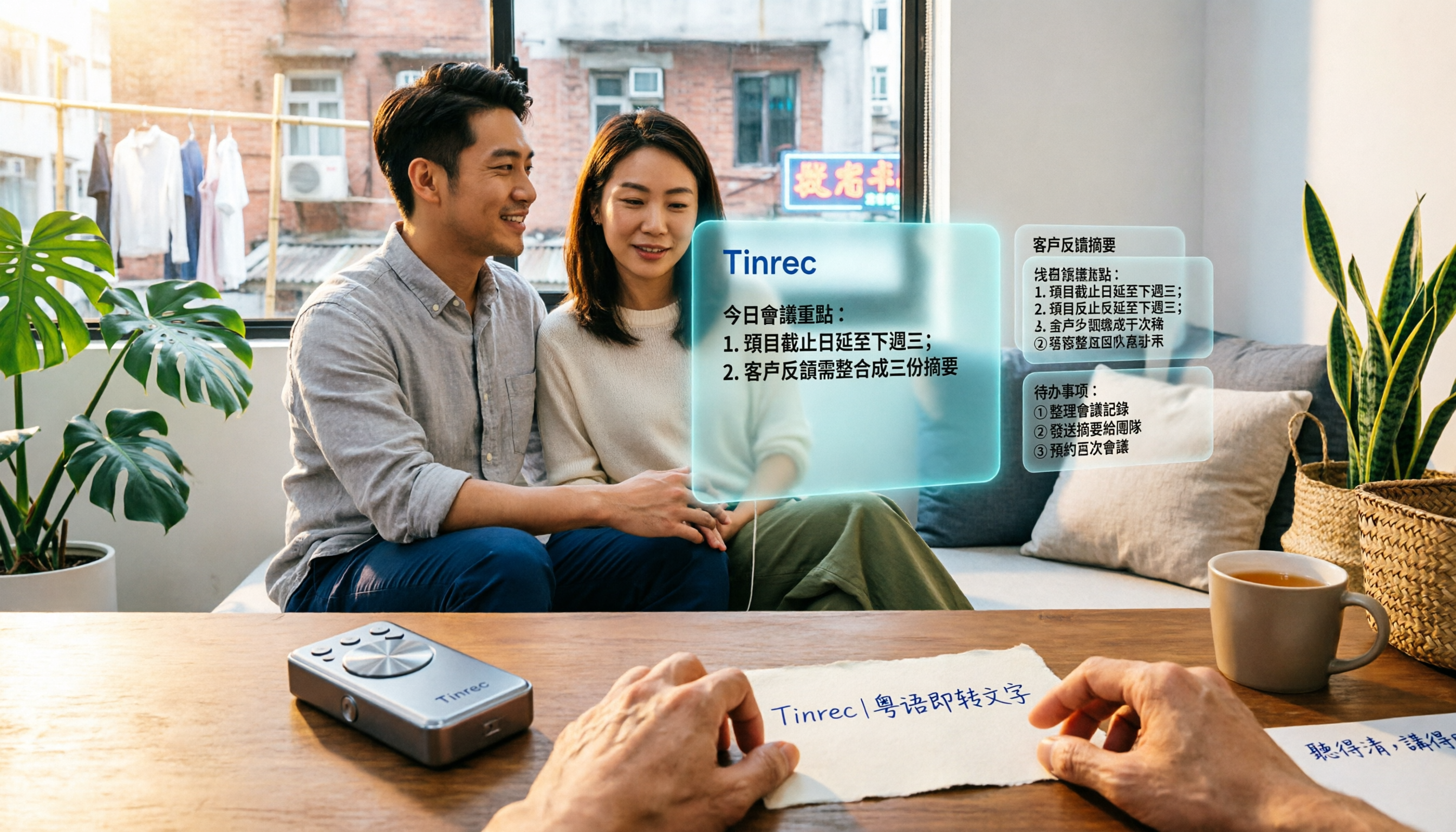
- AI meeting summary and minutes: TinRec's advanced AI model automatically extracts key information from lengthy conversations. It doesn't just give you a transcript; it directly generates a structured meeting summary, listing discussion points, decisions, and next steps.
2. Scenario Solutions
- Business meetings: Start recording with TinRec, and when the meeting ends, the AI instantly generates a summary. You can copy the summary into an email to your team, turning hours of manual work into minutes.
- Content creation and interviews: For podcasters or journalists, upload an audio file (MP3) and TinRec quickly produces a first draft, letting you focus on polishing rather than basic transcription.
- Cross-border communication: With strong language recognition, TinRec helps record multilingual meetings, breaking down language barriers.
How to Integrate AI Voice-to-Text into Your Workflow
To maximize the benefits of a voice-to-text app, establish a standardized workflow:
- Record/Import: At the start of a meeting or call, ensure clear audio with a good device, or import the file into TinRec afterward.
- AI Initial Processing: Use the app's AI features to generate a transcript and summary. Note: although AI accuracy is high, it's still recommended to quickly review proper nouns (like names, technical terms).
- Action Conversion: Directly use the generated "action items" list to assign tasks in your project management tool (e.g., Notion, Trello).
- Archive & Search: Digital text files make future searches easy. You can instantly find specific discussion points from past meetings by keyword—something traditional audio files can't do.
Conclusion: Free Your Mind with Technology
In 2025, manual transcription is a thing of the past. Choosing the right voice-to-text app isn't just about saving time—it's about freeing your brain from tedious memory work so you can focus on more valuable thinking and decision-making.
If you're looking for a powerful tool that combines call recording, file transcription, and AI smart summaries, TinRec (Seconds Recording) is definitely worth a try. It will change how you record and manage information, making every communication more valuable.
Experience a new level of productivity now: 👉 Visit TinRec's official website to start your free trial
Turn every recording into actionable outcomes
Get 60 free transcription minutes when you sign in. No credit card required.
Related Reading
You might also like

2026 Best AI Meeting Transcription Tools Compared: Which Saves the Most Time for Chinese Meetings?
Starting from the decision of which recording-to-meeting-notes tool to choose, this hands-on comparison evaluates Tinrec, Otter.ai, Notta, and Granola on meeting recording methods, Chinese and mixed Chinese-English processing, post-meeting organization, and team collaboration. It also covers 4 key buying factors, 4 common pitfalls, and scenario-based recommendations.
5 Cantonese Speech-to-Text Tools Tested in 2026: Which Saves More Time on Cantonese Transcripts and Post-Meeting Organization?
Looking for a speech-to-text tool that accurately recognizes Cantonese? This article starts with the three most common pitfalls, then covers key points for choosing a Cantonese transcription tool based on real tests, free quotas, and team pricing differences. It also uses Tinrec as an example to demonstrate the complete workflow from recording and transcription to summaries, action items, and team knowledge retention.

2026 Meeting Notes App Comparison: Which AI Summarizer Saves Managers the Most Time?
A mid-level manager leading a 10-person team and attending 15 meetings a week tested five meeting notes apps and shares the criteria for choosing one. From post-meeting organization speed, AI summaries and action items, and online meeting recording methods, to team data ownership and seat management, this explains how Tinrec works in real meeting scenarios, where its limits are, and how to choose between the free and team versions.

5 Best AI Meeting Transcription Tools in 2026: Which Free Plan Is Most Generous?
Tired of replaying meeting recordings to write notes? We break down 5 key factors for choosing an AI meeting transcription tool and compare Tinrec, Granola, Notta, and PLAUD on transcription, AI Q&A, action item extraction, and team collaboration. We also cover free plan limits, pricing, and common pitfalls to help you pick the most time-saving option.

Tinrec vs PLAUD Note 2026: 5-Dimension Comparison — Which Is More Complete for Meeting Transcripts and Post-Meeting Organization?
The biggest pitfall with meeting recording transcripts isn't audio quality — it's that the text gets ignored after transcription. This article compares Tinrec and PLAUD Note across 5 dimensions: meeting capture methods, post-transcript organization, file import and cross-device support, team collaboration and governance, and cost structure, helping you decide between a software workflow and recording hardware.

2026 Top 5 Real-Time AI Meeting Notes Compared: Tinrec vs Notta vs Plaud — Which One Should You Choose?
The real pain point of meeting notes isn't whether they can be transcribed, but how to use them after transcription. This article starts with common misconceptions, outlines the positioning of 5 highly discussed real-time AI meeting note tools, and focuses on the differences between Tinrec, Notta, and Plaud. It compares meeting capture methods, post-meeting outputs, audio retention, team governance, and pricing plans to help you decide which one fits your meeting scenario.

2026 AI Meeting Notes Guide: Tinrec's Bot-Free Recording & Auto-Generated To-Dos
How do you choose an AI meeting notes tool? This article examines Chinese recognition, recording methods, post-meeting organization, and team data ownership, comparing Tinrec, Notta, Otter.ai, and Granola, plus four common pitfalls to help you find a solution that truly saves time after meetings.

5 Best Meeting Notes Apps of 2026: Which Free Version Is Actually Enough?
Still spending an hour after every meeting writing up notes? This comparison puts five common meeting notes app approaches side by side—covering Chinese recognition, how meetings are captured, post-meeting organization, team permissions, and pricing—and explains how Tinrec handles recording, transcription, summaries, action items, and AI Q&A within its free tier.

2026 Meeting Recording Tools: Bot-Free Recording + AI Action Item Management
A mid-level manager who attends 15 meetings a week shares hands-on insights: starting from the decision point of whether to let a meeting bot join, this article breaks down 4 key factors for choosing a meeting recording tool, and explains the real-world experience, limitations, and use cases of Tinrec's desktop bot-free recording, AI summary and action items, Q&A, and team plan roles and seat management.