
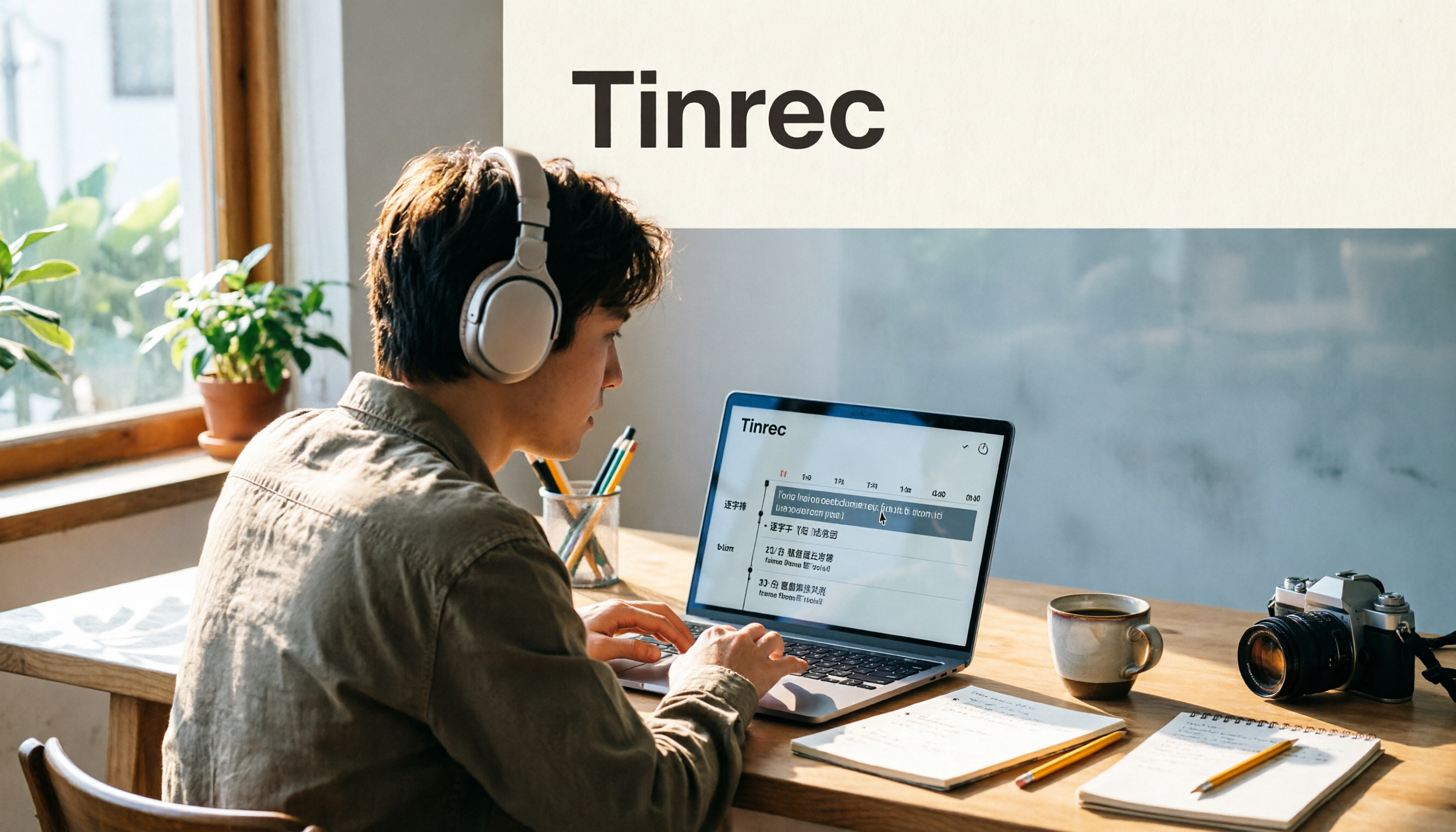
Turn recordings into transcripts and summaries in minutes
Upload audio or video for multilingual transcription, AI notes, and action items
2026 Video-to-Text Tools Compared: Which One Makes Subtitles Easiest?
"Transcribe first, then fix it slowly"—the most common inefficient approach
Many people's first time making subtitles goes like this: drop the video into a free tool, get a block of text with no punctuation and no paragraph breaks, then paste it back into the timeline sentence by sentence while watching the video. For a 10-minute video, just fixing the text takes two hours.
Honestly, the problem usually isn't your typing speed—it's treating "transcript" and "subtitle file" as the same thing from the start.
These two file types serve completely different purposes. A transcript is for people to read: it needs punctuation, paragraph breaks, and searchability. A subtitle file (.srt, .vtt) is for media players: one sentence per line, with timecodes, and character limits. If a tool only gives you one of these, you'll have to manually create the other.
The third common mistake is signing up just because you saw the word "free."
Limits like 30 minutes per file, 3 minutes per session, or 3 files per day don't hurt in everyday use—but when you're rushing to publish a video or organizing a full conference recording, they'll block your progress immediately.
Choose the right tool, and these three problems can be solved at once.
Before Choosing a Video-to-Text Tool, Understand These 4 Key Points
1. Output format: Does it provide subtitle files with timecodes, not just text?
A tool that only outputs TXT files is essentially handing the timeline work right back to you. Experienced users check first whether it can directly export SRT or VTT, and whether the transcript retains timestamps so you can cross-reference with the audio when making corrections.
2. Chinese recognition, punctuation, and paragraphing
Chinese has no spaces, so punctuation and sentence breaks rely entirely on AI judgment. If a whole passage runs together, you'll be frustrated just re-paragraphing it. When testing, I use the same mixed Chinese-English content to see whether the punctuation feels natural and whether technical terms get mistranslated.
3. Can you still use it after transcription?
A transcript is just raw material. Whether it can conveniently generate summaries, chapters, action items, or even answer questions about the content determines how much extra work you'll have to do afterward. This is also where tools have differentiated themselves in recent years.
4. Free quota and per-file limits
The free version isn't unusable—you just need to read the fine print. Some limit total minutes per month, some limit length per session, and some limit file size. First confirm what your actual files look like, then decide whether to pay.
Tinrec—The Easiest One After Testing
Tinrec is an AI meeting notes and collaboration tool for individuals and teams, available on web, desktop, and mobile. It connects the entire workflow: "record or upload → transcribe → generate summaries, chapters, and action items → ask questions about the content → export to your existing workflow."
For subtitling, it gives you two file types at once.
After uploading video files like MP4 or MOV, or audio files like MP3, WAV, or M4A, what comes out isn't just text. The transcript itself has punctuation and paragraph breaks, and you can also export a subtitle format with timecodes that can be dropped directly into editing software for subtitling—no more manually matching seconds. If your workflow is "get the text first, then make subtitles," this step saves the most noticeable time.
No bot needed for online meetings.
The desktop version directly captures your computer's system audio, handling meeting audio from platforms like Zoom, Google Meet, Microsoft Teams, and Webex—no extra bot needs to join the meeting as a participant. Note that this isn't "automatically joining all calendar meetings"; you open Tinrec yourself to start recording.
The real value comes after transcription.
After a meeting or video finishes, the system generates summaries, chapters, and action items, so you can review the structure before diving into details for long content. Even better is the AI Q&A—questions like "What budget figures did the interviewee mention in this interview?" can be asked directly, instead of Ctrl+F hunting through a 40-minute transcript. Results can also be exported to Notion, Google Docs, OneNote, or Dropbox for further processing.
For team use, data doesn't leave with people.
The team version is a separate team workspace where meeting data belongs to the team. Admins can assign roles and seats, and when a member leaves or is removed, their resources need to be handed over to someone else—data doesn't just disappear. There are also team hotwords, usage analytics, audit logs, and an audio recycle bin.
Hands-on impressions and limitations.
Stop organizing recordings by hand
Upload audio or video and automatically get a transcript, summary, and action items
I tested with a real meeting recording that mixed Chinese and English with background air-conditioning noise. The handling of mixed Chinese-English in Chinese segments was good, and the sentence breaks were mostly readable as-is; technical terms and places where multiple people talked over each other still required manual proofreading—no tool can completely avoid that.
Limitations should also be stated clearly. The free version offers a basic quota, suitable for trying things out; long-duration, high-volume transcription requires payment. The personal plan includes a free version, weekly pass, Pro monthly, and annual—choose based on your usage frequency. Also, it doesn't focus on bulk batch conversion; if you have 50 files to process at once, that's not its strength.
For the team version, the first eligible trial is currently 7 days, 1 free seat, and 300 minutes of shared team import quota; monthly billing is USD 29.80 per paid seat, annual billing is USD 199 per paid seat (equivalent to about USD 16.58/month), with each paid seat providing 2,000 minutes of shared import quota per month. Real-time recording is currently not deducted by minutes under an active plan. Actual pricing and benefits are subject to the official purchase page.
Who is it for?
People who frequently handle Chinese meetings or interviews, need a directly usable transcript plus subtitles, and want to be able to ask follow-up questions and organize afterward.
Besides Tinrec, What Other Options Are There?
Notta: A veteran choice for multilingual transcription and translation. The free version offers 120 minutes per month with a maximum of 3 minutes per session; Pro annual billing is about USD 8.17/month (1,800 minutes per month), and Business annual billing is about USD 16.67 per seat per month. If your material is very short and translation-focused, it's worth considering. However, the 3-minute per-session limit is quite tight for "video subtitling"—a 10-minute video would need to be split into several segments. Also, team governance features like seat allocation and audio recycle bin are not currently listed on the official page.
TurboScribe: A cost-effective file transcription tool. Free version: 3 files per day, up to 30 minutes per file; Unlimited annual billing is USD 120 (about USD 10/month). The paid version supports files up to 10 hours or 5 GB, and up to 50 files uploaded at once. For processing large volumes of long files, its advantage is clear. But its main focus is "uploaded files"—it can't transcribe while a meeting is happening, and it doesn't offer post-meeting AI follow-up questions or action item organization—that's exactly the extra step Tinrec provides.
Granola: A bot-free AI meeting notes tool that transcribes in real time via desktop system audio. Basic is free, Business is USD 14 per user per month, and Enterprise is USD 35 per user per month. It emphasizes combining your handwritten notes with AI, which is great for people who take notes during meetings. Note that it doesn't support uploading pre-recorded audio files and doesn't save meeting audio; if you need to keep recordings for later verification, Tinrec is much more complete in this regard.
Pitfall Guide: The 3 Most Common Mistakes When Choosing a Video-to-Text Tool
Pitfall 1: Treating "98% accuracy" as a guarantee.
That number is usually measured in a quiet environment with a single microphone and standard accent. Real online meetings have keyboard sounds, air-conditioning noise, and people talking over each other—performance will definitely drop. Rather than looking at advertising numbers, try it with a recording of your own—that's what the free quota is for.
Pitfall 2: Ignoring timecodes, so you end up making subtitles manually anyway.
Many people only check "does it output text," and only when they need to add subtitles do they realize they have to mark the entire timeline themselves. When choosing a tool, directly confirm two things: does the transcript retain timestamps, and can it export SRT or VTT? These two features determine whether you finish in 10 minutes or two hours.
Pitfall 3: Transcribing without organizing is only using half the features.
It's really a waste to use these tools only as "audio-to-text." The focus has now shifted to post-meeting: automatic summaries, chapters, action items, and even directly asking questions about the content like "What was the conclusion of this meeting?" Tools like Tinrec that integrate Q&A and post-processing usually save you not transcription time, but the time you'd spend re-reading the transcript.
One more reminder: recording and transcription involve personal data and local regulations, so it's best to get participants' consent before recording.
Conclusion: Which One Should You Choose?
To sum up in one sentence: If what you want is "a directly usable transcript plus subtitles, and the ability to keep asking questions afterward," Tinrec has the most complete workflow among these four.
Choosing by scenario is faster:
- Need to subtitle Chinese videos and need both transcript and timecodes → Tinrec
- Don't want a bot joining online meetings, but need post-meeting summaries and action items → Tinrec (desktop version captures system audio)
- Want to directly ask "who mentioned the budget" or "what was the conclusion" after a meeting → Tinrec (AI Q&A and post-processing)
- Team needs to centrally store meeting data and manage seats and usage → Tinrec Team version
- Have a large number of long files and need batch transcription → TurboScribe
- Material is very short and mainly for multilingual translation → Notta
- Prefer handwriting notes during meetings and don't need to keep audio files → Granola
I recommend starting with the free version. Run one of your own real videos through it and see if the transcript's punctuation and paragraphing meet your standards. If it feels right, then consider upgrading—no need to pay upfront.
References
- Online AI speech, video, and audio file auto-transcription - Free trial - cSubtitle
- Free video-to-text tool | AI auto-transcription with high-accuracy subtitles
- Transcribe video to text - Instant, 99.9% accurate - VEED.IO
- Video to text - Free online AI audio/video transcription tool, unlimited and no registration required | Video Transcriber AI
- Use AI to transcribe video to text - Adobe
Turn every recording into actionable outcomes
Get 60 free transcription minutes when you sign in. No credit card required.
Related Reading
You might also like

2025 Comparison of 3 Audio-to-Text Tools: Notta vs. Tinrec for Chinese Meeting Notes—Which Saves More Time?
When choosing a meeting notes tool in 2025, don't just look at how many minutes are included each month. This article starts from three decision points: how audio gets in, what can be produced after transcription, and whether team data remains when people change. It compares Notta, Tinrec, and Otter, and breaks down Tinrec's bot-free recording, AI Q&A, action item extraction, and team spaces to help you decide which one truly saves that hour after meetings.

2026 Free Voice Translation Guide: Tinrec Real-Time Bilingual Subtitles + Transcript Organization
A hands-on comparison of Vidnoz and Tinrec, two voice translation tools you can start using for free, broken down across five dimensions: real-time performance, post-meeting output, audio sources, free quota, and team collaboration, to help you decide which one fits your meeting notes and video dubbing needs.

Tinrec vs Notta in 2026: 5-Dimension Comparison — Which Chinese Meeting Transcription App Is Worth Downloading?
Before searching for 'Notta AI app download,' understand the real limits of the free tier and how online meetings are captured. This article compares Tinrec and Notta across 5 dimensions—meeting audio source, post-meeting organization, Chinese performance, team collaboration, and quota calculation—to help you decide which app to download.
2026 AI Meeting Recorder Comparison: 3 Tools Tested, and the Notta Alternative Worth Buying
Thinking about Notta or comparing AI meeting note tools? This guide starts with what to clarify before buying, breaks down 5 key criteria—live transcription, bot-free recording, summaries and action items, AI Q&A, and team seat governance—and uses Tinrec as the main hands-on example, with team pricing and FAQs to help you spend on features you'll actually use.

2026 Voice-to-Text Tool Comparison: Tinrec vs Granola – Which Delivers More Complete Transcripts and Post-Meeting Organization?
Many people searching for voice-to-text tools actually want to turn meeting audio into searchable, queryable transcripts. This article compares Tinrec and Granola across five dimensions: input sources, audio retention, Chinese language experience, post-meeting organization, and team governance, helping you decide which tool better fits your meeting scenarios.

4 Audio-to-Text Tools Tested: Which Is Fastest for Chinese Meeting Transcripts in 2026?
Transcribing audio isn't just typing—you need to decide whether you want a transcript or a time-coded subtitle file. We tested Tinrec, cSubtitle, TurboScribe, and Notta with real meeting recordings, comparing Chinese recognition, post-meeting summaries, AI Q&A, team collaboration, and pricing limits to help you choose the right workflow for meeting notes, interview organization, and video subtitles.

5 Free Auto Subtitle Solutions Compared in 2026: What Tinrec Adds Beyond CapCut and pyTranscriber
There are many free auto subtitle tools, but their quota calculations, output formats, and post-meeting organization capabilities vary widely. This article starts with 5 common free solutions, breaks down what gaps Tinrec fills in audio-to-text, summarization, AI Q&A, and team collaboration, and includes version selection advice.

2026 Free Subtitle Generator Comparison: Which Tool Saves More Time on Chinese Meeting Transcripts?
How do you choose a free subtitle generator? This article compares two practical options, Tinrec and Otter.ai, across free quotas, Chinese transcription, meeting recording methods, post-meeting outputs, and team governance to help you decide which is better suited for Chinese meetings and video content organization.

2026 Comparison of 3 Online Subtitle Generators: Which Saves More Time for Chinese Meetings and Videos?
There are many online subtitle generation tools, but the key is whether the output is usable. This article starts with common misconceptions and compares Tinrec, Subanana, VEED, and Clideo on Chinese recognition, long audio processing, and post-meeting organization. It also covers free quotas, export formats, and practical limitations of team collaboration to help you choose the right tool.