

Turn recordings into transcripts and summaries in minutes
Upload audio or video for multilingual transcription, AI notes, and action items
2026 Comparison of 3 Online Subtitle Generators: Which Saves More Time for Chinese Meetings and Videos?
Many people imagine "subtitle generation" as: find a website, upload a video, click auto-generate, and subtitles are done.
Honestly, that's the biggest misunderstanding.
Automatic recognition only completes the first half. What really eats up time is the latter part—fixing sentence breaks, correcting proper nouns, labeling who is speaking, and cleaning up all the "um" and "like" fillers.
This article isn't about whose button is bigger; it's to help you first distinguish: do you want "a subtitle file ready for publishing" or "a text content you can work with"? These two things require completely different tools.
Subtitles Generated but Unusable? Three Most Common Misconceptions
Misconception 1: Treating "recognized" as "done".
Upload a video, run AI, and a line of text appears at the bottom—looks smooth. But when you copy that text into Notepad, you'll find sentences cut mid-word, names all wrong, numbers all off.
Being able to recognize doesn't mean it's usable. This gap is why most people try tools back and forth.
Misconception 2: Only comparing free minutes, not checking if the free version lets you take the file away.
Some tools seem generous with free quotas, but subtitle file downloads are paid features, or exports come with watermarks. By the time you've organized half an hour of content, you realize you can't take it out—that feels terrible.
When choosing a tool, I always first confirm "what you can get with the free version".
Misconception 3: Using video editing tools for meetings, and meeting tools for video subtitles.
These two are often mixed up, but the needs are quite different.
For long audio focused on speech—meetings, interviews, courses—you need not just a transcript but also summaries, key points, and who agreed to what. Video subtitles require precise timing, font styles, and whether they can be burned into the video.
If your material is the former, the evaluation criteria should be different.
Before Choosing an Online Subtitle Generator, Understand These 4 Key Points
1. Do you want a subtitle file or usable content?
Needing an SRT for YouTube is a completely different end goal from needing text to paste into meeting notes. Clarify the end goal first, then choose the tool—it saves many detours.
2. Recognition performance for Chinese and mixed Chinese-English.
Meetings in Taiwan are rarely pure Chinese; they often include sentences like "this campaign's conversion rate". Whether it can handle mixed Chinese-English directly determines how much you need to edit.
3. Handling capability for long audio and multi-speaker scenarios.
Short videos of ten-plus minutes can run easily. But for a one-hour project meeting with people interrupting, leaving, or taking calls, the tool's noise resistance and segmentation ability are tested.
4. What you can do with it after generation.
This is the most easily overlooked point. For the same transcript, some tools let you manually Ctrl+F to find keywords, while others let you directly ask "what was the conclusion of the last meeting". The difference lies in the hours afterward.
Tinrec (Miao Ting Recording) — Our Main Tool After Testing
Tinrec is an AI meeting notes and collaboration tool for individuals and teams, supporting web, desktop, and mobile. Its positioning is not a "video subtitle generator" but turning sound into searchable, queryable, deliverable data.
I tested it with a roughly 20-minute project meeting recording mixed with Chinese and English. The process was like this.
Get transcript during the meeting.
The desktop version directly captures system audio from the computer, handling online meetings on Zoom, Google Meet, Microsoft Teams, Webex without inviting a meeting bot as a participant. This is especially practical for client meetings—you don't want an unknown account appearing in their list.
For offline meetings or interviews, use real-time recording to transcribe as you speak. For foreign language content, you can switch between original, translation, or bilingual view.
After the meeting, half the organization work is done.
After running, it automatically generates summaries, chapters, and key points, and can extract action items from discussions into to-dos. Previously I had to re-listen to recordings and type while listening to confirm "who is responsible for what"; now I mostly just review once.
Even better is AI Q&A. You can directly ask questions about the meeting, such as "what was the conclusion of this budget dispute" or "which competitors did the client mention". It doesn't give you keyword search results but organizes answers based on content and brings back original paragraphs for you to verify.
Output can connect back to your original workflow.
Stop organizing recordings by hand
Upload audio or video and automatically get a transcript, summary, and action items
Transcripts, summaries, and to-dos can be exported to common formats and third-party tools, and you can ask it to further generate reports, tables, or meeting minutes documents. For those who submit weekly reports, the time saved here is more noticeable than the transcription itself.
Team version is another level.
If several people meet together, the team version provides an independent team space: meeting data belongs to the team, not the person who uploaded it. Admins can manage members, roles, and seats, view usage trends and member details, and query and export operation logs.
One detail worth clarifying upfront: the team version has two concepts: "roles" and "seats". Roles control who can manage the team and view audits; seats control who can record, upload, edit, and export. Members without seats can still view, play, and read team data but cannot perform resource operations.
Currently, the team version plan offers a 7-day trial for first-time eligible users, 1 free seat, and 300 minutes of team shared import quota; monthly USD 29.80 per paid seat per month, annual USD 199 per paid seat per year (equivalent to about USD 16.58 per month), each paid seat provides 2,000 minutes of team shared import quota per month. Under an active team plan and active seat, real-time recording is currently not deducted by minutes. Actual prices and benefits are subject to the official purchase page.
The personal version has free, weekly card, Pro monthly, and Pro annual; choose based on usage frequency. For occasional recording organization, the free version is enough.
Points to note.
First, Tinrec is not for burning subtitles. It gives you transcripts and organized content. If you want to burn text into video, adjust font styles, and output as video, that's another route.
Second, recognition performance is affected by recording quality, ambient noise, accents, overlapping speakers, and technical terms. I know everyone wants to hear "98% accuracy", but the same number doesn't hold in a noisy meeting room. For important content, verify with timestamps and recording playback.
Third, it does not automatically join all meetings on your calendar; you need to start recording yourself.
Who it's for.
For those who frequently have online meetings, need Chinese and mixed Chinese-English transcripts, want to use AI to find key points after meetings, or want to accumulate meeting data as team assets, Tinrec is currently the smoothest set to use.
Besides Tinrec, What Other Options Are There?
Subanana: Focuses on file-based subtitle generation, Chinese traditional/simplified selectable, supports English, Japanese, and over 95 languages, can import SRT/VTT for modification or translation, single file up to 8 hours, max 30 GB. Free accounts can upload 3 files per month, preview first 15 minutes per file; downloading subtitle files is a paid feature. If you have a batch of pre-recorded videos and need subtitle files, it's a good fit. But note it doesn't handle "meeting live" and has no AI Q&A or to-do extraction—the post-meeting organization still requires manual work.
VEED: An online editing platform usable in browser; auto subtitles is one feature, can burn subtitles into video, download SRT, VTT, TXT, and has a full set of filters, stickers, progress bars, and other social media material tools. Great for Instagram, TikTok short videos. However, its core is "video editing", not "meeting notes"—no bot-free recording of online meetings, and cannot accumulate multiple meetings into a searchable database.
Clideo: A completely online lightweight tool, supports MP4, AVI, MOV, WMV formats, can output SRT or TXT, also generates hard subtitles, with adjustable font, size, color, and background. Suitable for临时 adding subtitles to a video without installing software. Similarly, it stops at "generating subtitles" and does not cover meeting summaries, action items, or team sharing.
Pitfall Guide: 3 Most Common Mistakes When Choosing Subtitle Tools
Pitfall 1: Only looking at free quota, not export limits.
300 free minutes sounds like a lot, but if subtitle files require payment to download and video exports have watermarks, then 300 minutes are wasted. When trying, go through the full process: upload, generate, export. Whether you can take the finished product away is the key.
Pitfall 2: Throwing meeting recordings to video editing tools.
Technically it works, but you get an unstructured transcript. Who said what, what the conclusion was, what to do next—all require re-reading yourself. If you only have one meeting a month, fine; but for those with three meetings a week, time will be completely lost.
Pitfall 3: Assuming buying the tool means the team can use it together.
Personal accounts and team spaces are two different things. Multi-person collaboration depends on: who owns the data, how data is handed over after a member leaves, who has permission to record and export. Tinrec team version requires handing over team resources responsible by a member to other active members when they exit or lose seats—this design makes a big practical difference; otherwise, when a person leaves, meeting records also break.
Conclusion: Which One Should You Choose?
In one sentence: first distinguish whether you want "subtitles" or "content".
- Want Chinese meeting transcripts plus post-meeting summaries and to-dos → Tinrec (desktop version bot-free recording, can ask questions directly after meeting)
- Want to directly ask for details about meeting content → Tinrec (similar tools mostly only provide keyword search)
- Meeting data to be kept for the whole team, manage members and usage → Tinrec team version (team space, roles and seats, usage and operation logs)
- Pre-recorded videos need subtitle files, need over 95 languages → Subanana (free preview of quality first)
- Making social short videos, need to burn subtitles into video → VEED or Clideo (more complete editing and style adjustment)
If budget is limited, it's recommended to first use Tinrec free version on a real meeting to see if transcript quality and summaries meet your needs. Confirm suitability before considering upgrade; no need to pay from the start.
References
Turn every recording into actionable outcomes
Get 60 free transcription minutes when you sign in. No credit card required.
Related Reading
You might also like

2025 Comparison of 3 Audio-to-Text Tools: Notta vs. Tinrec for Chinese Meeting Notes—Which Saves More Time?
When choosing a meeting notes tool in 2025, don't just look at how many minutes are included each month. This article starts from three decision points: how audio gets in, what can be produced after transcription, and whether team data remains when people change. It compares Notta, Tinrec, and Otter, and breaks down Tinrec's bot-free recording, AI Q&A, action item extraction, and team spaces to help you decide which one truly saves that hour after meetings.

2026 Free Voice Translation Guide: Tinrec Real-Time Bilingual Subtitles + Transcript Organization
A hands-on comparison of Vidnoz and Tinrec, two voice translation tools you can start using for free, broken down across five dimensions: real-time performance, post-meeting output, audio sources, free quota, and team collaboration, to help you decide which one fits your meeting notes and video dubbing needs.

Tinrec vs Notta in 2026: 5-Dimension Comparison — Which Chinese Meeting Transcription App Is Worth Downloading?
Before searching for 'Notta AI app download,' understand the real limits of the free tier and how online meetings are captured. This article compares Tinrec and Notta across 5 dimensions—meeting audio source, post-meeting organization, Chinese performance, team collaboration, and quota calculation—to help you decide which app to download.
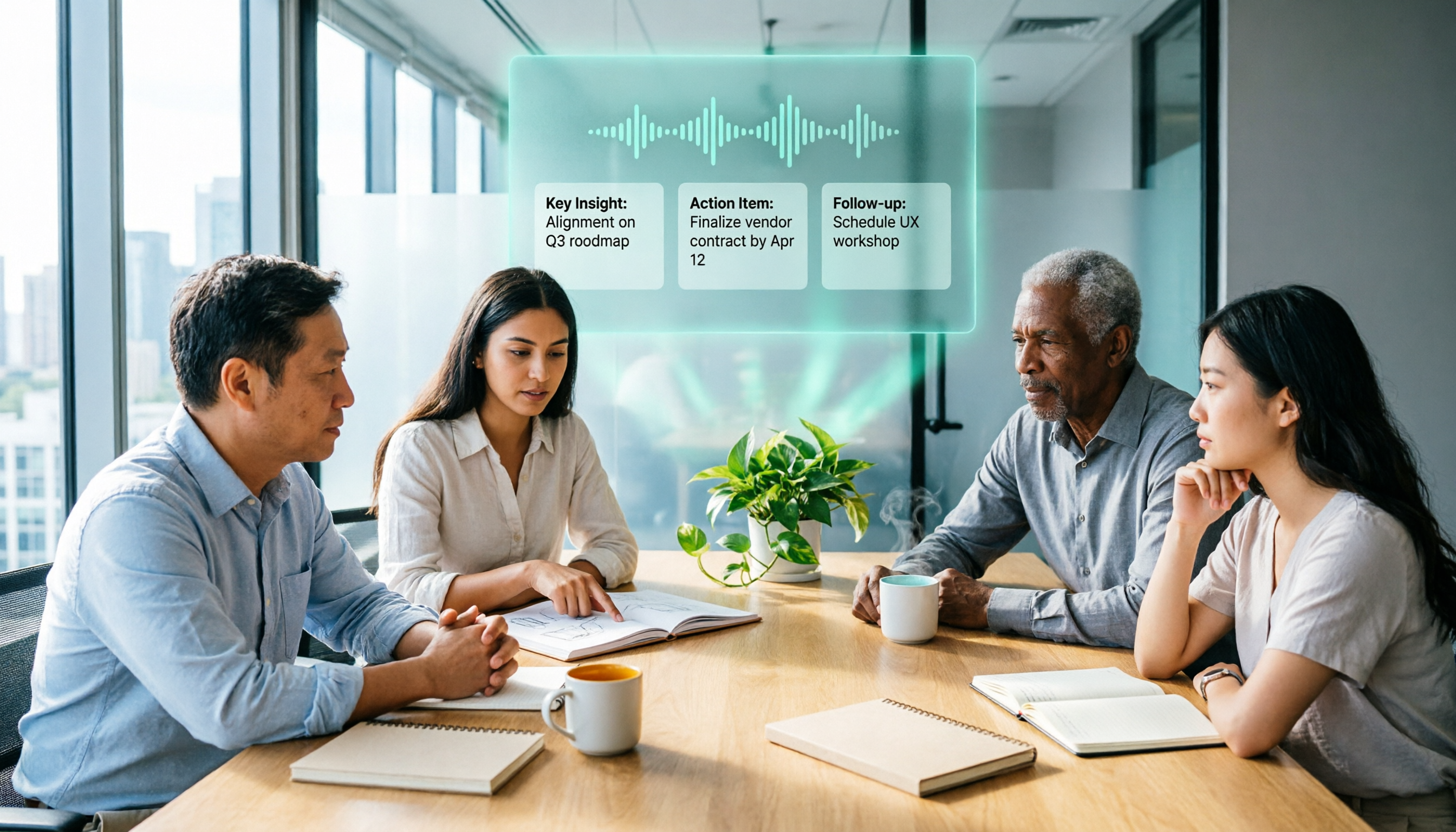
2026 AI Meeting Recorder Comparison: 3 Tools Tested, and the Notta Alternative Worth Buying
Thinking about Notta or comparing AI meeting note tools? This guide starts with what to clarify before buying, breaks down 5 key criteria—live transcription, bot-free recording, summaries and action items, AI Q&A, and team seat governance—and uses Tinrec as the main hands-on example, with team pricing and FAQs to help you spend on features you'll actually use.

2026 Voice-to-Text Tool Comparison: Tinrec vs Granola – Which Delivers More Complete Transcripts and Post-Meeting Organization?
Many people searching for voice-to-text tools actually want to turn meeting audio into searchable, queryable transcripts. This article compares Tinrec and Granola across five dimensions: input sources, audio retention, Chinese language experience, post-meeting organization, and team governance, helping you decide which tool better fits your meeting scenarios.

4 Audio-to-Text Tools Tested: Which Is Fastest for Chinese Meeting Transcripts in 2026?
Transcribing audio isn't just typing—you need to decide whether you want a transcript or a time-coded subtitle file. We tested Tinrec, cSubtitle, TurboScribe, and Notta with real meeting recordings, comparing Chinese recognition, post-meeting summaries, AI Q&A, team collaboration, and pricing limits to help you choose the right workflow for meeting notes, interview organization, and video subtitles.

5 Free Auto Subtitle Solutions Compared in 2026: What Tinrec Adds Beyond CapCut and pyTranscriber
There are many free auto subtitle tools, but their quota calculations, output formats, and post-meeting organization capabilities vary widely. This article starts with 5 common free solutions, breaks down what gaps Tinrec fills in audio-to-text, summarization, AI Q&A, and team collaboration, and includes version selection advice.

2026 Free Subtitle Generator Comparison: Which Tool Saves More Time on Chinese Meeting Transcripts?
How do you choose a free subtitle generator? This article compares two practical options, Tinrec and Otter.ai, across free quotas, Chinese transcription, meeting recording methods, post-meeting outputs, and team governance to help you decide which is better suited for Chinese meetings and video content organization.
2026 Video-to-Text Tools Compared: Which One Makes Subtitles Easiest?
Video-to-text isn't just about generating a transcript—it's also about producing subtitle files with timecodes. This article compares Tinrec, Notta, TurboScribe, and Granola from four angles: output formats, Chinese punctuation, post-meeting organization, and free quotas. It outlines each tool's limitations, pricing, and ideal users to help you avoid the trap of having to redo everything manually after transcription.