

Turn recordings into transcripts and summaries in minutes
Upload audio or video for multilingual transcription, AI notes, and action items
Google Meet vs Messenger 2026: 5-Dimension Comparison — Why Tinrec Is Better for Meeting Notes & Post-Meeting Organization
Monday morning, less than ten minutes after a meeting ends, a question pops up in the group chat: "Who was responsible for that decision we just made?"
You open Messenger and scroll up, but there are too many messages and you can't find that key conclusion.
You go back to the Google Meet recording and fast-forward from the beginning. Ten minutes later, you finally find that part of the discussion.
The problem isn't which is better: Google Meet or Messenger.
The problem is: after the meeting ends, has the content become data you can search, follow up on, and hand off to your team?
So in this article, I want to look at this keyword from a methodological angle. Rather than asking "is google meet better than messenger," ask first: "Are you trying to solve calls, or post-meeting action?"
Google Meet's strength is multi-person video conferencing; Messenger's strength is everyday chat and one-on-one calls. These are two different starting points.
But if what you're comparing is meeting notes, transcripts, summaries, action items, and team knowledge retention, then the contestants in this PK aren't these two platforms — it's whether you have a workflow specifically designed to handle post-meeting content.
Take Tinrec, for example. It doesn't require you to change your meeting platform. You can still use Google Meet for meetings and Messenger for communication, but Tinrec is responsible for turning meeting audio into usable text and action lists.
First, Clarify: Are You Comparing "Calls" or "Post-Meeting"?
If you put Google Meet and Messenger side by side, I usually break it down into 5 dimensions.
First, multi-person meetings. Google Meet is positioned as a video conferencing platform; Messenger is positioned as chat and calling.
Second, participant requirements. Google Meet typically requires a Google account; Messenger requires a Meta account. This affects how easy it is to invite external participants.
Third, call experience. Some user experiences suggest that Google Meet performs better in video stability and quality degradation handling; Messenger's advantage is its network of acquaintances and immediacy.
Fourth, post-meeting records. Google Meet offers recording and some transcription capabilities depending on your plan, but cross-platform search, automatic summaries, action item extraction, follow-up questions, and export usually require another tool. Messenger conversations are chat streams, not a meeting database.
Fifth, team knowledge retention. Each platform stores data separately, so data easily gets scattered across different accounts, different groups, and different people's computers.
The first three dimensions are about platform choice.
The last two dimensions are where Tinrec shines.
What Can Meeting Notes and Post-Meeting Organization Do for You?
Scenario 1: Grasp Conclusions and Action Items 5 Minutes After a Meeting
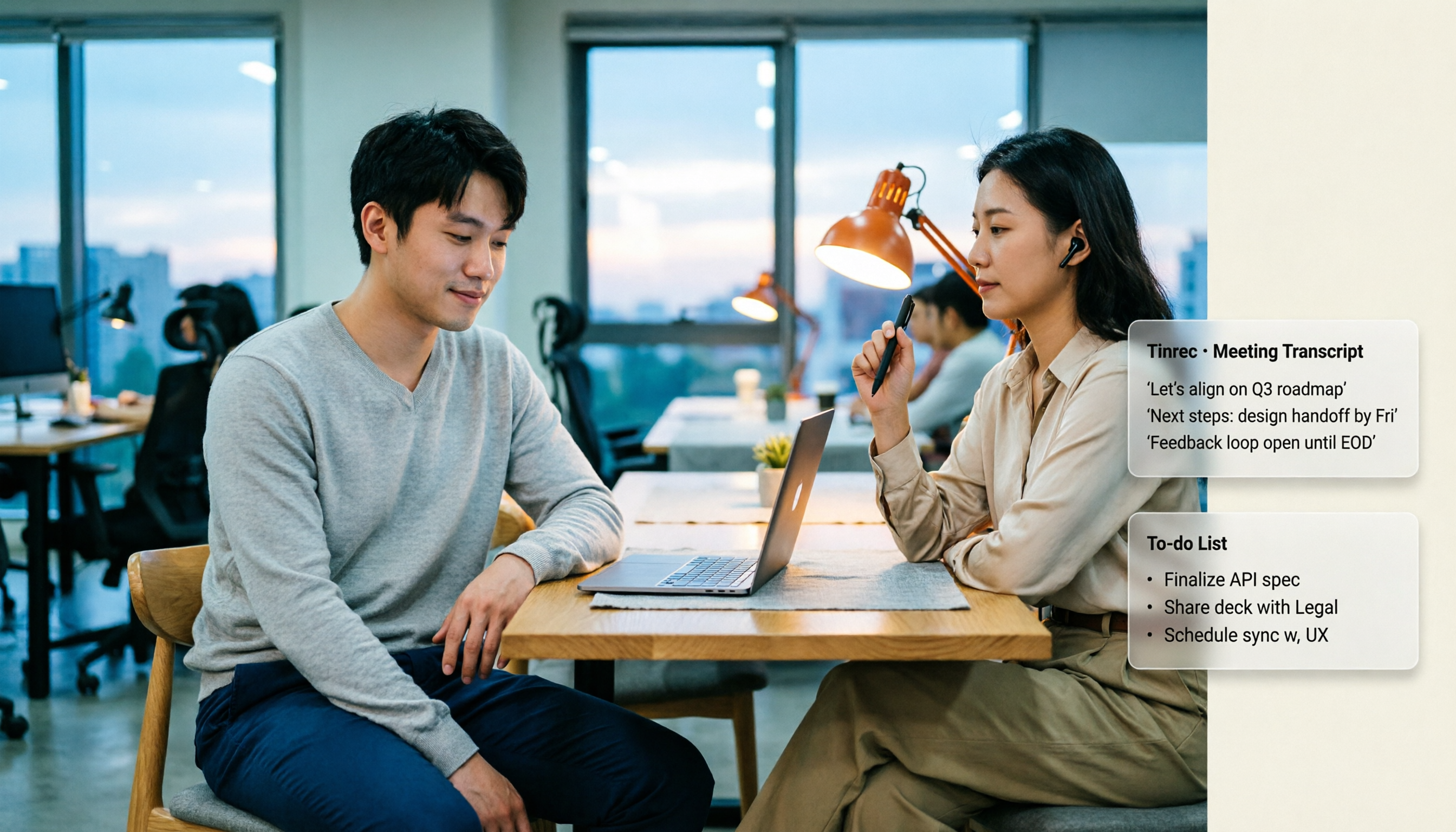
In the past, after a two-hour meeting, you'd spend another hour organizing meeting notes. Now, with Tinrec, after the meeting ends, AI has already generated summaries, chapters, and action items. Who's responsible for what, and what the deadlines are — all clearly listed.
Scenario 2: When Asked After the Meeting "Who Said What?"
You don't need to re-listen to the recording from the beginning. Tinrec supports AI Q&A around meeting content. You can directly ask: "Who mentioned the budget in the meeting?" "What was the customer's feedback?" It answers based on semantic understanding and preserves transcript timestamps for you to verify.
Scenario 3: Turn Past Meetings into a Searchable Database
In the past, meeting notes were scattered across Google Meet recordings, Messenger conversations, and personal notes. Now, import meeting audio or audio/video files into Tinrec, and transcripts, summaries, and action items are stored centrally. Next time you need to find a decision, you don't have to ask around.
Scenario 4: Unified Organization for Cross-Platform Meetings
Whether you use Google Meet, Microsoft Teams, Zoom, or Webex for meetings, Tinrec's desktop version can capture computer system audio and turn meetings into transcripts. You don't need a separate recording method for each platform.
What Are Tinrec's Core Capabilities?
Bot-Free Recording of Online Meetings
Tinrec's desktop version directly captures computer system audio, with no extra bot joining the meeting. You open Tinrec and start recording to process meeting audio played on your computer from platforms like Google Meet, Teams, Zoom, and Webex.
The value here is: you don't need to change your existing meeting habits, and you don't need to ask participants to wait for a bot to join.
Real-Time Transcription and Live Translation
Tinrec supports transcribing while recording, so meeting content is immediately captured as text. For cross-language meetings, you can view the original text, translation, or bilingual content.
For those who frequently meet with colleagues from different regions, this is more direct than figuring out translation after the meeting.
AI Summaries, Chapters, and Action Item Extraction
Tinrec doesn't just give you a transcript. It organizes long meetings into summaries, chapters, and key points, and extracts action items from discussions.
This solves the pain point of "having text but not wanting to read it." For a two-hour meeting, you first look at the summary and action items, then decide whether to go back to the original text.
AI Q&A and Post-Meeting Follow-Up
After transcription is complete, you can continue asking questions about a single meeting or multiple meeting materials. This is great for project retrospectives, customer interview organization, and research analysis.
My approach is: rather than re-listening to recordings, ask three questions first — what were the conclusions, who is responsible for what, and what unresolved items remain.
Multi-Format Export and Agent Post-Processing
Tinrec supports exporting results to common formats and third-party tools such as Notion, Google Docs, OneNote, and Dropbox. You can also use Agent post-processing to generate reports, tables, and meeting notes documents.
This means meeting content isn't just archived — it can continue to be processed into work outputs.
Team Spaces and Governance Capabilities
The team version provides independent team spaces, and meeting data belongs to the team. Admins can manage members, roles, and seats, view usage trends, member rankings, and usage details, and query and export audit logs.
Stop organizing recordings by hand
Upload audio or video and automatically get a transcript, summary, and action items
When members change, team data doesn't disappear with individuals leaving; resources can be handed over to other active members.
Practical Application Scenarios
Online Meetings: Meet on Your Usual Platform, Record with Tinrec
You might normally use Google Meet for department weekly meetings. Participants don't need to change their habits; you just open Tinrec desktop on your computer and start bot-free recording. After the meeting, get transcripts, summaries, and action items, then export to team documents.
Offline Meetings and Interviews: Real-Time Recording to Text
When visiting clients or conducting user interviews, open Tinrec's real-time recording on your phone or desktop. Transcribe while talking, and after the meeting use AI Q&A to identify customer needs, objections, and commitments.
Organizing Historical Audio/Video: Turn Old Meetings into Searchable Data
Past meeting recordings, interview recordings, and course audio files can be uploaded to Tinrec for transcription. Rather than letting them sit on your hard drive, turn them into a database you can query.
Team Weekly Meetings and Project Retrospectives: Retain as Team Assets
The team version centralizes meeting notes, action items, and related materials in team spaces. New members can view past meetings, and managers can see usage and operation logs. Every communication leaves a traceable record.
5 Things to Consider When Choosing a Meeting Notes Tool
1. Capture Method: Does It Require a Meeting Bot?
Some tools require a bot to join the meeting. Tinrec desktop captures system audio, and the user actively initiates recording, with no extra bot joining. You still need to open Tinrec yourself; it doesn't automatically join all calendar meetings.
2. Can It Help You Organize After Transcription?
Transcripts are just the first step. You need to confirm whether the tool can generate summaries, chapters, action items, and Q&A. Tinrec provides these organization capabilities after transcription, connecting "recording" and "usage."
3. Is Chinese and Multilingual Support Sufficient?
If you frequently have Chinese meetings or mixed Chinese-English meetings, pay special attention to language support. Tinrec covers Chinese, Traditional Chinese, and multilingual scenarios, with real-time translation and team hotwords. Actual performance is still affected by recording quality, noise, accents, overlapping speakers, and technical terminology.
4. Can the Output Connect Back to Your Workflow?
Meeting notes aren't the end point. Tinrec supports multi-format export to Notion, Google Docs, OneNote, and Dropbox, and can also use Agent to generate reports, tables, and documents. When choosing a tool, make sure it can fit your existing collaboration style.
5. Does Team Governance Clearly Define Roles and Seats?
For the team version, it's not just about "can multiple people use it." Tinrec's team version distinguishes roles, seats, and member relationships: roles determine who can manage the team, and seats determine who can record, upload, edit, and export. Active members without seats can view, play, and read team materials but cannot perform resource usage operations.
Also, the team version currently focuses on team-level sharing, not a file-level or member-level granular permission system.
6. Understand Quotas and Pricing Clearly
Paid team seats provide 2,000 minutes of team shared import quota per month; under an active team plan and active seats, real-time recording is currently not deducted by minutes. The first eligible team trial is 7 days, 1 free seat, and 300 minutes of team shared import quota.
Team monthly billing is USD 29.80 per paid seat per month; annual billing is USD 199 per paid seat per year, equivalent to about USD 16.58 per month. Prices and benefits are subject to the official purchase page.
For the personal version, choose based on usage tasks: for occasional recording organization, start with the free version; for short-term intensive meetings, consider the weekly card; for steady weekly use, consider the Pro monthly card; for long-term data retention, consider the Pro annual card.
Frequently Asked Questions
Is Google Meet's built-in recording enough?
Not enough — it depends on how far you need to go. Built-in recording can save the screen, but if you need cross-meeting search, automatic summaries, action item extraction, AI follow-up questions, export, and team sharing, you usually need a post-meeting organization tool. Tinrec can record meeting audio played on your computer from Google Meet, transcribe it, and generate summaries and action items.
Is Messenger call quality better than Google Meet?
It depends on network, device, and current conditions. Some user experiences suggest Google Meet is better in video stability; Messenger's advantage is its network of acquaintances and instant chat. But call quality isn't the core of post-meeting efficiency — the key is whether meeting content is retained and usable.
Does Tinrec require a bot to join meetings?
No. Tinrec desktop captures computer system audio, and the user actively initiates recording. It should not currently be understood as automatically joining all calendar meetings, nor is it an official partnership with Google Meet or Messenger.
Does Tinrec support Chinese? How accurate is it?
It supports Chinese, Traditional Chinese, and multiple languages, as well as real-time translation and team hotwords. Actual performance is affected by recording quality, noise, accents, overlapping speakers, and technical terminology; we do not recommend promising a fixed accuracy rate. For important content, we recommend verifying with transcript timestamps and recording playback.
What's the difference between the team version and the personal version?
Personal version data is managed by the individual account. The team version provides independent team spaces, meeting data belongs to the team, and adds capabilities such as members, roles, seats, sharing benefits, usage analysis, audit logs, and audio recycle bin. After audio enters the team recycle bin, it can be restored before permanent cleanup begins; the current retention period is 30 days; TODOs are not included in the recycle bin.
What can the free version do?
The free version provides basic quotas so you can experience recording, import, summaries, and transcription. Start with one or two meetings to see if this workflow suits you, then decide whether to upgrade.
Conclusion
The answer to Google Meet vs Messenger depends on whether you need calls or usable meeting data after the meeting.
If you just need multi-person video or everyday calls, both platforms have suitable scenarios.
But if you need meeting content that can be searched, summarized, followed up on, and handed off to your team, then rather than continuing to compare specs between two communication platforms, it's better to add a post-meeting organization workflow.
Take Tinrec, for example. It turns meeting audio into transcripts, summaries, chapters, action items, and queryable data, then retains them in team spaces.
You can start like this:
- Hold meetings on your usual platform — Google Meet, Teams, Zoom all work.
- Open Tinrec desktop and start bot-free recording.
- View real-time transcripts during the meeting, and enable live translation when needed.
- After the meeting, let AI generate summaries, chapters, and action items.
- Use AI Q&A to follow up on "who is responsible for what" and "what were the customer's objections."
- Export results to Google Docs, Notion, or team spaces, and assign owners and deadlines.
Test step by step, and you'll gradually find the post-meeting organization rhythm that best suits your team.
References
- Compare Facebook Messenger vs Google Meet 2026 – Features, Pricing & Reviews
- Google Meet versus Messenger Rooms: Which is a Better Video Conferencing Solution?
- r/GooglePixel on Reddit: Now that we are past release, can anyone tell me how Pixel 8 Pro does with Google Meet or Messenger video?
- r/Zoom on Reddit: Zoom vs. Google Meet vs. Facebook's Messenger Rooms: Which is the right video chat app for you?
- Google Meet vs Google Chat vs Google Messages (2026 Guide) | Flozic
Turn every recording into actionable outcomes
Get 60 free transcription minutes when you sign in. No credit card required.
Related Reading
You might also like
Google Meet Time Limits in 2026: Free 60-Minute Cap vs. Paid 24-Hour Meetings
Google Meet has only two time-limit rules: free personal accounts cap group calls of 3+ people at 60 minutes, while 1-on-1 calls and all paid Google Workspace plans allow up to 24 hours. This guide breaks down the differences by plan, what happens when time runs out, whether you can extend, and how to preserve transcripts and action items after a meeting is cut off.

2026 Google Meet Premium: 3 Upgrade Paths Tested & Compared — Why You Still Rework After Buying
Google Meet doesn't have a standalone Premium subscription; advanced features are tied to Google One Premium 2TB or Google Workspace plans. This article starts with the question 'Is your gap during the meeting or after?' and compares three upgrade paths, explaining how Tinrec fills the post-meeting gap in organization, action-item tracking, and team knowledge retention.

Google Meet Pricing in 2026: 5 Steps to Understand Free vs Paid Plans
What's the difference between Google Meet's free and paid plans? This article breaks down 2026 Google Meet and Google Workspace pricing, participant limits, and feature restrictions in 5 steps, explains when to upgrade, and how Tinrec can fill the gap for post-meeting organization and team knowledge retention.

2026 Comparison of 3 Online Meeting Tools: Google Meet, WhatsApp, and Tinrec — How to Choose?
Many people search for 'Is Google Meet better than WhatsApp?' but the real question is about use case. This article compares Google Meet, WhatsApp, and Tinrec from three perspectives: video conferencing, daily communication, and post-meeting organization, helping professionals and teams choose the right tool combination.

Is Google Meet Safe in 2026? Free vs. Paid Meeting Notes Solutions: 6 Key Points
Is Google Meet safe? This article breaks down Google Meet's security and practical blind spots across 6 dimensions: encrypted transmission, meeting code intrusion prevention, recording storage, account privacy, post-meeting transcription, and team data management. It also compares built-in transcription with Tinrec on Chinese meeting organization, cross-platform bot-free recording, team seats, and auditing, and concludes with a pre-meeting security checklist.

3 Google Meet Whiteboard Options Tested in 2026: Which One Best Captures Meeting Highlights?
How do you open the built-in whiteboard in Google Meet? What's the difference between screen sharing and an add-on whiteboard? This article covers 3 common whiteboard methods in 2026 and adds the post-meeting wrap-up step most tutorials miss—using Tinrec to turn whiteboard-side discussions into transcripts, summaries, and action items.

Jamboard Is Gone: 3 Google Meet Whiteboard Options Tested for 2025 — Which One Can Hold Up Your Meeting?
Jamboard officially retired at the end of 2024, and in 2025, 'can't find that whiteboard' in Google Meet has become many people's first problem. This article approaches the decision from a practical angle, comparing Google Meet add-on whiteboards, external services like FigJam/Lucidspark/Miro, and no-bot meeting notes tools like Tinrec. It explains why whiteboarding and post-meeting records should be treated as two separate things, and provides a ready-to-follow starter checklist.

2026 Google Meet Recording Tools Comparison: Tinrec vs Otter.ai vs Notta vs Granola
First, understand how to buy Google Meet hardware licenses: per device, up to 10 via Admin console, more through resellers, one-year term with renewal grace period. Then, from a mid-level manager's perspective, compare Tinrec, Otter.ai, Notta, and Granola on Chinese transcription, post-meeting summaries and action items, and team data retention—solving the other half of the problem after setting up your meeting rooms.

Google Meet Outage in 2026: 5 Steps to Tell If It's Down or Just You
When Google Meet won't open or freezes mid-meeting, most people make the wrong first move. This guide explains how to read third-party monitors and the official known issues page, shares a tested 5-step troubleshooting order, and shows how to capture meeting content with Tinrec desktop's no-bot recording when you can't wait—plus a quick competitor review and 4 common pitfalls to avoid.