
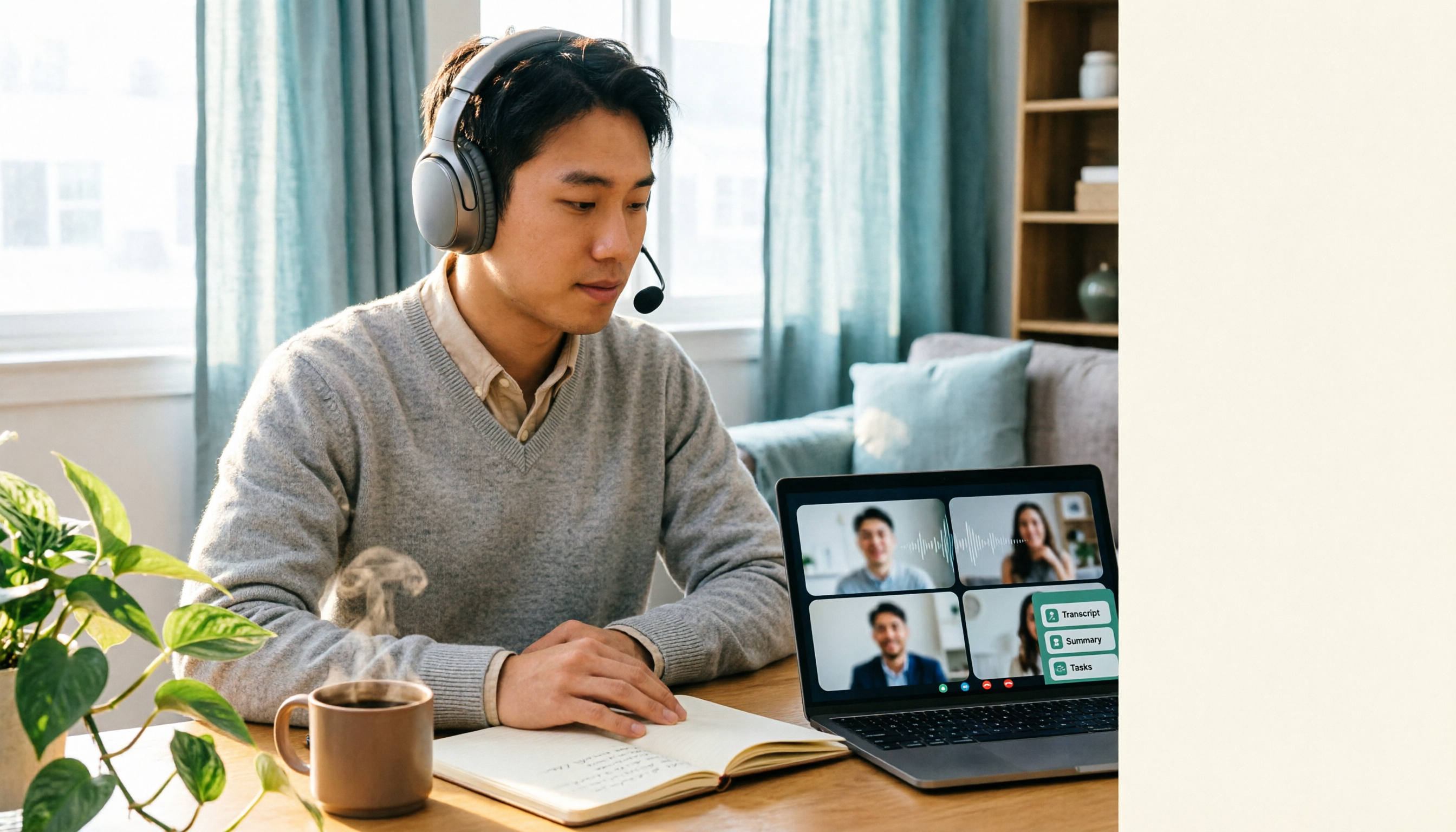
Turn recordings into transcripts and summaries in minutes
Upload audio or video for multilingual transcription, AI notes, and action items
Best Google Meet Headset in 2026: 3 Top Picks Compared — Why the Microphone Matters More Than Noise Cancellation
Ten minutes into the meeting, you've been asked "What did you just say?" three times
You join a Google Meet with the Bluetooth earbuds you normally use for music. You can hear everything fine, but your colleague on the other end keeps saying "Huh?" And when it's your turn to speak, the dehumidifier, keyboard clatter, and construction noise from downstairs all get picked up.
Another scenario is even more common: the call quality is fine, but after a two-hour meeting, no one can say for sure what was decided, who's doing what, or when it's due.
So this article tackles it in two parts: the first half covers how to choose a headset — which determines the quality of "listening and speaking." The second half covers how to organize things after the meeting — which determines what actually comes out of it.
4 Key Points for Choosing a Google Meet Headset
1. Microphone noise cancellation matters more than speaker noise cancellation Noise cancellation on music headphones is about blocking out your surroundings so you don't hear them. For a meeting headset, the point is to keep the other person from hearing your surroundings. Look for a microphone with directional pickup and AI or DSP noise reduction — don't just stare at speaker specs like "noise cancellation depth of XX dB."
2. Certification and connectivity The Google Meet team recommends using certified headsets; the official help page lists models that have been lab-tested, which is the easiest starting point for company procurement. For wireless, distinguish between Bluetooth and USB dongle: a dongle uses a dedicated receiver and is usually more stable on a laptop than Bluetooth, and less likely to glitch when switching between phone and computer. If your budget is really tight, wired is actually the most stable option — zero latency, no dropouts, no charging.
3. Comfort for meetings over three hours Clamping force, headband pressure, and breathability matter more in meetings longer than 3 hours than the noise cancellation numbers on the spec sheet. If you can't try before buying, at least choose a model with replaceable ear pads or a wide headband adjustment range.
4. Do you want "clear calls" or "meetings that stick"? The first three points solve the call. But the real cost of a meeting is after it ends: without a transcript, action items, or conclusions, even the best headset just transmits sound. We'll cover this later.
3 practical directions to consider
Nuroum HP31D: Remote workers, teachers, and small teams Source reviews list it as one of the top picks for Google Meet wireless headsets in 2026: lightweight open-ear design, AI noise-canceling boom microphone (dual mics plus HiFi4 DSP), USB-A dongle connection. The advantage of open-ear is that it doesn't get stuffy during long wear and doesn't completely block out your surroundings — great for people with back-to-back meetings all day who also need to hear family or colleagues calling.
Jabra Evolve series: Enterprise and hybrid work Professional office headsets; source materials mention that this series offers options certified for Microsoft Teams, Zoom, and Google Meet, suitable for company-wide procurement and cross-platform compatibility. Note that certification is tied to specific models, so verify each model before purchasing.
Wired headsets: Budget first If your budget is really tight, wired is the most reliable choice — no latency, no disconnections, no battery management. It's not stylish, but when it comes to "the other person hearing you clearly," it rarely lets you down.
Tinrec: The headset solves "listening and speaking," Tinrec solves "nothing left after the meeting"
In one sentence: Tinrec is an AI meeting notes and collaboration tool for individuals and teams that turns meetings from "talk and disperse" into searchable, queryable, deliverable data.
How to use it in Google Meet After installing the desktop version, Tinrec captures your computer's system audio directly to record online meetings — no need to pull a meeting bot into Google Meet as an extra participant, and it won't appear on the attendee list making people ask "Who's this?" The transcript runs in real time as the meeting progresses, and by the time the meeting ends, the summary, chapters, key points, and action items are already organized — who's responsible for what and what the deadlines are, all visible at a glance.
Two features that set it apart First, AI Q&A: you can directly ask it "In the last meeting, what were the client's concerns about the quote?" It will synthesize the meeting content and give you an answer, not dump a bunch of keyword search results on you. Second, real-time translation: for cross-language meetings, you can switch between original text, translation, or bilingual view, and it also handles Chinese and mixed Chinese-English content.
Stop organizing recordings by hand
Upload audio or video and automatically get a transcript, summary, and action items
Post-meeting output Beyond transcripts, summaries, chapters, action items, and mind maps, it can also generate reports, tables, and meeting minutes, and export to Notion, Google Docs, OneNote, Dropbox, and other tools for further processing. This is the biggest difference between it and transcription tools that "only give you a transcript."
Team Edition: For multi-person collaboration Team Edition isn't "multiple people sharing one personal account" — it's an independent team space where meeting data belongs to the team. When a member leaves, is removed, or loses their seat, they must hand over their team resources to other active members; data isn't taken away by individuals. On the admin side, roles and seats are distinct: roles govern administration — determining who can manage members, audits, and team settings; seats govern usage — determining who can record, upload, edit, and export. Active members without a seat can still view, play, and read team data. There are also team hotwords, usage analytics, audit logs, and an audio recycle bin (30-day retention). Currently, first-time eligible teams can try 7 days, 1 free seat, and 300 minutes of team shared import quota; team monthly billing is USD 29.80 per paid seat per month, annual billing is USD 199 per paid seat per year (about USD 16.58 per month), each paid seat provides 2,000 minutes of team shared import quota per month, and real-time recording is currently not deducted by minutes under an active plan and active seat. Prices and benefits are subject to the official purchase page.
Limitations, honestly The free version offers a basic quota; heavy users need to pay. Recording must be started manually — it's not a bot that automatically joins all calendar meetings. Transcription accuracy is affected by audio quality, accents, people talking over each other, and technical jargon; for important content, cross-check against the recording.
Who it's for Individuals who meet daily on Google Meet, Zoom, and Teams and need Chinese transcripts and post-meeting action items; and departments that want to turn meeting notes into team assets and need to manage seats and usage.
Beyond headsets: If what you want is "post-meeting organization," here are a few more to consider
Otter.ai A mature choice for English meetings; free version offers 300 minutes per month, Pro annual billing works out to about USD 8.49 per user per month. Great for English scenarios, but the Chinese meeting experience differs from Tinrec; and it doesn't have Tinrec's combination of "desktop bot-free system audio capture + team seat governance + AI Q&A."
Notta Multilingual transcription and file import; free version offers 120 minutes per month (3-minute limit per session), Business annual billing is about USD 16.67 per seat per month. High feature overlap, but bot-free online meeting recording, post-meeting AI Q&A, and team data retention are areas where Tinrec focuses more.
Granola Also a bot-free meeting notes tool, Business is USD 14 per user per month, strong at combining your handwritten notes with AI. But note: it does not support uploading pre-recorded audio files and does not save meeting audio. If you need to archive recordings or want to organize existing audio files, this is a hard limitation — whereas Tinrec supports audio retention and file import.
Pitfall Guide: 4 Most Common Mistakes When Buying a Google Meet Headset
Pitfall 1: Looking only at noise cancellation dB, not microphone specs. The noise cancellation number is about how quiet it is for your ears — that's a different thing from how clearly the other person hears you. Before buying, confirm whether the microphone has noise cancellation and directional design.
Pitfall 2: Using music headphones for meetings. This is a common mistake specifically called out in source reviews. Music headphones are tuned for listening; their mic placement and noise cancellation logic aren't designed for calls, so the other person often hears ambient noise mixed into your voice.
Pitfall 3: Ignoring connection stability. Bluetooth headphones connected to both phone and laptop often glitch when switching, and suddenly going silent mid-meeting is more awkward than anything. For working with a laptop, a USB dongle or wired connection is usually more worry-free.
Pitfall 4: Thinking "recording it" equals "taking notes." A recording file sitting in a folder that no one re-listens to is as good as not recorded. The real time-saver is having a transcript, summary, and action items ready when the meeting ends — this is the part most people notice most after switching tools.
Conclusion: How should you actually set up?
- Multiple meetings a day, long wear → Open-ear models with AI noise-canceling mics like the Nuroum HP31D
- Company-wide procurement, cross Teams/Zoom/Meet → Jabra Evolve series, verify each certified model
- Budget first, just need stable calls → Wired headset
- Need Chinese transcripts, summaries, and action items after meetings → Tinrec, desktop bot-free Google Meet recording
- Team needs to share meeting data, manage seats and usage → Tinrec Team Edition
- English-only meetings, zero budget → Otter.ai free version
The headset determines whether the other person can hear you clearly; the tool determines whether this meeting can still be found next year. We suggest solving the call problem first, then running a real meeting with Tinrec's free version to see if the transcript and summary quality matches your accent and industry jargon. If it works for you, consider upgrading — no need to pay upfront.
References
- 2026 Google Meet Headset Guide: 5 Wireless Headsets with Clear Mics - Official Tinrec Blog
- Headsets certified for Google Meet - Google Meet hardware Help
- Best Wireless Headsets with Mic for Google Meet in 2026 | Nuroum | Nuroum Official
- 4 Best Google Meet Headsets Tested in 2026: Which Offers the Best Call Clarity and Noise Cancellation? - Official Tinrec Blog
- Best Headsets for Microsoft Teams, Zoom and Google Meet in 2026 - 9 Certified Picks for Work Calls - ET Adviser
Turn every recording into actionable outcomes
Get 60 free transcription minutes when you sign in. No credit card required.
Related Reading
You might also like

Google Meet Pro in 2026: 7 Upgrade Options Compared (No Standalone Plan Exists)
Searching for 'buy Google Meet Pro' returns no product page because Google doesn't sell a standalone Meet Pro plan. Drawing from my own experience, this guide covers 7 ways to enhance Google Meet: official Workspace and Google One subscriptions, third-party AI meeting tools, and free transcription options, with real prices and use cases.

6 Google Meet Extensions Compared for 2026: From Timers and Noise Cancellation to Tinrec Post-Meeting Organization
Google Meet extensions can smooth out the meeting itself, but post-meeting transcripts, summaries, action items, and team archiving are often the real time sinks. This article compares six common extensions—timers, noise cancellation, auto-admit, and AI note-takers—from a mid-level manager's hands-on perspective, and explains how Tinrec's desktop bot-free recording fills the post-meeting workflow gap, including features, team plan seats, and pricing.

2026 Google Meet Hardware Buying Guide: Licensing, Budget, and Post-Meeting Organization
Evaluating Google Meet hardware? This guide breaks down the licensing, display, and peripheral compatibility issues you must confirm before purchasing, explains why the real cost for most teams lies in post-meeting organization, and shows how Tinrec uses bot-free recording, AI summaries, action item extraction, and team spaces to retain meeting content.

2026 Google Meet Account Buying Guide: 7 Plans Tested and Recommended
Buying a Google Meet account isn't actually buying an account—it's choosing among three different purchase targets: a free Google account, a Google Workspace subscription, and Google One AI Premium. This article breaks down the use cases, costs, and limitations of 7 plans from a mid-level manager's practical perspective, and provides a procurement decision checklist you can report directly to your boss.
Best Google Meet Backgrounds for Interviews: 6 Tested in 2026, Subtle Study Wins
Starting from the most common video interview problems—clutter, backlighting, and background glitches—this guide compiles the suitable scenarios and ratings for 6 Google Meet interview backgrounds, and explains key points for selection and setup. It also demonstrates how to use Tinrec desktop to record a mock interview, review the transcript and summary, so your background and answers are both on point.

4 Best Google Meet AI Note Takers in 2026: Bot-Free Recording and Post-Meeting Q&A Explained
Finished a Google Meet but still can't find the decisions in the transcript? Based on the real pain points of a mid-level manager with 15 meetings a week, this article breaks down 4 key factors for choosing a Google Meet AI note-taking tool, recommends Tinrec for its bot-free recording, AI Q&A, and team workspace, compares Otter.ai, Granola, and Notta for different use cases, and includes a pitfalls guide and selection advice.
4 Google Meet Webcams Tested for 2026: From Entry-Level to Conference Room, How to Balance Video Quality and Post-Meeting Notes
Poor Google Meet video, muffled audio, or too many people squeezed out of frame? This guide covers 4 webcam options from USD 30 to USD 900, key buying factors, and how to use Tinrec to capture meeting transcripts, summaries, and action items after upgrading your camera.

5 Best Google Meet Backgrounds to Use in 2026: From Free Stock Libraries to Animated Videos
A practical guide to the 5 best Google Meet background sources worth considering in 2026, with selection criteria based on real-world scenarios. We also compare Tinrec, Otter.ai, Granola, and Notta for meeting notes, so you can decide how to handle both your visuals and your content in one go.

How to Use Google Meet Breakout Rooms in 2025: A 5-Step Hosting Guide
In 2025, Google Meet breakout rooms are a standard feature in most paid Workspace editions, but the real challenge isn't finding the button—it's ensuring discussions produce results and leave a record. This guide breaks down the process into 5 steps: pre-meeting grouping, setting timers and help mechanisms during the meeting, and post-meeting reporting and data organization. It also covers how to capture and turn discussions into searchable team knowledge when official recording isn't supported.