
Turn recordings into transcripts and summaries in minutes
Upload audio or video for multilingual transcription, AI notes, and action items
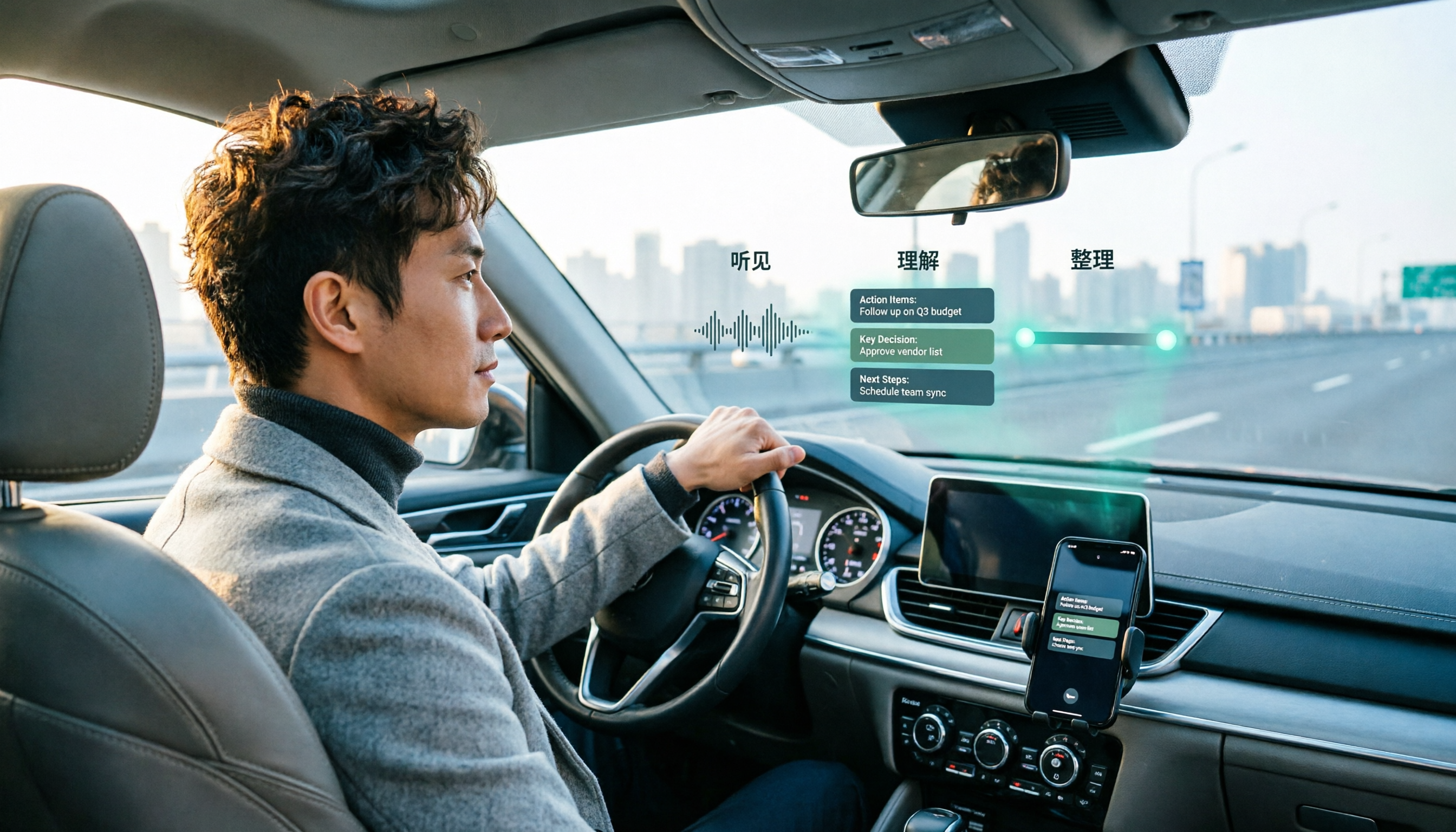
When a meeting pops up mid-drive, the real trouble comes after
It's 8:30 a.m. You just merged onto the highway when your phone buzzes: your 9 o'clock client meeting has started early.
You answer, but you can only listen. You can't see the slides, can't tell who's speaking, and can't drop a note in the chat.
This is everyday life for many salespeople, PMs, and freelancers. Starting April 2026, Google Meet officially supports Apple CarPlay, so you really can join meetings by voice while driving.
But there's one part no one handles for you: the meeting ends, and everything stays in your head. No transcript, no conclusions, no action items — nothing saved.
In this article, I followed Google's official instructions and walked through the entire process in the car, then compared several post-meeting organization tools to see which combination works best for people who have lots of meetings and are often on the move.
Before choosing a CarPlay meeting solution, understand these 4 key points
1. Your car's head unit can do less than you think. Communication apps on CarPlay are always audio-first; video is not enabled while driving. Be prepared: this isn't about moving the meeting room into your car — it's about letting you hear and speak.
2. Post-meeting organization is the real differentiator. Many apps let you join meetings, but turning a 40-minute discussion into a summary, chapters, and action items is a different level of tool. Before choosing, ask yourself: do I want to participate, or do I want a record?
3. Chinese-language meeting recognition varies a lot. Meetings in Taiwan often mix Chinese and English, along with product codes and client names. Tools that support Traditional Chinese, offer bilingual comparison, and let you customize team terminology will be much smoother to use.
4. Team data needs to be retained. If meetings are shared team assets, make sure the tool supports team spaces, member permissions, and data handover — not just tied to one person's phone.
Tinrec — our top pick after hands-on testing
Tinrec is an AI meeting notes and collaboration tool for individuals and teams, supporting live recording, online meeting transcription, audio/video file import, and real-time translation. Its biggest difference isn't that it can transcribe — it's that it turns meetings into data you can keep using.
Here's how it works in practice: you start a Google Meet, Zoom, Teams, or Webex on your computer, open the Tinrec desktop app, and it directly captures system audio to start recording and transcribes in real time — no need to invite any meeting bot. This is especially useful for external client meetings; you don't have to explain to the other side who this extra account is.
As soon as the meeting ends, AI automatically generates a summary, chapters, and action items. Who's responsible for what, what to follow up on next time — no need to re-listen to an hour of recording.
Even better is AI Q&A. You can directly ask it, 'What were the client's concerns about the quote in the last meeting?' It finds the answer from the meeting content instead of dumping a bunch of keyword search results on you. Most tools in the same price range are still stuck at 'here's your transcript.'
We tested with a recording of an internal meeting that mixed Chinese and English; both Chinese segments and English proper nouns were recognized, and the organized context was still readable when speakers switched languages. Note that recognition quality depends on recording quality, background noise, and people talking over each other — for important content, it's best to cross-check with the transcript and recording.
Three advantages I find most practical:
First, bot-free recording. The desktop app captures system audio directly, so no extra participant joins online meetings — this is a top concern for many teams.
Second, output isn't just text. Beyond summaries, chapters, action items, and mind maps, you can use the Agent to further generate reports, tables, and documents, and export to Notion, Google Docs, OneNote, or Dropbox to keep working.
Third, the team version is a separate space. Meeting data belongs to the team; members can view and reuse past meetings; admins can manage roles, seats, sharing permissions, usage, and audit logs. When a member leaves or loses a seat, data is handed over to other members — it won't be taken away.
Plans and limitations, listed honestly:
The personal version has a free tier to try; for short sprints you can choose a weekly pass; for steady weekly use, the Pro monthly plan fits; if you need long-term recording storage, consider the Pro annual plan.
Stop organizing recordings by hand
Upload audio or video and automatically get a transcript, summary, and action items
The team version offers a trial with 7 days, 1 free seat, and 300 minutes of shared team import quota; monthly billing is USD 29.80 per paid seat per month, annual billing is USD 199 per paid seat per year (about USD 16.58 per month), and each paid seat gets 2,000 minutes of shared team import quota per month. Under an active team plan, live recording currently does not deduct minutes. Actual prices and benefits are subject to the official purchase page.
Limitations to be clear about: it won't automatically join every meeting on your calendar — you need to start recording manually; and if your meeting really can only happen in the car, Tinrec can't help — its main use is active recording at your computer or on your phone, not on the car head unit.
What can Google Meet actually do on CarPlay?
Google announced in April 2026 that Google Meet is available on Apple CarPlay. For users who already have the Meet app installed on their iPhone, this feature is enabled by default.
The requirements are simple: a CarPlay-compatible car, an iPhone, and a Bluetooth or USB cable connection to the head unit — the Meet icon will appear on your car's screen.
Actual workflow:
Tap Meet on the car screen; you'll see an 'Upcoming' tab listing your next meetings, plus a 'History' tab to review past ones. Tap to join.
After joining, there are a few clear settings: the camera turns off automatically, and you won't see the other participants' video; you can hear the meeting audio, and the microphone can pick up your voice. Audio automatically switches from your phone or headphones to the car speakers, and switches back when CarPlay disconnects.
If the host has enabled a waiting room, the car screen will show a status message until you're admitted. In large meetings, your microphone may also be automatically muted by the system.
What it can't do, clearly stated: Chat, raise hand, polls, and Q&A are not available in the CarPlay version; there's also no pre-meeting preview — tapping joins the meeting directly. If you're not signed in to Meet or haven't authorized the microphone, the system will ask you to check the prompt on your iPhone when it's safe to do so.
Also, after iPhone connects to CarPlay, it automatically enters On-the-Go mode — a design meant to reduce interaction while driving. According to Google, an Android Auto version is coming soon.
The conclusion is clear: Google Meet on CarPlay is about 'making sure you don't miss meetings,' not 'letting you fully record meetings.' These two things require different tools working together.
Besides Tinrec, what other options are there?
Otter.ai is a mature choice for English meetings. Basic is free for 300 minutes per month; Pro annual billing works out to about USD 8.49 per user per month, including 1,200 minutes per month. If 90% of your meetings are in English, it's great value. But Traditional Chinese recognition and bilingual comparison aren't its focus, and Chinese terminology management like team hotwords isn't a priority either — Tinrec is more directly aligned here.
Notta overlaps most with Tinrec: both do multi-platform transcription, file import, translation, and team plans. The free version offers 120 minutes per month with a 3-minute limit per file; Pro annual billing is about USD 8.17 per month; Business annual billing is about USD 16.67 per seat per month. The difference is after the meeting: Tinrec adds Agent post-processing (generating reports, tables, documents) and team governance with separate roles and seats, plus a 30-day audio recycle bin to recover accidentally deleted recordings.
Pitfall guide: the 3 most common mistakes when choosing a meeting tool
Pitfall 1: Thinking you can do video meetings in the car. CarPlay applies the same safety restrictions to all communication apps — while driving, it's audio-first. If you need to see the screen or slides, don't force it in the car; find a safe place to stop — that's more practical.
Pitfall 2: Looking only at free minutes. Free quota matters, of course, but what really determines usability is the post-meeting output — can you ask follow-up questions on the transcript, does the summary capture the key points, can action items be exported directly. Minutes are just the ticket, not the value.
Pitfall 3: Treating 'having a transcript' as the end goal. If you only use the tool as a recorder-transcriber, you're using only a third of its power. With Tinrec's AI Q&A, for example, you can ask 'What was the conclusion of this meeting?' right after recording — much faster than manually scrolling through a 30-minute transcript.
Conclusion: which one should you choose?
You often drive and meetings often collide with your commute → Use Google Meet's CarPlay mode to listen through the meeting, but don't expect it to keep a record for you.
Meetings are mainly on your computer and you need full transcripts and action items → Tinrec; its bot-free desktop recording is especially practical for client meetings.
90% English meetings, limited budget → Otter.ai; 300 free minutes per month is plenty.
You need captions, translation, and batch processing of long audio files → Notta; multilingual and file processing are its strengths.
Your team wants to accumulate meeting assets and manage members and usage → Tinrec team version; roles, seats, auditing, and data handover are all covered.
Overall, Google Meet on CarPlay solves 'being able to participate while on the road,' while Tinrec solves 'how to use the data after the meeting.' Connecting the two is what makes a complete mobile work flow.
I suggest trying Tinrec's free version on one of your regular meetings this week to see how accurate the summary and action items are, then decide whether to upgrade. Whether a tool is good or not — one meeting will tell you.
References
Turn every recording into actionable outcomes
Get 60 free transcription minutes when you sign in. No credit card required.
Related Reading
You might also like

Google Meet Screen Sharing Not Working in 2026: 5-Step Troubleshooting and Meeting Notes Solutions
When Google Meet screen sharing fails, most people blame the network first, but the issue is often browser version, host management permissions, or system screen recording permissions. This article tests a 5-step troubleshooting sequence and provides backup meeting notes solutions for when sharing fails.

Google Meet vs Microsoft Teams in 2026: Which Is Better for Your Team?
Is Google Meet better than Microsoft Teams? This article compares them across ecosystem, meeting size, hardware load, and post-meeting organization, and explains how Tinrec enables bot-free recording, Chinese transcripts, AI summaries, and team knowledge retention across Meet, Teams, and Zoom. The conclusion: there's no universal winner—only the better fit.

5 Google Meet Best Practices Tested for 2026: Which Ones Actually Save Post-Meeting Time?
From in-meeting hand raising, pinning, and chat to post-meeting transcripts, summaries, and action items, we break down common misconceptions and practical approaches to Google Meet best practices, and show how Tinrec turns meeting content into searchable, queryable team knowledge.

How to Buy a Google Meet Subscription in 2026: Workspace + Google One Explained
Google Meet doesn't have a standalone subscription. This guide covers the differences between Google Workspace and eligible Google One plans in 2026, purchase steps, free version limits, and pitfalls to avoid. It also explains how Tinrec can help with post-meeting organization.

2026 Comparison of 5 Google Meet Meeting Notes Solutions: Is Tinrec's Bot-Free Recording the Most Time-Saving?
Many people search for 'google meet best' but overlook that post-meeting organization is the real pain point. This article starts with Google Meet's recording limitations and post-meeting gaps, then tests and compares 5 meeting notes solutions: Google Meet built-in, Otter.ai, Granola, Notta, and Tinrec. It also covers selection criteria, pitfalls to avoid, and scenario-based recommendations.

2026 Comparison of 3 Google Meet Breakout Room Post-Meeting Tools: How Tinrec Turns Discussions into Action Items
Google Meet breakout rooms let large meetings split into small group discussions, but conclusions often end up scattered. This article starts from real pain points, explains breakout room use cases and limitations, and uses Tinrec as an example to demonstrate how no-bot recording, real-time transcription, AI summaries, action item extraction, and team spaces can turn breakout discussions into searchable, trackable team knowledge.

3 Google Meet Whiteboard Tools Tested for 2026: Start Drawing in One Click
Google Meet doesn't have a built-in whiteboard, so you need a third-party add-on. This hands-on comparison of Whiteboard for Google Meet, Collaborative Whiteboard, and the discontinued Jamboard helps you choose based on launch method, viewer pricing, and content saving. Plus, learn how to turn whiteboard discussions into searchable meeting notes with Tinrec.

2026 Comparison of 3 Google Meet Background & Meeting Notes Tools: Free Stock Photos, Built-in Blur, and Tinrec
What's the easiest way to change your Google Meet background? We tested 3 background and meeting notes solutions: Google Meet's built-in blur and image library, free background websites, and the Tinrec meeting notes tool. From background dimensions and browser requirements to post-meeting transcript organization, we help you understand it all at once.

Google Meet vs Zoom in 2026: Is Google Meet Really Better Than Zoom?
Which is better, Google Meet or Zoom? The answer depends on which dimension you compare. Using the latest 2026 data, this article compares free time limits, ease of use, meeting features, host controls, and ecosystem integration, then covers a post-meeting recording step most people overlook, helping you choose the combination that truly fits you.