

Turn recordings into transcripts and summaries in minutes
Upload audio or video for multilingual transcription, AI notes, and action items
2026 Comparison of 4 Cantonese to Indonesian Translation Tools: Real-time Meeting Translation and Post-Meeting Searchability
It's 3 PM on a Friday. In the meeting room, you discuss delivery dates in Cantonese while your Indonesian colleague nods and takes notes. You think he understands, but after the meeting he privately asks: "Was that date the 15th or the 50th?"
I've seen this scene too many times. Cantonese to Indonesian translation in the workplace actually involves two completely different needs: one is "understanding in the moment"—the other person says something and you immediately know what it means; the other is "being able to look it up after the meeting"—two weeks later when your manager asks for details, you can find out who promised what and when.
Most people only solve the first one. Mobile translation apps let you type sentence by sentence, and you do understand during the meeting, but afterward all you have is a pile of scattered translations—no recording, no transcript, no action items. This article lays out four common approaches for comparison, to see which one can handle both needs at once.
Is understanding during the meeting enough? The real trouble comes after
The first scenario is customer-supplier meetings. Discussing specifications, delivery dates, and pricing—the content is almost all numbers and commitments. If even one date is misremembered afterward, the cost of back-and-forth confirmation doubles.
The second scenario is internal weekly meetings. The team has Indonesian colleagues, but meetings are mostly conducted in Cantonese. New hires can only rely on word of mouth, with no reusable training materials left behind.
The third scenario is training sessions. The instructor is excellent, but no one records or organizes the content. Six months later, the same material has to be presented again.
If you've also experienced "understanding during the meeting but unable to articulate it afterward," the problem usually isn't translation—it's record-keeping. Choosing the right tool can solve both issues at once.
Before choosing a tool, understand these 4 key points
1. Do you need real-time understanding or post-meeting searchability? These two needs correspond to completely different tools. Translation apps solve the former; meeting notes tools solve the latter. First figure out which half you're missing.
2. Is the translation tied to the transcript? If the original text is in one file and the translation in another, you'll need two windows to compare a single sentence—extremely painful in practice.
3. Will the recording be kept? Some tools only give you text and don't save the audio. When problems arise, there's no original sound to replay. For meetings involving amounts and dates, this is especially important.
4. Does the team need to share? Personal use and team use differ greatly in seats, permissions, usage, and data ownership. The day a colleague leaves, you'll realize how critical this is.
Tinrec (Instant Meeting Transcription) — The most suitable for live meetings after testing
Tinrec is an AI meeting notes and collaboration tool for individuals and teams. It supports real-time recording to text, online meeting recording, audio and video file import, real-time translation, and automatically generates summaries, chapters, and action items. It's not just a translation app—its focus is turning a meeting into usable data.
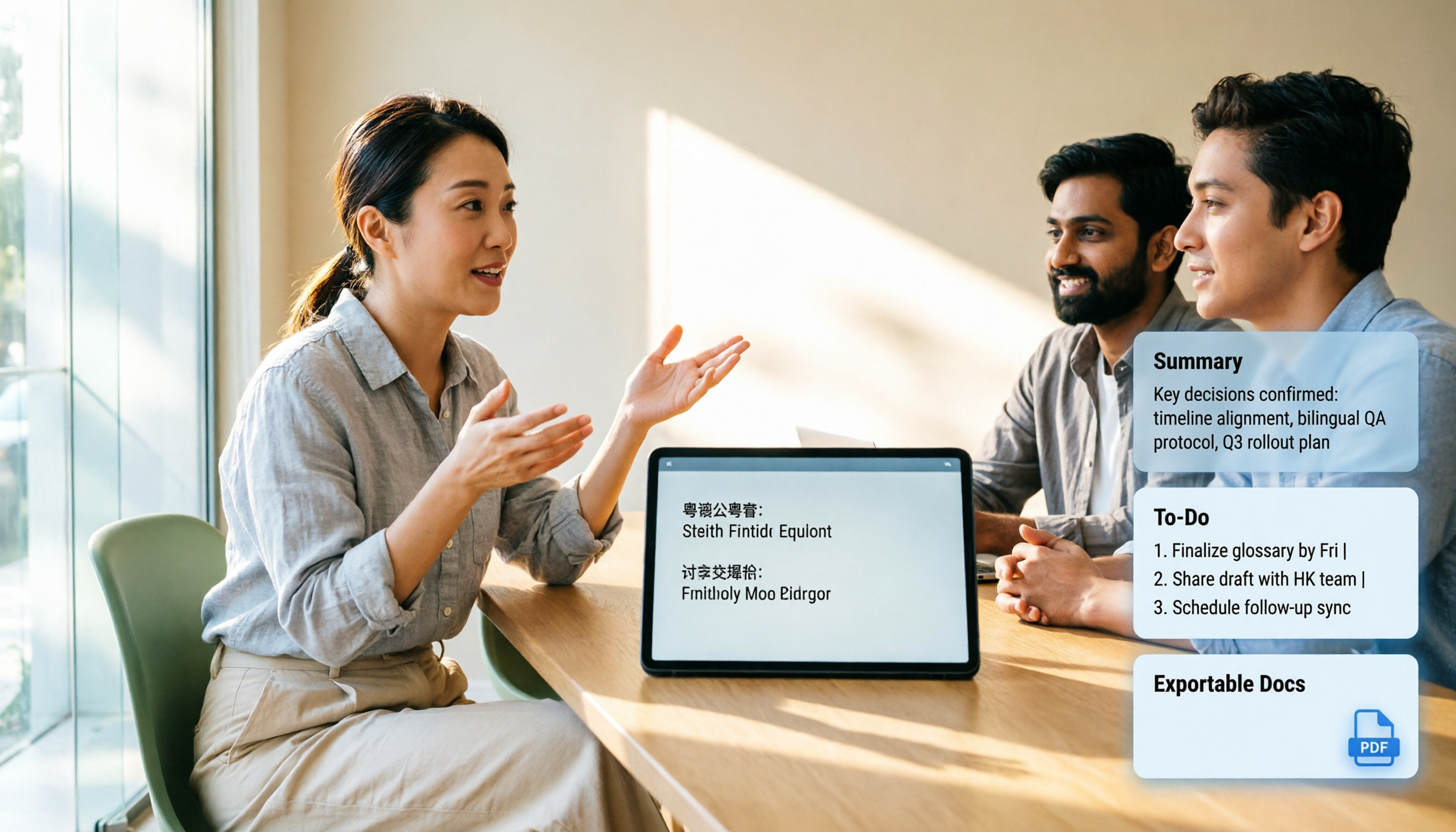
Open Tinrec during the meeting to record and transcribe simultaneously. You can switch between original text, translation, or bilingual view on screen. Your Indonesian colleague reads the translation while you read the original—two views of the same transcript, so you won't be caught off guard when asked for details. Actual available languages are subject to the account interface.
For online meetings, you don't need to invite a bot. The desktop version directly captures computer system audio, working with Zoom, Google Meet, Microsoft Teams, and Webex—no unknown account appears in the participant list.
The real differentiator is after the meeting. AI generates summaries, chapters, and action items. You can directly ask it "What delivery date did the supplier finally agree to?" and it will find the answer from the meeting content instead of dumping keywords on you. For reports, transcripts and summaries can be exported to Notion, Google Docs, OneNote, or Dropbox for further processing.
Stop organizing recordings by hand
Upload audio or video and automatically get a transcript, summary, and action items
Three advantages I found most impactful:
- One document contains both original and translation—when numbers don't match, you can immediately replay that segment.
- No need to re-listen to a 40-minute recording after the meeting—summaries and Q&A get you to the key points.
- Team spaces centralize meeting data. When members leave or are removed, data is transferred to other members instead of disappearing with personal accounts.
Note: Free quota is limited; long-term or high-frequency use requires payment. File import consumes import minutes; real-time recording currently does not deduct minutes under valid team plans and seats. Also, transcription and translation performance can be affected by recording quality, accents, background noise, and overlapping speech. For important numbers, amounts, and dates, it's recommended to replay the transcript at the corresponding timestamp—don't sign contracts based solely on the translation.
Pricing: Personal plans include a free version, weekly card, Pro monthly, and Pro annual—choose based on usage frequency. Team plans offer a 7-day trial for first-time eligible users, 1 free seat, and 300 minutes of shared team import quota; monthly USD 29.80 per paid seat per month, annual USD 199 per paid seat per year (approximately USD 16.58/month), with each paid seat providing 2,000 minutes of shared team import quota per month. Actual prices and benefits are subject to the official purchase page.
If you're the type of user who needs "real-time understanding during meetings and searchability afterward," Tinrec is currently the closest option to this need.
Besides Tinrec, what other options are there?
Zeemo: Upload pre-recorded audio files, select Indonesian as the target language, and AI generates subtitles that can be exported in SRT, TXT, and other formats. Supports mp4, mov, mp3, wav files. Suitable for "record first, process later" work like adding subtitles to YouTube videos. But it can't help during the meeting itself, and lacks summaries, action items, and a team database—things Tinrec has that it doesn't.
Love Cantonese (yue.micblo.com): A web-based Mandarin-Cantonese mutual translation tool. Open the page and use it without registration. Convenient for quickly checking the meaning of a sentence. However, its direction is Mandarin↔Cantonese, not Indonesian, and it doesn't handle recordings. For full meeting transcripts and translations, you still need a meeting notes tool like Tinrec.
PRO360 human translation and Cantonese courses: For contracts, quotations, legal documents, and other error-intolerant situations, human translators are still the safest. The downside is scheduling and per-session fees—daily weekly meetings can't afford human translators every time. A practical approach is to first record and transcribe with Tinrec, then have a translator confirm key sections—much more efficient than re-listening to the entire meeting.
Pitfall guide: The 3 most common mistakes when choosing translation tools
Pitfall 1: Only solving real-time understanding. Nodding frequently during the meeting, but still can't state conclusions afterward. Recordings and transcripts aren't backups—they're your only evidence after the meeting.
Pitfall 2: Separating transcript and translation into two files. The result of separate storage is that they never match up. When choosing a tool, first confirm whether the original and translation are two views of the same document.
Pitfall 3: Assuming the translation can be used directly. Names, places, product models, amounts, and dates are always where machines make the most errors. The correct approach is to replay the transcript at the corresponding timestamp, confirm accuracy, and then send externally.
Pitfall 4: Ignoring data ownership. Meetings recorded with personal accounts get taken away when colleagues leave. Team data should belong to the team—this is why team plans separate roles, seats, and data ownership.
Conclusion: Which one should you choose?
- Need real-time understanding during meetings plus post-meeting search and follow-up questions → Tinrec (real-time transcription and translation, with summaries, action items, and AI Q&A afterward)
- Already have recorded videos needing Indonesian subtitles → Zeemo (upload files and process subtitles smoothly)
- Just need to check a sentence or two of Mandarin and Cantonese → Love Cantonese (works right in the browser)
- Contracts, quotations, legal documents → Rely on human translation, with transcripts based on Tinrec
- Team sharing of meeting data → Tinrec Team plan (roles manage governance, seats manage usage, with visible usage and audit)
I recommend first running a free trial with your own real meeting recording to see how transcription and translation perform with your accent and environment. No matter how well others test, nothing beats trying it yourself.
One final reminder: Recording and transcription involve others' conversations. Before use, please ensure compliance with local regulations and obtain participant consent when necessary.
References
- 2026 Comparison of 4 Cantonese to Indonesian Translation Tools: Who Can Translate Live During Cross-Language Meetings? - Instant Meeting Transcription Blog
- Cantonese to Indonesian Translation - Cantonese Classes | Quickly Find Experts - PRO360
- Cantonese Translator: Mandarin and Cantonese Mutual Translation · Love Cantonese
- Translate Indonesian Audio to Cantonese - Zeemo
- Translate Cantonese Audio to Indonesian - Zeemo
Turn every recording into actionable outcomes
Get 60 free transcription minutes when you sign in. No credit card required.
Related Reading
You might also like

iPhone Built-in Voice Memos vs Tinrec: Cantonese Transcription and Meeting Notes Comparison (2026)
Starting with iOS 18.4, iPhone's built-in Voice Memos can transcribe Cantonese recordings for free without installing an app. This comparison puts it head-to-head with Tinrec, covering Cantonese recognition, long recording organization, cross-platform support, AI Q&A, and team collaboration to help you decide which approach fits your meetings and classes.

Best WhatsApp Voice-to-Text Tools in 2026: 4 Tested Options and the Smoothest Way to Handle Cantonese on iPhone
A roundup of four ways to convert WhatsApp voice messages to text in 2026, from iPhone's built-in transcription and the cantonese.ai shortcut to Tinrec. We compare input methods, Cantonese accent performance, post-transcription summaries, and AI follow-up capabilities, plus four common pitfalls to help you choose the right solution for your situation.

Tinrec vs Notta 2026: 5-Dimension Comparison for Cantonese Speech-to-Text
Many people throw meeting recordings into Cantonese speech-to-text tools, thinking the transcript is the end—but they still have to organize it manually. This article compares Tinrec and Notta across 5 dimensions, from selection criteria to hands-on testing and pitfalls, and adds use cases for pure transcription options like Speech to Text by cantonese.ai and Speechnotes, helping you decide which one truly saves post-meeting cleanup time.

2026 Windows Cantonese Voice Input Comparison: Win+H, Yu's Input Method, and Tinrec — Which to Choose?
Typing Cantonese on Windows isn't about whether tools exist — it's about which one to use. This article compares three options: Windows 11 built-in voice input (Win+H), a Cantonese phonetic keyboard (Yu's Input Method), and Tinrec. It tests them across five dimensions and includes full setup steps for Win+H Cantonese voice input, helping you decide what to use for short dictation versus meeting recording organization.

2026 Comparison of 3 Cantonese to Mandarin Translation Apps: Why Tinrec Is Better for Students
Translating sentence by sentence is different from capturing an entire class for later review. This article compares three approaches—Cantonese translation assistants, online conversion tools, and Tinrec—from a student's perspective, explaining why a workflow of recording → transcript → summary → follow-up questions is better suited for university students who need to write reports and prepare for finals. It also covers free quotas, cross-platform availability, and team plan information.

Cantonese to Japanese Translation Apps in 2026: 3 Steps to Choose + Real-World Pitfalls
From asking for directions while traveling to meetings with Japanese clients, this guide covers how to choose a Cantonese-to-Japanese translation app, common mistakes, and real-world testing tips. It also explains Tinrec's role in meeting transcription, real-time translation, and post-meeting organization.

2026 Cantonese Speech-to-Text Buying Guide: 6 Tools Tested and Recommended
WeChat's built-in speech-to-text only supports Mandarin, English, and Cantonese, and processes one voice message at a time. This guide covers 6 solutions for Cantonese speech-to-text, from free WeChat and WhatsApp to Tinrec, Notta, TurboScribe, and PLAUD recording hardware, with practical limitations, pricing, and selection advice.
4 Cantonese-to-English Translation Apps Tested: Which One Turns Cantonese Conversations into English Documents? (2026)
When searching for a Cantonese-to-English translation app, most people don't just need a dictionary—they need to turn a whole Cantonese conversation into English material they can understand and send. This article compares the practical uses of four tools and tests Tinrec's performance in meeting transcripts, real-time bilingual translation, summary to-dos, and team collaboration.

4 Cantonese Speech-to-Text AI Tools Tested for 2026: Which Meeting Notes Can You Actually Use?
You have a Cantonese meeting recording—which tool turns it into usable notes? This hands-on comparison of Tinrec, Notta, Otter.ai, and Granola focuses on three questions: does it understand spoken Cantonese, is the output directly readable, and can your team take over the data? Includes selection criteria, pitfalls to avoid, scenario-based recommendations, and honest breakdowns of free tiers and paid pricing.