

Turn recordings into transcripts and summaries in minutes
Upload audio or video for multilingual transcription, AI notes, and action items
How to Transcribe WhatsApp Cantonese Voice Messages to Text in 2026: Official Setup Steps + Tinrec Workflow Tested
You've Got Three Cantonese Voice Messages and Don't Want to Play Them Out Loud—That's Today's Problem to Solve
You work in Central, just finished a one-hour meeting, and three Cantonese voice messages from colleagues pop up on your phone. You're in a conference room, can't turn on the speaker, and forgot your headphones. So you sneak into the pantry and play each one, taking notes one by one.
Another common scenario: a client leaves a three-minute voice message covering everything from pricing to delivery dates, with key points scattered throughout. You want to replay a specific number, but you have to start from the beginning.
And a third: you've transcribed the recording and think you're done, but the meeting minutes, action items, and follow-up list still need to be typed up manually.
If you've experienced any of these, the problem isn't whether transcription is available—it's how much work remains after transcription. This article helps you calculate that cost.
First, Understand These 4 Key Points About WhatsApp's Official Transcription Feature
1. Transcription happens on-device, not in the cloud
According to multiple reports, WhatsApp's voice message transcription uses on-device language packs, and message content is not uploaded to WhatsApp servers—a major advantage for users concerned about information security.
2. The feature must be manually enabled and is being rolled out gradually
Currently, this feature is not enabled by default; users must activate it in settings. Based on various tutorials, the path is roughly "WhatsApp Settings > Chats > Voice Message Transcripts," though the exact location may vary slightly by version. iOS users also need to confirm the corresponding language pack is installed under "Settings > Language & Region."
3. How to use: Long-press a voice message and select "Transcribe"
After receiving a voice message, long-press it, and a transcription option will appear in the menu. Tap it, and the text will appear below the voice message.
4. Reports on Cantonese support are inconsistent
This must be clarified: some reports say the feature already supports Cantonese (Hong Kong), and some test articles claim recognition accuracy is satisfactory; however, other sources say Cantonese is not yet supported. The discrepancy may be due to the feature version at the time of testing, the phone's system language settings, and the region of the phased rollout.
Practical advice: Don't rely on articles—test with your own Cantonese voice message. If the transcription comes out as gibberish or nothing happens, your phone's version doesn't support it yet.
Also note that the official feature only handles "received voice messages" and converts them to text. It does not automatically generate summaries, extract action items, or organize meeting minutes.
Before Choosing a Voice-to-Text Solution, Consider These 3 Dimensions
Dimension 1: Language coverage and accent adaptation
Cantonese has a lot of colloquialisms, filler words, and code-switching between Chinese and English ("this case next week follow"). Demo audio is usually clean, but real recordings have air conditioning noise, keyboard sounds, and people talking over each other. When reading reviews, look at the test conditions, not just the marketing claims.
Dimension 2: Is there post-processing after transcription?
A tool that only produces a transcript saves you typing time but leaves the organizing work. Tools with summaries, chapters, action item extraction, and the ability to ask follow-up questions truly reduce your overtime.
Dimension 3: Cross-platform and data ownership
Today you record on your phone, tomorrow you organize on your computer, and the day after a colleague needs to take over. If data is trapped in a personal account, meeting records disappear when the colleague leaves. For teams, this matters more than transcription speed.
Tinrec (秒聽錄音)—Our Top Pick After Testing
Tinrec (秒聽錄音) is an AI meeting notes and collaboration tool for individuals and teams, available on iOS, Android, desktop, and web. It's not "another transcription app"—it turns meetings from recordings into searchable, queryable, and transferable data.
Scenario 1: No bot needs to join the meeting
The desktop version directly captures computer system audio, handling online meetings on Zoom, Google Meet, Microsoft Teams, Webex, etc., without an extra bot joining as a participant. This is practical for client meetings where you don't want an unfamiliar account on the participant list. Note that users still need to actively open Tinrec to start recording; it doesn't automatically join all meetings in the background.
Scenario 2: Live transcript while recording, plus real-time translation
Open Tinrec during a meeting, and content is transcribed as it records. For cross-language meetings, you can view the original, translation, or bilingual versions simultaneously—no need to compare sentence by sentence afterward. Teams can also maintain "hotwords" to add company product names, abbreviations, and industry terms, reducing mis-transcription of proper nouns.
Scenario 3: More than just text after the meeting
Stop organizing recordings by hand
Upload audio or video and automatically get a transcript, summary, and action items
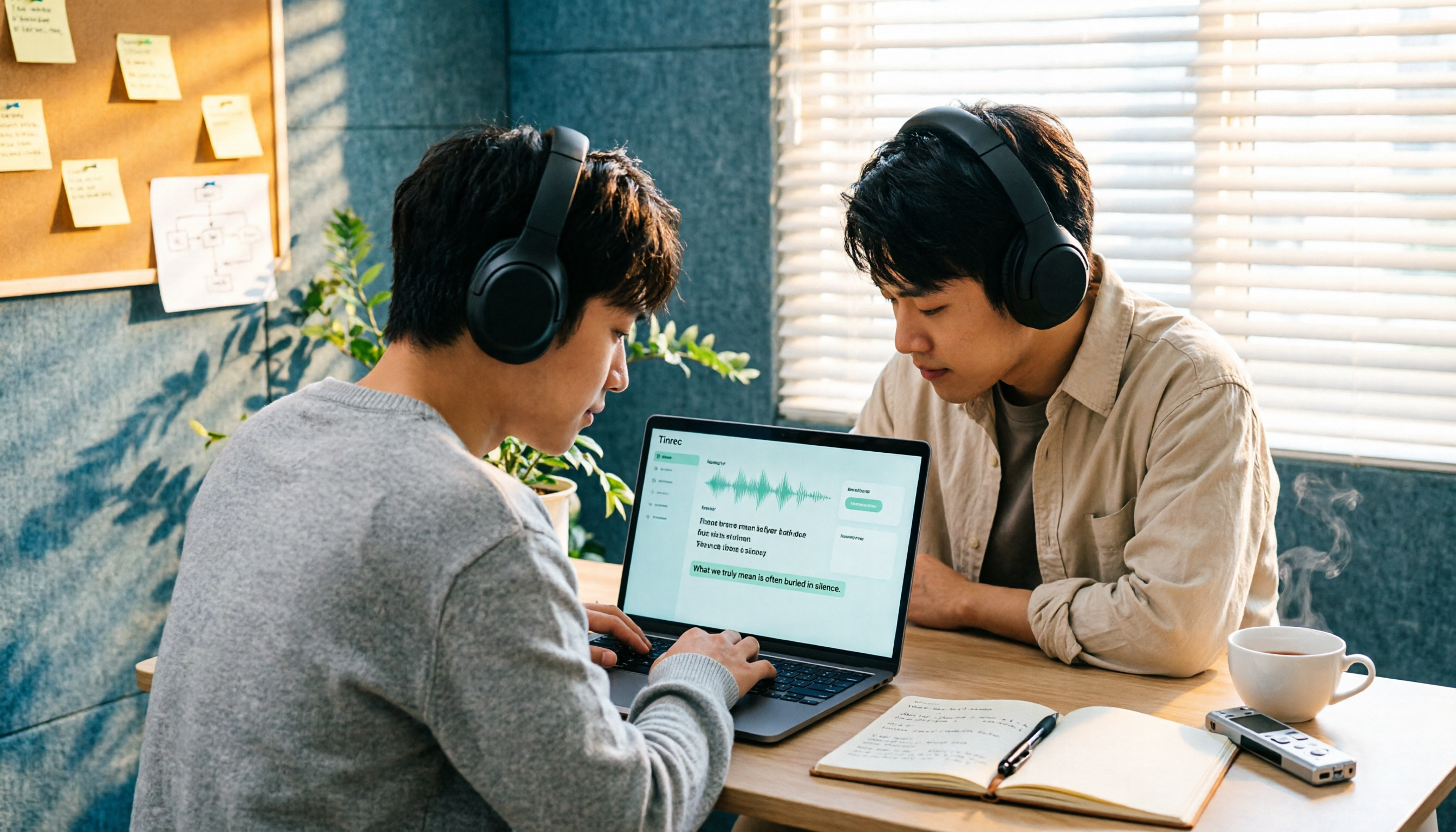
After recording, Tinrec generates summaries, chapters, key points, and action items. You can also ask questions directly about the meeting content, such as "Who mentioned the budget in the last meeting?" It answers based on semantics, not just a list of keyword search results. If you need deliverables, you can generate reports, tables, and meeting minutes, and export to Notion, Google Docs, OneNote, Dropbox, etc. for further editing.
Scenario 4: Team edition keeps data in the company
The team edition is not "several people sharing one account" but an independent team space. Meeting data belongs to the team; admins can set owners, admins, and regular members, assign or revoke seats, view usage trends and audit logs, and access an audio recycle bin. When a member leaves or is removed, their team resources must be transferred to other active members—they don't leave with the person.
Pros
- One workflow from recording to action items and reports—no need to move text between three tools.
- Covers Chinese, Traditional Chinese, and multilingual meeting scenarios, plus real-time translation and team hotwords.
- Complete team-level governance: roles, seats, usage, audit, and recycle bin managed separately.
Limitations (better to be clear than perfect)
- Transcription quality is affected by recording quality, noise, accents, overlapping speakers, and technical terms; Tinrec does not promise a fixed accuracy rate. For important content, cross-check with the transcript timestamps and recording.
- The free version provides a basic quota for you to try; actual minutes and benefits of each version are subject to the official purchase page. File and web imports consume the team's shared quota, not individual member quotas.
- The team edition currently focuses on team-level sharing; all active members can read team data. It should not be understood as setting independent permissions for each file.
Who it's for
If you frequently handle Cantonese or mixed Chinese-English meetings, want to use AI to extract key points directly after meetings, need to use it across phone and computer, or want to leave meeting records for the team, Tinrec is more convenient than a simple transcription tool.
Besides Tinrec, What Other Options Are There?
Otter.ai: A mature AI meeting assistant, strongest for English business meetings, with a generous free tier of 300 minutes per month. But its main strength is English meetings; Chinese and Cantonese content are not its forte. It also takes the bot-participant and platform-integration approach, which differs from Tinrec's desktop no-bot system audio capture. If 90% of your meetings are in English, consider it.
Notta: Multilingual transcription, with significant overlap with Tinrec. Official figures: free version 120 minutes per month, max 3 minutes per session; Pro annual billing about USD 8.17/month, 1,800 minutes per month. Its strength is transcription and translation itself, but post-meeting AI Q&A, action item organization, and team data retention are not as complete as Tinrec.
Granola: Also takes the no-bot approach, using desktop system audio plus user handwritten notes to generate meeting content. Business is USD 14/user/month. The key difference is it does not support uploading pre-recorded audio files and does not save meeting audio. That means if you want to transcribe a WhatsApp voice message a friend sent you, it can't help—but Tinrec can import audio and video files for processing.
Pitfall Guide: The 4 Most Common Mistakes When Choosing a Voice-to-Text Tool
Pitfall 1: Assuming the official feature definitely supports Cantonese. The feature is rolled out gradually; version, region, and system language all matter. Rather than reading articles, test with your own real recording—you'll have an answer in ten minutes.
Pitfall 2: For convenience, handing sensitive recordings to unknown third-party tools. Reports warn that transcribing through third-party tools means sending voice data elsewhere, posing privacy leak risks and even conversion failures due to encryption. For client interviews and internal meeting recordings, first check where the data goes.
Pitfall 3: Only comparing transcription minutes. Minutes are cost, not value. What really eats your time is the organizing work after the transcript. Tools with summaries, chapters, action items, and Q&A can save you double the time on the same recording.
Pitfall 4: Ignoring data ownership. Meeting records disappearing when a colleague leaves is a pitfall many teams have fallen into. When choosing a tool, ask clearly: does data belong to personal accounts, or is there a team space and handover mechanism?
Conclusion: How Should You Choose?
- Just want to review one or two received WhatsApp voice messages → Enable WhatsApp's official transcription feature first; zero cost, but test Cantonese support yourself.
- Need to process your own recorded meetings, interviews, or exported WhatsApp audio files → Tinrec; can import audio/video files for transcription, then generate summaries and action items.
- Need to deliver meeting minutes, reports, tables after meetings → Tinrec; can generate documents and export to existing workflows.
- Want to ask directly after recording "Who talked about the budget last time?" → Tinrec's AI Q&A answers by semantics, not just keywords.
- Team needs to share meeting data, manage seats and audit → Tinrec team edition; USD 29.80/paid seat per month, USD 199/paid seat per year (about USD 16.58/month). First eligible teams get a 7-day trial, 1 free seat, and 300 shared minutes.
- Meetings are 90% English → Otter.ai's free 300 minutes is more cost-effective.
- Need to batch upload long audio files for subtitles → A file transcription tool like TurboScribe is more suitable.
We recommend starting with the free quota and testing with your most troublesome Cantonese recording—for example, a three-minute one with background noise and mixed Chinese-English. Only pay if it transcribes accurately and extracts action items.
Final reminder: Recording and transcription involve others' privacy, and regulations vary by location. Obtain participants' consent when necessary.
References
- "Latest" WhatsApp Voice to Text 2026 Official Method!
- WhatsApp Voice to Text: How to Set Up? Which Languages Are Supported? (With SME Use Cases)
- WhatsApp Voice to Text New Feature Is Here! See Setup Methods for Android and iPhone
- Tested WhatsApp Official "Voice to Text" Feature! Cantonese Recognition Super Accurate? See Usage, Interface, and Limitations! | ezone
- [Tutorial] WhatsApp Cantonese Voice to Text: One Simple Shortcut Does It
Turn every recording into actionable outcomes
Get 60 free transcription minutes when you sign in. No credit card required.
Related Reading
You might also like

2026 Video Summarizer Comparison: Free Tiers, Timestamps, and Chinese Support — Which Tool Is Right for You?
We compare Tinrec, WayinVideo, Monica, and Maestra across free tiers, timestamps, Chinese summarization, and team collaboration to help you choose the right video summarizer for meetings, courses, and YouTube content.

2026 Comparison of 4 Meeting Summary Tools: Which One Really Saves Post-Meeting Time?
Does the real work start after the meeting ends? This article focuses on 'meeting summary' and compares Tinrec, Notta, Granola, and Otter.ai in terms of meeting capture methods, post-meeting summaries and action items, AI Q&A, audio retention, and team collaboration. It also lists 4 common pitfalls when choosing a tool to help you decide which one truly saves post-meeting organization time.
How to Import Audio Files and Generate Transcripts in 2026: A Complete 5-Step Tutorial
Importing audio files to generate transcripts isn't just about dropping a file into a tool. This article addresses three common pitfalls and demonstrates five steps using Tinrec, explaining how to use post-transcription summaries, chapters, action items, and Q&A, plus six purchasing checkpoints and FAQs.

5 Best Speaker Summary Tools for 2026: How to Choose Automatic Speaker Diarization and Post-Meeting Organization
The real challenge in multi-person meetings isn't transcription—it's figuring out who said what and who committed to what. This article compiles 5 tools with speaker diarization and post-meeting summary capabilities based on official public information, comparing speaker identification, speaker summaries, audio retention, team collaboration, and pricing limits, with practical buying advice for Taiwan users and 5 FAQs.

2026 AI Meeting Summary Tools Compared: Transcription Alone Isn't Enough—The Ones You Can Question Save Time
Still staring at a 3,000-word transcript after a meeting? The problem isn't your typing speed—it's that your tool only does half the job. This article starts with the most common inefficient practices, breaks down 4 key factors for choosing an AI meeting summary tool, and compares Tinrec, Otter.ai, Granola, and Notta in real-world tests across Chinese meetings, bot-free recording, post-meeting Q&A, and team collaboration. It also lists the 4 most common pitfalls.

3 Free Speaker Diarization Tools in 2026: Free Tiers and Meeting Notes Use Cases Compared
Turning recordings into text doesn't mean you know who said what. This article starts with the common pitfall of transcripts becoming walls of text, explains what to look for in speaker diarization (automatic speaker identification) tools, compares the free tiers and use cases of Tinrec, Otter.ai, and Notta, and summarizes the most common mistakes in real-world use.

5 Best Audio-to-Transcript Tools in 2026: From Free Trials to Team Collaboration
A mid-level manager who runs over a dozen meetings a week tests automated audio-to-transcript workflows. This article compares five types of tools, covering real-time transcription, bot-free meeting recording, AI summaries, action item extraction, and team knowledge retention, plus buying tips and FAQs.

2026 AI Meeting Recorder Comparison: How to Choose from Transcription to Summaries for Team Meetings
For team leaders, the real challenge isn't recording meetings—it's the time spent organizing notes afterward. This guide starts from real management scenarios, explains the 5 key factors to consider when choosing an AI meeting recorder, then compares Tinrec, Otter.ai, Notta, and Penpower AI Recorder on their use cases, limitations, and pricing. It ends with actionable recommendations to help you choose the right tool.

How to Turn Recordings into To-Do Lists in 2026: 5 Steps with Tinrec from Audio to Action Items
Recorded a bunch of class and group discussions but still no one remembers what to do? This article breaks down the 5 steps to turn recordings into to-do lists from a student's tested perspective, compares Tinrec with regular transcription tools, and honestly discusses whether the free quota is enough and when to pay.