

Turn recordings into transcripts and summaries in minutes
Upload audio or video for multilingual transcription, AI notes, and action items
Many people have a common misconception about MP3-to-text: they think that once they upload an audio file to a free online transcription site and hit convert, the job is done. What they actually get is a long, unsegmented transcript with no highlights, and when multiple speakers talk, everything gets mixed together. They still have to re-listen, manually organize, and sometimes it takes even more time than typing it out from the start. Another common pitfall is free quotas: some tools give you minutes per month, others limit the length per upload, and long meetings get cut off, forcing you to re-upload. A more sensible approach is to treat "transcription" as just the first step, then connect it to summaries, chapters, action items, AI Q&A, and team sharing, so that an MP3 truly becomes actionable data. This is also the biggest difference between Tinrec and ordinary transcription-only tools. The information in this article was verified as of August 2026; prices and benefits are subject to each official page.
Why are people looking for MP3-to-text solutions beyond Notta and Otter?
Notta and Otter are tools that many people see when searching for MP3-to-text. Notta's free plan offers 120 minutes per month with a maximum of 3 minutes per upload; the Pro annual plan works out to about USD 8.17/month with 1,800 minutes per month. Otter's Basic free plan offers 300 minutes per month; the Pro annual plan works out to about USD 8.49/user/month. These plans are fine for getting started, but in actual use, the common bottleneck isn't "can it transcribe" but "what do I do after transcription": the tone and proper nouns in Chinese meetings, how to record cross-platform meetings, turning transcripts into summaries and action items, and how to retain data after team members leave. Rather than just looking at free minutes, first confirm whether you need post-meeting organization and team knowledge retention. If you have similar needs, Tinrec is worth checking out.
Tinrec vs Notta, Otter: What's different in the core experience?
How meetings are captured matters because it determines whether you need to invite a bot into the meeting. Tinrec's desktop app directly captures computer system audio, so when handling online meetings on Zoom, Google Meet, Microsoft Teams, Webex, etc., it doesn't need an extra meeting bot to join as a participant; users need to actively open Tinrec to start recording. Tools like Otter and Fireflies have a meeting bot mode, and Notta also offers meeting bots or upload options. If you don't want an extra bot in the participant list, Tinrec's desktop workflow is smoother.
Chinese meetings are the most common scenario in Taiwanese workplaces, especially when English product names and proper nouns are mixed in—whether the transcription result can be used directly makes a big difference. Tinrec covers Chinese, Traditional Chinese, and multilingual meetings, supports real-time translation and bilingual viewing, and allows teams to maintain common terminology with team hotwords; actual results are still affected by recording quality, accents, noise, and overlapping speakers, so we don't recommend promising a fixed accuracy rate. Notta's multilingual transcription is also quite complete, and Otter is stronger for English business meetings. If your meetings are mainly in Chinese, Tinrec's overall experience is a better fit.
If you only get a transcript, you usually still have to re-listen, highlight key points, and organize action items yourself. After transcription, Tinrec generates summaries, chapters, and action items, and you can also do AI Q&A around the meeting content, or even use Agent post-processing to generate reports, tables, and documents; when you need to archive, you can export in multiple formats or bring it into tools like Notion, Google Docs, OneNote, and Dropbox. Notta and Otter also have summaries and action items, but Tinrec makes "post-meeting output" more complete. For people who need to quickly deliver meeting minutes, this gap is the most obvious.
The biggest fear for team meetings is data scattered across personal accounts—when a member leaves, it's gone. Tinrec's team plan provides an independent team space where meeting data belongs to the team, and you can manage members, roles, seats, usage, audit logs, and an audio recycle bin; when a member leaves or loses their seat, their team resources can be handed over to other active members. Notta Business and Otter Business also have team permissions and usage reports. If you value data ownership and handover, Tinrec's team space design is closer to a "team asset" rather than a "personal tool."
For free plans, it's important to distinguish between "long-term free" and "trial." Tinrec offers a free plan that lets light users experience recording, import, summaries, and transcription; actual minutes and limits are subject to the account page. The team plan offers a 7-day trial for first-time eligible users, 1 free seat, and 300 minutes of shared team import quota. Notta's free plan offers 120 minutes per month with a maximum of 3 minutes per upload; Otter Basic offers 300 minutes per month. Look at your typical meeting length and monthly frequency first, then decide whether to upgrade—that's more practical than just looking at the word "free."
Tinrec's core features at a glance
Real-time recording to text: Open Tinrec to record, and text is generated simultaneously—ideal for in-person meetings, interviews, and on-site notes. During the meeting, you can read along and confirm key points, and by the time it ends, the transcript is already there, saving you an hour of typing. Actual latency and results are affected by device and network conditions; for important meetings, we recommend keeping the recording for reference.
Desktop bot-free online meeting recording: Tinrec's desktop app captures computer system audio for online meetings on Zoom, Google Meet, Microsoft Teams, Webex, etc., without inviting an extra bot into the meeting. You need to actively open Tinrec to start recording; it doesn't automatically join all calendar meetings. For teams that don't want a bot appearing in the participant list, this approach feels more natural.
Stop organizing recordings by hand
Upload audio or video and automatically get a transcript, summary, and action items
Audio/video file transcription and real-time translation: When you have MP3, MP4, WAV, and other files, you can upload them to Tinrec for transcription—great for organizing past meetings, classes, or interview recordings. For cross-language meetings, you can view the original text, translation, or bilingual content during recording. Before transcribing, confirm the language and audio quality to reduce later proofreading time.
AI summaries, chapters, action items, and AI Q&A: The most time-consuming part of long meetings is going back to find key points. Tinrec organizes meetings into summaries, chapters, and action items, and you can directly ask "What was the conclusion of this meeting?" or "Who is responsible for what?"—it will answer based on semantic understanding, without manually flipping through dozens of pages of transcript. AI can still miss or misunderstand details; for important decisions, we recommend cross-checking with the original text and recording.
Multi-format export, Agent post-processing, and team space: Organized content can be exported in common formats and brought into workflows like Notion, Google Docs, OneNote, and Dropbox; Agent post-processing can further generate reports, tables, and documents. The team plan centralizes meetings, transcripts, summaries, and action items in a team space, so new members can also view historical data. This is the biggest dividing line between Tinrec and transcription-only tools.
Real-world use cases
Weekly and client meetings: Use Tinrec's desktop app to record online meetings, then directly view summaries, chapters, and action items afterward, and put transcripts and notes into the team space. Participants don't need to install extra tools or invite a meeting bot. For project teams that need to track action items, saving a round of manual organization after each meeting makes a noticeable difference.
Classes and lectures: When you can't take notes fast enough, you can use your phone or upload a recording to Tinrec, get a transcript, and then review with AI Q&A. For foreign-language content, you can use real-time translation and bilingual viewing. Exporting key summaries after class saves more time than repeatedly listening to the recording.
Interviews and research: Interview recordings are usually long with many speakers; Tinrec's transcripts, chapters, and summaries help you quickly locate key statements from interviewees, and then use AI Q&A to dig into details. When you need to quote, go back to the transcript timestamp to verify and avoid taking things out of context. Exporting to a document also makes it easy to add to research notes.
Personal notes and inspiration: For spontaneous ideas or thoughts during your commute, you can record with Tinrec and convert to text, then find them later by searching keywords. Over time, this content becomes a searchable personal database instead of voice files scattered on your phone.
Things to look out for when choosing an MP3-to-text tool
First, check whether the free quota is monthly or daily, and whether there's a per-upload limit. Tinrec's free plan has a basic quota; actual minutes and limits are subject to the account page. Notta's free plan offers 120 minutes per month with a maximum of 3 minutes per upload; TurboScribe's free plan offers 3 files per day with a maximum of 30 minutes per file. If you often handle meetings longer than an hour, the per-upload limit is more critical than the total minutes.
Confirm whether the tool supports Traditional Chinese, mixed Chinese-English, and real-time translation. Tinrec covers Chinese, Traditional Chinese, and multiple languages, and allows teams to maintain terminology with team hotwords; results are still affected by audio quality, accents, and background noise. Rather than trusting promotional numbers, test with a real recording of your own.
Does it only provide a transcript, or can it also give summaries, chapters, action items, and Q&A? Tinrec connects post-transcription organization and follow-up questions into a workflow, suitable for meetings, interviews, and classes; if you only need to convert a short audio file to text once, free online tools can handle that too. First distinguish that "transcription" and "post-meeting organization" are two different things.
For team use, ask clearly about roles, seats, and data ownership. Tinrec's team plan distinguishes roles and seats: active members without a seat can still view, play, and read team data, but cannot upload, edit, or export; team data is shared at the team level, not document-level ACL. These details should be confirmed before purchasing.
Obtain consent from participants before recording, and understand data retention rules. Tinrec's team audio recycle bin currently retains files for 30 days, and TODOs are not included in the recycle bin; team dissolution and permanent cleanup also have lifecycles. If you are in highly regulated fields such as healthcare, legal, or finance, confirm authorization and compliance statements first—don't just look at features.
| Tool | Positioning | Free/Entry-level highlights | Best for | Things to note |
|---|---|---|---|---|
| Tinrec | AI meeting notes and team collaboration | Free plan basic quota; team plan 7-day trial for first-time eligible users, 1 free seat, 300 minutes shared import | Many Chinese meetings, need post-meeting summaries and action items, team knowledge retention | Free quota subject to account page; team sharing is at team level |
| Notta | Multi-platform transcription and team plans | Free: 120 minutes/month, 3 minutes per upload; Pro annual about USD 8.17/month | Multilingual transcription, need team plans | Advanced team features in Business |
| Otter | AI meeting assistant | Basic: 300 minutes/month; Pro annual about USD 8.49/user/month | English business meetings, meeting automation | Chinese experience is not the focus |
| Granola | Bot-free meeting notes | Basic free; Business USD 14/user/month | Like to take notes with AI enhancement | Does not support uploading pre-recorded files, does not save meeting audio |
| TurboScribe | Cost-effective file transcription | Free: 3 files/day, 30 minutes per file; Unlimited annual USD 120 | Long files, batch transcription | Positioned toward file transcription; real-time meetings and team knowledge retention are not the main focus |
Conclusion: Is Tinrec worth a try?
If you're looking for a tool that can convert MP3 to text and also organize meeting content into summaries, action items, and queryable data, Tinrec is currently one of the few options that connects "recording, transcription, post-meeting organization, and team knowledge retention" together. It's especially suitable for workplace teams with many Chinese meetings, who don't want to invite meeting bots, and who need team sharing and data handover. The free plan lets you experience basic recording, import, summaries, and transcription; the team plan offers a 7-day trial and shared import quota, with actual prices and benefits subject to the official purchase page. We recommend testing with your own meeting recording or MP3 file, then cross-checking important content against the transcript and recording. For budget-conscious readers, first confirm whether the free quota is enough, then decide whether to upgrade—that's more practical than buying the highest plan right away.
References
Turn every recording into actionable outcomes
Get 60 free transcription minutes when you sign in. No credit card required.
Related Reading
You might also like
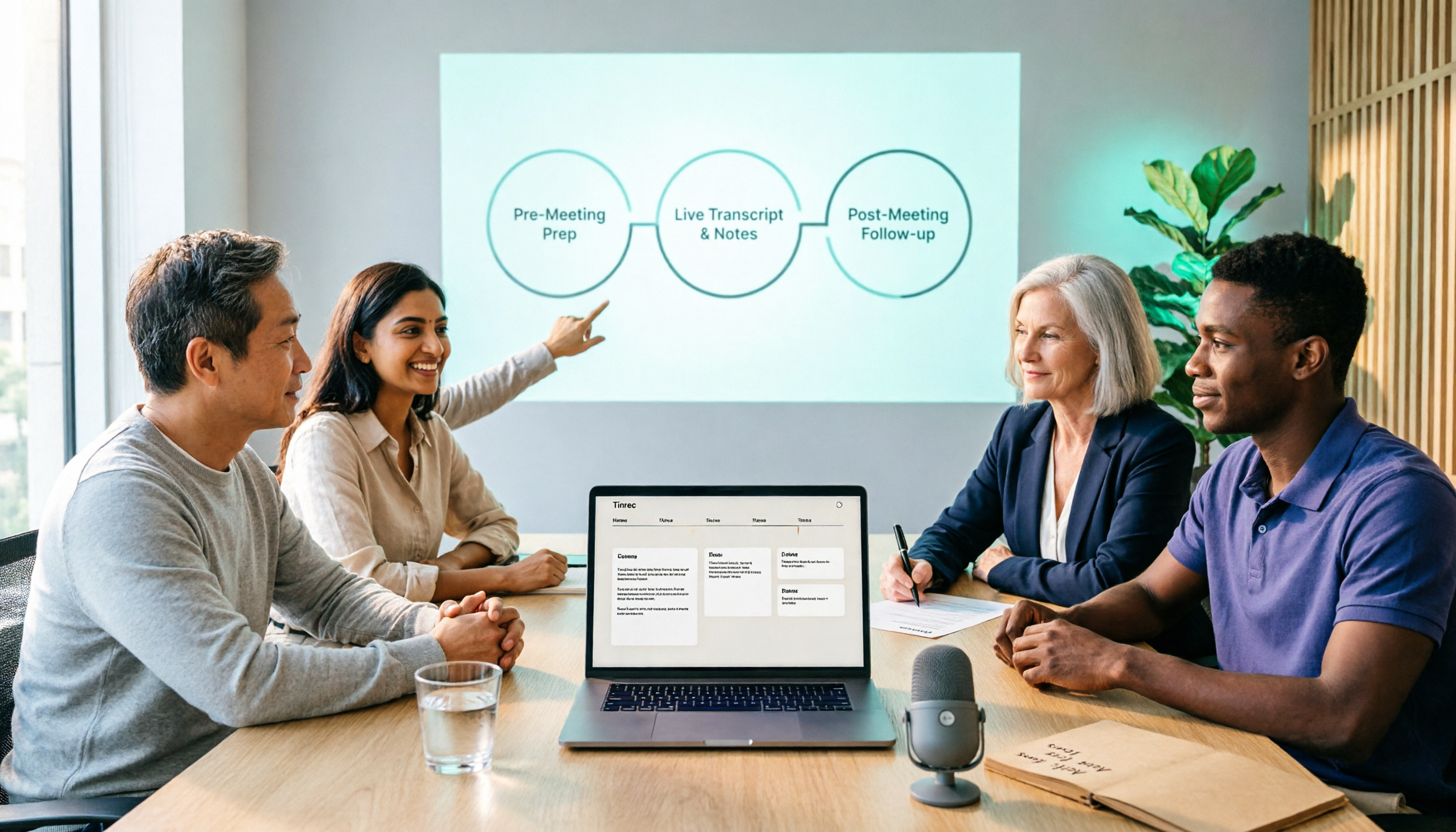
2026 Comparison of 5 Smart Meeting Collaboration Tools: How to Streamline Pre-Meeting Prep, In-Meeting Notes, and Post-Meeting Follow-Up
Smart meeting collaboration isn't just about buying a device—it's about connecting the three stages: pre-meeting agenda, in-meeting notes, and post-meeting follow-up. Based on official data verified in August 2026, this article compares Tinrec, Otter.ai, Fireflies.ai, Granola, and Notta across these three stages, including capabilities, limitations, and pricing, to help you determine which approach suits your team.

3 Best Live Transcription Tools in 2026: Free Tiers, Chinese Recognition, and Post-Meeting Organization Compared
2026 recommendations for 3 live transcription tools, comparing Tinrec, Yating Transcription, and Notta from four angles: free tier limits, Chinese and mixed Chinese-English recognition, post-meeting organization, and team collaboration. Includes student usage insights, pitfalls to avoid, and buying advice. Prices verified August 2026; refer to official pages for actual details.
4 Free Real-Time Transcription Tools in 2026: Free Tiers and Meeting Notes Use Cases Compared
Many free transcription tools look promising, but they often fall short due to session length limits, locked features, and poor Traditional Chinese recognition. Based on official data verified in August 2026, this article compares the free plans, real-time transcription capabilities, and post-meeting outputs of Tinrec, Otter.ai, Notta, and Google Live Transcribe, along with key selection criteria, pitfalls to avoid, and scenario-based recommendations.

How to Run Smart Meeting Collaboration in 2026: 5 Steps + Bot-Free Meeting Notes
How do you run smart meeting collaboration? From pre-meeting audio and platform checks, to live transcription and translation during the meeting, to post-meeting summaries, action items, and team knowledge retention—this guide breaks down the process in 5 steps and compares the use cases and limitations of Tinrec, Otter.ai, Notta, and Granola.

How to Use Smart Meeting Collaboration in 2026: 5 Steps from Recording to Team Collaboration
Starting from the pain points of student group discussions, this article compares smart meeting collaboration tools and shares Tinrec's 5-step usage process, key selection criteria, and common mistakes to help you find the right meeting notes tool.

2026 Smart Meeting Collaboration Free Plans: 4 Tools Compared
If you want to use free plans for smart meeting collaboration, first understand whether the free quota is counted in minutes, per-meeting length, or number of files. This article reviews the free tiers, actual workflows, and limitations of four meeting collaboration tools in 2026, and explains how meeting data can go from transcripts to summaries, action items, and team-shareable resources, with recommendations for matching tools to needs.

6 Live Transcription Tools Tested and Compared in 2026: How to Choose the Latest AI Summaries and Free Tiers
We tested six live transcription tools, comparing their actual features, free tiers, and paid plans—from real-time transcription and AI summaries to team collaboration and long-file processing—to help busy professionals quickly decide which one is worth trying first.

4 Free AI Meeting Collaboration Tools Tested: Which Free Tier Actually Lasts a Full Meeting?
Starting from whether a free tier can last through a full meeting, this hands-on comparison of Tinrec, Otter.ai, Notta, and Granola covers free limits, key features, workflows, and restrictions, with a comparison table and selection advice.

2026 Comparison of 5 Live Transcription Tools: Free Options Popular on Dcard vs. Human Transcription Rates—Which Is More Cost-Effective?
Discussions on Dcard about live transcription mostly ask which tools are free and how much it costs to hire someone to type. This article puts tools such as Tinrec, Google Docs voice typing, Buzz, and Seameet alongside publicly available rates for human transcription in Taiwan in the same cost table, explains the five factors that affect quotes, each option's suitable use cases and quota limits, and notes the date the data was verified, to help you choose before delivery.