

Turn recordings into transcripts and summaries in minutes
Upload audio or video for multilingual transcription, AI notes, and action items
How to Run Smart Meeting Collaboration in 2026: 5 Steps + Bot-Free Meeting Notes
You just wrapped up a 90-minute cross-department meeting. The whiteboard still has notes in three colors, and someone in the group chat is already asking, "What was the date for the timeline we just discussed?" All you have is half a page of scribbled notes, and the recording is sitting in some platform's cloud—no one plans to go back and watch those 90 minutes.
Smart meeting collaboration isn't really about whether you can do video calls. It's about whether the meeting content can be recorded, found, and acted on. This article breaks down how to run a smart meeting in 5 steps and compares which common tools are best suited for whom.
Meeting Over, But No One Remembers the Conclusions? You Need a Solution
Scenario 1: The online meeting was recorded, but no one goes back to watch it. Built-in platform recording is convenient, but a two-hour video with no chapters and no summary means that when you need to look up "the budget cap the client mentioned," you can only drag the timeline.
Scenario 2: In hybrid meetings, remote participants never get a word in. People in the conference room talk at the whiteboard while remote attendees can only listen. Afterward, everyone remembers a different version, so action items naturally don't line up.
Scenario 3: Action items are scattered across chat, email, and personal notebooks. Two weeks later the project is stuck, and no one is sure who committed to what.
These situations usually aren't because participants aren't paying attention—it's because the process is missing the step of "turning voice into usable data." Choose the right tools and process, and that hour of post-meeting cleanup has a real chance of being saved.
To Run a Smart Meeting Well, Understand These 4 Key Points First
1. How meeting audio gets into the system. There are three common approaches: a meeting bot joins as a participant, desktop software directly captures the computer's system audio, and physical recording hardware. Bots appear on the participant list and can cause confusion when added on the fly; desktop capture doesn't require an extra participant; hardware suits physical venues and in-person interviews. On the conference room side, this also involves microphones, cameras, interactive whiteboards, and environmental control integration—the larger the scale, the more planning is needed upfront.
2. What comes after the transcript. A transcript alone means the cleanup work is left entirely to you. Summaries, chapters, action items, and follow-up Q&A are what you'll actually use after the meeting.
3. Chinese and cross-language scenarios. Teams in Taiwan often mix Chinese and English in meetings, or need to communicate with foreign-language clients. Whether you can see the original text, translation, or bilingual content in real time directly affects how fast you can wrap up afterward.
4. Who ultimately holds the data. Is it stored in a personal account or a team space? Who in the team can manage it, who can edit it, and how is data handed over when a member leaves? This is the question most often overlooked during purchasing—and the one most likely to cause problems.
Hands-On: 5 Steps to Run a Smart Meeting with Tinrec
Tinrec is an AI meeting notes and collaboration tool for individuals and teams. It supports real-time audio-to-text, bot-free recording of online meetings via the desktop app, audio/video file import, real-time translation, and can generate summaries, chapters, action items, and AI Q&A. Below is a walkthrough using an internal weekly meeting.
Step 1: Before the meeting, confirm the platform and audio capture method. If the meeting is on Zoom, Google Meet, Microsoft Teams, or Webex and participants are each at their own computer, the Tinrec desktop app directly captures the computer's system audio—no need to invite a meeting bot. First confirm the microphone is working properly and that participants have been informed and consent to recording, then start.
Step 2: Record and transcribe during the meeting. Start recording when the meeting begins, and the transcript is generated in sync. When there are foreign-language clients or Chinese-English mixed segments, you can switch between original text, translation, or bilingual view without waiting to translate the whole thing afterward.
Step 3: Immediately generate summaries, chapters, and action items after the meeting. This is the biggest difference between smart meetings and traditional recording. After the meeting ends, the tool breaks the long meeting into easy-to-browse chapters, organizes key summaries, and extracts action items from the discussion. Who's responsible for what and when it's due is much faster than digging through the transcript.
Step 4: Use AI Q&A to follow up on details. After recording, you can directly ask: "What was the conclusion on the budget in this meeting?" "What objections did the client raise?" Tinrec's AI Q&A answers based on semantic understanding of the meeting content and can also follow up across multiple meetings—great for looking back at historical decisions.
Step 5: Export and retain. Results can be exported to Notion, Google Docs, OneNote, Dropbox, and other tools for further processing, and Agent post-processing can generate reports, tables, and meeting minutes documents. For team use, meeting data is centrally stored in the team space, so new members can view past meetings instead of having to ask again every time.
Stop organizing recordings by hand
Upload audio or video and automatically get a transcript, summary, and action items
What the Team Plan Adds Is "Governance," Not Just "Sharing"
Tinrec's Team Plan isn't multiple people sharing one personal account—it's an independent team space. Admins can invite members, set Owner/Admin/Member roles, assign or reclaim seats, and view team usage trends, member rankings, and operation audit logs; audio also has a recycle bin mechanism so it can be restored before permanent deletion.
Note the difference between roles and seats: roles determine who can manage the team and audit, while seats determine whether a member can record, upload, edit, and import/export. Active members without a seat can still view, play, and read team data, but cannot perform resource-consuming operations.
The current Team Plan is USD 29.80/month per paid seat, or USD 199/year per paid seat (about USD 16.58/month), with each paid seat providing 2,000 minutes of team shared import quota per month; the eligible first trial is 7 days, 1 free seat, 300 minutes. Under an active team plan, real-time recording currently does not deduct minutes, while file and web imports consume team shared minutes. Prices and benefits are subject to the official purchase page on the website.
Limitations to Be Clear About Upfront
The free version provides a basic quota, enough for light use, but heavy recording still requires evaluating a paid plan. Transcription does not promise a fixed accuracy rate—audio quality, ambient noise, accents, overlapping speakers, and technical terminology all affect results. For important content, cross-check against transcript timestamps and the recording. Also, the Team Plan currently focuses on team-level sharing, not fine-grained file-level permission design.
Besides Tinrec, What Other Options Are There?
Otter.ai: A mature option for English meetings. Basic is free with 300 minutes per month; Pro is about USD 8.49/user/month billed annually, including 1,200 minutes per month and 10 file imports. If your team meetings are mainly in English and you need a mature meeting assistant ecosystem, Otter is a reasonable choice. But for Chinese meetings, real-time bilingual viewing, and post-meeting Agent output combined, Tinrec is more intuitive for teams in Taiwan.
Notta: Multilingual transcription and file processing. Free is 120 minutes per month with a 3-minute single-file limit; Pro is about USD 8.17/month billed annually with 1,800 minutes; Business is about USD 16.67/seat/month billed annually. Suitable for users focused on file transcription, subtitles, and translation. Tinrec's difference is that it connects bot-free online meeting recording, team space, AI Q&A, and post-meeting output into a single workflow.
Granola: Bot-free AI meeting notes. It also transcribes in real time via desktop system audio and combines it with the user's handwritten notes to generate content; Basic is free, Business is USD 14/user/month, Enterprise is USD 35/user/month. It does not support uploading pre-recorded audio files and does not save meeting audio files. If you need to keep recordings, organize historical files, do Chinese transcripts, and retain team knowledge, Tinrec is more suitable.
Platform built-ins (Zoom/Google Meet/Teams): The lowest-effort option. No new tools to install—suitable for meetings where you just want a record. But when consolidating meetings across platforms and accounts, data ends up scattered in different places, and post-meeting follow-up, action items, and team knowledge retention are relatively limited. Tinrec's value is bringing audio from different platforms into one database.
| Tool | Best For | What to Check First |
|---|---|---|
| Tinrec | Chinese/Chinese-English mixed meetings, needing post-meeting output and team knowledge retention | Free quota, team seats, and import minutes |
| Otter.ai | English-dominant business meetings | Plan minutes and number of import files |
| Notta | File transcription, subtitles, and translation needs | Single-file length and plan limits |
| Granola | Those who like handwritten notes and don't need to keep audio | No support for pre-recorded file uploads |
Pitfall Guide: The 4 Most Common Mistakes in Smart Meetings
Pitfall 1: Assuming a recording equals a record. Recording only solves "retention," not "retrieval." A two-hour video without summaries and chapters is rarely rewatched in practice.
Pitfall 2: Adding a bot on the fly without participants knowing they're being recorded. Beyond the perception issue, this also involves local regulations and consent. Proactively informing and obtaining consent before recording is a basic step.
Pitfall 3: Comparing only minutes and price. The same number of minutes can mean very different post-meeting output. When choosing, check whether summaries, action items, Q&A, export, and team management are actually useful to you.
Pitfall 4: Thinking "team sharing" means file-level permissions. Most team plans are team-level sharing plus role and seat management—not every file can independently be set for who can view it. Before purchasing, confirm whether the governance approach meets company policy.
Summary: How Should You Choose for Your Situation?
- Want to run Chinese or Chinese-English mixed online meetings well → Tinrec, with bot-free desktop recording plus real-time transcription and translation.
- Want minutes, action items, and reports right after the meeting → Tinrec, with summaries, chapters, action items, and Agent post-processing in one workflow.
- Need team-shared meeting data, seat and usage management → Tinrec Team Plan, with space, roles, seats, usage, and audit.
- Meetings mainly in English, only need a basic meeting assistant → Otter.ai is a practical choice.
- Batch transcription of many long audio files, subtitle needs → File-based tools like Notta or TurboScribe are a better fit.
- Don't want to switch tools at all → Start with platform built-in transcription, but be prepared to still organize manually afterward.
We recommend running a trial with your own real meeting first: pick a 30-minute internal meeting, record it with the free quota, and see whether the transcript, summary, and action items can be used directly. If it saves that hour after the meeting, it's worth further evaluating a paid plan. Remember to inform participants and obtain consent before recording.
(Product and competitor data in this article was verified as of August 18, 2026. Prices, quotas, and features are subject to the official pages on each website.)
References
- Zoom Meetings: Meeting call service | Zoom
- What Is a Smart Meeting Room? A Guide to Benefits, Feature Recommendations, and Application Examples - DC Sales Portal
- How to Run a Teams Meeting in 2026: Complete 5-Step Tutorial - Tinrec Blog
- Integrated Planning for Small, Medium, and Large Meeting Equipment / Digital Smart Meeting Rooms / Cloud Video Sharing Meetings Meeting Lab / Environmental Control Systems - Yunzhun Technology
- Google Meet: Online Voice and Video Meeting Calls | Google Workspace
Turn every recording into actionable outcomes
Get 60 free transcription minutes when you sign in. No credit card required.
Related Reading
You might also like
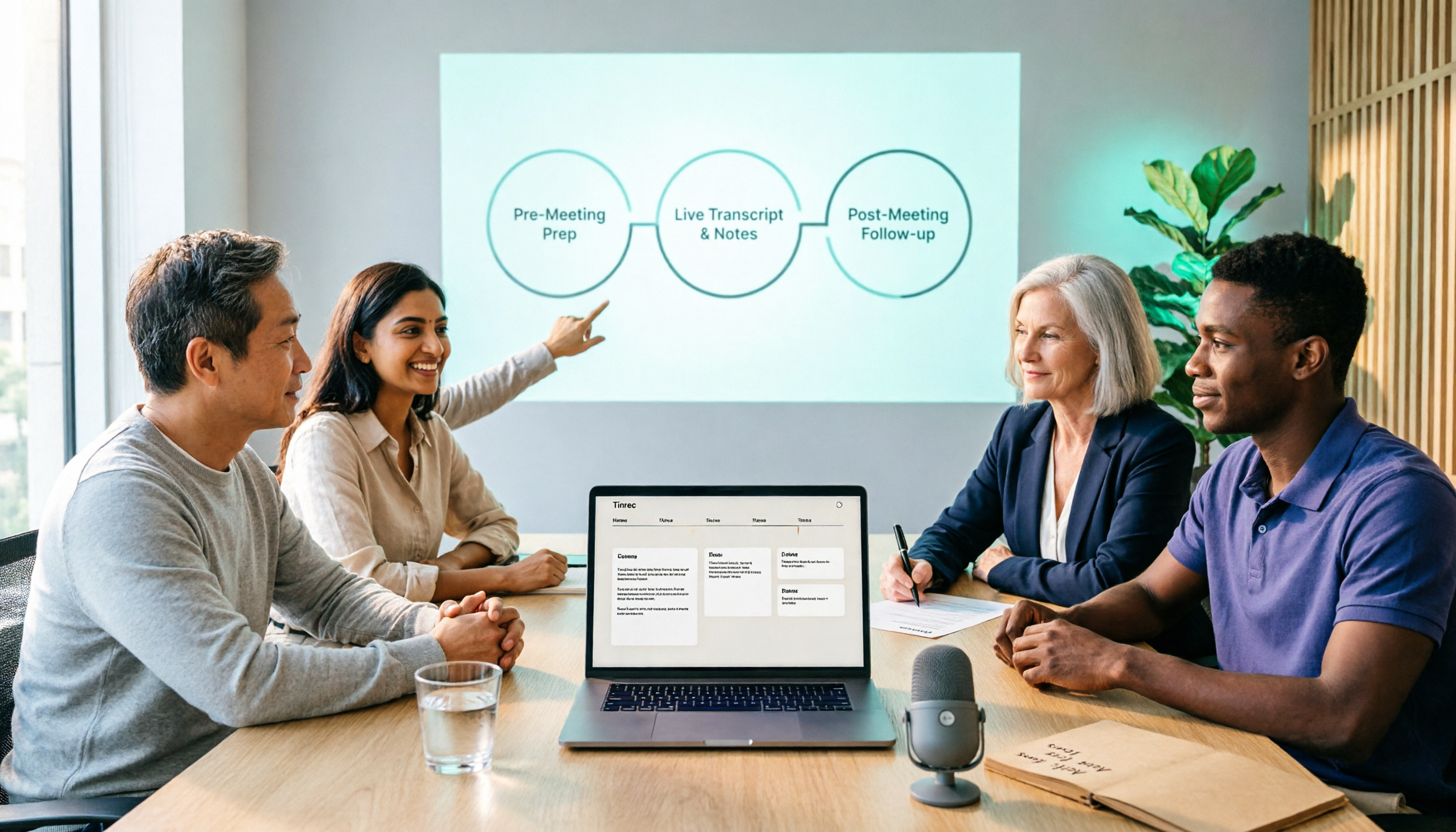
2026 Comparison of 5 Smart Meeting Collaboration Tools: How to Streamline Pre-Meeting Prep, In-Meeting Notes, and Post-Meeting Follow-Up
Smart meeting collaboration isn't just about buying a device—it's about connecting the three stages: pre-meeting agenda, in-meeting notes, and post-meeting follow-up. Based on official data verified in August 2026, this article compares Tinrec, Otter.ai, Fireflies.ai, Granola, and Notta across these three stages, including capabilities, limitations, and pricing, to help you determine which approach suits your team.

3 Best Live Transcription Tools in 2026: Free Tiers, Chinese Recognition, and Post-Meeting Organization Compared
2026 recommendations for 3 live transcription tools, comparing Tinrec, Yating Transcription, and Notta from four angles: free tier limits, Chinese and mixed Chinese-English recognition, post-meeting organization, and team collaboration. Includes student usage insights, pitfalls to avoid, and buying advice. Prices verified August 2026; refer to official pages for actual details.
4 Free Real-Time Transcription Tools in 2026: Free Tiers and Meeting Notes Use Cases Compared
Many free transcription tools look promising, but they often fall short due to session length limits, locked features, and poor Traditional Chinese recognition. Based on official data verified in August 2026, this article compares the free plans, real-time transcription capabilities, and post-meeting outputs of Tinrec, Otter.ai, Notta, and Google Live Transcribe, along with key selection criteria, pitfalls to avoid, and scenario-based recommendations.

How to Use Smart Meeting Collaboration in 2026: 5 Steps from Recording to Team Collaboration
Starting from the pain points of student group discussions, this article compares smart meeting collaboration tools and shares Tinrec's 5-step usage process, key selection criteria, and common mistakes to help you find the right meeting notes tool.

2026 Smart Meeting Collaboration Free Plans: 4 Tools Compared
If you want to use free plans for smart meeting collaboration, first understand whether the free quota is counted in minutes, per-meeting length, or number of files. This article reviews the free tiers, actual workflows, and limitations of four meeting collaboration tools in 2026, and explains how meeting data can go from transcripts to summaries, action items, and team-shareable resources, with recommendations for matching tools to needs.

6 Live Transcription Tools Tested and Compared in 2026: How to Choose the Latest AI Summaries and Free Tiers
We tested six live transcription tools, comparing their actual features, free tiers, and paid plans—from real-time transcription and AI summaries to team collaboration and long-file processing—to help busy professionals quickly decide which one is worth trying first.

4 Free AI Meeting Collaboration Tools Tested: Which Free Tier Actually Lasts a Full Meeting?
Starting from whether a free tier can last through a full meeting, this hands-on comparison of Tinrec, Otter.ai, Notta, and Granola covers free limits, key features, workflows, and restrictions, with a comparison table and selection advice.

2026 Comparison of 5 Live Transcription Tools: Free Options Popular on Dcard vs. Human Transcription Rates—Which Is More Cost-Effective?
Discussions on Dcard about live transcription mostly ask which tools are free and how much it costs to hire someone to type. This article puts tools such as Tinrec, Google Docs voice typing, Buzz, and Seameet alongside publicly available rates for human transcription in Taiwan in the same cost table, explains the five factors that affect quotes, each option's suitable use cases and quota limits, and notes the date the data was verified, to help you choose before delivery.

Tinrec vs Yating Transcription in 2026: 5-Dimension Comparison — Which Chinese Live Transcription Tool Is Good Enough?
Starting from real scenarios like attending classes, group discussions, and pre-final exam review, this article compares Tinrec (Miao Ting Lu Yin) and Yating Transcription across 5 dimensions: live transcription, AI organization, free quota, and cross-platform differences. It also supplements with use cases for Otter.ai and Notta to help budget-limited students pick the one that is truly sufficient.