

Turn recordings into transcripts and summaries in minutes
Upload audio or video for multilingual transcription, AI notes, and action items
Before finals, you open the folder of lecture recordings from the entire semester and find 18 audio files totaling 27 hours—and you can't even remember what the professor said in the first class.
You recorded all semester, but still have to listen from start to finish before the exam—what you lack isn't more recordings, but searchable transcripts
Last semester I took a required course. The professor spoke at about 1.5x speed and flipped through slides faster than he talked. I tried taking handwritten notes, but when I opened my notebook before the exam, I couldn't even read my own handwriting.
So I started recording. But what happens after recording? You can't re-listen to a two-hour class before the exam; even if you do, you often listen to an entire segment only to realize "this isn't on the test."
Group discussions are even worse. Everyone talks over each other, someone proposes a great framework, but after the meeting no one in the group chat remembers who said it or exactly how it was phrased. In the end, I had to rely on my own memory for the project report.
If you're also searching for a "transcription comparator" to find a live transcription tool that can help you organize, this article is my practical summary from this semester. Let me give you the conclusion upfront: choosing the right tool can solve both "not enough time to write" and "can't find the key points", but you need to pick the right direction.
Before choosing a live transcription tool, understand these 4 key points
1. "Live" and "upload" are two different things. Live transcription generates text while speaking, suitable for classes, interviews, and on-site discussions; upload transcription involves dropping already-recorded audio files for conversion. Many people's first misconception is thinking a tool can only do one of these. In reality, you need both—live for classes, upload for tutoring session recordings. When choosing a tool, first confirm it supports both.
2. Free quotas are hidden in the details. The three most common limitations of free plans: total minutes per month, maximum length per session (some only transcribe the first few minutes), and export or summaries locked behind paid versions. A two-hour class—if the per-session limit is short, it's essentially unusable for students. When looking at free plans, check "how long per session" first, then "how many minutes per month."
3. Can you "ask" after recording? This is the most easily overlooked point, but it makes the biggest difference for pre-exam review. If a tool only gives you a transcript, you still have to scan through it yourself. If it lets you directly ask "what were the key points mentioned in this class that will be on the exam," the review efficiency is on a completely different level. Currently, few tools in the same price range offer this kind of AI Q&A.
4. Recording on phone, organizing on computer—does cross-platform matter? We record classes on phones, have group discussions on laptops, and organize reports on desktops in the dorm. If a tool is tied to only one platform, you'll constantly be moving files around. Being able to use it across phone, computer, and web is much more practical for students.
Another point I care about: whether audio files are retained. Some tools keep only text and not recordings, so if you want to go back and verify the professor's exact words later, you can't.
Tinrec (Miao Ting Lu Yin)—my main tool this semester and the most recommended based on actual use
In one sentence: Tinrec is an AI meeting notes and collaboration tool for individuals and teams, supporting iOS, Android, desktop, and web. It doesn't just convert sound to text; it organizes recordings into data that can be searched, queried, and exported.
Class scenario: text appears while recording, transcript ready after class. My current approach is to open Tinrec's live recording before class, and the transcript appears as the lecture goes on. After class, the AI has already organized summaries and chapters, splitting a two-hour class into several sections. Before the exam, I can just look at the chapter titles to know where to review. This is much more practical than "re-listening to 27 hours."
Group discussion scenario: record online meetings without inviting a bot. We had several project discussions on Google Meet. Tinrec's desktop version directly captures the computer's system audio, without adding a meeting bot—this is quite convenient for group meetings, as no extra account suddenly appears in the participant list and confuses everyone.
Pre-exam review scenario: ask questions directly to the transcript. This is the most impressive feature in my opinion. For reports or exams, I no longer flip through the transcript from the beginning; instead, I directly ask "what were the three key points the professor mentioned in this class" or "which framework was finally decided in this discussion." It answers based on semantics, not just throwing keywords at you.
Stop organizing recordings by hand
Upload audio or video and automatically get a transcript, summary, and action items
Cross-language and cross-tool: Some of our department's classes read English papers. Tinrec supports viewing the original text, translation, or bilingual comparison during recording, making it less strenuous to compare. After organizing, you can export to Notion, Google Docs, OneNote, or Dropbox to continue writing—my own notes are all in Notion, which saves copy-pasting.
Honestly, where are the limitations: The free version provides a basic quota, suitable for trying a few classes first. For usage details, I suggest checking the official website's current description, as plan terms may adjust. If you need to record every class, you'll need to consider a weekly card (good for the few weeks of final exam crunch) or Pro monthly/annual cards. Also, no matter how strong AI transcription is, you still need to go through it yourself—our department building's classrooms have air conditioning noise, people flipping through handouts, and people interrupting. Under such conditions, the transcript will definitely have some spots to fix. The official also doesn't recommend promising a fixed accuracy rate; clear audio works best, and I still pull back the recording to verify important content.
And the team version: Tinrec also has a team version, which is an independent team space where you can invite members, set roles, assign seats. Team meeting data belongs to the team, and there are usage analytics, audit logs, and an audio recycle bin. We'd like to use it for our project if we have the budget, but for students, USD 29.80 per paid seat per month isn't cheap, so my current compromise is to organize with the personal version and export to share with team members. If it's a funded lab or club, the team version is a more reasonable scenario.
Besides Tinrec, what other options are there?
Yating Transcription A tool launched by Taiwan AI Labs, emphasizing Taiwanese Mandarin, Taiwanese Hokkien, and mixed Chinese-English contexts; Chinese language sense is indeed its selling point. If you just need to convert Mandarin recordings to text, you can include it in your comparison. Note that free quotas and plan terms may adjust; check the official website's current description before use. Also, it doesn't have Tinrec's "ask AI directly for conclusions after recording" Q&A feature, nor team space and seat management, so you still have to flip through the transcript yourself for review.
Otter.ai A mature choice for English meetings. The free version offers 300 minutes per month, which is generous, and it supports platforms like Zoom, Teams, and Meet. If your classes are all in English and you just need English transcripts, it's sufficient; but Chinese meeting organization isn't its focus, and it doesn't have Tinrec's desktop recording method of capturing system audio without inviting a bot, which can be used for Chinese scenarios.
Notta Multilingual transcription and translation are its strengths, and it also supports file import and meeting integration. However, the free version offers 120 minutes per month with a 3-minute limit per session—this limit is too short for a two-hour class, essentially requiring payment to be practical. It also can't do AI follow-up questions and Agent post-processing (generating reports, tables) around a single meeting content like Tinrec.
Pitfall guide: 3 most common mistakes students make when choosing transcription tools
Pitfall 1: Only looking at "how many free minutes per month," not "per-session limit." Some plans give many minutes per month, but only a few minutes per session, so a class gets split into several parts. Before choosing, confirm whether the per-session length can handle your class.
Pitfall 2: Treating the transcript as the end goal. If you only use "sound to text," you're only using one-third of the tool's capabilities. What really saves time is the subsequent summaries, chapters, to-dos, and AI Q&A. Before exams, I save re-listening time by directly asking AI "what were the key points of this class."
Pitfall 3: Ignoring whether audio files are retained. Transcripts always have errors; the key is whether you can go back and verify with the original audio. Some tools keep only text and not recordings, making it troublesome to confirm the professor's exact words later.
Conclusion: Which one should you choose?
To sum up in one sentence: If you want Chinese live transcription and hope to directly ask for key points after recording, Tinrec is the smoothest set I've used this semester.
Recommendations by scenario:
- Chinese-taught classes, need text while recording → Tinrec (live transcription + summary chapters)
- Don't want to flip through transcripts before exams, want to ask for key points directly → Tinrec (has AI Q&A)
- Record on phone, organize on computer, notes in Notion → Tinrec (cross-platform + multiple export formats)
- Group project, need to share meeting data → consider Tinrec team version if funded; otherwise use personal version and export
- All-English classes, only need English transcripts → Otter.ai
- Just need to convert Taiwanese Mandarin recordings to text, no AI organization needed → Yating Transcription can be included in comparison
Finally, for classmates with limited budgets like me: don't pay right away. First use the free version to record two or three of your hardest classes, see if the transcript quality and AI summaries fit your review habits, and only consider a weekly or monthly card if it really works. Tools are meant to save time, not increase expenses.
References
- Yating Transcription
- 2026 Comparison of 4 Free Live Transcription Tools: Large Free Quota Doesn't Necessarily Mean Enough - Miao Ting Lu Yin Blog
- No More Transcription Hassles! AI Transcription Helps You! Comparison Review of 9 Major Transcription Tools
- Free Online Text Comparison Tool | Text Difference Checker - AI Tools and Tutorials
- 2026 Practical Comparison of 3 Live Transcription Tools: Whose AI Organization Is the Strongest? - Miao Ting Lu Yin Blog
Turn every recording into actionable outcomes
Get 60 free transcription minutes when you sign in. No credit card required.
Related Reading
You might also like
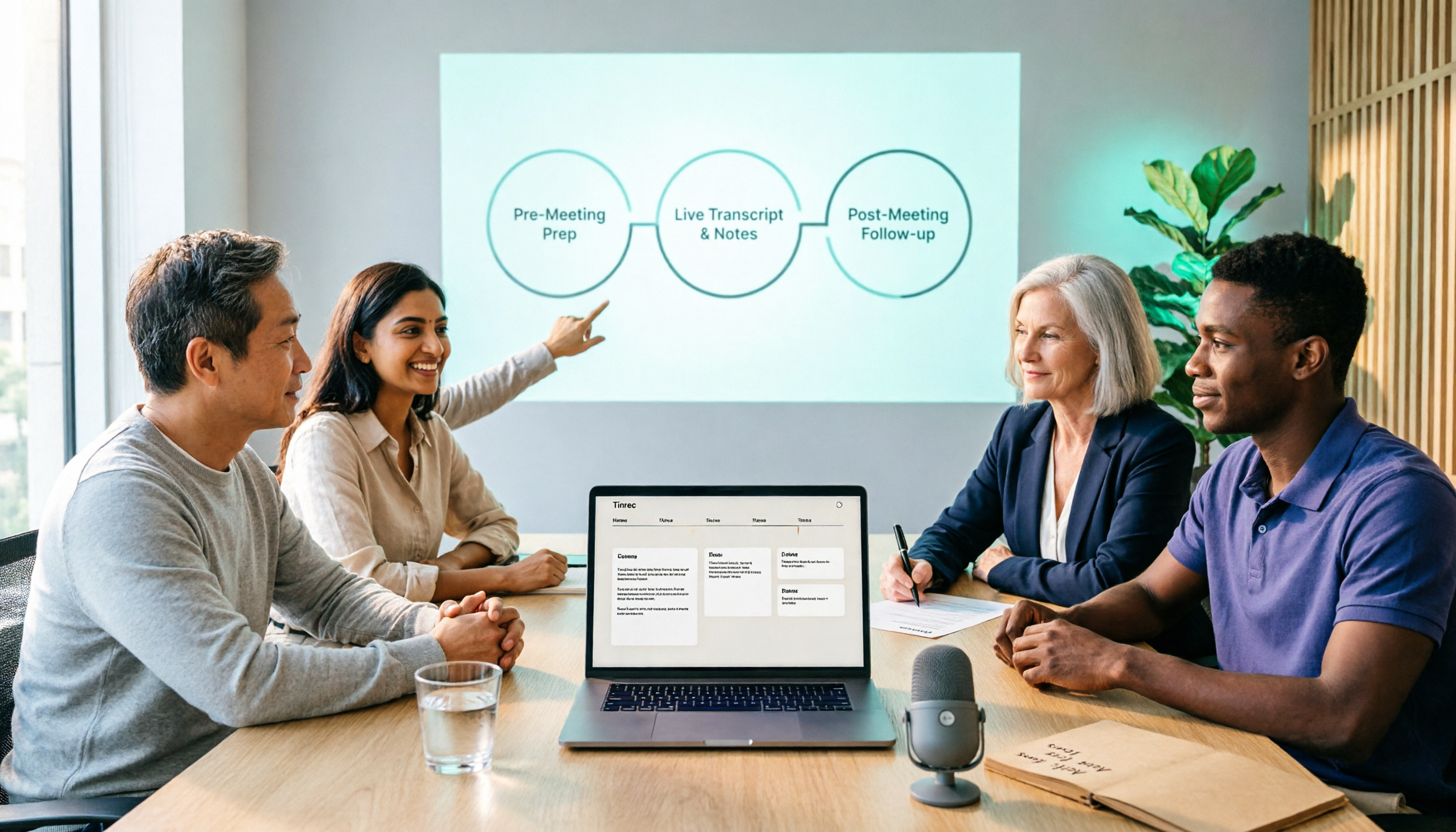
2026 Comparison of 5 Smart Meeting Collaboration Tools: How to Streamline Pre-Meeting Prep, In-Meeting Notes, and Post-Meeting Follow-Up
Smart meeting collaboration isn't just about buying a device—it's about connecting the three stages: pre-meeting agenda, in-meeting notes, and post-meeting follow-up. Based on official data verified in August 2026, this article compares Tinrec, Otter.ai, Fireflies.ai, Granola, and Notta across these three stages, including capabilities, limitations, and pricing, to help you determine which approach suits your team.

3 Best Live Transcription Tools in 2026: Free Tiers, Chinese Recognition, and Post-Meeting Organization Compared
2026 recommendations for 3 live transcription tools, comparing Tinrec, Yating Transcription, and Notta from four angles: free tier limits, Chinese and mixed Chinese-English recognition, post-meeting organization, and team collaboration. Includes student usage insights, pitfalls to avoid, and buying advice. Prices verified August 2026; refer to official pages for actual details.
4 Free Real-Time Transcription Tools in 2026: Free Tiers and Meeting Notes Use Cases Compared
Many free transcription tools look promising, but they often fall short due to session length limits, locked features, and poor Traditional Chinese recognition. Based on official data verified in August 2026, this article compares the free plans, real-time transcription capabilities, and post-meeting outputs of Tinrec, Otter.ai, Notta, and Google Live Transcribe, along with key selection criteria, pitfalls to avoid, and scenario-based recommendations.

How to Run Smart Meeting Collaboration in 2026: 5 Steps + Bot-Free Meeting Notes
How do you run smart meeting collaboration? From pre-meeting audio and platform checks, to live transcription and translation during the meeting, to post-meeting summaries, action items, and team knowledge retention—this guide breaks down the process in 5 steps and compares the use cases and limitations of Tinrec, Otter.ai, Notta, and Granola.

How to Use Smart Meeting Collaboration in 2026: 5 Steps from Recording to Team Collaboration
Starting from the pain points of student group discussions, this article compares smart meeting collaboration tools and shares Tinrec's 5-step usage process, key selection criteria, and common mistakes to help you find the right meeting notes tool.

2026 Smart Meeting Collaboration Free Plans: 4 Tools Compared
If you want to use free plans for smart meeting collaboration, first understand whether the free quota is counted in minutes, per-meeting length, or number of files. This article reviews the free tiers, actual workflows, and limitations of four meeting collaboration tools in 2026, and explains how meeting data can go from transcripts to summaries, action items, and team-shareable resources, with recommendations for matching tools to needs.

6 Live Transcription Tools Tested and Compared in 2026: How to Choose the Latest AI Summaries and Free Tiers
We tested six live transcription tools, comparing their actual features, free tiers, and paid plans—from real-time transcription and AI summaries to team collaboration and long-file processing—to help busy professionals quickly decide which one is worth trying first.

4 Free AI Meeting Collaboration Tools Tested: Which Free Tier Actually Lasts a Full Meeting?
Starting from whether a free tier can last through a full meeting, this hands-on comparison of Tinrec, Otter.ai, Notta, and Granola covers free limits, key features, workflows, and restrictions, with a comparison table and selection advice.

2026 Comparison of 5 Live Transcription Tools: Free Options Popular on Dcard vs. Human Transcription Rates—Which Is More Cost-Effective?
Discussions on Dcard about live transcription mostly ask which tools are free and how much it costs to hire someone to type. This article puts tools such as Tinrec, Google Docs voice typing, Buzz, and Seameet alongside publicly available rates for human transcription in Taiwan in the same cost table, explains the five factors that affect quotes, each option's suitable use cases and quota limits, and notes the date the data was verified, to help you choose before delivery.