

Turn recordings into transcripts and summaries in minutes
Upload audio or video for multilingual transcription, AI notes, and action items
6 Live Transcription Tools Tested and Compared in 2026: How to Choose the Latest AI Summaries and Free Tiers
Many people think that "opening an app and hitting record will automatically produce a perfect transcript," only to discover after the meeting that the system audio wasn't captured, the transcript is just text without a summary, and they still have to listen to the recording all over again. This is the most common pitfall.
A more reasonable approach is to first check three things: whether it can transcribe in real time, whether it can automatically organize the content after the meeting, and whether the free tier is actually sufficient. Recently, many people have been searching for "latest news on live transcription." This article doesn't chase a single news story; instead, it compiles the currently verifiable tool features and plans for 2026 into a list so you can judge for yourself.
Why Do You Need Live Transcription? Avoid This Common Misconception First
The value of live transcription isn't just "turning sound into text"—it's about letting you see the content during the meeting and quickly grasp the key points afterward. For busy professionals, the most common scenarios are online meetings, client interviews, and cross-departmental discussions.
A common misconception is assuming all tools automatically join meetings. In reality, some tools rely on meeting bots, while others capture system audio through a desktop app. The usage methods differ, and so do the suitable scenarios.
Another misconception is looking only at free minutes while ignoring summary, to-do, export, and team-sharing capabilities. Below, we've compiled six tools and listed their plan limitations as they are.
Tinrec | A More Complete AI Meeting Notes and Team Collaboration Solution
Tinrec is an AI meeting notes and collaboration tool for individuals and teams. It doesn't just convert recordings into transcripts; it also organizes meeting content into searchable, summarizable, and queryable data.
The first highlight is bot-free recording of online meetings. The desktop version directly captures computer system audio, so when handling meetings on Zoom, Google Meet, Microsoft Teams, Webex, etc., there's no need to invite an extra meeting bot. This is very practical for teams that don't want an extra bot on the meeting roster.
The second highlight is post-meeting organization. Tinrec can automatically generate summaries, chapters, key points, and to-dos, and it can also conduct AI Q&A around the meeting content. Rather than just getting a transcript, you get materials you can continue working with.
The third highlight is output and extension. It supports multi-format export, allowing you to continue using the content in tools like Notion, Google Docs, OneNote, and Dropbox. It can also generate reports, tables, and documents through Agent post-processing.
The fourth highlight is team spaces. The team version provides independent spaces where meeting data belongs to the team, along with management capabilities such as members, roles, seats, usage analytics, audit logs, and an audio recycle bin. Members without a seat can still view, play, and read team data; only those with a seat can record, upload, edit, and export.
Regarding plans, the personal version includes a free version, a weekly card, a Pro monthly card, and a Pro annual card, corresponding to light experience, short-term intensive use, and long-term accumulation, respectively. For the team version, first-time eligible users can try it for 7 days with 1 free seat and 300 minutes of team shared import quota; the team monthly payment is USD 29.80 per paid seat per month, and the annual payment is USD 199 per paid seat per year, equivalent to about USD 16.58 per month, with each paid seat providing 2,000 minutes of team shared import quota per month. Under an active team plan and active seats, real-time recording is currently not deducted by minutes.
Who it's for: Busy professionals and teams who need Chinese meeting notes, post-meeting summaries, AI Q&A, and team data accumulation.
Yating Transcription | A Mobile App Focused on Voice Memo Organization
Yating Transcription has a clear positioning: "You talk, we type," emphasizing organizing voice memos on the app. It's suitable for people who casually record ideas, interview clips, or short meetings on their phones and then convert the voice into text.
If you mainly record on an iPhone or Android phone and don't need complex team management, this type of tool can be included in your comparison. For plan and feature details, refer to the official website.
Who it's for: Individual users who prefer mobile apps and focus on voice memos and short paragraph organization.
Meeting Ink | Automatically Generate Transcripts and Summaries from Online Meetings
Meeting Ink focuses on using generative AI to automatically generate transcripts and smart summaries from meetings on platforms like Zoom, Google Meet, Teams, and Webex. It can also be used for in-person meetings.
It offers features such as real-time captions, multilingual translation, one-click meeting share links, and customizable meeting summary templates. For teams that need cross-language meetings and real-time captions, this is another option. For pricing and plan details, refer to the official website.
Who it's for: Users who frequently use online meeting platforms and value real-time captions and meeting summary templates.
Notta | Multilingual Transcription and Team Plans
Notta covers multi-platform transcription, meeting notes, file import, translation, and team plans, with a fair amount of overlap with Tinrec.
Stop organizing recordings by hand
Upload audio or video and automatically get a transcript, summary, and action items
Currently, the official plans are: Free version with 120 minutes per month and a maximum of 3 minutes per item; Pro annual payment equivalent to USD 8.17 per month with 1,800 minutes per month; Business annual payment equivalent to USD 16.67 per seat per month, offering unlimited transcription, role permissions, and usage reports.
Who it's for: Users who need multilingual transcription and file processing and want to compare team permission plans.
Otter.ai | A Mature AI Assistant for English Business Meetings
Otter is a mature AI meeting assistant covering Zoom, Microsoft Teams, Google Meet, real-time transcription, speaker identification, AI Chat, and team management.
Currently, Basic is free with 300 minutes per month; Pro annual payment is equivalent to USD 8.49 per user per month, including 1,200 minutes of in-app recording and 10 file imports per month. Business plan and pricing may be affected by promotions; refer to the official page.
Who it's for: Users who primarily hold English business meetings and need a mature meeting assistant ecosystem.
TurboScribe | Cost-Effective Long-File Transcription
TurboScribe is more of a cost-effective file transcription tool, focusing on long files, batch uploads, captions, and translation.
Currently, the free version allows 3 files per day with a maximum of 30 minutes per file; Unlimited annual payment is USD 120, equivalent to about USD 10 per month. The paid version supports files up to 10 hours or 5 GB each and allows uploading 50 files at once.
Who it's for: People who have a large number of long audio or video files and need to batch convert them into text and captions.
Granola | Bot-Free Meeting Notes, but Note the Audio File Retention
Granola is a bot-free AI meeting notes tool that transcribes in real time through the desktop device's system audio and microphone, and combines user handwritten notes to generate meeting content.
Currently, Basic is free, Business is USD 14 per user per month, and Enterprise is USD 35 per user per month. Note that Granola supports viewing, copying, and searching live transcripts, but does not support uploading pre-recorded audio files and does not save meeting audio files.
Who it's for: English meeting users who focus on live meeting notes and don't need to save meeting audio files.
With So Many Plans, How Should You Choose?
• Want Chinese meeting transcription + summary + to-dos + AI Q&A all in one → Tinrec offers more comprehensive features. • Don't want a meeting bot on the roster → Tinrec desktop version directly captures system audio. • Need to switch between phone, computer, and web → Tinrec offers smoother multi-platform use. • Team needs to share meeting data, manage seats, and view usage → Tinrec team version is more suitable. • Zero budget and only need occasional short voice memos → Try free or entry-level plans like Yating Transcription first. • High proportion of English business meetings → Otter is a mature option. • Need to batch process long audio files and captions → TurboScribe is more suitable. • Need real-time captions and meeting platform integration → Meeting Ink can be included in the comparison.
Simply put, if you want data that you can continue to use after the meeting ends, Tinrec is the one in this list most worth trying first.
4 Things to Know Before Using Live Transcription
First, real-time transcription is not the same as automatic perfection. Recording quality, noise, accents, overlapping speech, and technical terminology all affect the results. For important content, it's recommended to cross-check with transcript timestamps and recording playback.
Second, confirm how the meeting audio is captured. For example, Tinrec captures system audio through the desktop version and doesn't require a bot to join; you need to start recording before use—it doesn't automatically join all meetings in the background.
Third, check the limitations of free tiers. Most tools have limits on minutes, file length, or number of imports. Trying a real meeting workflow with the free version is more accurate than just looking at specs.
Fourth, distinguish roles and seats for team use. Taking Tinrec's team version as an example, roles determine governance permissions, and seats determine whether you can record, upload, edit, and export; members without a seat can still view and play data.
Conclusion
The latest changes in live transcription tools have moved from "can it convert text" to "can it help you organize, query, and collaborate." Rather than chasing a single news story, it's better to try them in real meeting scenarios.
If you need Chinese meeting notes, bot-free recording, post-meeting summaries, and team data accumulation, Tinrec is the most feature-complete in this list and the best one to start trying with the free version.
FAQ
What's the difference between live transcription and regular audio-to-text conversion?
Regular audio-to-text conversion tends to convert audio files into text after the fact; live transcription emphasizes transcribing while recording and often extends to summaries, chapters, to-dos, and Q&A. Tinrec belongs to the latter and can also export results or generate reports.
Is the free version enough?
It depends on your usage frequency. If you occasionally organize a recording, you can start with the free version to experience the workflow; if you have regular meetings every week, then consider Pro or team plans. Most tools' free versions have quota limits, so it's advisable to try before deciding.
Which meeting platforms does Tinrec support?
Tinrec's desktop version can handle meeting audio played on a computer from Zoom, Google Meet, Microsoft Teams, Webex, etc., without requiring a meeting bot to join. You need to actively start recording when using it; it doesn't automatically join all calendar meetings.
What's the difference between the team version and the personal version?
Personal version data is managed by the individual account; the team version provides an independent team space where meeting data belongs to the team, and adds capabilities such as members, roles, seats, sharing benefits, usage analytics, audit logs, and an audio recycle bin.
Can you guarantee accuracy?
We do not recommend promising a fixed accuracy rate. Actual results are affected by recording quality, noise, accents, overlapping speech, and technical terminology. A more reliable statement is: high-quality transcription is provided under clear audio and common scenarios, but important content still needs verification.
If I want to follow the latest news on live transcription, what should I look at?
First, check the tool's official features and pricing pages to confirm whether plans and limitations have been updated; then try a round with your own meeting scenarios. This article compiles currently verifiable features and plans; actual prices and benefits are subject to the official purchase page.
References
- Yating Transcription
- Real-time | United Daily News
- Latest News Real-time Report: 24-Hour Nonstop Coverage of the Truth | Next Apple News
- Latest News Real-time Report: 24-Hour Nonstop Coverage of the Truth | Next Apple News
- Meeting Ink - 2026 AI Meeting Notes Tools Tested | 7 Speech-to-Text and Summary Speed Comparison | Meeting Ink - AI Meeting Notes Assistant Automatic Transcription Transcript Summary Meeting Minutes
Turn every recording into actionable outcomes
Get 60 free transcription minutes when you sign in. No credit card required.
Related Reading
You might also like
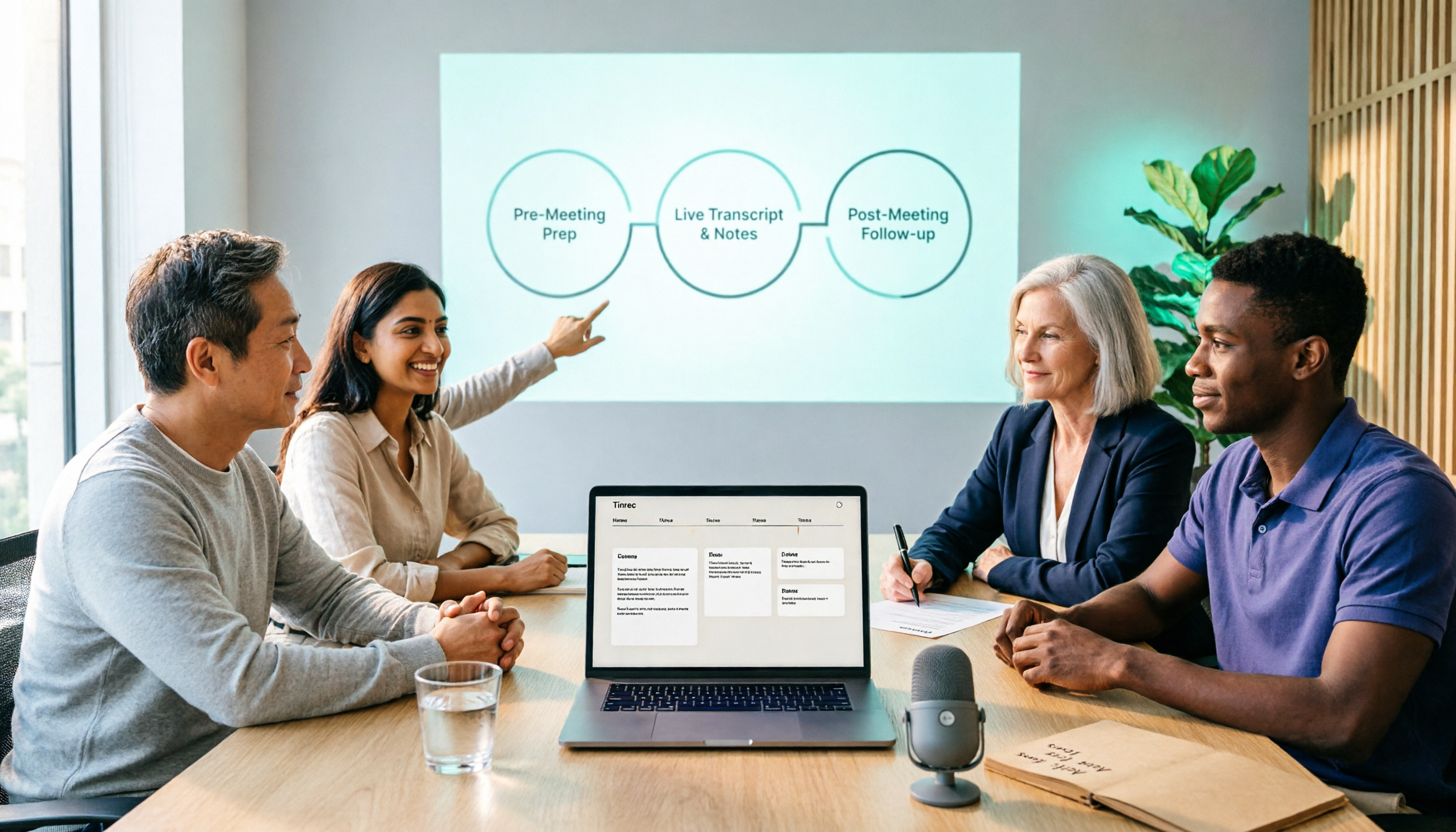
2026 Comparison of 5 Smart Meeting Collaboration Tools: How to Streamline Pre-Meeting Prep, In-Meeting Notes, and Post-Meeting Follow-Up
Smart meeting collaboration isn't just about buying a device—it's about connecting the three stages: pre-meeting agenda, in-meeting notes, and post-meeting follow-up. Based on official data verified in August 2026, this article compares Tinrec, Otter.ai, Fireflies.ai, Granola, and Notta across these three stages, including capabilities, limitations, and pricing, to help you determine which approach suits your team.

3 Best Live Transcription Tools in 2026: Free Tiers, Chinese Recognition, and Post-Meeting Organization Compared
2026 recommendations for 3 live transcription tools, comparing Tinrec, Yating Transcription, and Notta from four angles: free tier limits, Chinese and mixed Chinese-English recognition, post-meeting organization, and team collaboration. Includes student usage insights, pitfalls to avoid, and buying advice. Prices verified August 2026; refer to official pages for actual details.
4 Free Real-Time Transcription Tools in 2026: Free Tiers and Meeting Notes Use Cases Compared
Many free transcription tools look promising, but they often fall short due to session length limits, locked features, and poor Traditional Chinese recognition. Based on official data verified in August 2026, this article compares the free plans, real-time transcription capabilities, and post-meeting outputs of Tinrec, Otter.ai, Notta, and Google Live Transcribe, along with key selection criteria, pitfalls to avoid, and scenario-based recommendations.

How to Run Smart Meeting Collaboration in 2026: 5 Steps + Bot-Free Meeting Notes
How do you run smart meeting collaboration? From pre-meeting audio and platform checks, to live transcription and translation during the meeting, to post-meeting summaries, action items, and team knowledge retention—this guide breaks down the process in 5 steps and compares the use cases and limitations of Tinrec, Otter.ai, Notta, and Granola.

How to Use Smart Meeting Collaboration in 2026: 5 Steps from Recording to Team Collaboration
Starting from the pain points of student group discussions, this article compares smart meeting collaboration tools and shares Tinrec's 5-step usage process, key selection criteria, and common mistakes to help you find the right meeting notes tool.

2026 Smart Meeting Collaboration Free Plans: 4 Tools Compared
If you want to use free plans for smart meeting collaboration, first understand whether the free quota is counted in minutes, per-meeting length, or number of files. This article reviews the free tiers, actual workflows, and limitations of four meeting collaboration tools in 2026, and explains how meeting data can go from transcripts to summaries, action items, and team-shareable resources, with recommendations for matching tools to needs.

4 Free AI Meeting Collaboration Tools Tested: Which Free Tier Actually Lasts a Full Meeting?
Starting from whether a free tier can last through a full meeting, this hands-on comparison of Tinrec, Otter.ai, Notta, and Granola covers free limits, key features, workflows, and restrictions, with a comparison table and selection advice.

2026 Comparison of 5 Live Transcription Tools: Free Options Popular on Dcard vs. Human Transcription Rates—Which Is More Cost-Effective?
Discussions on Dcard about live transcription mostly ask which tools are free and how much it costs to hire someone to type. This article puts tools such as Tinrec, Google Docs voice typing, Buzz, and Seameet alongside publicly available rates for human transcription in Taiwan in the same cost table, explains the five factors that affect quotes, each option's suitable use cases and quota limits, and notes the date the data was verified, to help you choose before delivery.

Tinrec vs Yating Transcription in 2026: 5-Dimension Comparison — Which Chinese Live Transcription Tool Is Good Enough?
Starting from real scenarios like attending classes, group discussions, and pre-final exam review, this article compares Tinrec (Miao Ting Lu Yin) and Yating Transcription across 5 dimensions: live transcription, AI organization, free quota, and cross-platform differences. It also supplements with use cases for Otter.ai and Notta to help budget-limited students pick the one that is truly sufficient.