

Turn recordings into transcripts and summaries in minutes
Upload audio or video for multilingual transcription, AI notes, and action items
2026 Comparison of 5 Live Transcription Tools: Free Options Popular on Dcard vs. Human Transcription Rates—Which Is More Cost-Effective?
The 3 p.m. interview had just ended when your manager sent a message: “I need the transcript by 8 tonight.”
You open the recording. It is 58 minutes long. At this point there are usually only two options: use a tool to convert it yourself, or pay someone to type it. The question is, which one saves more?
Discussions about transcripts on Dcard keep circling back to the same thing: which tools are free, and how much it costs to hire someone to type. This article puts the numbers from both sides into the same table.
To be clear: this is not lab data. It is a comparison-ready compilation of official tool pages and publicly available rates, verified on August 18, 2026.
Factors That Affect Live Transcription Costs
Transcript prices can vary by more than three times. The reason is usually not whether a tool is good or bad, but these conditions.
Different pricing units. Human transcription commonly uses two methods: one based on audio length (per 30 minutes or per minute), and the other based on word count or sentence count. Video subtitle projects are often quoted by sentence count.
Language mix. Chinese only is the cheapest; mixed Chinese and English costs more; all English goes up another level.
Audio quality and speaker structure. Multiple people speaking over each other, background noise, and heavy accents all lengthen transcription time. Some platforms explicitly list these situations as conditions for a 20–50% surcharge.
Delivery time. For delivery within 24 hours, rates usually increase by 50–100%.
Format requirements. Whether time codes, speaker labels, and sentence-by-sentence line breaks are needed counts as value-added work.
Thinking through these five variables before looking at quotes will be much more useful than simply comparing prices.
The 5 Options Compared
The free tools mentioned by Dcard users, plus paid options, are all included here.
Tinrec: An AI meeting notes and collaboration tool. It supports live audio-to-text, desktop recording of online meetings without a bot, transcription of audio and video files, live translation, and can generate summaries, chapters, action items, and AI Q&A. The personal plan includes a free version, weekly pass, Pro monthly plan, and Pro annual plan; the team plan is a separate team workspace.
Google Docs voice typing: The built-in dictation feature in Google Docs. It is free, supports Chinese, English, Japanese, Korean, and other languages, and requires Chrome.
Buzz: A free transcription tool compiled by Dcard users. It supports Chinese, English, and other languages, and can be used on Windows, Mac, and other systems.
Seameet: Provided as a Chrome extension. According to the Dcard post, the terms are 6 hours of free use, with a maximum of 1 hour per session.
Human transcription: Publicly listed rates from platforms such as PRO360 and Tasker. This is an outsourcing service, not software.
Disclosure: Tinrec is one of the data sources provided by the product side for this article, and its features and plans are subject to its official page; other tools and transcription rates cite public information.
Cost Summary Table
The following is organized using the same basis. Items that could not be confirmed are noted directly rather than filled in with estimated numbers.
| Option | Pricing method | Public cost | Notes |
|---|---|---|---|
| Tinrec Personal | Subscription | Free version allows trial of basic quota; weekly pass, Pro monthly, and Pro annual also available | Actual personal plan price is subject to the official purchase page |
| Tinrec Team | Per paid seat | USD 29.80/month; USD 199/year (about USD 16.58/month) | 2,000 minutes per seat per month of shared team import quota |
| Google Docs voice typing | Free | $0 | Requires Chrome; live dictation |
| Buzz | Free | $0 | Listed as a free tool in the Dcard post |
| Seameet | Free quota | $0 (6 hours, max 1 hour per session) | Chrome extension |
| Human transcription (general conversation) | Per minute | About NT$15–25/minute | Clear audio, Chinese only |
| Human transcription (specialized content) | Per minute | About NT$25–40/minute | The more difficult the subject, the higher the price |
| Human transcription (includes English or multi-person meetings) | Per minute | About NT$40–70/minute | Multiple overlapping speakers is high difficulty |
| Human transcription (video transcript) | Per 30 minutes | About NT$500–1,500 | Chinese about NT$500–750 |
| Human transcription (meeting notes) | Per 30 minutes | About NT$400–1,000 | Cheaper if slides or a script are provided |
| Human transcription (qualitative research) | Per hour of recording | About NT$1,000–2,000 | One-on-one about NT$1,000–1,400 |
| Rush surcharge | Percentage surcharge | 50–100% surcharge | Delivery within 24 hours |
To convert a 1-hour Chinese audio file: hiring a human typist generally falls between NT$900 and NT$1,800, and rush orders cost extra.
Suitable Use Cases for Each Tool
Tinrec: For people with many meetings who need to keep records
Tinrec is positioned as more than transcription. After converting recordings into transcripts, it also organizes summaries, chapters, key points, and action items, and you can ask follow-up questions about the meeting content.
Stop organizing recordings by hand
Upload audio or video and automatically get a transcript, summary, and action items
What is more distinctive is the desktop recording method: it directly captures computer system audio, so when handling online meetings such as Zoom, Google Meet, Microsoft Teams, and Webex, there is no need to invite a bot into the meeting room.
Note that this does not mean it automatically joins all meetings on your calendar; you need to actively open Tinrec and start recording.
For team use, the team plan provides a separate workspace, role and seat management, usage analytics, audit logs, and an audio recycle bin. Members without a seat can still view and play materials, but recording, uploading, and editing require a seat.
Google Docs voice typing: Occasional use with simple equipment
It is free and requires no additional service registration. As you speak, text appears in the document.
Its limitations are also clear: Chrome must be open, the environment must be quiet, and with many speakers it is easy for voices to blend together. It is suitable for dictating your own drafts, not for time-sensitive many-to-many meetings.
Buzz: A free option for testing the waters
The Dcard post lists it as a free tool, supporting multiple languages and different operating systems. For people with zero budget who just want to turn audio files into text first, it is the lowest-barrier starting point.
A common feature of free tools is that format adjustments, speaker labels, and proper noun recognition usually have to be added manually.
Seameet: Short meetings, Chrome users
The free quota of 6 hours, with a maximum of 1 hour per session, works out to about six one-hour meetings.
If your meetings often run longer than one hour, this limit will get in your way and you will need to process them in segments.
Human transcription: Poor audio, many technical terms, high format requirements
A useful judgment principle from a Tasker article: for everyday meeting notes, podcasts, and personal content, AI tools are already sufficient; but for interviews, lectures, and public media releases that require strict formatting, speaker labels, and tonal details, human transcription still has advantages in accuracy and detail handling.
The trade-off is the unit price. At NT$15–70 per minute, a two-hour interview could cost NT$2,000–3,000.
Price and Quota Comparison
Looking at free and paid options together, the difference is not really “which is cheaper,” but “what happens when the quota runs out.”
Free tools usually do not create obvious usage anxiety because they never guaranteed quality and formatting in the first place; the cost is that you have to spend your own time proofreading and formatting.
Human transcription is priced linearly: the longer the audio and the more complex the conditions, the more expensive it is, and rush orders cost extra.
Tinrec Personal uses a subscription model, divided into free version, weekly pass, monthly plan, and annual plan according to usage frequency. If you occasionally organize a recording, the free version is enough; for short periods with intensive meetings or interviews, consider the weekly pass; only when you have steady weekly needs does Pro become relevant; if you need to build up recording materials over the long term, the annual plan lowers the average monthly cost.
The team plan is priced per paid seat, with each paid seat providing 2,000 minutes per month of shared team import quota. One point that is easy to misunderstand: document and web imports deduct from the shared team quota and do not draw down members' personal quotas; and live recording under an active team plan currently does not deduct by minute.
For prices, currencies, and promotional terms, the actual checkout is subject to the official purchase page.
Conclusion: Choose by Need
Short on time and only need text: First run it through a free tool, then spend time proofreading. Lowest cost, but leave time for proofreading.
Many meetings and post-meeting organization needed: This kind of need cannot be solved by transcription alone. Tools like Tinrec that support post-meeting workflows provide value through summaries, action items, follow-up questions, and keeping materials in the team workspace rather than scattered across individual desktops.
Multi-person meetings with mixed Chinese and English: This is the scenario where free tools are most likely to fail. Rather than repeatedly proofreading, it is better to directly evaluate a paid plan or hire a human.
Public release with strict formatting requirements: Hire a human transcriptionist and submit early to avoid rush surcharges.
One final reminder: this article is a compilation and comparison of public information, not hands-on benchmark testing. Tool performance is affected by recording quality, accents, noise, and proper nouns. The most reliable approach is to take your own 10-minute audio file, run a test, and then decide.
In addition, recording and transcription involve other people's privacy. Before use, please confirm compliance with local regulations and obtain participants' consent when necessary.
FAQ
Q1: Are the free transcription tools discussed on Dcard really completely free?
Based on public information, Buzz, Google Docs voice typing, and Seameet all offer free usage space, while Seameet has a quota limit of 6 hours with a maximum of 1 hour per session. Free usually means limited features or formatting flexibility, not unlimited use.
Q2: How much does it roughly cost to hire a human to transcribe a one-hour recording?
According to Tasker's public rates, general conversation is about NT$15–25/minute, which comes to about NT$900–1,500 for 1 hour; content including English or multi-person meetings is about NT$40–70/minute, which is higher. PRO360 charges NT$500–1,500 per 30 minutes. Actual quotes still depend on audio quality and delivery time.
Q3: Are rush orders really surcharged?
Yes. Public information shows that projects delivered within 24 hours usually incur a 50–100% surcharge. If your schedule allows, submitting early is the most direct way to save money.
Q4: Can AI tools completely replace human transcription?
It is not recommended to understand it that way. AI can greatly reduce the cost of manual note-taking, but when there is audio interference, multiple overlapping speakers, dialects, or strict formatting requirements, human correction may still be needed. For important content, it is advisable to check against playback of the recording.
Q5: What is the difference between Tinrec's team plan and personal plan?
Personal plan data belongs to the individual account; the team plan is a separate team workspace where data belongs to the team, with additional members, roles, seats, usage analytics, audit logs, and an audio recycle bin. When a member leaves, team resources are handed over to other active members and are not taken away with the individual.
Q6: Can team members without a purchased seat see meeting materials?
They can view, play, and read, but cannot perform resource-use operations such as recording, uploading, editing, importing, or exporting. Being able to view and being able to use are two different things in the team plan.
References
- #freelancing #thesis formatting #transcript #text editing - Freelancer forum | Dcard
- #information I recently found so many great work helpers 💪 - Work forum | Dcard
- 2025 transcription rates from NT$500 | PRO360
- How much does transcription cost? 2026 latest rates and quote reference | Tasker
- 2026 audio transcription rate and fee overview: are free AI transcription tools good? | Tasker Articles
Turn every recording into actionable outcomes
Get 60 free transcription minutes when you sign in. No credit card required.
Related Reading
You might also like
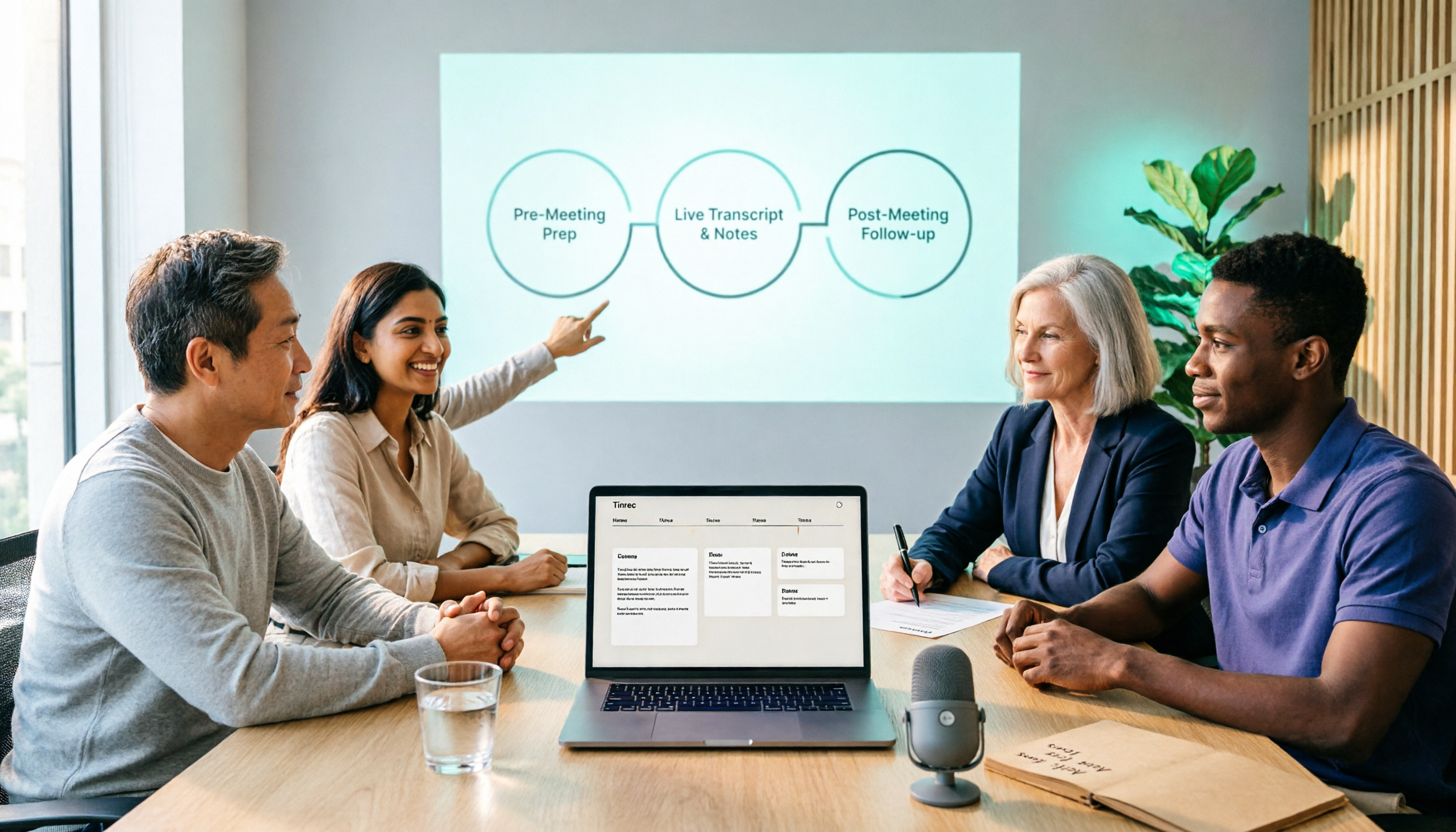
2026 Comparison of 5 Smart Meeting Collaboration Tools: How to Streamline Pre-Meeting Prep, In-Meeting Notes, and Post-Meeting Follow-Up
Smart meeting collaboration isn't just about buying a device—it's about connecting the three stages: pre-meeting agenda, in-meeting notes, and post-meeting follow-up. Based on official data verified in August 2026, this article compares Tinrec, Otter.ai, Fireflies.ai, Granola, and Notta across these three stages, including capabilities, limitations, and pricing, to help you determine which approach suits your team.

3 Best Live Transcription Tools in 2026: Free Tiers, Chinese Recognition, and Post-Meeting Organization Compared
2026 recommendations for 3 live transcription tools, comparing Tinrec, Yating Transcription, and Notta from four angles: free tier limits, Chinese and mixed Chinese-English recognition, post-meeting organization, and team collaboration. Includes student usage insights, pitfalls to avoid, and buying advice. Prices verified August 2026; refer to official pages for actual details.
4 Free Real-Time Transcription Tools in 2026: Free Tiers and Meeting Notes Use Cases Compared
Many free transcription tools look promising, but they often fall short due to session length limits, locked features, and poor Traditional Chinese recognition. Based on official data verified in August 2026, this article compares the free plans, real-time transcription capabilities, and post-meeting outputs of Tinrec, Otter.ai, Notta, and Google Live Transcribe, along with key selection criteria, pitfalls to avoid, and scenario-based recommendations.

How to Run Smart Meeting Collaboration in 2026: 5 Steps + Bot-Free Meeting Notes
How do you run smart meeting collaboration? From pre-meeting audio and platform checks, to live transcription and translation during the meeting, to post-meeting summaries, action items, and team knowledge retention—this guide breaks down the process in 5 steps and compares the use cases and limitations of Tinrec, Otter.ai, Notta, and Granola.

How to Use Smart Meeting Collaboration in 2026: 5 Steps from Recording to Team Collaboration
Starting from the pain points of student group discussions, this article compares smart meeting collaboration tools and shares Tinrec's 5-step usage process, key selection criteria, and common mistakes to help you find the right meeting notes tool.

2026 Smart Meeting Collaboration Free Plans: 4 Tools Compared
If you want to use free plans for smart meeting collaboration, first understand whether the free quota is counted in minutes, per-meeting length, or number of files. This article reviews the free tiers, actual workflows, and limitations of four meeting collaboration tools in 2026, and explains how meeting data can go from transcripts to summaries, action items, and team-shareable resources, with recommendations for matching tools to needs.

6 Live Transcription Tools Tested and Compared in 2026: How to Choose the Latest AI Summaries and Free Tiers
We tested six live transcription tools, comparing their actual features, free tiers, and paid plans—from real-time transcription and AI summaries to team collaboration and long-file processing—to help busy professionals quickly decide which one is worth trying first.

4 Free AI Meeting Collaboration Tools Tested: Which Free Tier Actually Lasts a Full Meeting?
Starting from whether a free tier can last through a full meeting, this hands-on comparison of Tinrec, Otter.ai, Notta, and Granola covers free limits, key features, workflows, and restrictions, with a comparison table and selection advice.

Tinrec vs Yating Transcription in 2026: 5-Dimension Comparison — Which Chinese Live Transcription Tool Is Good Enough?
Starting from real scenarios like attending classes, group discussions, and pre-final exam review, this article compares Tinrec (Miao Ting Lu Yin) and Yating Transcription across 5 dimensions: live transcription, AI organization, free quota, and cross-platform differences. It also supplements with use cases for Otter.ai and Notta to help budget-limited students pick the one that is truly sufficient.