
Turn recordings into transcripts and summaries in minutes
Upload audio or video for multilingual transcription, AI notes, and action items
2026 Comparison of 5 Smart Meeting Collaboration Tools: How to Streamline Pre-Meeting Prep, In-Meeting Notes, and Post-Meeting Follow-Up
It's 10 a.m. on Monday, and your department weekly meeting just ended. You return to your desk and realize you need to submit meeting minutes by 11:30. During those 50 minutes, you were listening, typing, and responding to your manager's questions all at once. In the end, your notes only filled half a page, and action items were scattered across three people's heads.
This isn't a matter of anyone not being diligent—it's that the way information flows in meetings was never designed.
Smart meeting rooms, AI meeting assistants, and bot-free recording tools have proliferated in recent years, but most people really have only one question: How should smart meeting collaboration be done so you don't have to spend twice as much time cleaning up after the meeting?
This article uses the three stages—pre-meeting, in-meeting, and post-meeting—as its framework to compare the capabilities, limitations, and pricing of five common tools, helping you find the combination that suits you.
The Three Stages of Smart Meeting Collaboration Have Different Bottlenecks
Breaking a meeting down, collaboration actually happens at three points in time.
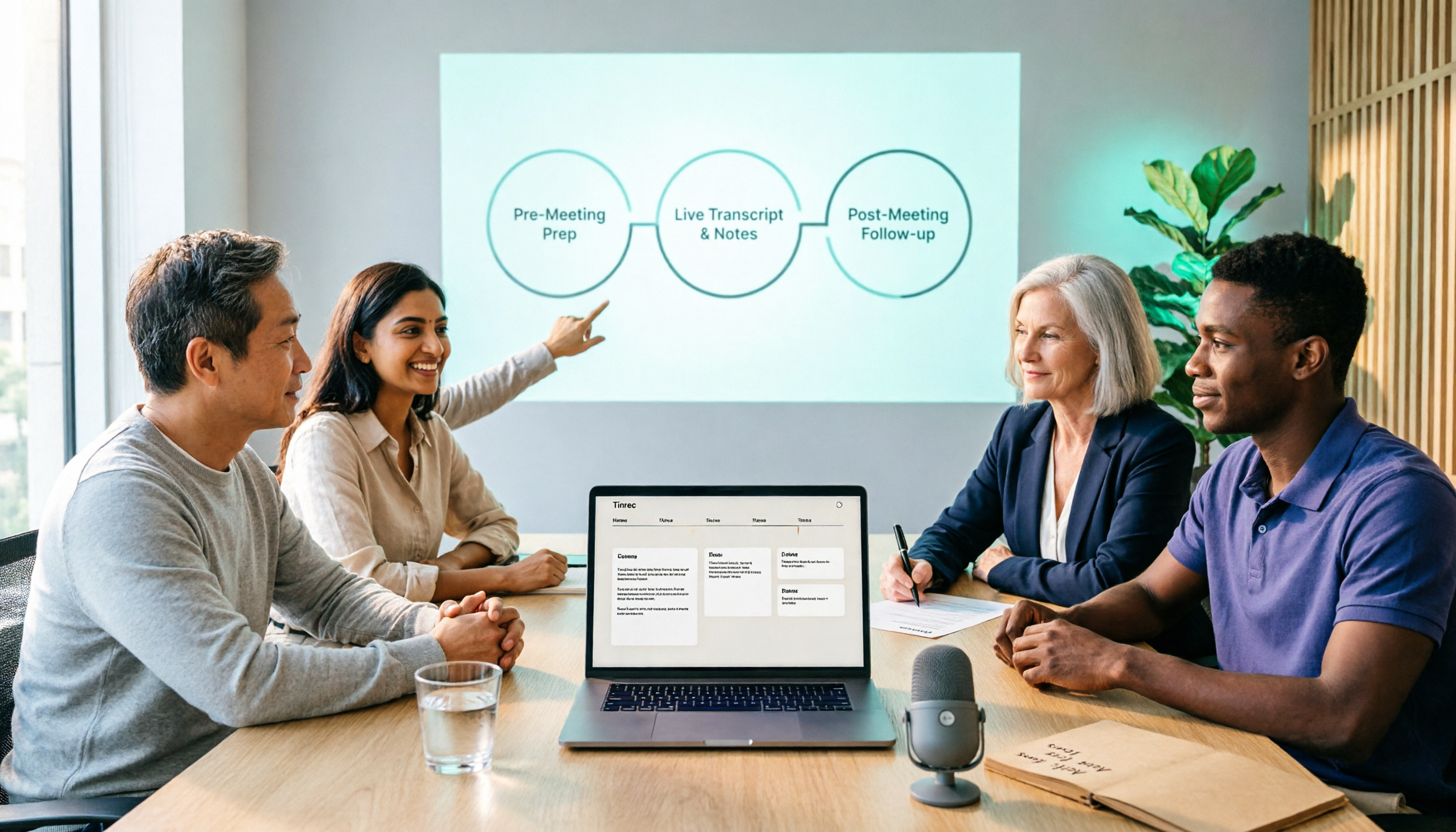
Pre-meeting: Someone needs to organize the agenda and share pre-reading materials so participants come in with questions. In-meeting: Someone needs to record discussions, share screens and documents, and confirm intentions in real time. Post-meeting is the most time-consuming part: turning transcripts into minutes, minutes into action items, and action items to the right people.
Most teams' breakdown isn't in equipment but in "no prep before, no notes during, no follow-up after." In the end, everyone has to manually translate recordings, PDFs, and whiteboard photos into a format others can understand, repeating the same work.
There are corresponding solutions on the equipment side. Integrated smart meeting rooms connect interactive whiteboards, A/V projection, file sharing, and platforms like Teams, Webex, and Zoom, so remote and on-site participants see the same content. This layer solves the "same screen" problem but won't automatically generate action items for you.
So to answer "how to do it," you need to look at both physical equipment and meeting content tools. This article focuses on the latter: the layer that turns sound into searchable, trackable data.
The 5 Tools Included in This Comparison
This article focuses on meeting content processing and selects five products with different positioning:
- Tinrec: An AI meeting notes and collaboration tool. The desktop version captures computer system audio without needing a bot to join the meeting. It supports real-time recording, audio/video import, summaries, chapters, action items, AI Q&A, export, and team spaces.
- Otter.ai: A mature AI meeting assistant covering Zoom, Microsoft Teams, and Google Meet, offering real-time transcription, speaker identification, AI Chat, and team management.
- Fireflies.ai: Centered on meeting automation and meeting bots, with strengths in summaries, AskFred, team analytics, and extensive third-party integrations.
- Granola: Bot-free AI meeting notes that transcribe in real time via desktop system audio and microphone, combined with user handwritten notes.
- Notta: A multi-platform transcription tool covering meeting notes, file import, translation, and team plans.
Disclosure: Tinrec is one of the primary products referenced in this article; its features and plan descriptions come from materials provided by the product team. Other competitors are based on publicly available information from their official pages. I will honestly describe Tinrec's limitations.
Comparison Methodology and Data Conditions
Let's be clear about what this article is and isn't.
- Data verification date: August 18, 2026. Prices and quotas are subject to change; please refer to the official purchase page before ordering.
- Data sources: Official pricing pages, official documentation, and feature information provided by the product teams.
- No timed tests in a controlled environment: Transcription speed is affected by audio length, language, number of speakers, recording scenario, file format, network, and device performance. Reporting seconds without traceable, consistent conditions would only mislead. Therefore, this article does not list "transcription time in seconds" but instead lists capabilities, quotas, and limitations at each stage.
- Variable reminder: The effectiveness of any tool is affected by recording quality, background noise, accents, overlapping speech, and technical terminology; transactional promises (e.g., fixed accuracy rates) should not be taken at face value.
If you want to verify yourself, the most practical approach is to take a real internal meeting audio file and run the same content through two or three tools, comparing transcript readability and action item accuracy.
Three-Stage Capability Comparison Table
| Tool | Meeting Capture Method | Retains Audio | Transcript | Summary/Action Items | Post-Meeting Follow-Up | Team Capabilities |
|---|---|---|---|---|---|---|
| Tinrec | Desktop captures system audio (no bot), real-time recording, audio/video import | Yes | Yes, searchable and reviewable | Summary, chapters, action items, mind map | AI Q&A, Agent-generated reports and tables | Team space, roles, seats, usage, audit logs, recycle bin |
| Otter.ai | Meeting bot, desktop, etc. | Depends on plan | Yes, with speaker identification | Summary, action items | AI Chat | Mature team and enterprise management |
| Fireflies.ai | Primarily meeting bot | Depends on plan | Yes | Summary, action items, AskFred | Yes | Team analytics and extensive integrations |
| Granola | Desktop system audio + microphone (no bot) | Does not retain meeting audio | Yes, viewable, copyable, searchable | Note enhancement and summaries | Yes | Shared folders and user management |
| Notta | Meeting bot, desktop, or upload | Usually yes | Yes | Summary | Some plans | Business/Enterprise team features |
Looking at the table, one key point stands out: "Can it produce a transcript?" is no longer a differentiator. The differences lie in whether audio is retained, whether you can continue to query the meeting content, and how teams are managed.
Usage Observations and Suitable Scenarios for Each Tool
Tinrec: Keep the meeting and turn it into data you can act on
Tinrec isn't positioned as just a transcription tool. It brings three sources—real-time recording, online meetings, and audio/video files—into one place, outputting transcripts, summaries, chapters, and action items. It also lets you continue asking questions about a single meeting or across multiple meetings, and generate reports and tables.
Stop organizing recordings by hand
Upload audio or video and automatically get a transcript, summary, and action items
Its handling of online meetings is worth noting: the desktop version directly captures computer system audio, without needing to add a meeting bot to the meeting room. This is especially useful for external client meetings—no unfamiliar account appears on the participant list.
Keep in mind this doesn't mean it "automatically joins all meetings on your calendar." Users still need to actively open Tinrec to start recording, and it is not an official Zoom or Teams integration.
Chinese and mixed Chinese-English meetings are areas where it can excel, and it supports real-time translation and bilingual viewing. Actual performance depends on recording conditions; we do not recommend promising fixed accuracy rates externally.
The team version is another level: data belongs to the team, you can manage members, roles, and seats, view usage trends and audit logs, and when a member leaves, resources are transferred to other active members. Note that roles and seats are two different things—members without a seat can still view and play team data but cannot upload, edit, or export. The team version currently focuses on team-level sharing, not granular file-level permission control.
Otter.ai: A mature option for English business meetings
Otter has long offered integrations with Zoom, Teams, and Meet, along with speaker identification. Its experience with English meetings is deep, and AI Chat and workflows are complete.
The free Basic plan offers 300 minutes per month, which you can use to verify whether it suits your accent and meeting style. If your team primarily holds English meetings and needs a mature admin backend, it's an intuitive choice.
Fireflies.ai: Deep meeting automation
Fireflies' strengths are automation and the number of integrations. After the meeting bot joins, it automatically generates summaries and action items, and can connect meeting data to other systems. Team analytics are also comprehensive.
Its "unlimited transcription" is still practically subject to storage, upload speed, and AI Credit rules—not all capabilities are unlimited. It's worth reviewing the official quota details before purchasing.
Granola: Bot-free, but takes the "AI helps you organize notes" approach
Granola also uses desktop system audio and doesn't send a bot into meetings. It combines user-typed notes with AI-generated content, suitable for people who like to write key points while listening.
Its limitations should be clearly stated: it does not support uploading existing audio files and does not save meeting audio. That means if you want to go back after the meeting to verify the original wording of a statement, there's no audio to check. It's suitable for individual users who trust real-time notes and don't need audio archives.
Notta: A practical choice for multilingual and file transcription
Notta covers multi-platform transcription, meeting notes, file import, and translation. Multilingual support has always been its selling point. The Business plan offers unlimited transcription, role permissions, and usage reports.
The free version offers 120 minutes per month with a 3-minute limit per item—essentially a "try the workflow" quota. If your need is to transcribe large amounts of existing audio into text and subtitles, its pace will suit you better.
Pricing and Quota Comparison
The following is public information from official pages as of August 18, 2026. Currency is USD; annual plans are shown as the official monthly equivalent.
| Tool | Free Quota | Paid Plans |
|---|---|---|
| Tinrec | Free version offers basic quota to experience recording, import, summaries, and transcription | Personal plans include weekly card, Pro monthly, and Pro annual; amounts per official purchase page. Team plan: USD 29.80 per paid seat per month, or USD 199 per paid seat per year (approx. USD 16.58/month). Each paid seat includes 2,000 minutes of team shared import quota per month. Under an active team plan, real-time recording currently does not deduct minutes; file and web imports consume team shared quota. |
| Otter.ai | Basic free, 300 minutes per month | Pro annual equivalent USD 8.49 per user per month, including 1,200 minutes per month and 10 file imports; Business pricing may be affected by promotions |
| Fireflies.ai | Free USD 0 | Pro USD 10 per seat per month, Business USD 19 per seat per month, Enterprise USD 39 per seat per month (annual) |
| Granola | Basic free | Business USD 14 per user per month, Enterprise USD 35 per user per month |
| Notta | Free 120 minutes per month, 3-minute limit per item | Pro annual equivalent USD 8.17 per month, 1,800 minutes per month; Business annual equivalent USD 16.67 per seat per month, including unlimited transcription, role permissions, and usage reports |
Tinrec's team plan also offers a first-time eligible 7-day trial, including 1 free seat and 300 minutes of team shared import quota. All prices, currencies, and promotions are subject to the official purchase page.
Conclusion: Choose Based on Your Meeting Style
Under the data conditions of this article, my judgment is as follows:
- If you value Chinese meetings, don't want bots in the meeting room, and want to follow up and export after the meeting: Tinrec offers the most complete workflow—desktop recording plus summaries, action items, AI Q&A, and team spaces—suitable for departments that need to turn meetings into assets.
- If English business meetings dominate and you need a mature backend: Otter.ai is the most established option.
- If you need meeting automation and extensive system integrations: Fireflies.ai's integration depth is its advantage.
- If you only need real-time notes and don't need audio archives: Granola is lightweight and direct, but don't expect a file library.
- If you need multilingual support and transcribe large volumes of existing audio: Notta's pace is more suitable.
There's another often-overlooked dimension: meeting collaboration isn't just tools—it also includes space and processes. If your company's meeting room still requires rewiring every time the presenter changes, address equipment and wireless projection first, then talk about AI notes—that's when results will show.
Finally, a reminder: this article is a data comparison, not timed tests in a controlled environment, and the sample is limited. The real answer lies in your own meetings—running a real audio file through a tool once is more accurate than reading ten reviews.
Frequently Asked Questions
Q1: For smart meeting collaboration, do I have to replace the meeting room equipment first?
Not necessarily. You can start with meeting content tools to streamline transcripts, summaries, and action items, then add whiteboards, wireless projection, or environmental control as needed. Equipment solves "the same screen," tools solve "the same record." They complement each other but don't replace each other.
Q2: Can I record online meetings without a meeting bot?
Yes. Tinrec's desktop version and Granola both capture computer system audio without requiring an extra account to join the meeting. The prerequisite is that the user actively starts recording; it doesn't automatically join all calendar meetings in the background.
Q3: Is the free version enough?
It depends on frequency. For occasional one meeting per week, using the free quota to verify transcript quality is most practical. Otter's free version offers 300 minutes per month, Notta 120 minutes per month (3-minute limit per item), and Granola and Fireflies also have free tiers. If you have multiple meetings per week, paid plans usually offer a better cost per minute.
Q4: What's the difference between team and personal versions?
In the personal version, data belongs to the individual account. The team version is a separate collaboration space where data belongs to the team, with additional features like member invitations, role and seat management, shared quotas, usage analytics, audit logs, and a recycle bin. When a member leaves, resources are transferred to other active members and are not taken away.
Q5: Can the transcript be used directly as meeting minutes?
Not recommended to send as-is. A transcript is raw material; minutes need conclusions and "who, when, what." A more reliable approach: use summaries and action items to quickly grasp key points, then use transcript timestamps to verify key statements, and finally confirm manually. AI may miss or misunderstand; important decisions should still be verified against the recording and original text.
Q6: What should I pay attention to before recording?
First, confirm company policies and local regulations, and obtain participant consent when necessary. Also, proper microphone placement and meeting room acoustics often have a greater impact on transcription quality than switching tools.
References
- What is a Smart Meeting Room? A Guide to Benefits, Feature Recommendations, and Application Examples - DC Sales Portal
- Zoom Meetings: Video Conferencing Service | Zoom
- Farewell to Ineffective Meetings and Information Silos: Reshaping Team Collaboration Efficiency with AI | ProcessOn Salon
- Using Smart Scenarios to Help Enterprise Meeting Rooms Become a Catalyst for Digital Transformation | BXB
- Integrated Planning for Small, Medium, and Large Meeting Equipment / Digital Smart Meeting Rooms / Cloud Video Sharing Meetings Meeting Lab / Environmental Control Systems - Cloud Precision Technology
Turn every recording into actionable outcomes
Get 60 free transcription minutes when you sign in. No credit card required.
Related Reading
You might also like

3 Best Live Transcription Tools in 2026: Free Tiers, Chinese Recognition, and Post-Meeting Organization Compared
2026 recommendations for 3 live transcription tools, comparing Tinrec, Yating Transcription, and Notta from four angles: free tier limits, Chinese and mixed Chinese-English recognition, post-meeting organization, and team collaboration. Includes student usage insights, pitfalls to avoid, and buying advice. Prices verified August 2026; refer to official pages for actual details.
4 Free Real-Time Transcription Tools in 2026: Free Tiers and Meeting Notes Use Cases Compared
Many free transcription tools look promising, but they often fall short due to session length limits, locked features, and poor Traditional Chinese recognition. Based on official data verified in August 2026, this article compares the free plans, real-time transcription capabilities, and post-meeting outputs of Tinrec, Otter.ai, Notta, and Google Live Transcribe, along with key selection criteria, pitfalls to avoid, and scenario-based recommendations.
How to Run Smart Meeting Collaboration in 2026: 5 Steps + Bot-Free Meeting Notes
How do you run smart meeting collaboration? From pre-meeting audio and platform checks, to live transcription and translation during the meeting, to post-meeting summaries, action items, and team knowledge retention—this guide breaks down the process in 5 steps and compares the use cases and limitations of Tinrec, Otter.ai, Notta, and Granola.

How to Use Smart Meeting Collaboration in 2026: 5 Steps from Recording to Team Collaboration
Starting from the pain points of student group discussions, this article compares smart meeting collaboration tools and shares Tinrec's 5-step usage process, key selection criteria, and common mistakes to help you find the right meeting notes tool.

2026 Smart Meeting Collaboration Free Plans: 4 Tools Compared
If you want to use free plans for smart meeting collaboration, first understand whether the free quota is counted in minutes, per-meeting length, or number of files. This article reviews the free tiers, actual workflows, and limitations of four meeting collaboration tools in 2026, and explains how meeting data can go from transcripts to summaries, action items, and team-shareable resources, with recommendations for matching tools to needs.

6 Live Transcription Tools Tested and Compared in 2026: How to Choose the Latest AI Summaries and Free Tiers
We tested six live transcription tools, comparing their actual features, free tiers, and paid plans—from real-time transcription and AI summaries to team collaboration and long-file processing—to help busy professionals quickly decide which one is worth trying first.

4 Free AI Meeting Collaboration Tools Tested: Which Free Tier Actually Lasts a Full Meeting?
Starting from whether a free tier can last through a full meeting, this hands-on comparison of Tinrec, Otter.ai, Notta, and Granola covers free limits, key features, workflows, and restrictions, with a comparison table and selection advice.
2026 Comparison of 5 Live Transcription Tools: Free Options Popular on Dcard vs. Human Transcription Rates—Which Is More Cost-Effective?
Discussions on Dcard about live transcription mostly ask which tools are free and how much it costs to hire someone to type. This article puts tools such as Tinrec, Google Docs voice typing, Buzz, and Seameet alongside publicly available rates for human transcription in Taiwan in the same cost table, explains the five factors that affect quotes, each option's suitable use cases and quota limits, and notes the date the data was verified, to help you choose before delivery.
Tinrec vs Yating Transcription in 2026: 5-Dimension Comparison — Which Chinese Live Transcription Tool Is Good Enough?
Starting from real scenarios like attending classes, group discussions, and pre-final exam review, this article compares Tinrec (Miao Ting Lu Yin) and Yating Transcription across 5 dimensions: live transcription, AI organization, free quota, and cross-platform differences. It also supplements with use cases for Otter.ai and Notta to help budget-limited students pick the one that is truly sufficient.