

Turn recordings into transcripts and summaries in minutes
Upload audio or video for multilingual transcription, AI notes, and action items
Most sales meeting notes are never finished—the problem isn't typing speed
"What was the key point of this meeting?" I asked the sales rep in the elevator right after the client left. He flipped through his notebook and mentioned three things we'd just discussed, but missed the price range the client cared about most, and also missed the client contact's comment: "We need to report to procurement next week."
Most people take sales meeting notes by opening their laptop and transcribing the conversation from start to finish. I used to do that too—a one-hour meeting would take another hour to organize afterward, and I'd still miss things. What you really need to capture isn't every word the client said, but four things: what the client wants, where things are stuck, what we committed to, and what needs to be delivered by when.
I've tried three inefficient approaches: handwritten notes (slow and incomplete), asking the sales rep to fill in afterward (they're busier than you), and pasting the platform's built-in transcript into the group chat (nobody reads it). Eventually I switched to AI note-taking tools, went through several, and finally settled on my current approach.
This article isn't about which brand is biggest—it's about putting the four tools I've actually used side by side and clarifying which one is truly "easy to write" in sales meeting scenarios.
Before Choosing a Sales Meeting Notes Tool, Understand These 4 Key Points
1. Does it give you a transcript, or a ready-to-use record? The value of sales meeting notes is after the meeting, not during. If a tool only spits out a one-hour transcript, you still have to read through it yourself. What really saves time is whether it can directly organize summaries, key points, and "who needs to do what by when."
2. How do you record online meetings? Do you need to add a bot? Client meetings are most sensitive about an unfamiliar account appearing on the attendee list. Some tools rely on a meeting bot joining, and our clients directly ask "what is that?" Being able to complete the record without disturbing the other party is very practical for sales.
3. Are audio files kept? Can you go back and verify that sentence? Commitments in sales meetings are the most prone to problems: "I said end of month, not this week." If the tool doesn't keep audio files, you're left with only a transcript that might have misheard, and nothing to argue with. Whether recordings are preserved and whether you can replay by timestamp to verify—these are now must-check criteria for me.
4. Who ultimately receives this record? A record that only exists in a sales rep's personal account is as good as nonexistent. If the rep leaves or changes departments, the terms discussed with the client disappear with them. So the question is: can data go into a team space, can managers see it, and how are seats and permissions allocated?
Tinrec (秒聽錄音) — The One I Kept After Testing
Tinrec (秒聽錄音) is an AI meeting notes and collaboration tool for individuals and teams, supporting iOS, Android, desktop, and web. My team used it for several months and finally fixed it into our sales meeting workflow because it's the most effortless at "having something to deliver after the meeting."
No need to pull a bot into client meetings. Tinrec's desktop version directly captures your computer's system audio, handling online meetings on Zoom, Google Meet, Microsoft Teams, Webex, etc., without inviting an extra account. The sales side just opens Tinrec and starts recording; the client sees the original one-on-one screen.
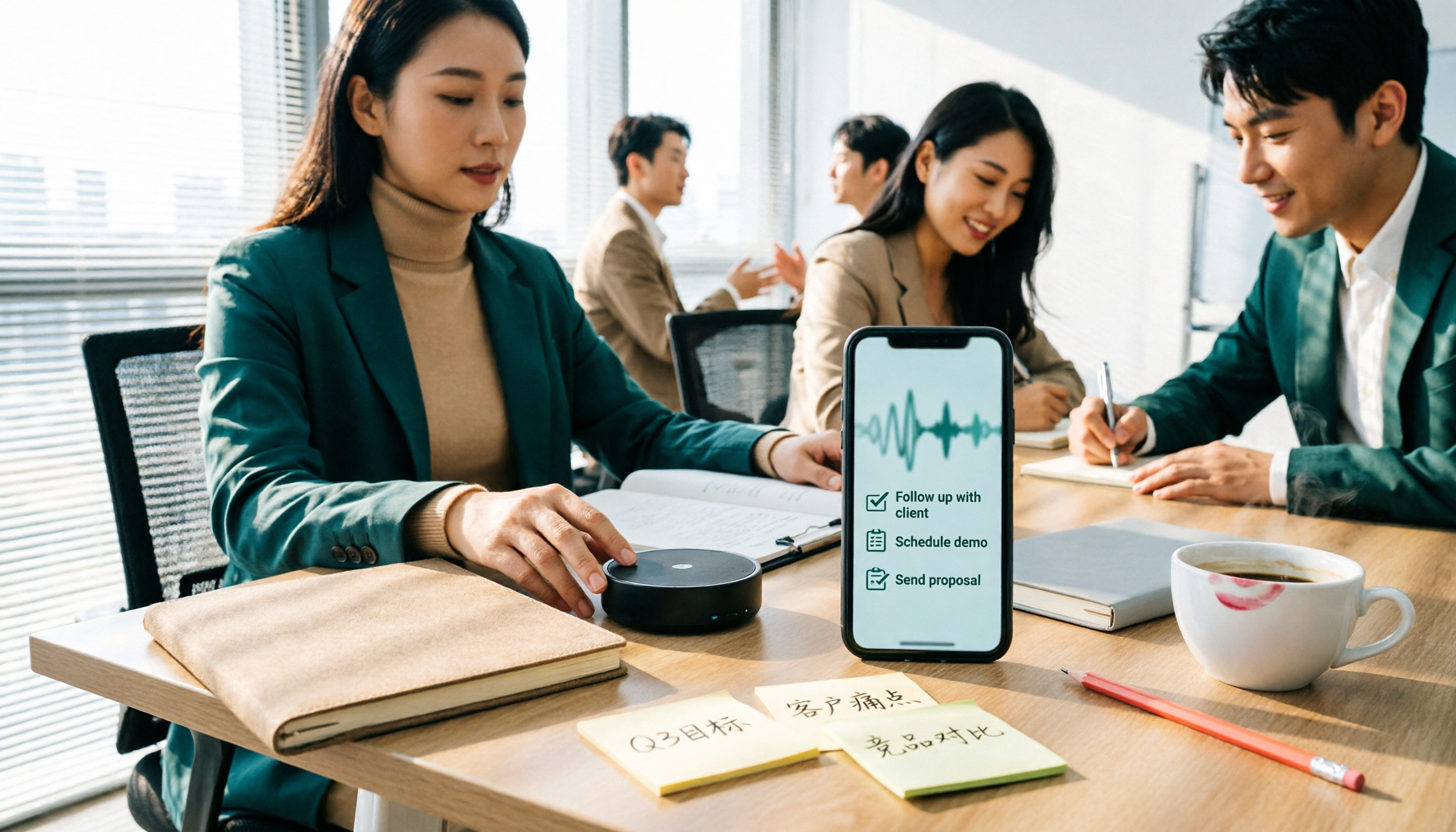
What it gives you isn't a transcript—it's organized meeting notes. It transcribes while recording and automatically generates summaries, chapters, and action items after the meeting. The action items section is what I check most: who's responsible, for what, and by when. This is much faster than my own handwritten notes during the meeting, and I don't miss things because I'm speaking.
You can ask it questions directly after recording. This is where it differs most from similar tools. Last week's client interview—I needed to confirm their attitude on payment terms. Instead of re-listening to 40 minutes of audio, I just asked "What concerns did the client raise about payment cycles?" and it gave the corresponding answer rather than just keyword links. When new sales reps take over clients, I also have them ask historical meetings themselves, so I don't have to dictate on the side.
The team version keeps data in the company, not with individuals. Personal version data belongs to the individual account; the team version is an independent team space where meeting data belongs to the team. For management, you can invite members, set roles (Owner, Admin, Member), and distinguish "roles" from "seats"—roles govern administration, seats govern whether one can record, upload, edit, and export. Active members without a seat can still view, play, and read team data, but cannot upload or edit. For larger sales teams, you can also see usage trends, member rankings, and query/export audit logs.
Stop organizing recordings by hand
Upload audio or video and automatically get a transcript, summary, and action items
Current team plan: first-time eligible users get a 7-day trial, 1 free seat, and 300 minutes of shared team import quota; monthly USD 29.80 per paid seat, annual USD 199 per paid seat (about USD 16.58/month), with each paid seat providing 2,000 minutes of shared team import quota per month. Under an active team plan and seat, real-time recording currently does not deduct minutes; only document and web imports use shared quota. Actual prices and benefits are subject to the official purchase page.
Three advantages: No bot needed for meetings, get summaries and action items right after, and data can accumulate into a searchable team asset.
Limitations to mention: It's not a meeting bot and won't automatically join every meeting on your calendar—users must initiate recording themselves. Also, transcription quality depends on audio, accents, and multiple people talking over each other; for industries with many proper nouns, it's best to build team hotwords first.
Who it's for: Sales reps and managers who have several client meetings per week, need to clearly document commitments, and want these records to stay with the team rather than on personal hard drives.
Besides Tinrec, What Other Options Are There?
Notta It offers multi-platform transcription, meeting notes, document import, translation, and team plans—the highest overlap with Tinrec. Note that the free version is 120 minutes per month with a maximum of 3 minutes per item—a sales meeting often exceeds that length. Its Pro annual plan is about USD 8.17/month with 1,800 minutes per month, and Business annual is about USD 16.67/seat/month. If you only need cheap pure transcription, consider it; but if you want bot-free desktop recording plus team space and seat management, Tinrec's role and seat separation is clearer.
Granola A bot-free AI meeting notes tool that transcribes in real time via desktop system audio and microphone, then combines with your handwritten notes to generate content. Basic is free, Business is USD 14 per person per month. It does have real-time transcription, but does not save meeting audio files and does not support uploading existing recordings. Sales scenarios often require replaying a specific sentence afterward—Tinrec preserves recordings and accepts existing audio imports, which feels more solid.
PLAUD Note / NotePin AI recording hardware focused on portable recording, phone call recording, and battery life. Device starts at USD 159, Starter is 300 minutes per month, Pro annual is USD 99.99 with 1,200 minutes per month. If you're often on the go and need a physical device to press and record, the experience is good; but you have to buy an extra device. Tinrec requires no extra hardware, works on phone, desktop, and web, handles online meetings and historical files together, and its team capabilities focus on meeting data space, seats, and auditing.
Pitfall Guide: The 3 Most Common Mistakes When Choosing a Sales Meeting Notes Tool
Pitfall 1: Submitting a transcript as meeting notes. I've received a pasted transcript—30,000 words—and after reading it, I still didn't know if the client wanted to buy. Meeting notes must be understandable on their own: someone who didn't attend should read one sentence and know who needs to do what by when. Write names, not departments, for owners; write dates, not "ASAP," for deadlines.
Pitfall 2: Only comparing free minutes, ignoring per-item limits and import restrictions. Many tools seem to offer large free quotas, but have length limits per file, or imports consume a different quota. When reviewing plans, look at: can it handle a single meeting, how are imports counted, and how is quota shared among team members.
Pitfall 3: Sending AI drafts directly without anyone reviewing. AI can help draft meeting notes, but it shouldn't be the only step. Poor audio, multiple people talking over each other, or misheard proper nouns can make a summary read smoothly but be wrong. My approach: read the summary once, check each action item, and replay the 30 seconds for key numbers. Keep only one official record; everything else is source material—don't let three versions circulate in the group chat.
Two more reminders: inform attendees and get consent before recording—this is a legal and courtesy matter; also, it's best to clarify at the team level how long meeting data is retained and who can view it, rather than everyone piling it up on their own computers.
Conclusion: Which One Should You Choose?
Back to the original question—which sales meeting notes tool is easy to write with? My answer: first look at what kind of meetings you have, then decide on the tool.
- Many client meetings, mostly online, don't want a bot joining → Tinrec, desktop version records system audio directly, get summaries and action items right after.
- Need to verify client's exact words, or even add existing recordings → Tinrec, preserves audio, supports file import, allows content-based questions.
- Sales team needs to share records, managers need visibility → Tinrec team version, team space + roles/seats + usage and auditing; when members leave, data is handed over to other members, not tied to individuals.
- Only need cheap bulk pure transcription, and meetings are all short → Tools like Notta can be included in comparison.
- Often on the go, need a physical device for quick recording → Hardware like PLAUD has its place.
If you're like me—a dozen meetings a week, half of them client meetings—I'd suggest first running a real sales meeting with Tinrec's free version: don't just test "how accurate is the transcription," but test "how quickly can you produce a record you can send to the client afterward." That time difference is what the tool truly saves you.
(Recording and transcription involve personal data and local regulations. Before use, confirm you have obtained attendee consent and follow company policies for storing and destroying meeting data.)
References
- Meeting Minutes Format Template [Copy Directly] 4 Key Points + Writing Examples, Fill In and Submit
- How to Write Meeting Minutes: Format Fields, Decisions and Action Items, Which Meetings Have Legal Formats - Red Point Business Center
- How to Write Meeting Minutes: Decisions, Owners, Deadline Writing, with Work Meeting and Formal Meeting Templates - REDSPACE | Taipei Event Space Rental・Corporate Event Venue
- Free Meeting Minutes Template (Word, Google Docs, PDF) | HiNoter Blog
- Meeting Minutes = Transcript? Professional Meeting Minutes Only Record 3 Key Points | Writing Tips, Templates at Once | 104 Workplace Power
Turn every recording into actionable outcomes
Get 60 free transcription minutes when you sign in. No credit card required.
Related Reading
You might also like

2026 Comparison of 4 Sales Meeting Note Tools: Which One Is Easiest to Use?
The hardest part of a sales meeting often comes after it ends: the budget the client mentioned, the quote you promised, and the follow-ups for next time are all scattered across a two-hour conversation. This article starts from five buying dimensions and compares Tinrec, Otter.ai, Fireflies.ai, and Notta in terms of Chinese transcription, post-meeting organization, AI Q&A, and team data ownership, helping you pick the one that truly saves overtime hours.

2026 Best Sales Meeting Note Tools Compared: Which Saves the Most Time on Chinese Transcription, Action Items, and Team Knowledge?
Which sales meeting note tool is best? This article uses three practical criteria to compare Tinrec, Notta, Otter.ai, and Granola on meeting capture methods, Chinese and mixed Chinese-English transcription, post-meeting summaries and action items, team data ownership, and pricing rules. It also covers 5 key buying factors and 4 common mistakes to help you choose the right tool for your actual sales scenarios.

Screen Recording on Windows, Mac, and iPhone: Where to Click in 2026
A quick guide to finding the screen recording buttons on Windows, Mac, and iPhone, plus common pitfalls and limitations. Learn how to turn recorded meetings, classes, or interviews into searchable transcripts, summaries, and action items with Tinrec.

Best Sales Meeting Notes Tools in 2026: Free Tiers, Chinese Transcription, and Post-Meeting Follow-Up Compared
Starting from common sales pitfalls, this guide explains how to choose a sales meeting notes tool: Chinese and mixed Chinese-English transcription, online meeting recording without a bot, post-meeting summaries and action item extraction, AI Q&A, team data ownership, and free tier limits. Using Tinrec as an example, it covers practical use cases, purchasing considerations, and FAQs.

2026 Comparison of 4 Sales Meeting Notes Solutions: From Blank Templates to AI Auto-Organization
Most sales meeting notes templates fail not because of poor field design, but because the cost of taking notes is too high and no one reviews them afterward. This article starts with three common inefficient practices, outlines 4 key purchasing criteria, and then compares Tinrec, Otter.ai, Notta, and Granola across meeting capture, post-meeting organization, search and follow-up, and team handover—helping you choose the one that will actually be opened and used.
How to Choose a Sales Meeting Notes App in 2026: 5 Steps from Recording to Auto-Organized Action Items
Stop treating transcripts as meeting notes. This article reviews 4 apps that can handle sales meetings within their free tiers, explains the difference between long-term free plans and limited-time trials, single-recording length limits, and whether a desktop version is needed, with a comparison table and selection advice.

Tinrec vs Notta 2026: 5-Factor Comparison for Laptop Meeting Recording — Which Saves More Time?
Recording meetings on a laptop often means capturing only the microphone, dealing with background noise, and re-listening to create transcripts. This article compares Tinrec and Notta across five key factors, covering system audio recording, Chinese meeting transcription, AI summaries and action items, and team data management, with practical tips and selection advice.

3 Sales Meeting Note Tools Tested in 2026: How to Use Recording-to-Minutes to Save Time
How do you use sales meeting notes? This article walks through a complete workflow with Tinrec: from live recording, AI transcription, and proofreading to automatically generating summaries and action items, and using AI Q&A to uncover the customer's real concerns. It also compares the differences with Notta and Granola, and includes troubleshooting for common issues plus explanations of team plan permissions, seats, and pricing.

Tinrec vs Granola 2026: 5-Factor Sales Meeting Notes Showdown — Which Is Worth It?
Forgot the client's budget, decision timeline, and competitor quotes the day after a sales meeting? This guide reviews 6 practical sales meeting notes solutions, from AI meeting tools to pure transcription services, and compares Tinrec and Granola across 5 dimensions: bot-free recording, audio retention, post-meeting output, team governance, and pricing. It ends with a scenario-based checklist you can follow directly.